ICT
APPLICATIONS
CHAPTER # 6
GRADE 9
6.2 MODELLING
APPLICATIONS
6.2.1 Computer modelling
• A simulation is the creation of a model of a real system in
order to study the behaviour of the system.
• The model is computer-generated and is based on
mathematical representations.
• The whole idea is to try and find out how a system
behaves, predict the behaviour of the system in the
future and see if it is possible to influence this future
behaviour.
Why we use Computer Models?
• To save costs and time by testing a system before you
build it. e.g. Creating bridges.
• To train people how to use the system in a safe
controlled environment. e.g. Flight Simulators.
• To make predictions of how the system would operate in
the future. e.g. Use of spreadsheets to track profit/loss
over time.
• To investigatethe capabilities of the system in detail by
interrogating and manipulating the computer model.
Chap # 6: ICT APPLICATIONS
6.2.1 COMPUTER MODELLING
Advantages of using models Disadvantages of using models
» less expensive than having to build the real thing
(for example, a bridge!).
» On many occasions it is safer to use a computer
model (some real situations are hazardous, for
example, chemical processes).
» It allows you to try out various different scenarios
in advance.
» It is nearly impossible to try out some tasks in
advance in real life because of the high risk
involved or the remoteness (for example, in space,
under the sea, in nuclear reactors, when crash
testing cars, etc.).
» It is often faster to use a computer model than do
the real thing (some applications would take years
before a result was known, for example, climate
change calculations, population growth, etc.)
» A model is only as good as the programming or
the data entered; the simulation will depend
heavily on these two factors.
» Although building the real thing can be
expensive, sometimes computer modelling is also
a very costly option, and the two costs need to be
compared before deciding which to use.
» People’s reactions to the results of a simulation
may not be positive; they may not trust the results
it produces (there will always be a difference
between the results from modelling and reality).
Chap # 6: ICT APPLICATIONS
6.2.1 COMPUTER
MODELLING
Examples
» personal finance
» bridge and building design
» flood water management
» traffic management
» weather forecasting
Chap # 6: ICT APPLICATIONS
TYPE OF MODELLING
APPLICATION
1- Spreadsheets 2- Flight Simulator
• Businesses can use
spreadsheets to forecast
future profit or
loss.
• Due to the use of formulas
business can adjust certain
values to see automatic
changes in potential
revenue.
• Pilots are able to learn how to
fly a plane using a flight
simulator.
• The controls and the interface
are the same as real plane.
• Different conditions can be
tested.
• Reduced costs as a plane
would not be damaged in the
training.
Chap # 6: ICT APPLICATIONS
TYPE OF MODELLING
APPLICATION
3- Building Simulator 4- Traffic Lights
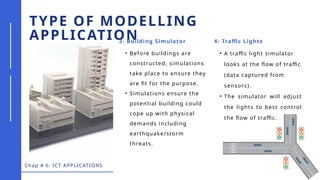
• Before buildings are
constructed, simulations
take place to ensure they
are fit for the purpose.
• Simulations ensure the
potential building could
cope up with physical
demands including
earthquake/storm
threats.
• A traffic light simulator
looks at the flow of traffic
(data captured from
sensors).
• The simulator will adjust
the lights to best control
the flow of traffic.
BRIDGE AND BUILDING DESIGN
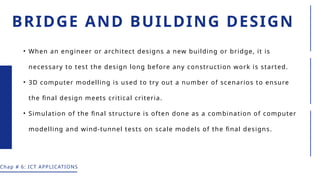
• When an engineer or architect designs a new building or bridge, it is
necessary to test the design long before any construction work is started.
• 3D computer modelling is used to try out a number of scenarios to ensure
the final design meets critical criteria.
• Simulation of the final structure is often done as a combination of computer
modelling and wind-tunnel tests on scale models of the final designs.
Chap # 6: ICT APPLICATIONS
» the amount of traffic that might be
caught in a traffic jam on the bridge in
the event of an accident; this could
lead to very heavy loading on the
bridge structure
» the effects of strong winds; can the
bridge design withstand the worst-
case scenario?
» the effect of earthquakes; is the
bridge earthquake-proof?
BRIDGE AND BUILDING DESIGN
For example, when building a bridge, the modeller has to consider a number of
scenarios:
Chap # 6: ICT APPLICATIONS
» the effect of tidal waves and ice floes
during extreme weather conditions; can
the pillars supporting the bridge
withstand these conditions?
» the effects of vibrations – there have
been cases over the years where
bridges have collapsed due to, for
example, wind causing the bridge to
sway at its ‘natural frequency’.
Paucek and Lage
Computer modelling provides the following features:
» It is possible to zoom into images so that fine details can
be seen.
» The design can be rotated in a number of different ways to
allow different views of the design to be made.
» Building a bridge or building is expensive and dangerous
if the final design had a serious flaw; modelling should allow
any potential design flaws to be detected before any
construction starts.
» Various scenarios can be tried out to see the effect on the
design (see earlier list of scenarios).
BRIDGE AND BUILDING
DESIGN
Computer models are used to predict water levels, water flows and potential flood
depths. Input to the system could include:
» cross-section of rivers and sea inlets (for example, bottlenecks)
» dimensions of any bridges, weirs or sluices in the flood area
» factors that can affect water flow rates (for example, tides are affected by the
time of year and by strong winds)
» boundary conditions (for example, upstream flows into rivers and downstream
water levels)
» the start and finishing date for the simulation
» calibration data (observation of actual flooding in the past).
Paucek and Lage
Flood water management uses computer modelling to perform a risk assessment to
identify sources of potential flooding, the extent of flooding and how any
mitigation or protection measures could work.
FLOOD WATER MANAGEMENT
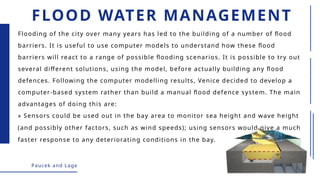
» Sensors could be used out in the bay area to monitor sea height and wave height
(and possibly other factors, such as wind speeds); using sensors would give a much
faster response to any deteriorating conditions in the bay.
Paucek and Lage
Flooding of the city over many years has led to the building of a number of flood
barriers. It is useful to use computer models to understand how these flood
barriers will react to a range of possible flooding scenarios. It is possible to try out
several different solutions, using the model, before actually building any flood
defences. Following the computer modelling results, Venice decided to develop a
computer-based system rather than build a manual flood defence system. The main
advantages of doing this are:
FLOOD WATER MANAGEMENT
» Using a computer system is safer, since using humans to monitor conditions
could potentially put them at risk.
» Data collection is continuous and more accurate than manual measurements
(readings can also be taken more frequently).
» Because of the faster response to changing conditions, city dwellers can be
warned well in advance of any flooding actually taking place.
» Data from the sensors could also be fed into the simulation modelling the flood
area; this could lead to further improvements as more data is gathered, which
means the simulation becomes closer to reality.
Paucek and Lage
FLOOD WATER MANAGEMENT

ICT/417: Modelling applications and their uses .pptx

  • 1.
  • 2.
    6.2 MODELLING APPLICATIONS 6.2.1 Computermodelling • A simulation is the creation of a model of a real system in order to study the behaviour of the system. • The model is computer-generated and is based on mathematical representations. • The whole idea is to try and find out how a system behaves, predict the behaviour of the system in the future and see if it is possible to influence this future behaviour. Why we use Computer Models? • To save costs and time by testing a system before you build it. e.g. Creating bridges. • To train people how to use the system in a safe controlled environment. e.g. Flight Simulators. • To make predictions of how the system would operate in the future. e.g. Use of spreadsheets to track profit/loss over time. • To investigatethe capabilities of the system in detail by interrogating and manipulating the computer model.
  • 3.
    Chap # 6:ICT APPLICATIONS 6.2.1 COMPUTER MODELLING Advantages of using models Disadvantages of using models » less expensive than having to build the real thing (for example, a bridge!). » On many occasions it is safer to use a computer model (some real situations are hazardous, for example, chemical processes). » It allows you to try out various different scenarios in advance. » It is nearly impossible to try out some tasks in advance in real life because of the high risk involved or the remoteness (for example, in space, under the sea, in nuclear reactors, when crash testing cars, etc.). » It is often faster to use a computer model than do the real thing (some applications would take years before a result was known, for example, climate change calculations, population growth, etc.) » A model is only as good as the programming or the data entered; the simulation will depend heavily on these two factors. » Although building the real thing can be expensive, sometimes computer modelling is also a very costly option, and the two costs need to be compared before deciding which to use. » People’s reactions to the results of a simulation may not be positive; they may not trust the results it produces (there will always be a difference between the results from modelling and reality).
  • 4.
    Chap # 6:ICT APPLICATIONS 6.2.1 COMPUTER MODELLING Examples » personal finance » bridge and building design » flood water management » traffic management » weather forecasting
  • 5.
    Chap # 6:ICT APPLICATIONS TYPE OF MODELLING APPLICATION 1- Spreadsheets 2- Flight Simulator • Businesses can use spreadsheets to forecast future profit or loss. • Due to the use of formulas business can adjust certain values to see automatic changes in potential revenue. • Pilots are able to learn how to fly a plane using a flight simulator. • The controls and the interface are the same as real plane. • Different conditions can be tested. • Reduced costs as a plane would not be damaged in the training.
  • 6.
    Chap # 6:ICT APPLICATIONS TYPE OF MODELLING APPLICATION 3- Building Simulator 4- Traffic Lights • Before buildings are constructed, simulations take place to ensure they are fit for the purpose. • Simulations ensure the potential building could cope up with physical demands including earthquake/storm threats. • A traffic light simulator looks at the flow of traffic (data captured from sensors). • The simulator will adjust the lights to best control the flow of traffic.
  • 7.
    BRIDGE AND BUILDINGDESIGN • When an engineer or architect designs a new building or bridge, it is necessary to test the design long before any construction work is started. • 3D computer modelling is used to try out a number of scenarios to ensure the final design meets critical criteria. • Simulation of the final structure is often done as a combination of computer modelling and wind-tunnel tests on scale models of the final designs. Chap # 6: ICT APPLICATIONS
  • 8.
    » the amountof traffic that might be caught in a traffic jam on the bridge in the event of an accident; this could lead to very heavy loading on the bridge structure » the effects of strong winds; can the bridge design withstand the worst- case scenario? » the effect of earthquakes; is the bridge earthquake-proof? BRIDGE AND BUILDING DESIGN For example, when building a bridge, the modeller has to consider a number of scenarios: Chap # 6: ICT APPLICATIONS » the effect of tidal waves and ice floes during extreme weather conditions; can the pillars supporting the bridge withstand these conditions? » the effects of vibrations – there have been cases over the years where bridges have collapsed due to, for example, wind causing the bridge to sway at its ‘natural frequency’.
  • 9.
    Paucek and Lage Computermodelling provides the following features: » It is possible to zoom into images so that fine details can be seen. » The design can be rotated in a number of different ways to allow different views of the design to be made. » Building a bridge or building is expensive and dangerous if the final design had a serious flaw; modelling should allow any potential design flaws to be detected before any construction starts. » Various scenarios can be tried out to see the effect on the design (see earlier list of scenarios). BRIDGE AND BUILDING DESIGN
  • 10.
    Computer models areused to predict water levels, water flows and potential flood depths. Input to the system could include: » cross-section of rivers and sea inlets (for example, bottlenecks) » dimensions of any bridges, weirs or sluices in the flood area » factors that can affect water flow rates (for example, tides are affected by the time of year and by strong winds) » boundary conditions (for example, upstream flows into rivers and downstream water levels) » the start and finishing date for the simulation » calibration data (observation of actual flooding in the past). Paucek and Lage Flood water management uses computer modelling to perform a risk assessment to identify sources of potential flooding, the extent of flooding and how any mitigation or protection measures could work. FLOOD WATER MANAGEMENT
  • 11.
    » Sensors couldbe used out in the bay area to monitor sea height and wave height (and possibly other factors, such as wind speeds); using sensors would give a much faster response to any deteriorating conditions in the bay. Paucek and Lage Flooding of the city over many years has led to the building of a number of flood barriers. It is useful to use computer models to understand how these flood barriers will react to a range of possible flooding scenarios. It is possible to try out several different solutions, using the model, before actually building any flood defences. Following the computer modelling results, Venice decided to develop a computer-based system rather than build a manual flood defence system. The main advantages of doing this are: FLOOD WATER MANAGEMENT
  • 12.
    » Using acomputer system is safer, since using humans to monitor conditions could potentially put them at risk. » Data collection is continuous and more accurate than manual measurements (readings can also be taken more frequently). » Because of the faster response to changing conditions, city dwellers can be warned well in advance of any flooding actually taking place. » Data from the sensors could also be fed into the simulation modelling the flood area; this could lead to further improvements as more data is gathered, which means the simulation becomes closer to reality. Paucek and Lage FLOOD WATER MANAGEMENT