Icons and
Accessibility:
Ensuring Inclusive
Design with Visual
Elements
Welcome! Let's explore how to make your website accessible to everyone by
incorporating inclusive design principles.
by free icons
Understanding Accessibility Guidelines
1 WCAG
The Web Content Accessibility Guidelines (WCAG)
provide a set of standards for designing web content
that is accessible to people with disabilities.
2 A11Y
A11Y is a shorthand for accessibility. It reminds us
that inclusive design should be a priority in all
aspects of web development.
3 Inclusive Design
Inclusive design ensures that all users, regardless of
their abilities, can access and use your website
effectively.
4 Accessibility Testing
Testing your website using tools and techniques
specifically designed for accessibility helps you
identify and address any barriers.
Choosing Appropriate Icon Styles
Simple and Clear
Choose free icons that are easy to
understand and avoid overly complex
or abstract designs.
High Contrast
Ensure that icons have sufficient
contrast against the background to
be visible to users with visual
impairments.
Descriptive Alt Text
Provide descriptive alternative text
for all icons so that screen readers
can convey their meaning to users.
Ensuring Contrast and Legibility
Color Contrast Ratios
Use a color contrast checker to
ensure that the contrast between
text and background colors meets
accessibility standards.
Font Size and Weight
Choose font sizes and weights
that are easily readable, especially
for users with low vision or
dyslexia.
Line Height
Use appropriate line height to
improve readability and prevent
text from appearing cramped.
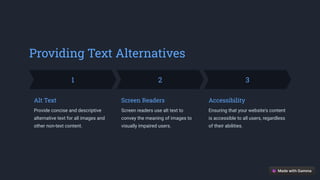
Providing Text Alternatives
1
Alt Text
Provide concise and descriptive
alternative text for all images and
other non-text content.
2
Screen Readers
Screen readers use alt text to
convey the meaning of images to
visually impaired users.
3
Accessibility
Ensuring that your website's content
is accessible to all users, regardless
of their abilities.
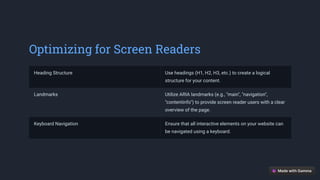
Optimizing for Screen Readers
Heading Structure Use headings (H1, H2, H3, etc.) to create a logical
structure for your content.
Landmarks Utilize ARIA landmarks (e.g., "main", "navigation",
"contentinfo") to provide screen reader users with a clear
overview of the page.
Keyboard Navigation Ensure that all interactive elements on your website can
be navigated using a keyboard.
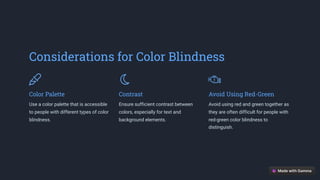
Considerations for Color Blindness
Color Palette
Use a color palette that is accessible
to people with different types of color
blindness.
Contrast
Ensure sufficient contrast between
colors, especially for text and
background elements.
Avoid Using Red-Green
Avoid using red and green together as
they are often difficult for people with
red-green color blindness to
distinguish.
Conclusion: Embracing
Inclusive Design Practices
By implementing these guidelines, you can create a website that is accessible
and inclusive to all users. Remember that accessibility is a continuous
process, and it's important to stay up-to-date with best practices.
Welcome
Thank you for your time. We are excited to work with you to create a beautiful and accessible website for your clients.

Icons and Accessibility Ensuring Inclusive Design with Visual Elements.pdf

  • 1.
    Icons and Accessibility: Ensuring Inclusive Designwith Visual Elements Welcome! Let's explore how to make your website accessible to everyone by incorporating inclusive design principles. by free icons
  • 2.
    Understanding Accessibility Guidelines 1WCAG The Web Content Accessibility Guidelines (WCAG) provide a set of standards for designing web content that is accessible to people with disabilities. 2 A11Y A11Y is a shorthand for accessibility. It reminds us that inclusive design should be a priority in all aspects of web development. 3 Inclusive Design Inclusive design ensures that all users, regardless of their abilities, can access and use your website effectively. 4 Accessibility Testing Testing your website using tools and techniques specifically designed for accessibility helps you identify and address any barriers.
  • 3.
    Choosing Appropriate IconStyles Simple and Clear Choose free icons that are easy to understand and avoid overly complex or abstract designs. High Contrast Ensure that icons have sufficient contrast against the background to be visible to users with visual impairments. Descriptive Alt Text Provide descriptive alternative text for all icons so that screen readers can convey their meaning to users.
  • 4.
    Ensuring Contrast andLegibility Color Contrast Ratios Use a color contrast checker to ensure that the contrast between text and background colors meets accessibility standards. Font Size and Weight Choose font sizes and weights that are easily readable, especially for users with low vision or dyslexia. Line Height Use appropriate line height to improve readability and prevent text from appearing cramped.
  • 5.
    Providing Text Alternatives 1 AltText Provide concise and descriptive alternative text for all images and other non-text content. 2 Screen Readers Screen readers use alt text to convey the meaning of images to visually impaired users. 3 Accessibility Ensuring that your website's content is accessible to all users, regardless of their abilities.
  • 6.
    Optimizing for ScreenReaders Heading Structure Use headings (H1, H2, H3, etc.) to create a logical structure for your content. Landmarks Utilize ARIA landmarks (e.g., "main", "navigation", "contentinfo") to provide screen reader users with a clear overview of the page. Keyboard Navigation Ensure that all interactive elements on your website can be navigated using a keyboard.
  • 7.
    Considerations for ColorBlindness Color Palette Use a color palette that is accessible to people with different types of color blindness. Contrast Ensure sufficient contrast between colors, especially for text and background elements. Avoid Using Red-Green Avoid using red and green together as they are often difficult for people with red-green color blindness to distinguish.
  • 8.
    Conclusion: Embracing Inclusive DesignPractices By implementing these guidelines, you can create a website that is accessible and inclusive to all users. Remember that accessibility is a continuous process, and it's important to stay up-to-date with best practices.
  • 9.
    Welcome Thank you foryour time. We are excited to work with you to create a beautiful and accessible website for your clients.