IBM Storage Insights GUI Walkthrough
Lloyd Vickery
NZ’s Most Friendly Data Storage Consultant
IBM Storage & SDI
© Copyright IBM Corporation 2018
One place to look
 Inventory at a glance
 Call home events
 Capacity
 Key performance
metrics
 Validate call home is on
Your Unified Dashboard
2
IBM Storage & SDI
© Copyright IBM Corporation 2018 3
IBM Storage & SDI
© Copyright IBM Corporation 2018
Device cards change color
 Bubble to the top
 Three most recent
events
Event feed shows event
Single click
acknowledgement
Viewing call home events as they happen
4
IBM Storage & SDI
© Copyright IBM Corporation 2018
Flip error/warning cards back
over to resume monitoring
performance and capacity
Flipping cards
5
IBM Storage & SDI
© Copyright IBM Corporation 2018
Auto-opened tickets
generated by some call
home events.
Viewing tickets generated by call home
6
IBM Storage & SDI
© Copyright IBM Corporation 2018
Detect risk before it becomes a problem
 Known field issues
 Software
 Hardware
 Best practice violations
Link directly to full tech note
Updated by device experts and support
without requiring updates
Event feed – best practices
7
IBM Storage & SDI
© Copyright IBM Corporation 2018
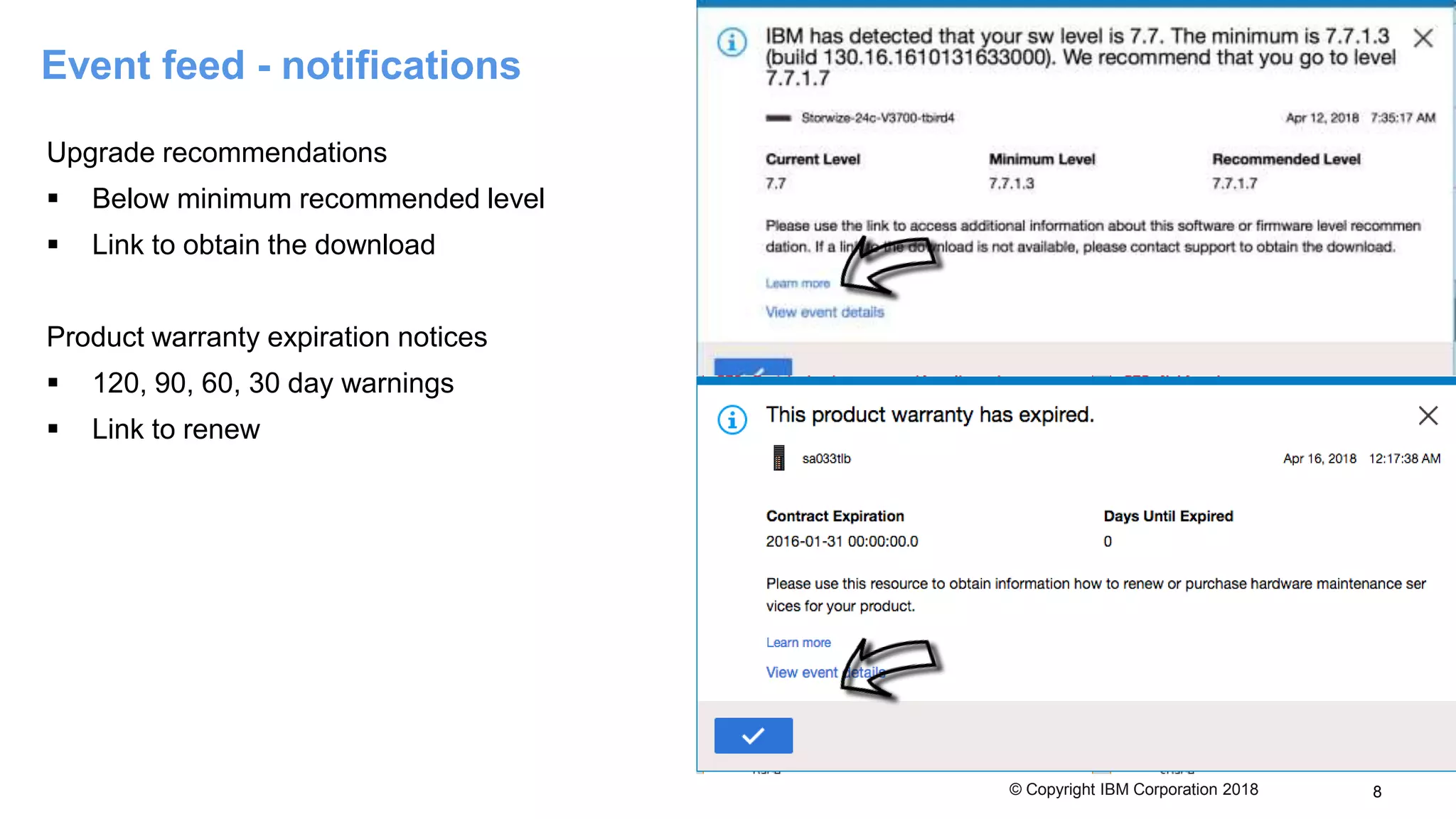
Upgrade recommendations
 Below minimum recommended level
 Link to obtain the download
Product warranty expiration notices
 120, 90, 60, 30 day warnings
 Link to renew
Event feed - notifications
8
IBM Storage & SDI
© Copyright IBM Corporation 2018
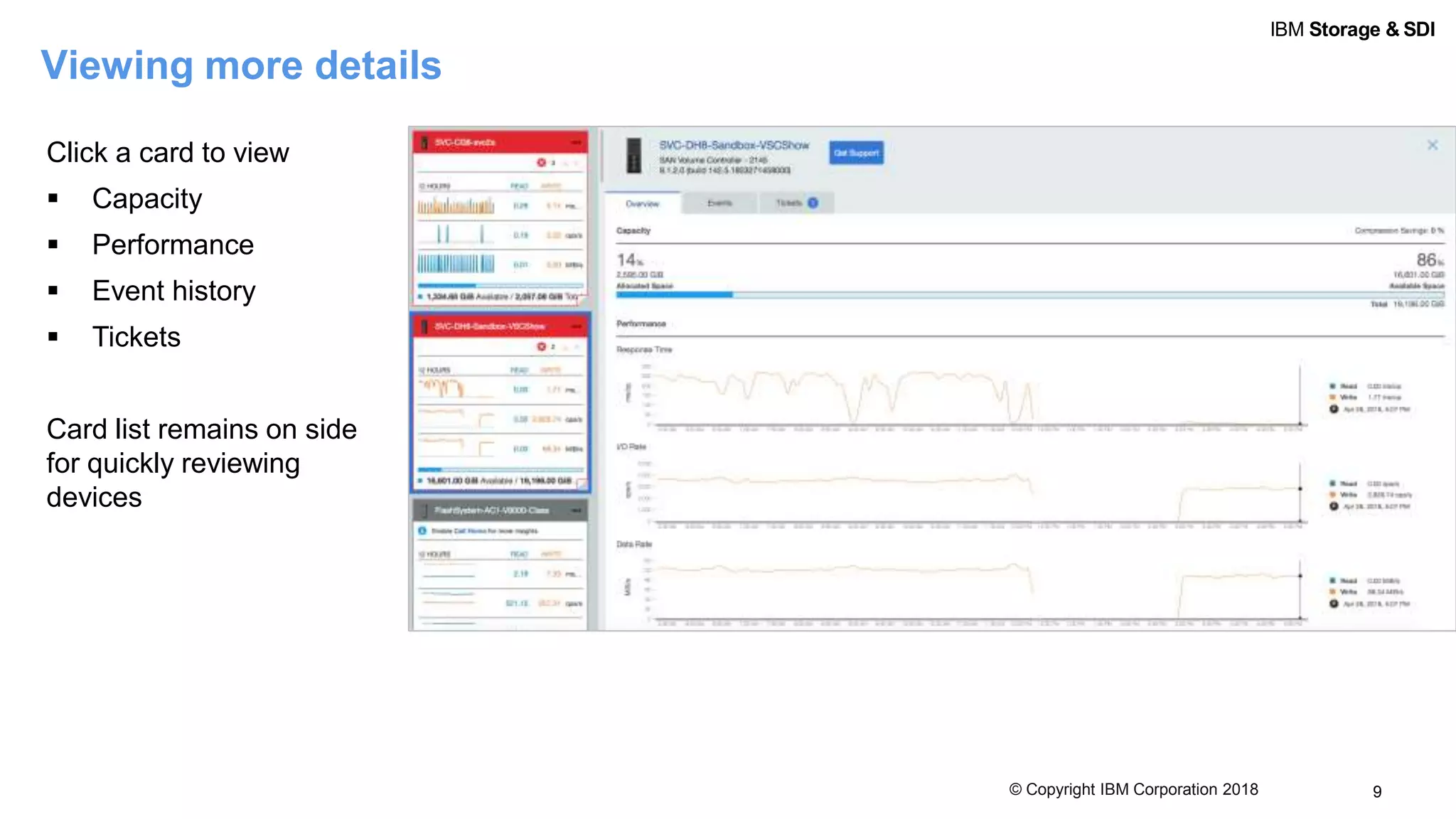
Click a card to view
 Capacity
 Performance
 Event history
 Tickets
Card list remains on side
for quickly reviewing
devices
Viewing more details
9
IBM Storage & SDI
© Copyright IBM Corporation 2018
Viewing events for a single system
10
Acknowledge known
or resolved issues
View events in time
sequence
IBM Storage & SDI
© Copyright IBM Corporation 2018 11
Tickets
View a full ticket history for each device
 Open tickets
 Closed tickets
 Regardless of how they were opened
Add a log package to an open ticket
 No manual log collection
 No FTP
 No hunting for ticket numbers
IBM Storage & SDI
© Copyright IBM Corporation 2018
Updating a ticket
12
Select the level of logs We’ll take care of the work Add a note or upload additional files
IBM Storage & SDI
© Copyright IBM Corporation 2018 13
Need support?
IBM Storage & SDI
© Copyright IBM Corporation 2018 14
We’ll take care of the boilerplate
 Make/model/type
 Serial number
 Version
 Customer number
Logs? We’ll do those too
IBM Storage & SDI
© Copyright IBM Corporation 2018 15
You can focus on describing the actual
issue
Upload a screenshot or additional
data

IBM Storage Insights GUI Walkthrough

  • 1.
    IBM Storage InsightsGUI Walkthrough Lloyd Vickery NZ’s Most Friendly Data Storage Consultant
  • 2.
    IBM Storage &SDI © Copyright IBM Corporation 2018 One place to look  Inventory at a glance  Call home events  Capacity  Key performance metrics  Validate call home is on Your Unified Dashboard 2
  • 3.
    IBM Storage &SDI © Copyright IBM Corporation 2018 3
  • 4.
    IBM Storage &SDI © Copyright IBM Corporation 2018 Device cards change color  Bubble to the top  Three most recent events Event feed shows event Single click acknowledgement Viewing call home events as they happen 4
  • 5.
    IBM Storage &SDI © Copyright IBM Corporation 2018 Flip error/warning cards back over to resume monitoring performance and capacity Flipping cards 5
  • 6.
    IBM Storage &SDI © Copyright IBM Corporation 2018 Auto-opened tickets generated by some call home events. Viewing tickets generated by call home 6
  • 7.
    IBM Storage &SDI © Copyright IBM Corporation 2018 Detect risk before it becomes a problem  Known field issues  Software  Hardware  Best practice violations Link directly to full tech note Updated by device experts and support without requiring updates Event feed – best practices 7
  • 8.
    IBM Storage &SDI © Copyright IBM Corporation 2018 Upgrade recommendations  Below minimum recommended level  Link to obtain the download Product warranty expiration notices  120, 90, 60, 30 day warnings  Link to renew Event feed - notifications 8
  • 9.
    IBM Storage &SDI © Copyright IBM Corporation 2018 Click a card to view  Capacity  Performance  Event history  Tickets Card list remains on side for quickly reviewing devices Viewing more details 9
  • 10.
    IBM Storage &SDI © Copyright IBM Corporation 2018 Viewing events for a single system 10 Acknowledge known or resolved issues View events in time sequence
  • 11.
    IBM Storage &SDI © Copyright IBM Corporation 2018 11 Tickets View a full ticket history for each device  Open tickets  Closed tickets  Regardless of how they were opened Add a log package to an open ticket  No manual log collection  No FTP  No hunting for ticket numbers
  • 12.
    IBM Storage &SDI © Copyright IBM Corporation 2018 Updating a ticket 12 Select the level of logs We’ll take care of the work Add a note or upload additional files
  • 13.
    IBM Storage &SDI © Copyright IBM Corporation 2018 13 Need support?
  • 14.
    IBM Storage &SDI © Copyright IBM Corporation 2018 14 We’ll take care of the boilerplate  Make/model/type  Serial number  Version  Customer number Logs? We’ll do those too
  • 15.
    IBM Storage &SDI © Copyright IBM Corporation 2018 15 You can focus on describing the actual issue Upload a screenshot or additional data