XPages and XPages for Mobile   Chris Toohey www.dominoGuru.com
XPages & XPages for Mobile What exactly are XPages? (And why you should care...) “ More than a facelift” Taking XPages to Mobile Devices Progressive Enhancement How to get started... Wrap up
What exactly are XPages? A “variable” Design Element, replacing: Forms Pages Navigators Views
What  exactly  are XPages? XPage Design Elements consist of: HTML CSS JavaScript ServerSide JavaScript Controls (native & custom) XPages use Themes Default rendering relies on Themes & Dojo
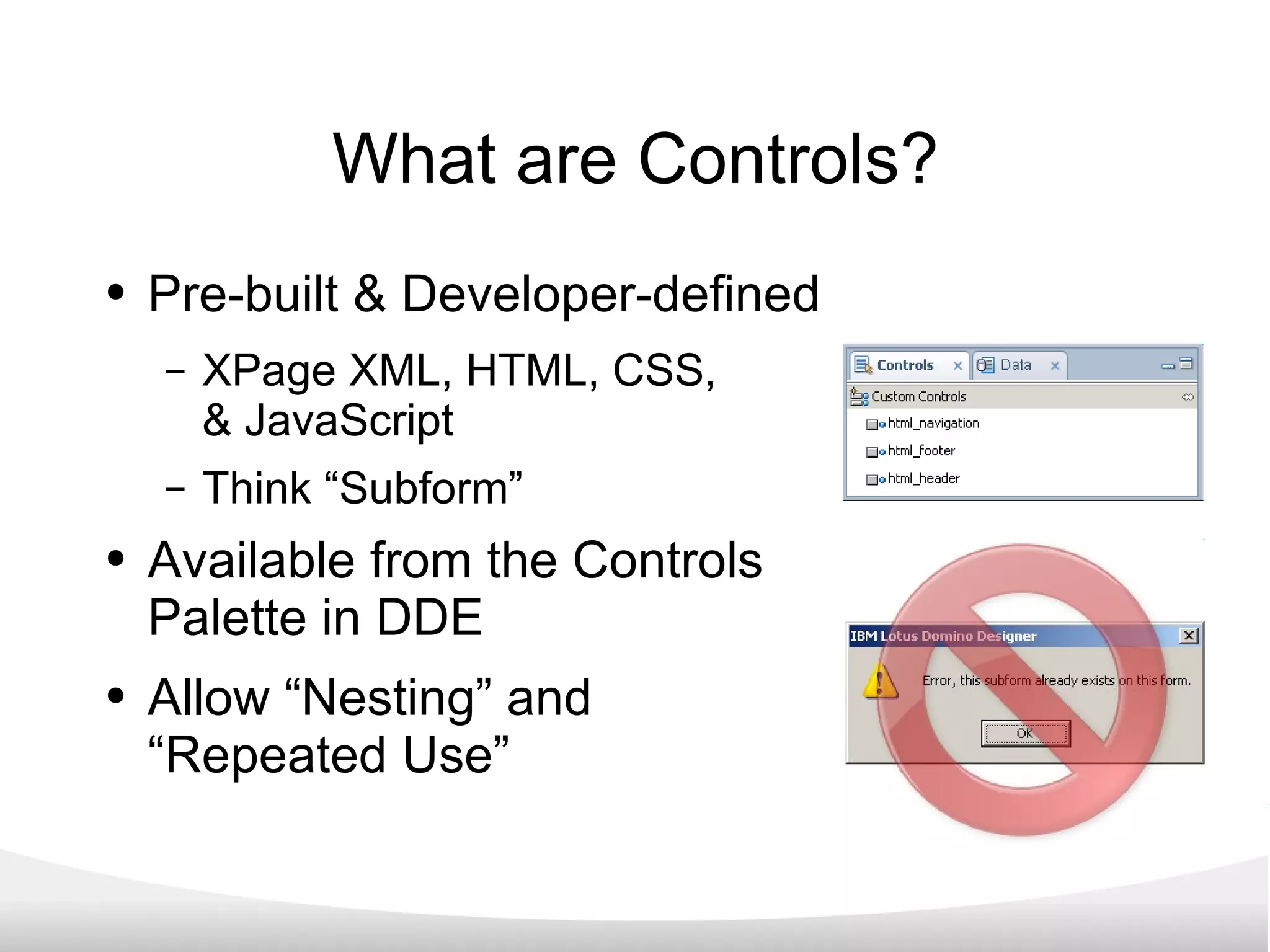
What are Controls? Pre-built & Developer-defined XPage XML, HTML, CSS,  & JavaScript Think “Subform” Available from the Controls Palette in DDE Allow “Nesting” and  “Repeated Use”
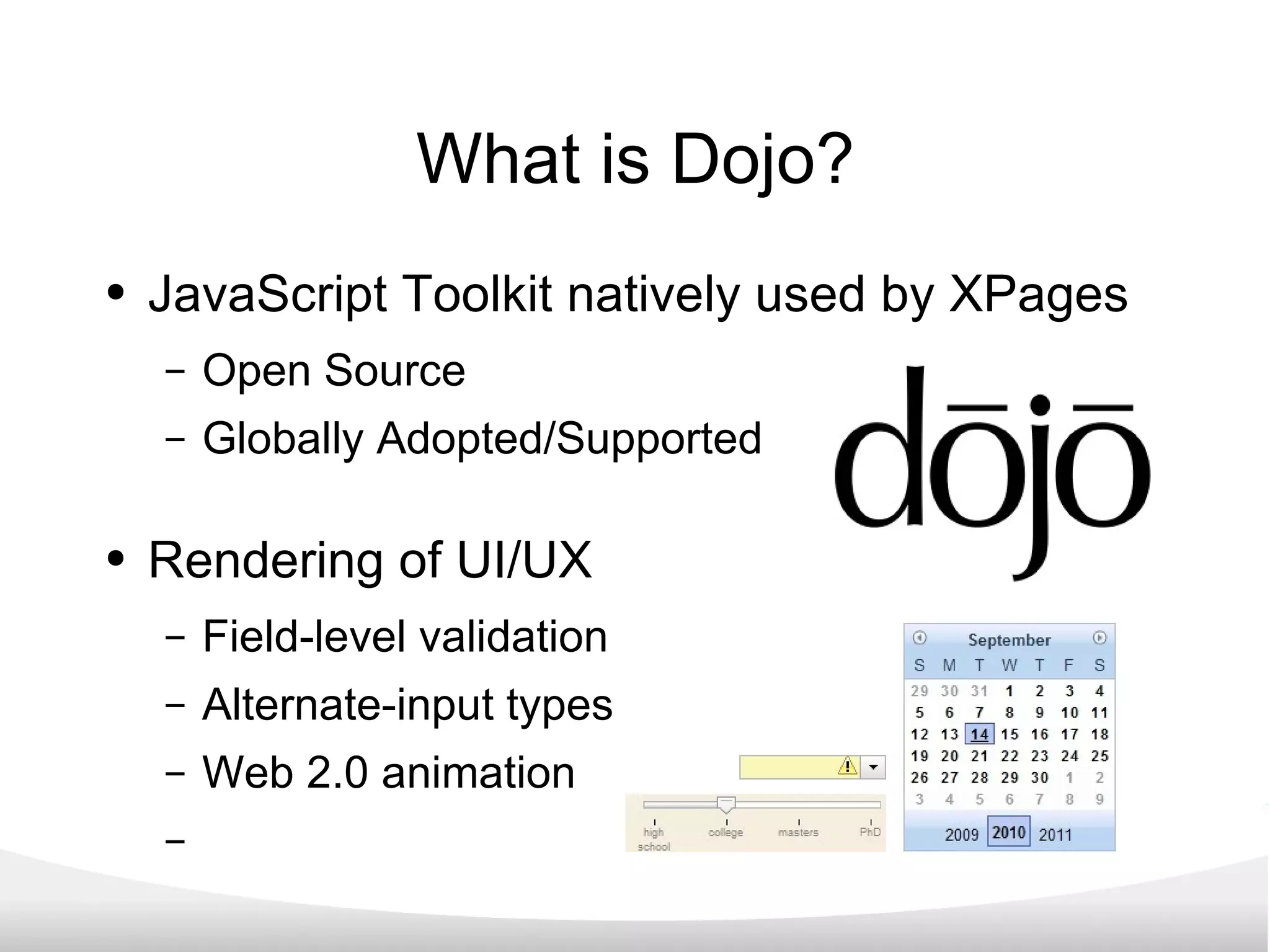
What is Dojo? JavaScript Toolkit natively used by XPages Open Source Globally Adopted/Supported Rendering of UI/UX Field-level validation Alternate-input types Web 2.0 animation
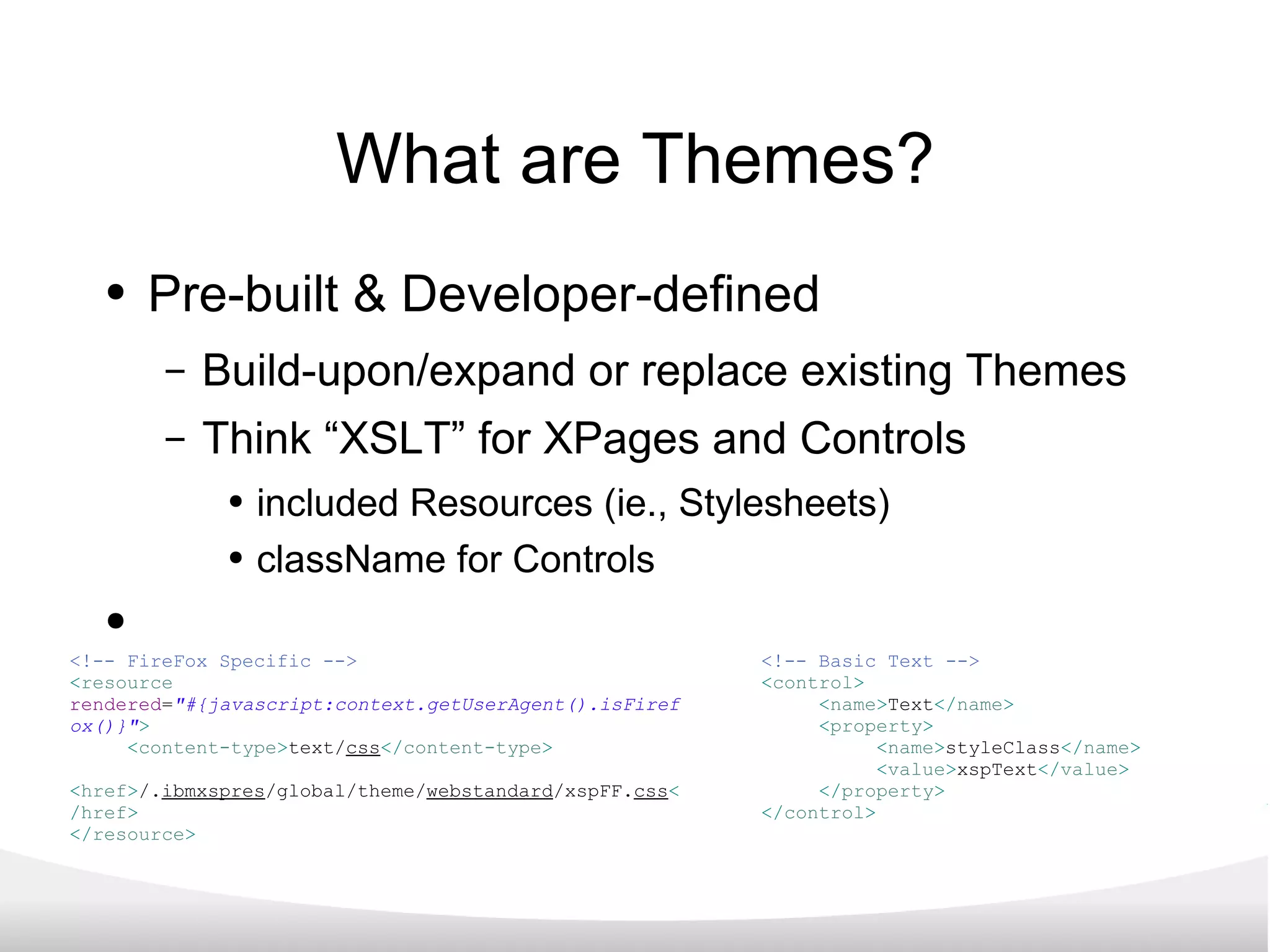
What are Themes? Pre-built & Developer-defined Build-upon/expand or replace existing Themes Think “XSLT” for XPages and Controls included Resources (ie., Stylesheets) className for Controls <!-- Basic Text --> < control > < name > Text </ name > < property > < name > styleClass </ name > < value > xspText </ value > </ property > </ control > <!-- FireFox Specific --> < resource   rendered = &quot;#{javascript:context.getUserAgent().isFirefox()}&quot; > < content-type > text/ css </ content-type > < href > /. ibmxspres /global/theme/ webstandard /xspFF. css </ href > </ resource >
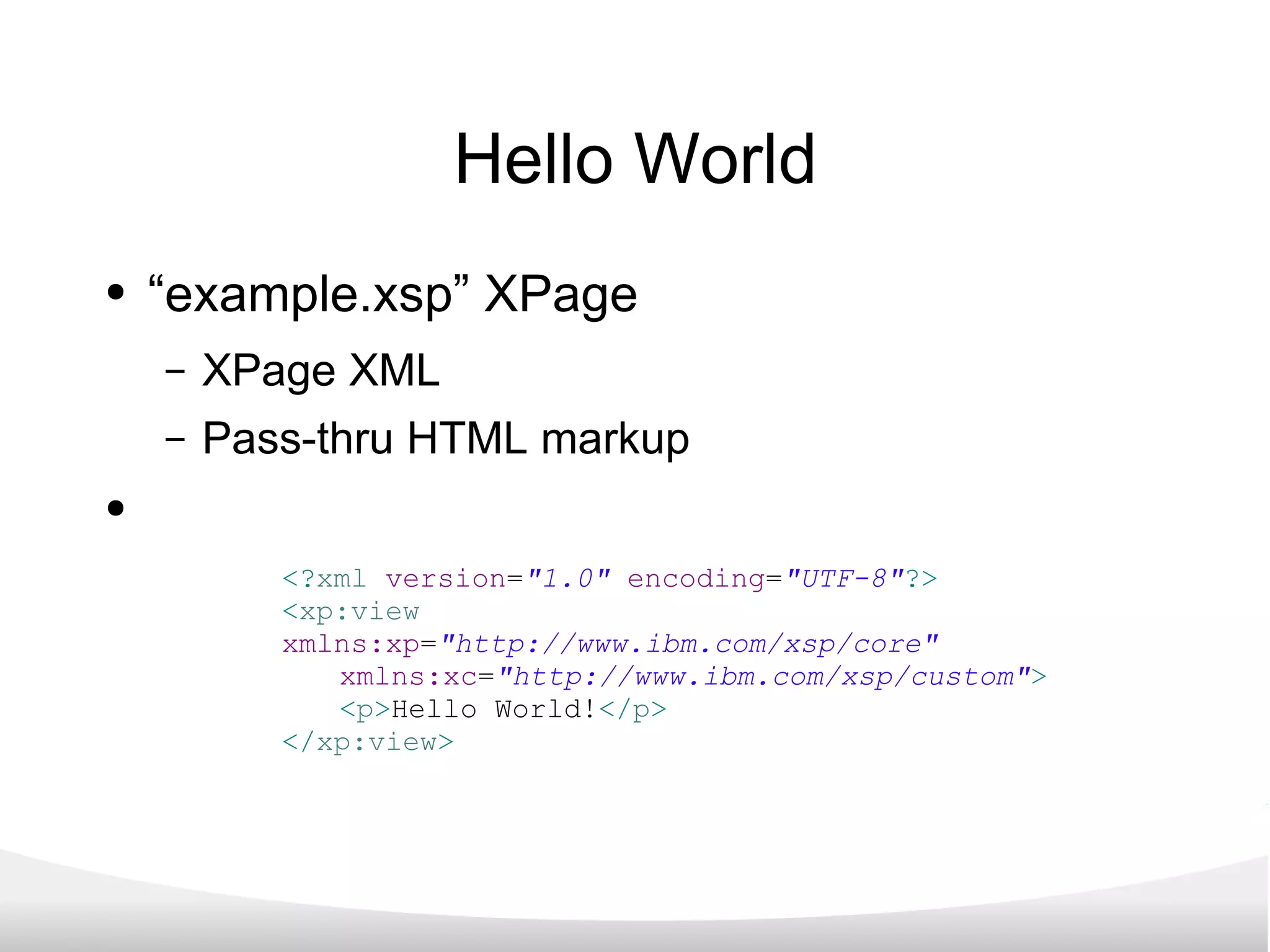
Hello World “ example.xsp” XPage XPage XML Pass-thru HTML markup <? xml   version = &quot;1.0&quot;   encoding = &quot;UTF-8&quot; ?> < xp:view   xmlns:xp = &quot;http://www.ibm.com/xsp/core&quot;   xmlns:xc = &quot;http://www.ibm.com/xsp/custom&quot; > < p > Hello World! </ p > </ xp:view >
The end result... <! DOCTYPE   HTML   PUBLIC   &quot;-//W3C//DTD HTML 4.01 Transitional//EN&quot;   &quot;http://www.w3.org/TR/html4/loose.dtd&quot; >   < html   lang = &quot;en&quot; >   < head >   < title ></ title >   < script   type = &quot;text/javascript&quot;   src = &quot;/domjs/dojo-1.3.2/dojo/dojo.js&quot;   djConfig = &quot;locale: 'en-us'&quot; ></ script >   < script   type = &quot;text/javascript&quot;   src = &quot;/domjs/dojo-1.3.2/ibm/xsp/widget/layout/xspClientDojo.js&quot; ></ script >   < link   rel = &quot;stylesheet&quot;   type = &quot;text/css&quot;   href = &quot;/domjava/xsp/theme/webstandard/xsp.css&quot; >   < link   rel = &quot;stylesheet&quot;   type = &quot;text/css&quot;   href = &quot;/domjava/xsp/theme/webstandard/xspLTR.css&quot; >   < link   rel = &quot;stylesheet&quot;   type = &quot;text/css&quot;   href = &quot;/domjava/xsp/theme/webstandard/xspSF.css&quot; >   </ head >   < body   class = &quot;xspView tundra&quot; >   < form   id = &quot;view:_id1&quot;   method = &quot;post&quot;   action = &quot;/XPages%20Presentation.nsf/example.xsp?SessionID=CNB3RK18A0&quot;   class = &quot;xspForm&quot;   enctype = &quot;multipart/form-data&quot; >   < p > Hello World! </ p >   < input   type = &quot;hidden&quot;   name = &quot;$$viewid&quot;   id = &quot;view:_id1__VUID&quot;   value = &quot;!cnb3rm1kg0!&quot; >   < input   type = &quot;hidden&quot;   name = &quot;$$xspsubmitid&quot; >   < input   type = &quot;hidden&quot;   name = &quot;$$xspexecid&quot; >   < input   type = &quot;hidden&quot;   name = &quot;$$xspsubmitvalue&quot; >   < input   type = &quot;hidden&quot;   name = &quot;$$xspsubmitscroll&quot; >   < input   type = &quot;hidden&quot;   name = &quot;view:_id1&quot;   value = &quot;view:_id1&quot; >   < script   type = &quot;text/javascript&quot; >   function clearFormHiddenParams_view__id1(curFormName) { var  curForm = document.forms[curFormName]; } </ script >   </ form >   </ body >   </ html >
Beyond the Design Element XPages as a development methodology: Establish fundamental Model-View-Controller architectures for LND applications. Leverage new and existing NotesData through defined Data Sources Simplify application maintenance via a return to the “single Design Element per client” while enabling client-specific feature functionality.
The power of XPages XPages can... Define a remote Notes Data Source Proxy Create, Read, Update, & Delete NotesData Requests Update User Interfaces while maintaining “production” applications.
But why should you care? XPages are the future of the Lotus Notes Domino platform. XPages employ industry standard development tools & transferable developer skills. XPages can rapidly produce applications for faster turn-around from “business need” to “solution”.
XPages & XPages for Mobile What exactly are XPages? (And why you should care...) “ More than a facelift” Taking XPages to Mobile Devices Progressive Enhancement How to get started... Wrap up
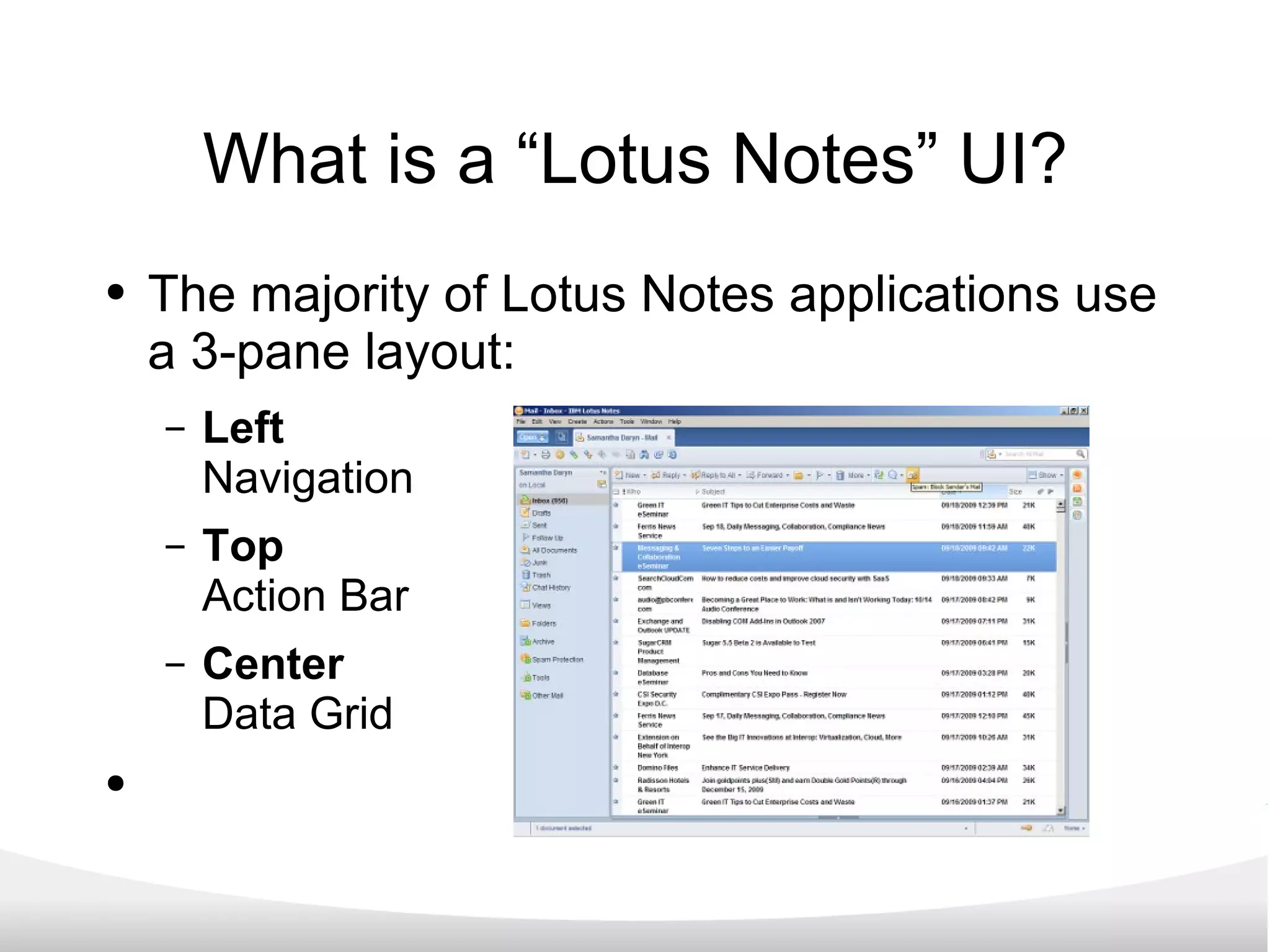
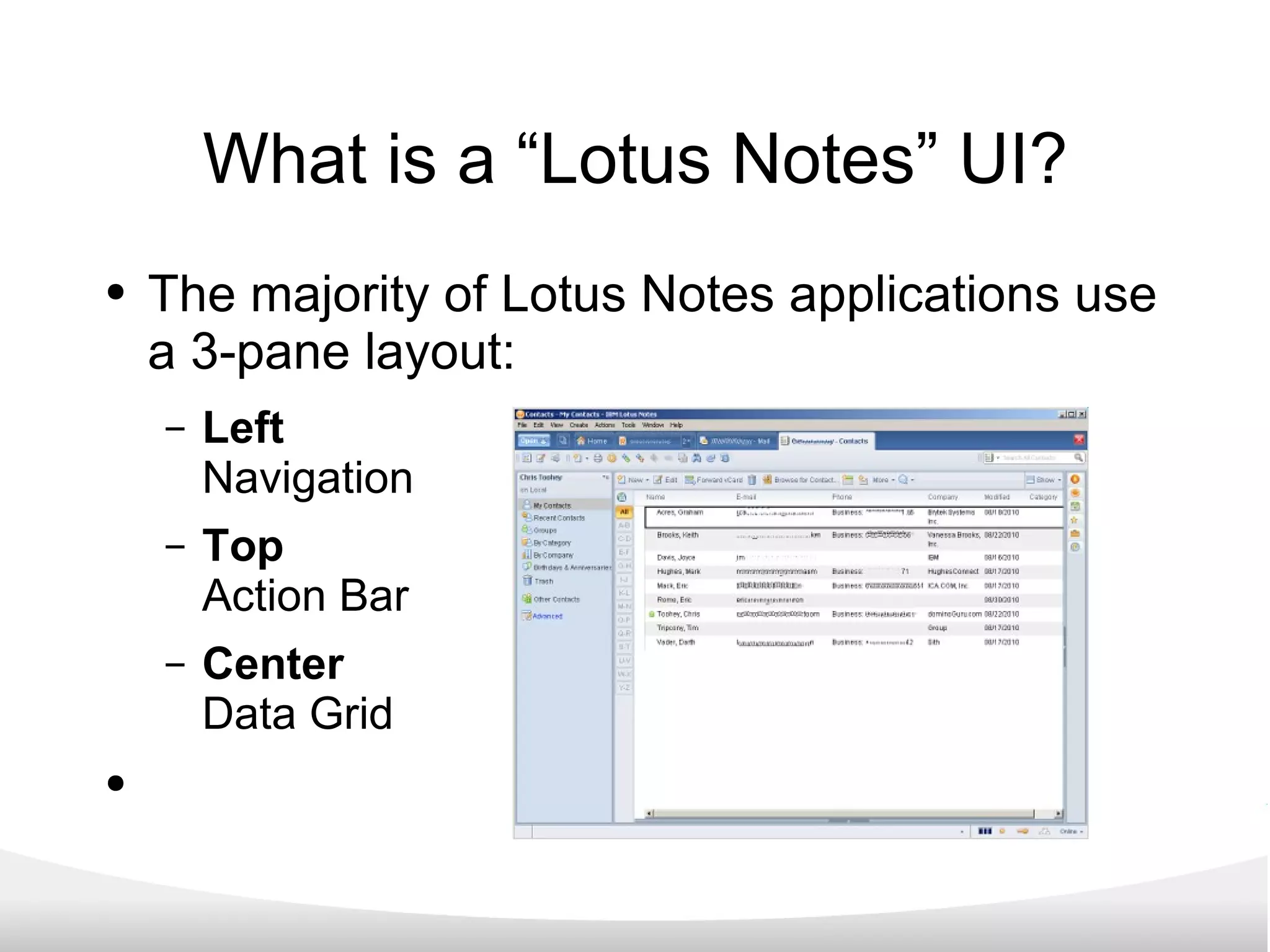
What is a “Lotus Notes” UI? The majority of Lotus Notes applications use a 3-pane layout: Left Navigation Top Action Bar Center Data Grid
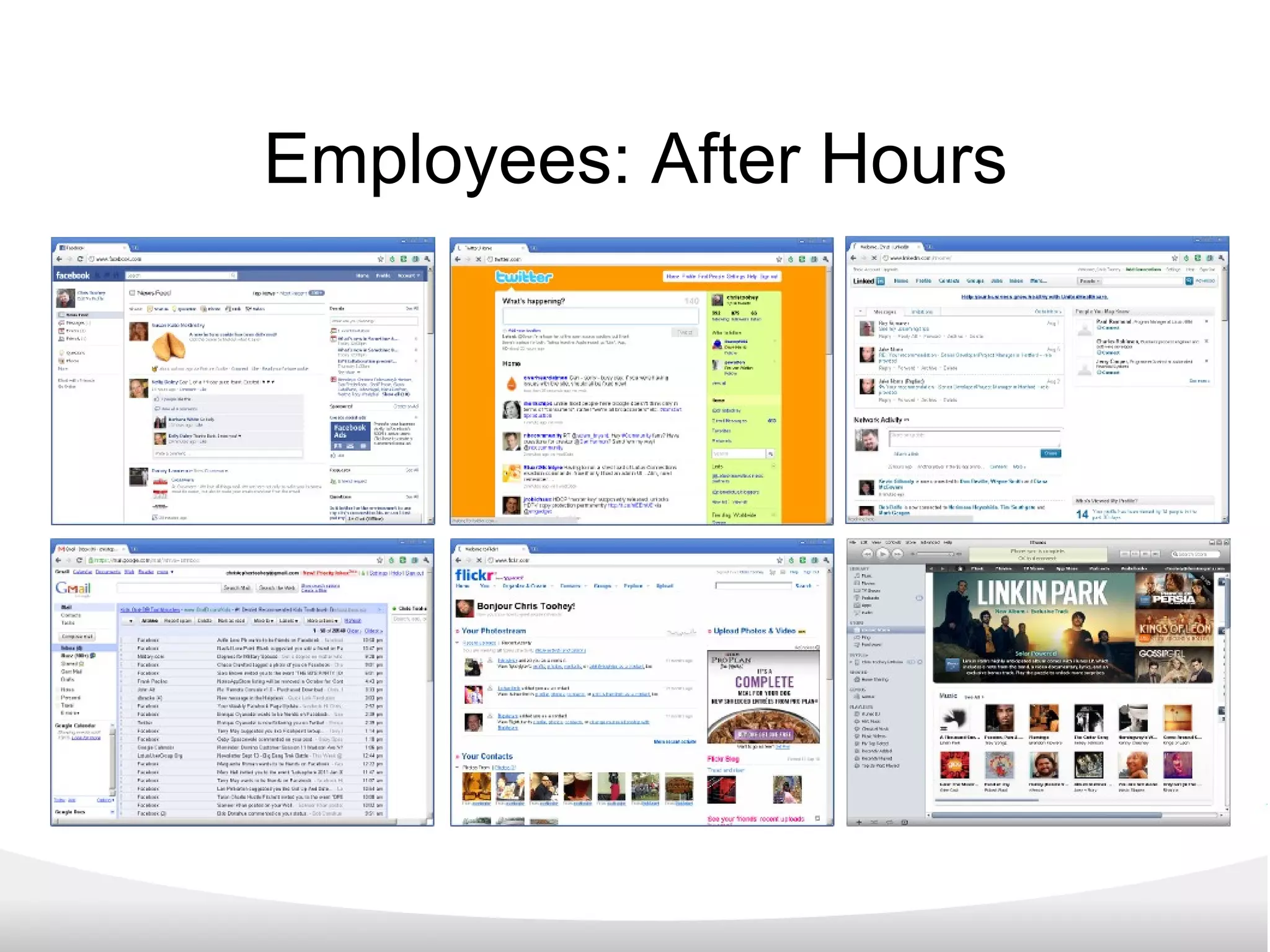
Employees: After Hours
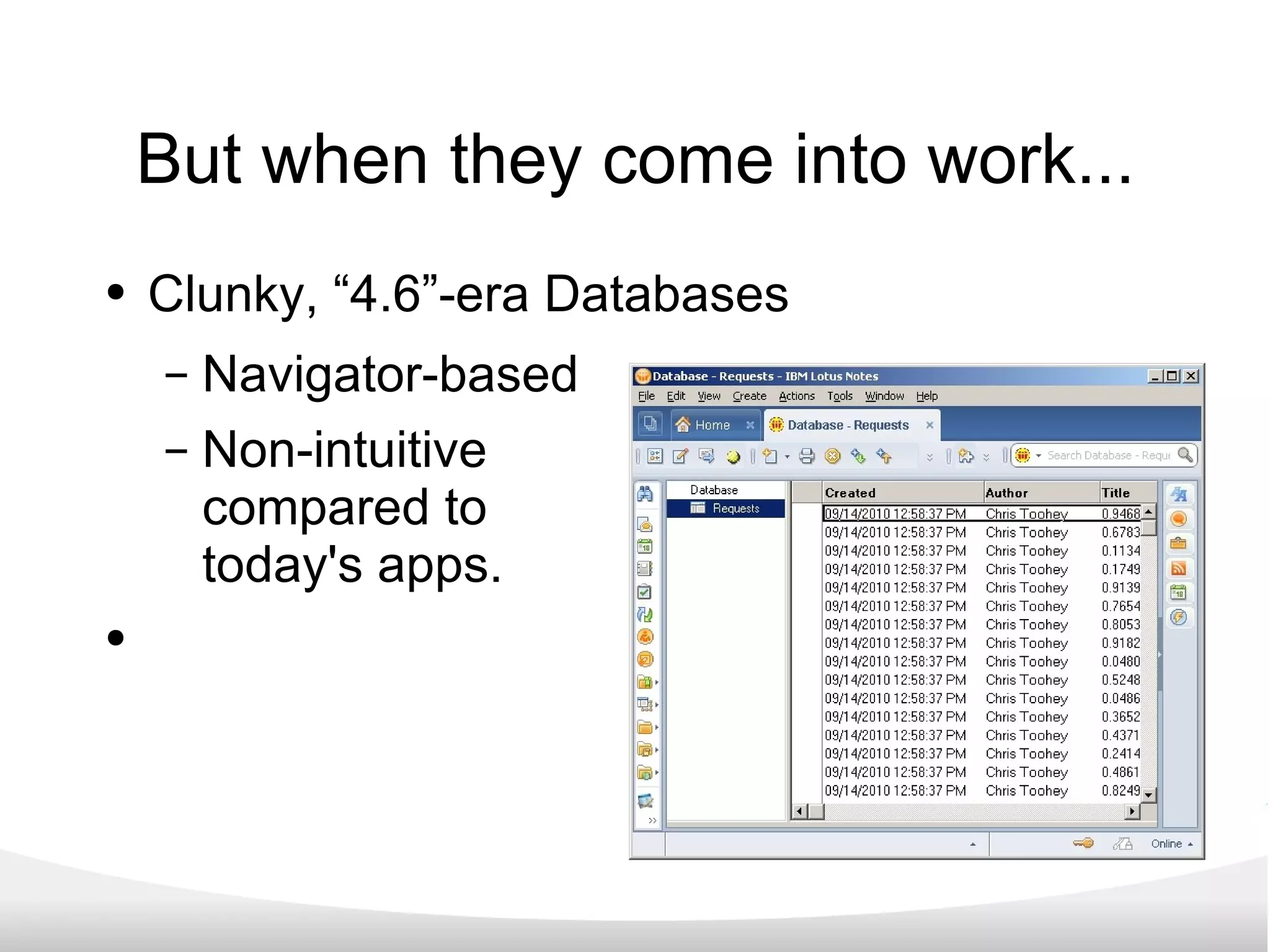
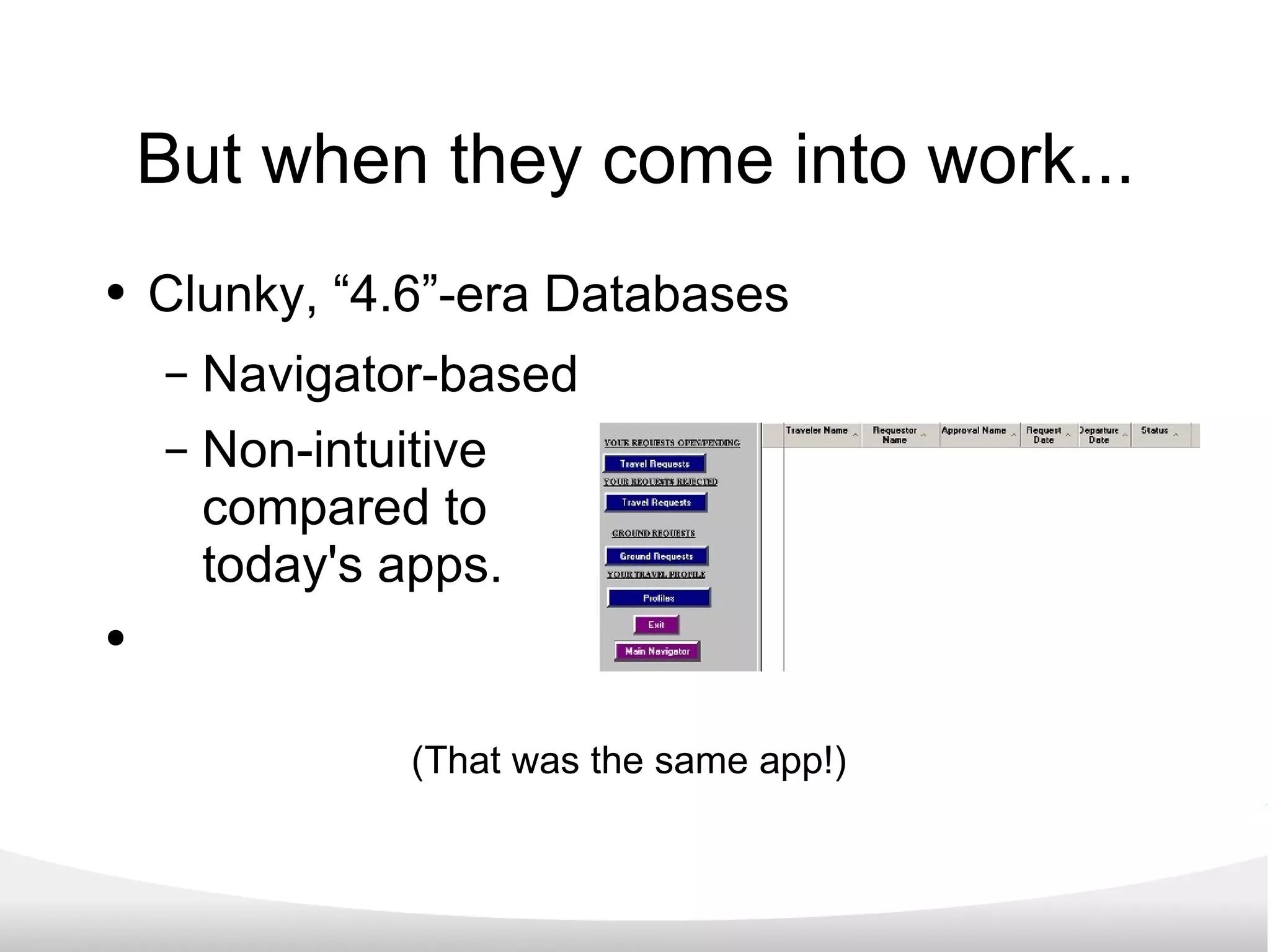
But when they come into work... Clunky, “4.6”-era Databases Navigator-based Non-intuitive compared to  today's apps.
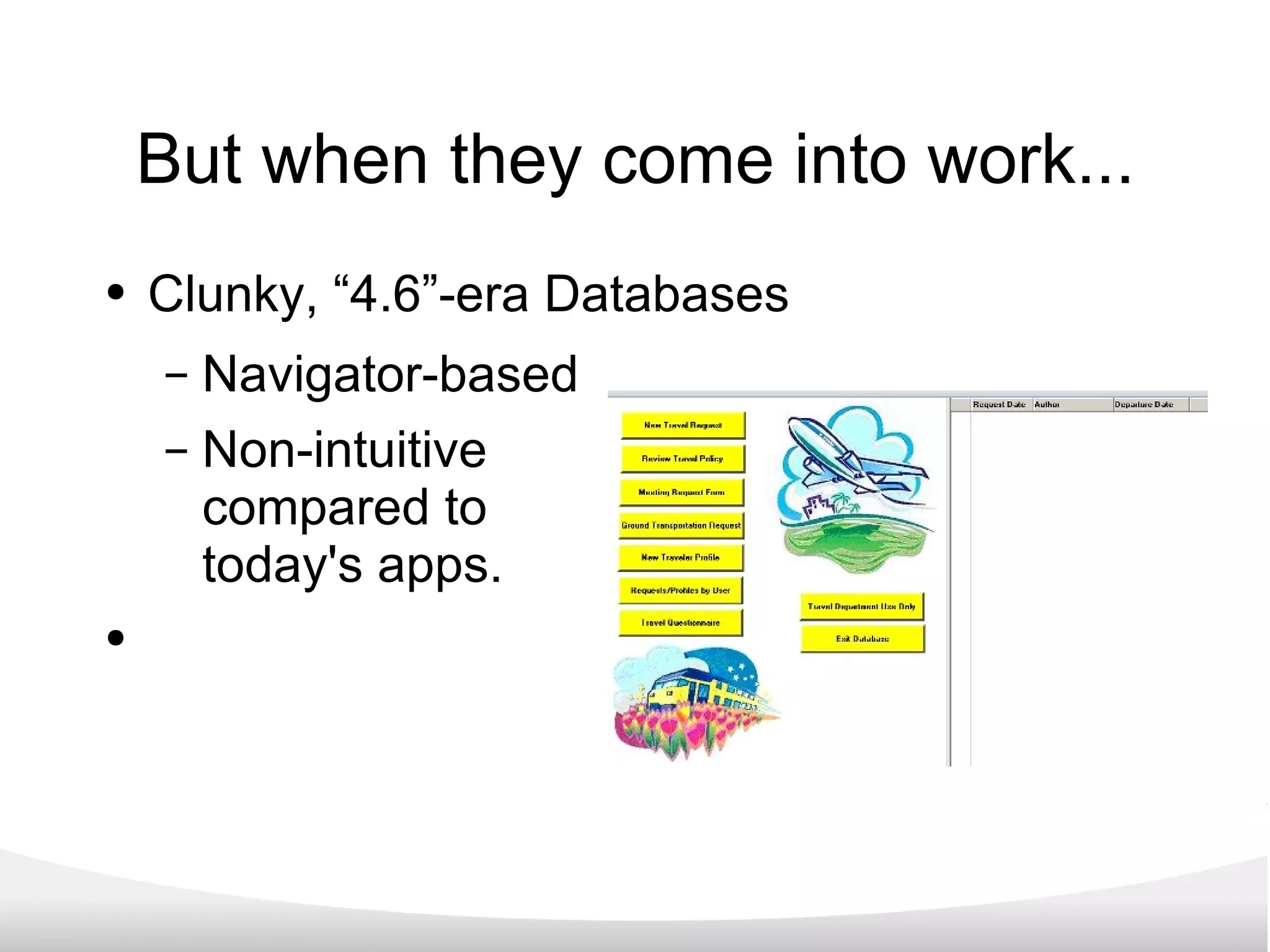
But when they come into work... Clunky, “4.6”-era Databases Navigator-based Non-intuitive compared to  today's apps. (That was the same app!)
Meet or exceed the expectation “Updating” an application means more than  “just a facelift” ; it is an opportunity... Empower your users! Display the capabilities of IT!
XPage Applications IdeaJam from Elguiji Crowd-sourcing ideas from a community. Contemporary User Interface & design. Built on XPages!
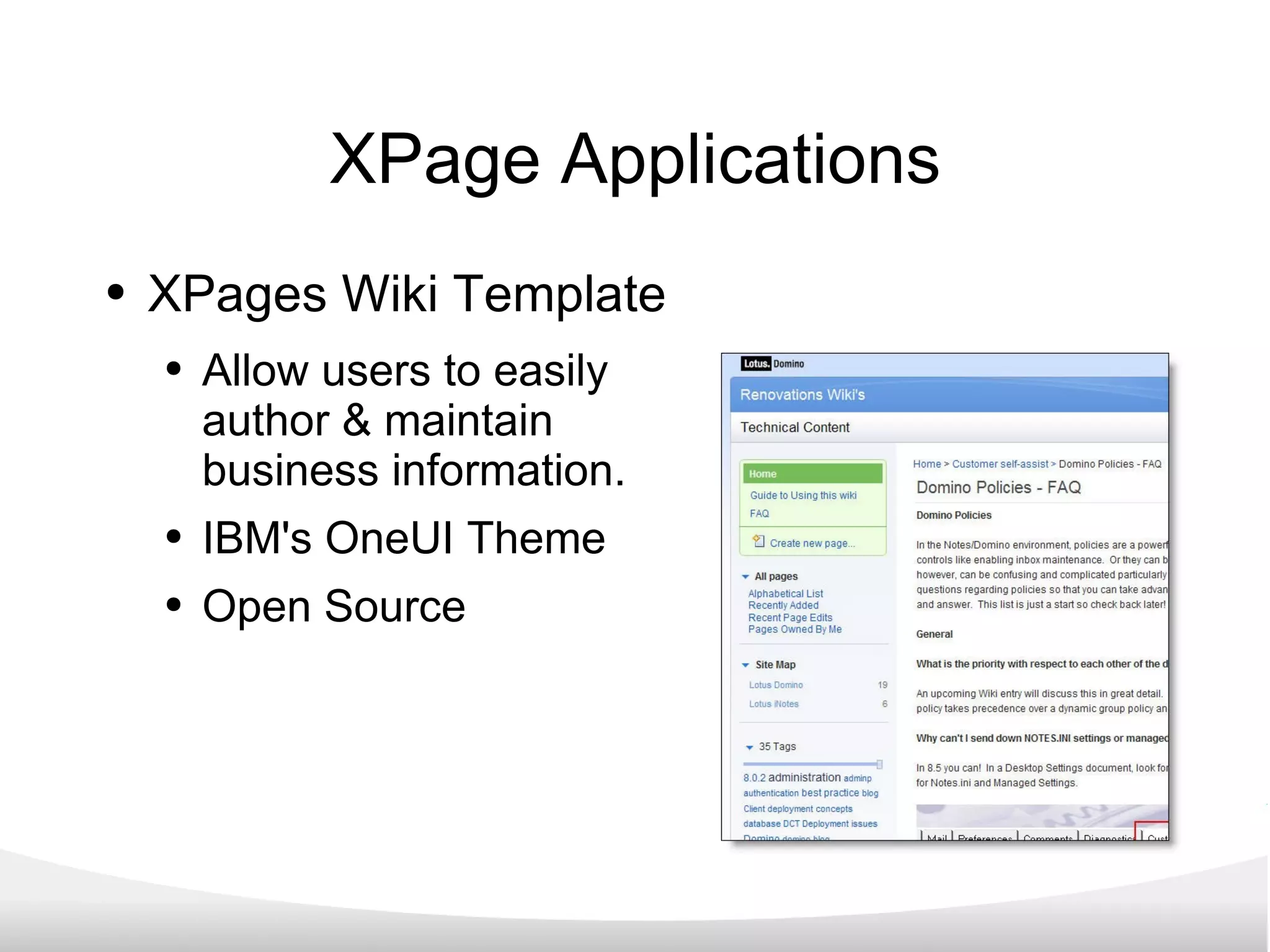
XPage Applications XPages Wiki Template Allow users to easily  author & maintain  business information. IBM's OneUI Theme Open Source
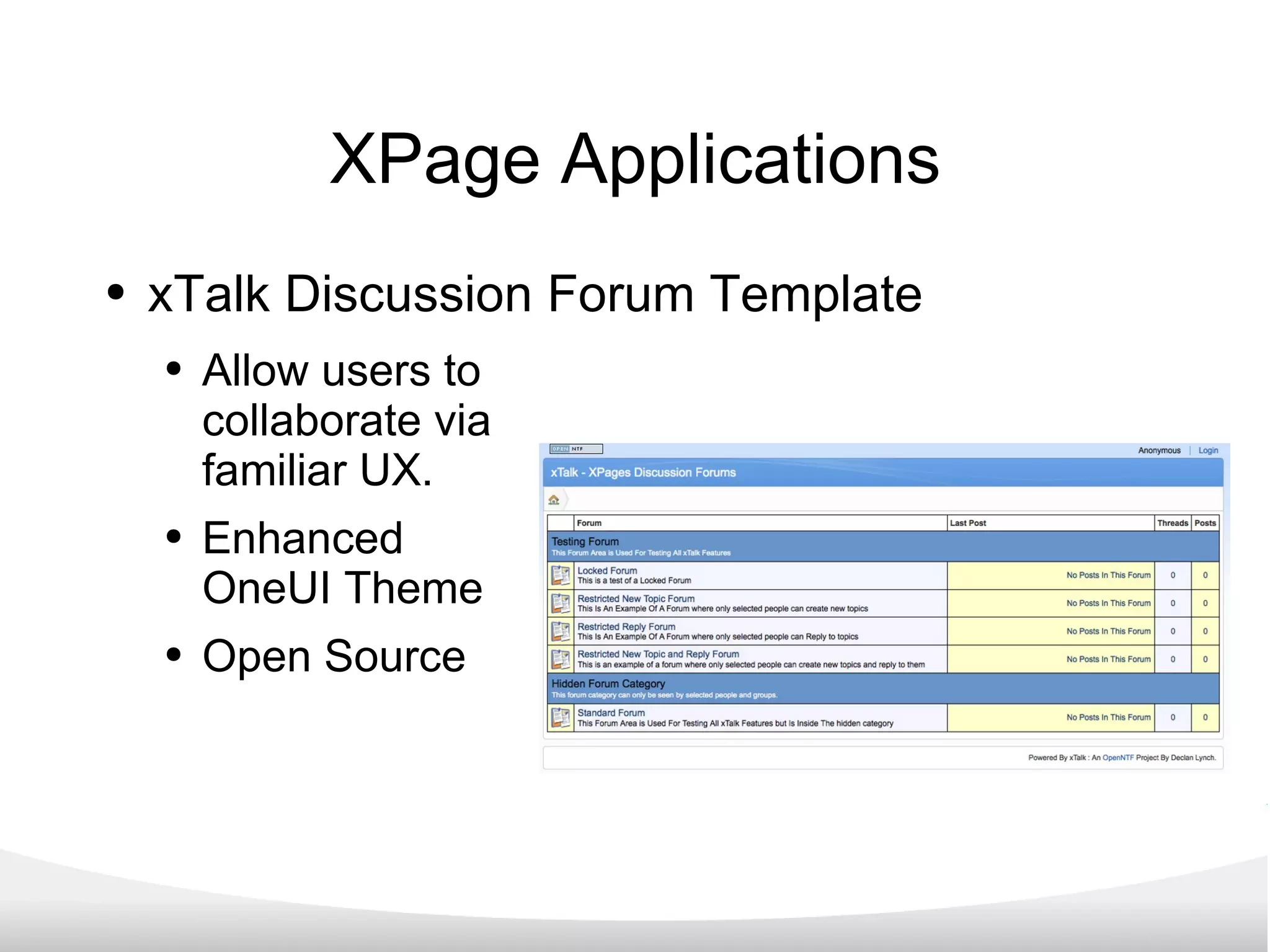
XPage Applications xTalk Discussion Forum Template Allow users to collaborate via familiar UX. Enhanced OneUI Theme Open Source
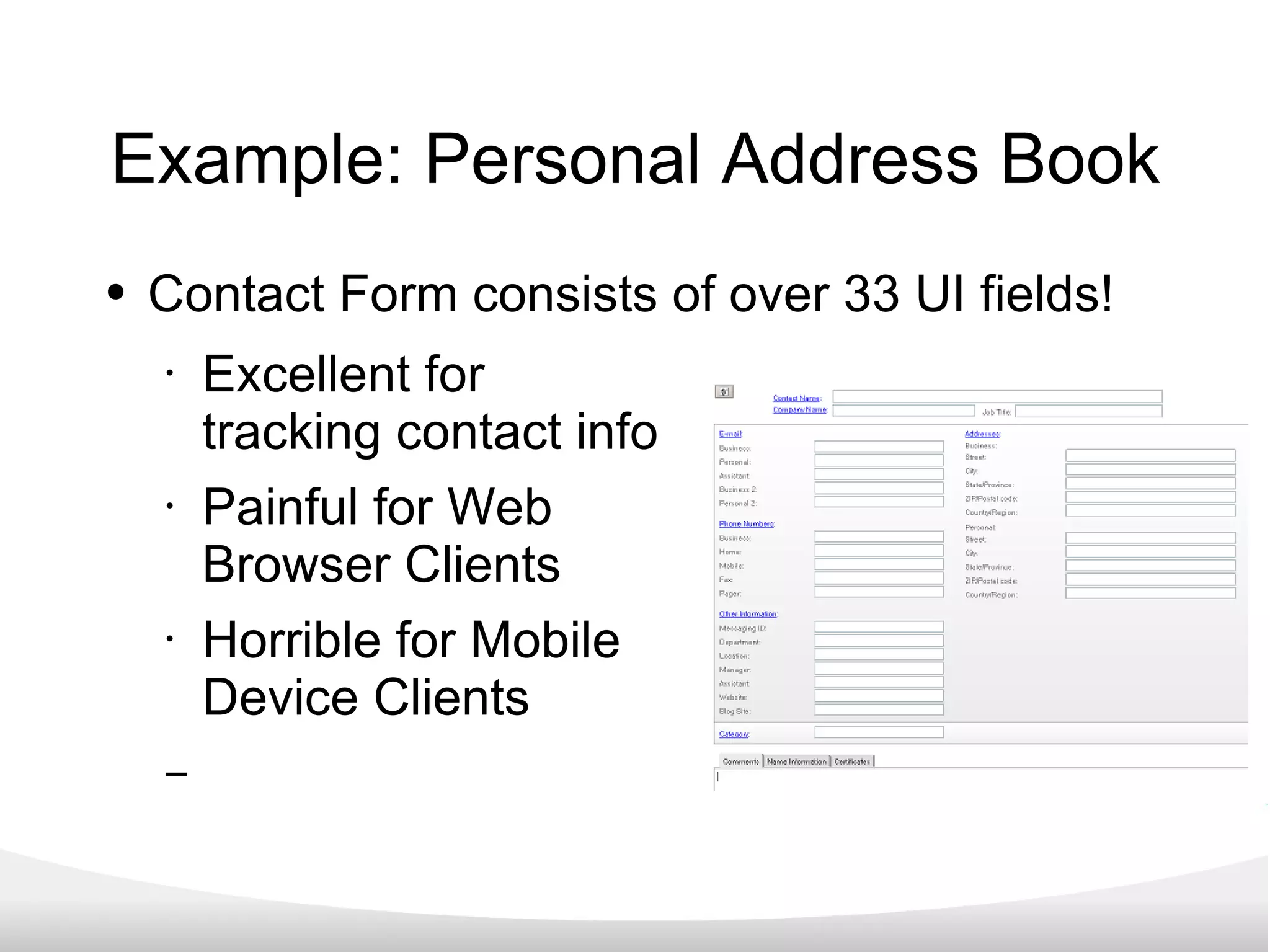
Example: Personal Address Book Contact Form consists of over 33 UI fields! Excellent for  tracking contact info Painful for Web  Browser Clients Horrible for Mobile  Device Clients
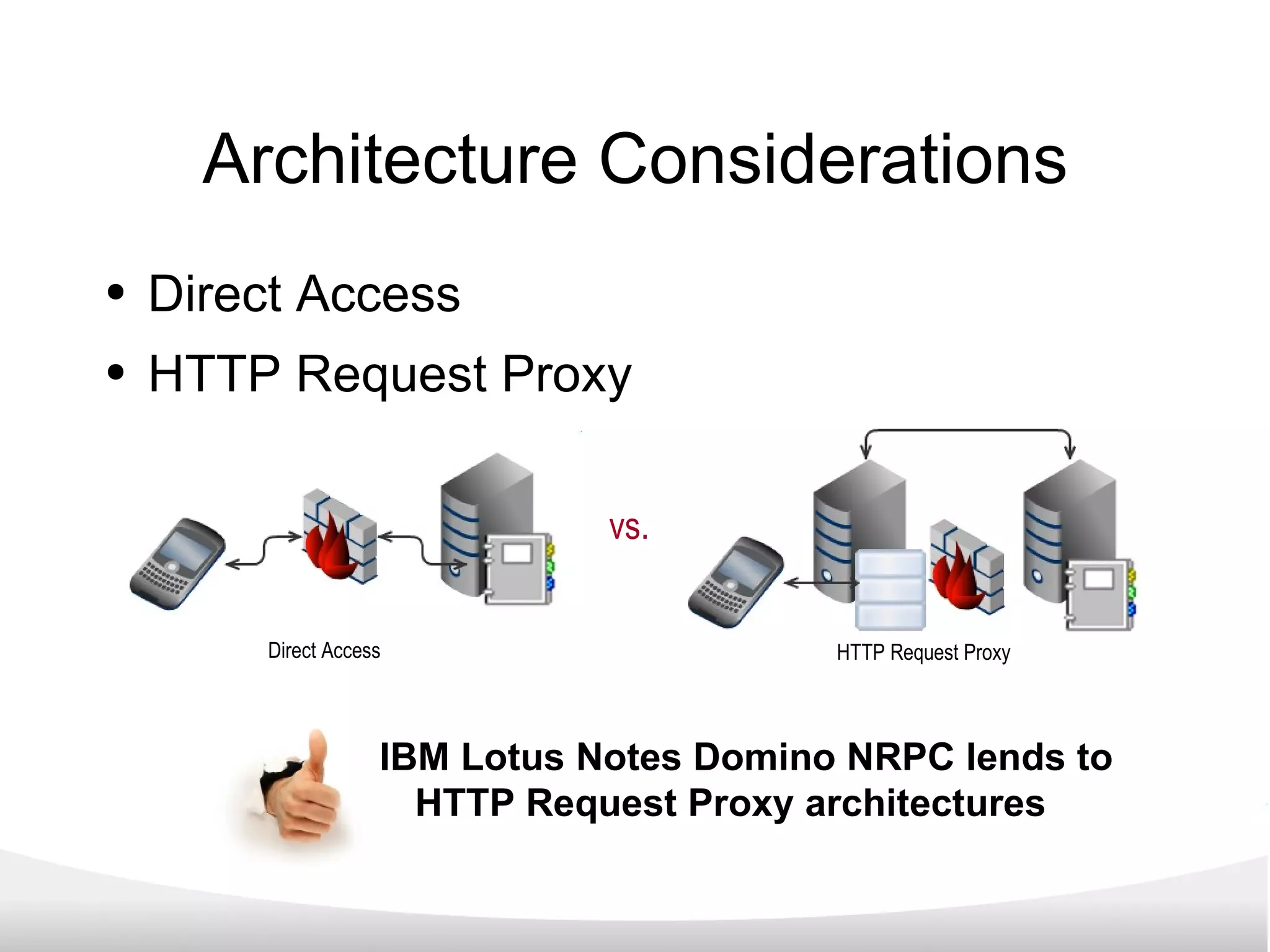
Architecture Considerations Direct Access HTTP Request Proxy vs. Direct Access HTTP Request Proxy IBM Lotus Notes Domino NRPC lends to  HTTP Request Proxy architectures
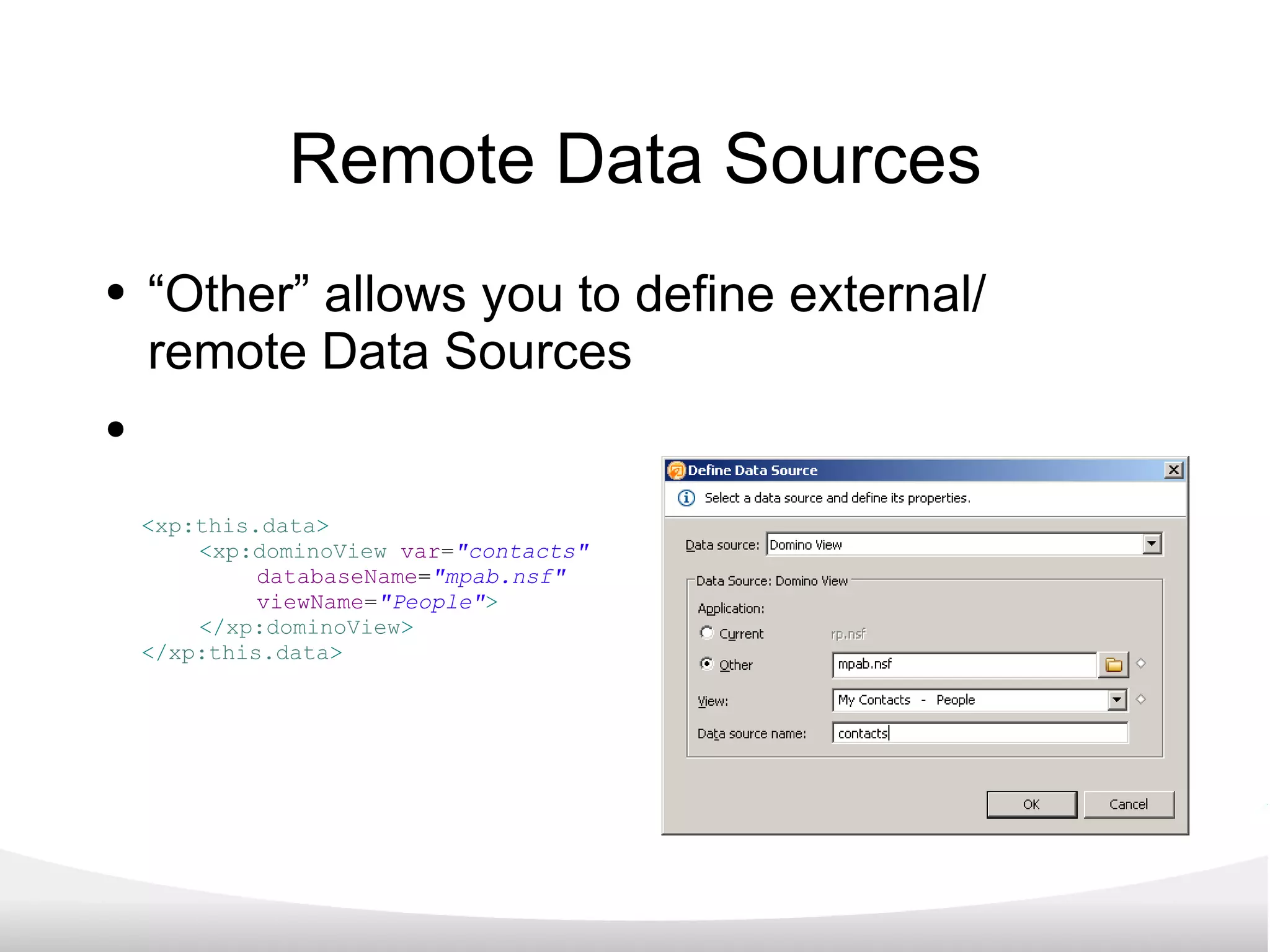
Remote Data Sources “ Other” allows you to define external/ remote Data Sources < xp:this.data > < xp:dominoView   var = &quot;contacts&quot;  databaseName = &quot;mpab.nsf&quot;  viewName = &quot;People&quot; > </ xp:dominoView > </ xp:this.data >
Using Remote Data Sources Using “contacts” Variable... < xp:repeat   id = &quot;contacts&quot;   rows = &quot;30&quot;   value = &quot;#{contacts}&quot;  var = &quot;thisDoc&quot; > < li   class = &quot;menu&quot; > < xp:link   escape = &quot;true&quot;   id = &quot;link_person&quot;  styleClass = &quot;name&quot; > < xp:this.text >   <![CDATA[ #{javascript:var ln = thisDoc.getDocument().getItemValueString(&quot;LastName&quot;);  var fn = thisDoc.getDocument().getItemValueString(&quot;FirstName&quot;); return ln + &quot;, &quot; + fn;} ]]> </ xp:this.text > < xp:eventHandler   event = &quot;onclick&quot;   submit = &quot;true&quot;  refreshMode = &quot;complete&quot; > < xp:this.action >   < xp:openPage   name = &quot;/person.xsp&quot;  target = &quot;editDocument&quot;    documentId = &quot;#{javascript:thisDoc.getDocument().getUniversalID();}&quot; > </ xp:openPage > </ xp:this.action > </ xp:eventHandler > </ xp:link > </ li > </ xp:repeat >
... with some CSS
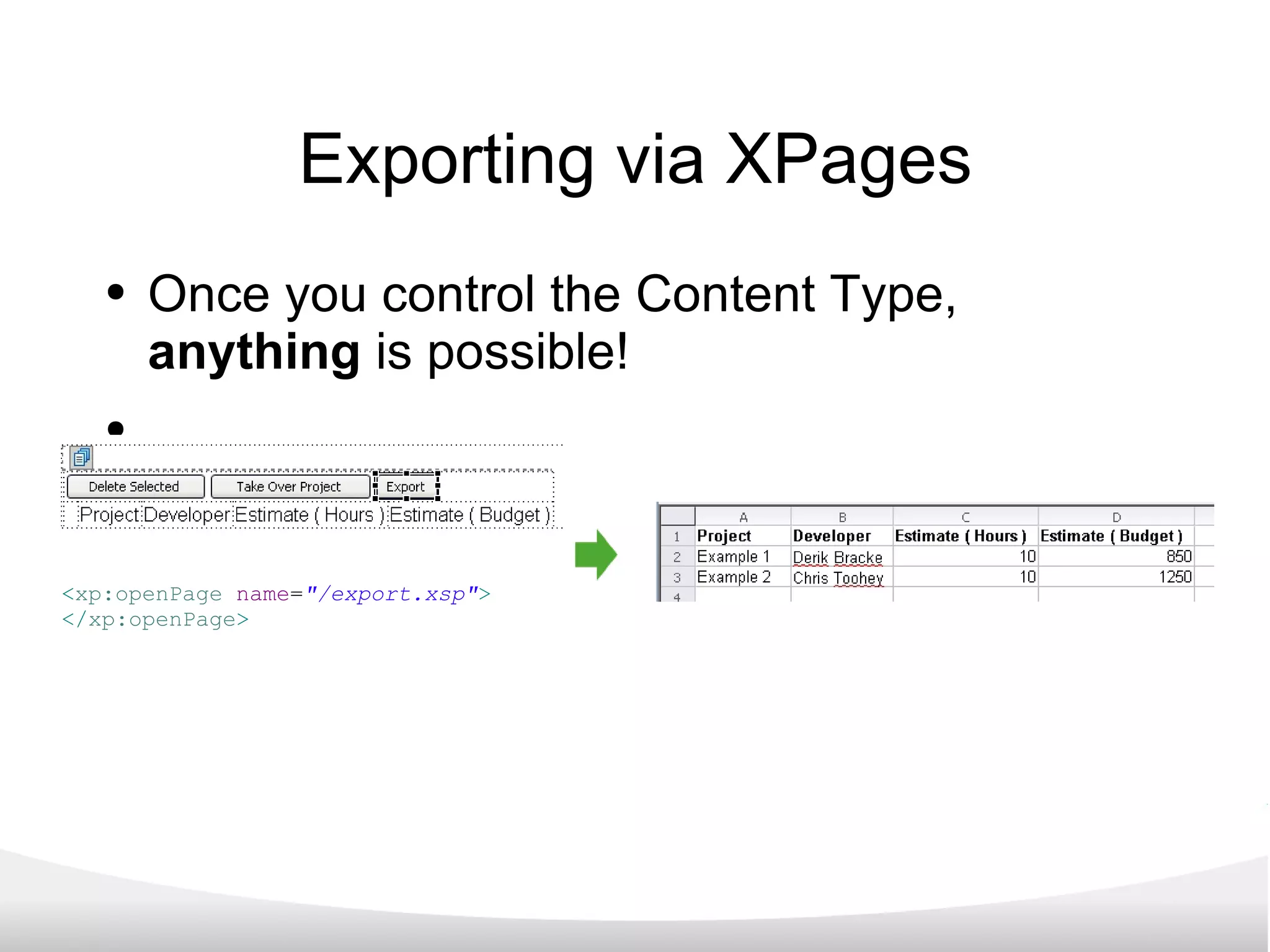
Exporting via XPages Once you control the Content Type,  anything  is possible! < xp:openPage   name = &quot;/export.xsp&quot; > </ xp:openPage >
XPages & XPages for Mobile What exactly are XPages? (And why you should care...) “ More than a facelift” Taking XPages to Mobile Devices Progressive Enhancement How to get started... Wrap up
Mobile Browser Apps Most developers are moving to “mobile browser apps” vs. native device apps for the following reasons: Centrally-controlled & maintained for ease of maintenance. All smartphones support web browsing. Transferable skills: HTML, CSS, & JavaScript (sound familiar?!)
Support for HTML5 As more browsers support HTML5... “Rich client” experience Natively-rendered advanced UI controls Native offline data storage Out of coverage area? No problem!
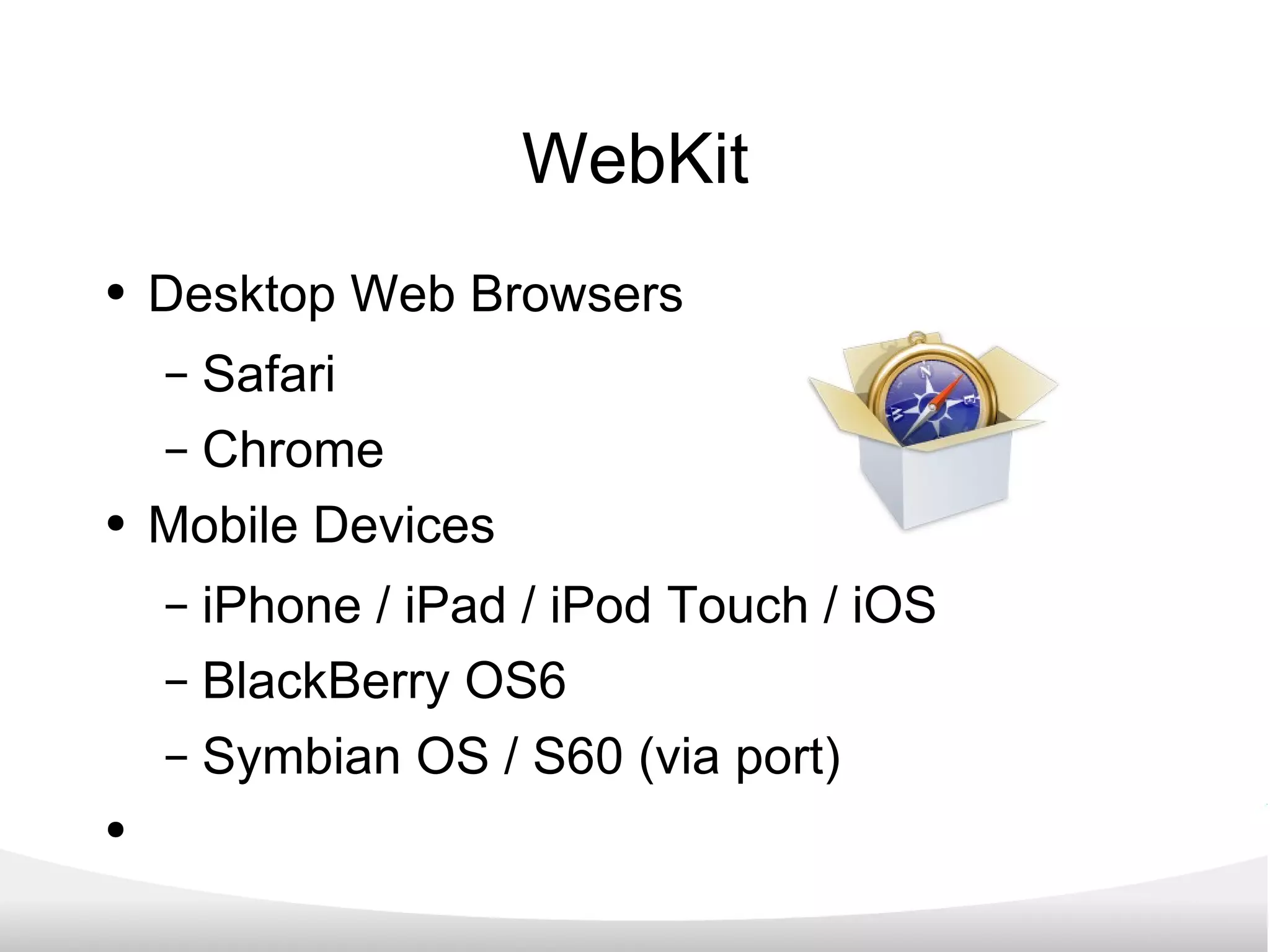
WebKit Desktop Web Browsers Safari Chrome Mobile Devices iPhone / iPad / iPod Touch / iOS BlackBerry OS6 Symbian OS / S60 (via port)
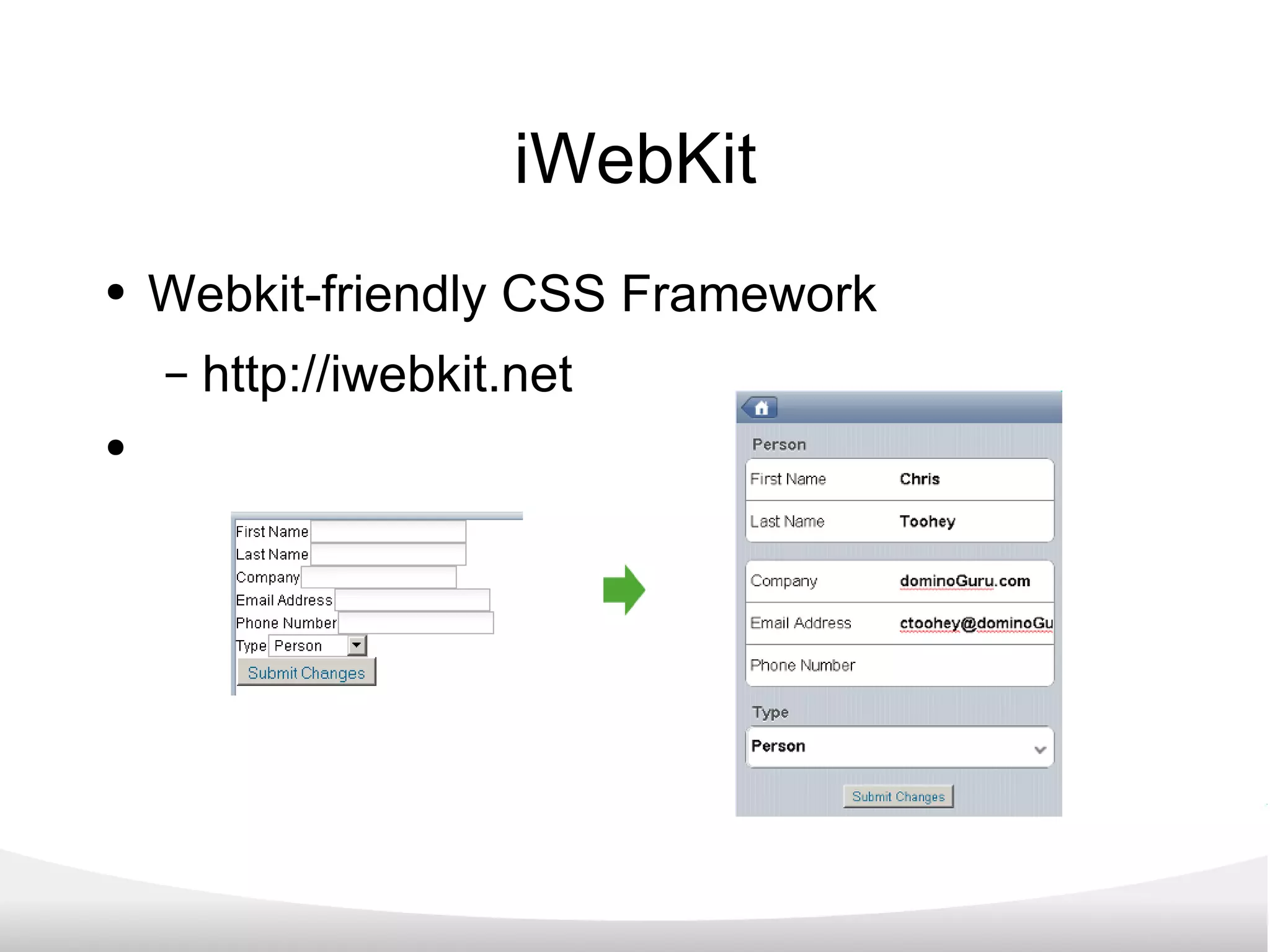
iWebKit Webkit-friendly CSS Framework http://iwebkit.net
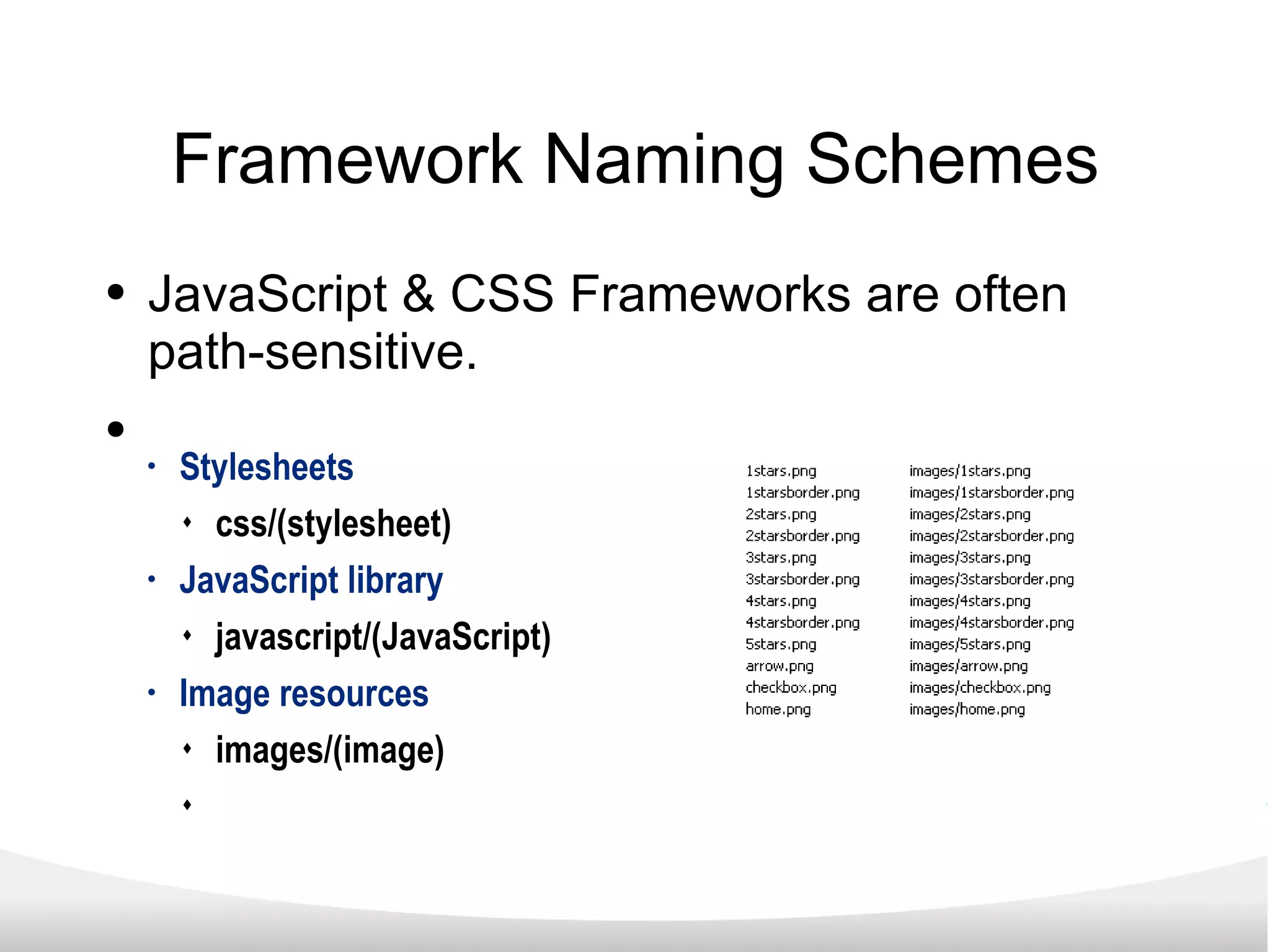
Framework Naming Schemes JavaScript & CSS Frameworks are often path-sensitive. Stylesheets css/(stylesheet) JavaScript library javascript/(JavaScript) Image resources images/(image)
Demo
XPages & XPages for Mobile What exactly are XPages? (And why you should care...) “ More than a facelift” Taking XPages to Mobile Devices Progressive Enhancement How to get started... Wrap up
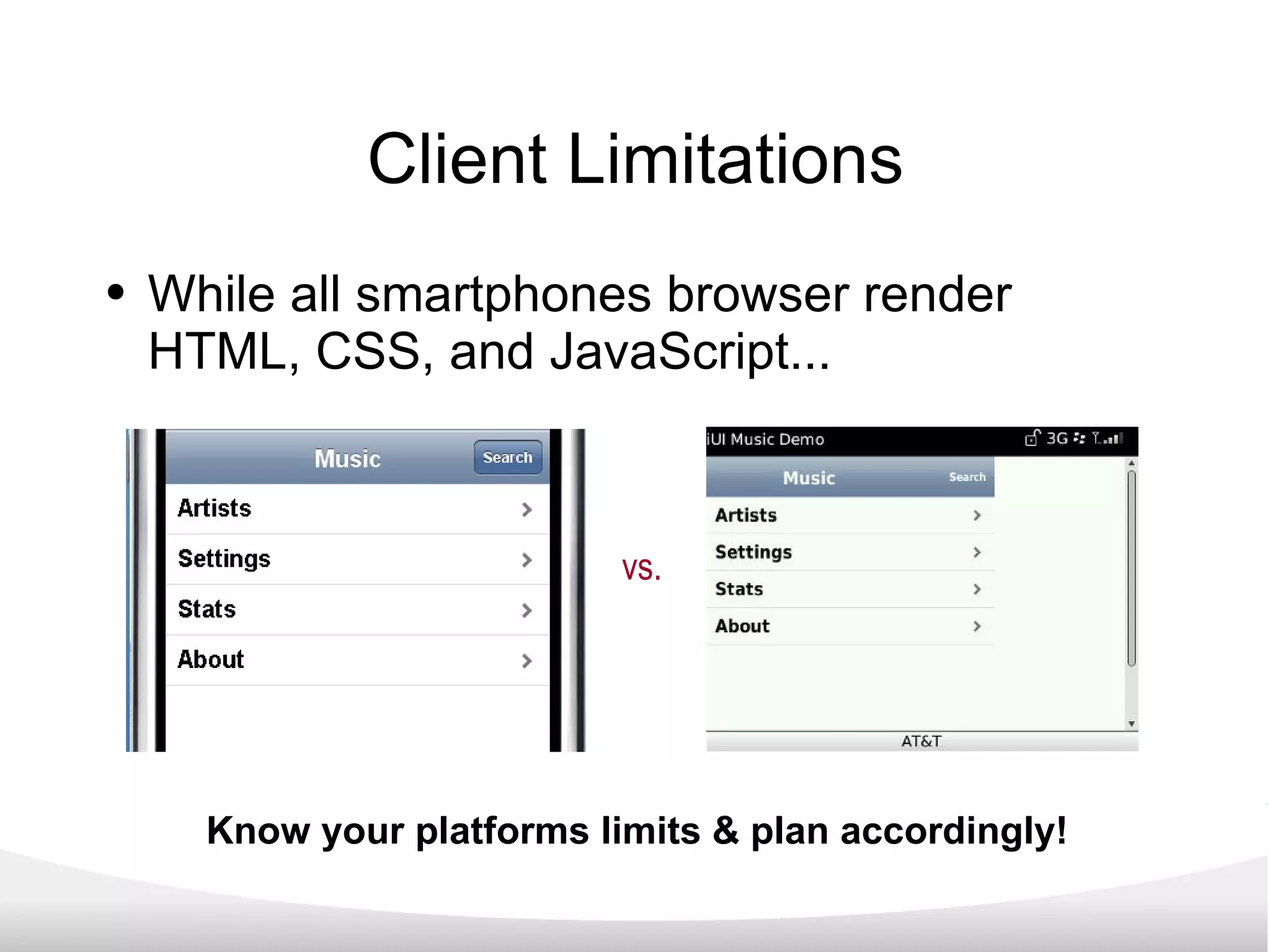
Client Limitations While all smartphones browser render HTML, CSS, and JavaScript... vs. Know your platforms limits & plan accordingly!
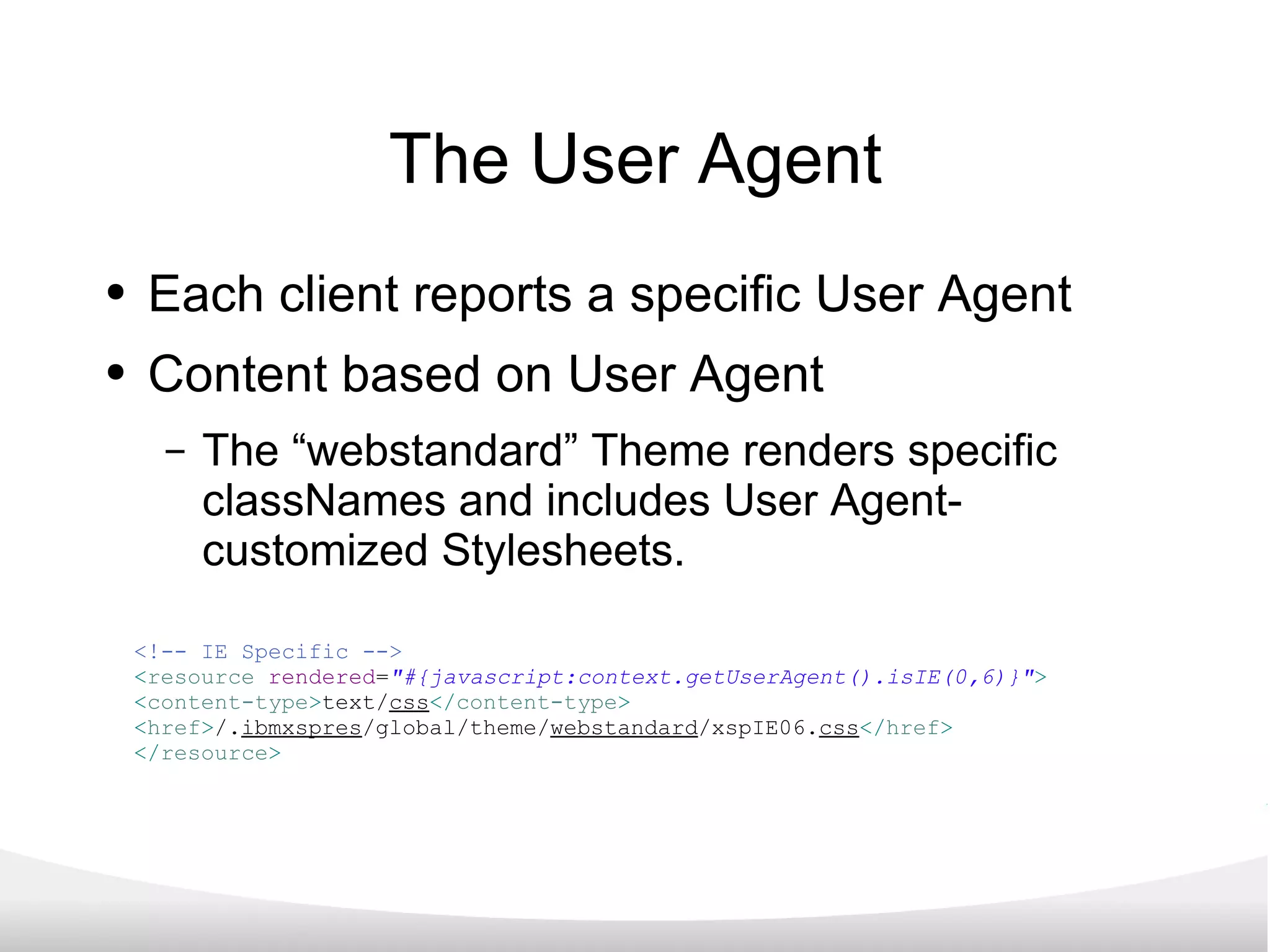
The User Agent Each client reports a specific User Agent Content based on User Agent The “webstandard” Theme renders specific classNames and includes User Agent-customized Stylesheets. <!-- IE Specific --> < resource   rendered = &quot;#{javascript:context.getUserAgent().isIE(0,6)}&quot; > < content-type > text/ css </ content-type > < href > /. ibmxspres /global/theme/ webstandard /xspIE06. css </ href > </ resource >
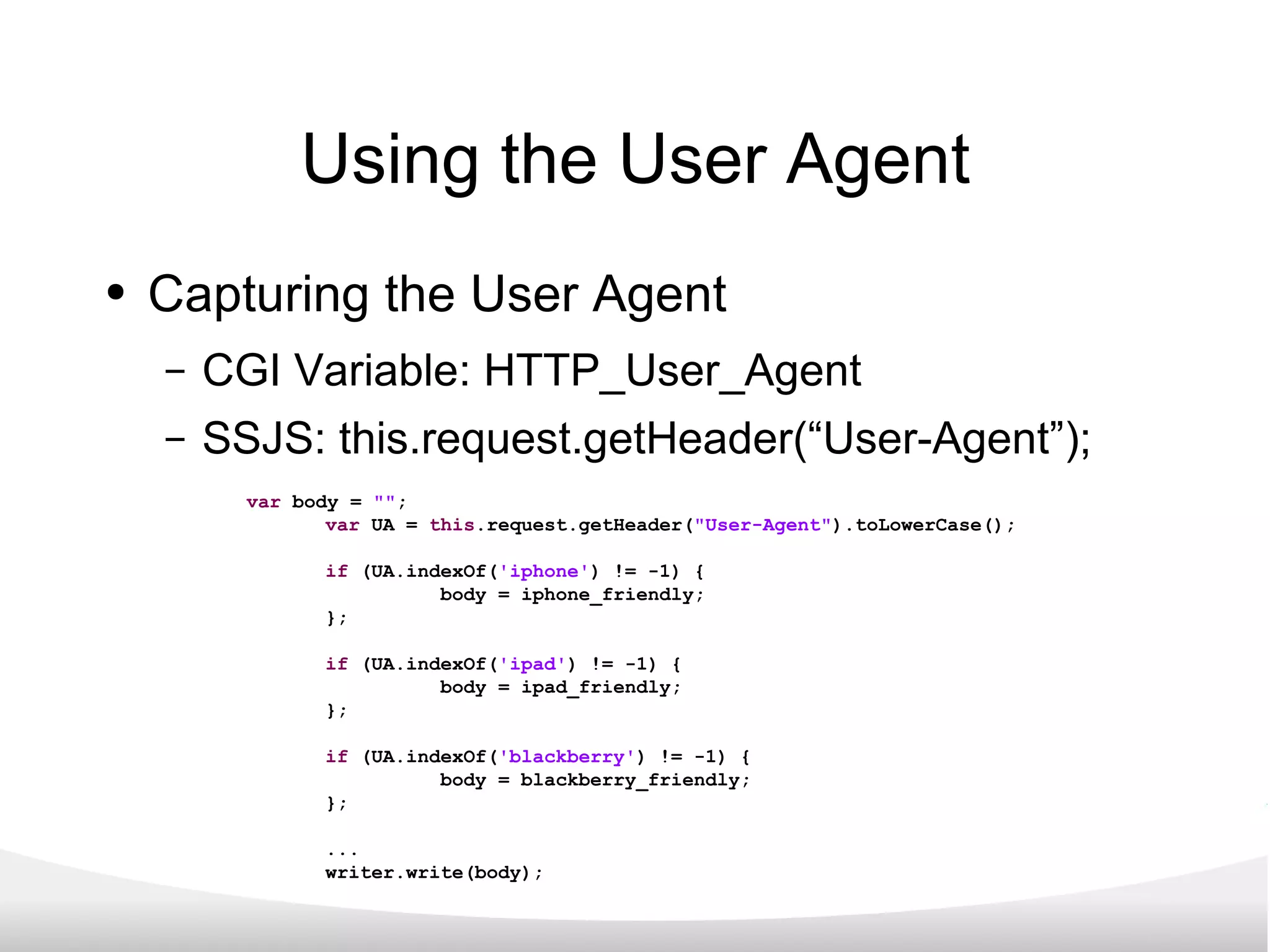
Using the User Agent Capturing the User Agent CGI Variable: HTTP_User_Agent SSJS: this.request.getHeader(“User-Agent”); var  body =  &quot;&quot; ; var  UA =  this .request.getHeader( &quot;User-Agent&quot; ).toLowerCase(); if  (UA.indexOf( 'iphone' ) != -1) { body = iphone_friendly; }; if  (UA.indexOf( 'ipad' ) != -1) { body = ipad_friendly; }; if  (UA.indexOf( 'blackberry' ) != -1) { body = blackberry_friendly; }; ... writer.write(body);
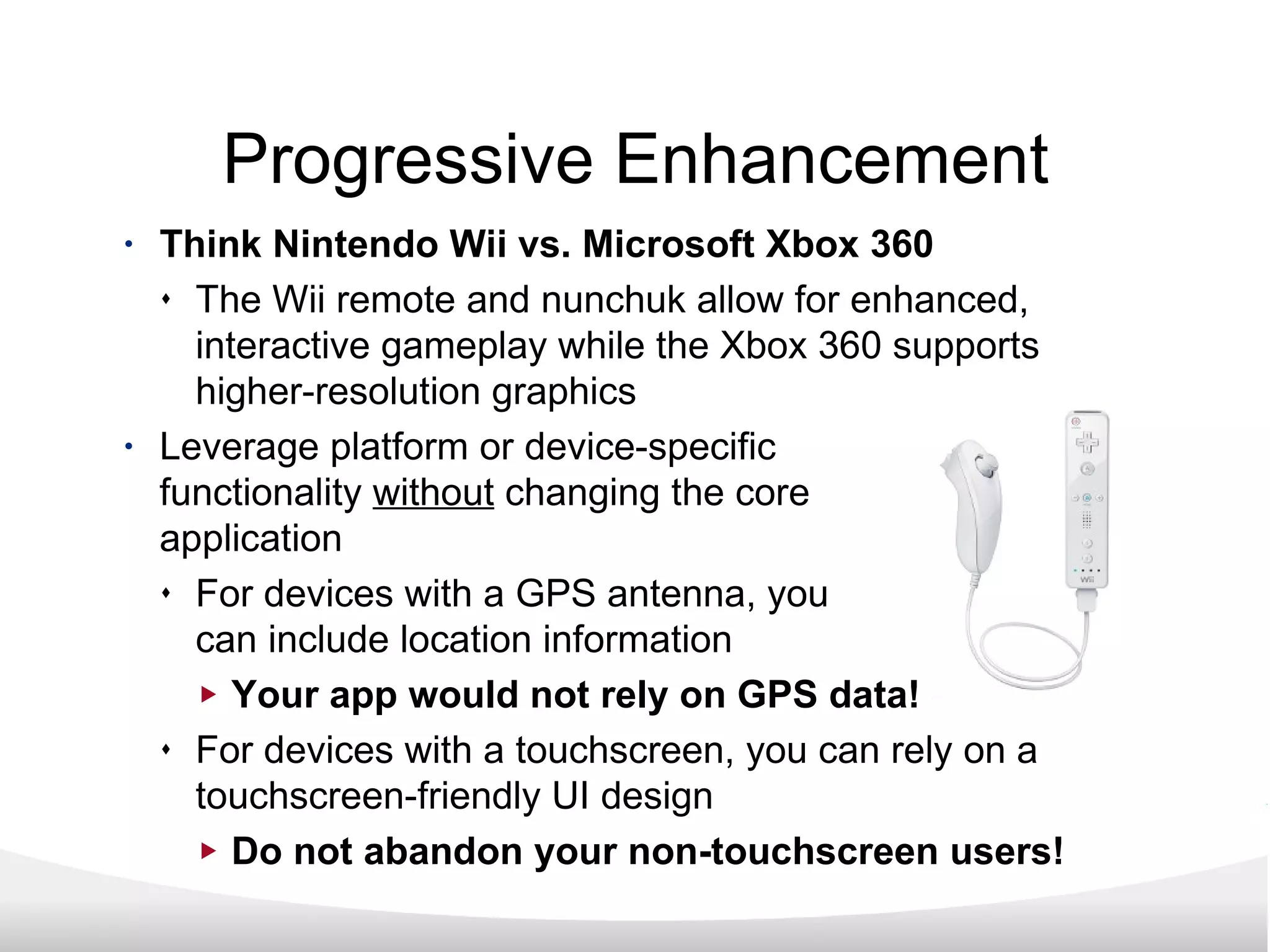
Progressive Enhancement Think Nintendo Wii vs. Microsoft Xbox 360 The Wii remote and nunchuk allow for enhanced, interactive gameplay while the Xbox 360 supports higher-resolution graphics Leverage platform or device-specific functionality  without  changing the core application For devices with a GPS antenna, you can include location information Your app would not rely on GPS data! For devices with a touchscreen, you can rely on a touchscreen-friendly UI design Do not abandon your non-touchscreen users!
XPages & XPages for Mobile What exactly are XPages? (And why you should care...) “ More than a facelift” Taking XPages to Mobile Devices Progressive Enhancement How to get started... Wrap up
Recommendations Keep it simple! Do not add a “slider” control when a combobox/SELECT Element will address the need. Your first XPages app should be an update of an existing NotesDatabase application. The feature functionality is finite and well-defined. You will immediately improve user experience.
Examples & Resources! http://www.openNTF.org http://www.xpagesblog.com http://www.ideajam.net http://www.planetlotus.org Sametime: sametime.lotus.com im.bleedyellow.com
XPages & XPages for Mobile What exactly are XPages? (And why you should care...) “ More than a facelift” Taking XPages to Mobile Devices Progressive Enhancement How to get started... Wrap up
XPages and XPages for Mobile XPages will allow you to improve your existing IBM Lotus Notes Domino applications without code changes to your production environment! XPages leverage transferable skills such as web development (HTML, CSS, JavaScript). XPages allow you to integrate 3rd-party frameworks & code libraries. XPages are the future of IBM Lotus Notes Domino!
Questions? Chris Toohey [email_address] http://www.dominoGuru.com

IBM Lotus Notes Domino XPages and XPages for Mobile

  • 1.
    XPages and XPagesfor Mobile Chris Toohey www.dominoGuru.com
  • 2.
    XPages & XPagesfor Mobile What exactly are XPages? (And why you should care...) “ More than a facelift” Taking XPages to Mobile Devices Progressive Enhancement How to get started... Wrap up
  • 3.
    XPages & XPagesfor Mobile What exactly are XPages? (And why you should care...) “ More than a facelift” Taking XPages to Mobile Devices Progressive Enhancement How to get started... Wrap up
  • 4.
    What exactly areXPages? A “variable” Design Element, replacing: Forms Pages Navigators Views
  • 5.
    What exactly are XPages? XPage Design Elements consist of: HTML CSS JavaScript ServerSide JavaScript Controls (native & custom) XPages use Themes Default rendering relies on Themes & Dojo
  • 6.
    What are Controls?Pre-built & Developer-defined XPage XML, HTML, CSS, & JavaScript Think “Subform” Available from the Controls Palette in DDE Allow “Nesting” and “Repeated Use”
  • 7.
    What is Dojo?JavaScript Toolkit natively used by XPages Open Source Globally Adopted/Supported Rendering of UI/UX Field-level validation Alternate-input types Web 2.0 animation
  • 8.
    What are Themes?Pre-built & Developer-defined Build-upon/expand or replace existing Themes Think “XSLT” for XPages and Controls included Resources (ie., Stylesheets) className for Controls <!-- Basic Text --> < control > < name > Text </ name > < property > < name > styleClass </ name > < value > xspText </ value > </ property > </ control > <!-- FireFox Specific --> < resource rendered = &quot;#{javascript:context.getUserAgent().isFirefox()}&quot; > < content-type > text/ css </ content-type > < href > /. ibmxspres /global/theme/ webstandard /xspFF. css </ href > </ resource >
  • 9.
    Hello World “example.xsp” XPage XPage XML Pass-thru HTML markup <? xml version = &quot;1.0&quot; encoding = &quot;UTF-8&quot; ?> < xp:view xmlns:xp = &quot;http://www.ibm.com/xsp/core&quot; xmlns:xc = &quot;http://www.ibm.com/xsp/custom&quot; > < p > Hello World! </ p > </ xp:view >
  • 10.
    The end result...<! DOCTYPE HTML PUBLIC &quot;-//W3C//DTD HTML 4.01 Transitional//EN&quot; &quot;http://www.w3.org/TR/html4/loose.dtd&quot; > < html lang = &quot;en&quot; > < head > < title ></ title > < script type = &quot;text/javascript&quot; src = &quot;/domjs/dojo-1.3.2/dojo/dojo.js&quot; djConfig = &quot;locale: 'en-us'&quot; ></ script > < script type = &quot;text/javascript&quot; src = &quot;/domjs/dojo-1.3.2/ibm/xsp/widget/layout/xspClientDojo.js&quot; ></ script > < link rel = &quot;stylesheet&quot; type = &quot;text/css&quot; href = &quot;/domjava/xsp/theme/webstandard/xsp.css&quot; > < link rel = &quot;stylesheet&quot; type = &quot;text/css&quot; href = &quot;/domjava/xsp/theme/webstandard/xspLTR.css&quot; > < link rel = &quot;stylesheet&quot; type = &quot;text/css&quot; href = &quot;/domjava/xsp/theme/webstandard/xspSF.css&quot; > </ head > < body class = &quot;xspView tundra&quot; > < form id = &quot;view:_id1&quot; method = &quot;post&quot; action = &quot;/XPages%20Presentation.nsf/example.xsp?SessionID=CNB3RK18A0&quot; class = &quot;xspForm&quot; enctype = &quot;multipart/form-data&quot; > < p > Hello World! </ p > < input type = &quot;hidden&quot; name = &quot;$$viewid&quot; id = &quot;view:_id1__VUID&quot; value = &quot;!cnb3rm1kg0!&quot; > < input type = &quot;hidden&quot; name = &quot;$$xspsubmitid&quot; > < input type = &quot;hidden&quot; name = &quot;$$xspexecid&quot; > < input type = &quot;hidden&quot; name = &quot;$$xspsubmitvalue&quot; > < input type = &quot;hidden&quot; name = &quot;$$xspsubmitscroll&quot; > < input type = &quot;hidden&quot; name = &quot;view:_id1&quot; value = &quot;view:_id1&quot; > < script type = &quot;text/javascript&quot; > function clearFormHiddenParams_view__id1(curFormName) { var curForm = document.forms[curFormName]; } </ script > </ form > </ body > </ html >
  • 11.
    Beyond the DesignElement XPages as a development methodology: Establish fundamental Model-View-Controller architectures for LND applications. Leverage new and existing NotesData through defined Data Sources Simplify application maintenance via a return to the “single Design Element per client” while enabling client-specific feature functionality.
  • 12.
    The power ofXPages XPages can... Define a remote Notes Data Source Proxy Create, Read, Update, & Delete NotesData Requests Update User Interfaces while maintaining “production” applications.
  • 13.
    But why shouldyou care? XPages are the future of the Lotus Notes Domino platform. XPages employ industry standard development tools & transferable developer skills. XPages can rapidly produce applications for faster turn-around from “business need” to “solution”.
  • 14.
    XPages & XPagesfor Mobile What exactly are XPages? (And why you should care...) “ More than a facelift” Taking XPages to Mobile Devices Progressive Enhancement How to get started... Wrap up
  • 15.
    What is a“Lotus Notes” UI? The majority of Lotus Notes applications use a 3-pane layout: Left Navigation Top Action Bar Center Data Grid
  • 16.
    What is a“Lotus Notes” UI? The majority of Lotus Notes applications use a 3-pane layout: Left Navigation Top Action Bar Center Data Grid
  • 17.
    What is a“Lotus Notes” UI? The majority of Lotus Notes applications use a 3-pane layout: Left Navigation Top Action Bar Center Data Grid
  • 18.
  • 19.
    But when theycome into work... Clunky, “4.6”-era Databases Navigator-based Non-intuitive compared to today's apps.
  • 20.
    But when theycome into work... Clunky, “4.6”-era Databases Navigator-based Non-intuitive compared to today's apps.
  • 21.
    But when theycome into work... Clunky, “4.6”-era Databases Navigator-based Non-intuitive compared to today's apps. (That was the same app!)
  • 22.
    Meet or exceedthe expectation “Updating” an application means more than “just a facelift” ; it is an opportunity... Empower your users! Display the capabilities of IT!
  • 23.
    XPage Applications IdeaJamfrom Elguiji Crowd-sourcing ideas from a community. Contemporary User Interface & design. Built on XPages!
  • 24.
    XPage Applications XPagesWiki Template Allow users to easily author & maintain business information. IBM's OneUI Theme Open Source
  • 25.
    XPage Applications xTalkDiscussion Forum Template Allow users to collaborate via familiar UX. Enhanced OneUI Theme Open Source
  • 26.
    Example: Personal AddressBook Contact Form consists of over 33 UI fields! Excellent for tracking contact info Painful for Web Browser Clients Horrible for Mobile Device Clients
  • 27.
    Architecture Considerations DirectAccess HTTP Request Proxy vs. Direct Access HTTP Request Proxy IBM Lotus Notes Domino NRPC lends to HTTP Request Proxy architectures
  • 28.
    Remote Data Sources“ Other” allows you to define external/ remote Data Sources < xp:this.data > < xp:dominoView var = &quot;contacts&quot; databaseName = &quot;mpab.nsf&quot; viewName = &quot;People&quot; > </ xp:dominoView > </ xp:this.data >
  • 29.
    Using Remote DataSources Using “contacts” Variable... < xp:repeat id = &quot;contacts&quot; rows = &quot;30&quot; value = &quot;#{contacts}&quot; var = &quot;thisDoc&quot; > < li class = &quot;menu&quot; > < xp:link escape = &quot;true&quot; id = &quot;link_person&quot; styleClass = &quot;name&quot; > < xp:this.text > <![CDATA[ #{javascript:var ln = thisDoc.getDocument().getItemValueString(&quot;LastName&quot;); var fn = thisDoc.getDocument().getItemValueString(&quot;FirstName&quot;); return ln + &quot;, &quot; + fn;} ]]> </ xp:this.text > < xp:eventHandler event = &quot;onclick&quot; submit = &quot;true&quot; refreshMode = &quot;complete&quot; > < xp:this.action > < xp:openPage name = &quot;/person.xsp&quot; target = &quot;editDocument&quot; documentId = &quot;#{javascript:thisDoc.getDocument().getUniversalID();}&quot; > </ xp:openPage > </ xp:this.action > </ xp:eventHandler > </ xp:link > </ li > </ xp:repeat >
  • 30.
  • 31.
    Exporting via XPagesOnce you control the Content Type, anything is possible! < xp:openPage name = &quot;/export.xsp&quot; > </ xp:openPage >
  • 32.
    XPages & XPagesfor Mobile What exactly are XPages? (And why you should care...) “ More than a facelift” Taking XPages to Mobile Devices Progressive Enhancement How to get started... Wrap up
  • 33.
    Mobile Browser AppsMost developers are moving to “mobile browser apps” vs. native device apps for the following reasons: Centrally-controlled & maintained for ease of maintenance. All smartphones support web browsing. Transferable skills: HTML, CSS, & JavaScript (sound familiar?!)
  • 34.
    Support for HTML5As more browsers support HTML5... “Rich client” experience Natively-rendered advanced UI controls Native offline data storage Out of coverage area? No problem!
  • 35.
    WebKit Desktop WebBrowsers Safari Chrome Mobile Devices iPhone / iPad / iPod Touch / iOS BlackBerry OS6 Symbian OS / S60 (via port)
  • 36.
    iWebKit Webkit-friendly CSSFramework http://iwebkit.net
  • 37.
    Framework Naming SchemesJavaScript & CSS Frameworks are often path-sensitive. Stylesheets css/(stylesheet) JavaScript library javascript/(JavaScript) Image resources images/(image)
  • 38.
  • 39.
    XPages & XPagesfor Mobile What exactly are XPages? (And why you should care...) “ More than a facelift” Taking XPages to Mobile Devices Progressive Enhancement How to get started... Wrap up
  • 40.
    Client Limitations Whileall smartphones browser render HTML, CSS, and JavaScript... vs. Know your platforms limits & plan accordingly!
  • 41.
    The User AgentEach client reports a specific User Agent Content based on User Agent The “webstandard” Theme renders specific classNames and includes User Agent-customized Stylesheets. <!-- IE Specific --> < resource rendered = &quot;#{javascript:context.getUserAgent().isIE(0,6)}&quot; > < content-type > text/ css </ content-type > < href > /. ibmxspres /global/theme/ webstandard /xspIE06. css </ href > </ resource >
  • 42.
    Using the UserAgent Capturing the User Agent CGI Variable: HTTP_User_Agent SSJS: this.request.getHeader(“User-Agent”); var body = &quot;&quot; ; var UA = this .request.getHeader( &quot;User-Agent&quot; ).toLowerCase(); if (UA.indexOf( 'iphone' ) != -1) { body = iphone_friendly; }; if (UA.indexOf( 'ipad' ) != -1) { body = ipad_friendly; }; if (UA.indexOf( 'blackberry' ) != -1) { body = blackberry_friendly; }; ... writer.write(body);
  • 43.
    Progressive Enhancement ThinkNintendo Wii vs. Microsoft Xbox 360 The Wii remote and nunchuk allow for enhanced, interactive gameplay while the Xbox 360 supports higher-resolution graphics Leverage platform or device-specific functionality without changing the core application For devices with a GPS antenna, you can include location information Your app would not rely on GPS data! For devices with a touchscreen, you can rely on a touchscreen-friendly UI design Do not abandon your non-touchscreen users!
  • 44.
    XPages & XPagesfor Mobile What exactly are XPages? (And why you should care...) “ More than a facelift” Taking XPages to Mobile Devices Progressive Enhancement How to get started... Wrap up
  • 45.
    Recommendations Keep itsimple! Do not add a “slider” control when a combobox/SELECT Element will address the need. Your first XPages app should be an update of an existing NotesDatabase application. The feature functionality is finite and well-defined. You will immediately improve user experience.
  • 46.
    Examples & Resources!http://www.openNTF.org http://www.xpagesblog.com http://www.ideajam.net http://www.planetlotus.org Sametime: sametime.lotus.com im.bleedyellow.com
  • 47.
    XPages & XPagesfor Mobile What exactly are XPages? (And why you should care...) “ More than a facelift” Taking XPages to Mobile Devices Progressive Enhancement How to get started... Wrap up
  • 48.
    XPages and XPagesfor Mobile XPages will allow you to improve your existing IBM Lotus Notes Domino applications without code changes to your production environment! XPages leverage transferable skills such as web development (HTML, CSS, JavaScript). XPages allow you to integrate 3rd-party frameworks & code libraries. XPages are the future of IBM Lotus Notes Domino!
  • 49.
    Questions? Chris Toohey[email_address] http://www.dominoGuru.com