Advanced
Technology Days
18. i 19. studenog 2015., Cinestar Arena Centar
Hyper-V vNext
Tomica Kaniški, Vipnet
tomica@kaniski.eu
Hyper-V Manager improvements
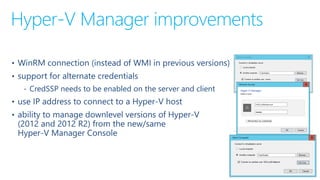
• WinRM connection (instead of WMI in previous versions)
• support for alternate credentials
‐ CredSSP needs to be enabled on the server and client
• use IP address to connect to a Hyper-V host
• ability to manage downlevel versions of Hyper-V
(2012 and 2012 R2) from the new/same
Hyper-V Manager Console
VM version/upgrade
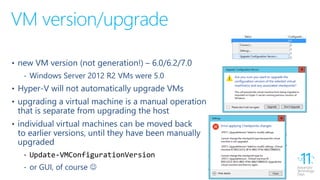
• new VM version (not generation!) – 6.0/6.2/7.0
‐ Windows Server 2012 R2 VMs were 5.0
• Hyper-V will not automatically upgrade VMs
• upgrading a virtual machine is a manual operation
that is separate from upgrading the host
• individual virtual machines can be moved back
to earlier versions, until they have been manually
upgraded
‐ Update-VMConfigurationVersion
‐ or GUI, of course 
Configuration file changes
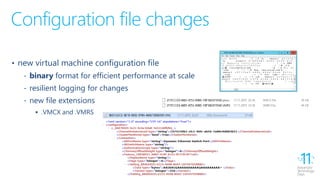
• new virtual machine configuration file
‐ binary format for efficient performance at scale
‐ resilient logging for changes
‐ new file extensions
 .VMCX and .VMRS
Integration services
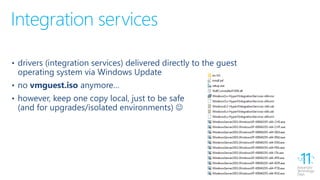
• drivers (integration services) delivered directly to the guest
operating system via Windows Update
• no vmguest.iso anymore…
• however, keep one copy local, just to be safe
(and for upgrades/isolated environments) 
Runtime memory resize
• dynamic memory was/is a great feature, but…
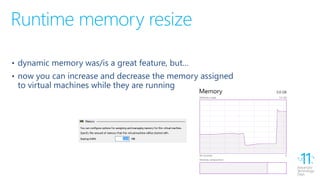
• now you can increase and decrease the memory assigned
to virtual machines while they are running
Network adapters
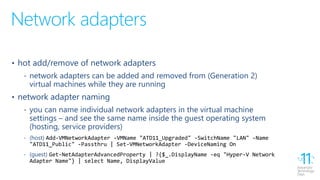
• hot add/remove of network adapters
‐ network adapters can be added and removed from (Generation 2)
virtual machines while they are running
• network adapter naming
‐ you can name individual network adapters in the virtual machine
settings – and see the same name inside the guest operating system
(hosting, service providers)
‐ (host) Add-VMNetworkAdapter -VMName "ATD11_Upgraded" -SwitchName "LAN" -Name
"ATD11_Public" -Passthru | Set-VMNetworkAdapter -DeviceNaming On
‐ (guest) Get-NetAdapterAdvancedProperty | ?{$_.DisplayName -eq "Hyper-V Network
Adapter Name"} | select Name, DisplayValue
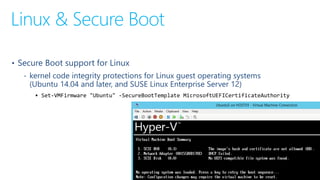
Linux & Secure Boot
• Secure Boot support for Linux
‐ kernel code integrity protections for Linux guest operating systems
(Ubuntu 14.04 and later, and SUSE Linux Enterprise Server 12)
 Set-VMFirmware "Ubuntu" -SecureBootTemplate MicrosoftUEFICertificateAuthority
Production checkpoints
• two kinds of checkpoints – Standard and Production
‐ Standard delivers the same "legacy" experience
you had in Windows Server 2012 R2
‐ "new one" (Production) is fully supported
for production environments
• you can choose which to use or turn them off
completely
• uses VSS instead of Saved State to create checkpoint
• restoring a checkpoint is just like restoring a system backup
• "ON" by default!
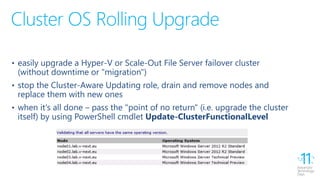
Cluster OS Rolling Upgrade
• easily upgrade a Hyper-V or Scale-Out File Server failover cluster
(without downtime or "migration")
• stop the Cluster-Aware Updating role, drain and remove nodes and
replace them with new ones
• when it's all done – pass the "point of no return" (i.e. upgrade the cluster
itself) by using PowerShell cmdlet Update-ClusterFunctionalLevel
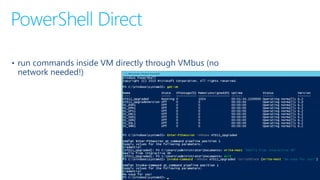
PowerShell Direct
• run commands inside VM directly through VMbus (no
network needed!)
Other improvements (1)
• Nested Virtualization
‐ perfect for demos, training and… Azure 
‐ run Hyper-V (and your entire datacenter ) inside a single virtual machine
• Hot-Add disks to Hyper-V Replica
‐ any new disk added to a VM being replicated gets added to the not-
replicated set -> replication continues and everything resynchronizes
• new Shared VHDX format (VHDS)
‐ can be resized while "online"
Other improvements (2)
• Virtual TPM & Shielded VMs
‐ encrypt the contents of your VMs using BitLocker for secure hosting outside
of your datacenter (cloud?)
‐ with Shielded Virtual Machines enable you to run VMs only in fabrics that are
designated as owners of that virtual machines
• Host Resource Protection
‐ dynamically identifies “rough” virtual machines and reduces their resource
allocation (Azure feature)
• Storage Replica
‐ replicated storage for files or VMs, within the same cluster or to another one
Other improvements (3)
• Virtual Machine Storage Resiliency
‐ storage fabric outages no longer mean that virtual machines crash – they get
paused and resumed automatically in response to storage fabric problems
‐ Virtual Machine gets paused until the storage comes back or fails over
• Virtual Machine Cluster Resiliency
‐ virtual machines running on the node that fell out of the cluster are kept alive
until the node joins back into the cluster
‐ if the cluster node does not come back within four minutes, the virtual
machines failover to another Hyper-V node
Other improvements (4)
• Windows and Hyper-V Containers
‐ operating system-level virtualization within environment
that has its own process and network space, instead of
creating full virtual machines
 Romeo Mlinar, 17:05 (D5)
• Nano Server
‐ new installation option of Windows Server, fully optimized
for large scale deployments, automation and remote
administration
 Tomica Kaniški (), 16:25 (D5)
THANK YOU!
http://blog.kaniski.eu/
tomica@kaniski.eu
Session content
• http://1drv.ms/1QsYodM
Hyper-V vNext

Hyper-V vNext

  • 1.
    Advanced Technology Days 18. i19. studenog 2015., Cinestar Arena Centar
  • 2.
    Hyper-V vNext Tomica Kaniški,Vipnet tomica@kaniski.eu
  • 3.
    Hyper-V Manager improvements •WinRM connection (instead of WMI in previous versions) • support for alternate credentials ‐ CredSSP needs to be enabled on the server and client • use IP address to connect to a Hyper-V host • ability to manage downlevel versions of Hyper-V (2012 and 2012 R2) from the new/same Hyper-V Manager Console
  • 4.
    VM version/upgrade • newVM version (not generation!) – 6.0/6.2/7.0 ‐ Windows Server 2012 R2 VMs were 5.0 • Hyper-V will not automatically upgrade VMs • upgrading a virtual machine is a manual operation that is separate from upgrading the host • individual virtual machines can be moved back to earlier versions, until they have been manually upgraded ‐ Update-VMConfigurationVersion ‐ or GUI, of course 
  • 5.
    Configuration file changes •new virtual machine configuration file ‐ binary format for efficient performance at scale ‐ resilient logging for changes ‐ new file extensions  .VMCX and .VMRS
  • 6.
    Integration services • drivers(integration services) delivered directly to the guest operating system via Windows Update • no vmguest.iso anymore… • however, keep one copy local, just to be safe (and for upgrades/isolated environments) 
  • 7.
    Runtime memory resize •dynamic memory was/is a great feature, but… • now you can increase and decrease the memory assigned to virtual machines while they are running
  • 8.
    Network adapters • hotadd/remove of network adapters ‐ network adapters can be added and removed from (Generation 2) virtual machines while they are running • network adapter naming ‐ you can name individual network adapters in the virtual machine settings – and see the same name inside the guest operating system (hosting, service providers) ‐ (host) Add-VMNetworkAdapter -VMName "ATD11_Upgraded" -SwitchName "LAN" -Name "ATD11_Public" -Passthru | Set-VMNetworkAdapter -DeviceNaming On ‐ (guest) Get-NetAdapterAdvancedProperty | ?{$_.DisplayName -eq "Hyper-V Network Adapter Name"} | select Name, DisplayValue
  • 9.
    Linux & SecureBoot • Secure Boot support for Linux ‐ kernel code integrity protections for Linux guest operating systems (Ubuntu 14.04 and later, and SUSE Linux Enterprise Server 12)  Set-VMFirmware "Ubuntu" -SecureBootTemplate MicrosoftUEFICertificateAuthority
  • 10.
    Production checkpoints • twokinds of checkpoints – Standard and Production ‐ Standard delivers the same "legacy" experience you had in Windows Server 2012 R2 ‐ "new one" (Production) is fully supported for production environments • you can choose which to use or turn them off completely • uses VSS instead of Saved State to create checkpoint • restoring a checkpoint is just like restoring a system backup • "ON" by default!
  • 11.
    Cluster OS RollingUpgrade • easily upgrade a Hyper-V or Scale-Out File Server failover cluster (without downtime or "migration") • stop the Cluster-Aware Updating role, drain and remove nodes and replace them with new ones • when it's all done – pass the "point of no return" (i.e. upgrade the cluster itself) by using PowerShell cmdlet Update-ClusterFunctionalLevel
  • 12.
    PowerShell Direct • runcommands inside VM directly through VMbus (no network needed!)
  • 13.
    Other improvements (1) •Nested Virtualization ‐ perfect for demos, training and… Azure  ‐ run Hyper-V (and your entire datacenter ) inside a single virtual machine • Hot-Add disks to Hyper-V Replica ‐ any new disk added to a VM being replicated gets added to the not- replicated set -> replication continues and everything resynchronizes • new Shared VHDX format (VHDS) ‐ can be resized while "online"
  • 14.
    Other improvements (2) •Virtual TPM & Shielded VMs ‐ encrypt the contents of your VMs using BitLocker for secure hosting outside of your datacenter (cloud?) ‐ with Shielded Virtual Machines enable you to run VMs only in fabrics that are designated as owners of that virtual machines • Host Resource Protection ‐ dynamically identifies “rough” virtual machines and reduces their resource allocation (Azure feature) • Storage Replica ‐ replicated storage for files or VMs, within the same cluster or to another one
  • 15.
    Other improvements (3) •Virtual Machine Storage Resiliency ‐ storage fabric outages no longer mean that virtual machines crash – they get paused and resumed automatically in response to storage fabric problems ‐ Virtual Machine gets paused until the storage comes back or fails over • Virtual Machine Cluster Resiliency ‐ virtual machines running on the node that fell out of the cluster are kept alive until the node joins back into the cluster ‐ if the cluster node does not come back within four minutes, the virtual machines failover to another Hyper-V node
  • 16.
    Other improvements (4) •Windows and Hyper-V Containers ‐ operating system-level virtualization within environment that has its own process and network space, instead of creating full virtual machines  Romeo Mlinar, 17:05 (D5) • Nano Server ‐ new installation option of Windows Server, fully optimized for large scale deployments, automation and remote administration  Tomica Kaniški (), 16:25 (D5)
  • 17.