Hyperlinks and
Netiquette
By: N Ndinisa
Internet- Basic Usage
•Hyperlinks
•Netiquette
Hyperlinks
• A hyperlink is a word , phrase or image that you can click on to jump to a
new document or a new section within the current document
• When you move the cursor over a hyperlink, whether it is text or an image,
the arrow should change to a small hand pointing at the link. When you click
it, a new page or place in the current page will open.
Hyperlinks
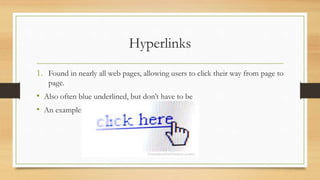
1. Found in nearly all web pages, allowing users to click their way from page to
page.
• Also often blue underlined, but don’t have to be
• An example:
How to insert a hyperlink in Microsoft Word
Select the text or image that you want to turn into a link
Click the insert tab
Click the hyperlink button
Type or paste the website address into the “ADDRESS” field
The rules of netiquette
• Netiquette –rules of behavior on the internet
• They are guidelines that govern behavior when communicating on the
internet have become known as netiquette.
• Netiquette covers not only rules of behavior during discussions but also
guidelines that reflect the unique electronic nature of the medium.
Netiquette
• • Etiquette in technology governs what conduct is socially acceptable in an
online or digital situation. While etiquette is ingrained into culture, etiquette
in technology is a fairly recent concept.
• The rules of etiquette that apply when communicating over the Internet or
social networks or devices are different than in person or by audio (such as
telephone) or videophone (such as Skype video). It is a social code of
network communication
Rules of netiquette
• Online security ( Safety and Ethics)
• Internet threats
• Protecting Reputations Online
• Copyright
• Contextualized Online Search and Research Skill
Rule no1: Remember the human
• You need to remember that you are talking to a real person when you are
online
• The internet brings people together who would otherwise never meet.
• Remember this saying when sending an email: Would I say this to the
person’s face.
• Adhere to the same standards online that you follow in real life in terms of
behavior
Thank you…
• https://forms.gle/YFCPe7bEaUJPm3pU9 link to a quiz for todays session
• These rules will help you in the next lesson which will be creating Gmail
accounts, sending emails and the correct way to write emails.

Hyperlinks and netiquette slides

  • 1.
  • 2.
  • 3.
    Hyperlinks • A hyperlinkis a word , phrase or image that you can click on to jump to a new document or a new section within the current document • When you move the cursor over a hyperlink, whether it is text or an image, the arrow should change to a small hand pointing at the link. When you click it, a new page or place in the current page will open.
  • 4.
    Hyperlinks 1. Found innearly all web pages, allowing users to click their way from page to page. • Also often blue underlined, but don’t have to be • An example:
  • 5.
    How to inserta hyperlink in Microsoft Word Select the text or image that you want to turn into a link Click the insert tab Click the hyperlink button Type or paste the website address into the “ADDRESS” field
  • 6.
    The rules ofnetiquette • Netiquette –rules of behavior on the internet • They are guidelines that govern behavior when communicating on the internet have become known as netiquette. • Netiquette covers not only rules of behavior during discussions but also guidelines that reflect the unique electronic nature of the medium.
  • 7.
    Netiquette • • Etiquettein technology governs what conduct is socially acceptable in an online or digital situation. While etiquette is ingrained into culture, etiquette in technology is a fairly recent concept. • The rules of etiquette that apply when communicating over the Internet or social networks or devices are different than in person or by audio (such as telephone) or videophone (such as Skype video). It is a social code of network communication
  • 8.
    Rules of netiquette •Online security ( Safety and Ethics) • Internet threats • Protecting Reputations Online • Copyright • Contextualized Online Search and Research Skill
  • 9.
    Rule no1: Rememberthe human • You need to remember that you are talking to a real person when you are online • The internet brings people together who would otherwise never meet. • Remember this saying when sending an email: Would I say this to the person’s face. • Adhere to the same standards online that you follow in real life in terms of behavior
  • 10.
    Thank you… • https://forms.gle/YFCPe7bEaUJPm3pU9link to a quiz for todays session • These rules will help you in the next lesson which will be creating Gmail accounts, sending emails and the correct way to write emails.