Installing Hybris Telco Accelerator
On AWS - EC2
Hybris (commerce-suite-5.2.0.1)
Background
● The Telco Accelerator is a commerce store
front for Telco customers offering upfront
contract subscriptions, guided selling, bundled
products, accessory compatibility, optimized
product detail pages for mobiles & service
plans and many more.
Pre-requisites
● A running instance of ec2 on Amazon aws
● Public IP or DNS of your ec2 instance
● A “RSA key” (.pem) of ec2 on your client
● Hybris wiki access
● An ssh client from your windows or mac
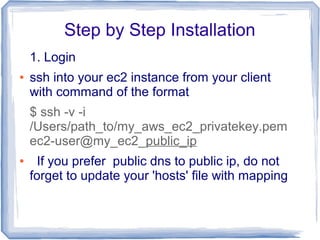
Step by Step Installation
1. Login
● ssh into your ec2 instance from your client
with command of the format
$ ssh -v -i
/Users/path_to/my_aws_ec2_privatekey.pem
ec2-user@my_ec2_public_ip
● If you prefer public dns to public ip, do not
forget to update your 'hosts' file with mapping
Installation … continued
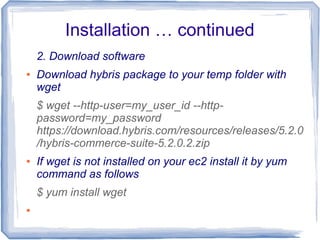
2. Download software
● Download hybris package to your temp folder with
wget
$ wget --http-user=my_user_id --http-
password=my_password
https://download.hybris.com/resources/releases/5.2.0
/hybris-commerce-suite-5.2.0.2.zip
● If wget is not installed on your ec2 install it by yum
command as follows
$ yum install wget
●
Installation … continued
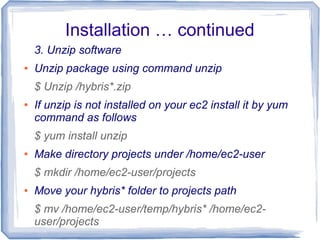
3. Unzip software
● Unzip package using command unzip
$ Unzip /hybris*.zip
● If unzip is not installed on your ec2 install it by yum
command as follows
$ yum install unzip
● Make directory projects under /home/ec2-user
$ mkdir /home/ec2-user/projects
● Move your hybris* folder to projects path
$ mv /home/ec2-user/temp/hybris* /home/ec2-
user/projects
Installation … continued
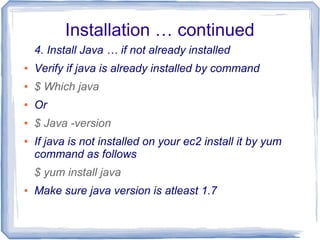
4. Install Java … if not already installed
● Verify if java is already installed by command
● $ Which java
● Or
● $ Java -version
● If java is not installed on your ec2 install it by yum
command as follows
$ yum install java
● Make sure java version is atleast 1.7
Installation … continued
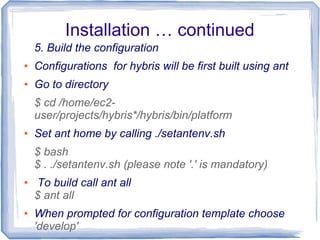
5. Build the configuration
● Configurations for hybris will be first built using ant
● Go to directory
$ cd /home/ec2-
user/projects/hybris*/hybris/bin/platform
● Set ant home by calling ./setantenv.sh
$ bash
$ . ./setantenv.sh (please note '.' is mandatory)
● To build call ant all
$ ant all
● When prompted for configuration template choose
'develop'
Installation … continued
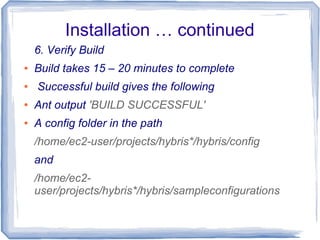
6. Verify Build
● Build takes 15 – 20 minutes to complete
● Successful build gives the following
● Ant output 'BUILD SUCCESSFUL'
● A config folder in the path
/home/ec2-user/projects/hybris*/hybris/config
and
/home/ec2-
user/projects/hybris*/hybris/sampleconfigurations
Installation … continued
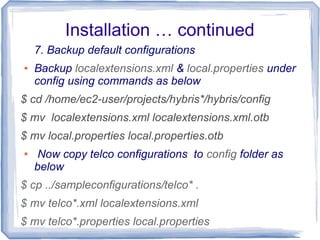
7. Backup default configurations
● Backup localextensions.xml & local.properties under
config using commands as below
$ cd /home/ec2-user/projects/hybris*/hybris/config
$ mv localextensions.xml localextensions.xml.otb
$ mv local.properties local.properties.otb
● Now copy telco configurations to config folder as
below
$ cp ../sampleconfigurations/telco* .
$ mv telco*.xml localextensions.xml
$ mv telco*.properties local.properties
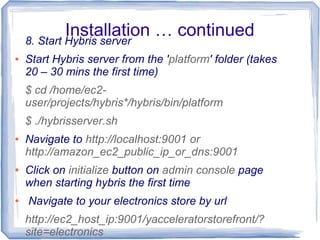
Installation … continued8. Start Hybris server
● Start Hybris server from the 'platform' folder (takes
20 – 30 mins the first time)
$ cd /home/ec2-
user/projects/hybris*/hybris/bin/platform
$ ./hybrisserver.sh
● Navigate to http://localhost:9001 or
http://amazon_ec2_public_ip_or_dns:9001
● Click on initialize button on admin console page
when starting hybris the first time
● Navigate to your electronics store by url
http://ec2_host_ip:9001/yacceleratorstorefront/?
site=electronics
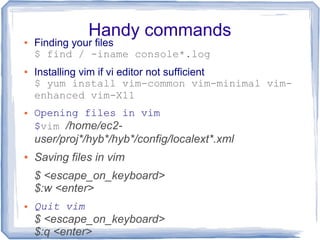
Handy commands● Finding your files
$ find / -iname console*.log
● Installing vim if vi editor not sufficient
$ yum install vim-common vim-minimal vim-
enhanced vim-X11
● Opening files in vim
$vim /home/ec2-
user/proj*/hyb*/hyb*/config/localext*.xml
● Saving files in vim
$ <escape_on_keyboard>
$:w <enter>
● Quit vim
$ <escape_on_keyboard>
$:q <enter>
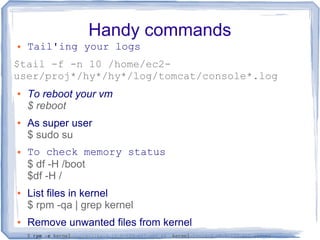
Handy commands
● Tail'ing your logs
$tail -f -n 10 /home/ec2-
user/proj*/hy*/hy*/log/tomcat/console*.log
● To reboot your vm
$ reboot
● As super user
$ sudo su
● To check memory status
$ df -H /boot
$df -H /
● List files in kernel
$ rpm -qa | grep kernel
● Remove unwanted files from kernel
$ rpm -e kernel-tools-libs-3.10.0-123.el7.x86_64 kernel-tools-3.10.0-123.el7.x86_64
Ta da
- Venu Gummadala

Hybris install telco accelerators on aws-ec2

  • 1.
    Installing Hybris TelcoAccelerator On AWS - EC2 Hybris (commerce-suite-5.2.0.1)
  • 2.
    Background ● The TelcoAccelerator is a commerce store front for Telco customers offering upfront contract subscriptions, guided selling, bundled products, accessory compatibility, optimized product detail pages for mobiles & service plans and many more.
  • 3.
    Pre-requisites ● A runninginstance of ec2 on Amazon aws ● Public IP or DNS of your ec2 instance ● A “RSA key” (.pem) of ec2 on your client ● Hybris wiki access ● An ssh client from your windows or mac
  • 4.
    Step by StepInstallation 1. Login ● ssh into your ec2 instance from your client with command of the format $ ssh -v -i /Users/path_to/my_aws_ec2_privatekey.pem ec2-user@my_ec2_public_ip ● If you prefer public dns to public ip, do not forget to update your 'hosts' file with mapping
  • 5.
    Installation … continued 2.Download software ● Download hybris package to your temp folder with wget $ wget --http-user=my_user_id --http- password=my_password https://download.hybris.com/resources/releases/5.2.0 /hybris-commerce-suite-5.2.0.2.zip ● If wget is not installed on your ec2 install it by yum command as follows $ yum install wget ●
  • 6.
    Installation … continued 3.Unzip software ● Unzip package using command unzip $ Unzip /hybris*.zip ● If unzip is not installed on your ec2 install it by yum command as follows $ yum install unzip ● Make directory projects under /home/ec2-user $ mkdir /home/ec2-user/projects ● Move your hybris* folder to projects path $ mv /home/ec2-user/temp/hybris* /home/ec2- user/projects
  • 7.
    Installation … continued 4.Install Java … if not already installed ● Verify if java is already installed by command ● $ Which java ● Or ● $ Java -version ● If java is not installed on your ec2 install it by yum command as follows $ yum install java ● Make sure java version is atleast 1.7
  • 8.
    Installation … continued 5.Build the configuration ● Configurations for hybris will be first built using ant ● Go to directory $ cd /home/ec2- user/projects/hybris*/hybris/bin/platform ● Set ant home by calling ./setantenv.sh $ bash $ . ./setantenv.sh (please note '.' is mandatory) ● To build call ant all $ ant all ● When prompted for configuration template choose 'develop'
  • 9.
    Installation … continued 6.Verify Build ● Build takes 15 – 20 minutes to complete ● Successful build gives the following ● Ant output 'BUILD SUCCESSFUL' ● A config folder in the path /home/ec2-user/projects/hybris*/hybris/config and /home/ec2- user/projects/hybris*/hybris/sampleconfigurations
  • 10.
    Installation … continued 7.Backup default configurations ● Backup localextensions.xml & local.properties under config using commands as below $ cd /home/ec2-user/projects/hybris*/hybris/config $ mv localextensions.xml localextensions.xml.otb $ mv local.properties local.properties.otb ● Now copy telco configurations to config folder as below $ cp ../sampleconfigurations/telco* . $ mv telco*.xml localextensions.xml $ mv telco*.properties local.properties
  • 11.
    Installation … continued8.Start Hybris server ● Start Hybris server from the 'platform' folder (takes 20 – 30 mins the first time) $ cd /home/ec2- user/projects/hybris*/hybris/bin/platform $ ./hybrisserver.sh ● Navigate to http://localhost:9001 or http://amazon_ec2_public_ip_or_dns:9001 ● Click on initialize button on admin console page when starting hybris the first time ● Navigate to your electronics store by url http://ec2_host_ip:9001/yacceleratorstorefront/? site=electronics
  • 12.
    Handy commands● Findingyour files $ find / -iname console*.log ● Installing vim if vi editor not sufficient $ yum install vim-common vim-minimal vim- enhanced vim-X11 ● Opening files in vim $vim /home/ec2- user/proj*/hyb*/hyb*/config/localext*.xml ● Saving files in vim $ <escape_on_keyboard> $:w <enter> ● Quit vim $ <escape_on_keyboard> $:q <enter>
  • 13.
    Handy commands ● Tail'ingyour logs $tail -f -n 10 /home/ec2- user/proj*/hy*/hy*/log/tomcat/console*.log ● To reboot your vm $ reboot ● As super user $ sudo su ● To check memory status $ df -H /boot $df -H / ● List files in kernel $ rpm -qa | grep kernel ● Remove unwanted files from kernel $ rpm -e kernel-tools-libs-3.10.0-123.el7.x86_64 kernel-tools-3.10.0-123.el7.x86_64
  • 14.
    Ta da - VenuGummadala