HyperText Markup
Language (HTML)
Mendel Rosenblum
1
CS142 Lecture Notes - HTML
Web Application Architecture
Web Browser
Web Server /
Application server
HTTP
Storage System
Internet
LAN
2
CS142 Lecture Notes - HTML
Browser environment is different
Traditional app: GUIs based on pixels
Since 1970s: software accessed mapped framebuffers (R/G/B)
Toolkits build higher level GUI widgets (buttons, tables, etc.)
Web browsers display Documents described in HTML
Until HTML5’s canvas region, you couldn’t write pixels
Make applications out of documents
Early web apps: Multiple documents (pages) with ‘form’ tag for input
Current: Use JavaScript to dynamically generate and update documents
3
CS142 Lecture Notes - HTML
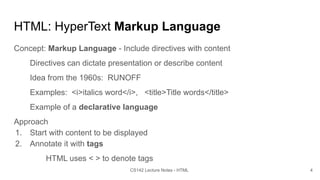
HTML: HyperText Markup Language
Concept: Markup Language - Include directives with content
Directives can dictate presentation or describe content
Idea from the 1960s: RUNOFF
Examples: <i>italics word</i>, <title>Title words</title>
Example of a declarative language
Approach
1. Start with content to be displayed
2. Annotate it with tags
HTML uses < > to denote tags
4
CS142 Lecture Notes - HTML
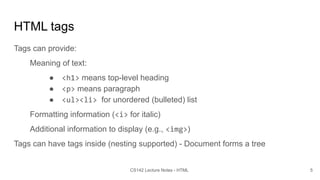
HTML tags
Tags can provide:
Meaning of text:
● <h1> means top-level heading
● <p> means paragraph
● <ul><li> for unordered (bulleted) list
Formatting information (<i> for italic)
Additional information to display (e.g., <img>)
Tags can have tags inside (nesting supported) - Document forms a tree
5
CS142 Lecture Notes - HTML
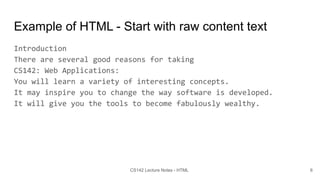
Example of HTML - Start with raw content text
Introduction
There are several good reasons for taking
CS142: Web Applications:
You will learn a variety of interesting concepts.
It may inspire you to change the way software is developed.
It will give you the tools to become fabulously wealthy.
6
CS142 Lecture Notes - HTML
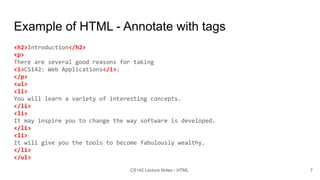
Example of HTML - Annotate with tags
<h2>Introduction</h2>
<p>
There are several good reasons for taking
<i>CS142: Web Applications</i>:
</p>
<ul>
<li>
You will learn a variety of interesting concepts.
</li>
<li>
It may inspire you to change the way software is developed.
</li>
<li>
It will give you the tools to become fabulously wealthy.
</li>
</ul>
7
CS142 Lecture Notes - HTML
Browser doesn’t care but programmers do
<h2>Introduction</h2>
<p>
There are several good reasons for taking
<i>CS142: Web Applications</i>:
</p>
<ul>
<li>
You will learn a variety of interesting concepts.
</li>
<li>
It may inspire you to change the way software is developed.
</li>
<li>
It will give you the tools to become fabulously wealthy.
</li>
</ul>
8
CS142 Lecture Notes - HTML
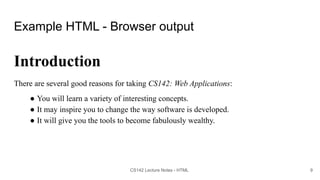
Example HTML - Browser output
Introduction
There are several good reasons for taking CS142: Web Applications:
● You will learn a variety of interesting concepts.
● It may inspire you to change the way software is developed.
● It will give you the tools to become fabulously wealthy.
9
CS142 Lecture Notes - HTML
HTML Evolution
Influenced by browser implementation quirks
What to do if you see “<p>Some text” (missing closing </p>)?
1. Complain bitterly about malformed HTML.
2. Figure out there was a missing </p>, add it, and continue processing.
Forked into HTML and XHTML (XML-based HTML)
XHTML is more strict about adhering to proper syntax
For the HTML class projects (1, 2, and 3) we will use XHTML
Users came to depend on browser quirks, so browsers couldn't change
10
CS142 Lecture Notes - HTML
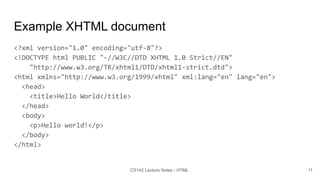
Example XHTML document
<?xml version="1.0" encoding="utf-8"?>
<!DOCTYPE html PUBLIC "-//W3C//DTD XHTML 1.0 Strict//EN"
"http://www.w3.org/TR/xhtml1/DTD/xhtml1-strict.dtd">
<html xmlns="http://www.w3.org/1999/xhtml" xml:lang="en" lang="en">
<head>
<title>Hello World</title>
</head>
<body>
<p>Hello world!</p>
</body>
</html>
11
CS142 Lecture Notes - HTML
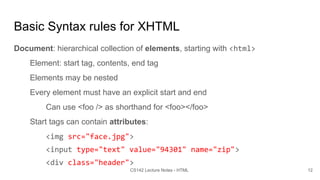
Basic Syntax rules for XHTML
Document: hierarchical collection of elements, starting with <html>
Element: start tag, contents, end tag
Elements may be nested
Every element must have an explicit start and end
Can use <foo /> as shorthand for <foo></foo>
Start tags can contain attributes:
<img src="face.jpg">
<input type="text" value="94301" name="zip">
<div class="header">
12
CS142 Lecture Notes - HTML
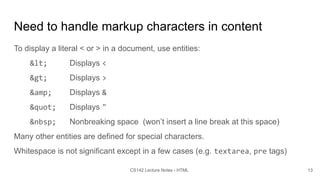
Need to handle markup characters in content
To display a literal < or > in a document, use entities:
&lt; Displays <
&gt; Displays >
&amp; Displays &
&quot; Displays "
&nbsp; Nonbreaking space (won’t insert a line break at this space)
Many other entities are defined for special characters.
Whitespace is not significant except in a few cases (e.g. textarea, pre tags)
13
CS142 Lecture Notes - HTML
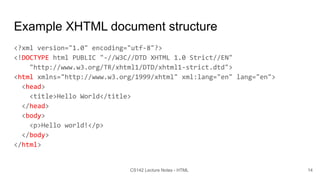
Example XHTML document structure
<?xml version="1.0" encoding="utf-8"?>
<!DOCTYPE html PUBLIC "-//W3C//DTD XHTML 1.0 Strict//EN"
"http://www.w3.org/TR/xhtml1/DTD/xhtml1-strict.dtd">
<html xmlns="http://www.w3.org/1999/xhtml" xml:lang="en" lang="en">
<head>
<title>Hello World</title>
</head>
<body>
<p>Hello world!</p>
</body>
</html>
14
CS142 Lecture Notes - HTML
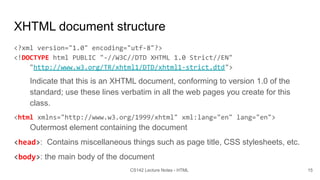
XHTML document structure
<?xml version="1.0" encoding="utf-8"?>
<!DOCTYPE html PUBLIC "-//W3C//DTD XHTML 1.0 Strict//EN"
"http://www.w3.org/TR/xhtml1/DTD/xhtml1-strict.dtd">
Indicate that this is an XHTML document, conforming to version 1.0 of the
standard; use these lines verbatim in all the web pages you create for this
class.
<html xmlns="http://www.w3.org/1999/xhtml" xml:lang="en" lang="en">
Outermost element containing the document
<head>: Contains miscellaneous things such as page title, CSS stylesheets, etc.
<body>: the main body of the document
15
CS142 Lecture Notes - HTML
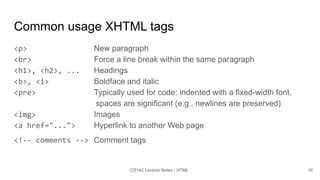
Common usage XHTML tags
<p> New paragraph
<br> Force a line break within the same paragraph
<h1>, <h2>, ... Headings
<b>, <i> Boldface and italic
<pre> Typically used for code: indented with a fixed-width font,
spaces are significant (e.g., newlines are preserved)
<img> Images
<a href="..."> Hyperlink to another Web page
<!-- comments --> Comment tags
16
CS142 Lecture Notes - HTML
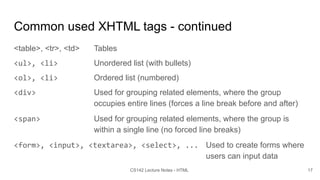
Common used XHTML tags - continued
<table>, <tr>, <td> Tables
<ul>, <li> Unordered list (with bullets)
<ol>, <li> Ordered list (numbered)
<div> Used for grouping related elements, where the group
occupies entire lines (forces a line break before and after)
<span> Used for grouping related elements, where the group is
within a single line (no forced line breaks)
<form>, <input>, <textarea>, <select>, ... Used to create forms where
users can input data
17
CS142 Lecture Notes - HTML
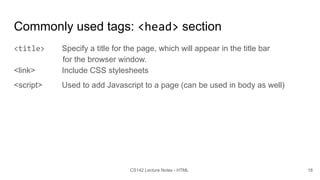
Commonly used tags: <head> section
<title> Specify a title for the page, which will appear in the title bar
for the browser window.
<link> Include CSS stylesheets
<script> Used to add Javascript to a page (can be used in body as well)
18
CS142 Lecture Notes - HTML
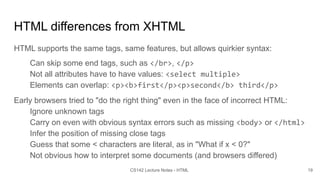
HTML differences from XHTML
HTML supports the same tags, same features, but allows quirkier syntax:
Can skip some end tags, such as </br>, </p>
Not all attributes have to have values: <select multiple>
Elements can overlap: <p><b>first</p><p>second</b> third</p>
Early browsers tried to "do the right thing" even in the face of incorrect HTML:
Ignore unknown tags
Carry on even with obvious syntax errors such as missing <body> or </html>
Infer the position of missing close tags
Guess that some < characters are literal, as in "What if x < 0?"
Not obvious how to interpret some documents (and browsers differed)
19
CS142 Lecture Notes - HTML
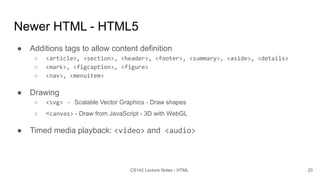
Newer HTML - HTML5
● Additions tags to allow content definition
○ <article>, <section>, <header>, <footer>, <summary>, <aside>, <details>
○ <mark>, <figcaption>, <figure>
○ <nav>, <menuitem>
● Drawing
○ <svg> - Scalable Vector Graphics - Draw shapes
○ <canvas> - Draw from JavaScript - 3D with WebGL
● Timed media playback: <video> and <audio>
20
CS142 Lecture Notes - HTML
Another markup language: Markdown
# Heading
## Sub-heading
### Another deeper heading
Paragraphs are separated
by a blank line.
Two spaces at the end of a line leave a
line break.
Text attributes _italic_, *italic*, __bold__, **bold**,
`monospace`.
Horizontal rule:
--- 21
CS142 Lecture Notes - HTML
Bullet list:
* apples
* oranges
* pears
Numbered list:
1. apples
2. oranges
3. pears
A [link](http://example.com).
Example from https://en.wikipedia.org/wiki/Markdown
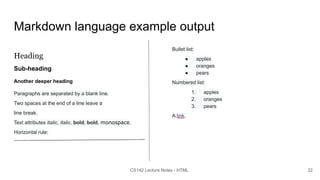
Markdown language example output
Heading
Sub-heading
Another deeper heading
Paragraphs are separated by a blank line.
Two spaces at the end of a line leave a
line break.
Text attributes italic, italic, bold, bold, monospace.
Horizontal rule:
22
CS142 Lecture Notes - HTML
Bullet list:
● apples
● oranges
● pears
Numbered list:
1. apples
2. oranges
3. pears
A link.

HTML.pdf

  • 1.
    HyperText Markup Language (HTML) MendelRosenblum 1 CS142 Lecture Notes - HTML
  • 2.
    Web Application Architecture WebBrowser Web Server / Application server HTTP Storage System Internet LAN 2 CS142 Lecture Notes - HTML
  • 3.
    Browser environment isdifferent Traditional app: GUIs based on pixels Since 1970s: software accessed mapped framebuffers (R/G/B) Toolkits build higher level GUI widgets (buttons, tables, etc.) Web browsers display Documents described in HTML Until HTML5’s canvas region, you couldn’t write pixels Make applications out of documents Early web apps: Multiple documents (pages) with ‘form’ tag for input Current: Use JavaScript to dynamically generate and update documents 3 CS142 Lecture Notes - HTML
  • 4.
    HTML: HyperText MarkupLanguage Concept: Markup Language - Include directives with content Directives can dictate presentation or describe content Idea from the 1960s: RUNOFF Examples: <i>italics word</i>, <title>Title words</title> Example of a declarative language Approach 1. Start with content to be displayed 2. Annotate it with tags HTML uses < > to denote tags 4 CS142 Lecture Notes - HTML
  • 5.
    HTML tags Tags canprovide: Meaning of text: ● <h1> means top-level heading ● <p> means paragraph ● <ul><li> for unordered (bulleted) list Formatting information (<i> for italic) Additional information to display (e.g., <img>) Tags can have tags inside (nesting supported) - Document forms a tree 5 CS142 Lecture Notes - HTML
  • 6.
    Example of HTML- Start with raw content text Introduction There are several good reasons for taking CS142: Web Applications: You will learn a variety of interesting concepts. It may inspire you to change the way software is developed. It will give you the tools to become fabulously wealthy. 6 CS142 Lecture Notes - HTML
  • 7.
    Example of HTML- Annotate with tags <h2>Introduction</h2> <p> There are several good reasons for taking <i>CS142: Web Applications</i>: </p> <ul> <li> You will learn a variety of interesting concepts. </li> <li> It may inspire you to change the way software is developed. </li> <li> It will give you the tools to become fabulously wealthy. </li> </ul> 7 CS142 Lecture Notes - HTML
  • 8.
    Browser doesn’t carebut programmers do <h2>Introduction</h2> <p> There are several good reasons for taking <i>CS142: Web Applications</i>: </p> <ul> <li> You will learn a variety of interesting concepts. </li> <li> It may inspire you to change the way software is developed. </li> <li> It will give you the tools to become fabulously wealthy. </li> </ul> 8 CS142 Lecture Notes - HTML
  • 9.
    Example HTML -Browser output Introduction There are several good reasons for taking CS142: Web Applications: ● You will learn a variety of interesting concepts. ● It may inspire you to change the way software is developed. ● It will give you the tools to become fabulously wealthy. 9 CS142 Lecture Notes - HTML
  • 10.
    HTML Evolution Influenced bybrowser implementation quirks What to do if you see “<p>Some text” (missing closing </p>)? 1. Complain bitterly about malformed HTML. 2. Figure out there was a missing </p>, add it, and continue processing. Forked into HTML and XHTML (XML-based HTML) XHTML is more strict about adhering to proper syntax For the HTML class projects (1, 2, and 3) we will use XHTML Users came to depend on browser quirks, so browsers couldn't change 10 CS142 Lecture Notes - HTML
  • 11.
    Example XHTML document <?xmlversion="1.0" encoding="utf-8"?> <!DOCTYPE html PUBLIC "-//W3C//DTD XHTML 1.0 Strict//EN" "http://www.w3.org/TR/xhtml1/DTD/xhtml1-strict.dtd"> <html xmlns="http://www.w3.org/1999/xhtml" xml:lang="en" lang="en"> <head> <title>Hello World</title> </head> <body> <p>Hello world!</p> </body> </html> 11 CS142 Lecture Notes - HTML
  • 12.
    Basic Syntax rulesfor XHTML Document: hierarchical collection of elements, starting with <html> Element: start tag, contents, end tag Elements may be nested Every element must have an explicit start and end Can use <foo /> as shorthand for <foo></foo> Start tags can contain attributes: <img src="face.jpg"> <input type="text" value="94301" name="zip"> <div class="header"> 12 CS142 Lecture Notes - HTML
  • 13.
    Need to handlemarkup characters in content To display a literal < or > in a document, use entities: &lt; Displays < &gt; Displays > &amp; Displays & &quot; Displays " &nbsp; Nonbreaking space (won’t insert a line break at this space) Many other entities are defined for special characters. Whitespace is not significant except in a few cases (e.g. textarea, pre tags) 13 CS142 Lecture Notes - HTML
  • 14.
    Example XHTML documentstructure <?xml version="1.0" encoding="utf-8"?> <!DOCTYPE html PUBLIC "-//W3C//DTD XHTML 1.0 Strict//EN" "http://www.w3.org/TR/xhtml1/DTD/xhtml1-strict.dtd"> <html xmlns="http://www.w3.org/1999/xhtml" xml:lang="en" lang="en"> <head> <title>Hello World</title> </head> <body> <p>Hello world!</p> </body> </html> 14 CS142 Lecture Notes - HTML
  • 15.
    XHTML document structure <?xmlversion="1.0" encoding="utf-8"?> <!DOCTYPE html PUBLIC "-//W3C//DTD XHTML 1.0 Strict//EN" "http://www.w3.org/TR/xhtml1/DTD/xhtml1-strict.dtd"> Indicate that this is an XHTML document, conforming to version 1.0 of the standard; use these lines verbatim in all the web pages you create for this class. <html xmlns="http://www.w3.org/1999/xhtml" xml:lang="en" lang="en"> Outermost element containing the document <head>: Contains miscellaneous things such as page title, CSS stylesheets, etc. <body>: the main body of the document 15 CS142 Lecture Notes - HTML
  • 16.
    Common usage XHTMLtags <p> New paragraph <br> Force a line break within the same paragraph <h1>, <h2>, ... Headings <b>, <i> Boldface and italic <pre> Typically used for code: indented with a fixed-width font, spaces are significant (e.g., newlines are preserved) <img> Images <a href="..."> Hyperlink to another Web page <!-- comments --> Comment tags 16 CS142 Lecture Notes - HTML
  • 17.
    Common used XHTMLtags - continued <table>, <tr>, <td> Tables <ul>, <li> Unordered list (with bullets) <ol>, <li> Ordered list (numbered) <div> Used for grouping related elements, where the group occupies entire lines (forces a line break before and after) <span> Used for grouping related elements, where the group is within a single line (no forced line breaks) <form>, <input>, <textarea>, <select>, ... Used to create forms where users can input data 17 CS142 Lecture Notes - HTML
  • 18.
    Commonly used tags:<head> section <title> Specify a title for the page, which will appear in the title bar for the browser window. <link> Include CSS stylesheets <script> Used to add Javascript to a page (can be used in body as well) 18 CS142 Lecture Notes - HTML
  • 19.
    HTML differences fromXHTML HTML supports the same tags, same features, but allows quirkier syntax: Can skip some end tags, such as </br>, </p> Not all attributes have to have values: <select multiple> Elements can overlap: <p><b>first</p><p>second</b> third</p> Early browsers tried to "do the right thing" even in the face of incorrect HTML: Ignore unknown tags Carry on even with obvious syntax errors such as missing <body> or </html> Infer the position of missing close tags Guess that some < characters are literal, as in "What if x < 0?" Not obvious how to interpret some documents (and browsers differed) 19 CS142 Lecture Notes - HTML
  • 20.
    Newer HTML -HTML5 ● Additions tags to allow content definition ○ <article>, <section>, <header>, <footer>, <summary>, <aside>, <details> ○ <mark>, <figcaption>, <figure> ○ <nav>, <menuitem> ● Drawing ○ <svg> - Scalable Vector Graphics - Draw shapes ○ <canvas> - Draw from JavaScript - 3D with WebGL ● Timed media playback: <video> and <audio> 20 CS142 Lecture Notes - HTML
  • 21.
    Another markup language:Markdown # Heading ## Sub-heading ### Another deeper heading Paragraphs are separated by a blank line. Two spaces at the end of a line leave a line break. Text attributes _italic_, *italic*, __bold__, **bold**, `monospace`. Horizontal rule: --- 21 CS142 Lecture Notes - HTML Bullet list: * apples * oranges * pears Numbered list: 1. apples 2. oranges 3. pears A [link](http://example.com). Example from https://en.wikipedia.org/wiki/Markdown
  • 22.
    Markdown language exampleoutput Heading Sub-heading Another deeper heading Paragraphs are separated by a blank line. Two spaces at the end of a line leave a line break. Text attributes italic, italic, bold, bold, monospace. Horizontal rule: 22 CS142 Lecture Notes - HTML Bullet list: ● apples ● oranges ● pears Numbered list: 1. apples 2. oranges 3. pears A link.