11 | CONFIDENTIAL
117 N. Market St. Suite 300 • Wilmington, DE 19801 • 302.778.1300 • trellist.com • info@trellist.com • © 2011 Trellist, Inc.
Date June 22, 2014
INTRODUCE YOUR WEB PAGE TO HTML5
Presented By: Jennifer Kenderdine
Philly Code Camp
22 | CONFIDENTIAL
Agenda
I. Why HTML5?
II. How do I get started?
III. New Elements
IV. JavaScript API integrated with HTML5
V. Browser Support
VI. Forms
VII. Mobile
VIII. Resources
33 | CONFIDENTIAL
• Your existing markup will still work! No need to
relearn things you already know.
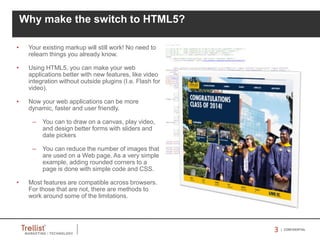
• Using HTML5, you can make your web
applications better with new features, like video
integration without outside plugins (I.e. Flash for
video).
• Now your web applications can be more
dynamic, faster and user friendly.
– You can to draw on a canvas, play video,
and design better forms with sliders and
date pickers
– You can reduce the number of images that
are used on a Web page. As a very simple
example, adding rounded corners to a
page is done with simple code and CSS.
• Most features are compatible across browsers.
For those that are not, there are methods to
work around some of the limitations.
Why make the switch to HTML5?
44 | CONFIDENTIAL
How do I get started?
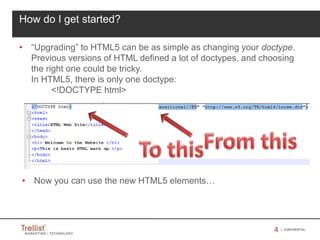
• “Upgrading” to HTML5 can be as simple as changing your doctype.
Previous versions of HTML defined a lot of doctypes, and choosing
the right one could be tricky.
In HTML5, there is only one doctype:
<!DOCTYPE html>
• Now you can use the new HTML5 elements…
55 | CONFIDENTIAL
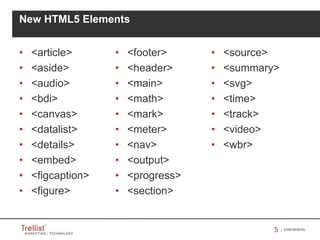
• <article>
• <aside>
• <audio>
• <bdi>
• <canvas>
• <datalist>
• <details>
• <embed>
• <figcaption>
• <figure>
New HTML5 Elements
• <footer>
• <header>
• <main>
• <math>
• <mark>
• <meter>
• <nav>
• <output>
• <progress>
• <section>
• <source>
• <summary>
• <svg>
• <time>
• <track>
• <video>
• <wbr>
66 | CONFIDENTIAL
• Canvas – declare 2D / 3D, allows us draw natively in the browser
• Contacts – Common contacts API (local repository) [New – not implemented
yet]
• Drag and Drop - it brings native drag and drop support to the browser.
• File – Access to sandbox areas on client PC
• Forms – validation
• Geolocation – location of devices (latitude/longitude)
• History - control over the history state of a user's browser session.
• Index DB (object DB) – local storage within the browser (structured data)
• Media – includes JavaScript methods including play(), pause(), load() and
canPlayType()
• Media Capture – Camera / web cam access through the browser
• Microdata – used to nest metadata within existing content on web pages
(used to provide richer ui)
JavaScript API’s with HTML5
Basic info around the new API’s
77 | CONFIDENTIAL
• Messaging – (Cross-document) allows scripts to interact across different
origins or source domains without enabling cross-site attacks
• Offline Web Apps – like browser cache, but more robust
• Selection –Supports selecting items in DOM (supports CSS3 type of
selectors), to be used along with JQUERY.
• Server Sent Events – allows for push notifications to be sent from a server to
a browser in the form of DOM events (one way)
• Web Notifications – browser based notifications [Experimental]
• Web Sockets – 2 way “chat” between the server and the client
• Web Storage – a spec for storing client side data (key value pairs) similar to
cookies
• Web Workers – an API for running JavaScript in the background independent
of any user scripts. Helps keep page responsive.
• XHTMLHTTP Req – level 2 / AJAX
JavaScript API’s with HTML5…cont’d
Basic info around the new API’s
88 | CONFIDENTIAL
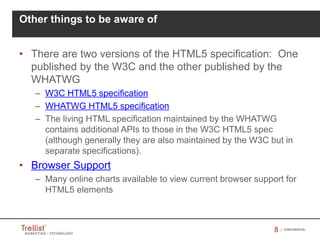
Other things to be aware of
• There are two versions of the HTML5 specification: One
published by the W3C and the other published by the
WHATWG
– W3C HTML5 specification
– WHATWG HTML5 specification
– The living HTML specification maintained by the WHATWG
contains additional APIs to those in the W3C HTML5 spec
(although generally they are also maintained by the W3C but in
separate specifications).
• Browser Support
– Many online charts available to view current browser support for
HTML5 elements
99 | CONFIDENTIAL
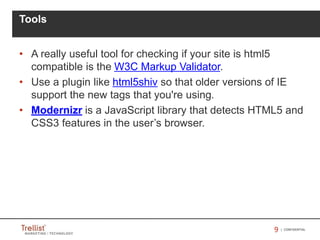
• A really useful tool for checking if your site is html5
compatible is the W3C Markup Validator.
• Use a plugin like html5shiv so that older versions of IE
support the new tags that you're using.
• Modernizr is a JavaScript library that detects HTML5 and
CSS3 features in the user’s browser.
Tools
1010 | CONFIDENTIAL
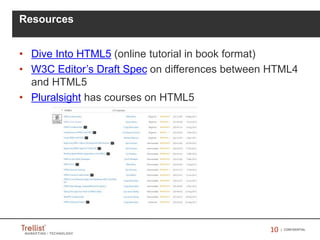
• Dive Into HTML5 (online tutorial in book format)
• W3C Editor’s Draft Spec on differences between HTML4
and HTML5
• Pluralsight has courses on HTML5
Resources
1111 | CONFIDENTIAL
Demo
1212 | CONFIDENTIAL
117 N. Market St. Suite 300 • Wilmington, DE 19801 • Phone: 302.778.1300 • trellist.com • info@trellist.com • © 2011 Trellist, Inc.

Html5 phillycc

  • 1.
    11 | CONFIDENTIAL 117N. Market St. Suite 300 • Wilmington, DE 19801 • 302.778.1300 • trellist.com • info@trellist.com • © 2011 Trellist, Inc. Date June 22, 2014 INTRODUCE YOUR WEB PAGE TO HTML5 Presented By: Jennifer Kenderdine Philly Code Camp
  • 2.
    22 | CONFIDENTIAL Agenda I.Why HTML5? II. How do I get started? III. New Elements IV. JavaScript API integrated with HTML5 V. Browser Support VI. Forms VII. Mobile VIII. Resources
  • 3.
    33 | CONFIDENTIAL •Your existing markup will still work! No need to relearn things you already know. • Using HTML5, you can make your web applications better with new features, like video integration without outside plugins (I.e. Flash for video). • Now your web applications can be more dynamic, faster and user friendly. – You can to draw on a canvas, play video, and design better forms with sliders and date pickers – You can reduce the number of images that are used on a Web page. As a very simple example, adding rounded corners to a page is done with simple code and CSS. • Most features are compatible across browsers. For those that are not, there are methods to work around some of the limitations. Why make the switch to HTML5?
  • 4.
    44 | CONFIDENTIAL Howdo I get started? • “Upgrading” to HTML5 can be as simple as changing your doctype. Previous versions of HTML defined a lot of doctypes, and choosing the right one could be tricky. In HTML5, there is only one doctype: <!DOCTYPE html> • Now you can use the new HTML5 elements…
  • 5.
    55 | CONFIDENTIAL •<article> • <aside> • <audio> • <bdi> • <canvas> • <datalist> • <details> • <embed> • <figcaption> • <figure> New HTML5 Elements • <footer> • <header> • <main> • <math> • <mark> • <meter> • <nav> • <output> • <progress> • <section> • <source> • <summary> • <svg> • <time> • <track> • <video> • <wbr>
  • 6.
    66 | CONFIDENTIAL •Canvas – declare 2D / 3D, allows us draw natively in the browser • Contacts – Common contacts API (local repository) [New – not implemented yet] • Drag and Drop - it brings native drag and drop support to the browser. • File – Access to sandbox areas on client PC • Forms – validation • Geolocation – location of devices (latitude/longitude) • History - control over the history state of a user's browser session. • Index DB (object DB) – local storage within the browser (structured data) • Media – includes JavaScript methods including play(), pause(), load() and canPlayType() • Media Capture – Camera / web cam access through the browser • Microdata – used to nest metadata within existing content on web pages (used to provide richer ui) JavaScript API’s with HTML5 Basic info around the new API’s
  • 7.
    77 | CONFIDENTIAL •Messaging – (Cross-document) allows scripts to interact across different origins or source domains without enabling cross-site attacks • Offline Web Apps – like browser cache, but more robust • Selection –Supports selecting items in DOM (supports CSS3 type of selectors), to be used along with JQUERY. • Server Sent Events – allows for push notifications to be sent from a server to a browser in the form of DOM events (one way) • Web Notifications – browser based notifications [Experimental] • Web Sockets – 2 way “chat” between the server and the client • Web Storage – a spec for storing client side data (key value pairs) similar to cookies • Web Workers – an API for running JavaScript in the background independent of any user scripts. Helps keep page responsive. • XHTMLHTTP Req – level 2 / AJAX JavaScript API’s with HTML5…cont’d Basic info around the new API’s
  • 8.
    88 | CONFIDENTIAL Otherthings to be aware of • There are two versions of the HTML5 specification: One published by the W3C and the other published by the WHATWG – W3C HTML5 specification – WHATWG HTML5 specification – The living HTML specification maintained by the WHATWG contains additional APIs to those in the W3C HTML5 spec (although generally they are also maintained by the W3C but in separate specifications). • Browser Support – Many online charts available to view current browser support for HTML5 elements
  • 9.
    99 | CONFIDENTIAL •A really useful tool for checking if your site is html5 compatible is the W3C Markup Validator. • Use a plugin like html5shiv so that older versions of IE support the new tags that you're using. • Modernizr is a JavaScript library that detects HTML5 and CSS3 features in the user’s browser. Tools
  • 10.
    1010 | CONFIDENTIAL •Dive Into HTML5 (online tutorial in book format) • W3C Editor’s Draft Spec on differences between HTML4 and HTML5 • Pluralsight has courses on HTML5 Resources
  • 11.
  • 12.
    1212 | CONFIDENTIAL 117N. Market St. Suite 300 • Wilmington, DE 19801 • Phone: 302.778.1300 • trellist.com • info@trellist.com • © 2011 Trellist, Inc.