Chapter 8
ENHANCING WEB PAGE
WITH BACKGROUND AND
RULES
USING COLORS AND
IMAGES AS BACKGROUND
 REMINDERS ON PUTTING
  BACKGROUND COLORS and IMAGES
 1. Consider the color harmony, a darker
  text color will be harmonious with lighter
  background and a lighter text color with
  a darker background.
 Consider the file size of the image, the
  bigger the file ,the slower will load your
  web page.
THE BGCOLOR
ATTRIBUTE
 Background    color tag <bgcolor> is
  used to set the background color of
  the entire Web page. The syntax for
  putting background color is:
 <body bgcolor= ncolor> where ncolor
  is n is the name/code of the color.
 Ex. <body bgcolor= red>


   Note: You can also used the HTML Color code.
BACKGROUND IMAGE
ATTRIBUTE
 BACKGROUND IMAGE TAG: Instead of
  background color, you can also put an
  image on your Web page to serve as
  background attribute.
 The syntax for adding image background is:
 <body background= ‘imagefile’>
 Where imagefile is the file name of the
  image you want to put as background.
   Note: The images should be in the same folder of your
    save web page documents.
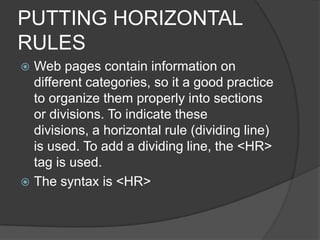
PUTTING HORIZONTAL
RULES
 Web pages contain information on
  different categories, so it a good practice
  to organize them properly into sections
  or divisions. To indicate these
  divisions, a horizontal rule (dividing line)
  is used. To add a dividing line, the <HR>
  tag is used.
 The syntax is <HR>
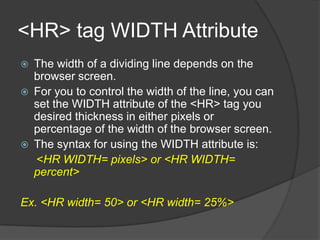
<HR> tag WIDTH Attribute
   The width of a dividing line depends on the
    browser screen.
   For you to control the width of the line, you can
    set the WIDTH attribute of the <HR> tag you
    desired thickness in either pixels or
    percentage of the width of the browser screen.
   The syntax for using the WIDTH attribute is:
    <HR WIDTH= pixels> or <HR WIDTH=
    percent>

Ex. <HR width= 50> or <HR width= 25%>
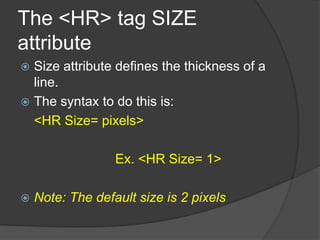
The <HR> tag SIZE
attribute
 Size attribute defines the thickness of a
  line.
 The syntax to do this is:
  <HR Size= pixels>

                  Ex. <HR Size= 1>

   Note: The default size is 2 pixels
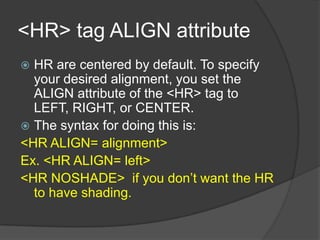
<HR> tag ALIGN attribute
 HR are centered by default. To specify
  your desired alignment, you set the
  ALIGN attribute of the <HR> tag to
  LEFT, RIGHT, or CENTER.
 The syntax for doing this is:
<HR ALIGN= alignment>
Ex. <HR ALIGN= left>
<HR NOSHADE> if you don’t want the HR
  to have shading.

Html web designing background and rules

  • 1.
    Chapter 8 ENHANCING WEBPAGE WITH BACKGROUND AND RULES
  • 3.
    USING COLORS AND IMAGESAS BACKGROUND  REMINDERS ON PUTTING BACKGROUND COLORS and IMAGES  1. Consider the color harmony, a darker text color will be harmonious with lighter background and a lighter text color with a darker background.  Consider the file size of the image, the bigger the file ,the slower will load your web page.
  • 4.
    THE BGCOLOR ATTRIBUTE  Background color tag <bgcolor> is used to set the background color of the entire Web page. The syntax for putting background color is:  <body bgcolor= ncolor> where ncolor is n is the name/code of the color.  Ex. <body bgcolor= red>  Note: You can also used the HTML Color code.
  • 5.
    BACKGROUND IMAGE ATTRIBUTE  BACKGROUNDIMAGE TAG: Instead of background color, you can also put an image on your Web page to serve as background attribute.  The syntax for adding image background is:  <body background= ‘imagefile’>  Where imagefile is the file name of the image you want to put as background.  Note: The images should be in the same folder of your save web page documents.
  • 6.
    PUTTING HORIZONTAL RULES  Webpages contain information on different categories, so it a good practice to organize them properly into sections or divisions. To indicate these divisions, a horizontal rule (dividing line) is used. To add a dividing line, the <HR> tag is used.  The syntax is <HR>
  • 7.
    <HR> tag WIDTHAttribute  The width of a dividing line depends on the browser screen.  For you to control the width of the line, you can set the WIDTH attribute of the <HR> tag you desired thickness in either pixels or percentage of the width of the browser screen.  The syntax for using the WIDTH attribute is: <HR WIDTH= pixels> or <HR WIDTH= percent> Ex. <HR width= 50> or <HR width= 25%>
  • 8.
    The <HR> tagSIZE attribute  Size attribute defines the thickness of a line.  The syntax to do this is: <HR Size= pixels> Ex. <HR Size= 1>  Note: The default size is 2 pixels
  • 9.
    <HR> tag ALIGNattribute  HR are centered by default. To specify your desired alignment, you set the ALIGN attribute of the <HR> tag to LEFT, RIGHT, or CENTER.  The syntax for doing this is: <HR ALIGN= alignment> Ex. <HR ALIGN= left> <HR NOSHADE> if you don’t want the HR to have shading.