INTRODUCTION:
HTML (HYPER TEXT MARKUP LANGUAGE)
SHORT ICE
BREAKER
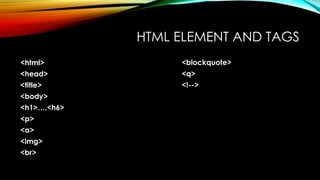
HTML ELEMENT AND TAGS
<html>
<head>
<title>
<body>
<h1>…,<h6>
<p>
<a>
<img>
<br>
<blockquote>
<q>
<!-->
WHAT IS HTML?
• HTML stands for Hyper Text Markup Language
• HTML is the standard markup language for creating Web pages
• HTML describes the structure of a Web page
• HTML consists of a series of elements
• HTML elements tell the browser how to display the content
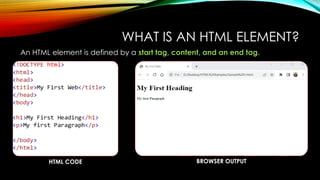
WHAT IS AN HTML ELEMENT?
An HTML element is defined by a start tag, content, and an end tag.
HTML CODE BROWSER OUTPUT
HTML LINKS
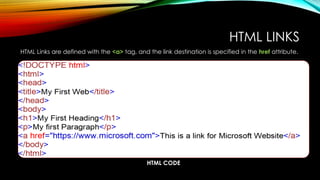
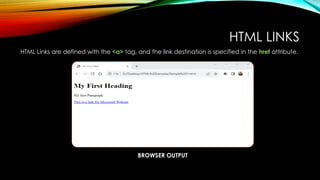
HTML Links are defined with the <a> tag, and the link destination is specified in the href attribute.
HTML CODE
HTML LINKS
HTML Links are defined with the <a> tag, and the link destination is specified in the href attribute.
BROWSER OUTPUT
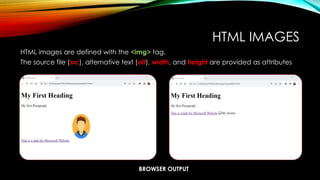
HTML IMAGES
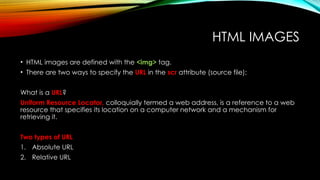
• HTML images are defined with the <img> tag.
• There are two ways to specify the URL in the scr attribute (source file);
What is a URL?
Uniform Resource Locator, colloquially termed a web address, is a reference to a web
resource that specifies its location on a computer network and a mechanism for
retrieving it.
Two types of URL
1. Absolute URL
2. Relative URL
HTML IMAGES
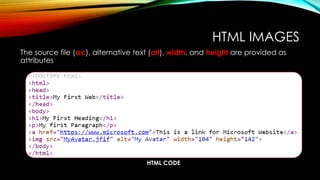
The source file (src), alternative text (alt), width, and height are provided as
attributes
HTML CODE
HTML IMAGES
HTML images are defined with the <img> tag.
The source file (src), alternative text (alt), width, and height are provided as attributes
BROWSER OUTPUT
HTML CODE
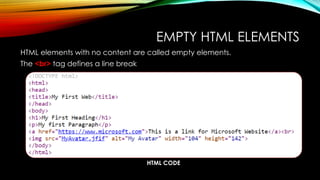
EMPTY HTML ELEMENTS
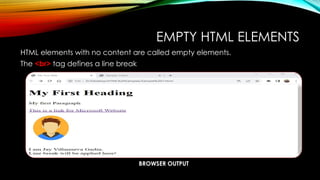
HTML elements with no content are called empty elements.
The <br> tag defines a line break
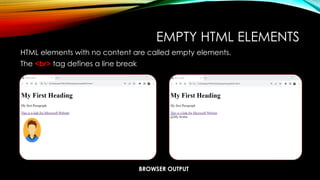
EMPTY HTML ELEMENTS
HTML elements with no content are called empty elements.
The <br> tag defines a line break
BROWSER OUTPUT
HTML CODE
EMPTY HTML ELEMENTS
HTML elements with no content are called empty elements.
The <br> tag defines a line break
BROWSER OUTPUT
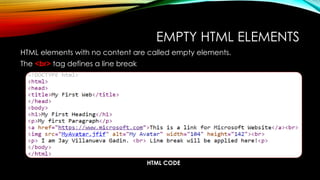
EMPTY HTML ELEMENTS
HTML elements with no content are called empty elements.
The <br> tag defines a line break
HTML CODE
HTML ATTRIBUTE (STYLE)
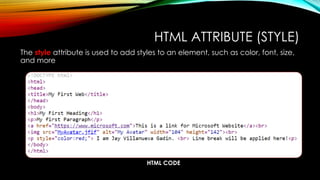
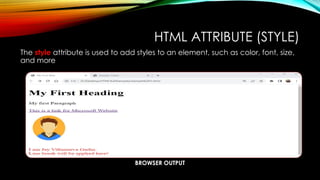
The style attribute is used to add styles to an element, such as color, font, size,
and more
BROWSER OUTPUT
HTML ATTRIBUTE (STYLE)
The style attribute is used to add styles to an element, such as color, font, size,
and more
HTML CODE
HTML ATTRIBUTE (LANG)
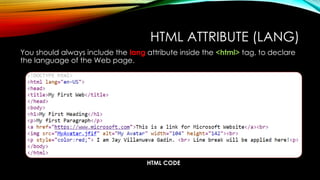
You should always include the lang attribute inside the <html> tag, to declare
the language of the Web page.
HTML CODE
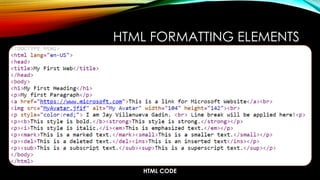
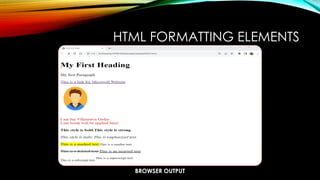
HTML FORMATTING ELEMENTS
BROWSER OUTPUT
HTML FORMATTING ELEMENTS
HTML CODE
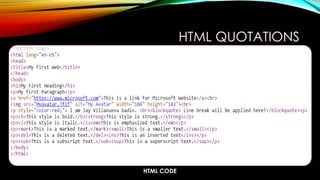
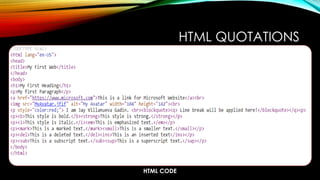
HTML QUOTATIONS
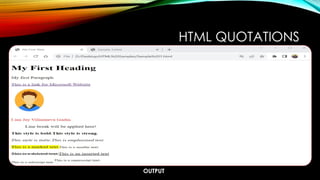
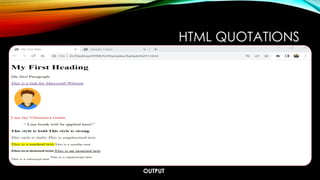
OUTPUT
HTML QUOTATIONS
HTML CODE
HTML QUOTATIONS
OUTPUT
HTML QUOTATIONS
HTML CODE
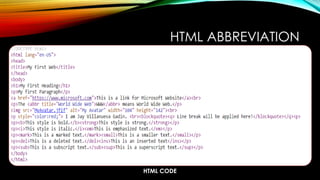
HTML ABBREVIATION
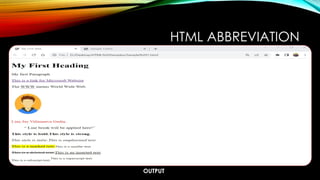
OUTPUT
HTML ABBREVIATION
HTML CODE
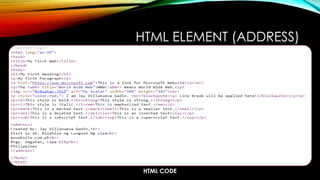
HTML ELEMENT (ADDRESS)
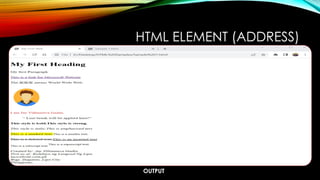
OUTPUT
HTML ELEMENT (ADDRESS)
HTML CODE
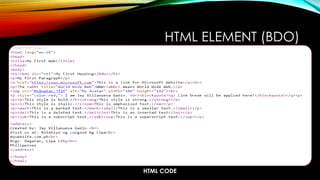
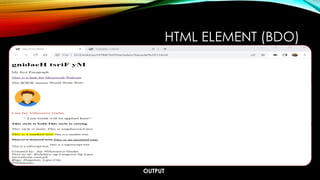
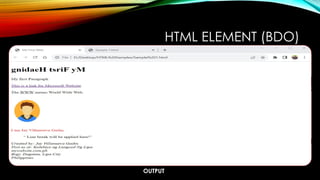
HTML ELEMENT (BDO)
OUTPUT
HTML ELEMENT (BDO)
HTML CODE
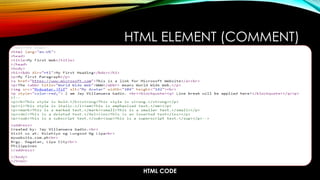
HTML ELEMENT (COMMENT)
OUTPUT
HTML ELEMENT (BDO)
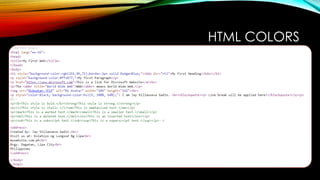
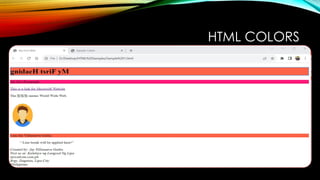
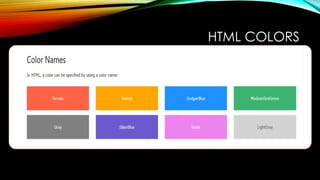
HTML COLORS
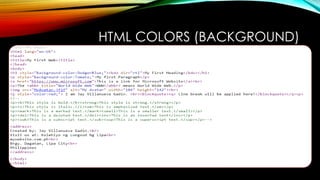
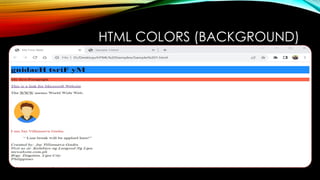
HTML COLORS (BACKGROUND)
HTML COLORS
HTML COLORS
HTML Introduction overview presentation.pptx

HTML Introduction overview presentation.pptx

Editor's Notes

  • #3 The <html> element is the root element of an HTML page The <head> element contains meta information about the HTML page The <title> element specifies a title for the HTML page (which is shown in the browser's title bar or in the page's tab) The <body> element defines the document's body, and is a container for all the visible contents, such as headings, paragraphs, images, hyperlinks, tables, lists, etc. The <h1> element defines a large heading, <h1> also defines the most important heading. <h6> defines the least important heading. The <p> element defines a paragraph The <a> link <img> element used for adding images <br> line break <blockquote> indent <q> small quote
  • #5 The <!DOCTYPE html> declaration defines that this document is an HTML5 document. The <html> element is the root element of an HTML page The <head> element contains meta information about the HTML page The <title> element specifies a title for the HTML page (which is shown in the browser's title bar or in the page's tab) The <body> element defines the document's body, and is a container for all the visible contents, such as headings, paragraphs, images, hyperlinks, tables, lists, etc. The <h1> element defines a large heading, <h1> also defines the most important heading. <h6> defines the least important heading. The <p> element defines a paragraph
  • #8 1. Absolute URL - Links to an external image that is hosted on another website. Example: src="https://www.w3schools.com/images/img_girl.jpg". Notes: External images might be under copyright. If you do not get permission to use it, you may be in violation of copyright laws. In addition, you cannot control external images; it can suddenly be removed or changed. 2. Relative URL - Links to an image that is hosted within the website. Here, the URL does not include the domain name. If the URL begins without a slash, it will be relative to the current page. Example: src="img_girl.jpg". If the URL begins with a slash, it will be relative to the domain. Example: src="/images/img_girl.jpg".

  • #10 Notice that the image and alternative is aligned with the link tag.
  • #14 REMEMBER THAT HTML is Not Case Sensitive
  • #18 <b> - Bold text <strong> - Important text <i> - Italic text <em> - Emphasized text <mark> - Marked text <small> - Smaller text <del> - Deleted text <ins> - Inserted text <sub> - Subscript text <sup> - Superscript text
  • #20 <blockquote> - Indent
  • #22 Small quote <q>
  • #24 <abbr title:”World Wide Web”>WWW</abbr>
  • #27 <CITE> like Italic or emphasize
  • #28 Bi-Directional Override (BDO)
  • #29 Bi-Directional Override (BDO)
  • #30 Can hide content.
  • #31 Hides content
  • #32 Hides content
  • #33 Background color
  • #34 Background color
  • #35 HTML COLORS COLOR NAME RGB (Red Green Blue) HEX (Hexadecimal Value) HSL (Hue Saturation Lightness)
  • #37 Questions?