How Does AutoCAD Improve Efficiency
in Architectural Design ?
Discover how AutoCAD revolutionizes architectural
design, streamlining processes and boosting
productivity for architects worldwide.
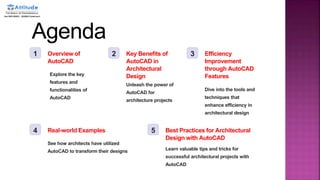
Agenda
1 Overview of
AutoCAD
Explore the key
features and
functionalities of
AutoCAD
2 Key Benefits of
AutoCAD in
Architectural
Design
Unleash the power of
AutoCAD for
architecture projects
3 Efficiency
Improvement
through AutoCAD
Features
Dive into the tools and
techniques that
enhance efficiency in
architectural design
4 Real-world Examples
See how architects have utilized
AutoCAD to transform their designs
5 Best Practices for Architectural
Design with AutoCAD
Learn valuable tips and tricks for
successful architectural projects with
AutoCAD
Overview of AutoCAD
 Get introduced to AutoCAD, the industry-leading
software for architectural design, and witness
its versatility in creating complex building structures
with precision.
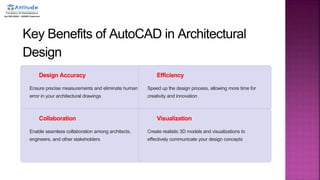
Key Benefits of AutoCAD in Architectural
Design
Design Accuracy
Ensure precise measurements and eliminate human
error in your architectural drawings
Efficiency
Speed up the design process, allowing more time for
creativity and innovation
Collaboration
Enable seamless collaboration among architects,
engineers, and other stakeholders
Visualization
Create realistic 3D models and visualizations to
effectively communicate your design concepts
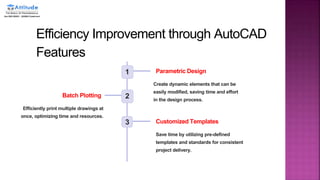
Efficiency Improvement through AutoCAD
Features
1 Parametric Design
Create dynamic elements that can be
easily modified, saving time and effort
in the design process.
2
Batch Plotting
Efficiently print multiple drawings at
once, optimizing time and resources.
3 Customized Templates
Save time by utilizing pre-defined
templates and standards for consistent
project delivery.
Real-world Examples
 Contemporary
Masterpiece
Discover an awe-inspiring
architectural design that
showcases the power of
AutoCAD in creating avant-
garde structures.
 Eco-friendly Haven
Explore a sustainable
architectural masterpiece that
harmoniously blends
function, aesthetics, and
environmental
consciousness.
 Preserving History
Uncover the process behind
breathing new life into a
historic building while
preserving its unique
architectural features.
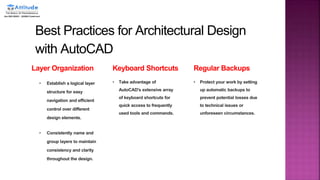
Best Practices for Architectural Design
with AutoCAD
Layer Organization
• Establish a logical layer
structure for easy
navigation and efficient
control over different
design elements.
• Consistently name and
group layers to maintain
consistency and clarity
throughout the design.
Keyboard Shortcuts
• Take advantage of
AutoCAD's extensive array
of keyboard shortcuts for
quick access to frequently
used tools and commands.
Regular Backups
• Protect your work by setting
up automatic backups to
prevent potential losses due
to technical issues or
unforeseen circumstances.
How-Does-AutoCAD-Improve-Efficiency-in-Architectural-Design.

How-Does-AutoCAD-Improve-Efficiency-in-Architectural-Design.

  • 1.
    How Does AutoCADImprove Efficiency in Architectural Design ? Discover how AutoCAD revolutionizes architectural design, streamlining processes and boosting productivity for architects worldwide.
  • 2.
    Agenda 1 Overview of AutoCAD Explorethe key features and functionalities of AutoCAD 2 Key Benefits of AutoCAD in Architectural Design Unleash the power of AutoCAD for architecture projects 3 Efficiency Improvement through AutoCAD Features Dive into the tools and techniques that enhance efficiency in architectural design 4 Real-world Examples See how architects have utilized AutoCAD to transform their designs 5 Best Practices for Architectural Design with AutoCAD Learn valuable tips and tricks for successful architectural projects with AutoCAD
  • 3.
    Overview of AutoCAD Get introduced to AutoCAD, the industry-leading software for architectural design, and witness its versatility in creating complex building structures with precision.
  • 4.
    Key Benefits ofAutoCAD in Architectural Design Design Accuracy Ensure precise measurements and eliminate human error in your architectural drawings Efficiency Speed up the design process, allowing more time for creativity and innovation Collaboration Enable seamless collaboration among architects, engineers, and other stakeholders Visualization Create realistic 3D models and visualizations to effectively communicate your design concepts
  • 5.
    Efficiency Improvement throughAutoCAD Features 1 Parametric Design Create dynamic elements that can be easily modified, saving time and effort in the design process. 2 Batch Plotting Efficiently print multiple drawings at once, optimizing time and resources. 3 Customized Templates Save time by utilizing pre-defined templates and standards for consistent project delivery.
  • 6.
    Real-world Examples  Contemporary Masterpiece Discoveran awe-inspiring architectural design that showcases the power of AutoCAD in creating avant- garde structures.  Eco-friendly Haven Explore a sustainable architectural masterpiece that harmoniously blends function, aesthetics, and environmental consciousness.  Preserving History Uncover the process behind breathing new life into a historic building while preserving its unique architectural features.
  • 7.
    Best Practices forArchitectural Design with AutoCAD Layer Organization • Establish a logical layer structure for easy navigation and efficient control over different design elements. • Consistently name and group layers to maintain consistency and clarity throughout the design. Keyboard Shortcuts • Take advantage of AutoCAD's extensive array of keyboard shortcuts for quick access to frequently used tools and commands. Regular Backups • Protect your work by setting up automatic backups to prevent potential losses due to technical issues or unforeseen circumstances.