1 | P a g e
Video Audio
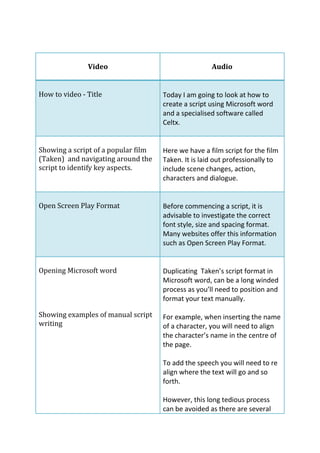
How to video - Title Today I am going to look at how to
create a script using Microsoft Word
and a specialised software called
Celtx.
Showing a script of a popular film
(Taken) and navigating around the
script to identify key aspects.
Here we have a film script for the film
Taken. It is laid out professionally to
include scene changes, action,
characters and dialogue.
Open Screen Play Format Before commencing a script, it is
advisable to investigate the correct
font style, size and spacing format.
Many websites offer this information
such as Open Screen Play Format.
Opening Microsoft word
Showing examples of manual script
writing
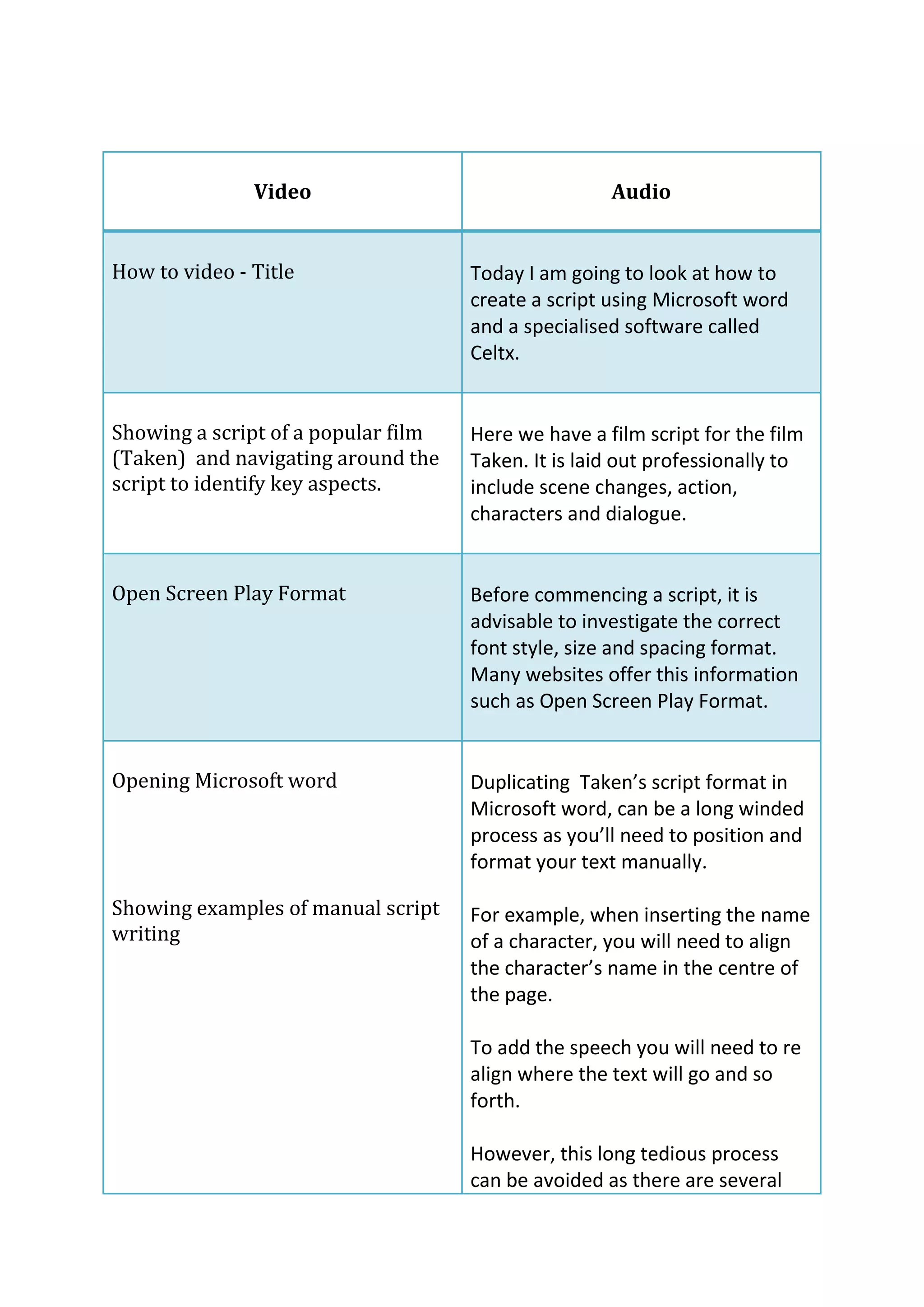
Duplicating Taken’s script format in
Microsoft word, can be a long winded
process as you’ll need to position and
format your text manually.
For example, when inserting the name
of a character, you will need to align
the character’s name in the centre of
the page.
To add the speech you will need to re-
align where the text will go and so
forth.
However, this long tedious process
can be avoided as there are several
free script writing software services
2 | P a g e
available via the internet.
Follow typing in Google – celtx script
and open link end of audio.
Celtx script is a free and easy to use
software, It contains all the necessary
tools to help you generate an industry
standard script.
Focus on the homepage, using the
mouse to demonstrate the process
of getting to the script editing suite.
Instantly, you will be presented with
the website’s homepage.
To create your script, select the new
project navigation option, which is
located on the left hand side of the
screen.
Title your project
Then select ‘Script’
Script editing suite.
Use the mouse to demonstrate how
to create your script
INT. SCHOOL – DAY
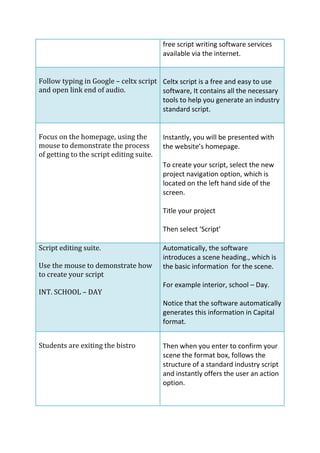
Automatically, the software
introduces a scene heading., which is
the basic information for the scene.
For example interior, school – Day.
Notice that the software automatically
generates this information in Capital
format.
Students are exiting the bistro Then when you enter to confirm your
scene the format box, follows the
structure of a standard industry script
and instantly offers the user an action
option.
Type Character name- Amy After entering, you may select what
3 | P a g e
follows. In this instance, I will select
character or alternatively I could have
opted for Control and 3 on the key
board to select this option, as all of
the actions have short cuts.
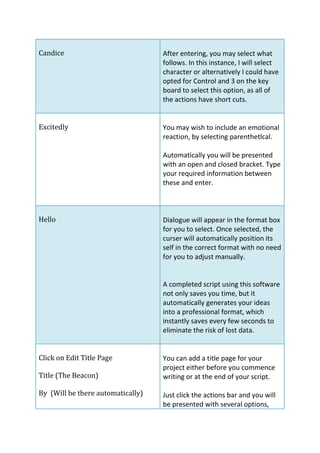
(Excitedly) You may wish to include an emotional
reaction, by selecting parenthetlcal.
Automatically you will be presented
with an open and closed bracket. Type
your required information between
these and enter.
Hello…. Dialogue will appear in the format box
for you to select. Once selected, the
curser will automatically position its
self in the correct format with no need
for you to adjust manually.
A completed script using this software
not only saves you time, but it
automatically generates your ideas
into a professional format, which
instantly saves every few seconds to
eliminate the risk of lost data.
Click on Edit Title Page
Title (The Beacon)
By (Will be there automatically)
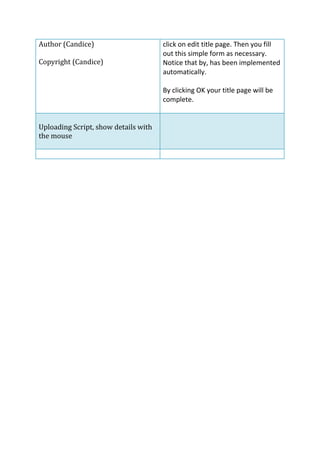
Author (Candice)
Copyright (Candice)
You can add a title page for your
project either before you commence
writing or at the end of your script.
Just click the actions bar and you will
be presented with several options,
click on edit title page. Then you fill
out this simple form as necessary.
Notice that by, has been implemented
automatically.
4 | P a g e
By clicking OK your title page will be
complete.
Uploading Script, show details with
the mouse

How To Video Transcript

  • 1.
    1 | Pa g e Video Audio How to video - Title Today I am going to look at how to create a script using Microsoft Word and a specialised software called Celtx. Showing a script of a popular film (Taken) and navigating around the script to identify key aspects. Here we have a film script for the film Taken. It is laid out professionally to include scene changes, action, characters and dialogue. Open Screen Play Format Before commencing a script, it is advisable to investigate the correct font style, size and spacing format. Many websites offer this information such as Open Screen Play Format. Opening Microsoft word Showing examples of manual script writing Duplicating Taken’s script format in Microsoft word, can be a long winded process as you’ll need to position and format your text manually. For example, when inserting the name of a character, you will need to align the character’s name in the centre of the page. To add the speech you will need to re- align where the text will go and so forth. However, this long tedious process can be avoided as there are several free script writing software services
  • 2.
    2 | Pa g e available via the internet. Follow typing in Google – celtx script and open link end of audio. Celtx script is a free and easy to use software, It contains all the necessary tools to help you generate an industry standard script. Focus on the homepage, using the mouse to demonstrate the process of getting to the script editing suite. Instantly, you will be presented with the website’s homepage. To create your script, select the new project navigation option, which is located on the left hand side of the screen. Title your project Then select ‘Script’ Script editing suite. Use the mouse to demonstrate how to create your script INT. SCHOOL – DAY Automatically, the software introduces a scene heading., which is the basic information for the scene. For example interior, school – Day. Notice that the software automatically generates this information in Capital format. Students are exiting the bistro Then when you enter to confirm your scene the format box, follows the structure of a standard industry script and instantly offers the user an action option. Type Character name- Amy After entering, you may select what
  • 3.
    3 | Pa g e follows. In this instance, I will select character or alternatively I could have opted for Control and 3 on the key board to select this option, as all of the actions have short cuts. (Excitedly) You may wish to include an emotional reaction, by selecting parenthetlcal. Automatically you will be presented with an open and closed bracket. Type your required information between these and enter. Hello…. Dialogue will appear in the format box for you to select. Once selected, the curser will automatically position its self in the correct format with no need for you to adjust manually. A completed script using this software not only saves you time, but it automatically generates your ideas into a professional format, which instantly saves every few seconds to eliminate the risk of lost data. Click on Edit Title Page Title (The Beacon) By (Will be there automatically) Author (Candice) Copyright (Candice) You can add a title page for your project either before you commence writing or at the end of your script. Just click the actions bar and you will be presented with several options, click on edit title page. Then you fill out this simple form as necessary. Notice that by, has been implemented automatically.
  • 4.
    4 | Pa g e By clicking OK your title page will be complete. Uploading Script, show details with the mouse