Discussion Board How-to
    Technology Lessons Database
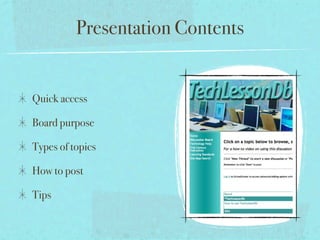
Presentation Contents


Quick access

Board purpose

Types of topics

How to post

Tips
Quick Access


http://www.nbisd-tx.net/TLDb
Purpose of Discussion Board


Share and discuss technology integration experiences, tips, and
resources with NBISD faculty, staff, and administrators.

Access technology help when you need it.

See how others are using technology to master curriculum
standards while making learning more meaningful.

Learn how you can prepare your students for the 21st Century.
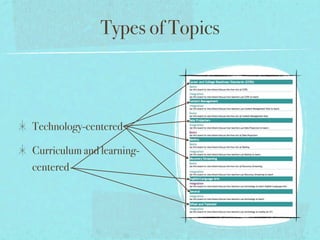
Types of Topics


Technology-centered

Curriculum and learning-
centered
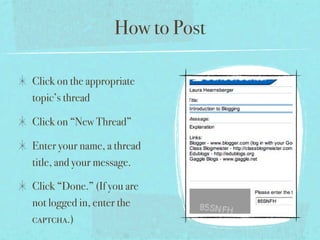
How to Post

Click on the appropriate
topic’s thread

Click on “New Thread”

Enter your name, a thread
title, and your message.

Click “Done.” (If you are
not logged in, enter the
captcha.)
Discussion Board Tips

The more people that post, the better resource the Discussion Board will be.

Make sure you post in an appropriate topic/thread.

Don’t be afraid to post questions, and look for others’ questions to answer.

Include links to related resources.

Be concise so your point does not get lost.

Read lots of threads to learn about technology and learning you are not yet familiar with.

Receive an e-mail when a thread you are watching is updated by clicking on “Watch this thread”
and entering your e-mail.

Discussion, even disagreement, can lead to deeper understanding. Just remember to be polite
and use good judgment when posting.

How to use TLDb

  • 1.
    Discussion Board How-to Technology Lessons Database
  • 2.
    Presentation Contents Quick access Boardpurpose Types of topics How to post Tips
  • 3.
  • 4.
    Purpose of DiscussionBoard Share and discuss technology integration experiences, tips, and resources with NBISD faculty, staff, and administrators. Access technology help when you need it. See how others are using technology to master curriculum standards while making learning more meaningful. Learn how you can prepare your students for the 21st Century.
  • 5.
  • 6.
    How to Post Clickon the appropriate topic’s thread Click on “New Thread” Enter your name, a thread title, and your message. Click “Done.” (If you are not logged in, enter the captcha.)
  • 7.
    Discussion Board Tips Themore people that post, the better resource the Discussion Board will be. Make sure you post in an appropriate topic/thread. Don’t be afraid to post questions, and look for others’ questions to answer. Include links to related resources. Be concise so your point does not get lost. Read lots of threads to learn about technology and learning you are not yet familiar with. Receive an e-mail when a thread you are watching is updated by clicking on “Watch this thread” and entering your e-mail. Discussion, even disagreement, can lead to deeper understanding. Just remember to be polite and use good judgment when posting.