Technology in the Classroom Jenice K.Brotherton Major Project 1
Types of Technology Computers Internet Smart Boards Elmo’s Projectors
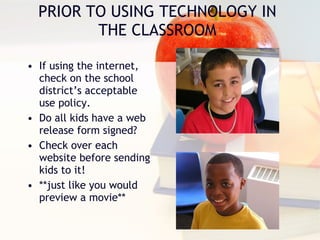
PRIOR TO USING TECHNOLOGY IN THE CLASSROOM If using the internet, check on the school district’s acceptable use policy. Do all kids have a web release form signed? Check over each website before sending kids to it! **just like you would preview a movie**
Why use technology in teaching?
Technology is  a learning tool! Technology enhances student interest in a subject Increases academic resources available  to students Takes students to places that they would never have a chance to go to otherwise
Know your students! Set up guidelines before class begins. Demonstrate proper techniques. Follow the plan! Classroom Management  with Technology
What types of technology can / should you use with students?
Word Processing Programs Web Sites Graphic Organizers Waterford Early Reading Study Island Lexia (etc )
Integrating Technology How will student training be handled?  Who will supervise students as they use the technology?  Who will have access to the technology?  Who will determine priority of use?  How will software and hardware be scheduled?  Who will be responsible for maintenance?  How much will be budgeted for maintenance?  How will worn out hardware be replaced?
Integrating Computer Software - The Importance of Planning A Model to ASSURE Learning Analyze audience.  Set goals and state objectives.  Select software and methods.  Utilize materials.  Require learner participation.  Evaluate.

Tech. ppt new

  • 1.
    Technology in theClassroom Jenice K.Brotherton Major Project 1
  • 2.
    Types of TechnologyComputers Internet Smart Boards Elmo’s Projectors
  • 3.
    PRIOR TO USINGTECHNOLOGY IN THE CLASSROOM If using the internet, check on the school district’s acceptable use policy. Do all kids have a web release form signed? Check over each website before sending kids to it! **just like you would preview a movie**
  • 4.
    Why use technologyin teaching?
  • 5.
    Technology is a learning tool! Technology enhances student interest in a subject Increases academic resources available to students Takes students to places that they would never have a chance to go to otherwise
  • 6.
    Know your students!Set up guidelines before class begins. Demonstrate proper techniques. Follow the plan! Classroom Management with Technology
  • 7.
    What types oftechnology can / should you use with students?
  • 8.
    Word Processing ProgramsWeb Sites Graphic Organizers Waterford Early Reading Study Island Lexia (etc )
  • 9.
    Integrating Technology Howwill student training be handled? Who will supervise students as they use the technology? Who will have access to the technology? Who will determine priority of use? How will software and hardware be scheduled? Who will be responsible for maintenance? How much will be budgeted for maintenance? How will worn out hardware be replaced?
  • 10.
    Integrating Computer Software- The Importance of Planning A Model to ASSURE Learning Analyze audience. Set goals and state objectives. Select software and methods. Utilize materials. Require learner participation. Evaluate.