
How to use
What is Pinterest?
● A social photo sharing and bookmarking
  site, where users organize images from
  around the web into themed pinboards.

● Users can browse other pinboards for
  inspiration, 'repin' images to their own
  collections and/or 'like' photos.
Why Pinterest?
● It is now the third most popular social
  network behind Facebook and Twitter.

● It's the fastest growing social network
  and reached 18.7 million unique
  visitors in the U.S. in March.
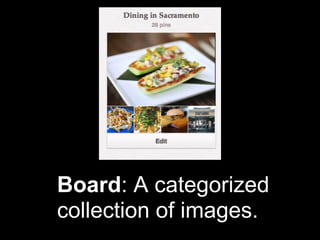
Board: A categorized
collection of images.
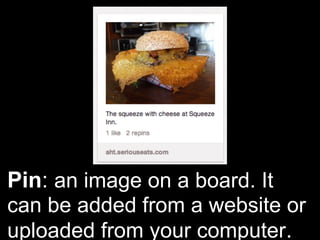
Pin: an image on a board. It
can be added from a website or
uploaded from your computer.
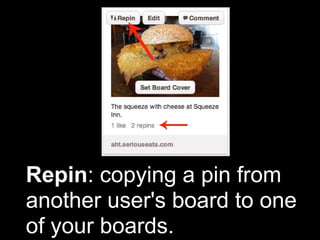
Repin: copying a pin from
another user's board to one
of your boards.
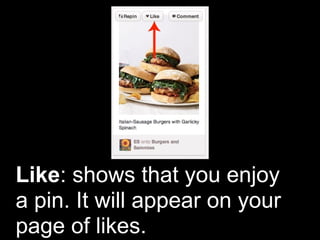
Like: shows that you enjoy
a pin. It will appear on your
page of likes.
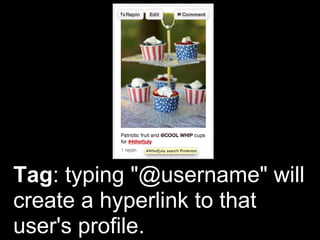
Tag: typing "@username" will
create a hyperlink to that
user's profile.
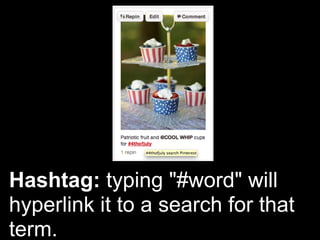
Hashtag: typing "#word" will
hyperlink it to a search for that
term.
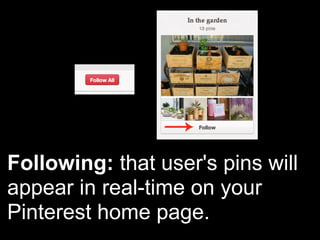
Following: that user's pins will
appear in real-time on your
Pinterest home page.
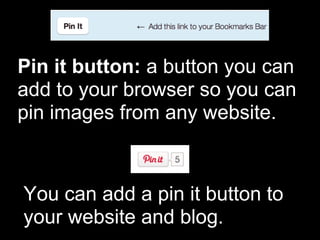
Pin it button: a button you can
add to your browser so you can
pin images from any website.


You can add a pin it button to
your website and blog.
How to use Pinterest

     Let's try it out...
Creative Application
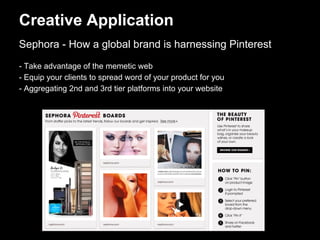
Sephora - How a global brand is harnessing Pinterest
- Take advantage of the memetic web
- Equip your clients to spread word of your product for you
- Aggregating 2nd and 3rd tier platforms into your website
Creative Application
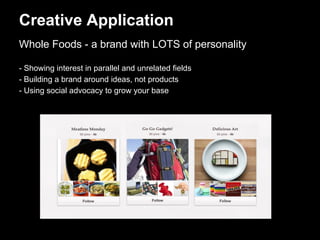
Whole Foods - a brand with LOTS of personality

- Showing interest in parallel and unrelated fields
- Building a brand around ideas, not products
- Using social advocacy to grow your base
Creative Application
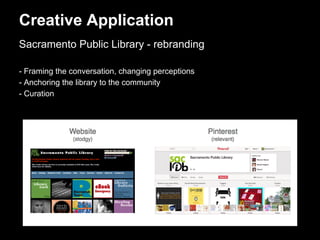
Sacramento Public Library - rebranding

- Framing the conversation, changing perceptions
- Anchoring the library to the community
- Curation
How to Use Pinterest as a Brand

How to Use Pinterest as a Brand

  • 1.
  • 2.
    What is Pinterest? ●A social photo sharing and bookmarking site, where users organize images from around the web into themed pinboards. ● Users can browse other pinboards for inspiration, 'repin' images to their own collections and/or 'like' photos.
  • 3.
    Why Pinterest? ● Itis now the third most popular social network behind Facebook and Twitter. ● It's the fastest growing social network and reached 18.7 million unique visitors in the U.S. in March.
  • 4.
  • 5.
    Pin: an imageon a board. It can be added from a website or uploaded from your computer.
  • 6.
    Repin: copying apin from another user's board to one of your boards.
  • 7.
    Like: shows thatyou enjoy a pin. It will appear on your page of likes.
  • 8.
    Tag: typing "@username"will create a hyperlink to that user's profile.
  • 9.
    Hashtag: typing "#word"will hyperlink it to a search for that term.
  • 10.
    Following: that user'spins will appear in real-time on your Pinterest home page.
  • 11.
    Pin it button:a button you can add to your browser so you can pin images from any website. You can add a pin it button to your website and blog.
  • 12.
    How to usePinterest Let's try it out...
  • 13.
    Creative Application Sephora -How a global brand is harnessing Pinterest - Take advantage of the memetic web - Equip your clients to spread word of your product for you - Aggregating 2nd and 3rd tier platforms into your website
  • 14.
    Creative Application Whole Foods- a brand with LOTS of personality - Showing interest in parallel and unrelated fields - Building a brand around ideas, not products - Using social advocacy to grow your base
  • 15.
    Creative Application Sacramento PublicLibrary - rebranding - Framing the conversation, changing perceptions - Anchoring the library to the community - Curation