HOW TO USE
(c)2015 goaldrivenva.wordpress.com 1
What is IFTTT?
(c)2015 goaldrivenva.wordpress.com 2
IFTTT is an
abbreviation for
“If this then that”
(c)2015 goaldrivenva.wordpress.com 3
It is a web-based
service that lets you
create series of
(c)2015 goaldrivenva.wordpress.com 4
commands that
are conditional
and triggered by
(c)2015 goaldrivenva.wordpress.com 5
changes in one
web service then
affects another
(c)2015 goaldrivenva.wordpress.com 6
In simple words, it
connects your apps
together through
automation
(c)2015 goaldrivenva.wordpress.com 7
Let’s start by opening a
browser. We’ll use
Google Chrome.
(c)2015 goaldrivenva.wordpress.com 8
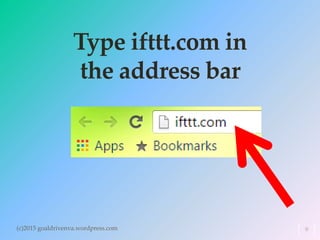
Type ifttt.com in
the address bar
(c)2015 goaldrivenva.wordpress.com 9
Press the
‘Enter’ key on
your keyboard
(c)2015 goaldrivenva.wordpress.com 10
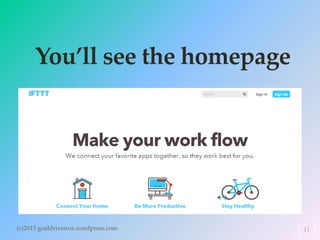
You’ll see the homepage
(c)2015 goaldrivenva.wordpress.com 11
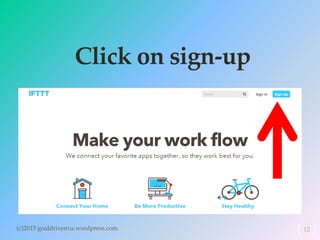
Click on sign-up
(c)2015 goaldrivenva.wordpress.com 12
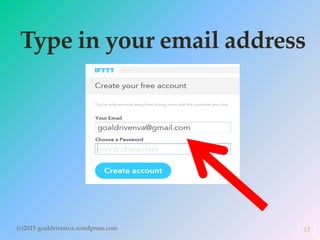
Type in your email address
(c)2015 goaldrivenva.wordpress.com 13
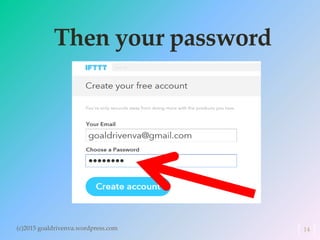
Then your password
(c)2015 goaldrivenva.wordpress.com 14
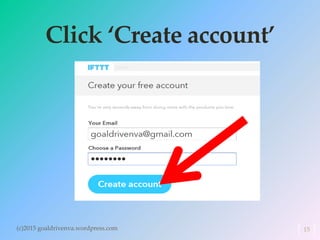
Click ‘Create account’
(c)2015 goaldrivenva.wordpress.com 15
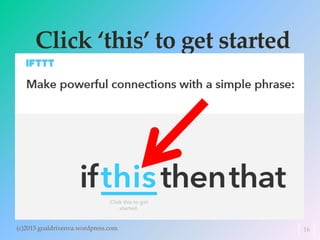
Click ‘this’ to get started
(c)2015 goaldrivenva.wordpress.com 16
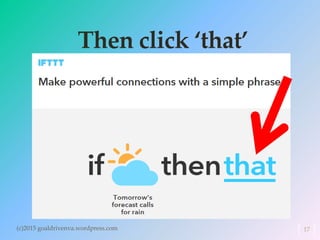
Then click ‘that’
(c)2015 goaldrivenva.wordpress.com 17
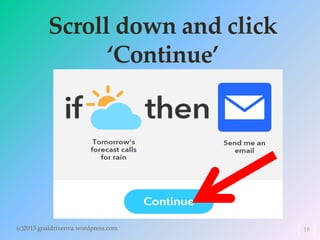
Scroll down and click
‘Continue’
(c)2015 goaldrivenva.wordpress.com 18
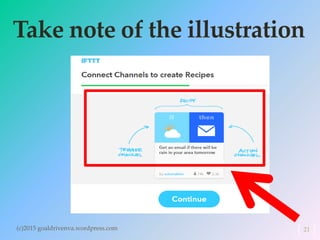
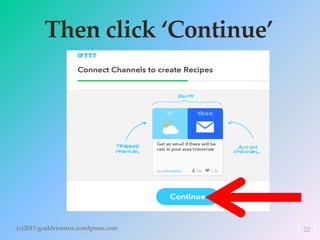
You need to
connect channels to
create recipes
(c)2015 goaldrivenva.wordpress.com 19
Recipes are the
conditional statements
mentioned earlier
(c)2015 goaldrivenva.wordpress.com 20
Take note of the illustration
(c)2015 goaldrivenva.wordpress.com 21
Then click ‘Continue’
(c)2015 goaldrivenva.wordpress.com 22
By the way, you have to
confirm your email
23(c)2015 goaldrivenva.wordpress.com
to activate your IFTTT
account.
24(c)2015 goaldrivenva.wordpress.com
Go to the email account
that you used to sign up
IFTTT.
25(c)2015 goaldrivenva.wordpress.com
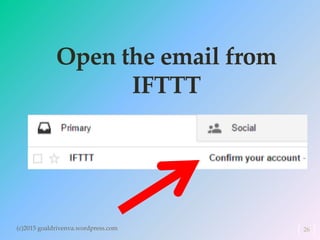
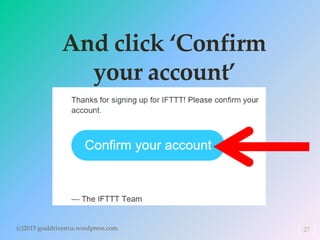
Open the email from
IFTTT
26(c)2015 goaldrivenva.wordpress.com
And click ‘Confirm
your account’
(c)2015 goaldrivenva.wordpress.com 27
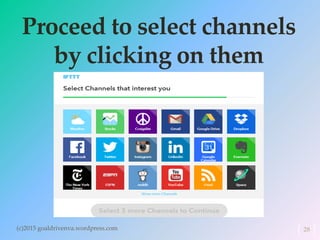
Proceed to select channels
by clicking on them
(c)2015 goaldrivenva.wordpress.com 28
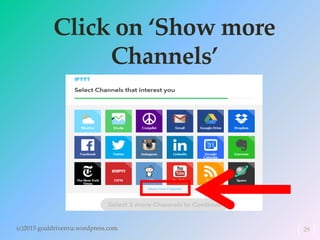
Click on ‘Show more
Channels’
(c)2015 goaldrivenva.wordpress.com 29
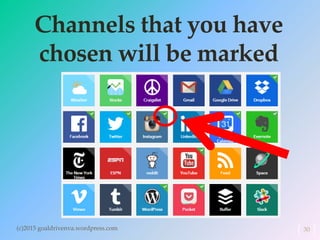
Channels that you have
chosen will be marked
(c)2015 goaldrivenva.wordpress.com 30
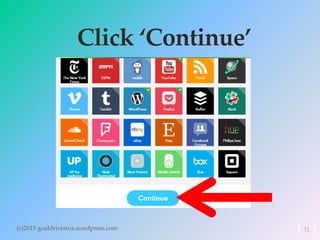
Click ‘Continue’
(c)2015 goaldrivenva.wordpress.com 31
IFTTT is finding
recipes for you
(c)2015 goaldrivenva.wordpress.com 32
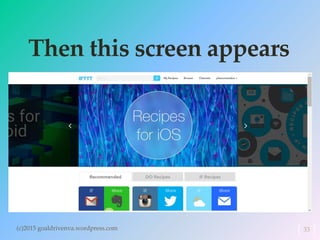
Then this screen appears
(c)2015 goaldrivenva.wordpress.com 33
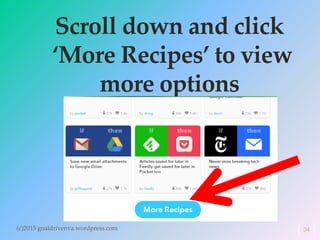
Scroll down and click
‘More Recipes’ to view
more options
(c)2015 goaldrivenva.wordpress.com 34
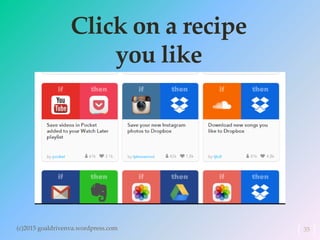
Click on a recipe
you like
(c)2015 goaldrivenva.wordpress.com 35
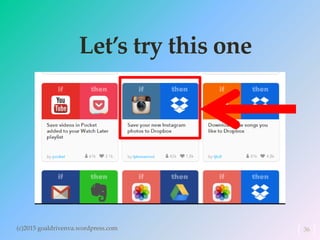
Let’s try this one
(c)2015 goaldrivenva.wordpress.com 36
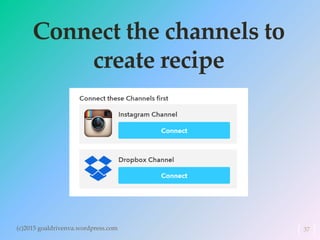
Connect the channels to
create recipe
(c)2015 goaldrivenva.wordpress.com 37
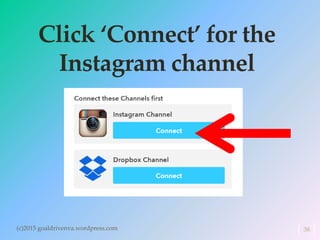
Click ‘Connect’ for the
Instagram channel
(c)2015 goaldrivenva.wordpress.com 38
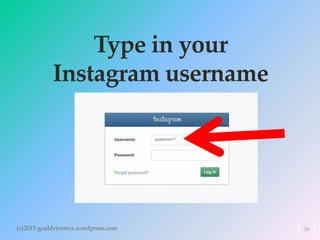
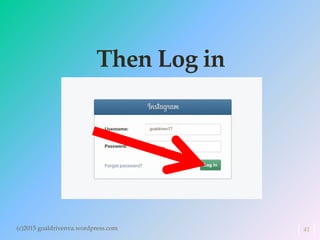
Type in your
Instagram username
(c)2015 goaldrivenva.wordpress.com 39
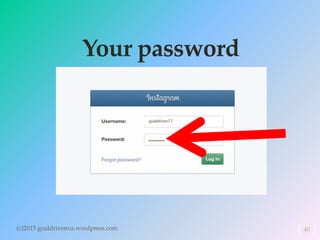
Your password
(c)2015 goaldrivenva.wordpress.com 40
Then Log in
(c)2015 goaldrivenva.wordpress.com 41
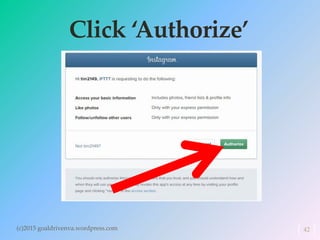
Click ‘Authorize’
(c)2015 goaldrivenva.wordpress.com 42
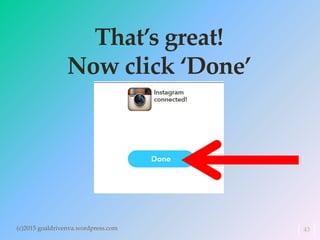
That’s great!
Now click ‘Done’
(c)2015 goaldrivenva.wordpress.com 43
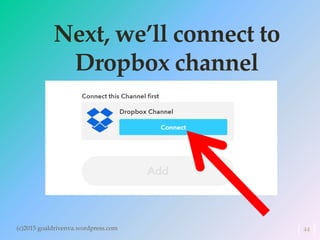
Next, we’ll connect to
Dropbox channel
(c)2015 goaldrivenva.wordpress.com 44
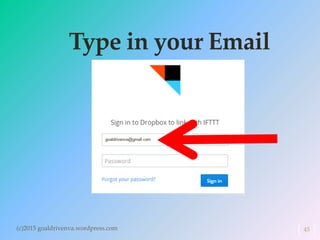
Type in your Email
(c)2015 goaldrivenva.wordpress.com 45
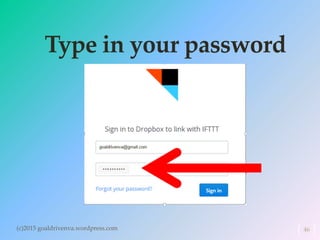
Type in your password
(c)2015 goaldrivenva.wordpress.com 46
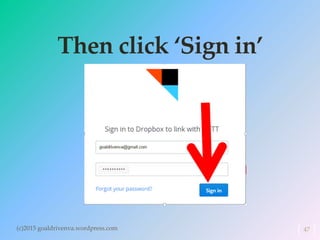
Then click ‘Sign in’
(c)2015 goaldrivenva.wordpress.com 47
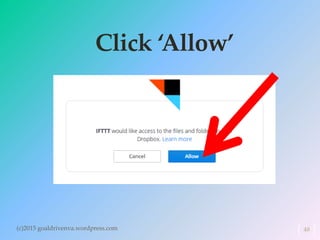
Click ‘Allow’
(c)2015 goaldrivenva.wordpress.com 48
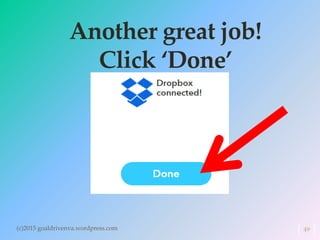
Another great job!
Click ‘Done’
(c)2015 goaldrivenva.wordpress.com 49
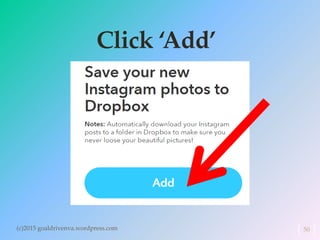
Click ‘Add’
(c)2015 goaldrivenva.wordpress.com 50
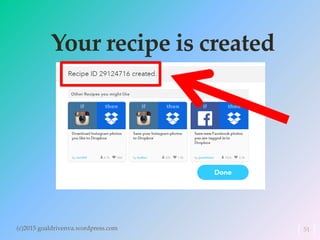
Your recipe is created
(c)2015 goaldrivenva.wordpress.com 51
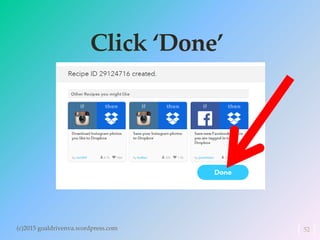
Click ‘Done’
(c)2015 goaldrivenva.wordpress.com 52
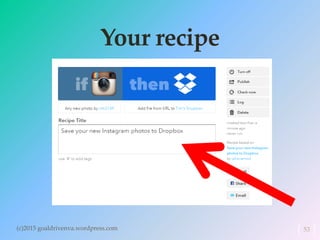
Your recipe
(c)2015 goaldrivenva.wordpress.com 53
Scroll down
(c)2015 goaldrivenva.wordpress.com 54
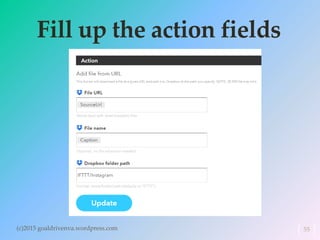
Fill up the action fields
(c)2015 goaldrivenva.wordpress.com 55
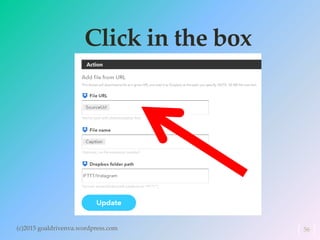
Click in the box
(c)2015 goaldrivenva.wordpress.com 56
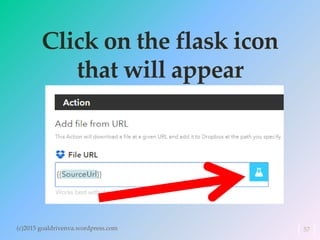
Click on the flask icon
that will appear
(c)2015 goaldrivenva.wordpress.com 57
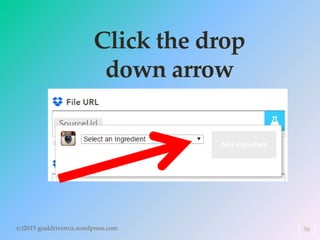
Click the drop
down arrow
(c)2015 goaldrivenva.wordpress.com 58
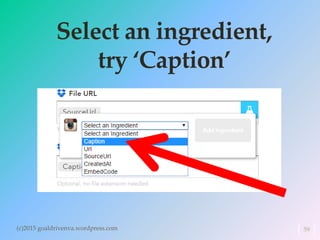
Select an ingredient,
try ‘Caption’
(c)2015 goaldrivenva.wordpress.com 59
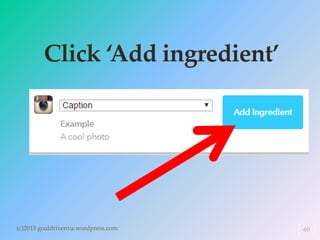
Click ‘Add ingredient’
(c)2015 goaldrivenva.wordpress.com 60
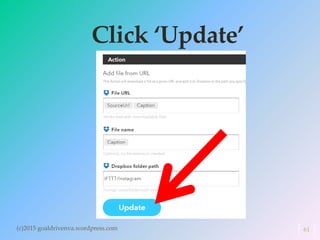
Click ‘Update’
(c)2015 goaldrivenva.wordpress.com 61
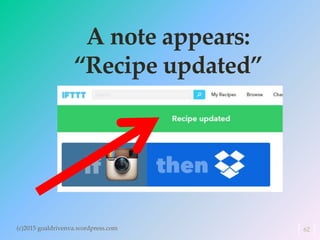
A note appears:
“Recipe updated”
(c)2015 goaldrivenva.wordpress.com 62
Let’s now try if it works
(c)2015 goaldrivenva.wordpress.com 63
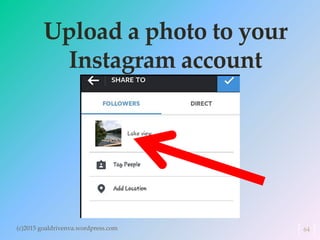
Upload a photo to your
Instagram account
(c)2015 goaldrivenva.wordpress.com 64
Then proceed to check
your Dropbox account
(c)2015 goaldrivenva.wordpress.com 65
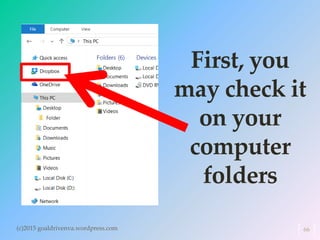
First, you
may check it
on your
computer
folders
(c)2015 goaldrivenva.wordpress.com 66
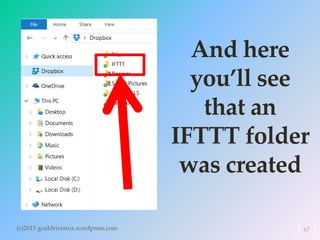
And here
you’ll see
that an
IFTTT folder
was created
(c)2015 goaldrivenva.wordpress.com 67
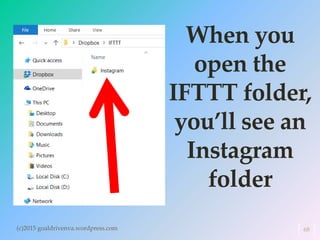
When you
open the
IFTTT folder,
you’ll see an
Instagram
folder
(c)2015 goaldrivenva.wordpress.com 68
It has been
automatically added
(c)2015 goaldrivenva.wordpress.com 69
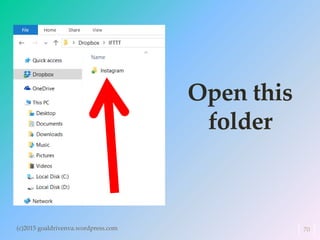
Open this
folder
(c)2015 goaldrivenva.wordpress.com 70
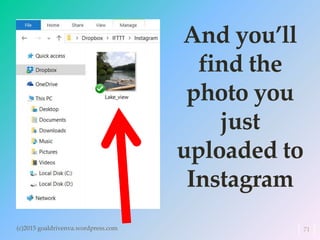
And you’ll
find the
photo you
just
uploaded to
Instagram
(c)2015 goaldrivenva.wordpress.com 71
Well, it works! 
Congratulations!
(c)2015 goaldrivenva.wordpress.com 72
Now, you may also
check your
Dropbox account
(c)2015 goaldrivenva.wordpress.com 73
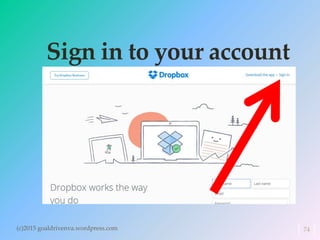
Sign in to your account
(c)2015 goaldrivenva.wordpress.com 74
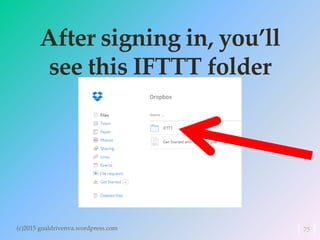
After signing in, you’ll
see this IFTTT folder
(c)2015 goaldrivenva.wordpress.com 75
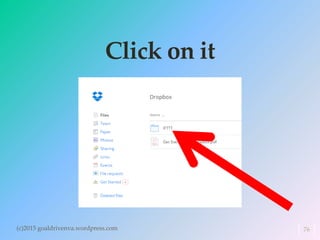
Click on it
(c)2015 goaldrivenva.wordpress.com 76
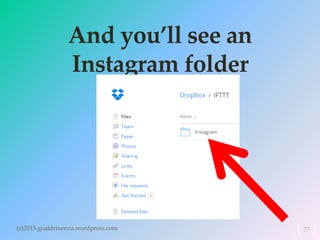
And you’ll see an
Instagram folder
(c)2015 goaldrivenva.wordpress.com 77
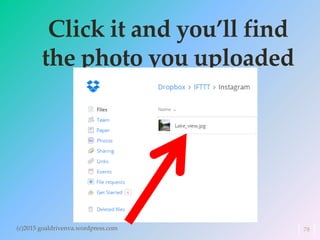
Click it and you’ll find
the photo you uploaded
(c)2015 goaldrivenva.wordpress.com 78
Great job!
You have successfully
created and used
one recipe.
(c)2015 goaldrivenva.wordpress.com 79
Let us now try
another recipe
(c)2015 goaldrivenva.wordpress.com 80
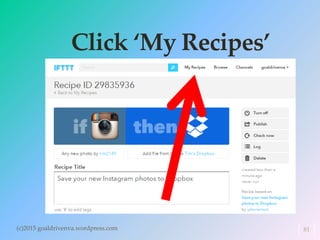
Click ‘My Recipes’
(c)2015 goaldrivenva.wordpress.com 81
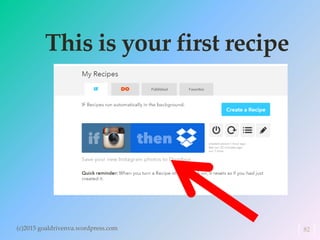
This is your first recipe
(c)2015 goaldrivenva.wordpress.com 82
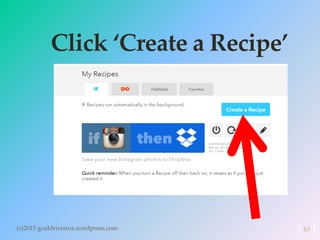
Click ‘Create a Recipe’
(c)2015 goaldrivenva.wordpress.com 83
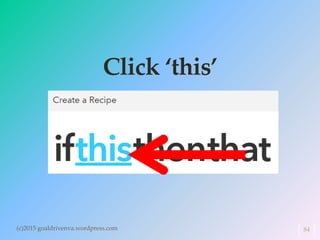
Click ‘this’
(c)2015 goaldrivenva.wordpress.com 84
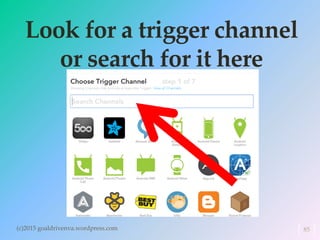
Look for a trigger channel
or search for it here
(c)2015 goaldrivenva.wordpress.com 85
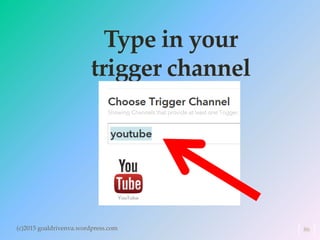
Type in your
trigger channel
(c)2015 goaldrivenva.wordpress.com 86
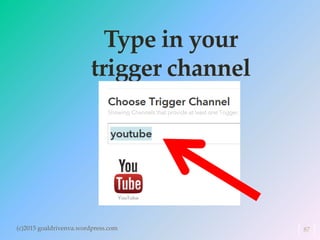
Type in your
trigger channel
(c)2015 goaldrivenva.wordpress.com 87
You must be
logged in to your
account
(c)2015 goaldrivenva.wordpress.com 88
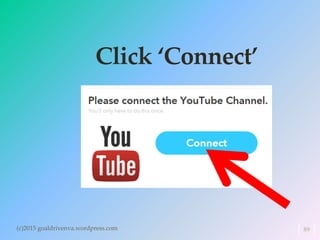
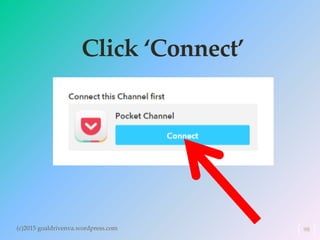
Click ‘Connect’
(c)2015 goaldrivenva.wordpress.com 89
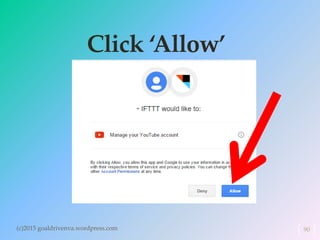
Click ‘Allow’
(c)2015 goaldrivenva.wordpress.com 90
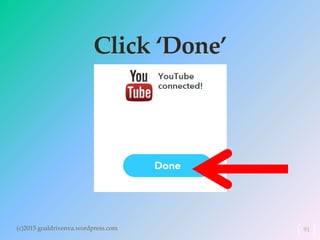
Click ‘Done’
(c)2015 goaldrivenva.wordpress.com 91
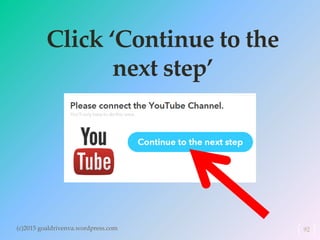
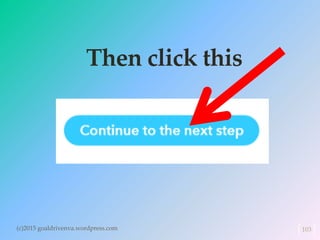
Click ‘Continue to the
next step’
(c)2015 goaldrivenva.wordpress.com 92
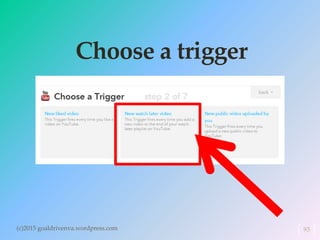
Choose a trigger
(c)2015 goaldrivenva.wordpress.com 93
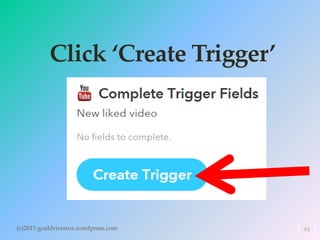
Click ‘Create Trigger’
(c)2015 goaldrivenva.wordpress.com 94
Click ‘that’
(c)2015 goaldrivenva.wordpress.com 95
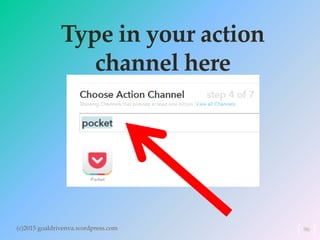
Type in your action
channel here
(c)2015 goaldrivenva.wordpress.com 96
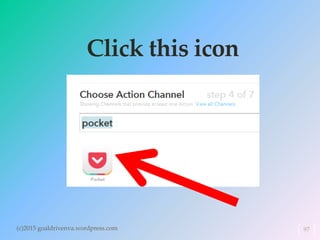
Click this icon
(c)2015 goaldrivenva.wordpress.com 97
Click ‘Connect’
(c)2015 goaldrivenva.wordpress.com 98
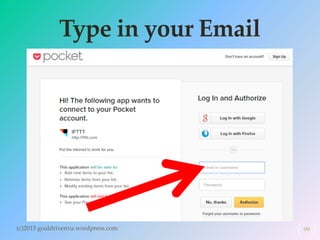
Type in your Email
(c)2015 goaldrivenva.wordpress.com 99
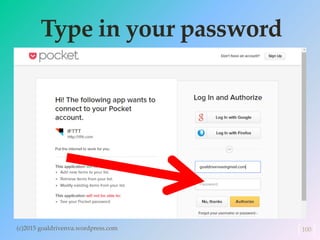
Type in your password
(c)2015 goaldrivenva.wordpress.com 100
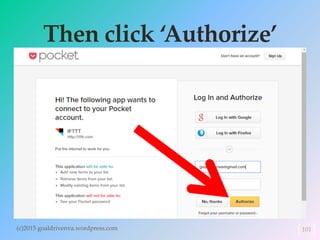
Then click ‘Authorize’
(c)2015 goaldrivenva.wordpress.com 101
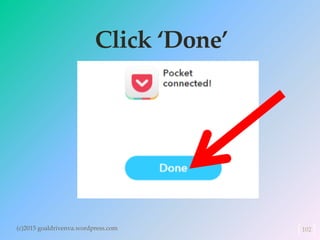
Click ‘Done’
(c)2015 goaldrivenva.wordpress.com 102
Then click this
(c)2015 goaldrivenva.wordpress.com 103
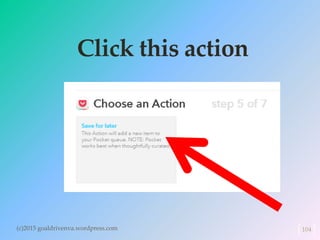
Click this action
(c)2015 goaldrivenva.wordpress.com 104
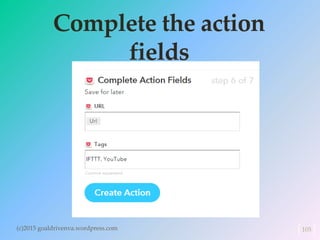
Complete the action
fields
(c)2015 goaldrivenva.wordpress.com 105
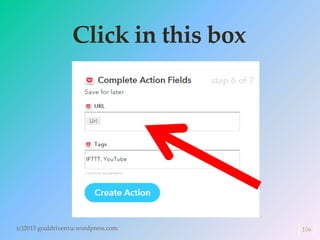
Click in this box
(c)2015 goaldrivenva.wordpress.com 106
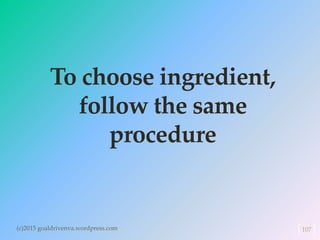
To choose ingredient,
follow the same
procedure
(c)2015 goaldrivenva.wordpress.com 107
as you did in the
first recipe
(c)2015 goaldrivenva.wordpress.com 108
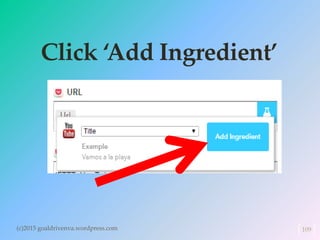
Click ‘Add Ingredient’
(c)2015 goaldrivenva.wordpress.com 109
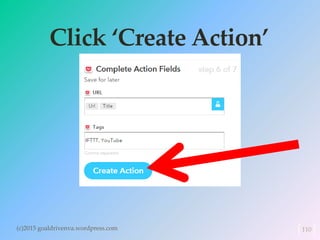
Click ‘Create Action’
(c)2015 goaldrivenva.wordpress.com 110
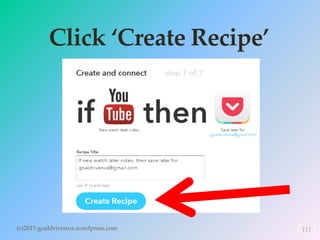
Click ‘Create Recipe’
(c)2015 goaldrivenva.wordpress.com 111
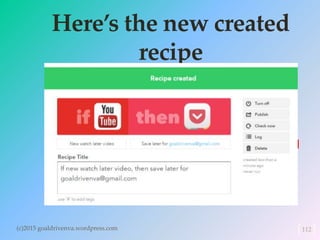
Here’s the new created
recipe
(c)2015 goaldrivenva.wordpress.com 112
It’s now time to check
if this second recipe
works
(c)2015 goaldrivenva.wordpress.com 113
Go to your Youtube
account
(c)2015 goaldrivenva.wordpress.com 114
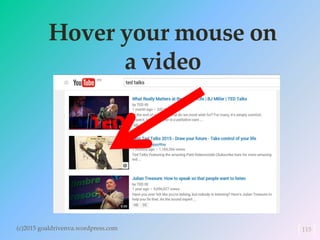
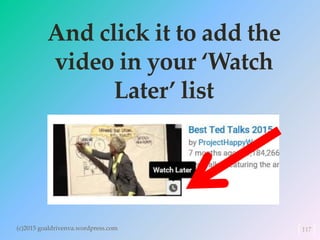
Hover your mouse on
a video
(c)2015 goaldrivenva.wordpress.com 115
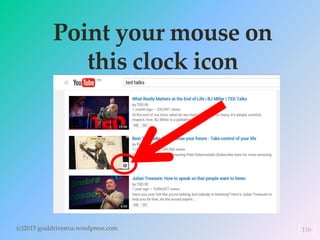
Point your mouse on
this clock icon
(c)2015 goaldrivenva.wordpress.com 116
And click it to add the
video in your ‘Watch
Later’ list
(c)2015 goaldrivenva.wordpress.com 117
Now, go to your
pocket account and
see if the
(c)2015 goaldrivenva.wordpress.com 118
video you have just
chosen has been
added to your list
(c)2015 goaldrivenva.wordpress.com 119
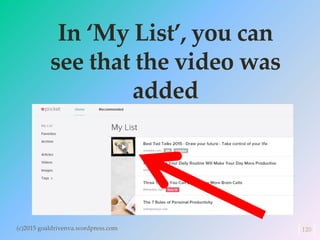
In ‘My List’, you can
see that the video was
added
(c)2015 goaldrivenva.wordpress.com 120
Well, this second one
works, too.
(c)2015 goaldrivenva.wordpress.com 121
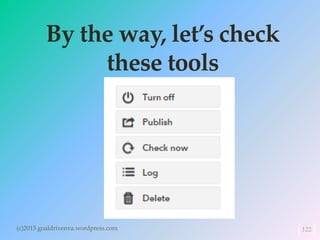
By the way, let’s check
these tools
(c)2015 goaldrivenva.wordpress.com 122
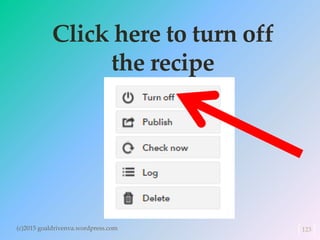
Click here to turn off
the recipe
(c)2015 goaldrivenva.wordpress.com 123
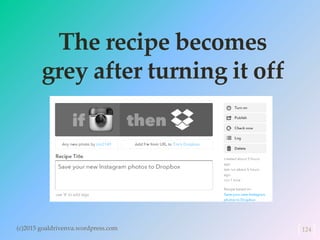
The recipe becomes
grey after turning it off
(c)2015 goaldrivenva.wordpress.com 124
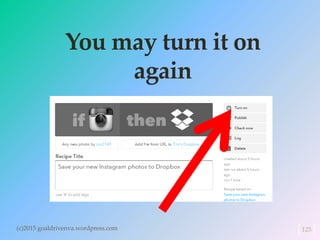
You may turn it on
again
(c)2015 goaldrivenva.wordpress.com 125
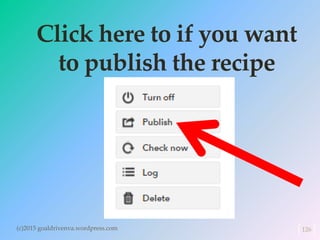
Click here to if you want
to publish the recipe
(c)2015 goaldrivenva.wordpress.com 126
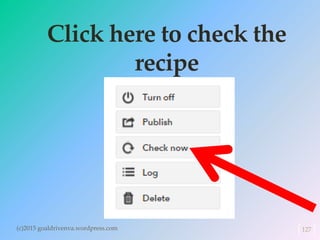
Click here to check the
recipe
(c)2015 goaldrivenva.wordpress.com 127
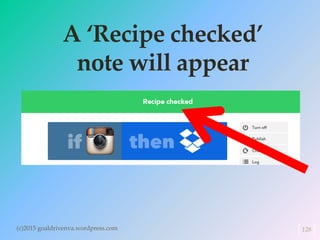
A ‘Recipe checked’
note will appear
(c)2015 goaldrivenva.wordpress.com 128
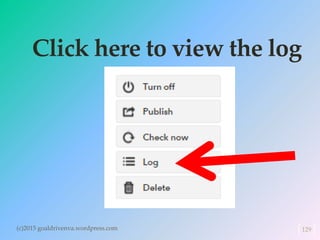
Click here to view the log
(c)2015 goaldrivenva.wordpress.com 129
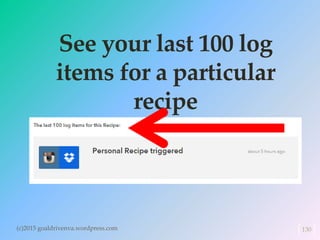
See your last 100 log
items for a particular
recipe
(c)2015 goaldrivenva.wordpress.com 130
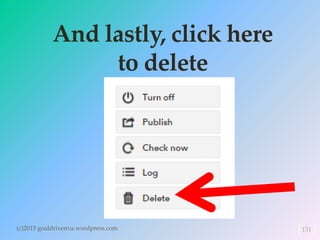
And lastly, click here
to delete
(c)2015 goaldrivenva.wordpress.com 131
CONGRATULATIONS!
(c)2015 goaldrivenva.wordpress.com 132
You may now create
more recipes and let
IFTTT do the work for
you.
(c)2015 goaldrivenva.wordpress.com 133
“The greatest of all
mistakes is to do
nothing because you
think you can only do a
little.”
- Zig Ziglar

How to use ifttt