



DocuSign Activation
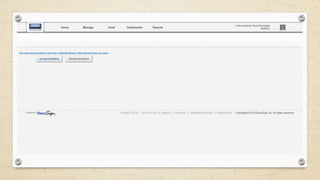
If you currently have a DocuSign account, when you follow the link to set up
your account, you will have the option to accept and import my existing
account.
If you don’t see that option, please call Customer Support at 866-219-4318.

If you currently pay for a DocuSign account, DocuSign will refund you any
unused portion of your subscription.
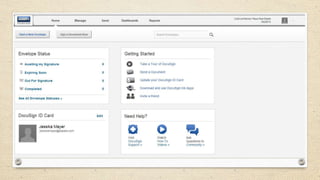
Join DocuSign
You Should have received an “Invite” from Teresa
to join DocuSign.
In the Email is an “Activate” button
Click on that button in from your email
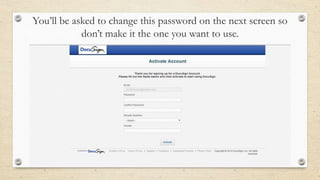
You’ll be asked to change this password on the next screen so
don’t make it the one you want to use.
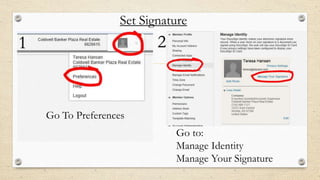
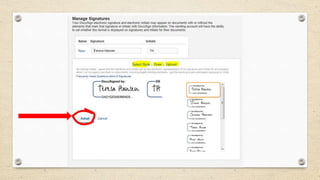
Set Signature

2

1

Go To Preferences
Go to:
Manage Identity
Manage Your Signature
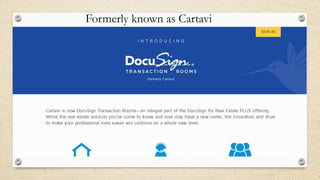
Formerly known as Cartavi
DocuSign Transaction Rooms
Store documents and easily send to buyers, sellers, agents and more.
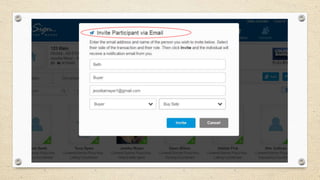
Each person will have to be added and accept the invitation before they can
sign the document
All that is needed is name and valid email address to send for electronic
signatures
You can send finalized contracts to lenders, staff, co-op agents etc.
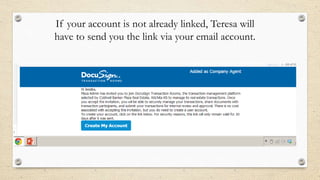
If your account is not already linked, Teresa will
have to send you the link via your email account.
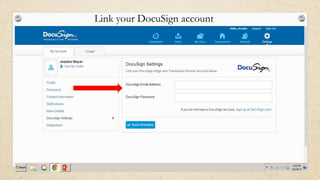
Link your DocuSign account
Once DocuSign Transaction Rooms and DocuSign are
linked, you can manage all of your transactions within the
Docusign Transaction Rooms.
- If you were to sign up for these products on your own, the cost is $30/month with limited
free documents & then you pay per document.
- With the company enrollment, you get the first 3 months FREE! After that, if you choose
to continue using DocuSign with Transaction Rooms, the cost to you is $15/month billed to
your office bill.

- The advantage of going with the company enrollment, you can send unlimited documents
for signature which can be a huge cost savings.
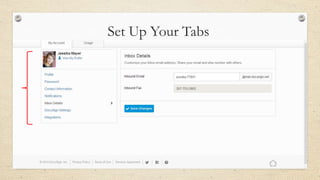
Set Up Your Tabs
If you need help setting up the tabs or any other part of
the set up, watch this instructional video by clicking on the
link or copy and paste link into your browser.

http://www.youtube.com/watch?v=Xg4HnoUFrc#t=30
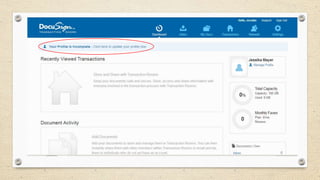
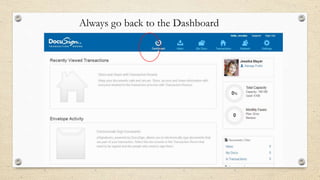
Always go back to the Dashboard
How To Obtain Electronic Signatures
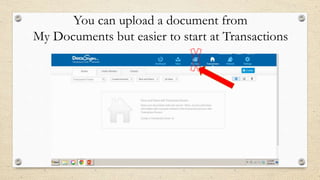
You can upload a document from
My Documents but easier to start at Transactions
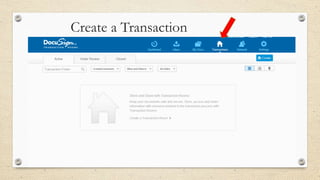
Create a Transaction
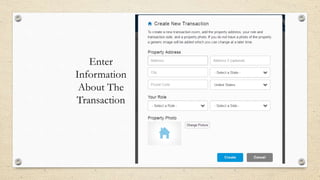
Enter
Information
About The
Transaction
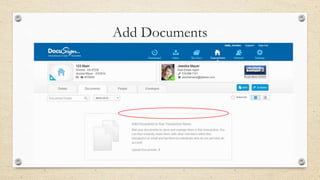
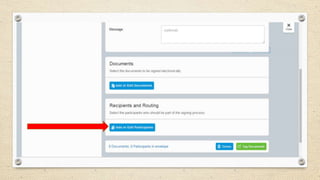
Add Documents
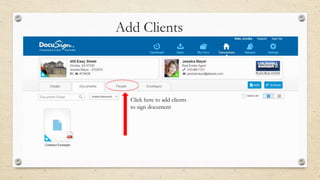
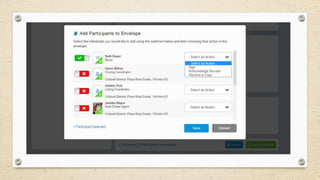
Add Clients

Click here to add clients
to sign document
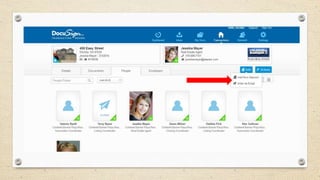
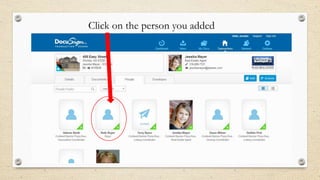
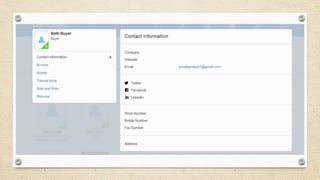
Click on the person you added
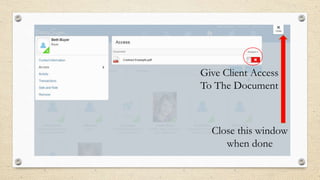
Give Client Access
To The Document

Close this window
when done
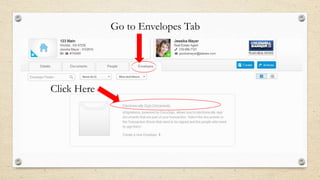
Go to Envelopes Tab

Click Here
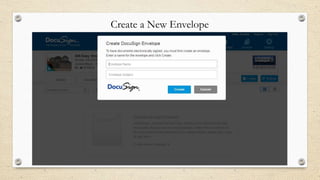
Create a New Envelope
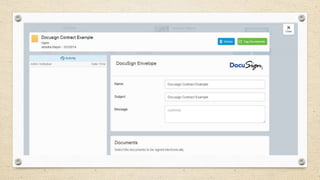
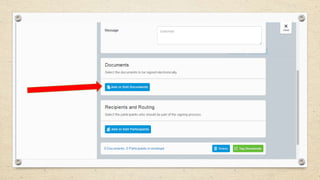
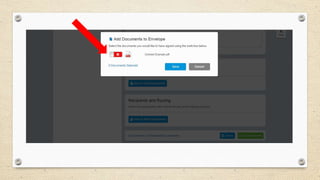
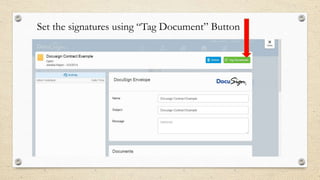
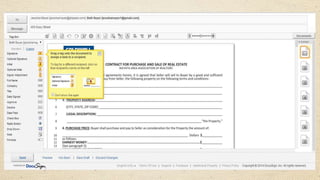
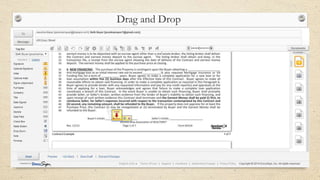
Set the signatures using “Tag Document” Button
Drag and Drop
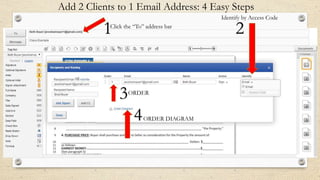
Add 2 Clients to 1 Email Address: 4 Easy Steps
Identify by Access Code

1

Click the “To” address bar

3

ORDER

4

ORDER DIAGRAM

2
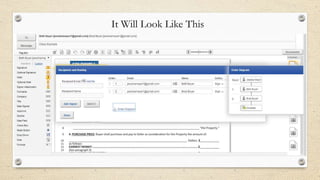
It Will Look Like This
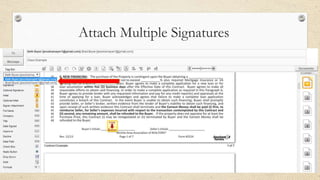
Attach Multiple Signatures
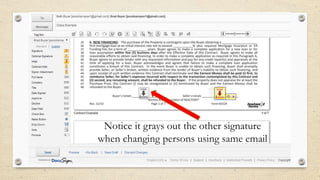
Notice it grays out the other signature
when changing persons using same email
Send!
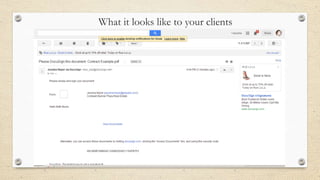
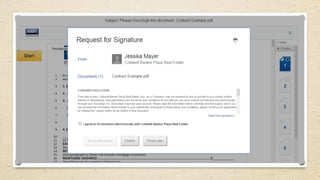
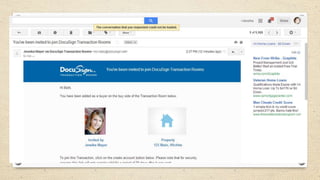
What it looks like to your clients
Tips:
1. Make sure to put the full name icon on the last page, for “print name”
you must have this, or they will need to print their name
2. Make sure to add the date
3. When you place a tag on a document for initials, make sure you don’t
set it on any words of the document! It obstructs the words of the
document and the initials cannot be read
4. Preview the document to make sure it’s correct
5. Please send a copy of listings to Terry if east or Debbie Pick west
6. Please send contracts to east Dawn or west Dawn
7. If you use Transaction Coordinator, add Kim and Valerie and send
them a copy
Please be sure to download and install Cartavi (DocuSign Transaction Rooms apps
for your mobile devices.
- Apps for iPhone, iPad, Android Tablet and Android Phone.
- Download Apps from your App store
- Please be sure to visit our support site for helpful information on how to use
Cartavi: support.cartavi.com. We also offer periodic free webinars,
cartavi.com/webinars.

How To Use Docusign and Transaction Rooms

  • 2.
  • 3.
    If you currentlyhave a DocuSign account, when you follow the link to set up your account, you will have the option to accept and import my existing account. If you don’t see that option, please call Customer Support at 866-219-4318. If you currently pay for a DocuSign account, DocuSign will refund you any unused portion of your subscription.
  • 4.
    Join DocuSign You Shouldhave received an “Invite” from Teresa to join DocuSign. In the Email is an “Activate” button Click on that button in from your email
  • 5.
    You’ll be askedto change this password on the next screen so don’t make it the one you want to use.
  • 8.
    Set Signature 2 1 Go ToPreferences Go to: Manage Identity Manage Your Signature
  • 10.
  • 11.
    DocuSign Transaction Rooms Storedocuments and easily send to buyers, sellers, agents and more. Each person will have to be added and accept the invitation before they can sign the document All that is needed is name and valid email address to send for electronic signatures You can send finalized contracts to lenders, staff, co-op agents etc.
  • 12.
    If your accountis not already linked, Teresa will have to send you the link via your email account.
  • 14.
  • 15.
    Once DocuSign TransactionRooms and DocuSign are linked, you can manage all of your transactions within the Docusign Transaction Rooms. - If you were to sign up for these products on your own, the cost is $30/month with limited free documents & then you pay per document. - With the company enrollment, you get the first 3 months FREE! After that, if you choose to continue using DocuSign with Transaction Rooms, the cost to you is $15/month billed to your office bill. - The advantage of going with the company enrollment, you can send unlimited documents for signature which can be a huge cost savings.
  • 16.
  • 17.
    If you needhelp setting up the tabs or any other part of the set up, watch this instructional video by clicking on the link or copy and paste link into your browser. http://www.youtube.com/watch?v=Xg4HnoUFrc#t=30
  • 18.
    Always go backto the Dashboard
  • 19.
    How To ObtainElectronic Signatures
  • 20.
    You can uploada document from My Documents but easier to start at Transactions
  • 21.
  • 22.
  • 23.
  • 24.
    Add Clients Click hereto add clients to sign document
  • 27.
    Click on theperson you added
  • 29.
    Give Client Access ToThe Document Close this window when done
  • 30.
    Go to EnvelopesTab Click Here
  • 31.
    Create a NewEnvelope
  • 37.
    Set the signaturesusing “Tag Document” Button
  • 39.
  • 40.
    Add 2 Clientsto 1 Email Address: 4 Easy Steps Identify by Access Code 1 Click the “To” address bar 3 ORDER 4 ORDER DIAGRAM 2
  • 41.
    It Will LookLike This
  • 42.
  • 43.
    Notice it graysout the other signature when changing persons using same email
  • 44.
  • 45.
    What it lookslike to your clients
  • 48.
    Tips: 1. Make sureto put the full name icon on the last page, for “print name” you must have this, or they will need to print their name 2. Make sure to add the date 3. When you place a tag on a document for initials, make sure you don’t set it on any words of the document! It obstructs the words of the document and the initials cannot be read 4. Preview the document to make sure it’s correct 5. Please send a copy of listings to Terry if east or Debbie Pick west 6. Please send contracts to east Dawn or west Dawn 7. If you use Transaction Coordinator, add Kim and Valerie and send them a copy
  • 49.
    Please be sureto download and install Cartavi (DocuSign Transaction Rooms apps for your mobile devices. - Apps for iPhone, iPad, Android Tablet and Android Phone. - Download Apps from your App store - Please be sure to visit our support site for helpful information on how to use Cartavi: support.cartavi.com. We also offer periodic free webinars, cartavi.com/webinars.