How to survive thrive working remotely
With the advent of the lockdown in March 2020, the world of meetings &
assessments went online overnight. We tried to replicate what was happening face-
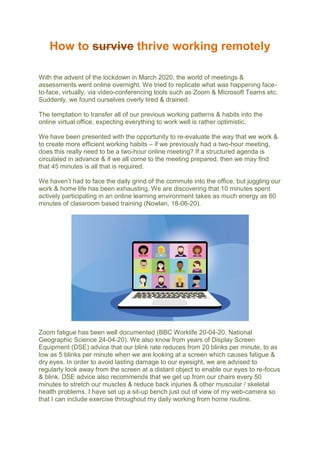
to-face, virtually, via video-conferencing tools such as Zoom & Microsoft Teams etc.
Suddenly, we found ourselves overly tired & drained.
The temptation to transfer all of our previous working patterns & habits into the
online virtual office, expecting everything to work well is rather optimistic.
We have been presented with the opportunity to re-evaluate the way that we work &
to create more efficient working habits – if we previously had a two-hour meeting,
does this really need to be a two-hour online meeting? If a structured agenda is
circulated in advance & if we all come to the meeting prepared, then we may find
that 45 minutes is all that is required.
We haven’t had to face the daily grind of the commute into the office, but juggling our
work & home life has been exhausting. We are discovering that 10 minutes spent
actively participating in an online learning environment takes as much energy as 60
minutes of classroom based training (Nowlan, 18-06-20).
Zoom fatigue has been well documented (BBC Worklife 20-04-20, National
Geographic Science 24-04-20). We also know from years of Display Screen
Equipment (DSE) advice that our blink rate reduces from 20 blinks per minute, to as
low as 5 blinks per minute when we are looking at a screen which causes fatigue &
dry eyes. In order to avoid lasting damage to our eyesight, we are advised to
regularly look away from the screen at a distant object to enable our eyes to re-focus
& blink. DSE advice also recommends that we get up from our chairs every 50
minutes to stretch our muscles & reduce back injuries & other muscular / skeletal
health problems. I have set up a sit-up bench just out of view of my web-camera so
that I can include exercise throughout my daily working from home routine.
We need to incorporate non-screen based working activities too – consider printing
off a report to read, rather than always reading on a screen.
Factor in a break every hour, to stretch, take a short walk, get some fresh air, grab a
snack, & take a comfort break…. Anything but continue working at the screen…
Build-in a 10 minute break after 50 minutes online – whether that is a meeting,
training, or video-chat - In order to remain healthy & productive
Our approach to meetings & communications needs to adjust if we are to make the
most of the new opportunities afforded by remote working. A recent Gartner poll
showed that 48% of employees will likely work remotely at least part of the time after
COVID-19 versus 30% before the pandemic (Gartner, 08-06-20). Many of these
workers will continue to work from home even if, & when measures are put in place,
or a vaccine is produced that would reassure people that it is safe to return to the
office. The future of work will see many workers spending part, or all of their working
week working from home. We need to adjust our daily routines to prevent future
problems for our health & well-being.
Practical tips:
1. Consider using an alarm clock, kitchen timer, or phone App to remind us to
take a break after 50 minutes of sitting / screen-time
2. Always have plenty of drinking water available - to keep hydrated drink little &
often – when we are dehydrated, we get headaches & our brain malfunctions
3. Regularly look away from the screen into the distance & blink to hydrate your
eyes
4. Try alternating sitting & standing to work
5. Don’t be afraid of occasionally switching off web camera so that you can
stretch, or move around without fear of embarrassment
6. Make telephone calls as well as video-calls to reduce screen-time
For many of us, working remotely will be part of our ‘new normal’ going forward.
Those of us who deliver training & run meetings online have a duty of care for
those who are participating – we run the schedule, therefore it is our
responsibility to regularly press-the-pause-button…
Top tips to keep learners engaged during virtual learning sessions:
• Change your delivery style more often than you might in the physical classroom
• Keep all communication concise & to the point
• Ask learners by name to participate (for example, by asking questions)
• Don’t stay on one slide for too long: 2 to 3 minutes maximum as a working guide
• Ask for a show of hands, or ask participants to write ‘yes’ in the chat box if they
agree
• Make use of the Chat / ‘Show conversation’ function. Regularly create the space &
time to stop to view the comments of the learners
• Use a variety of delivery methods, such as a short video to break up the session
• Take regular mini comfort breaks
• Ask learners to share their stories & experiences on a topic to deepen the impact -
Bring your own experiences & stories too
• Energy – you need to give it to your group. Come with it, sound like you have it &
give it to them. The very best Facilitators leave engaging sessions totally drained.
But be sure to pace yourself to maintain your energy levels!
Your co-workers, colleagues, customers, clients, delegates, team, organisation
& most importantly, your body, will thank you for taking the initiative.
Alex Clapson 25-07-20

How to thrive working remotely

  • 1.
    How to survivethrive working remotely With the advent of the lockdown in March 2020, the world of meetings & assessments went online overnight. We tried to replicate what was happening face- to-face, virtually, via video-conferencing tools such as Zoom & Microsoft Teams etc. Suddenly, we found ourselves overly tired & drained. The temptation to transfer all of our previous working patterns & habits into the online virtual office, expecting everything to work well is rather optimistic. We have been presented with the opportunity to re-evaluate the way that we work & to create more efficient working habits – if we previously had a two-hour meeting, does this really need to be a two-hour online meeting? If a structured agenda is circulated in advance & if we all come to the meeting prepared, then we may find that 45 minutes is all that is required. We haven’t had to face the daily grind of the commute into the office, but juggling our work & home life has been exhausting. We are discovering that 10 minutes spent actively participating in an online learning environment takes as much energy as 60 minutes of classroom based training (Nowlan, 18-06-20). Zoom fatigue has been well documented (BBC Worklife 20-04-20, National Geographic Science 24-04-20). We also know from years of Display Screen Equipment (DSE) advice that our blink rate reduces from 20 blinks per minute, to as low as 5 blinks per minute when we are looking at a screen which causes fatigue & dry eyes. In order to avoid lasting damage to our eyesight, we are advised to regularly look away from the screen at a distant object to enable our eyes to re-focus & blink. DSE advice also recommends that we get up from our chairs every 50 minutes to stretch our muscles & reduce back injuries & other muscular / skeletal health problems. I have set up a sit-up bench just out of view of my web-camera so that I can include exercise throughout my daily working from home routine.
  • 2.
    We need toincorporate non-screen based working activities too – consider printing off a report to read, rather than always reading on a screen. Factor in a break every hour, to stretch, take a short walk, get some fresh air, grab a snack, & take a comfort break…. Anything but continue working at the screen… Build-in a 10 minute break after 50 minutes online – whether that is a meeting, training, or video-chat - In order to remain healthy & productive Our approach to meetings & communications needs to adjust if we are to make the most of the new opportunities afforded by remote working. A recent Gartner poll showed that 48% of employees will likely work remotely at least part of the time after COVID-19 versus 30% before the pandemic (Gartner, 08-06-20). Many of these workers will continue to work from home even if, & when measures are put in place, or a vaccine is produced that would reassure people that it is safe to return to the office. The future of work will see many workers spending part, or all of their working week working from home. We need to adjust our daily routines to prevent future problems for our health & well-being. Practical tips: 1. Consider using an alarm clock, kitchen timer, or phone App to remind us to take a break after 50 minutes of sitting / screen-time 2. Always have plenty of drinking water available - to keep hydrated drink little & often – when we are dehydrated, we get headaches & our brain malfunctions 3. Regularly look away from the screen into the distance & blink to hydrate your eyes 4. Try alternating sitting & standing to work 5. Don’t be afraid of occasionally switching off web camera so that you can stretch, or move around without fear of embarrassment 6. Make telephone calls as well as video-calls to reduce screen-time
  • 3.
    For many ofus, working remotely will be part of our ‘new normal’ going forward. Those of us who deliver training & run meetings online have a duty of care for those who are participating – we run the schedule, therefore it is our responsibility to regularly press-the-pause-button… Top tips to keep learners engaged during virtual learning sessions: • Change your delivery style more often than you might in the physical classroom • Keep all communication concise & to the point • Ask learners by name to participate (for example, by asking questions) • Don’t stay on one slide for too long: 2 to 3 minutes maximum as a working guide • Ask for a show of hands, or ask participants to write ‘yes’ in the chat box if they agree • Make use of the Chat / ‘Show conversation’ function. Regularly create the space & time to stop to view the comments of the learners • Use a variety of delivery methods, such as a short video to break up the session
  • 4.
    • Take regularmini comfort breaks • Ask learners to share their stories & experiences on a topic to deepen the impact - Bring your own experiences & stories too • Energy – you need to give it to your group. Come with it, sound like you have it & give it to them. The very best Facilitators leave engaging sessions totally drained. But be sure to pace yourself to maintain your energy levels! Your co-workers, colleagues, customers, clients, delegates, team, organisation & most importantly, your body, will thank you for taking the initiative. Alex Clapson 25-07-20