How to make a simple web browser in visual basic 2008 (design) Follow the arrows in order
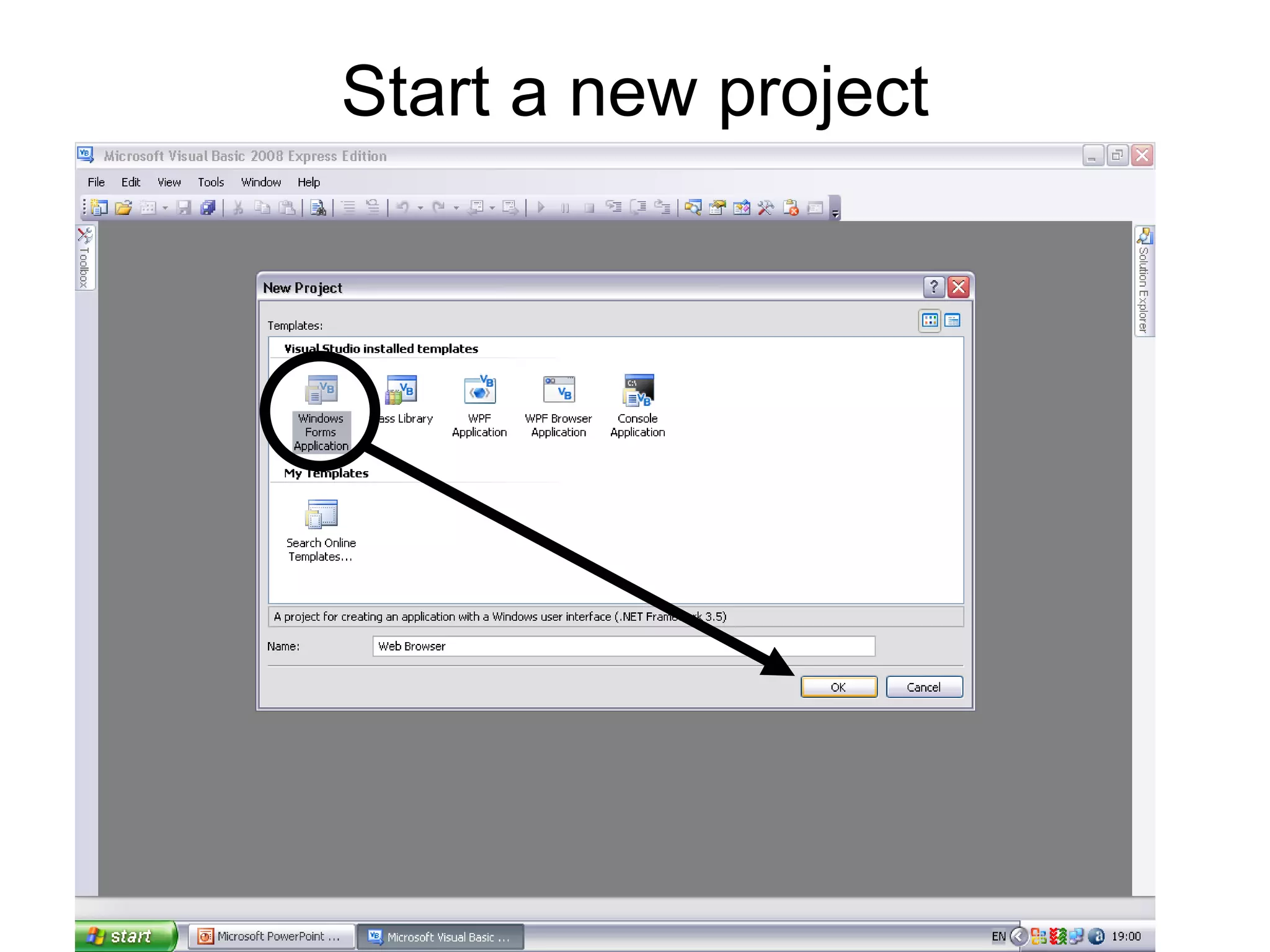
Start a new project
First resize form1 then just go to toolbox and select web browser and drag in onto your form.
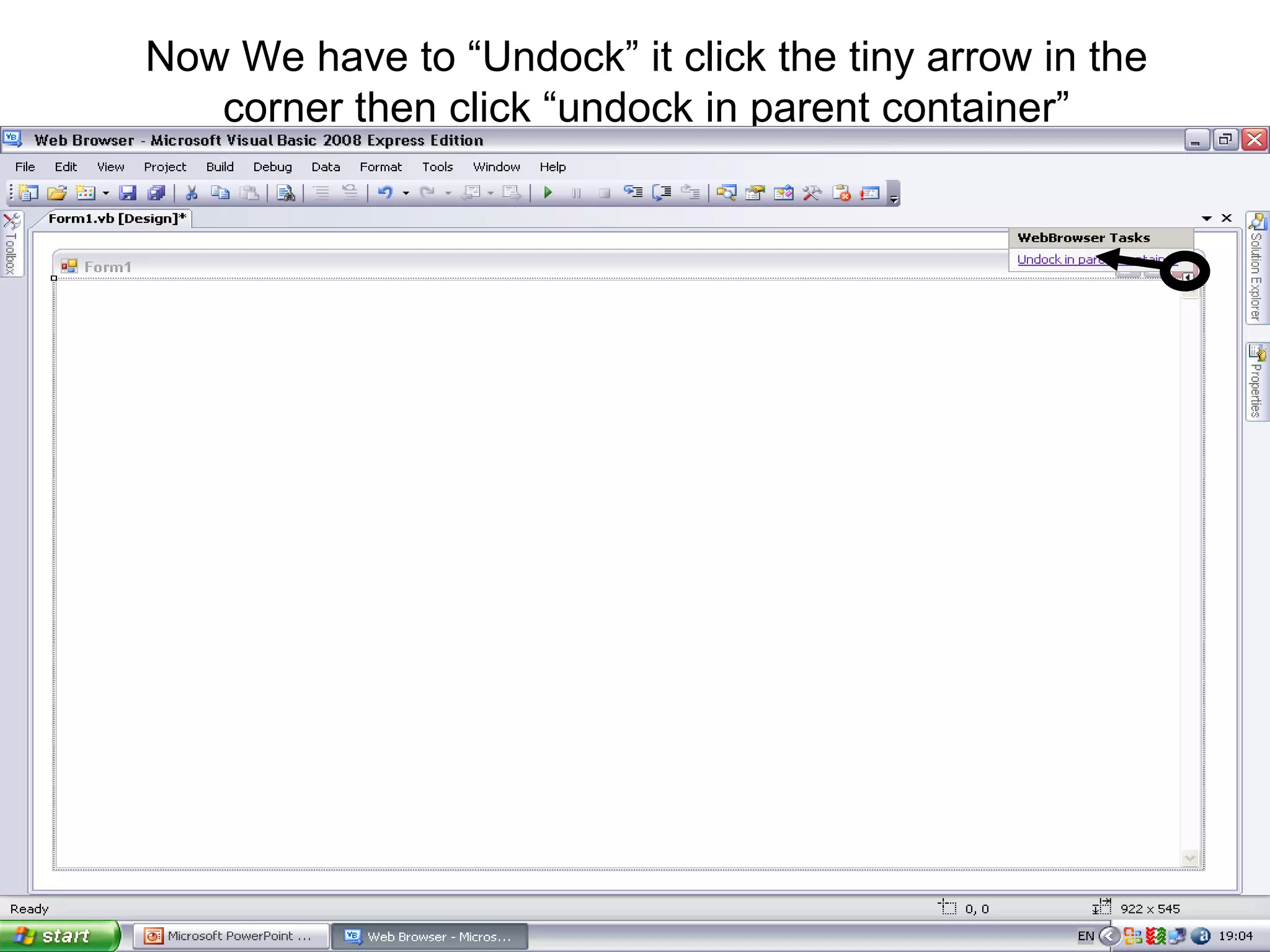
Now We have to “Undock” it click the tiny arrow in the corner then click “undock in parent container”
Resize it so you have room for the buttons on top
Now to add some buttons go to your toolbox and select buttons then drag them on your form, get 5 buttons
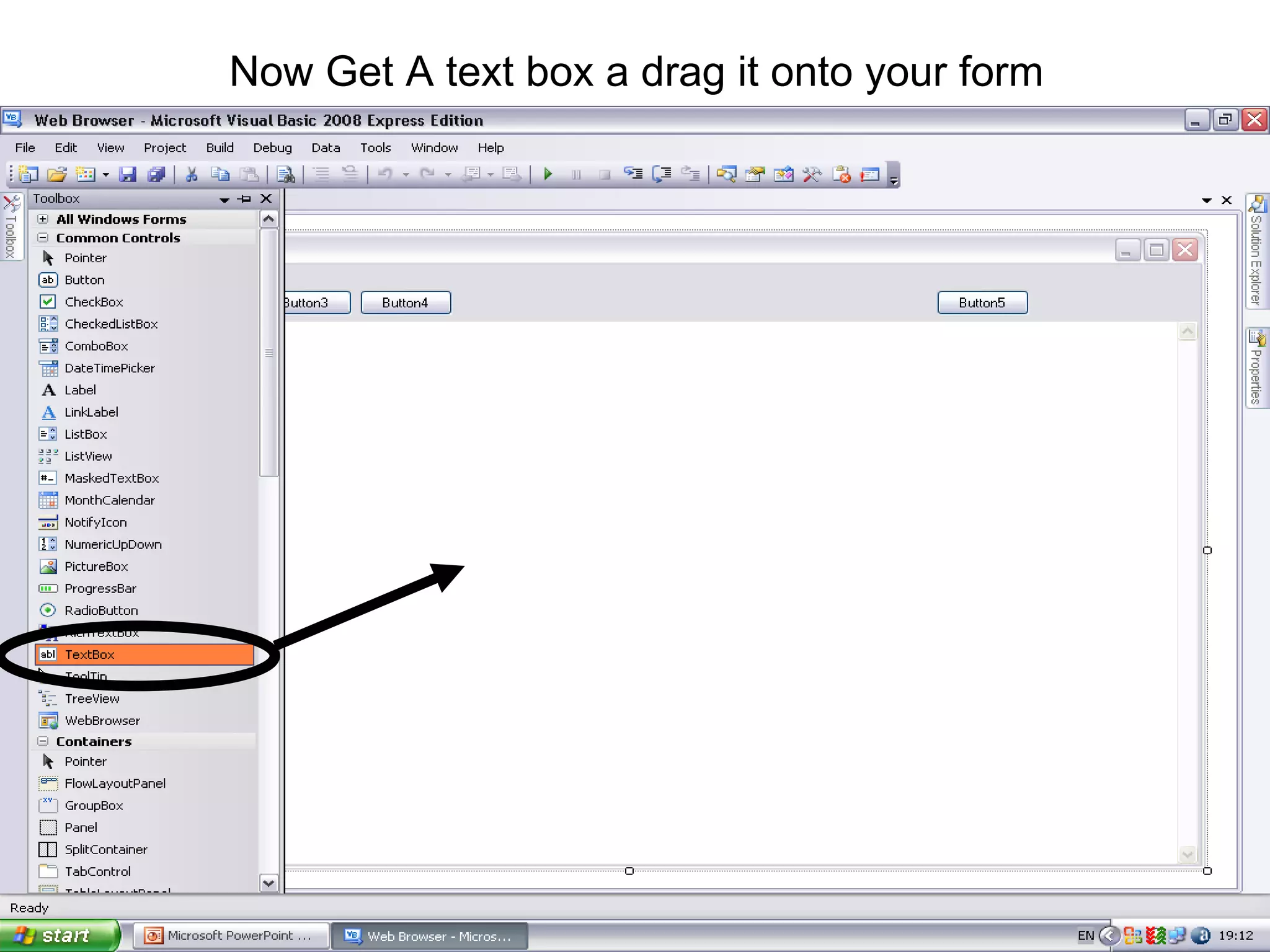
Now Get A text box a drag it onto your form
Should look something like this Buttons TextBox
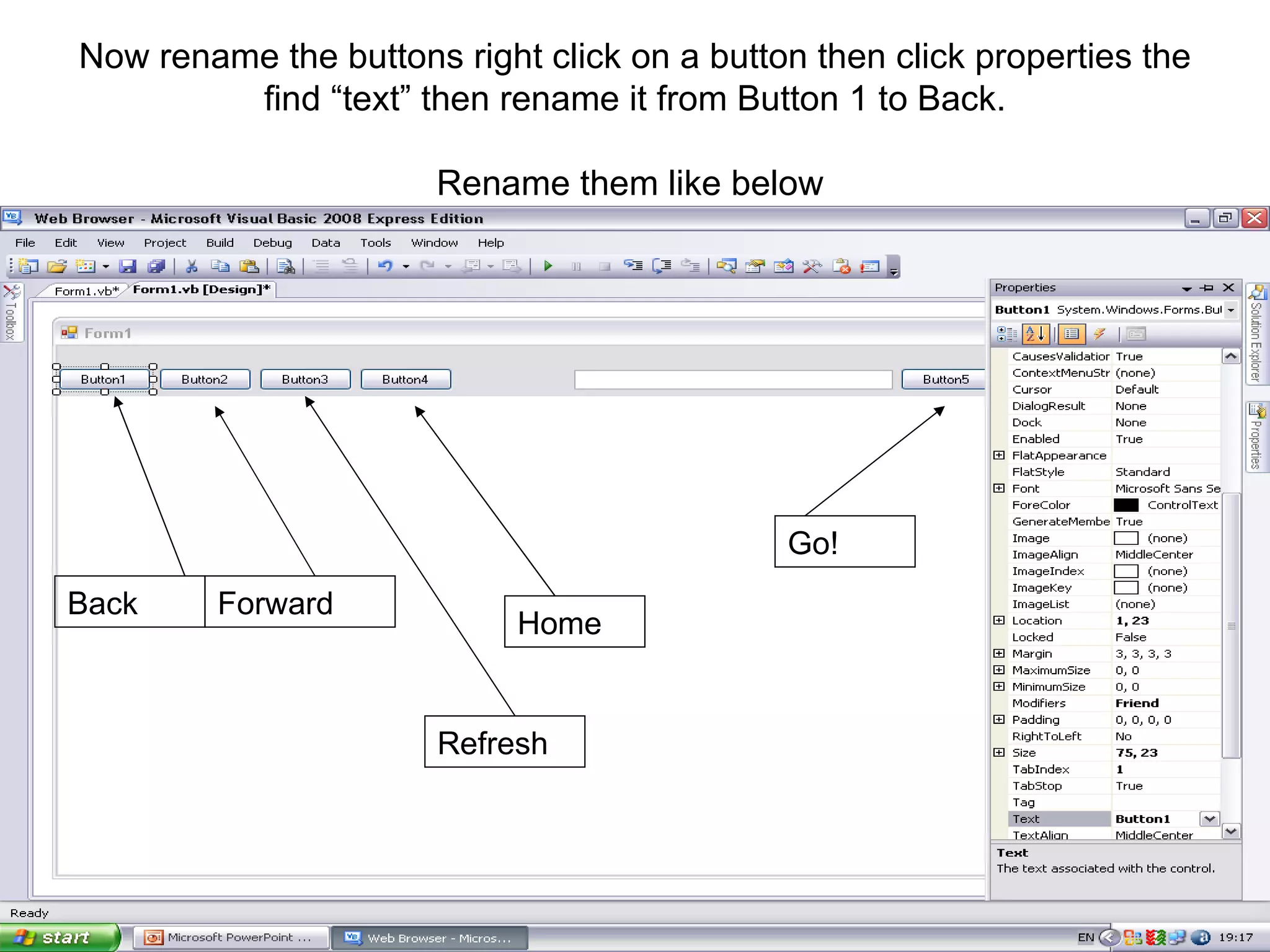
Now rename the buttons right click on a button then click properties the find “text” then rename it from Button 1 to Back. Rename them like below  Back Forward Refresh Home Go!

how to make a simple web browser in visual basic 2008 (Design)

  • 1.
    How to makea simple web browser in visual basic 2008 (design) Follow the arrows in order
  • 2.
    Start a newproject
  • 3.
    First resize form1then just go to toolbox and select web browser and drag in onto your form.
  • 4.
    Now We haveto “Undock” it click the tiny arrow in the corner then click “undock in parent container”
  • 5.
    Resize it soyou have room for the buttons on top
  • 6.
    Now to addsome buttons go to your toolbox and select buttons then drag them on your form, get 5 buttons
  • 7.
    Now Get Atext box a drag it onto your form
  • 8.
    Should look somethinglike this Buttons TextBox
  • 9.
    Now rename thebuttons right click on a button then click properties the find “text” then rename it from Button 1 to Back. Rename them like below Back Forward Refresh Home Go!