Using Excel to Make a Graph
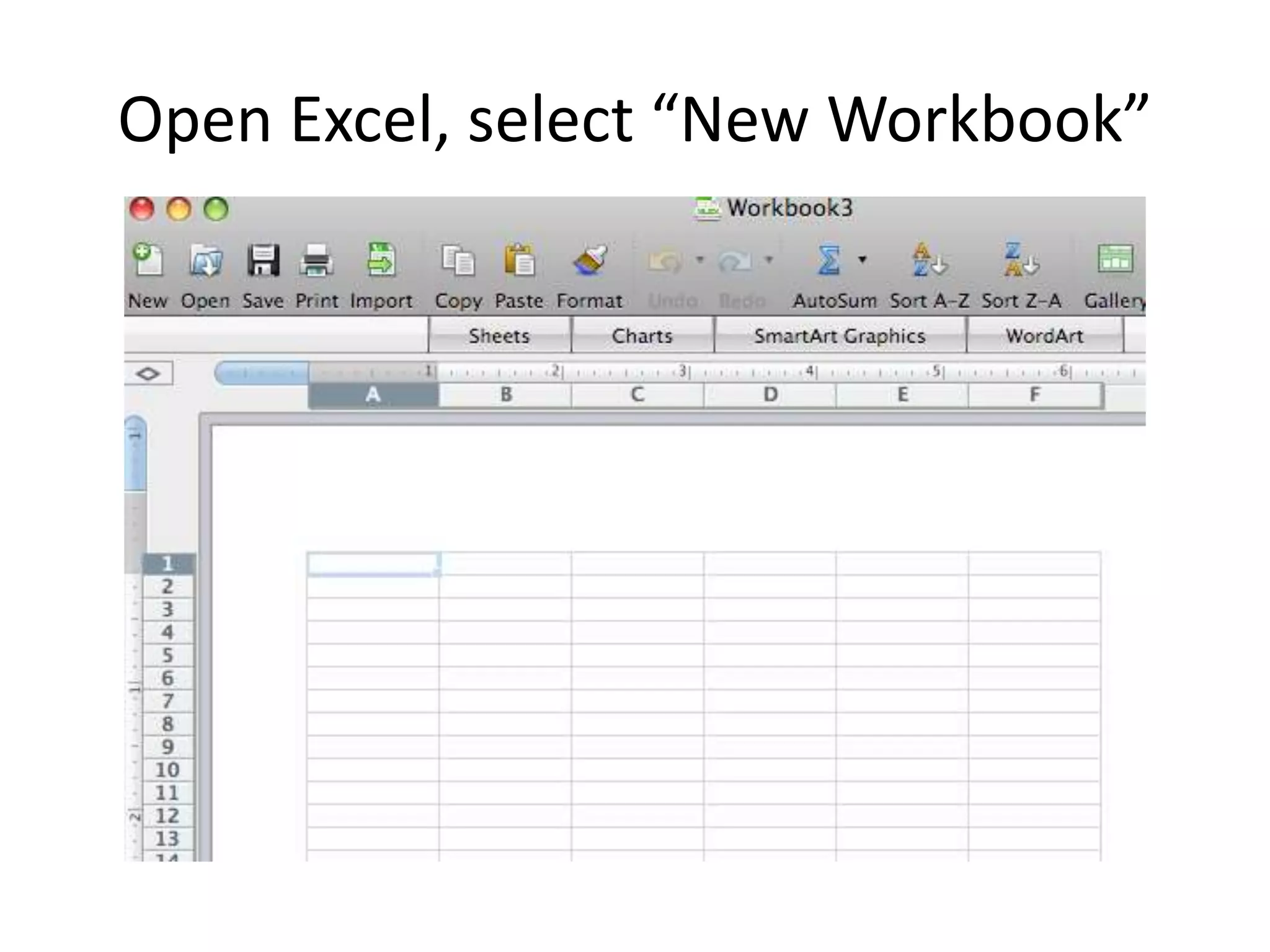
Open Excel, select “New Workbook”
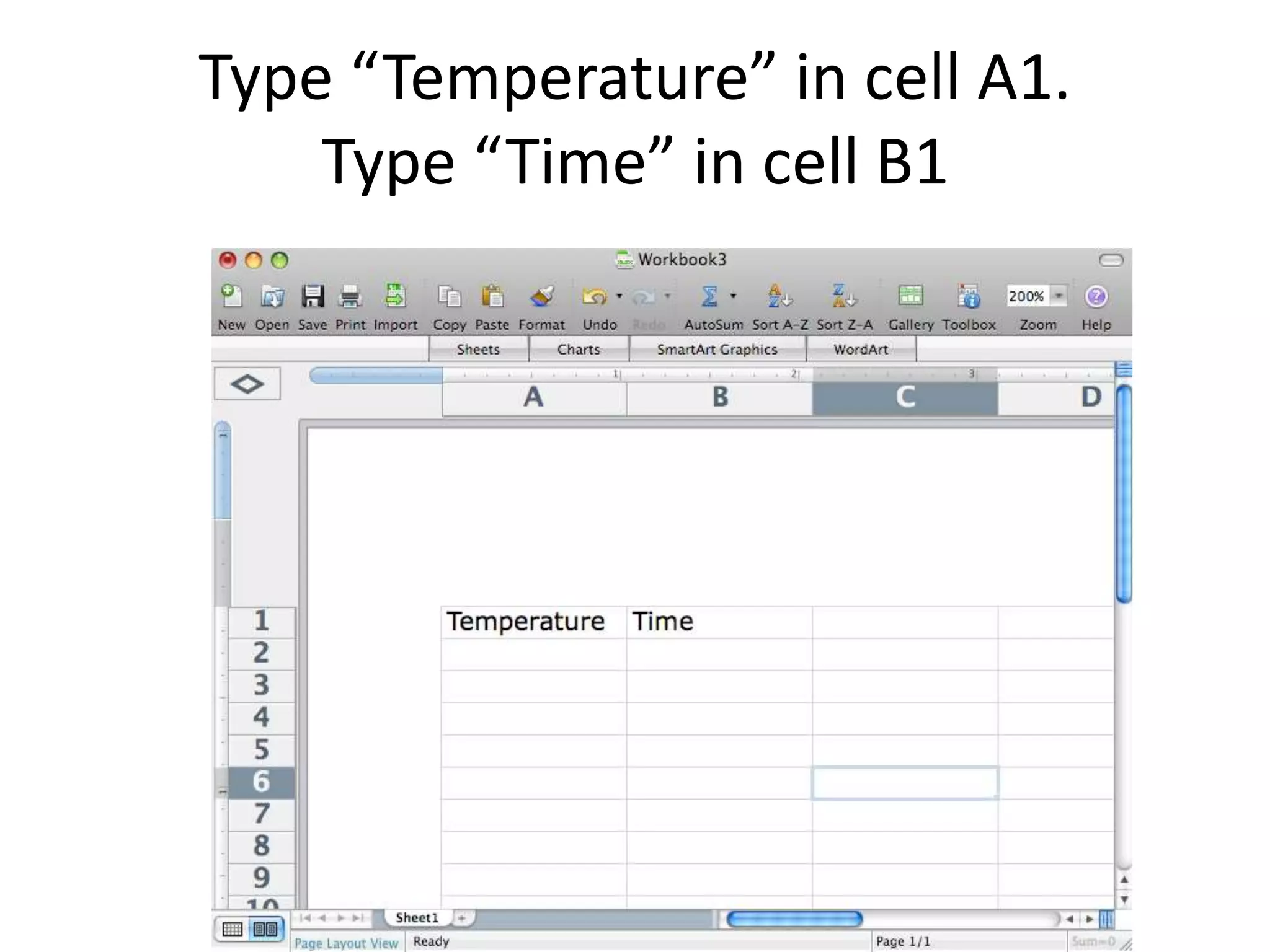
Type “Temperature” in cell A1.
Type “Time” in cell B1
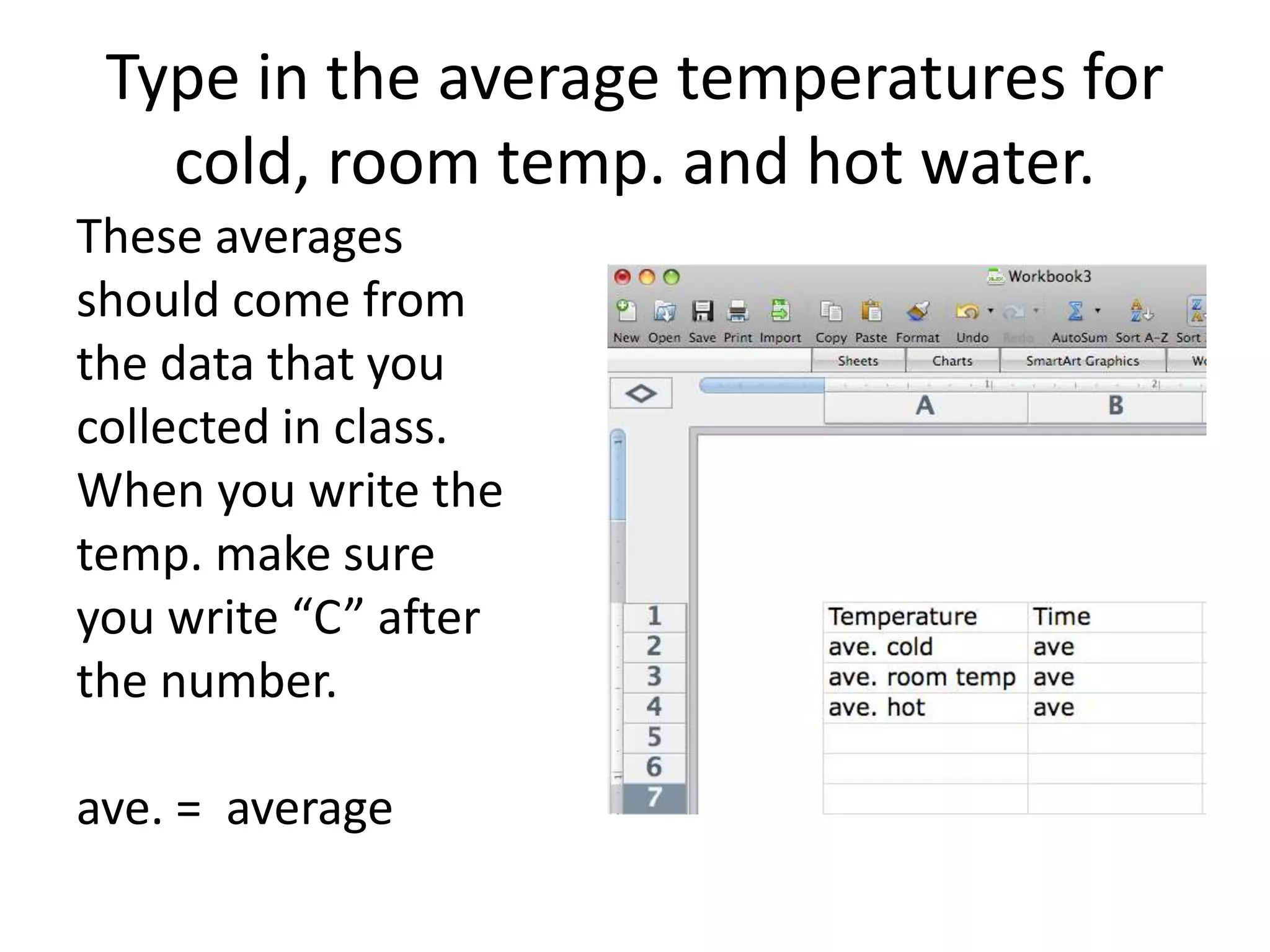
Type in the average temperatures for
cold, room temp. and hot water.
These averages
should come from
the data that you
collected in class.
When you write the
temp. make sure
you write “C” after
the number.
ave. = average
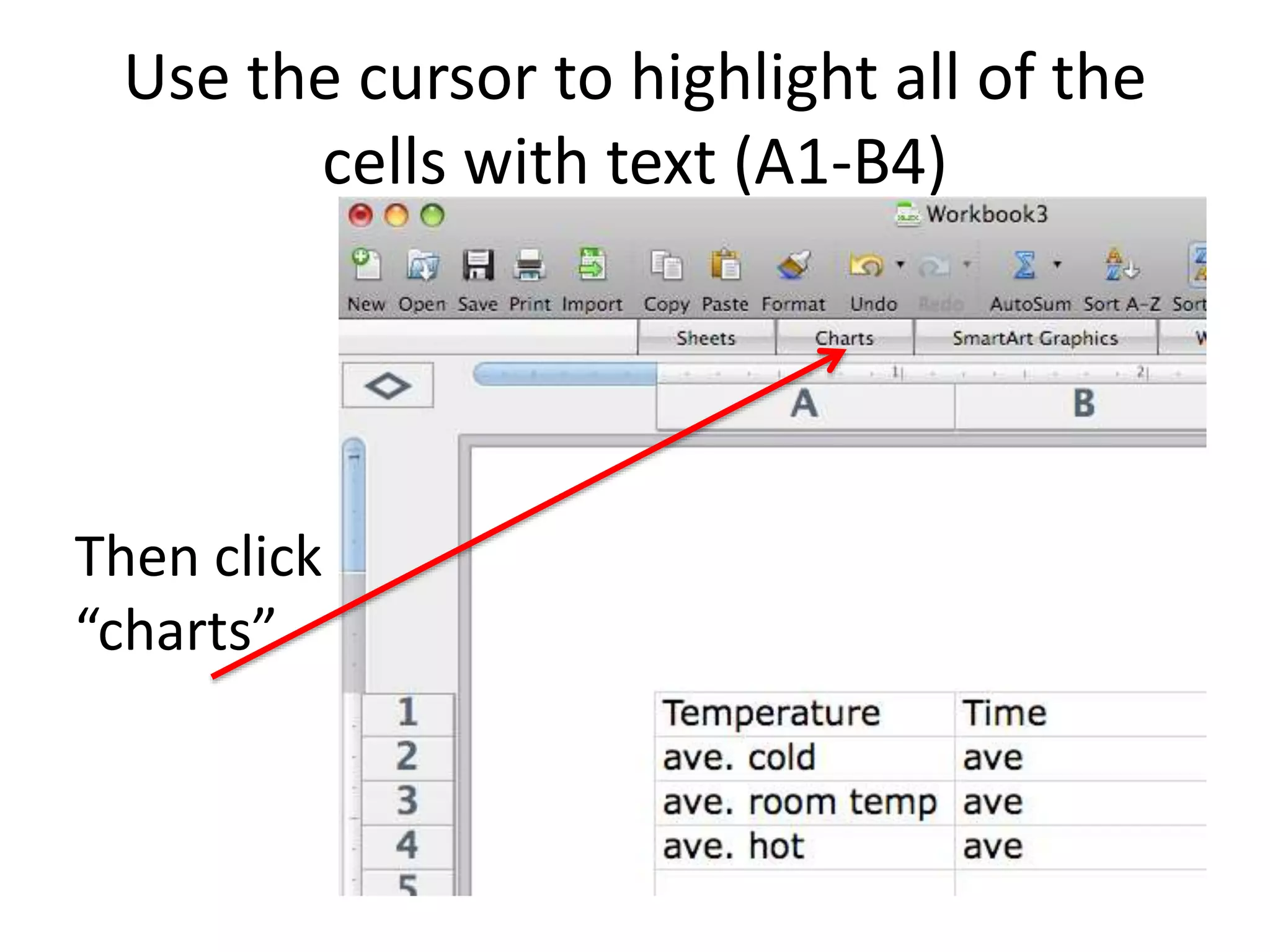
Use the cursor to highlight all of the
cells with text (A1-B4)
Then click
“charts”
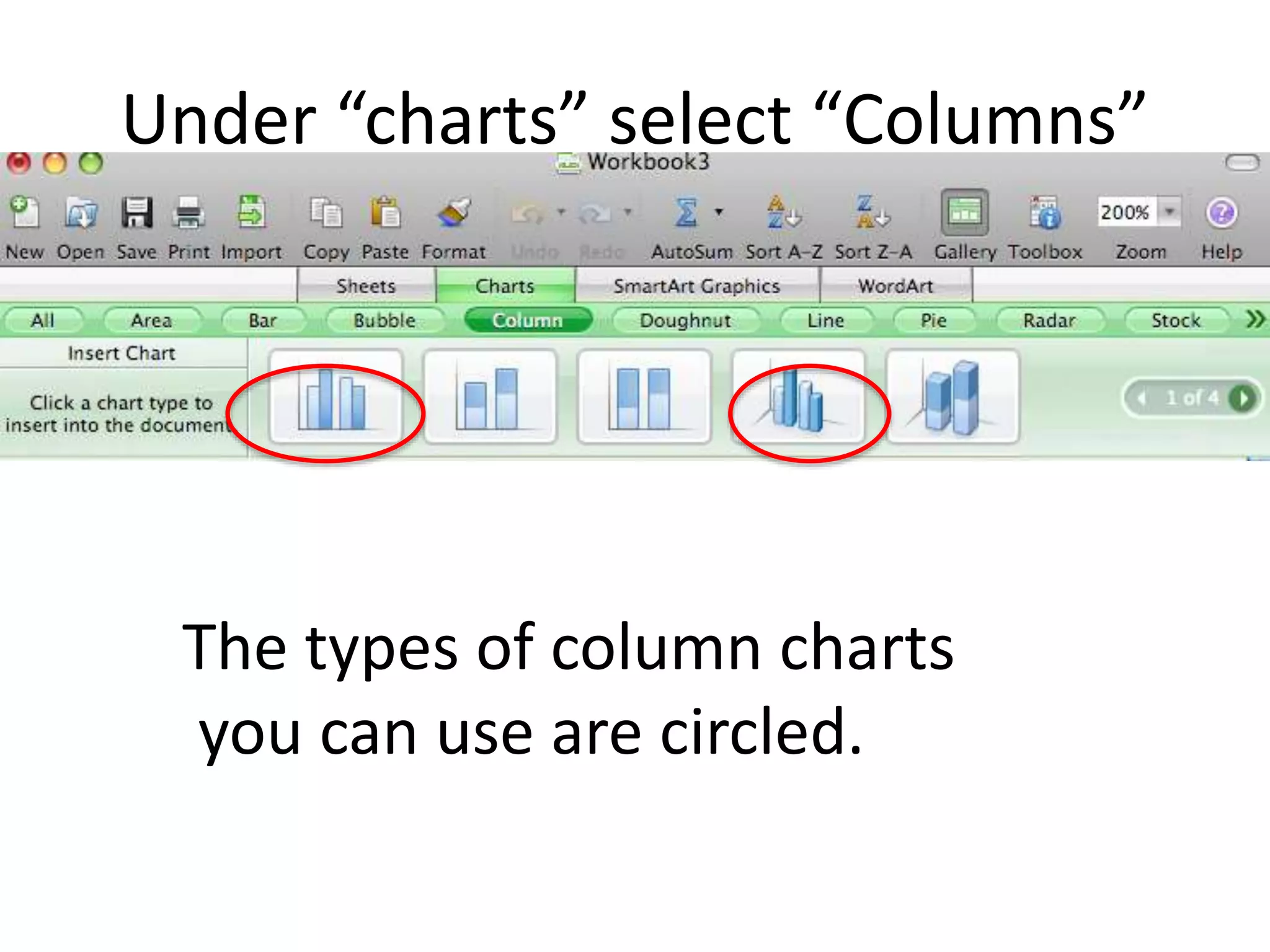
Under “charts” select “Columns”
The types of column charts
you can use are circled.
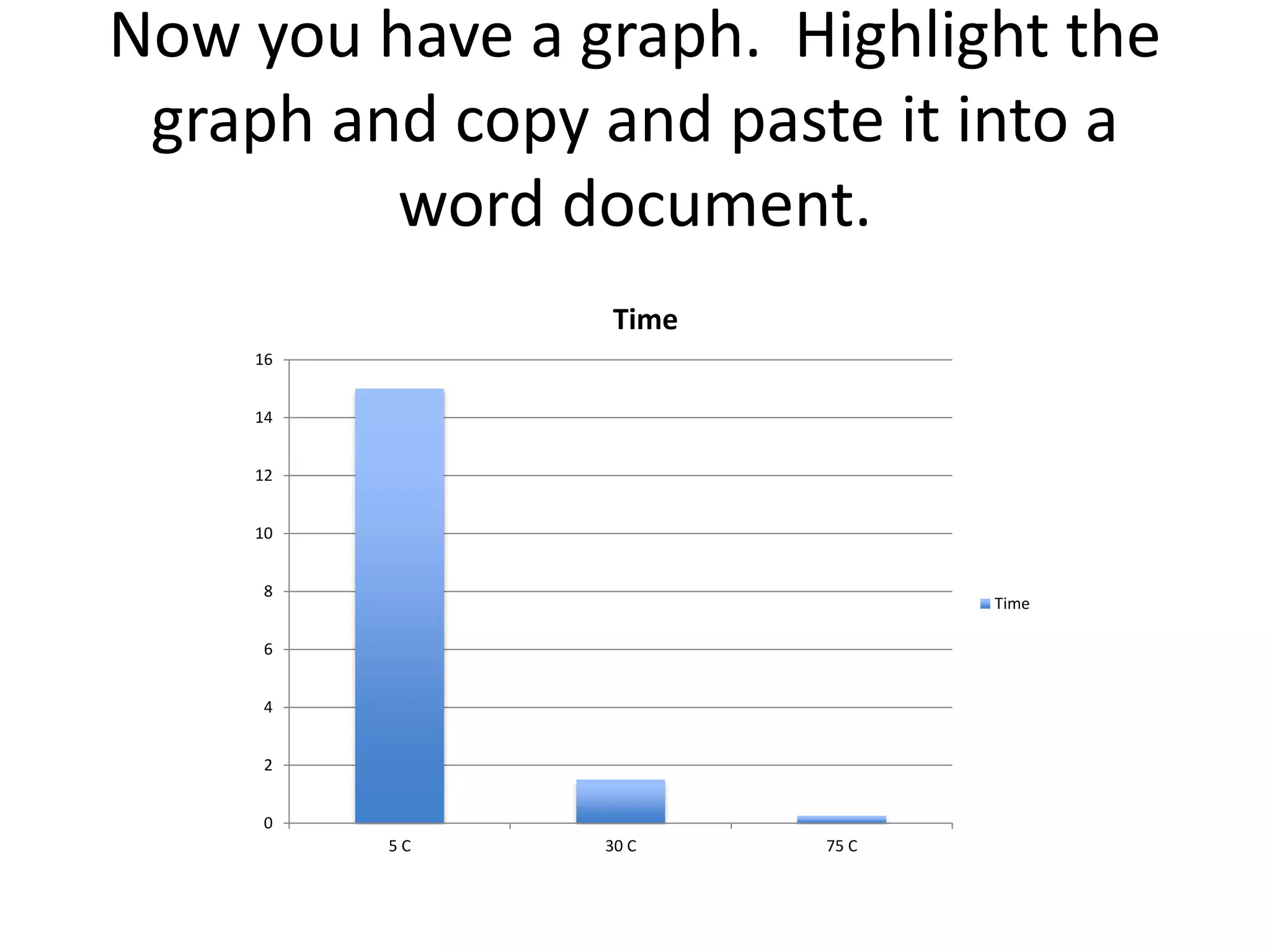
Now you have a graph. Highlight the
graph and copy and paste it into a
word document.
0
2
4
6
8
10
12
14
16
5 C 30 C 75 C
Time
Time
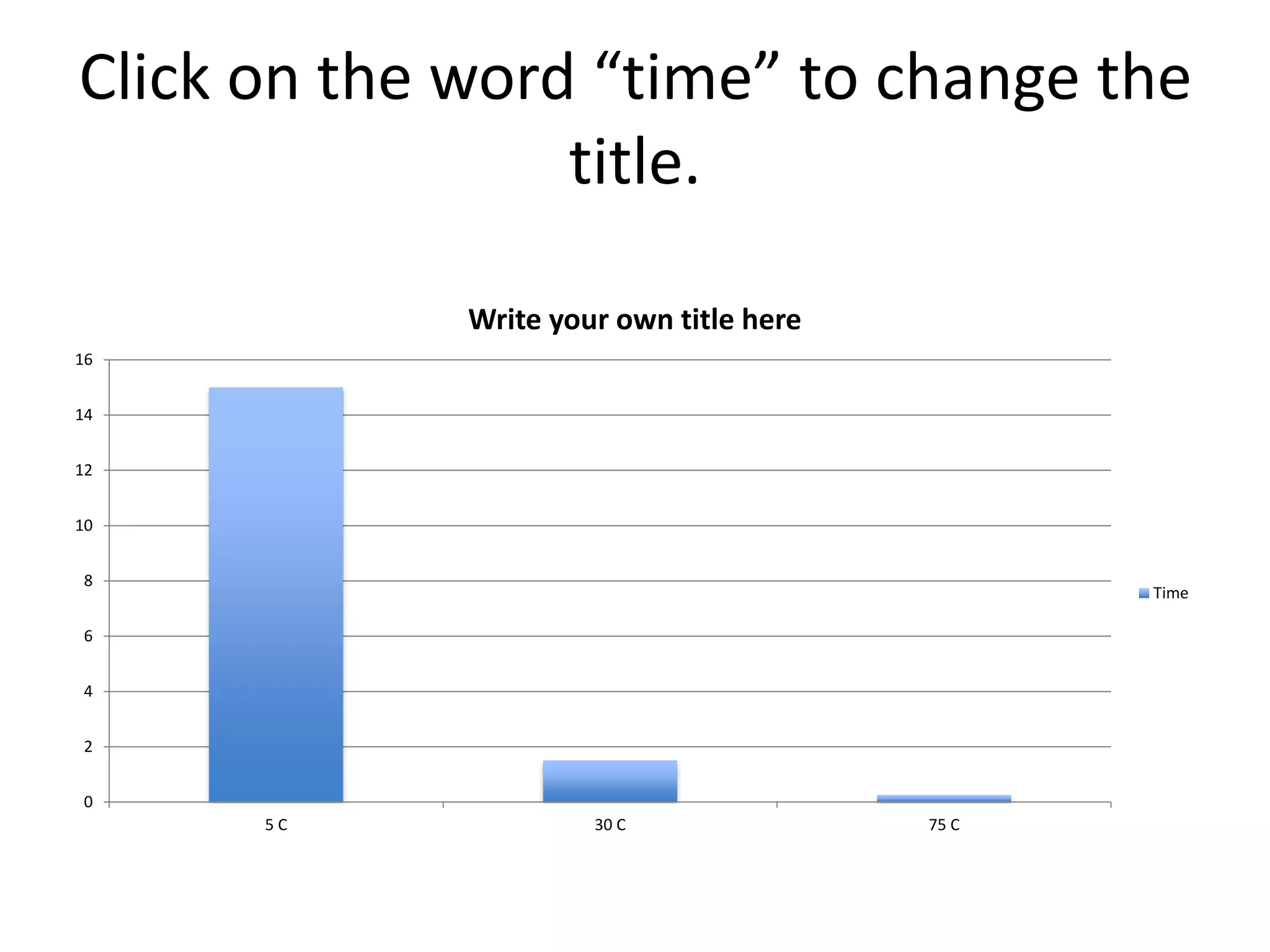
Click on the word “time” to change the
title.
0
2
4
6
8
10
12
14
16
5 C 30 C 75 C
Write your own title here
Time
When the graph is in your word
document
• You might have a hard time moving the graph
around.
• If this happens, put the cursor next to the
graph and press enter several times.
• You should now be able to move the graph.

How to graph in excel

  • 1.
    Using Excel toMake a Graph
  • 2.
    Open Excel, select“New Workbook”
  • 3.
    Type “Temperature” incell A1. Type “Time” in cell B1
  • 4.
    Type in theaverage temperatures for cold, room temp. and hot water. These averages should come from the data that you collected in class. When you write the temp. make sure you write “C” after the number. ave. = average
  • 5.
    Use the cursorto highlight all of the cells with text (A1-B4) Then click “charts”
  • 6.
    Under “charts” select“Columns” The types of column charts you can use are circled.
  • 7.
    Now you havea graph. Highlight the graph and copy and paste it into a word document. 0 2 4 6 8 10 12 14 16 5 C 30 C 75 C Time Time
  • 8.
    Click on theword “time” to change the title. 0 2 4 6 8 10 12 14 16 5 C 30 C 75 C Write your own title here Time
  • 9.
    When the graphis in your word document • You might have a hard time moving the graph around. • If this happens, put the cursor next to the graph and press enter several times. • You should now be able to move the graph.