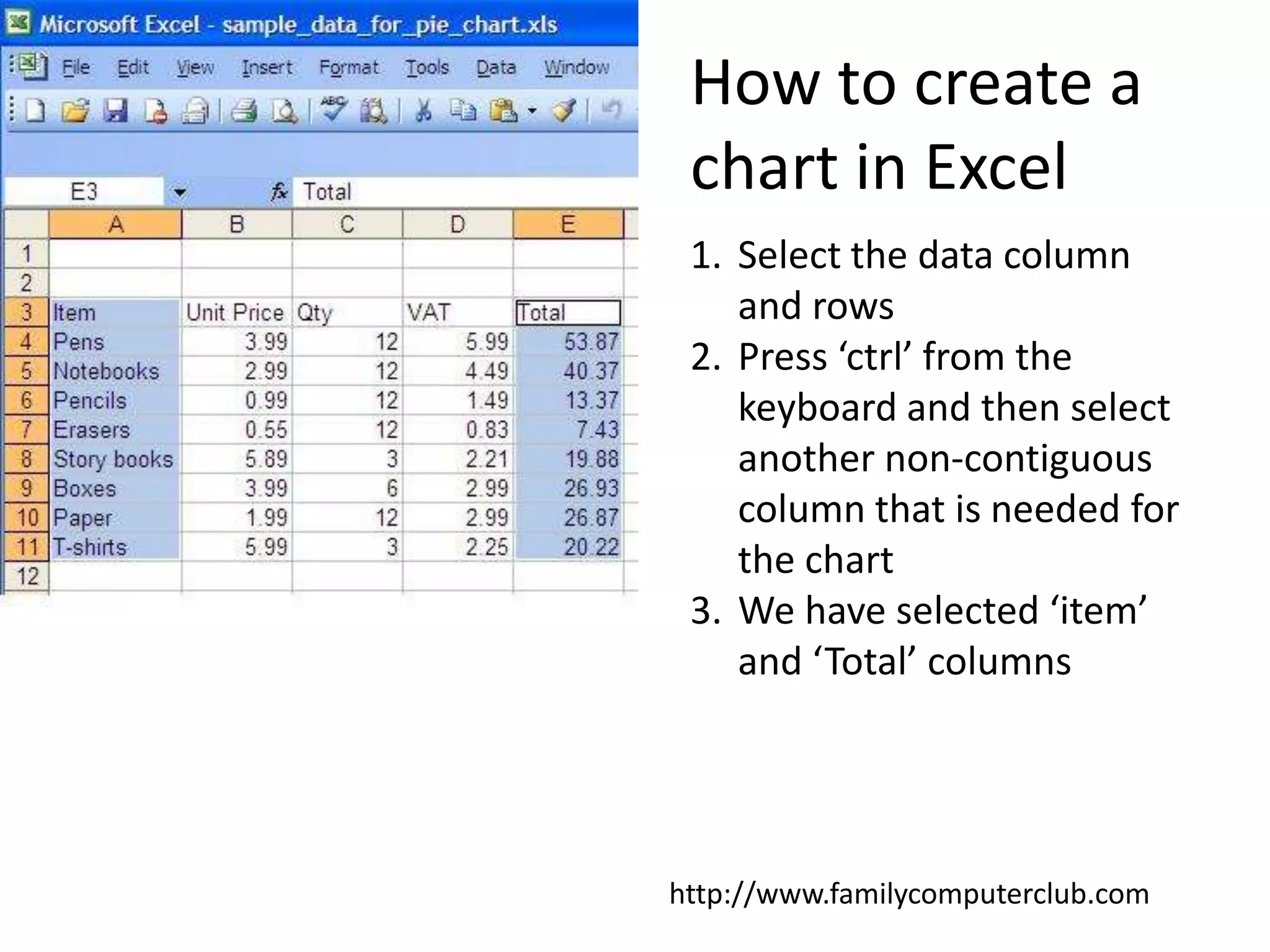
How to create a chart in ExcelSelect the data column and rowsPress ‘ctrl’ from the keyboard and then select another non-contiguous column that is needed for the chartWe have selected ‘item’ and ‘Total’ columnshttp://www.familycomputerclub.com
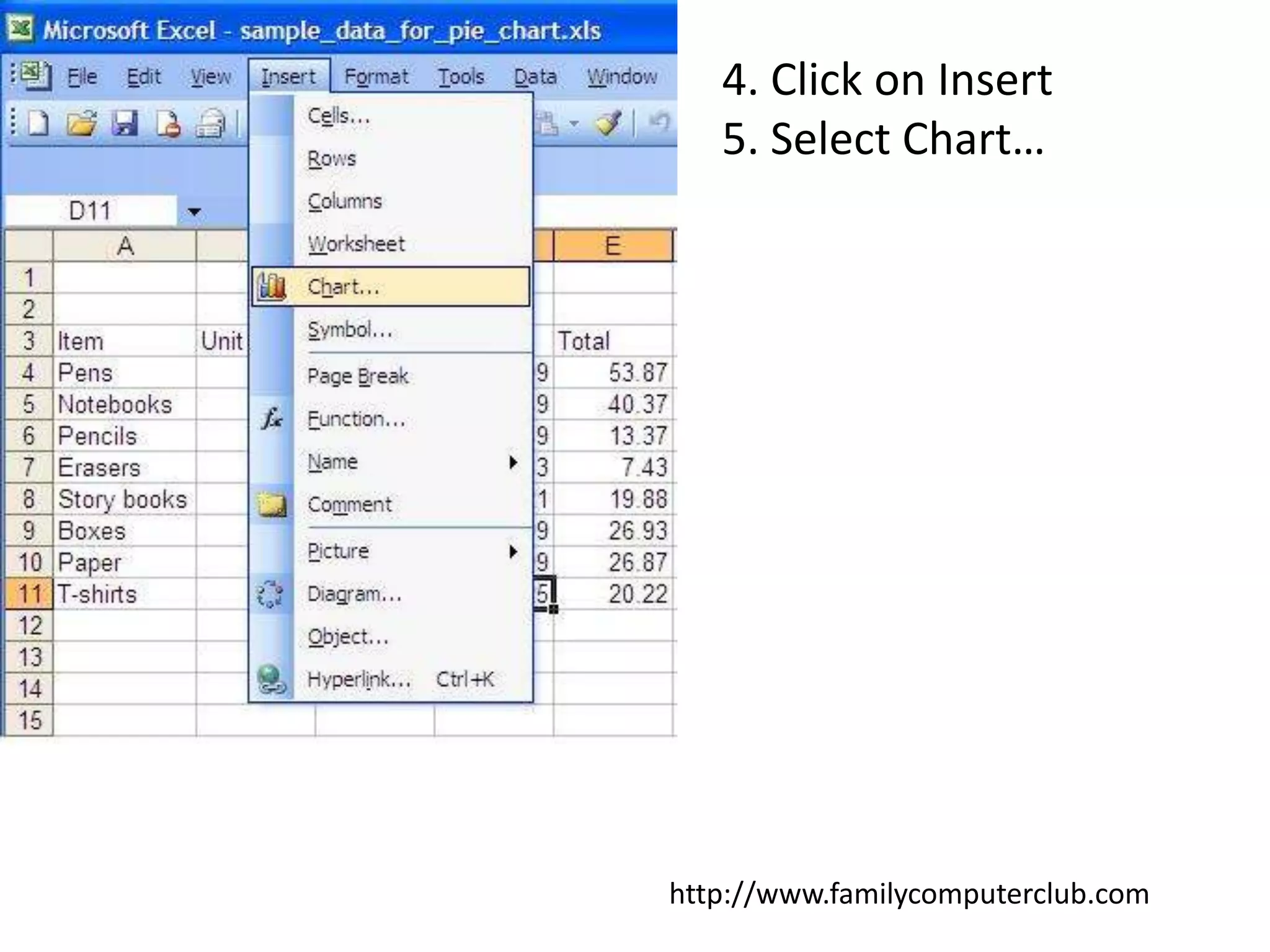
4. Click on Insert5. Select Chart…http://www.familycomputerclub.com
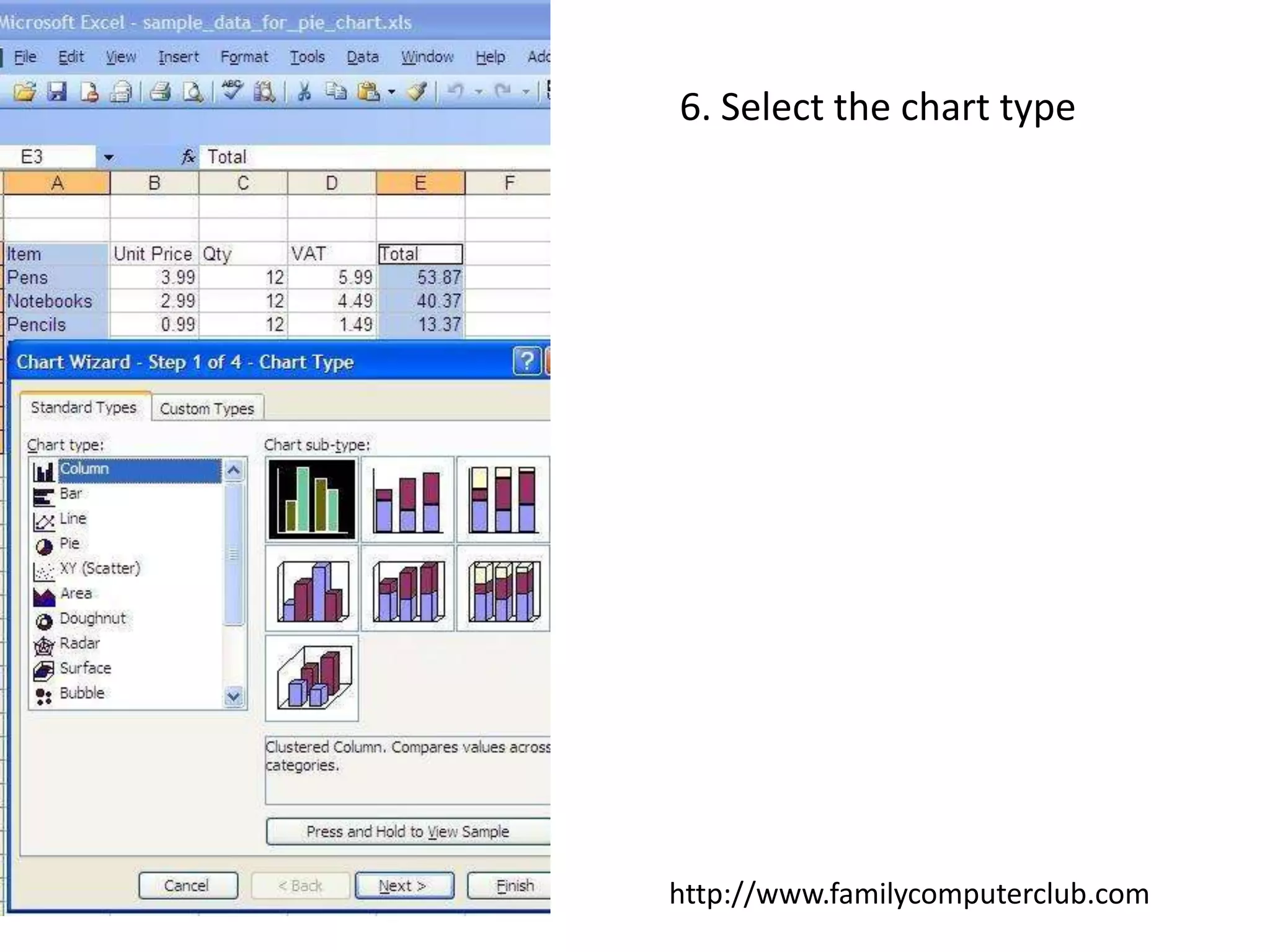
6. Select the chart typehttp://www.familycomputerclub.com
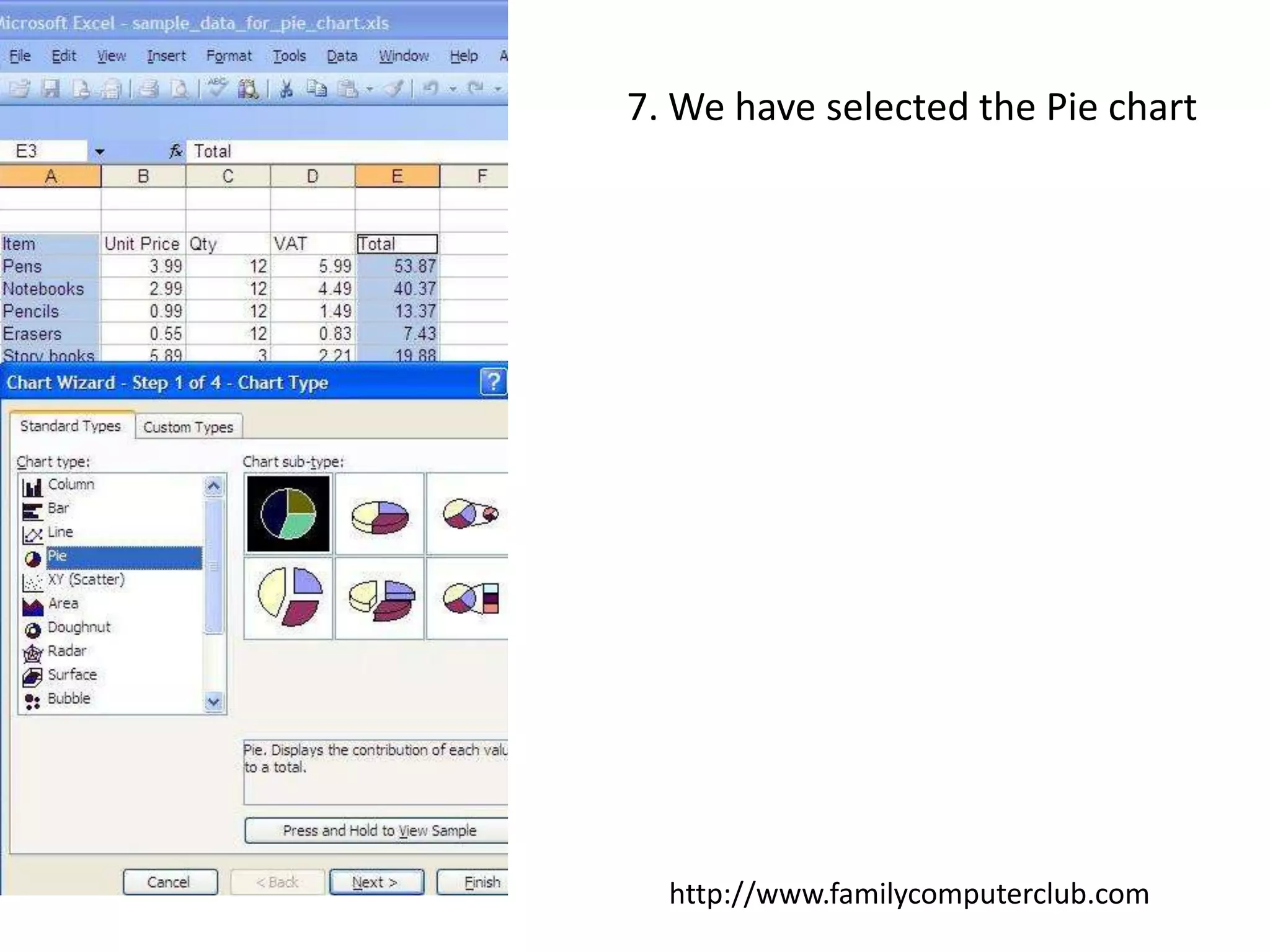
7. We have selected the Pie charthttp://www.familycomputerclub.com
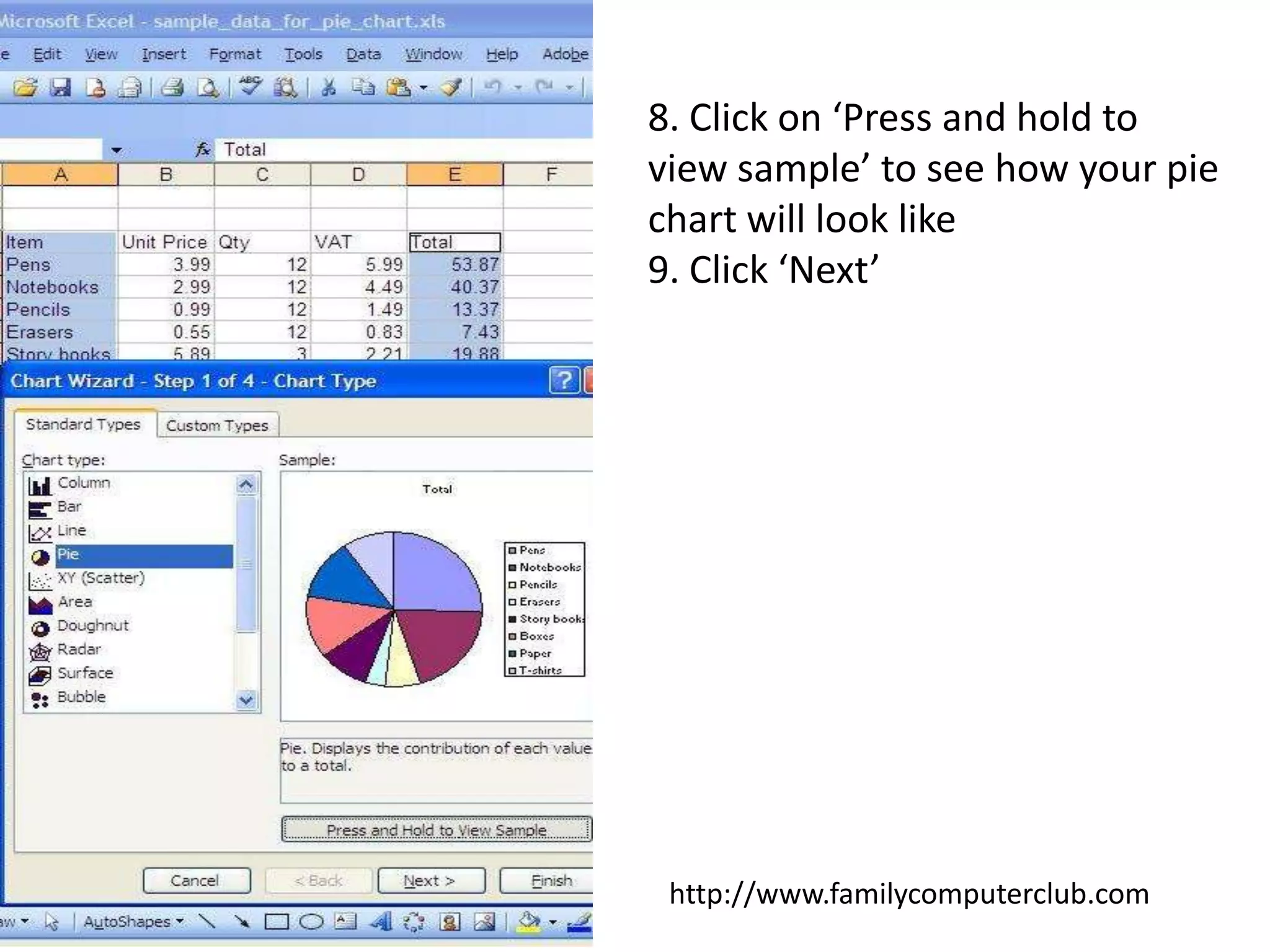
8. Click on ‘Press and hold to view sample’ to see how your pie chart will look like9. Click ‘Next’http://www.familycomputerclub.com
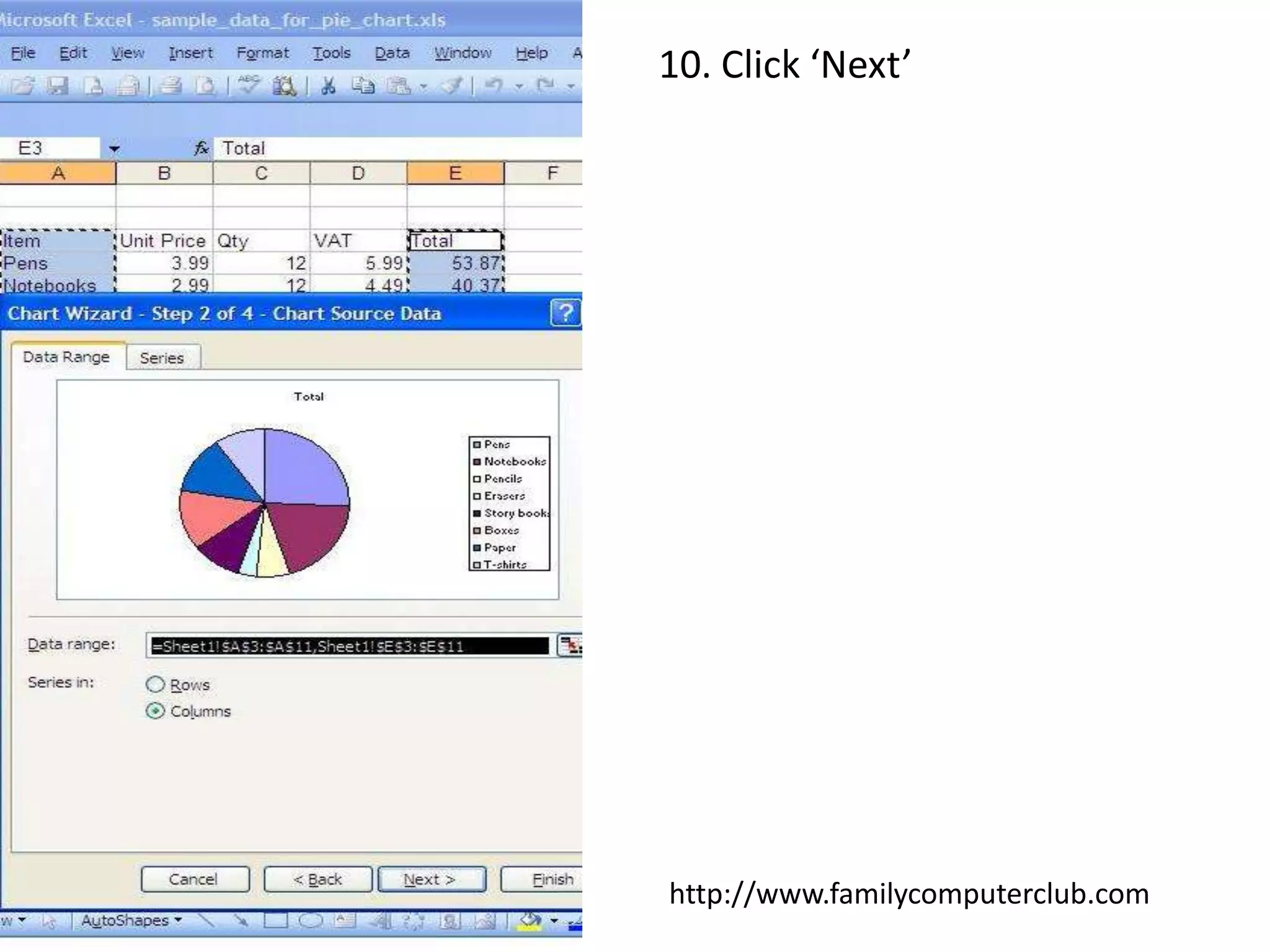
10. Click ‘Next’http://www.familycomputerclub.com
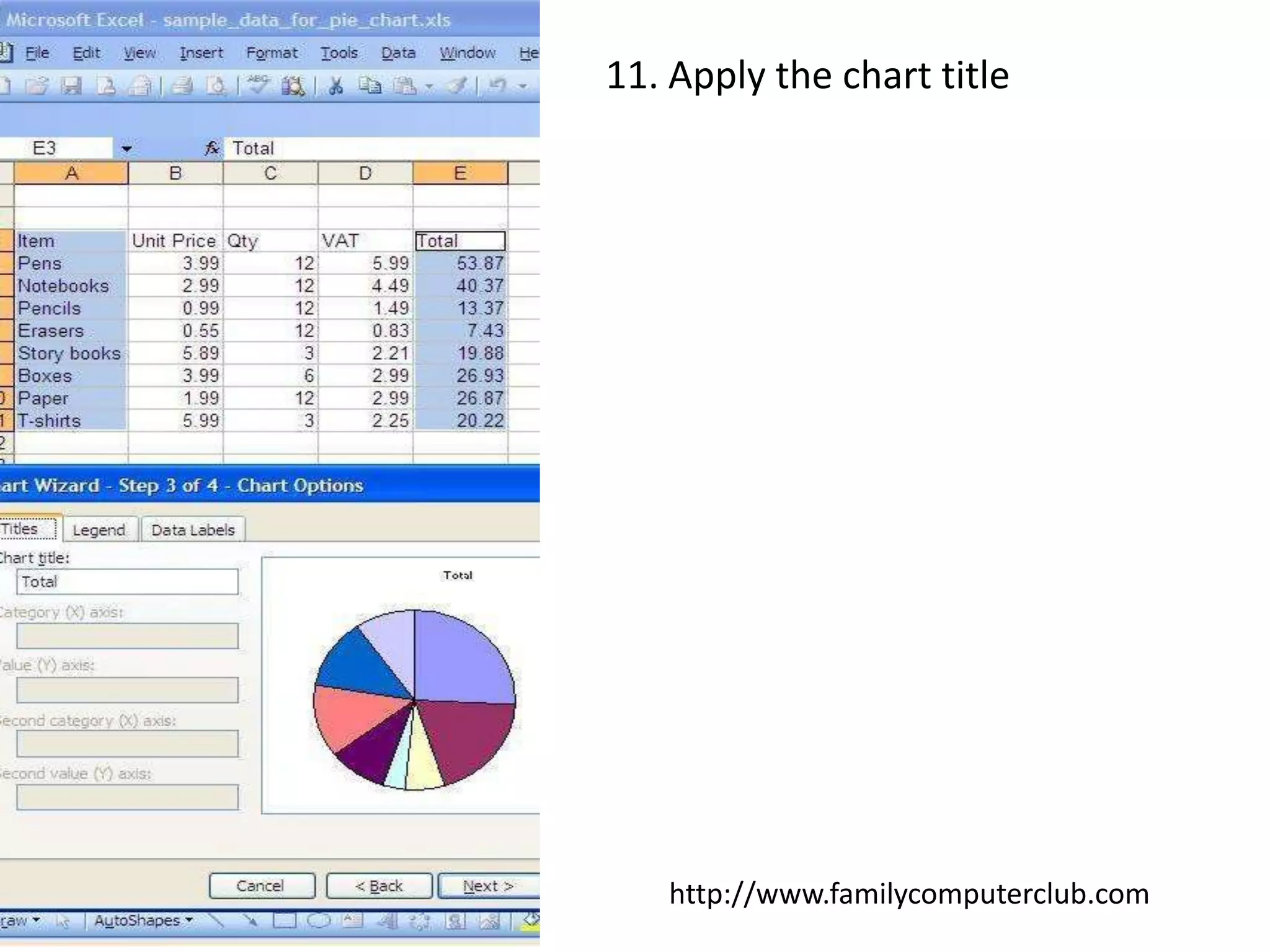
11. Apply the chart titlehttp://www.familycomputerclub.com
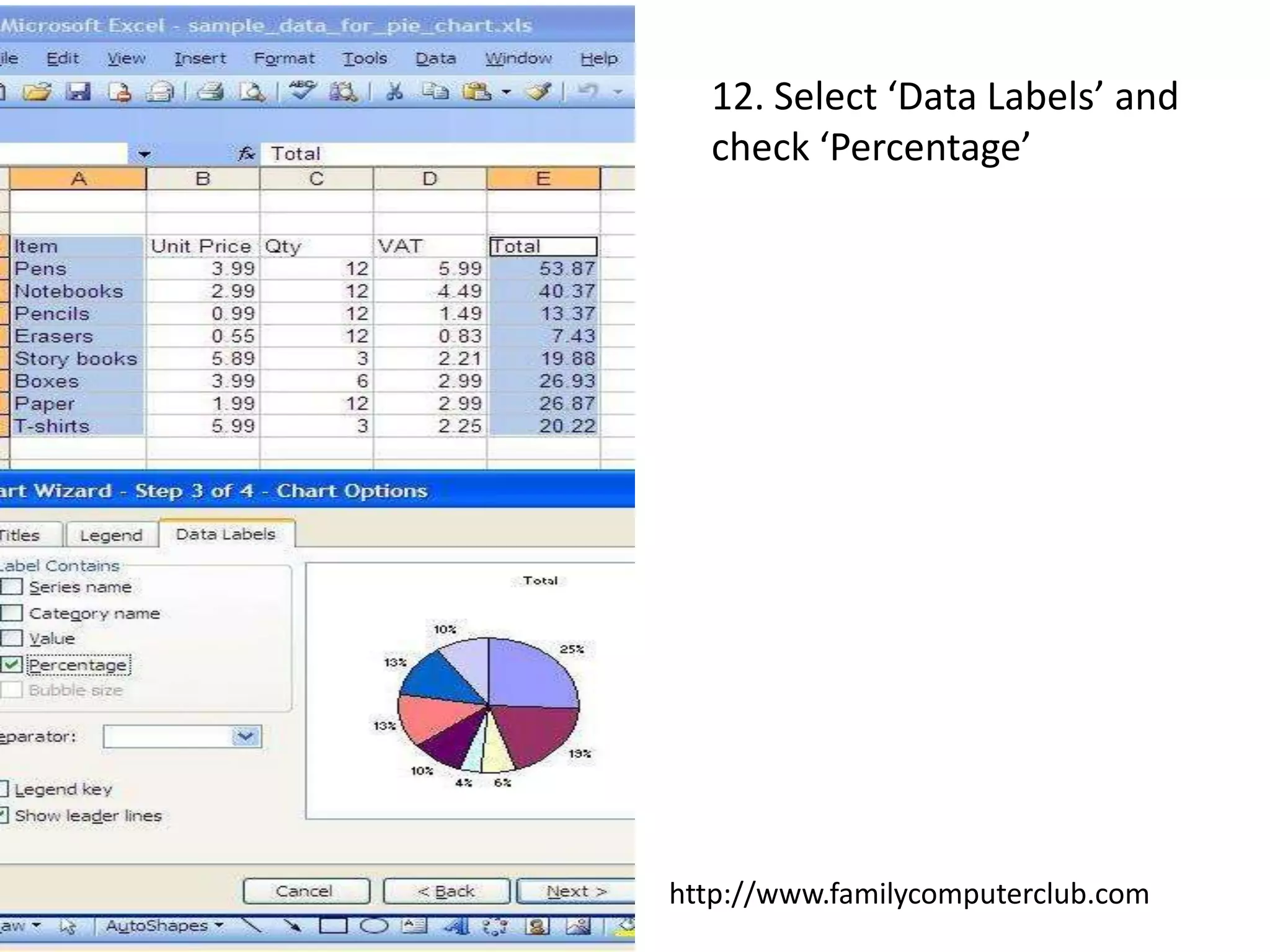
12. Select ‘Data Labels’ and check ‘Percentage’http://www.familycomputerclub.com
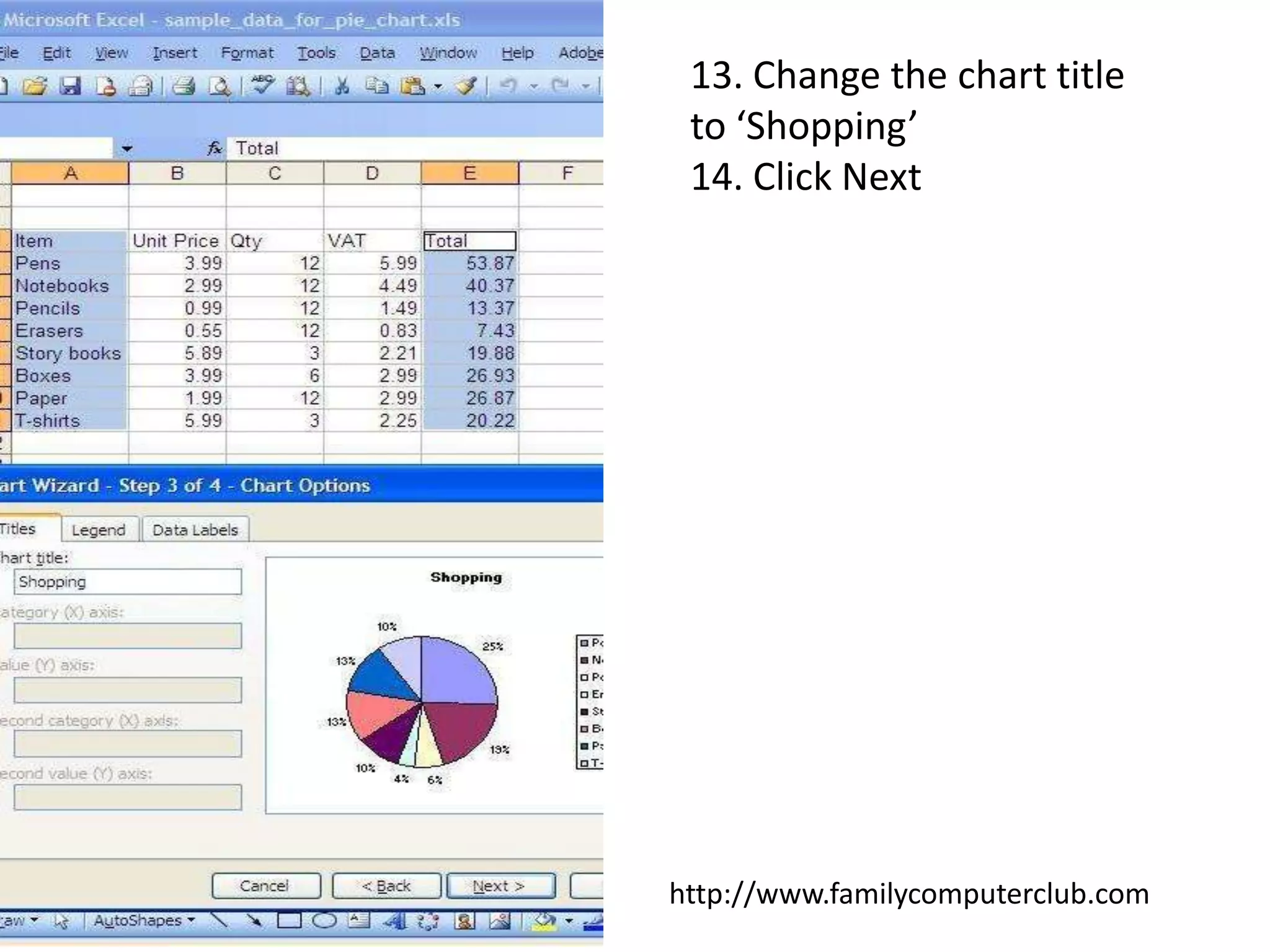
13. Change the chart title to ‘Shopping’14. Click Nexthttp://www.familycomputerclub.com
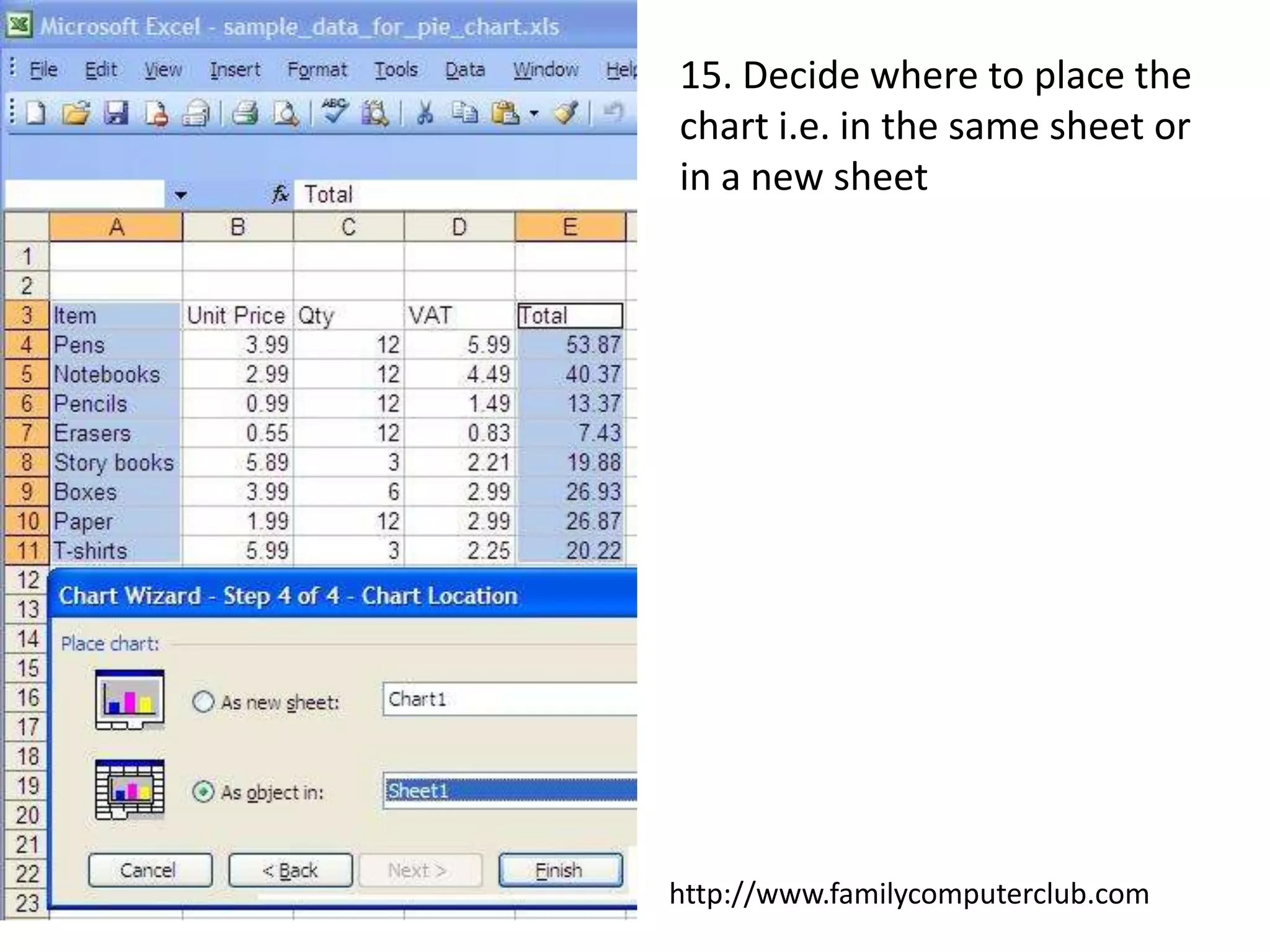
15. Decide where to place the chart i.e. in the same sheet or in a new sheethttp://www.familycomputerclub.com
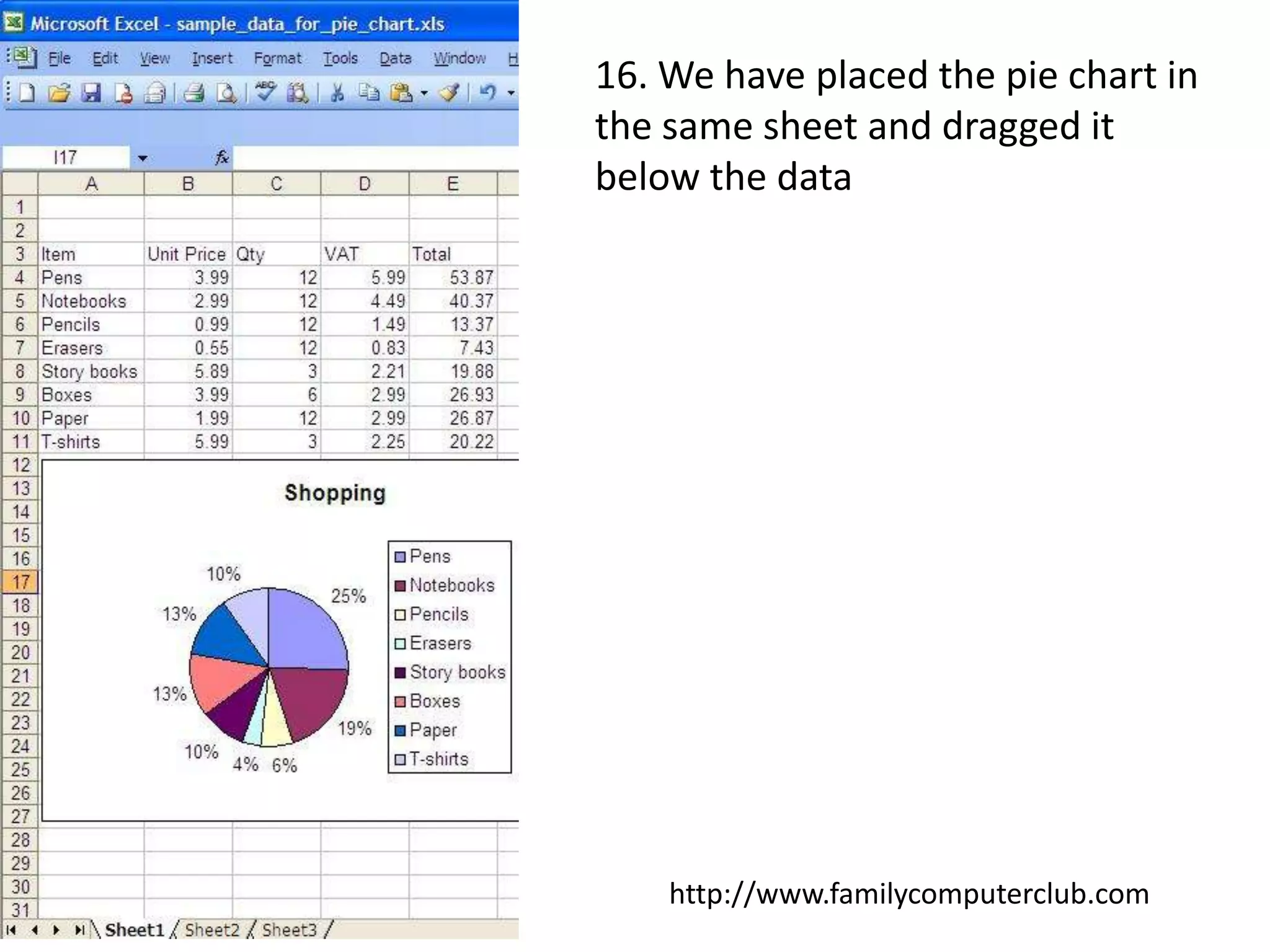
16. We have placed the pie chart in the same sheet and dragged it below the datahttp://www.familycomputerclub.com

Pie Chart In Excel

  • 1.
    How to createa chart in ExcelSelect the data column and rowsPress ‘ctrl’ from the keyboard and then select another non-contiguous column that is needed for the chartWe have selected ‘item’ and ‘Total’ columnshttp://www.familycomputerclub.com
  • 2.
    4. Click onInsert5. Select Chart…http://www.familycomputerclub.com
  • 3.
    6. Select thechart typehttp://www.familycomputerclub.com
  • 4.
    7. We haveselected the Pie charthttp://www.familycomputerclub.com
  • 5.
    8. Click on‘Press and hold to view sample’ to see how your pie chart will look like9. Click ‘Next’http://www.familycomputerclub.com
  • 6.
  • 7.
    11. Apply thechart titlehttp://www.familycomputerclub.com
  • 8.
    12. Select ‘DataLabels’ and check ‘Percentage’http://www.familycomputerclub.com
  • 9.
    13. Change thechart title to ‘Shopping’14. Click Nexthttp://www.familycomputerclub.com
  • 10.
    15. Decide whereto place the chart i.e. in the same sheet or in a new sheethttp://www.familycomputerclub.com
  • 11.
    16. We haveplaced the pie chart in the same sheet and dragged it below the datahttp://www.familycomputerclub.com