•
•
•
How to create an awesome presentation

How to create an awesome presentation

Editor's Notes

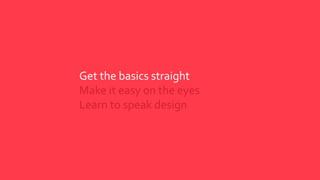
  • #4 How you can deliver the information Tips on the best way to deliver your presentation within your capabilities
  • #5 PSOP Start to gather your content so that at a birds eye view you can see the presentation flow and give structure to your story.
  • #6 Explaining why this presentation is happening
  • #7 These points do not need to be on the slide but the gist of it is here
  • #8 Who are you presenting is key in the deliverable.
  • #9 Theoretical tips
  • #12 Slide count is irrelevant
  • #13 Streamline look and feel wherever possible. Custom Templates help you stay in line with your branded look and feel.
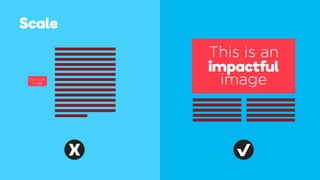
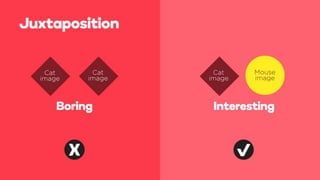
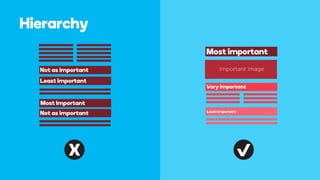
  • #14 Each point will have its own slide We can approach each of these as a layout tips and explain why/how the eye gravitates…
  • #21 The text here is more for supportive talking points… may not be included in the overall visual Typography can be used as a design tool Keep the font count low Create Hierarchy Measure (sentence length) http://www.creativebloq.com/typography/pro-tips-flawless-typography-5132670 http://www.aisleone.net/2009/design/8-ways-to-improve-your-typography/
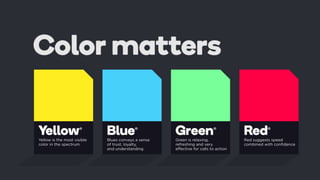
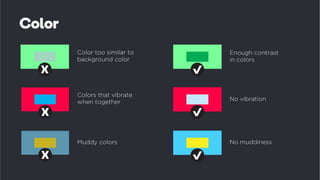
  • #22 More Tips and Fun Facts – Great talking points Do we want to give tips on colors The color yellow can cause nausea, so it is avoided in airplanes. Black boxes seemed heavier to workmen than green boxes filled with the same material. Red can make you hungry, while the opposite color, green, suppresses it. The color red can also increase your muscle reaction, make you want to gamble more, and raise your blood pressure. Blue has the opposite effect. Blue street lighting resulted in lower crime rates in Glasgow in 2000. Blue conveys trust and reliability. Green is believed to increase concentration.
  • #25 Just playful use of a common icon to say iconography can take the place of words/processes
  • #26 Just playful use of a common icon to say iconography can take the place of words/processes