How Push Notifications
Works?
By: - Pushmaze
The core of push notifications is run through services like Apple’s APNS,
Google’s Firebase Cloud Messaging (FCM) and Windows Notification
service.
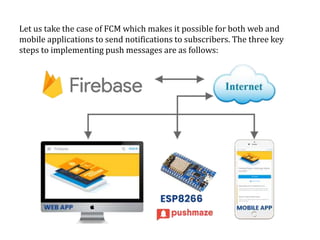
Let us take the case of FCM which makes it possible for both web and
mobile applications to send notifications to subscribers. The three key
steps to implementing push messages are as follows:
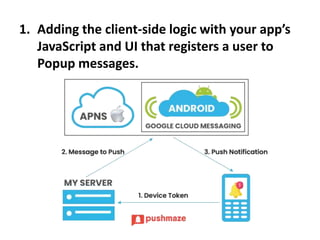
1. Adding the client-side logic with your app’s
JavaScript and UI that registers a user to
Popup messages.
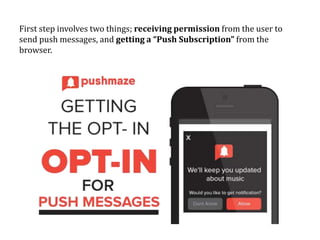
First step involves two things; receiving permission from the user to
send push messages, and getting a “Push Subscription” from the
browser.
2. Sending a push message to the user’s
device via an API call to your application’s
back-end.
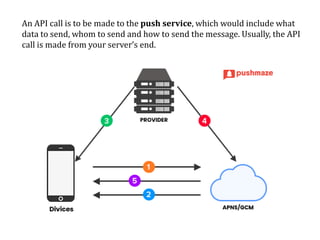
An API call is to be made to the push service, which would include what
data to send, whom to send and how to send the message. Usually, the API
call is made from your server’s end.
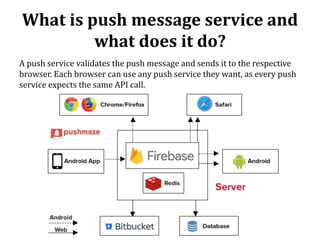
What is push message service and
what does it do?
A push service validates the push message and sends it to the respective
browser. Each browser can use any push service they want, as every push
service expects the same API call.
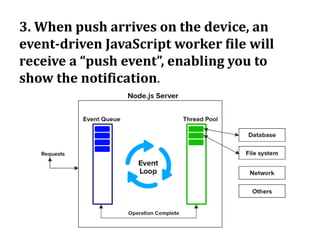
3. When push arrives on the device, an
event-driven JavaScript worker file will
receive a “push event”, enabling you to
show the notification.
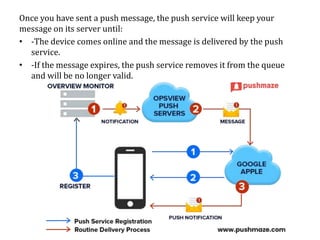
Once you have sent a push message, the push service will keep your
message on its server until:
• -The device comes online and the message is delivered by the push
service.
• -If the message expires, the push service removes it from the queue
and will be no longer valid.
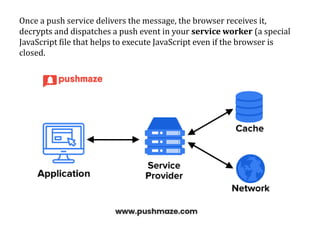
Once a push service delivers the message, the browser receives it,
decrypts and dispatches a push event in your service worker (a special
JavaScript file that helps to execute JavaScript even if the browser is
closed.
Thank You

How push notifications works?

  • 1.
  • 2.
    The core ofpush notifications is run through services like Apple’s APNS, Google’s Firebase Cloud Messaging (FCM) and Windows Notification service.
  • 3.
    Let us takethe case of FCM which makes it possible for both web and mobile applications to send notifications to subscribers. The three key steps to implementing push messages are as follows:
  • 4.
    1. Adding theclient-side logic with your app’s JavaScript and UI that registers a user to Popup messages.
  • 5.
    First step involvestwo things; receiving permission from the user to send push messages, and getting a “Push Subscription” from the browser.
  • 6.
    2. Sending apush message to the user’s device via an API call to your application’s back-end.
  • 7.
    An API callis to be made to the push service, which would include what data to send, whom to send and how to send the message. Usually, the API call is made from your server’s end.
  • 8.
    What is pushmessage service and what does it do? A push service validates the push message and sends it to the respective browser. Each browser can use any push service they want, as every push service expects the same API call.
  • 9.
    3. When pusharrives on the device, an event-driven JavaScript worker file will receive a “push event”, enabling you to show the notification.
  • 10.
    Once you havesent a push message, the push service will keep your message on its server until: • -The device comes online and the message is delivered by the push service. • -If the message expires, the push service removes it from the queue and will be no longer valid.
  • 11.
    Once a pushservice delivers the message, the browser receives it, decrypts and dispatches a push event in your service worker (a special JavaScript file that helps to execute JavaScript even if the browser is closed.
  • 12.