How Does Appium Facilitate Mobile App Testing Across Multiple Operating Systems.pdf
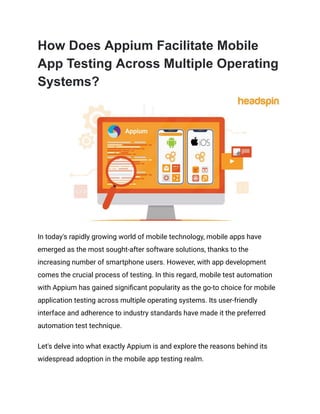
In today's rapidly growing world of mobile technology, mobile apps have emerged as the most sought-after software solutions, thanks to the increasing number of smartphone users. However, with app development comes the crucial process of testing.
How Does Appium Facilitate Mobile App Testing Across Multiple Operating Systems.pdf
1.
How Does AppiumFacilitate Mobile
App Testing Across Multiple Operating
Systems?
In today's rapidly growing world of mobile technology, mobile apps have
emerged as the most sought-after software solutions, thanks to the
increasing number of smartphone users. However, with app development
comes the crucial process of testing. In this regard, mobile test automation
with Appium has gained significant popularity as the go-to choice for mobile
application testing across multiple operating systems. Its user-friendly
interface and adherence to industry standards have made it the preferred
automation test technique.
Let's delve into what exactly Appium is and explore the reasons behind its
widespread adoption in the mobile app testing realm.
2.
What Are theBenefits of Cross-platform
Mobile App Testing?
The ability to perform mobile app testing across multiple operating systems
offers several benefits, including:
● Increased Test Coverage: With Appium, testers can verify the
functionality, usability, and performance of their mobile applications
on different platforms. This broad coverage helps identify
platform-specific issues and ensures a consistent user experience
across various operating systems.
● Time and Cost Efficiency: By leveraging cross-platform testing,
testers can reuse the same test scripts and automate the testing
process for multiple operating systems. This significantly reduces the
effort as well as time required to test applications individually on
each platform. It also helps save costs associated with maintaining
separate testing infrastructures for different operating systems.
● Consistent Test Results: Appium's cross-platform capability ensures
consistent behavior and test results across different platforms.
Testers can compare the application's performance and functionality
across various operating systems, making it easier to identify and
address any inconsistencies or platform-specific bugs.
● Flexibility for Developers: Appium's cross-platform support allows
developers to work with their preferred operating system while
ensuring the application's compatibility across multiple platforms.
3.
They can developand test applications on their local machines,
regardless of the target platform, enhancing productivity and
flexibility in the development process.
How Does Appium Enable Cross-platform
Mobile App Testing?
One of the critical advantages of Appium is its cross-platform capability,
which enables mobile app testing across multiple operating systems such as
Windows, iOS, and Android. Here's how Appium achieves this:
● Platform Independence: Appium is designed to be
platform-independent, allowing testers to write their test scripts once
and run them on different operating systems without modification.
This means that the same test codebase can be used for testing an
application on iOS, Android, or Windows devices, saving time and
effort for the testing team.
● Common API: Appium provides a common API (Application
Programming Interface) that abstracts the underlying operating
system details. It utilizes the WebDriver protocol, which is a
standardized protocol for interacting with web browsers. Appium
extends this protocol to support mobile devices, making it possible to
write tests using standard WebDriver commands and execute them
across multiple platforms.
● WebDriver Compatibility: Appium leverages the Selenium WebDriver
framework, widely used for web application testing, to interact with
4.
mobile devices. Byleveraging WebDriver, Appium can communicate
with the underlying operating system's automation technologies
(such as Apple's UIAutomation for iOS and Google's UiAutomator or
Espresso for Android). This compatibility allows Appium to provide a
unified interface for testing applications on different platforms.
● Native and Web Context Switching: Appium supports seamless
switching between native and web contexts during testing. Native
contexts refer to the application's native user interface, while web
contexts refer to web views or web-based components within a
hybrid application. Appium allows testers to switch between these
contexts, enabling comprehensive testing of both native and web
elements within a single test session.
● Multiple Language Support: Appium supports various programming
languages, including Java, JavaScript, Python, Ruby, C#, and more.
This language flexibility empowers testers to write tests in their
preferred language and execute them on different operating systems
without language-specific modifications. Testers can leverage their
programming skills and choose the language best suits their team's
needs.
A Detailed Explanation of How Appium
Works Across Multiple Operating
Systems
5.
Appium automates theinteraction with applications by leveraging the inherent
behavior of UI components like buttons, text boxes, and links. This enables
testers to write and execute tests repeatedly, ensuring consistent and reliable
testing across multiple sessions. With Appium, the testing process becomes
efficient and reusable, providing a solid foundation for thorough and
consistent application testing.
Why Is Appium a Powerful Framework for Android
Testing?
Here is a concise breakdown of how Appium operates on the Android
platform:
1. The Appium client establishes a connection with the HTTP server,
utilizing the JSON Wire Protocol as the communication channel.
2. The Appium server receives requests from the client component,
serving as the intermediary for communication between the client and
the mobile automation framework.
3. The server establishes a connection with the mobile automation
framework specific to Android, such as UI Automator or Selendroid.
4. Android devices are equipped with a bootstrap.jar file, which acts as a
conduit between the Appium server and the devices. This file contains
executable components that enhance the connection and facilitate the
secure transmission of test commands to Android devices. It assumes
the role of a TCP server.
6.
5. The bootstrap.jarfile utilizes the Android automation frameworks (UI
Automator or Selendroid) to execute the received command requests
on the connected Android device.
6. The test results are subsequently sent back to the Appium server,
which in turn sends corresponding HTTP responses to the Appium
client. These responses include status codes indicating the success or
potential errors encountered during the process.
What Is the Working Principle of Appium on iOS Devices?
Here is a concise overview of how Appium operates on the iOS platform:
1. The Appium client establishes a connection with the HTTP server,
utilizing the JSON Wire Protocol as the communication standard.
2. The Appium server receives requests from the client component,
acting as the central hub for communication between the client and
the mobile automation framework.
3. The server establishes a connection with the mobile automation
framework specific to iOS devices, known as XCUI Test.
4. iOS devices are equipped with a bootstrap.js file, which serves as a
crucial intermediary between the Appium server and the iOS devices.
This file contains executable components that enhance the connection
and facilitate the secure transmission of test commands to iOS
devices. It assumes the role of a TCP server.
7.
5. The bootstrap.jsfile utilizes XCUI Test, the iOS automation framework,
to execute the received command requests on the connected iOS
device.
6. The test results are then transmitted back to the Appium server, which
in turn sends corresponding HTTP responses to the Appium client.
These responses include status codes that indicate the success or
potential errors encountered during the test execution.
How HeadSpin's Appium-integrated
Testing Platform Empowers
Organizations to Perform Test
Automation on Multiple Operating
Systems
HeadSpin offers a cutting-edge AI-powered platform that ensures secure and
scalable solutions for testing and debugging mobile, web, audio, and video
applications across various devices, browsers, and networks. HeadSpin's
experts provide professional consulting services to assist businesses in
selecting the optimal mobile automation testing framework tailored to meet
the specific needs of your enterprise.
With HeadSpin's Appium automation testing for cross-platform apps, you can:
● Simplify the entire CI/CD process, effortlessly create robust Appium
scripts, and minimize the intricacies of test frameworks.
8.
● Enable paralleltesting on multiple mobile devices, guaranteeing
optimal app performance across diverse devices, networks, and
global locations.
● Conduct app testing on real remote devices in actual locations,
accelerating development by up to 10 times, and effortlessly pinpoint
and resolve critical bugs.
● Utilize browser compatibility testing tools and capture real-time
feedback for enhanced testing efficiency.
As users expect highly functional and engaging apps, it is essential to conduct
mobile test automation with Appium prior to app releases. By running Appium
tests on real Android devices, testers can ensure that apps perform as
intended in real-world user conditions. HeadSpin offers a cloud-based global
device infrastructure, granting testers instant access to real Android, iOS, and
Windows devices. This efficient solution saves time, allowing testers to meet
deadlines more quickly without the need for additional setup.
Summing Up
Based on the comprehensive information provided in this blog, it is evident
that Appium holds a substantial market share in mobile test automation.
Offering compatibility with a wide array of devices and operating system
versions, Appium testing stands out as the top choice among available
options. Developers and testers unanimously agree that creating Appium
tests is straightforward and offers flexible implementation.
9.
Discover the advantagesof cross-platform compatibility and user-friendliness
with HeadSpin's exceptional Appium test automation solution.
This article was originally published on:
https://www.headspin.io/blog/mobile-test-automation-with-appium-for-multiple-
os