Research:
iMINDMAP 5

Technology     Function                Effect                  Significance
Software for   When carrying out       Using this mind-        The software gives
creating       internet-based          mapping software        a clear a visual
computer       research into           allowed me to           way of showing
based mind-    TRAINING &              structure my ideas      my understanding
mapping        DEVELOPMENT I           and findings in a       of the “training
               used iMindMap 5 to      visual, colourful and   and development”
               present my findings.    easy to follow          in the film
               I first chose a         format. It provides     industry. It also
               “central idea” as the   the viewer easy         shows myself, as a
               design for the mind-    navigation through      media student,
               map and added the       my ideas and shows      the possible
               title. From this I      links between my        pathways for my
               added a series of       findings. As well as    own future in the
               main “branches”,        this, it makes the      industry.
               each of which           research
               automatically comes     comprehensive, and
               out in a different      shows the viewer
               colour. Off these,      and more
               “box branches” and      importantly myself,
               “branches” can be       the gaps in my
               added, shaped and       knowledge.
               curved in any
               direction. I added
               text to the branches
               by double clicking
               on them and typing
               the information. The
               text is shaped
               around the curve of
               the branch. I drew a
               “relationship”
               between two
               branches to show a
               link between the
               information.
Planning:
PREZI

  Technology          Function                  Effect              Significance
I used Prezi,   Between drafts of      Using Prezi in this way   Drafting marks
an online       my scripts, notes      allowed me to show        are crucial for
dynamic         were taken in          the important             accessing the
presentation    accordance with        progress that was         higher grades.
tool, to        discussions with       made between drafts       Prezi showed
evidence my     my tutor. I            of the script. It         clear and concise
script          scanned in the         created a visual and      evidence of this
drafting.       sheets, saving         dynamic form of           through tje
                them as “jpeg” file.   evidence for the          planning stage. It
                On Prezi I used the    development of            also helped to
                “Insert”, “Image”      characterisation. It      show my ability
                tool to upload the     also evidences my         to analyse my
                scans. I put a         discussions, from         own work and
                “frame” around         which highlighted the     the effect
                the areas of focus     strengths and             changes would
                within the script      weaknesses, and key       make to the
                and then wrote         areas for                 narrative idea on
                analysis about the     improvement.              paper.
                changes that were
                to be made. The
                “path” tool linked
                the frame with the
                analysis, providing
                a chronological
                movement
                through the script
                drafts.
Construction:
BLOGGER

Technology     Function                Effect                Significance
“A blog is a   In order to present     Using Blogger         As Blogger is an
personal       my Advanced             allowed me to         online site, it makes
journal        Portfolio in an         present my work in    available access
published on   electronic online       a professional        and modification
the World      format, I used          format, with a        anytime and
Wide Web.”     Blogger. I              design that I chose   anywhere. It also
- Wikipedia    downloaded a            and manipulated to    meant that I could
               suitable template       my needs.             develop my skills of
               from a website and      Dropdown tabs         HTML coding and
               uploaded the file to    provide the viewer    design. With a
               Blogger. This gave      easy navigation       professional and
               me the skeleton for     through the various   sophisticated
               a page that I could     pages, and control    appearance to the
               edit to suit my         of what to see. It    website, it gives the
               needs. In “design”,     also connotes         examiner an initial
               “edit HTML”, I          sophistication for    impression of a
               altered the HMTL        both the website      high grade student.
               to rename the           and the company of
               dropdown tabs, the      the website.
               sub-categories, and
               add “child classes”
               where appropriate.
               To these I linked
               the posts that I
               created. I also
               edited the HTML
               for the “java script”
               text in order to
               change the “slider”
               content. This
               meant that I could
               have my own
               pictures and text
               included.
Evaluation:
SLIDESHARE

Technology       Function                Effect            Significance
A hosting site   Slideshare enabled      This enabled      As I could not
for Word and     the transition of my    me to present     upload the
PowerPoint       presentation of         an important      evaluation
presentations.   evaluation question –   evaluation        presentation
                 regarding the           question          directly to a post
                 effectiveness of the    online. It also   on Blogger, using
                 combination of my       enables the       Slideshare as a
                 product and ancillary   moderator to      hosting site meant
                 tasks – from the        navigate          I was able to
                 original PowerPoint     through in a      embed it,
                 presentation into a     visually          providing me with
                 format that could be    accessible way.   a solution to get
                 “embedded” into my                        around this
                 Advanced Portfolio                        obstacle.
                 weblog.

How did you use media technology in the construction and research, planning and evaluation stage?

  • 1.
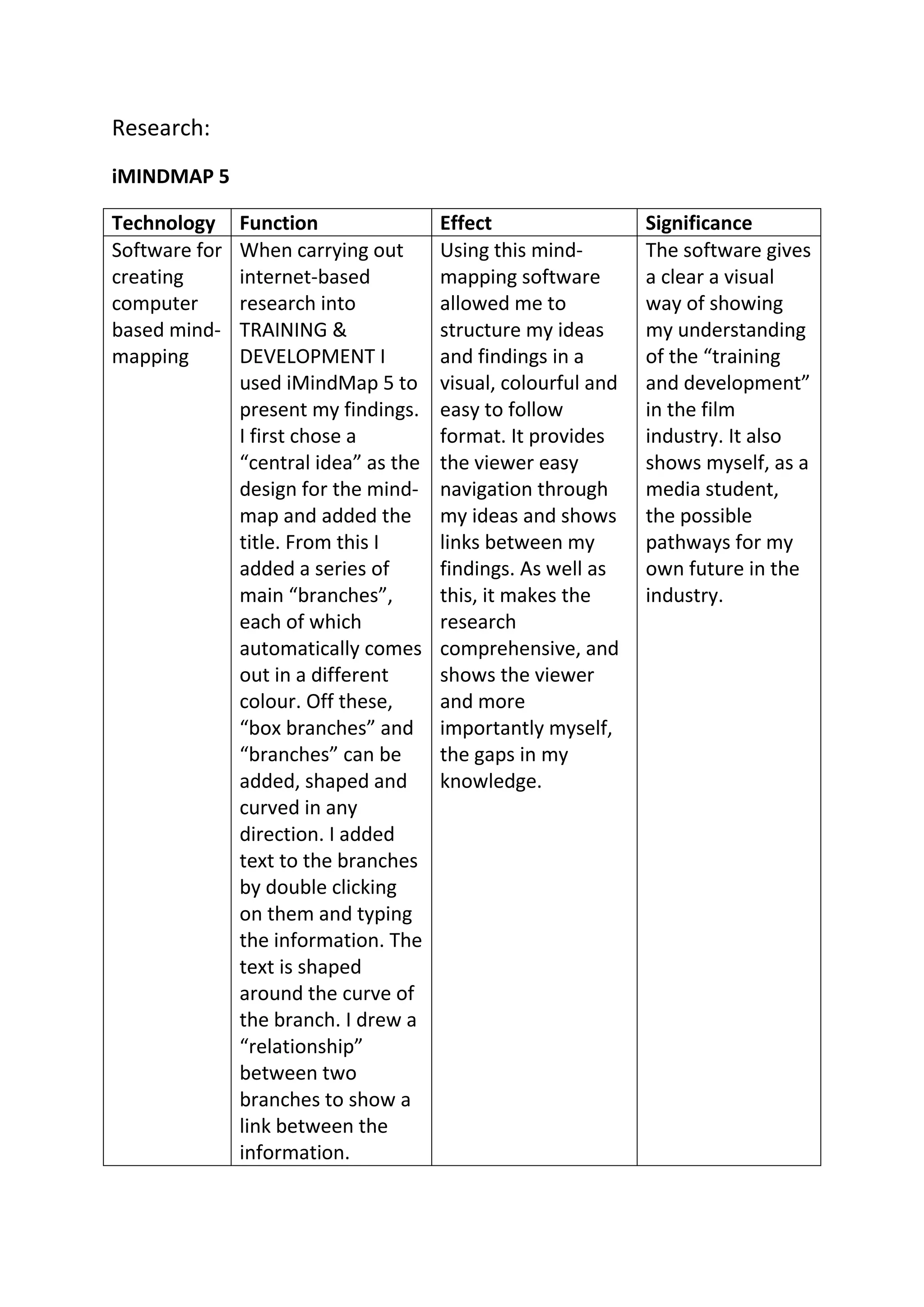
    Research: iMINDMAP 5 Technology Function Effect Significance Software for When carrying out Using this mind- The software gives creating internet-based mapping software a clear a visual computer research into allowed me to way of showing based mind- TRAINING & structure my ideas my understanding mapping DEVELOPMENT I and findings in a of the “training used iMindMap 5 to visual, colourful and and development” present my findings. easy to follow in the film I first chose a format. It provides industry. It also “central idea” as the the viewer easy shows myself, as a design for the mind- navigation through media student, map and added the my ideas and shows the possible title. From this I links between my pathways for my added a series of findings. As well as own future in the main “branches”, this, it makes the industry. each of which research automatically comes comprehensive, and out in a different shows the viewer colour. Off these, and more “box branches” and importantly myself, “branches” can be the gaps in my added, shaped and knowledge. curved in any direction. I added text to the branches by double clicking on them and typing the information. The text is shaped around the curve of the branch. I drew a “relationship” between two branches to show a link between the information.
  • 2.
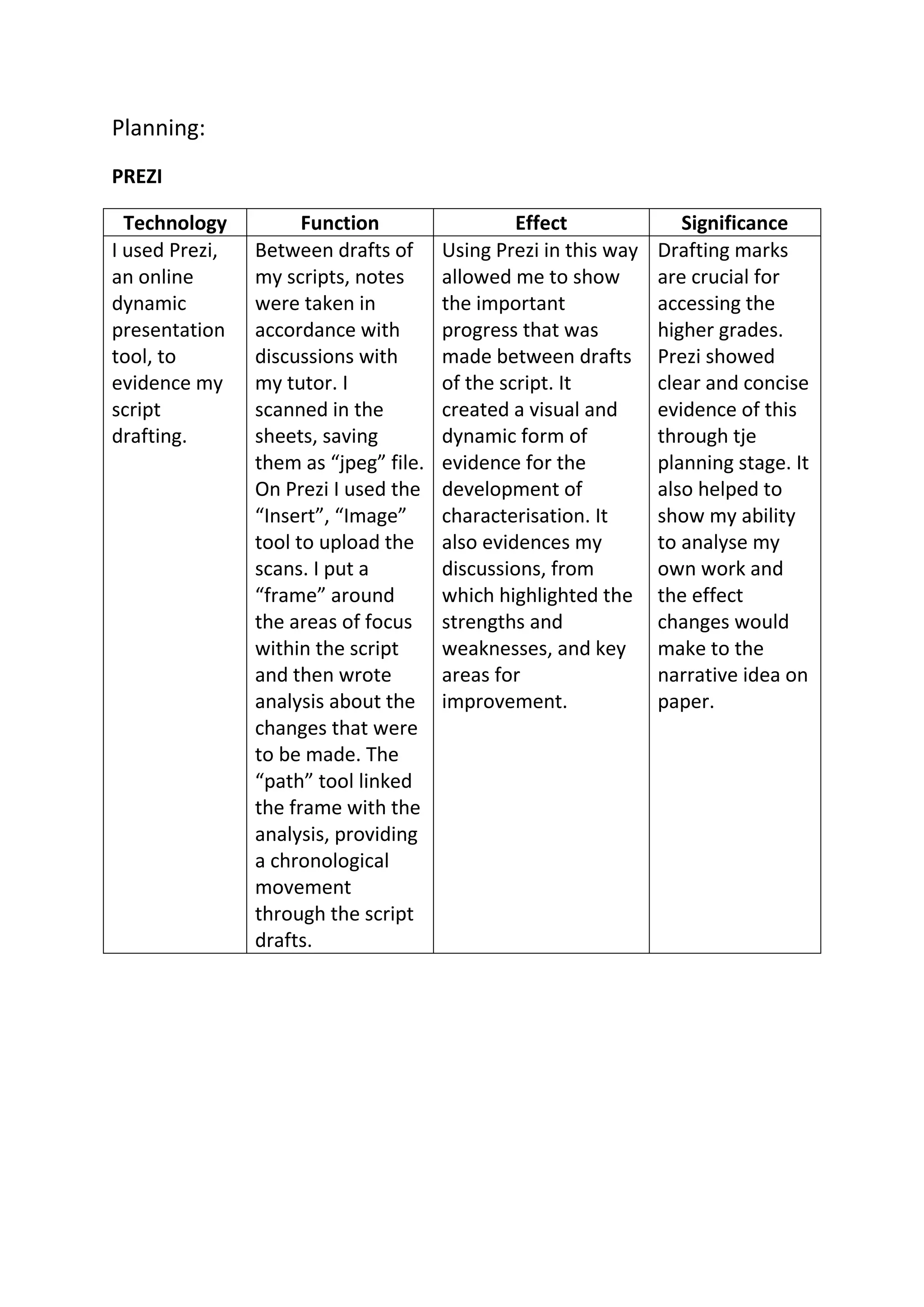
    Planning: PREZI Technology Function Effect Significance I used Prezi, Between drafts of Using Prezi in this way Drafting marks an online my scripts, notes allowed me to show are crucial for dynamic were taken in the important accessing the presentation accordance with progress that was higher grades. tool, to discussions with made between drafts Prezi showed evidence my my tutor. I of the script. It clear and concise script scanned in the created a visual and evidence of this drafting. sheets, saving dynamic form of through tje them as “jpeg” file. evidence for the planning stage. It On Prezi I used the development of also helped to “Insert”, “Image” characterisation. It show my ability tool to upload the also evidences my to analyse my scans. I put a discussions, from own work and “frame” around which highlighted the the effect the areas of focus strengths and changes would within the script weaknesses, and key make to the and then wrote areas for narrative idea on analysis about the improvement. paper. changes that were to be made. The “path” tool linked the frame with the analysis, providing a chronological movement through the script drafts.
  • 3.
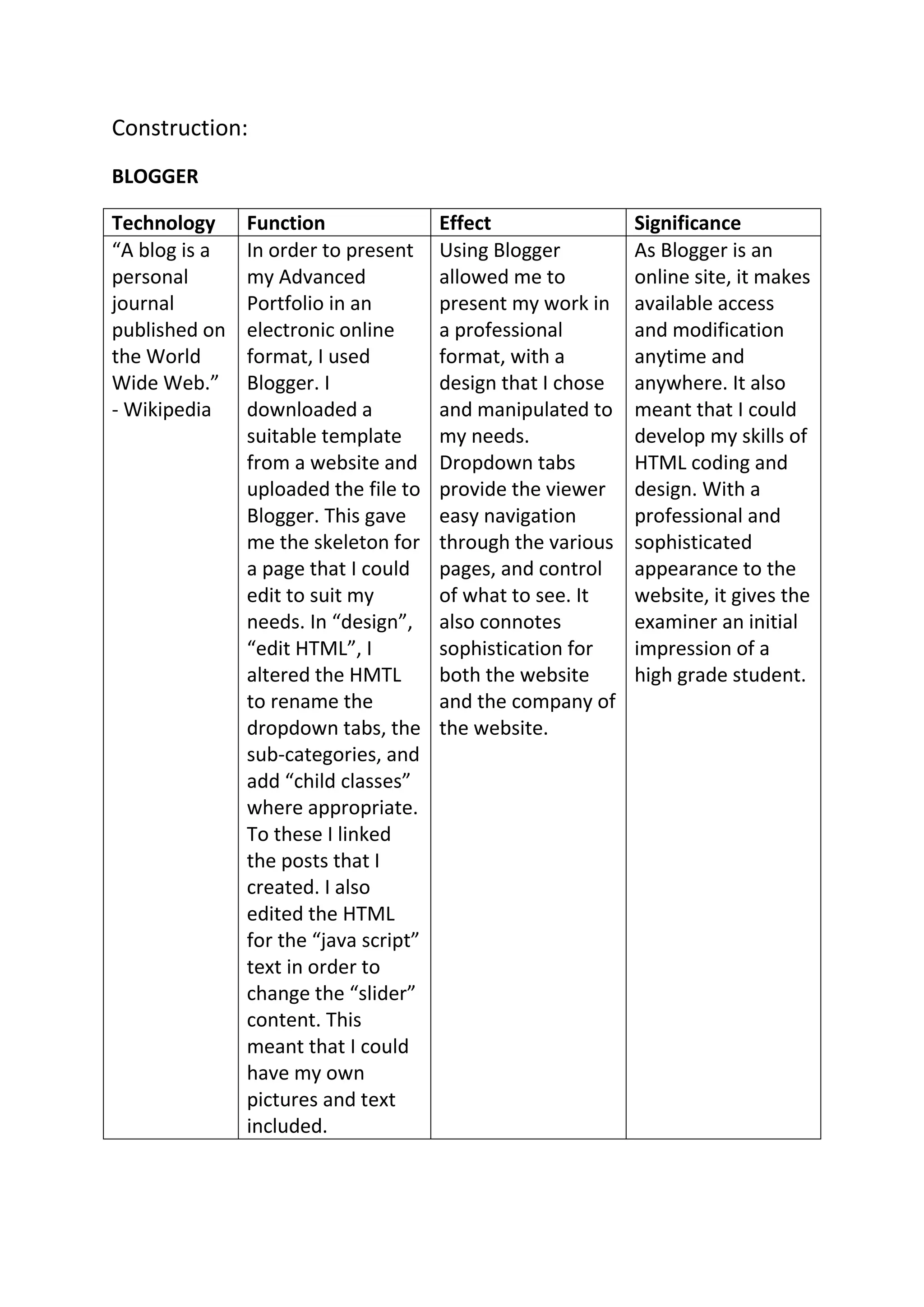
    Construction: BLOGGER Technology Function Effect Significance “A blog is a In order to present Using Blogger As Blogger is an personal my Advanced allowed me to online site, it makes journal Portfolio in an present my work in available access published on electronic online a professional and modification the World format, I used format, with a anytime and Wide Web.” Blogger. I design that I chose anywhere. It also - Wikipedia downloaded a and manipulated to meant that I could suitable template my needs. develop my skills of from a website and Dropdown tabs HTML coding and uploaded the file to provide the viewer design. With a Blogger. This gave easy navigation professional and me the skeleton for through the various sophisticated a page that I could pages, and control appearance to the edit to suit my of what to see. It website, it gives the needs. In “design”, also connotes examiner an initial “edit HTML”, I sophistication for impression of a altered the HMTL both the website high grade student. to rename the and the company of dropdown tabs, the the website. sub-categories, and add “child classes” where appropriate. To these I linked the posts that I created. I also edited the HTML for the “java script” text in order to change the “slider” content. This meant that I could have my own pictures and text included.
  • 4.
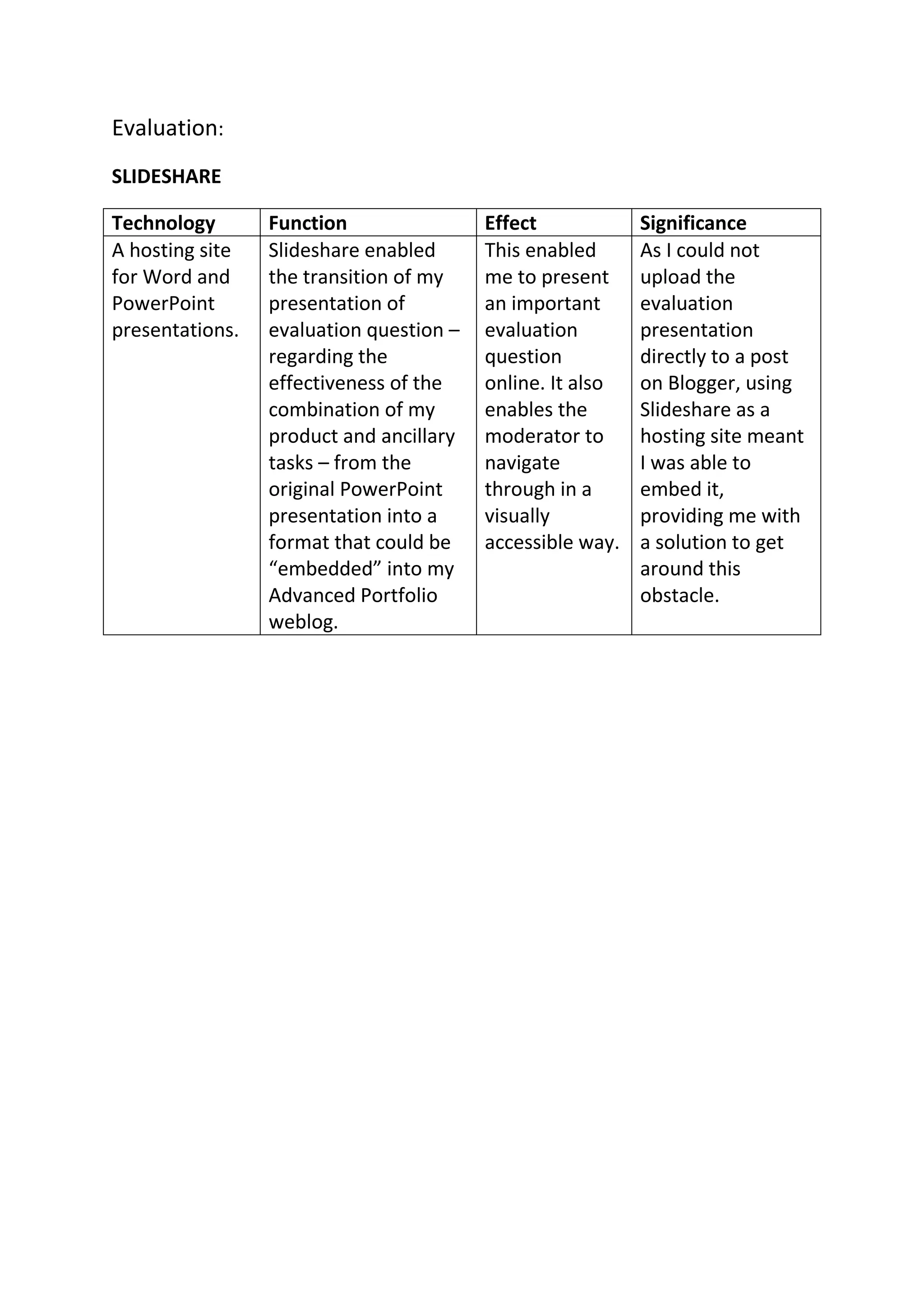
    Evaluation: SLIDESHARE Technology Function Effect Significance A hosting site Slideshare enabled This enabled As I could not for Word and the transition of my me to present upload the PowerPoint presentation of an important evaluation presentations. evaluation question – evaluation presentation regarding the question directly to a post effectiveness of the online. It also on Blogger, using combination of my enables the Slideshare as a product and ancillary moderator to hosting site meant tasks – from the navigate I was able to original PowerPoint through in a embed it, presentation into a visually providing me with format that could be accessible way. a solution to get “embedded” into my around this Advanced Portfolio obstacle. weblog.