 What is Hotmail?
 How to Create Hotmail Account?
 Hotmail Login Process
 Useful Links
 Hotmail, one of the oldest internet mailing service
provided by Microsoft which was launched in 4th July 1996.
 It can be accessible from both Desktop and Mobile Phone.
 In 31st July 2012 Hotmail was replaced as Outlook.
 Free web mailing service and comes in 106 languages.
 More than 100 millions of users are active in Hotmail.
 With one Hotmail account, its users can access its all free
products/services.
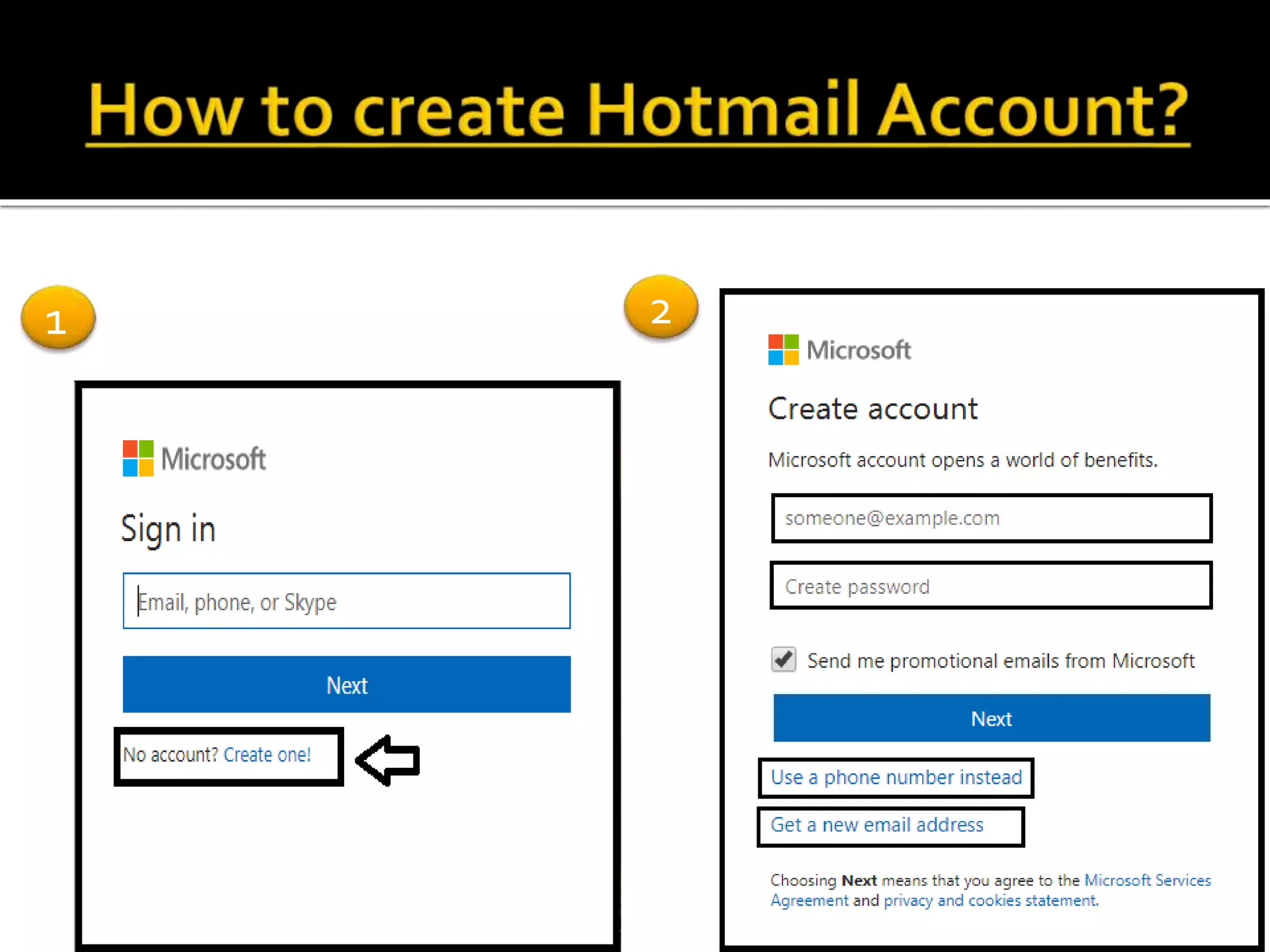
 Go to Hotmail.com in web browser
 For sign up(create new Hotmail account) click on “Create
One!”
 You will get three option for sign up i.e. sign up with your
own email address, sign up with new email or sign up with
your phone number.
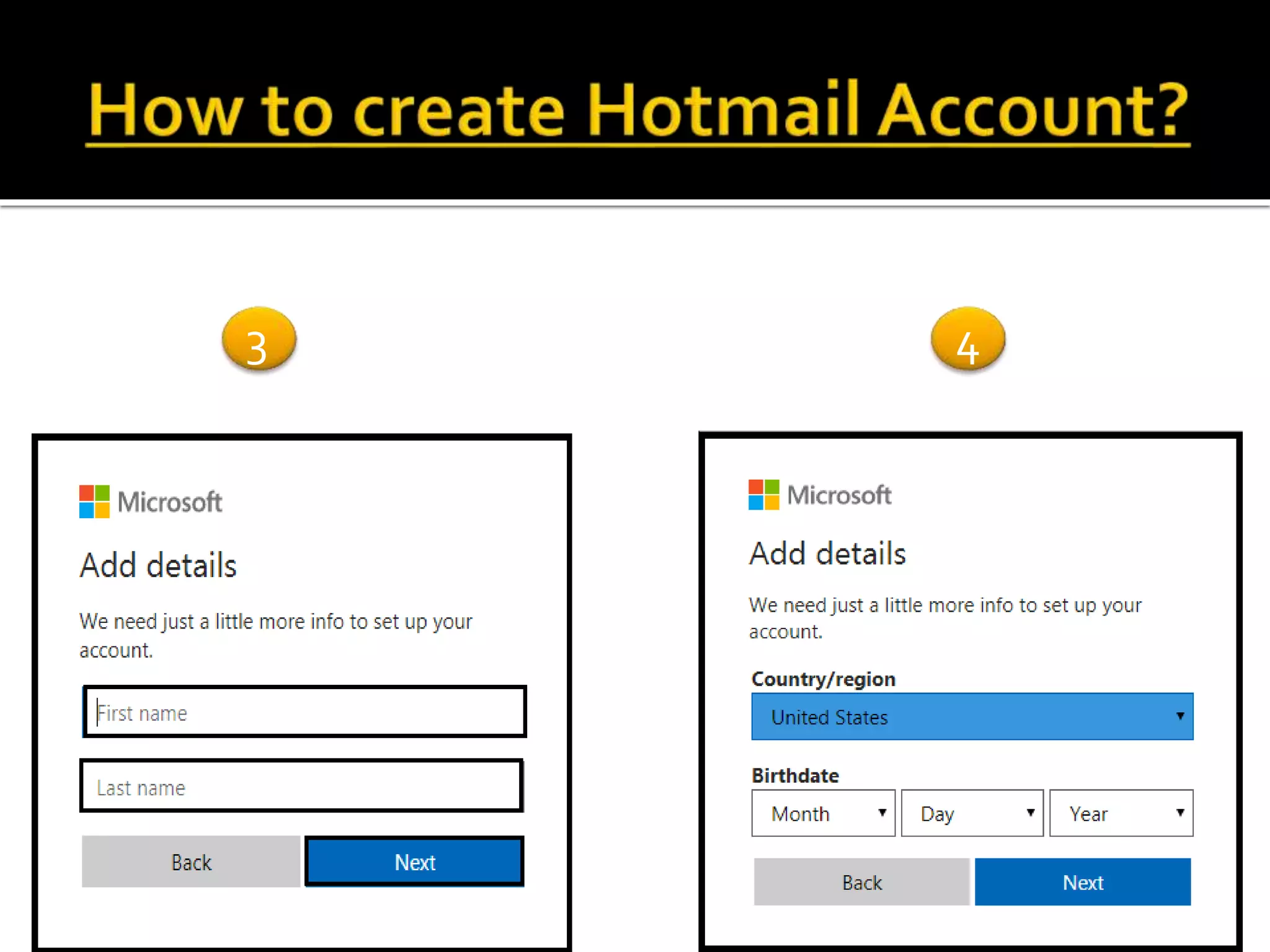
 After selecting sign up option you are required to fill all the
information box shown.
 Once all details are entered then in a second your Hotmail
account is created.
1 2
Sign up with own email
address
Sign up with phone
number
Sign up with new email
address
3 4
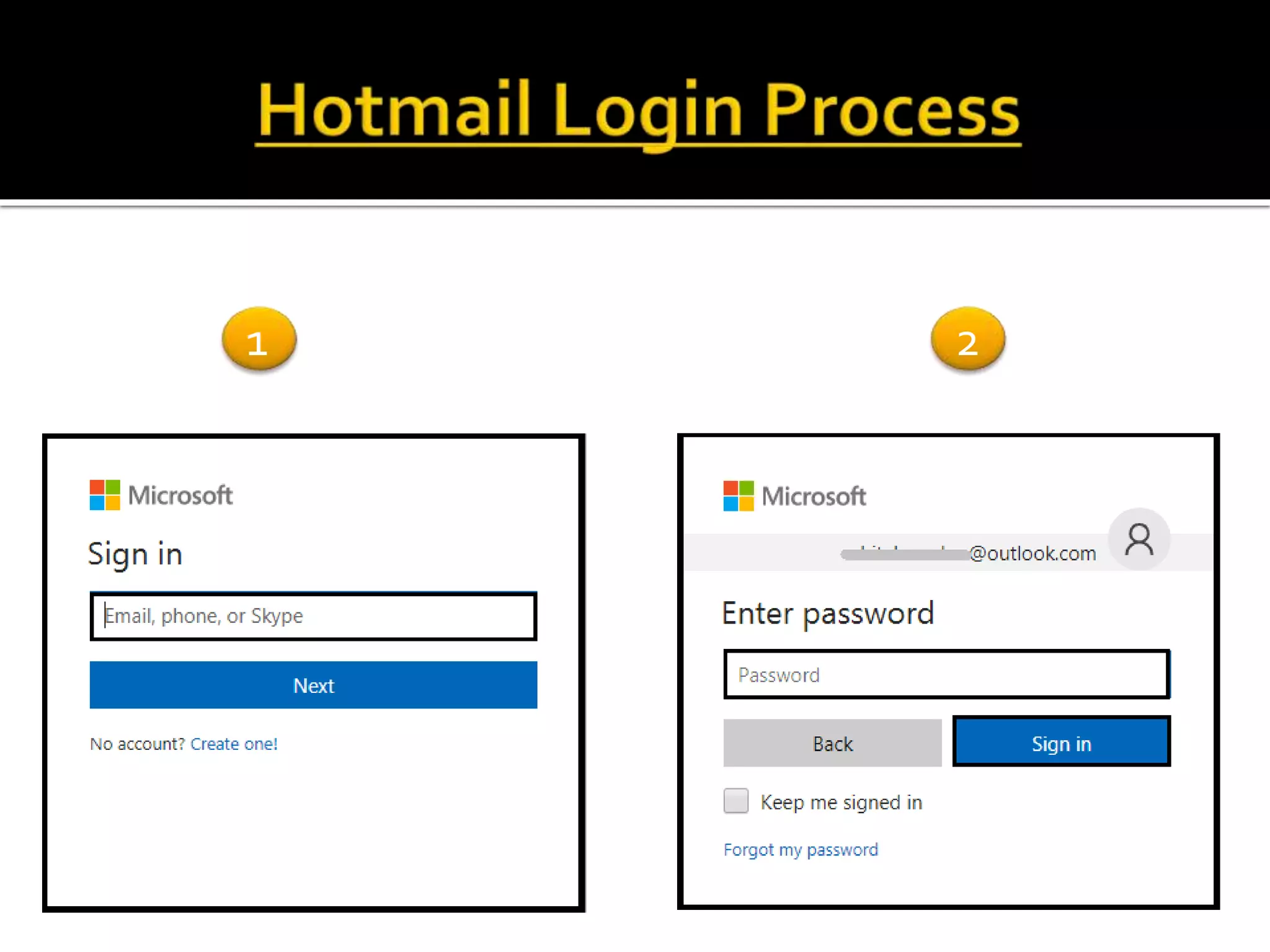
 Open Hotmail.com
 Hotmail gives you three option for sign in i.e. hotmail email
address, phone number or Skype id.
 Type your login id and enter for “Next”
 Type password and click “sign in”.
 Incase you forgot your Hotmail password or having problem
while sign in then click on “Forgot my password”.
(Note: always keep your password strong and secret. If
possible then keep on changing your password frequently.)
1 2
www.hotmail.com
 https://hotmailloginguide.com/

Hotmail login Sign up

  • 2.
     What isHotmail?  How to Create Hotmail Account?  Hotmail Login Process  Useful Links
  • 3.
     Hotmail, oneof the oldest internet mailing service provided by Microsoft which was launched in 4th July 1996.  It can be accessible from both Desktop and Mobile Phone.  In 31st July 2012 Hotmail was replaced as Outlook.  Free web mailing service and comes in 106 languages.  More than 100 millions of users are active in Hotmail.  With one Hotmail account, its users can access its all free products/services.
  • 4.
     Go toHotmail.com in web browser  For sign up(create new Hotmail account) click on “Create One!”  You will get three option for sign up i.e. sign up with your own email address, sign up with new email or sign up with your phone number.  After selecting sign up option you are required to fill all the information box shown.  Once all details are entered then in a second your Hotmail account is created.
  • 5.
  • 6.
    Sign up withown email address Sign up with phone number Sign up with new email address
  • 7.
  • 8.
     Open Hotmail.com Hotmail gives you three option for sign in i.e. hotmail email address, phone number or Skype id.  Type your login id and enter for “Next”  Type password and click “sign in”.  Incase you forgot your Hotmail password or having problem while sign in then click on “Forgot my password”. (Note: always keep your password strong and secret. If possible then keep on changing your password frequently.)
  • 9.
  • 10.