 Introduction 
› Overview 
 Getting to Know 
› Hostgator 
› Weebly 
 How to Point Godaddy Domains to Hostgator Web Hosting 
Service 
› Steps Required 
 Comparison 
› Price Plan 
› Customer Satisfaction 
› Popularity 
› Control 
› Comparison Table 
 Conclusion
 Your web host may not 
cut it, in terms of pricing, 
reliability, or features, so 
you find yourself looking 
at the grass on the other 
side of the fence. 
 find two of the major 
players in the industry: 
GoDaddy and 
HostGator. 
 Each has their own 
unique qualities, but 
head to head, which 
one is the right choice 
for you? 
vs
• Hostgator 
• Godaddy
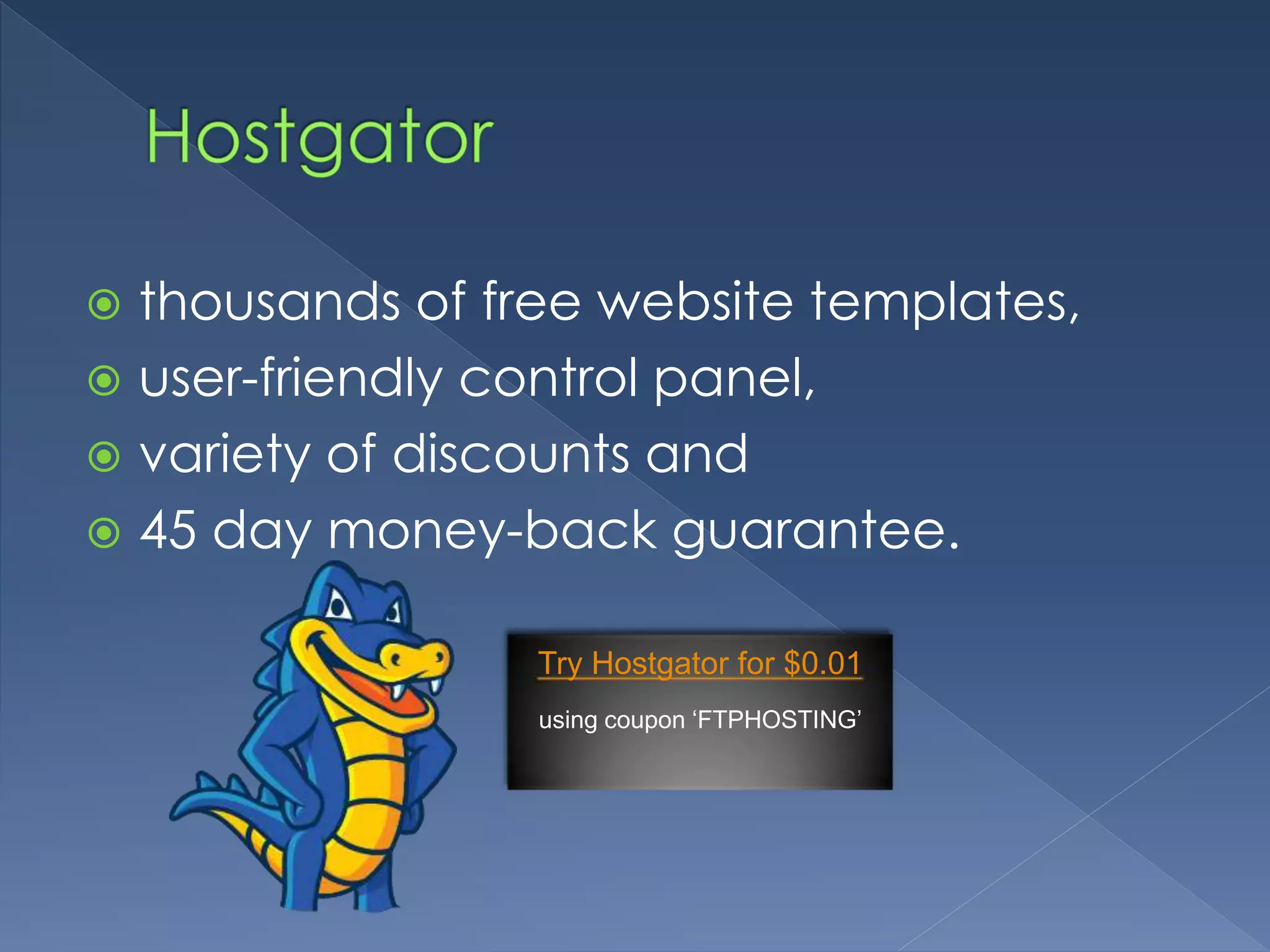
 HostGator is a highly regarded web 
hosting company 
 offers unlimited hard disk space, 
 unlimited bandwidth, 
 free Sitebuilder tool,
 thousands of free website templates, 
 user-friendly control panel, 
 variety of discounts and 
 45 day money-back guarantee. 
Try Hostgator for $0.01 
using coupon ‘FTPHOSTING’
 GoDaddy is a domain registration and 
web hosting company 
 largest domain name registrar on the 
market 
 known for its low price domain 
registration.
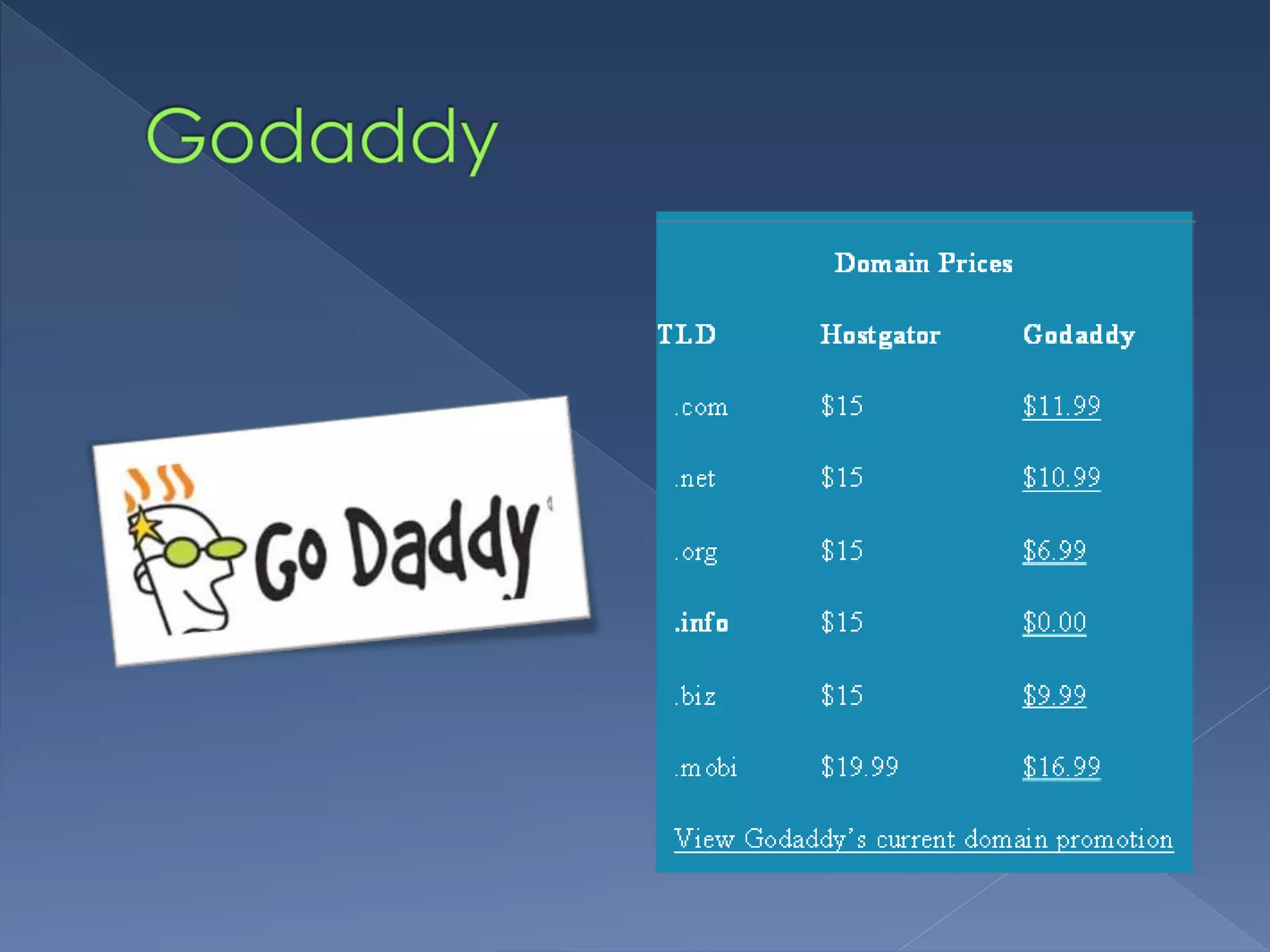
In terms of savings for domain names, 
GoDaddy has the advantage. 
› often run sales on their domain names 
› offer discount codes on a variety of 
extensions, from .com to .us.
 1) Firstly, you need to purchase a hosting 
plan at HostGator, 
› involves filling out Web forms giving your 
name, address and payment information. 
› They’ll send you a confirmation email when 
you finish. 
› Save the email for future reference.
 Click the coupon below try Hostgator 
cPanel hosting for almost free. 
› Hostgator is what you want, 
› save 25% off the normal price with the 
Hostgator coupon code 2014 below.
 2) If you do not have your domain 
register yet, then you need to register 
one now. You need to create a 
GoDaddy account.
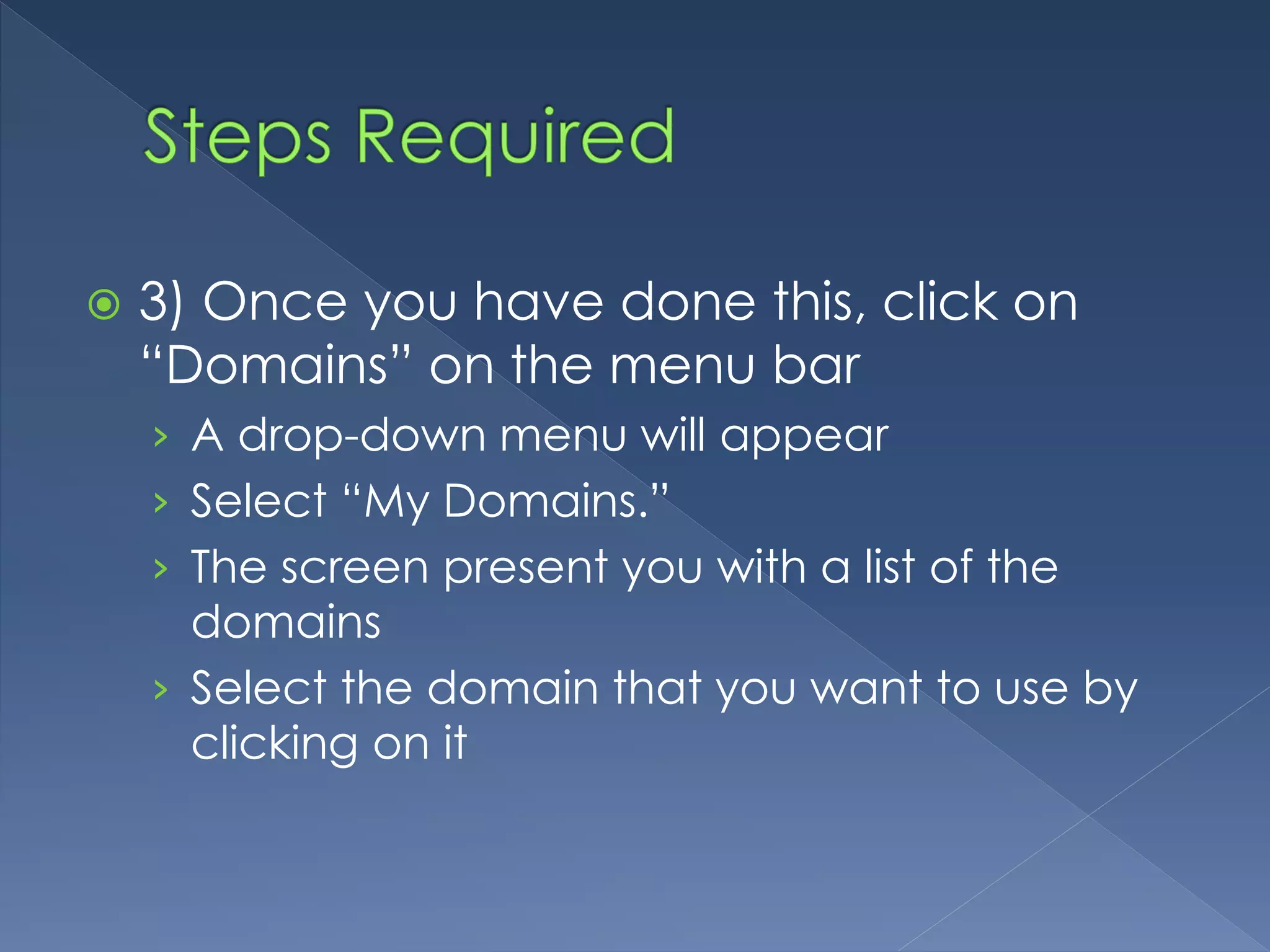
 3) Once you have done this, click on 
“Domains” on the menu bar 
› A drop-down menu will appear 
› Select “My Domains.” 
› The screen present you with a list of the 
domains 
› Select the domain that you want to use by 
clicking on it
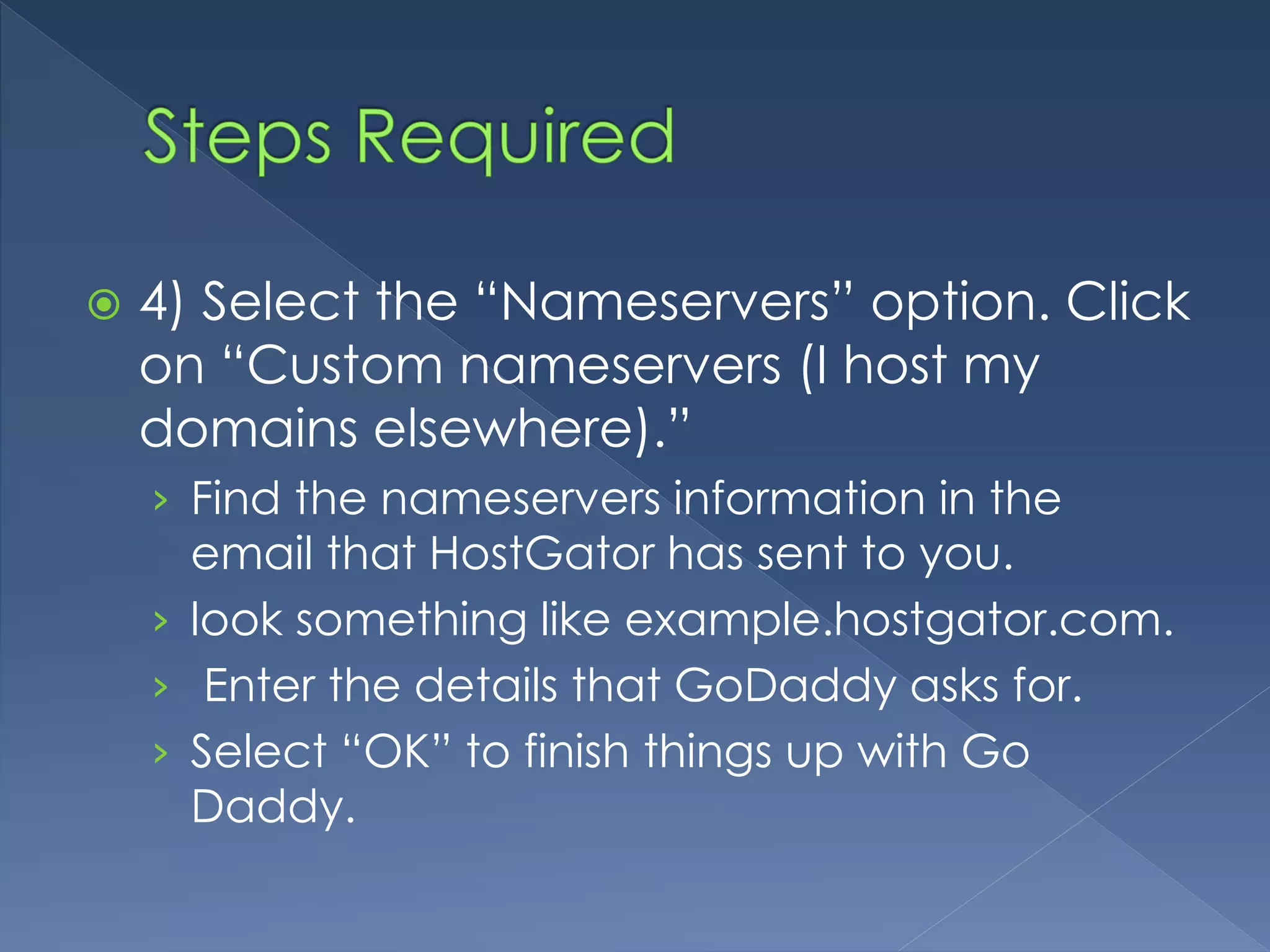
 4) Select the “Nameservers” option. Click 
on “Custom nameservers (I host my 
domains elsewhere).” 
› Find the nameservers information in the 
email that HostGator has sent to you. 
› look something like example.hostgator.com. 
› Enter the details that GoDaddy asks for. 
› Select “OK” to finish things up with Go 
Daddy.
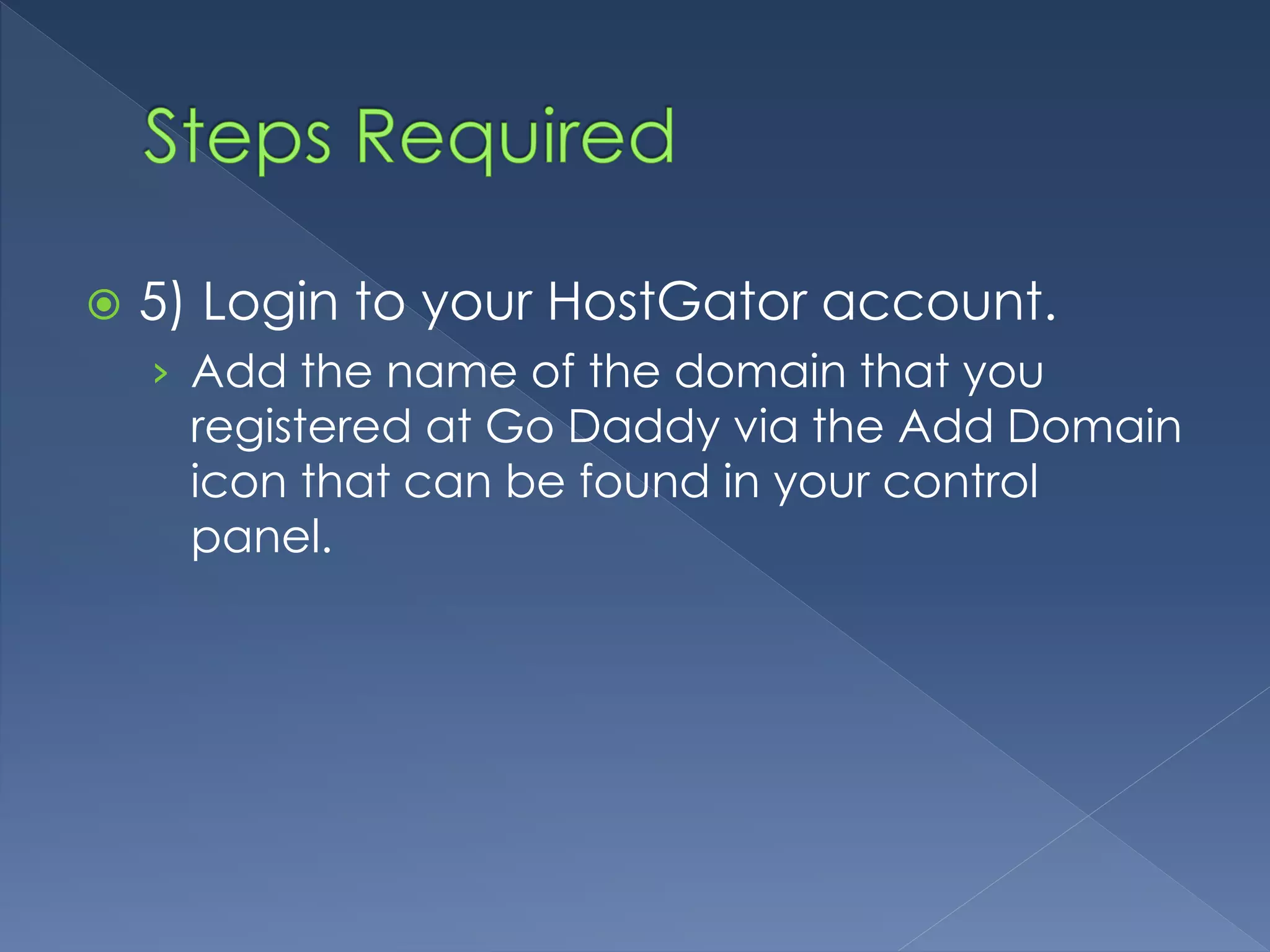
 5) Login to your HostGator account. 
› Add the name of the domain that you 
registered at Go Daddy via the Add Domain 
icon that can be found in your control 
panel.
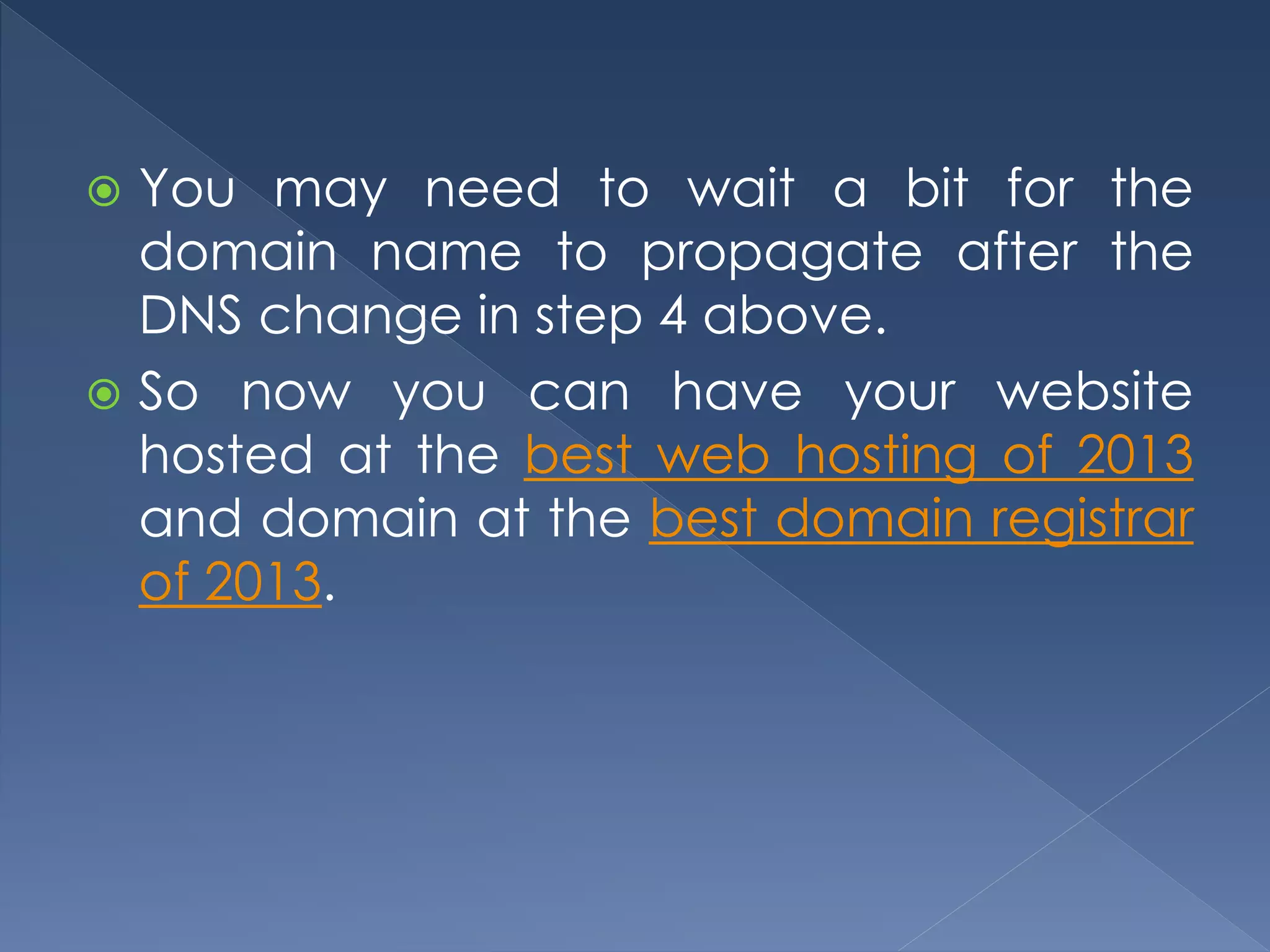
 You may need to wait a bit for the 
domain name to propagate after the 
DNS change in step 4 above. 
 So now you can have your website 
hosted at the best web hosting of 2013 
and domain at the best domain registrar 
of 2013.
• Price Plan 
• Customer Satisfaction 
• Popularity 
• Control 
• Comparison Chart
 With a 36 month commitment, 
› GoDaddy working out to about $4.24 per month. 
› The Hatchling plan at HostGator, runs you $3.96 
per month. 
 GoDaddy also offers discounts on most of its 
products. 
› different every month so you just have to check 
out their current discounts at their website. 
› cheaper plan on a short-term basis at $4.99 for a 
3 month commitment.
 lower cost of GoDaddy against the 
superior customer service, support, and 
features of HostGator, 
 find that most users opt for the Gator. 
› HostGator offers promos such as the one 
penny trial and 25% off using the discount 
coupon code.
 89.8% of customers love Hostgator. 
 In contrast, we were not impressed with 
Godaddy. 
 another Hostgator review was also 
impressed with the customer satisfaction 
record of Hostgator.
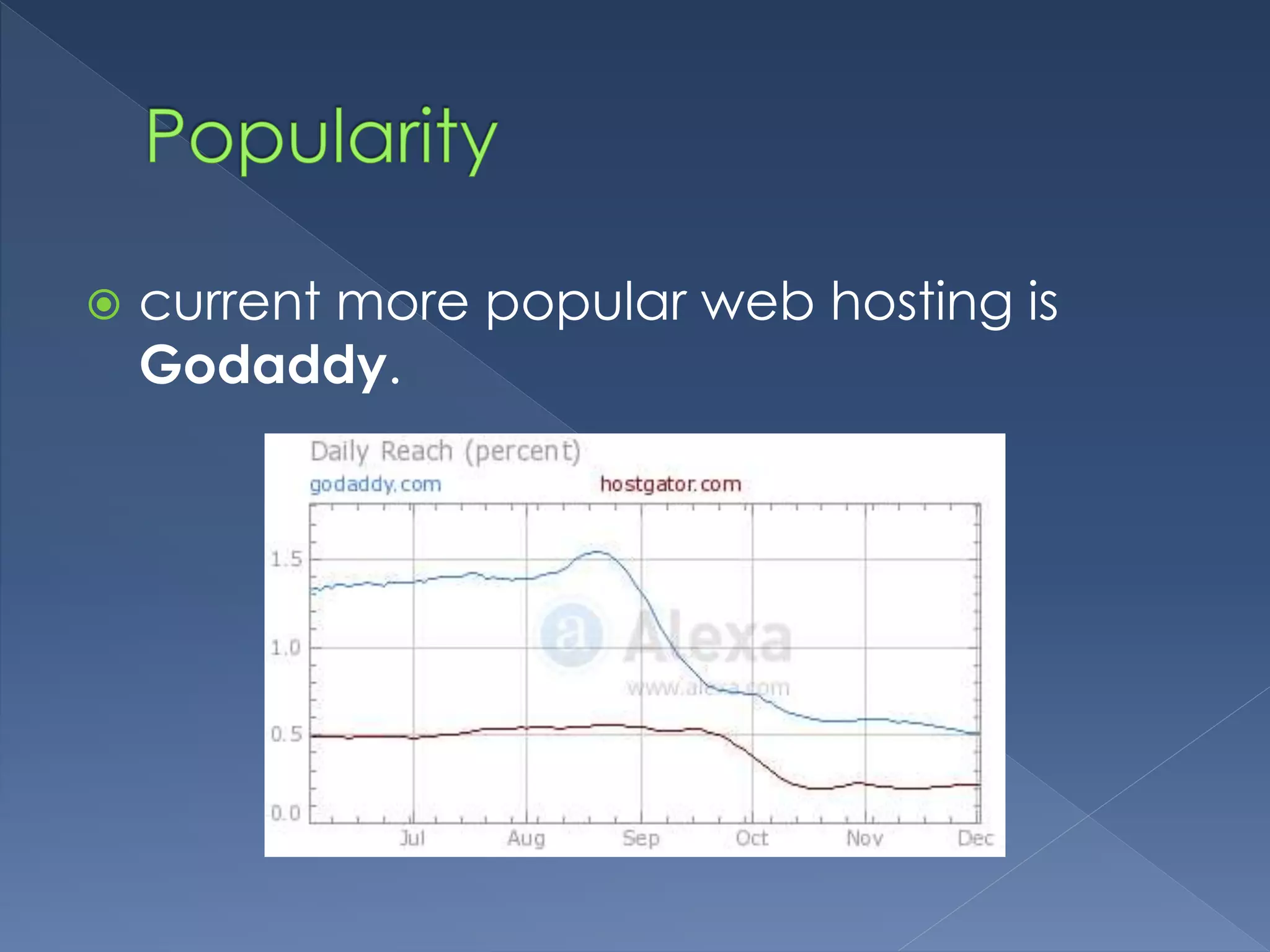
 current more popular web hosting is 
Godaddy.
 cPanel 
› HostGator provides it with their hosting 
accounts. 
› Godaddy has their own control panel 
 Godaddy’s control panel is often confusing and not 
user-friendly
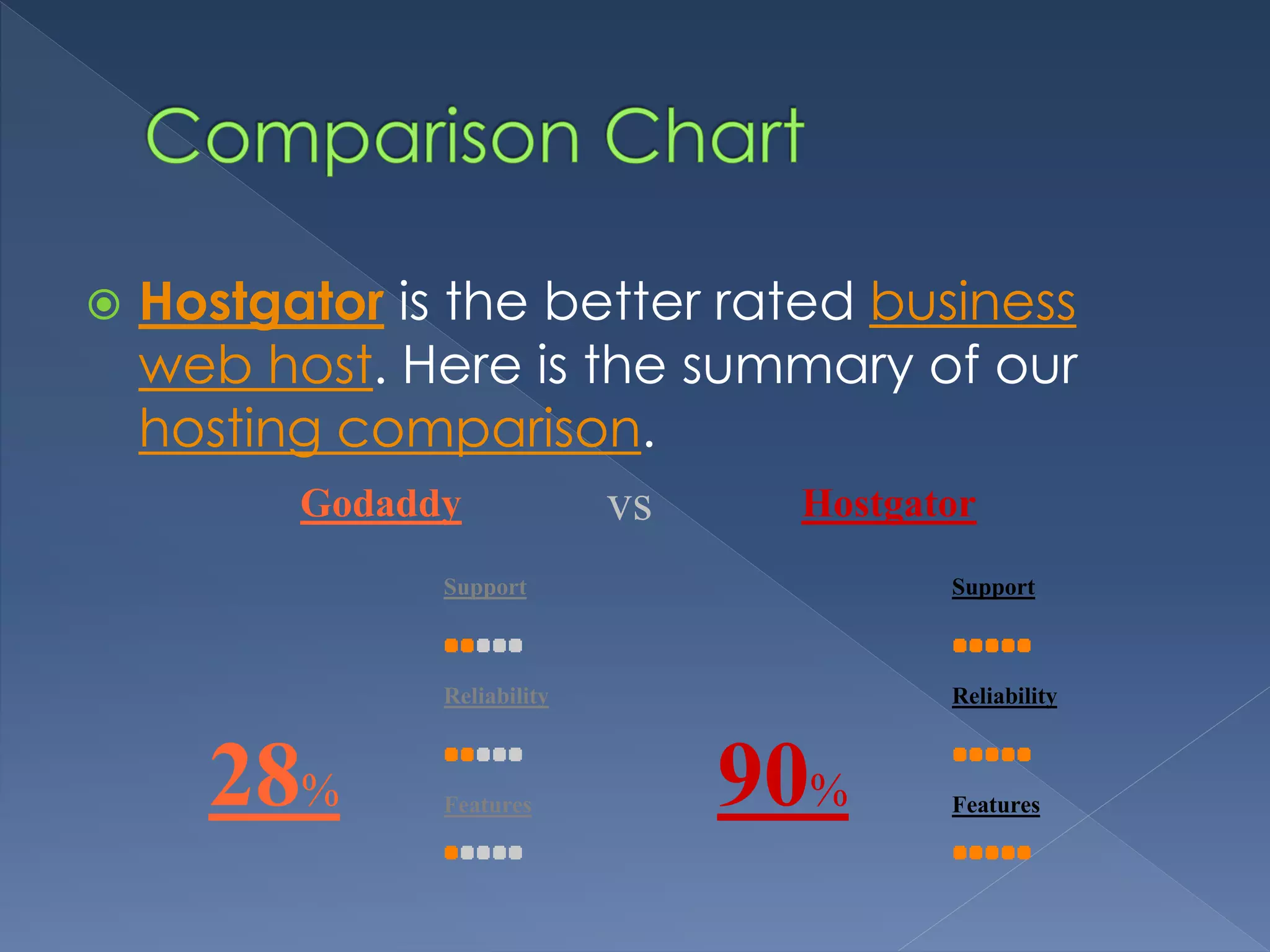
 Hostgator is the better rated business 
web host. Here is the summary of our 
hosting comparison. 
Godaddy vs Hostgator 
28% 
Support 
Reliability 
Features 
90% 
Support 
Reliability 
Features
 When you compare feature to feature, 
package to package, and company to 
company, HostGator wins the battle for 
hosting dominance 
› web hosting platform of choice for people 
who are seeking reliability, fair pricing, and 
amazing customer service.
 if you want to register cheap domains, 
click here to grab the current promotions 
at Godaddy 
› end up with better control and more value-added 
features for your domain names.
 For more comparison and tips, visit 
www.webhostingcomparison.org

Hostgator vs godaddy

  • 2.
     Introduction ›Overview  Getting to Know › Hostgator › Weebly  How to Point Godaddy Domains to Hostgator Web Hosting Service › Steps Required  Comparison › Price Plan › Customer Satisfaction › Popularity › Control › Comparison Table  Conclusion
  • 4.
     Your webhost may not cut it, in terms of pricing, reliability, or features, so you find yourself looking at the grass on the other side of the fence.  find two of the major players in the industry: GoDaddy and HostGator.  Each has their own unique qualities, but head to head, which one is the right choice for you? vs
  • 5.
  • 6.
     HostGator isa highly regarded web hosting company  offers unlimited hard disk space,  unlimited bandwidth,  free Sitebuilder tool,
  • 7.
     thousands offree website templates,  user-friendly control panel,  variety of discounts and  45 day money-back guarantee. Try Hostgator for $0.01 using coupon ‘FTPHOSTING’
  • 8.
     GoDaddy isa domain registration and web hosting company  largest domain name registrar on the market  known for its low price domain registration.
  • 9.
    In terms ofsavings for domain names, GoDaddy has the advantage. › often run sales on their domain names › offer discount codes on a variety of extensions, from .com to .us.
  • 13.
     1) Firstly,you need to purchase a hosting plan at HostGator, › involves filling out Web forms giving your name, address and payment information. › They’ll send you a confirmation email when you finish. › Save the email for future reference.
  • 14.
     Click thecoupon below try Hostgator cPanel hosting for almost free. › Hostgator is what you want, › save 25% off the normal price with the Hostgator coupon code 2014 below.
  • 15.
     2) Ifyou do not have your domain register yet, then you need to register one now. You need to create a GoDaddy account.
  • 16.
     3) Onceyou have done this, click on “Domains” on the menu bar › A drop-down menu will appear › Select “My Domains.” › The screen present you with a list of the domains › Select the domain that you want to use by clicking on it
  • 17.
     4) Selectthe “Nameservers” option. Click on “Custom nameservers (I host my domains elsewhere).” › Find the nameservers information in the email that HostGator has sent to you. › look something like example.hostgator.com. › Enter the details that GoDaddy asks for. › Select “OK” to finish things up with Go Daddy.
  • 18.
     5) Loginto your HostGator account. › Add the name of the domain that you registered at Go Daddy via the Add Domain icon that can be found in your control panel.
  • 19.
     You mayneed to wait a bit for the domain name to propagate after the DNS change in step 4 above.  So now you can have your website hosted at the best web hosting of 2013 and domain at the best domain registrar of 2013.
  • 20.
    • Price Plan • Customer Satisfaction • Popularity • Control • Comparison Chart
  • 21.
     With a36 month commitment, › GoDaddy working out to about $4.24 per month. › The Hatchling plan at HostGator, runs you $3.96 per month.  GoDaddy also offers discounts on most of its products. › different every month so you just have to check out their current discounts at their website. › cheaper plan on a short-term basis at $4.99 for a 3 month commitment.
  • 22.
     lower costof GoDaddy against the superior customer service, support, and features of HostGator,  find that most users opt for the Gator. › HostGator offers promos such as the one penny trial and 25% off using the discount coupon code.
  • 23.
     89.8% ofcustomers love Hostgator.  In contrast, we were not impressed with Godaddy.  another Hostgator review was also impressed with the customer satisfaction record of Hostgator.
  • 24.
     current morepopular web hosting is Godaddy.
  • 25.
     cPanel ›HostGator provides it with their hosting accounts. › Godaddy has their own control panel  Godaddy’s control panel is often confusing and not user-friendly
  • 26.
     Hostgator isthe better rated business web host. Here is the summary of our hosting comparison. Godaddy vs Hostgator 28% Support Reliability Features 90% Support Reliability Features
  • 28.
     When youcompare feature to feature, package to package, and company to company, HostGator wins the battle for hosting dominance › web hosting platform of choice for people who are seeking reliability, fair pricing, and amazing customer service.
  • 29.
     if youwant to register cheap domains, click here to grab the current promotions at Godaddy › end up with better control and more value-added features for your domain names.
  • 30.
     For morecomparison and tips, visit www.webhostingcomparison.org