Registration Procedure: GST
Dr Jenifer Thangam J
Assistant Professor
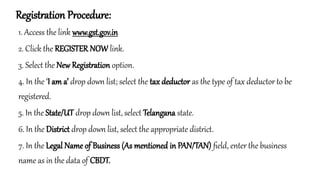
Registration Procedure:
1. Access the link www.gst.gov.in
2. Click the REGISTER NOW link.
3. Select the New Registration option.
4. In the ‘I am a’ drop down list; select the tax deductor as the type of tax deductor to be
registered.
5. In the State/UT drop down list, select Telangana state.
6. In the District drop down list, select the appropriate district.
7. In the Legal Name of Business (As mentioned in PAN/TAN) field, enter the business
name as in the data of CBDT.
Registration Procedure:
8. In the PAN/TAN field, enter the PAN/TAN.
9. In the Email Address field, enter yourvalid e-mail ID address.
10. In the Mobile Number field, enter a valid ten-digit mobile number.
11. In the Type the characters you see in the image below field, enter the captcha text.
12. Click the PROCEED button.
13. Enter OTPs received in mobile and e-mail.
14. Click the PROCEED button. Save the Temporary Reference Number (TRN) displayed
15. Click Services > Registration > New Registration option and select the Temporary
Reference Number (TRN) option.
16. In the Temporary Reference Number (TRN) field, enter the TRN received.
17. Click the PROCEED button.
18. Enter OTPs received n the mobile and e-mail.
19. Click the PROCEED button.
20. Click the Edit button to edit the registration application.
21. Enter all the mandatory details in all Four tabs.
22. In the verification tab, select the Verification checkbox.
23. In the Name of Authorized Signatory drop-down list, select the name of the authorized
signatory.
24. In the Place field, enter the place where the form is filled.
25. Select SUBMIT WITH DSC to sign and submit the Registration application.
Structure of GSTIN:
1.First 2 digits → State Code
1. Represents the state or union territory as per the Indian Census code.
2. Example: 33 for Tamil Nadu, 27 for Maharashtra.
2.Next 10 digits → PAN Number of the taxpayer
1. These digits are the same as the Permanent Account Number (PAN) of the business or individual.
3.13th digit → Entity Code
1. Indicates the number of registrations a taxpayer has within a state, based on the same PAN.
2. For example: 1 for the first registration, 2 for the second, and so on.
4.14th digit → Default Letter “Z”
1. Currently reserved for future use and is kept as “Z”.
5.15th digit → Check Code
1. An alphanumeric digit used for error detection and verification.
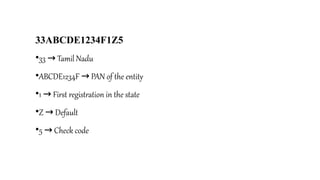
33ABCDE1234F1Z5
•33 Tamil Nadu
→
•ABCDE1234F PAN of the entity
→
•1 First registration in the state
→
•Z Default
→
•5 Check code
→
GST Documentation
• 1. Introduction
• Goods and Services Tax (GST) is a comprehensive indirect tax levied on the supply of
goods and services in India. Proper documentation under GST is crucial for
compliance, input tax credit (ITC) claims, and smooth business operations.
Key GST Documents
a) Tax Invoice
•Issued by registered suppliers for the supply of goods/services.
•Contents:
• Supplier details (name, address, GSTIN)
• Invoice number & date
• Recipient details (name, address, GSTIN, if registered)
• HSN/SAC code
• Description, quantity, and value of goods/services
• Rate and amount of GST (CGST, SGST, IGST, UTGST)
• Place of supply
• Signature/digital signature
b) Bill of Supply
Issued when GST is not applicable (e.g., composition scheme dealers, exempted goods/services).
Contains details similar to a tax invoice but excludes tax amounts.
C) Debit Note
Issued by a supplier when:
Taxable value or tax charged in the original invoice is less than the actual value.
Goods/services are undercharged.
d) Credit Note
•Issued by a supplierwhen:
• Goods are returned by the recipient.
• The taxable value or tax charged is more than the actual.
• Post-sale discounts are provided.
e) E-Way Bill
A document required for the movement of goods worth more than 50,000.
₹
Generated online through the GST portal.
Contains details of supplier, recipient, goods, and transporter.
f) Delivery Challan
Used instead of a tax invoice in special cases:
Transport of goods for job work
Supply of liquid gas
Supply for approval/return basis
GST Dealer and Application for License
GST Dealer
•A GST dealer is any individual or business entity registered under the Goods and Services Tax (GST) Act.
•Such dealers are authorized to collect GST from customers and avail Input Tax Credit (ITC).
Types of GST Dealers
1.Regular Dealer – Normal taxpayers who collect and pay GST on outward supplies.
2.Composition Dealer – Small businesses with turnover up to 1.5 crore ( 75 lakh for certain states) can pay GST
₹ ₹
at a fixed rate instead of normal rates.
3.Casual Dealer – A person who occasionally undertakes supply in a taxable territory where they don’t have a fixed
place of business.
4.Non-Resident Dealer – Foreign suppliers making taxable supplies in India.
5.E-commerce Dealer – Businesses selling via online platforms (e.g., Amazon, Flipkart).
Who Should Apply for GST Registration?
•Businesses with annual turnover above 40 lakh
₹ ( 20 lakh for special category states).
₹
•Casual and non-resident dealers.
•E-commerce operators.
•Businesses making inter-state supplies.
Documents Required
1.PAN Card of the business or applicant
2.Aadhar Card of the proprietor/partners/directors
3.Business Registration Proof (Partnership deed, ROC certificate, etc.)
4.Address Proof of business (Electricity bill, Rent agreement, etc.)
5.Bank Account Details (Cancelled cheque, bank statement)
6.Photographs of the owner/authorized signatory
Importance of GST License
•Legal recognition as a supplier of goods/services.
•Authority to collect GST from customers.
•Eligibility to claim Input Tax Credit (ITC).
•Enables inter-state supply of goods/services.
•Required for participating in government tenders and large contracts.
b) Tax Invoice & Documentation Regulation
•Dealers must issue:
• Tax Invoice (for taxable supplies)
• Bill of Supply (for exempt supplies/composition dealers)
• Debit & Credit Notes
• E-way Bills (goods > 50,000 in transit)
₹
•Proper records must be maintained for at least 6 years.
C)Return Filing Regulation
Compulsory filing of returns:
GSTR-1 (Outward supplies)
GSTR-3B (Monthly summary)
GSTR-9 (Annual return)
Others for specific categories (e.g., GSTR-5 for non-residents).
d) Payment Regulation
•Tax payment must be made monthly/quarterly before due date.
•Modes of payment: Online banking, NEFT/RTGS, credit/debit card, challans.
e) Input Tax Credit (ITC) Regulation
Dealers can claim ITC on tax paid for purchases.
ITC can be availed only if:
Supplier has filed returns.
Goods/services actually received.
Tax invoice available.
f) Compliance & Penalty Regulation
Non-compliance attracts penalties:
Late filing Late fee + interest
→
Failure to register Penalty 10% of tax due (min 10,000)
→ ₹
Fraudulent activity Penalty 100% of tax due + prosecution
→
GST Returns
1. Introduction
•A GST Return is a document that contains details of sales, purchases, tax collected, and tax paid.
•Every registered dealer must file GST returns online through the GST portal.
•Purpose To ensure
→ tax compliance, claim Input Tax Credit (ITC), and maintain transparency.
Types of GST Returns
a) Regular Returns
GSTR-1 Details of outward supplies (sales)
→
GSTR-2B Auto-generated statement of ITC (purchases)
→
GSTR-3B Monthly summary return (sales, purchases, ITC, tax payable)
→
b) Annual Returns
GSTR-9 Consolidated yearly return for all taxpayers
→
GSTR-9C Reconciliation statement (audit return for businesses above turnover limit)
→
c) Special Category Returns
•GSTR-4 For composition scheme dealers (filed annually)
→
•GSTR-5 For non-resident foreign taxpayers
→
•GSTR-6 For Input Service Distributors (ISD)
→
•GSTR-7 For TDS deductors under GST
→
•GSTR-8 For e-commerce operators (tax collected at source)
→
3. Frequency of Filing
Monthly/Quarterly GSTR-1 & GSTR-3B
→
Annually GSTR-9 & GSTR-9C
→
Special cases Depending on taxpayer category
→
Due Dates
GSTR-1 11th of next month (monthly) / 13th (quarterly)
→
GSTR-3B 20th of next month (varies by turnover & scheme)
→
GSTR-9/9C 31st December of following financial year
→
5. Importance of GST Returns
•Ensures legal compliance
•Helps in claiming Input Tax Credit (ITC)
•Avoids penalties & late fees
•Maintains business credibility
•Provides government with data on tax collection
6. Penalties for Non-Compliance
Late filing fee 50/day ( 20/day for nil return)
→ ₹ ₹
Interest 18% per annum on unpaid tax
→
Heavy penalties for fraud/non-filing
GST Tax Payment
1. Introduction
•GST tax payment = process of paying collected GST to the government.
•Businesses collect GST from customers on sales and then deposit it with the government after adjusting
Input Tax Credit (ITC).
•Tax payment is done online through GST portal.
2. Modes of Payment
Online Payment
Net banking
Credit/Debit card
UPI/NEFT/RTGS
Offline Payment
Through challan (at authorized banks using cash/cheque/DD)
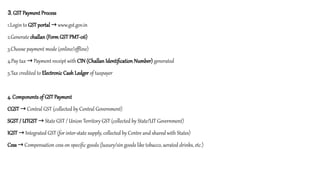
3. GST Payment Process
1.Login to GST portal www.gst.gov.in
→
2.Generate challan (Form GST PMT-06)
3.Choose payment mode (online/offline)
4.Pay tax Payment receipt with
→ CIN (Challan Identification Number) generated
5.Tax credited to Electronic Cash Ledger of taxpayer
4. Components of GST Payment
CGST Central GST (collected by Central Government)
→
SGST / UTGST State GST / Union Territory GST (collected by State/UT Government)
→
IGST Integrated GST (for inter-state supply, collected by Centre and shared with States)
→
Cess Compensation cess on specific goods (luxury/sin goods like tobacco, aerated drinks, etc.)
→
5. Due Date of Tax Payment
•Monthly/Quarterly basis (along with return filing)
•Generally → 20th of next month for regular taxpayers (with GSTR-3B)
•For Composition scheme → quarterly payment
6. Importance of Timely Tax Payment
Ensures compliance with law
Avoids penalties and interest
Maintains business credibility
Prevents cancellation of GST registration

Gst Procedure.pptx Application process-procedures-Documentation

  • 1.
    Registration Procedure: GST DrJenifer Thangam J Assistant Professor
  • 2.
    Registration Procedure: 1. Accessthe link www.gst.gov.in 2. Click the REGISTER NOW link. 3. Select the New Registration option. 4. In the ‘I am a’ drop down list; select the tax deductor as the type of tax deductor to be registered. 5. In the State/UT drop down list, select Telangana state. 6. In the District drop down list, select the appropriate district. 7. In the Legal Name of Business (As mentioned in PAN/TAN) field, enter the business name as in the data of CBDT.
  • 3.
    Registration Procedure: 8. Inthe PAN/TAN field, enter the PAN/TAN. 9. In the Email Address field, enter yourvalid e-mail ID address. 10. In the Mobile Number field, enter a valid ten-digit mobile number. 11. In the Type the characters you see in the image below field, enter the captcha text. 12. Click the PROCEED button. 13. Enter OTPs received in mobile and e-mail.
  • 4.
    14. Click thePROCEED button. Save the Temporary Reference Number (TRN) displayed 15. Click Services > Registration > New Registration option and select the Temporary Reference Number (TRN) option. 16. In the Temporary Reference Number (TRN) field, enter the TRN received. 17. Click the PROCEED button. 18. Enter OTPs received n the mobile and e-mail. 19. Click the PROCEED button.
  • 5.
    20. Click theEdit button to edit the registration application. 21. Enter all the mandatory details in all Four tabs. 22. In the verification tab, select the Verification checkbox. 23. In the Name of Authorized Signatory drop-down list, select the name of the authorized signatory. 24. In the Place field, enter the place where the form is filled. 25. Select SUBMIT WITH DSC to sign and submit the Registration application.
  • 6.
    Structure of GSTIN: 1.First2 digits → State Code 1. Represents the state or union territory as per the Indian Census code. 2. Example: 33 for Tamil Nadu, 27 for Maharashtra. 2.Next 10 digits → PAN Number of the taxpayer 1. These digits are the same as the Permanent Account Number (PAN) of the business or individual. 3.13th digit → Entity Code 1. Indicates the number of registrations a taxpayer has within a state, based on the same PAN. 2. For example: 1 for the first registration, 2 for the second, and so on. 4.14th digit → Default Letter “Z” 1. Currently reserved for future use and is kept as “Z”. 5.15th digit → Check Code 1. An alphanumeric digit used for error detection and verification.
  • 7.
    33ABCDE1234F1Z5 •33 Tamil Nadu → •ABCDE1234FPAN of the entity → •1 First registration in the state → •Z Default → •5 Check code →
  • 8.
    GST Documentation • 1.Introduction • Goods and Services Tax (GST) is a comprehensive indirect tax levied on the supply of goods and services in India. Proper documentation under GST is crucial for compliance, input tax credit (ITC) claims, and smooth business operations.
  • 9.
    Key GST Documents a)Tax Invoice •Issued by registered suppliers for the supply of goods/services. •Contents: • Supplier details (name, address, GSTIN) • Invoice number & date • Recipient details (name, address, GSTIN, if registered) • HSN/SAC code • Description, quantity, and value of goods/services • Rate and amount of GST (CGST, SGST, IGST, UTGST) • Place of supply • Signature/digital signature b) Bill of Supply Issued when GST is not applicable (e.g., composition scheme dealers, exempted goods/services). Contains details similar to a tax invoice but excludes tax amounts. C) Debit Note Issued by a supplier when: Taxable value or tax charged in the original invoice is less than the actual value. Goods/services are undercharged.
  • 10.
    d) Credit Note •Issuedby a supplierwhen: • Goods are returned by the recipient. • The taxable value or tax charged is more than the actual. • Post-sale discounts are provided. e) E-Way Bill A document required for the movement of goods worth more than 50,000. ₹ Generated online through the GST portal. Contains details of supplier, recipient, goods, and transporter. f) Delivery Challan Used instead of a tax invoice in special cases: Transport of goods for job work Supply of liquid gas Supply for approval/return basis
  • 11.
    GST Dealer andApplication for License GST Dealer •A GST dealer is any individual or business entity registered under the Goods and Services Tax (GST) Act. •Such dealers are authorized to collect GST from customers and avail Input Tax Credit (ITC). Types of GST Dealers 1.Regular Dealer – Normal taxpayers who collect and pay GST on outward supplies. 2.Composition Dealer – Small businesses with turnover up to 1.5 crore ( 75 lakh for certain states) can pay GST ₹ ₹ at a fixed rate instead of normal rates. 3.Casual Dealer – A person who occasionally undertakes supply in a taxable territory where they don’t have a fixed place of business. 4.Non-Resident Dealer – Foreign suppliers making taxable supplies in India. 5.E-commerce Dealer – Businesses selling via online platforms (e.g., Amazon, Flipkart).
  • 12.
    Who Should Applyfor GST Registration? •Businesses with annual turnover above 40 lakh ₹ ( 20 lakh for special category states). ₹ •Casual and non-resident dealers. •E-commerce operators. •Businesses making inter-state supplies. Documents Required 1.PAN Card of the business or applicant 2.Aadhar Card of the proprietor/partners/directors 3.Business Registration Proof (Partnership deed, ROC certificate, etc.) 4.Address Proof of business (Electricity bill, Rent agreement, etc.) 5.Bank Account Details (Cancelled cheque, bank statement) 6.Photographs of the owner/authorized signatory
  • 13.
    Importance of GSTLicense •Legal recognition as a supplier of goods/services. •Authority to collect GST from customers. •Eligibility to claim Input Tax Credit (ITC). •Enables inter-state supply of goods/services. •Required for participating in government tenders and large contracts.
  • 14.
    b) Tax Invoice& Documentation Regulation •Dealers must issue: • Tax Invoice (for taxable supplies) • Bill of Supply (for exempt supplies/composition dealers) • Debit & Credit Notes • E-way Bills (goods > 50,000 in transit) ₹ •Proper records must be maintained for at least 6 years. C)Return Filing Regulation Compulsory filing of returns: GSTR-1 (Outward supplies) GSTR-3B (Monthly summary) GSTR-9 (Annual return) Others for specific categories (e.g., GSTR-5 for non-residents).
  • 15.
    d) Payment Regulation •Taxpayment must be made monthly/quarterly before due date. •Modes of payment: Online banking, NEFT/RTGS, credit/debit card, challans. e) Input Tax Credit (ITC) Regulation Dealers can claim ITC on tax paid for purchases. ITC can be availed only if: Supplier has filed returns. Goods/services actually received. Tax invoice available. f) Compliance & Penalty Regulation Non-compliance attracts penalties: Late filing Late fee + interest → Failure to register Penalty 10% of tax due (min 10,000) → ₹ Fraudulent activity Penalty 100% of tax due + prosecution →
  • 16.
    GST Returns 1. Introduction •AGST Return is a document that contains details of sales, purchases, tax collected, and tax paid. •Every registered dealer must file GST returns online through the GST portal. •Purpose To ensure → tax compliance, claim Input Tax Credit (ITC), and maintain transparency. Types of GST Returns a) Regular Returns GSTR-1 Details of outward supplies (sales) → GSTR-2B Auto-generated statement of ITC (purchases) → GSTR-3B Monthly summary return (sales, purchases, ITC, tax payable) → b) Annual Returns GSTR-9 Consolidated yearly return for all taxpayers → GSTR-9C Reconciliation statement (audit return for businesses above turnover limit) →
  • 17.
    c) Special CategoryReturns •GSTR-4 For composition scheme dealers (filed annually) → •GSTR-5 For non-resident foreign taxpayers → •GSTR-6 For Input Service Distributors (ISD) → •GSTR-7 For TDS deductors under GST → •GSTR-8 For e-commerce operators (tax collected at source) → 3. Frequency of Filing Monthly/Quarterly GSTR-1 & GSTR-3B → Annually GSTR-9 & GSTR-9C → Special cases Depending on taxpayer category → Due Dates GSTR-1 11th of next month (monthly) / 13th (quarterly) → GSTR-3B 20th of next month (varies by turnover & scheme) → GSTR-9/9C 31st December of following financial year →
  • 18.
    5. Importance ofGST Returns •Ensures legal compliance •Helps in claiming Input Tax Credit (ITC) •Avoids penalties & late fees •Maintains business credibility •Provides government with data on tax collection 6. Penalties for Non-Compliance Late filing fee 50/day ( 20/day for nil return) → ₹ ₹ Interest 18% per annum on unpaid tax → Heavy penalties for fraud/non-filing
  • 19.
    GST Tax Payment 1.Introduction •GST tax payment = process of paying collected GST to the government. •Businesses collect GST from customers on sales and then deposit it with the government after adjusting Input Tax Credit (ITC). •Tax payment is done online through GST portal. 2. Modes of Payment Online Payment Net banking Credit/Debit card UPI/NEFT/RTGS Offline Payment Through challan (at authorized banks using cash/cheque/DD)
  • 20.
    3. GST PaymentProcess 1.Login to GST portal www.gst.gov.in → 2.Generate challan (Form GST PMT-06) 3.Choose payment mode (online/offline) 4.Pay tax Payment receipt with → CIN (Challan Identification Number) generated 5.Tax credited to Electronic Cash Ledger of taxpayer 4. Components of GST Payment CGST Central GST (collected by Central Government) → SGST / UTGST State GST / Union Territory GST (collected by State/UT Government) → IGST Integrated GST (for inter-state supply, collected by Centre and shared with States) → Cess Compensation cess on specific goods (luxury/sin goods like tobacco, aerated drinks, etc.) →
  • 21.
    5. Due Dateof Tax Payment •Monthly/Quarterly basis (along with return filing) •Generally → 20th of next month for regular taxpayers (with GSTR-3B) •For Composition scheme → quarterly payment 6. Importance of Timely Tax Payment Ensures compliance with law Avoids penalties and interest Maintains business credibility Prevents cancellation of GST registration