What is Green Computing ?
The positive (or least negative) relationship
between the physical computer and its impact
to the environments in which it moves through
from cradle to grave
Green Computing
 Why
 computer energy is often wasteful
 leaving the computer on when not in use (CPU and fan
consume power, screen savers consume power)
 printing is often wasteful
 how many of you print out your emails or meeting agendas
 printing out partial drafts
 for a “paperless” society, we tend to use more paper today
than before computer-prevalence
 pollution
 manufacturing techniques
 packaging
 disposal of computers and components
 toxicity
 as we will see, there are toxic chemicals used in the
manufacturing of computers and components which can
enter the food chain and water!
Green Computing – Why ?
 Growing public environmental awareness
 Increasing impacts on environmental and human health
 Corporate social responsibility
Energy Use of PCs
 CPU uses 120 Watts
 CRT uses 150 Watts
 8 hours of usage, 5 days a week = 562 KWatts
 if the computer is left on all the time without proper power
saver modes, this can lead to 1,600 KWatts
 for a large institution, say a university of 40,000
students and faculty, the power bill for just computers
can come to $2 million / year
 Energy use comes from
 electrical current to run the CPU, motherboard,
memory
 running the fan and spinning the disk(s)
 monitor (CRTs consume more power than any other
computer component)
 printers
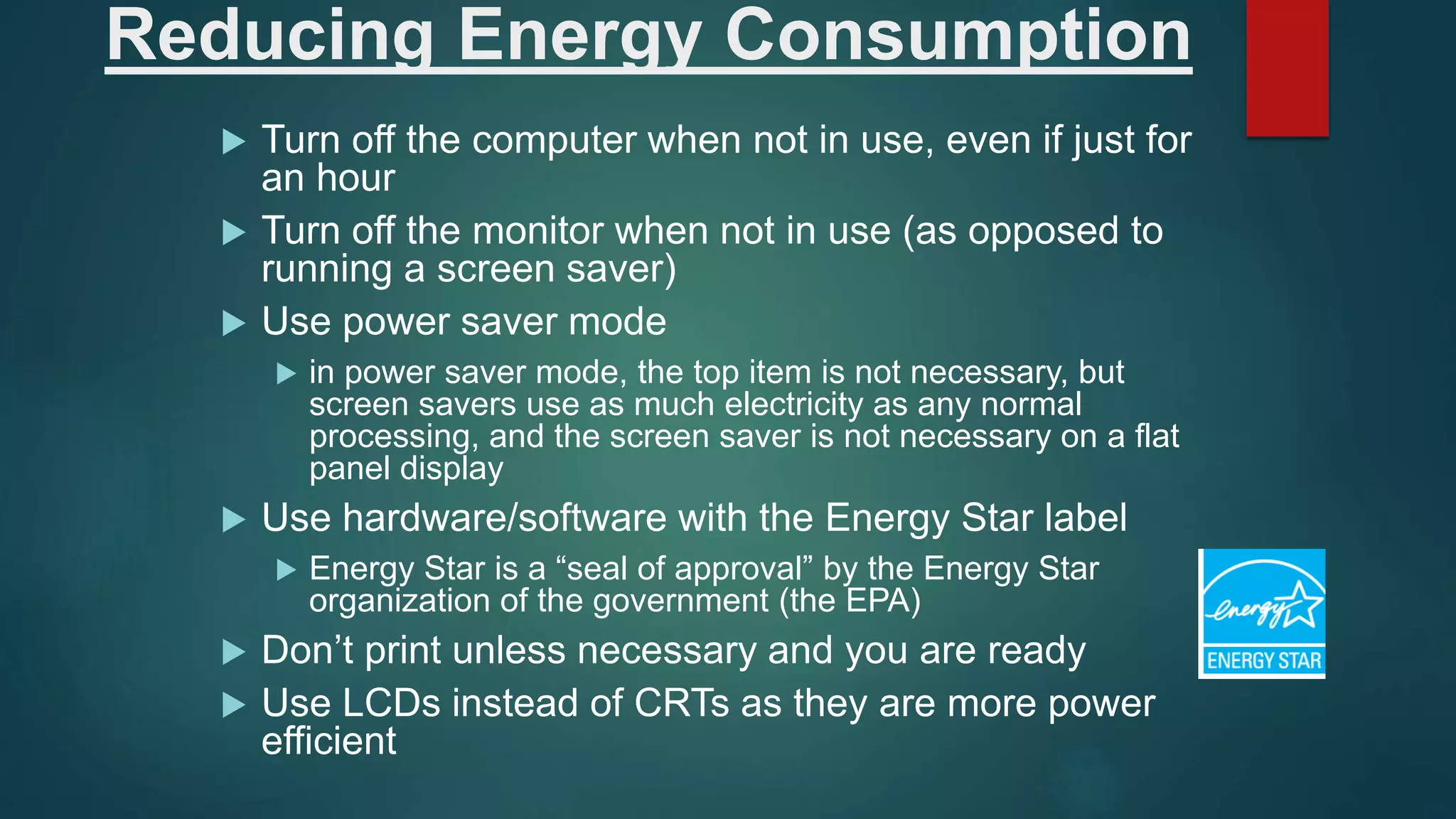
Reducing Energy Consumption
 Turn off the computer when not in use, even if just for
an hour
 Turn off the monitor when not in use (as opposed to
running a screen saver)
 Use power saver mode
 in power saver mode, the top item is not necessary, but
screen savers use as much electricity as any normal
processing, and the screen saver is not necessary on a flat
panel display
 Use hardware/software with the Energy Star label
 Energy Star is a “seal of approval” by the Energy Star
organization of the government (the EPA)
 Don’t print unless necessary and you are ready
 Use LCDs instead of CRTs as they are more power
efficient
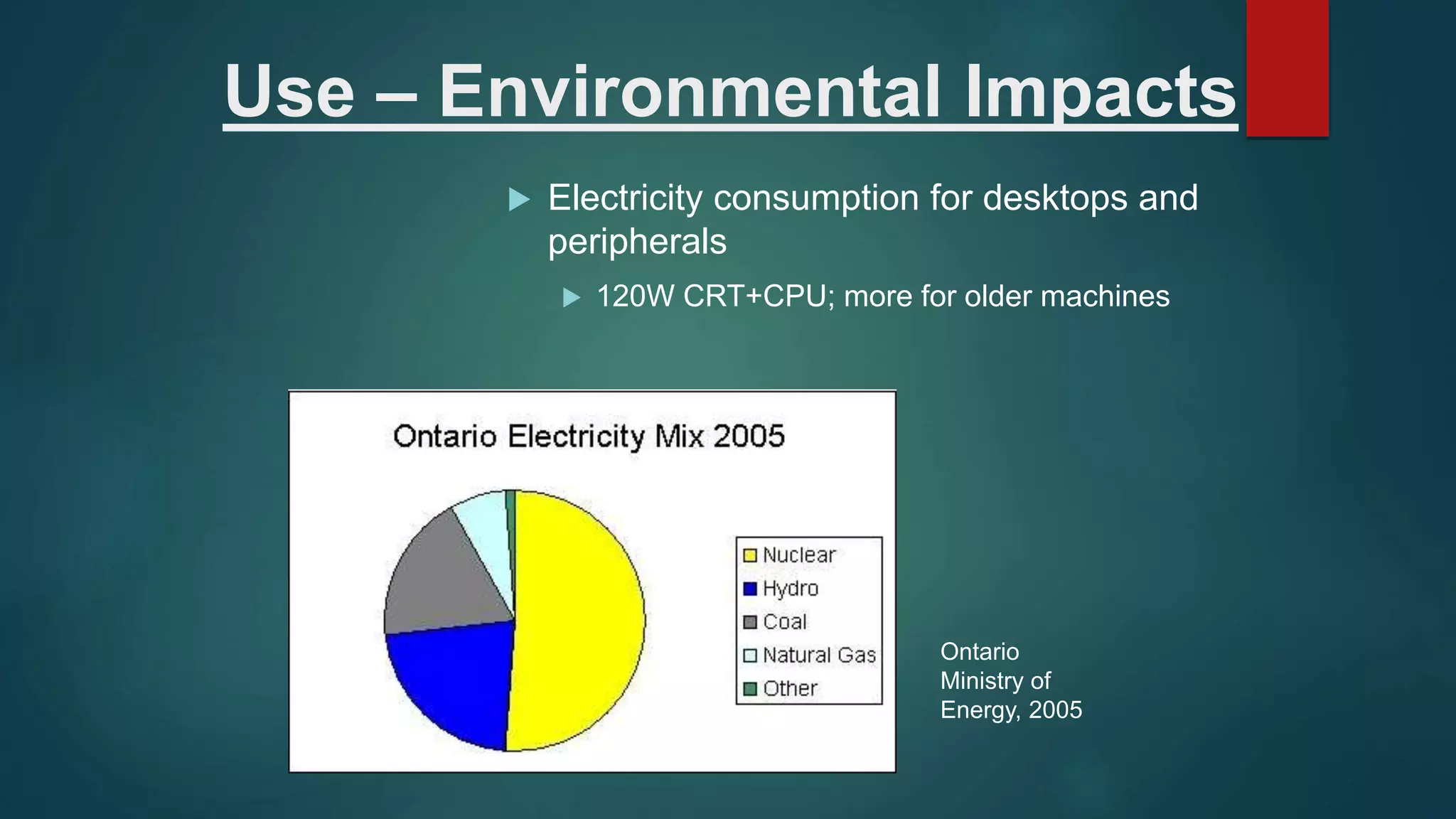
Use – Environmental Impacts
 Electricity consumption for desktops and
peripherals
 120W CRT+CPU; more for older machines
Ontario
Ministry of
Energy, 2005
Topic: Green Computing
 Conducted by: Prepared by:
Dr. Sweta Srivastva Ankita Gupta
MC20009
Disposal – Electronic Waste
 Short product life expectancy
(2-4 years)
 Same toxins in manufacturing process can cause
environmental contamination
 Human health risks
 Lead, barium, chromium, CNS disruptors etc. (Baul, 2002)
 Human rights problems – “Exporting harm”
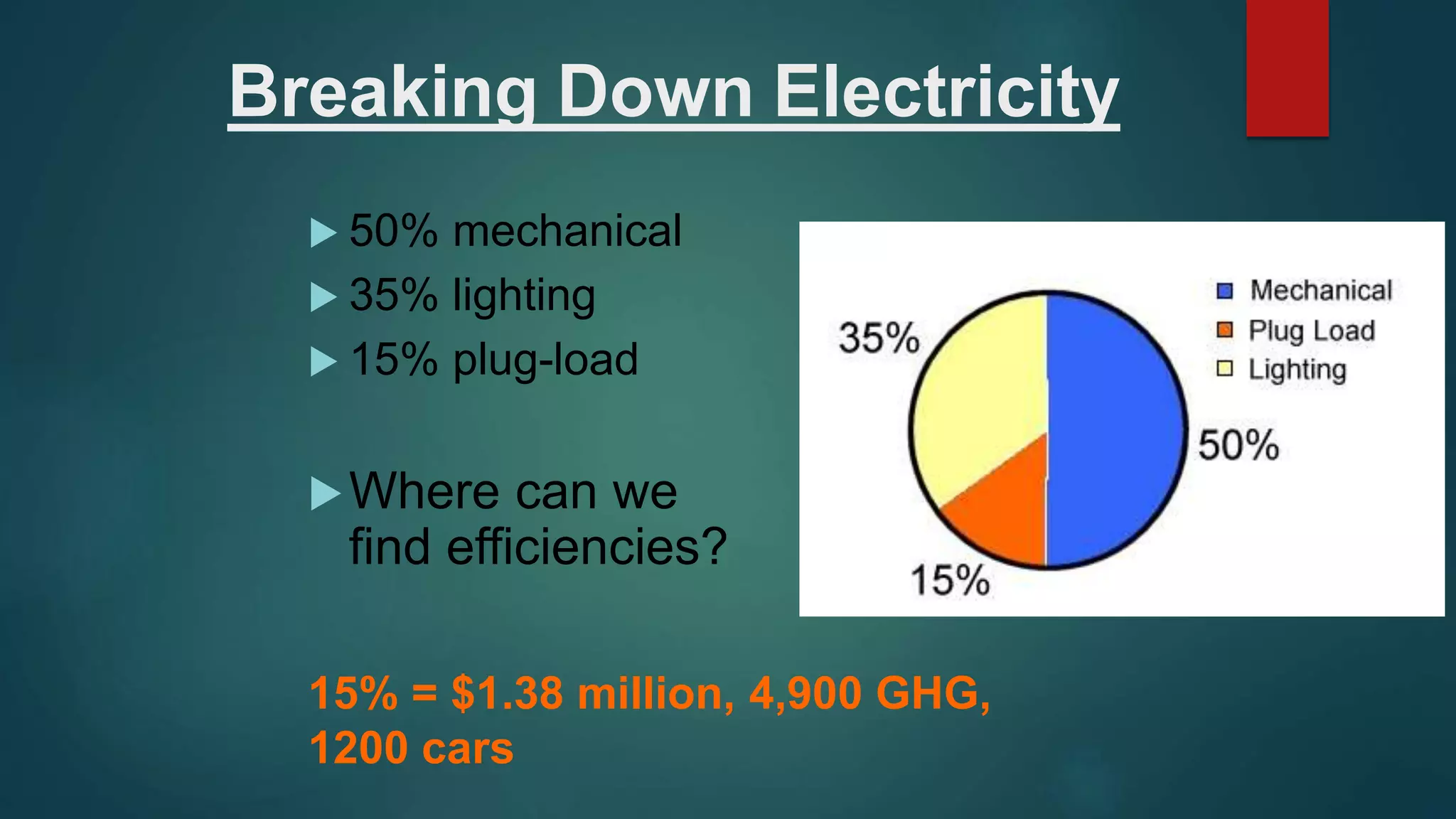
Breaking Down Electricity
 50% mechanical
 35% lighting
 15% plug-load
Where can we
find efficiencies?
15% = $1.38 million, 4,900 GHG,
1200 cars
Plastics
 Plastics are found throughout the computer, largely
from casings but also internally to hold components
together
 4 billion pounds of plastic were used to build computers and
components between 1997 and 2004
 One specific form of plastics used is polyvinyl chloride
(PVC) which is used in cabling and housings
 PVC is difficult to recycle and the production and burning of
PVC generates dioxins and furans
 The plastics in computers are often treated with flame
retardant chemicals, particularly brominated flame
retardant
 these chemicals can act as endocrine disrupters and increase
risk of several forms of cancer
 they have been found entering the food chain
One More Solution: Recycling
 If companies can recycle the plastics and other
components, this can greatly reduce waste and toxins
 however, the hazardous materials in e-waste can harm the
recycle workers if they are not properly protected
 in undeveloped countries, a lot of the recycling chores are left up to
unprotected children!
 Developed countries now have facilities for recycling e-
waste
 however, in Europe, the plastics are discarded instead of
recycled because the flame retardant chemicals are too toxic
to work with
 To resolve these problems, the computer
manufacturers must start using recyclable chemicals
Green computing

Green computing

  • 1.
    What is GreenComputing ? The positive (or least negative) relationship between the physical computer and its impact to the environments in which it moves through from cradle to grave
  • 2.
    Green Computing  Why computer energy is often wasteful  leaving the computer on when not in use (CPU and fan consume power, screen savers consume power)  printing is often wasteful  how many of you print out your emails or meeting agendas  printing out partial drafts  for a “paperless” society, we tend to use more paper today than before computer-prevalence  pollution  manufacturing techniques  packaging  disposal of computers and components  toxicity  as we will see, there are toxic chemicals used in the manufacturing of computers and components which can enter the food chain and water!
  • 3.
    Green Computing –Why ?  Growing public environmental awareness  Increasing impacts on environmental and human health  Corporate social responsibility
  • 4.
    Energy Use ofPCs  CPU uses 120 Watts  CRT uses 150 Watts  8 hours of usage, 5 days a week = 562 KWatts  if the computer is left on all the time without proper power saver modes, this can lead to 1,600 KWatts  for a large institution, say a university of 40,000 students and faculty, the power bill for just computers can come to $2 million / year  Energy use comes from  electrical current to run the CPU, motherboard, memory  running the fan and spinning the disk(s)  monitor (CRTs consume more power than any other computer component)  printers
  • 5.
    Reducing Energy Consumption Turn off the computer when not in use, even if just for an hour  Turn off the monitor when not in use (as opposed to running a screen saver)  Use power saver mode  in power saver mode, the top item is not necessary, but screen savers use as much electricity as any normal processing, and the screen saver is not necessary on a flat panel display  Use hardware/software with the Energy Star label  Energy Star is a “seal of approval” by the Energy Star organization of the government (the EPA)  Don’t print unless necessary and you are ready  Use LCDs instead of CRTs as they are more power efficient
  • 6.
    Use – EnvironmentalImpacts  Electricity consumption for desktops and peripherals  120W CRT+CPU; more for older machines Ontario Ministry of Energy, 2005
  • 7.
    Topic: Green Computing Conducted by: Prepared by: Dr. Sweta Srivastva Ankita Gupta MC20009
  • 8.
    Disposal – ElectronicWaste  Short product life expectancy (2-4 years)  Same toxins in manufacturing process can cause environmental contamination  Human health risks  Lead, barium, chromium, CNS disruptors etc. (Baul, 2002)  Human rights problems – “Exporting harm”
  • 9.
    Breaking Down Electricity 50% mechanical  35% lighting  15% plug-load Where can we find efficiencies? 15% = $1.38 million, 4,900 GHG, 1200 cars
  • 10.
    Plastics  Plastics arefound throughout the computer, largely from casings but also internally to hold components together  4 billion pounds of plastic were used to build computers and components between 1997 and 2004  One specific form of plastics used is polyvinyl chloride (PVC) which is used in cabling and housings  PVC is difficult to recycle and the production and burning of PVC generates dioxins and furans  The plastics in computers are often treated with flame retardant chemicals, particularly brominated flame retardant  these chemicals can act as endocrine disrupters and increase risk of several forms of cancer  they have been found entering the food chain
  • 11.
    One More Solution:Recycling  If companies can recycle the plastics and other components, this can greatly reduce waste and toxins  however, the hazardous materials in e-waste can harm the recycle workers if they are not properly protected  in undeveloped countries, a lot of the recycling chores are left up to unprotected children!  Developed countries now have facilities for recycling e- waste  however, in Europe, the plastics are discarded instead of recycled because the flame retardant chemicals are too toxic to work with  To resolve these problems, the computer manufacturers must start using recyclable chemicals