Introduction to GOOGLE READERPresentation by Maricela Guzman, Sarah Wenzel, and Katherine Lake
What does it do? Allows you to access all your favorite websites from one screenCan also organize things using folders as well as tagsCan easily share different websites with friends
How do you access it?	http://www.google.com/readerUse your google accountCan be found on the top bar of the GoogleHomepageTo get started, click the add subscription box and type in the address of one of your favorite websites
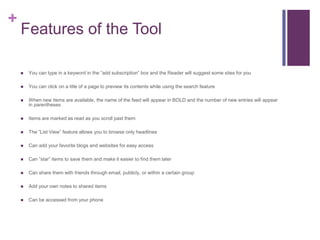
Features of the Tool You can type in a keyword in the “add subscription” box and the Reader will suggest some sites for youYou can click on a title of a page to preview its contents while using the search featureWhen new items are available, the name of the feed will appear in BOLD and the number of new entries will appear in parenthesesItems are marked as read as you scroll past themThe “List View” feature allows you to browse only headlinesCan add your favorite blogs and websites for easy accessCan “star” items to save them and make it easier to find them laterCan share them with friends through email, publicly, or within a certain group Add your own notes to shared itemsCan be accessed from your phone
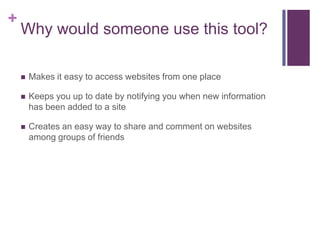
Why would someone use this tool?Makes it easy to access websites from one placeKeeps you up to date by notifying you when new information has been added to a siteCreates an easy way to share and comment on websites among groups of friends
Google Reader Demonstration
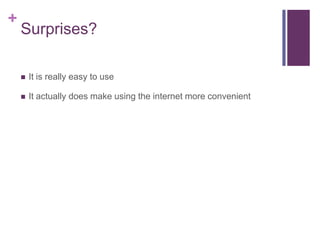
Surprises?	It is really easy to useIt actually does make using the internet more convenient
How would you use this in and out of the classroom?	In the classroom students can collaborate and share websites and comments  about them to make group projects much simpler Teachers can use Google Reader to save websites they may want to use in class to have them all in one easy locationGood way to keep research organizedOutside of the classroom people who regularly visit the same websites or who are interested in keeping up to date on news can benefit from the simplicity and convenience of this site
Easy to use?Google Reader is completely FREE with a Google account and it is very easy to start using. It is strictly web-based and very easily accessible. Signing up for a Google account is easy and free if you don’t already have one, but student email at DU of CA is through Google so you all already have an account
Additional Improvements, Use, and RecommendationsGoogle reader was so easy to use we didn’t really have additional improvementsWhile we might not use this on a daily basis, it is a great option for group projects. People who visit many websites daily may find this convenient and it would also be very useful in a work place or a classroom.

Google Reader

  • 1.
    Introduction to GOOGLEREADERPresentation by Maricela Guzman, Sarah Wenzel, and Katherine Lake
  • 2.
    What does itdo? Allows you to access all your favorite websites from one screenCan also organize things using folders as well as tagsCan easily share different websites with friends
  • 3.
    How do youaccess it? http://www.google.com/readerUse your google accountCan be found on the top bar of the GoogleHomepageTo get started, click the add subscription box and type in the address of one of your favorite websites
  • 4.
    Features of theTool You can type in a keyword in the “add subscription” box and the Reader will suggest some sites for youYou can click on a title of a page to preview its contents while using the search featureWhen new items are available, the name of the feed will appear in BOLD and the number of new entries will appear in parenthesesItems are marked as read as you scroll past themThe “List View” feature allows you to browse only headlinesCan add your favorite blogs and websites for easy accessCan “star” items to save them and make it easier to find them laterCan share them with friends through email, publicly, or within a certain group Add your own notes to shared itemsCan be accessed from your phone
  • 5.
    Why would someoneuse this tool?Makes it easy to access websites from one placeKeeps you up to date by notifying you when new information has been added to a siteCreates an easy way to share and comment on websites among groups of friends
  • 6.
  • 7.
    Surprises? It is reallyeasy to useIt actually does make using the internet more convenient
  • 8.
    How would youuse this in and out of the classroom? In the classroom students can collaborate and share websites and comments about them to make group projects much simpler Teachers can use Google Reader to save websites they may want to use in class to have them all in one easy locationGood way to keep research organizedOutside of the classroom people who regularly visit the same websites or who are interested in keeping up to date on news can benefit from the simplicity and convenience of this site
  • 9.
    Easy to use?GoogleReader is completely FREE with a Google account and it is very easy to start using. It is strictly web-based and very easily accessible. Signing up for a Google account is easy and free if you don’t already have one, but student email at DU of CA is through Google so you all already have an account
  • 10.
    Additional Improvements, Use,and RecommendationsGoogle reader was so easy to use we didn’t really have additional improvementsWhile we might not use this on a daily basis, it is a great option for group projects. People who visit many websites daily may find this convenient and it would also be very useful in a work place or a classroom.