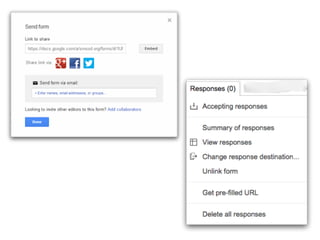
Presentation link
mbcurl.me/11DGB
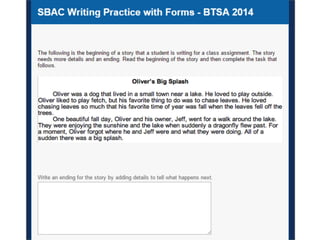
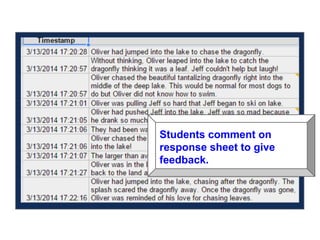
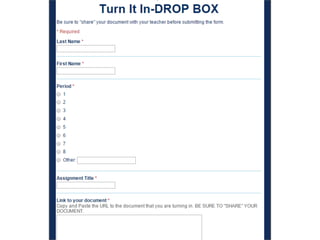
Students comment on
response sheet to give
feedback.
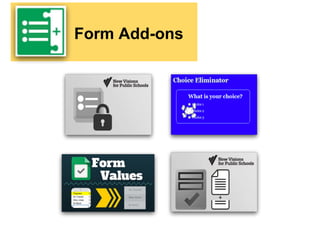
Form Add-ons
Form Limiter
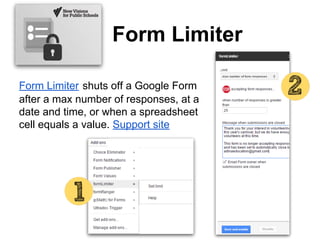
Form Limiter shuts off a Google Form
after a max number of responses, at a
date and time, or when a spreadsheet
cell equals a value. Support site
Choice Eliminator
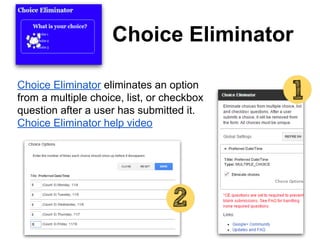
Choice Eliminator eliminates an option
from a multiple choice, list, or checkbox
question after a user has submitted it.
Choice Eliminator help video
Form Values
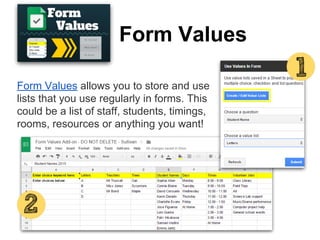
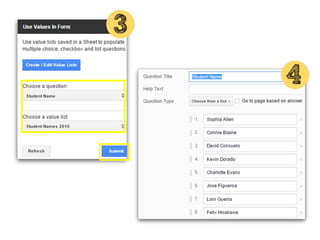
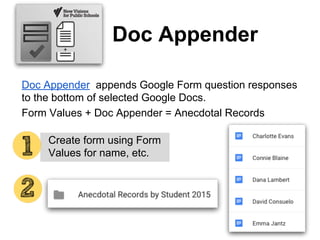
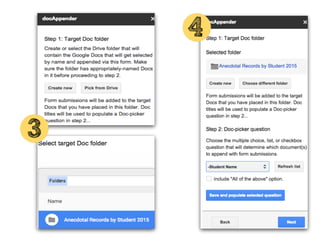
Form Values allows you to store and use
lists that you use regularly in forms. This
could be a list of staff, students, timings,
rooms, resources or anything you want!
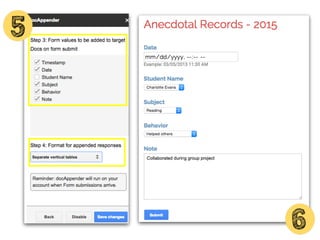
Doc Appender
Doc Appender appends Google Form question responses
to the bottom of selected Google Docs.
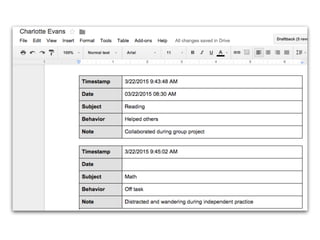
Form Values + Doc Appender = Anecdotal Records
Cr Create form using Form
Values for name, etc.
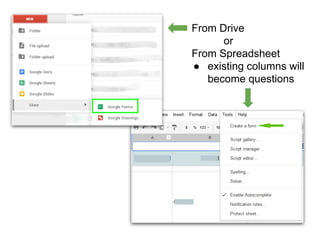
From Drive
or
From Spreadsheet
● existing columns will
become questions
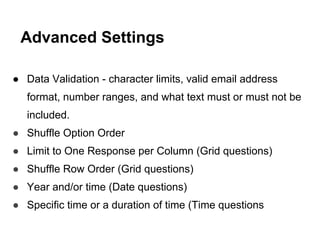
● Data Validation - character limits, valid email address
format, number ranges, and what text must or must not be
included.
● Shuffle Option Order
● Limit to One Response per Column (Grid questions)
● Shuffle Row Order (Grid questions)
● Year and/or time (Date questions)
● Specific time or a duration of time (Time questions
Advanced Settings
Form Ideas/Templates and Help
● Kern Kelley - Google Form Templates
● Colette Cassinelli - Spreadsheets/Forms
● Molly Schroeder - Innovative Uses of Google
Forms
● 79 Interesting Ways to Use Google Forms in
the Classroom
● New Visions Cloud Lab - Add ons
● Jay Atwood YouTube Playlist of Google
Add-on Tutorials

Google Forms: Basics and Beyond

  • 1.
  • 12.
    Students comment on responsesheet to give feedback.
  • 20.
  • 21.
    Form Limiter Form Limitershuts off a Google Form after a max number of responses, at a date and time, or when a spreadsheet cell equals a value. Support site
  • 22.
    Choice Eliminator Choice Eliminatoreliminates an option from a multiple choice, list, or checkbox question after a user has submitted it. Choice Eliminator help video
  • 23.
    Form Values Form Valuesallows you to store and use lists that you use regularly in forms. This could be a list of staff, students, timings, rooms, resources or anything you want!
  • 25.
    Doc Appender Doc Appenderappends Google Form question responses to the bottom of selected Google Docs. Form Values + Doc Appender = Anecdotal Records Cr Create form using Form Values for name, etc.
  • 31.
    From Drive or From Spreadsheet ●existing columns will become questions
  • 33.
    ● Data Validation- character limits, valid email address format, number ranges, and what text must or must not be included. ● Shuffle Option Order ● Limit to One Response per Column (Grid questions) ● Shuffle Row Order (Grid questions) ● Year and/or time (Date questions) ● Specific time or a duration of time (Time questions Advanced Settings
  • 37.
    Form Ideas/Templates andHelp ● Kern Kelley - Google Form Templates ● Colette Cassinelli - Spreadsheets/Forms ● Molly Schroeder - Innovative Uses of Google Forms ● 79 Interesting Ways to Use Google Forms in the Classroom ● New Visions Cloud Lab - Add ons ● Jay Atwood YouTube Playlist of Google Add-on Tutorials