

Google Essentials
Lucy Gray
Interlochen Arts Academy
April 2, 2012
1
Resources
http://www.lucygray.org
Today’s Meet
http://todaysmeet.com/
interlochentech
2
More Even More
http://www.google.com/intl/en/about/products/index.html
3
Agenda
Google Sites as Your Class Hub
Google GeoApps
Google+ and Google Hangouts
4
http://www.google.com/edu/teachers/index.html
6
Google Sites
http://sites.google.com
https://sites.google.com/a/parishepiscopal.org/honors-physics/
Dolores Gende
James Sanders
https://sites.google.com/site/historywithsanders/
Dan McDowell
https://sites.google.com/site/westhillsphoto/
Oregon Google Summit
http://www.googlesummit.org/
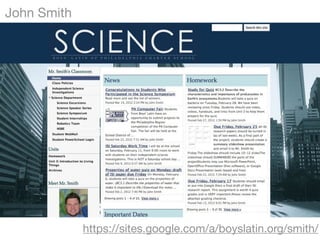
John Smith
https://sites.google.com/a/boyslatin.org/smith/
Step 1
Step 2
Step 3
Step 4
12Creating a Google Site
Step 5
Step 6
Step 7
13Creating a Google Site
Step 9
Step 10
Step 8
14Creating a Google Site
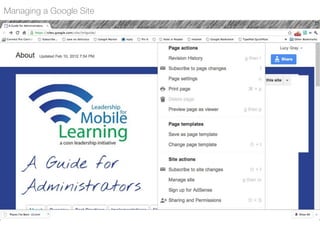
Managing a Google Site
Google Sites Help
How can you use Sites?
Class homepage
Repository for planning activities
ePortfolios
Professional development
Events
Projects
Administrative communications
17
18
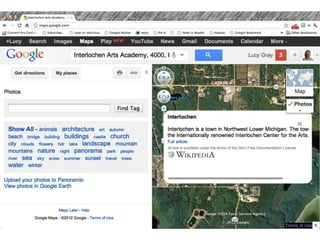
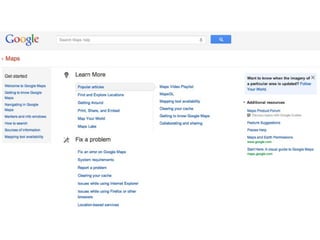
Google Maps
http://maps.google.com/
19
Step 1
Step 2
Step 3
Step 4
Getting Directions
Getting Directions
21
Step 1
Making a Map
Step 4
Step 3
Step 2
22
Step 5
Making a Map
Step 7
Step 6
23
Step 8
Step 9
Step 10
Making a Map
24
Note: If you click on the Import button, you can import existing .kml or .kmz files
Importing Existing KML and KMZ files
http://earthquake.usgs.gov/learn/kml.php
http://www.googlelittrips.org/
25Step 11
26Step 11
27Step 12
28Finding Your Map
Looking at Your Map
37
Google Earth
http://www.google.com/earth/index.html
Haiti
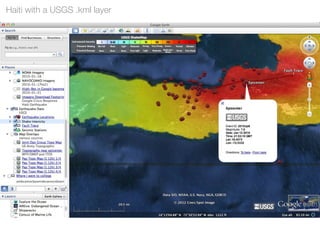
Haiti with a USGS .kml layer
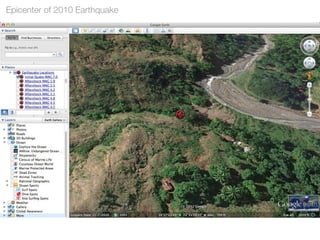
Epicenter of 2010 Earthquake
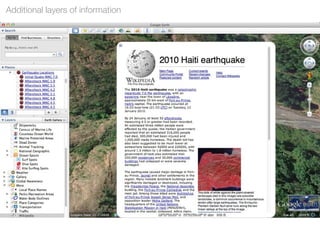
Additional layers of information
Historical images: 2009
Historical images: January 12, 2010
Historical images: January 24, 2010
Browser Integration
Downloaded a .kml or .kmz file on damage
Looking at Google Maps within Google Earth
Google Sky
Google Sky
Google Moon
Flight Simulator
Flight Simulator
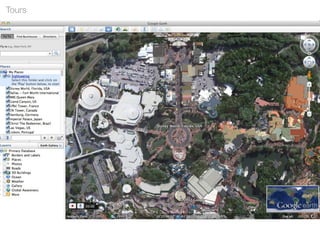
Tours
Preferences
Google Earth’s Tour
Streetview
How can you use Maps & Earth?
Think about consumption vs. creation.....
Creating maps for trips and tours
Exploring countries in world language classes
Plotting routes taken in films & literature
Campus tours
Tours of historical sites
Calculating distances between locations
What else?
62
63
Google Plus
https://plus.google.com/
66
Add To Your Circles
Steve Hargadon
Larry Ferlazzo
Kern Kelley
Esther Wojcicki
Cheryl Oakes
Jim Sill
67Google Hangouts
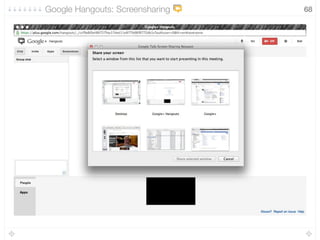
68Google Hangouts: Screensharing
69Google Hangouts: Apps
How could you use Google+ and Hangouts?
Professional development
Networking with peers
Live broadcasts
Videoconferencing with experts
Parent conferences
Tutoring (despite Google+ not being available in GAFE)
71
CUE’s Google Workshops
http://gwe.cuetoyou.net/Home
Google in Education Diigo Group
http://groups.diigo.com/group/google-in-education
Lucy Gray
http:www.lucygray.org
Twitter: elemenous
72

Google Essentials