Google docsGoogle docs
Google DocsGoogle Docs is an easy-to-useis an easy-to-use
online word processor that enablesonline word processor that enables
you to create, store, share, andyou to create, store, share, and
collaborate on documents. You cancollaborate on documents. You can
even import any existing documenteven import any existing document
from Word and Simple Text. Youfrom Word and Simple Text. You
don't need to have the samedon't need to have the same
program on your computer.program on your computer. YouYou
can work from anywhere to accesscan work from anywhere to access
your documents.your documents.
choose who can access yourchoose who can access your
documents.documents.
Just enter the email addressesJust enter the email addresses
of the people with whom youof the people with whom you
want to share a given documentwant to share a given document
and send them an invitation.and send them an invitation.
Share instantly.Share instantly.
Anyone you've invited to either editAnyone you've invited to either edit
or view your document,or view your document,
spreadsheet or presentation canspreadsheet or presentation can
access it as soon as they sign in.access it as soon as they sign in.
Edit and present with others in real time.Edit and present with others in real time.
Multiple people can view and make changesMultiple people can view and make changes
at the same time. There's an on-screen chatat the same time. There's an on-screen chat
window for spreadsheets, and documentwindow for spreadsheets, and document
revisions show you exactly who changedrevisions show you exactly who changed
what, and when. Viewing a presentationwhat, and when. Viewing a presentation
together is a breeze, as anyone joined in atogether is a breeze, as anyone joined in a
presentation can automatically follow alongpresentation can automatically follow along
with the presenter.with the presenter.
People love Google Docs becausePeople love Google Docs because
of its simplicity. It allows you toof its simplicity. It allows you to
create documents or spreadsheetscreate documents or spreadsheets
in the cloud and it is very easy toin the cloud and it is very easy to
collaborate with others. Add in thecollaborate with others. Add in the
fact that it’s free and everyone canfact that it’s free and everyone can
use it for document creation anduse it for document creation and
sharing. With Google Docs, theresharing. With Google Docs, there
never seems to be a shortage [...]never seems to be a shortage [...]
Using Google Docs in theUsing Google Docs in the
classroomclassroom
Elementary school studentsElementary school students
collaborate tocollaborate to
read the same book and write aread the same book and write a
book report.book report.
share their reflections of field trip.share their reflections of field trip.
create a story from a story prompt.create a story from a story prompt.
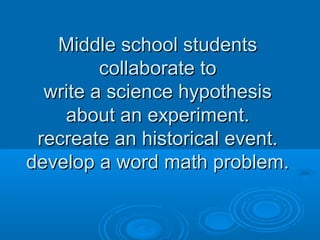
Middle school studentsMiddle school students
collaborate tocollaborate to
write a science hypothesiswrite a science hypothesis
about an experiment.about an experiment.
recreate an historical event.recreate an historical event.
develop a word math problem.develop a word math problem.
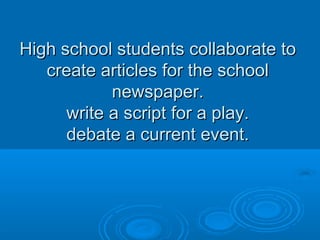
High school students collaborate toHigh school students collaborate to
create articles for the schoolcreate articles for the school
newspaper.newspaper.
write a script for a play.write a script for a play.
debate a current event.debate a current event.

Google docs

  • 1.
  • 2.
    Google DocsGoogle Docsis an easy-to-useis an easy-to-use online word processor that enablesonline word processor that enables you to create, store, share, andyou to create, store, share, and collaborate on documents. You cancollaborate on documents. You can even import any existing documenteven import any existing document from Word and Simple Text. Youfrom Word and Simple Text. You don't need to have the samedon't need to have the same program on your computer.program on your computer. YouYou can work from anywhere to accesscan work from anywhere to access your documents.your documents.
  • 3.
    choose who canaccess yourchoose who can access your documents.documents. Just enter the email addressesJust enter the email addresses of the people with whom youof the people with whom you want to share a given documentwant to share a given document and send them an invitation.and send them an invitation.
  • 4.
    Share instantly.Share instantly. Anyoneyou've invited to either editAnyone you've invited to either edit or view your document,or view your document, spreadsheet or presentation canspreadsheet or presentation can access it as soon as they sign in.access it as soon as they sign in.
  • 5.
    Edit and presentwith others in real time.Edit and present with others in real time. Multiple people can view and make changesMultiple people can view and make changes at the same time. There's an on-screen chatat the same time. There's an on-screen chat window for spreadsheets, and documentwindow for spreadsheets, and document revisions show you exactly who changedrevisions show you exactly who changed what, and when. Viewing a presentationwhat, and when. Viewing a presentation together is a breeze, as anyone joined in atogether is a breeze, as anyone joined in a presentation can automatically follow alongpresentation can automatically follow along with the presenter.with the presenter.
  • 6.
    People love GoogleDocs becausePeople love Google Docs because of its simplicity. It allows you toof its simplicity. It allows you to create documents or spreadsheetscreate documents or spreadsheets in the cloud and it is very easy toin the cloud and it is very easy to collaborate with others. Add in thecollaborate with others. Add in the fact that it’s free and everyone canfact that it’s free and everyone can use it for document creation anduse it for document creation and sharing. With Google Docs, theresharing. With Google Docs, there never seems to be a shortage [...]never seems to be a shortage [...]
  • 7.
    Using Google Docsin theUsing Google Docs in the classroomclassroom
  • 8.
    Elementary school studentsElementaryschool students collaborate tocollaborate to read the same book and write aread the same book and write a book report.book report. share their reflections of field trip.share their reflections of field trip. create a story from a story prompt.create a story from a story prompt.
  • 9.
    Middle school studentsMiddleschool students collaborate tocollaborate to write a science hypothesiswrite a science hypothesis about an experiment.about an experiment. recreate an historical event.recreate an historical event. develop a word math problem.develop a word math problem.
  • 10.
    High school studentscollaborate toHigh school students collaborate to create articles for the schoolcreate articles for the school newspaper.newspaper. write a script for a play.write a script for a play. debate a current event.debate a current event.