Android: Styles
What's not New, but is Undiscovered for many
Praha, Nov 16th
2010
Pavel Petřek
CTO
Not new, but undiscovered
2 of 28
Who is who
Pavel Petřek
Developer, speaker,
smartphones enthusiast
Inmite co-founder
Inmite
Smartphone developers (Android: Corkbin, OnTheRoad,
Lokola, SMS ticket, DMS and more)
Smart-web-apps based on Google APIs
Not new, but undiscovered
3 of 28
Agenda
Styles and themes
Life without PNGs
Q&A
Not new, but undiscovered
4 of 28
Not new, but undiscovered
5 of 28
Let's start with Definitions
Style
A collection of properties that specify the look and format for a
View or window
Theme
A style applied to an entire Activity or application, rather than
an individual View
Not new, but undiscovered
6 of 28
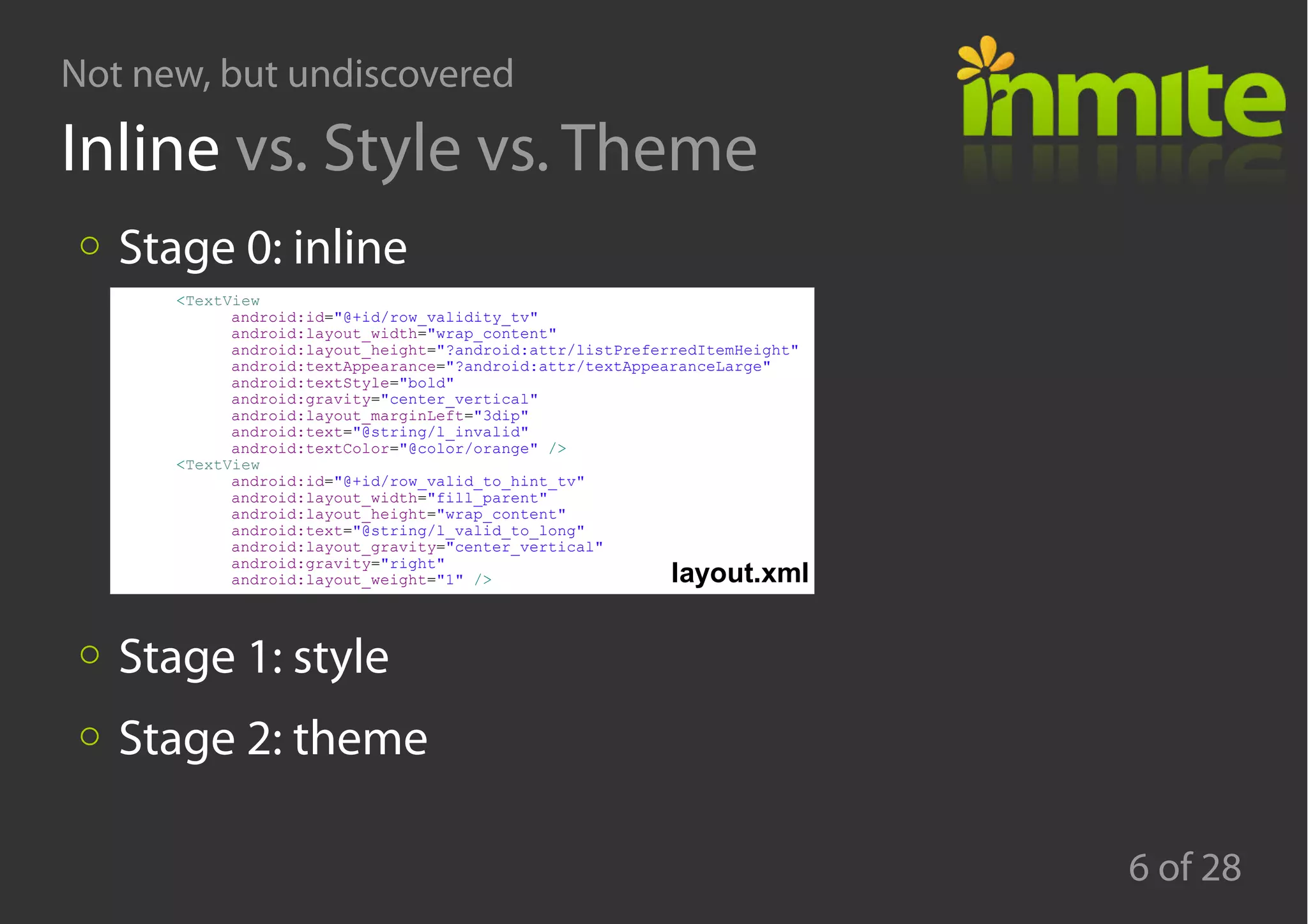
Inline vs. Style vs. Theme
Stage 0: inline
Stage 1: style
Stage 2: theme
<TextView
android:id="@+id/row_validity_tv"
android:layout_width="wrap_content"
android:layout_height="?android:attr/listPreferredItemHeight"
android:textAppearance="?android:attr/textAppearanceLarge"
android:textStyle="bold"
android:gravity="center_vertical"
android:layout_marginLeft="3dip"
android:text="@string/l_invalid"
android:textColor="@color/orange" />
<TextView
android:id="@+id/row_valid_to_hint_tv"
android:layout_width="fill_parent"
android:layout_height="wrap_content"
android:text="@string/l_valid_to_long"
android:layout_gravity="center_vertical"
android:gravity="right"
android:layout_weight="1" /> layout.xml
Not new, but undiscovered
7 of 28
Inline vs. Style vs. Theme
Stage 0: inline
Stage 1: style
Stage 2: theme
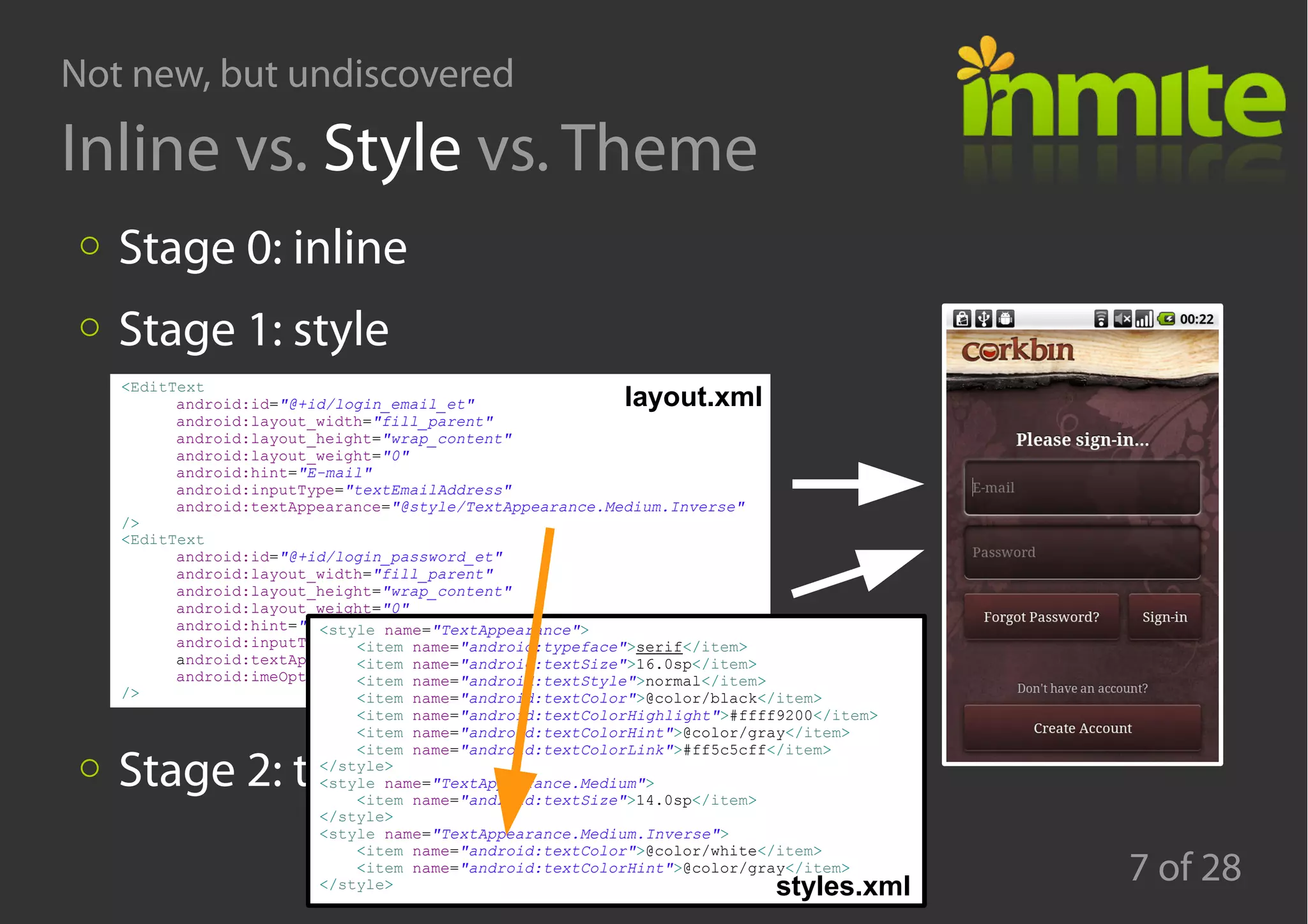
<EditText
android:id="@+id/login_email_et"
android:layout_width="fill_parent"
android:layout_height="wrap_content"
android:layout_weight="0"
android:hint="E-mail"
android:inputType="textEmailAddress"
android:textAppearance="@style/TextAppearance.Medium.Inverse"
/>
<EditText
android:id="@+id/login_password_et"
android:layout_width="fill_parent"
android:layout_height="wrap_content"
android:layout_weight="0"
android:hint="Password"
android:inputType="textPassword"
android:textAppearance="@style/TextAppearance.Medium.Inverse"
android:imeOptions="actionGo"
/>
<style name="TextAppearance">
<item name="android:typeface">serif</item>
<item name="android:textSize">16.0sp</item>
<item name="android:textStyle">normal</item>
<item name="android:textColor">@color/black</item>
<item name="android:textColorHighlight">#ffff9200</item>
<item name="android:textColorHint">@color/gray</item>
<item name="android:textColorLink">#ff5c5cff</item>
</style>
<style name="TextAppearance.Medium">
<item name="android:textSize">14.0sp</item>
</style>
<style name="TextAppearance.Medium.Inverse">
<item name="android:textColor">@color/white</item>
<item name="android:textColorHint">@color/gray</item>
</style> styles.xml
layout.xml
Not new, but undiscovered
8 of 28
Inline vs. Style vs. Theme
Stage 0: inline
Stage 1: style
Stage 2: theme
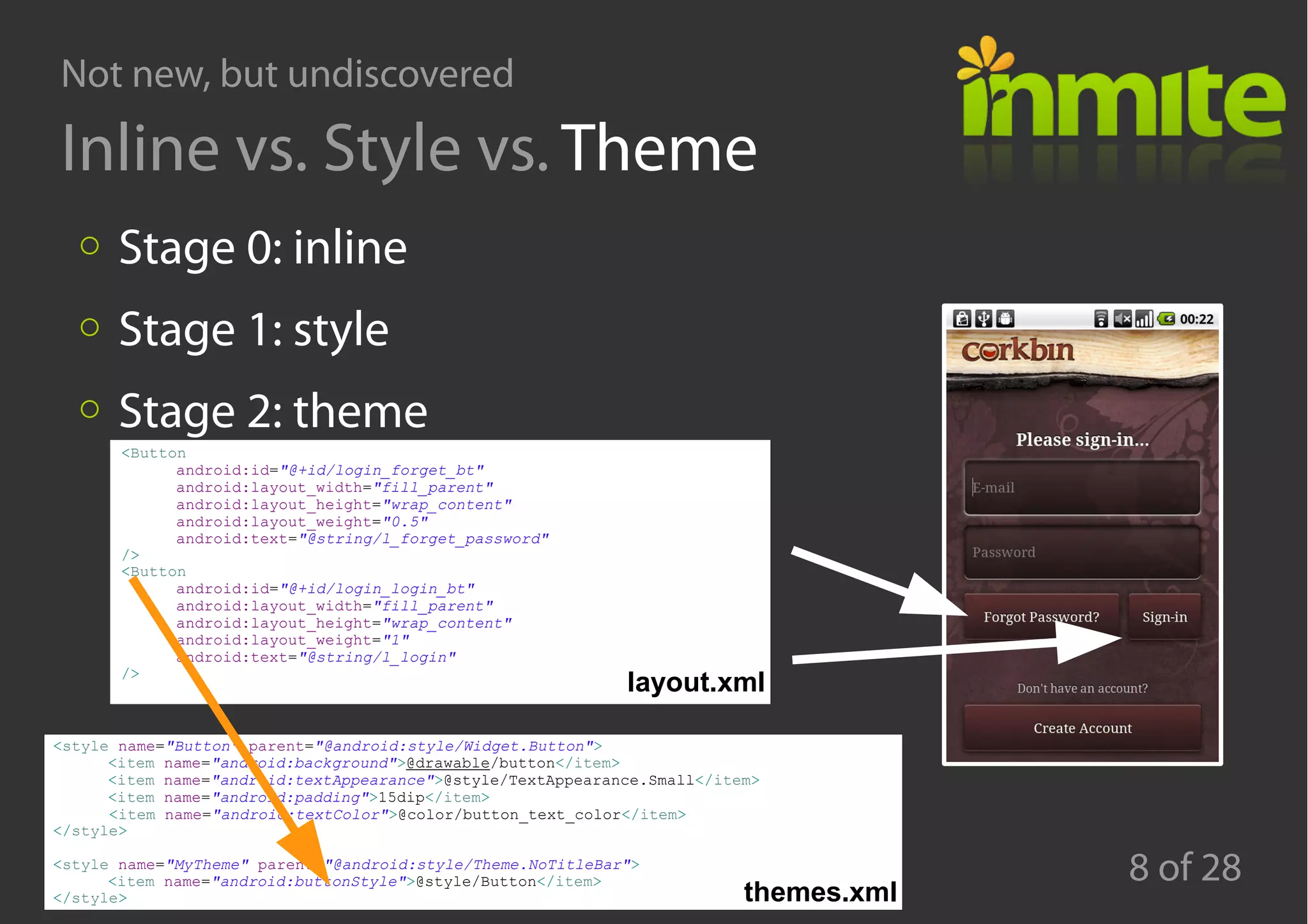
<Button
android:id="@+id/login_forget_bt"
android:layout_width="fill_parent"
android:layout_height="wrap_content"
android:layout_weight="0.5"
android:text="@string/l_forget_password"
/>
<Button
android:id="@+id/login_login_bt"
android:layout_width="fill_parent"
android:layout_height="wrap_content"
android:layout_weight="1"
android:text="@string/l_login"
/>
<style name="Button" parent="@android:style/Widget.Button">
<item name="android:background">@drawable/button</item>
<item name="android:textAppearance">@style/TextAppearance.Small</item>
<item name="android:padding">15dip</item>
<item name="android:textColor">@color/button_text_color</item>
</style>
<style name="MyTheme" parent="@android:style/Theme.NoTitleBar">
<item name="android:buttonStyle">@style/Button</item>
</style>
layout.xml
themes.xml
Not new, but undiscovered
9 of 28
Key benefits
Saves your time
Makes the code DRY (Do not Repeat Yourself)
→Separates the Look from UI structure is replacable
Not new, but undiscovered
10 of 28
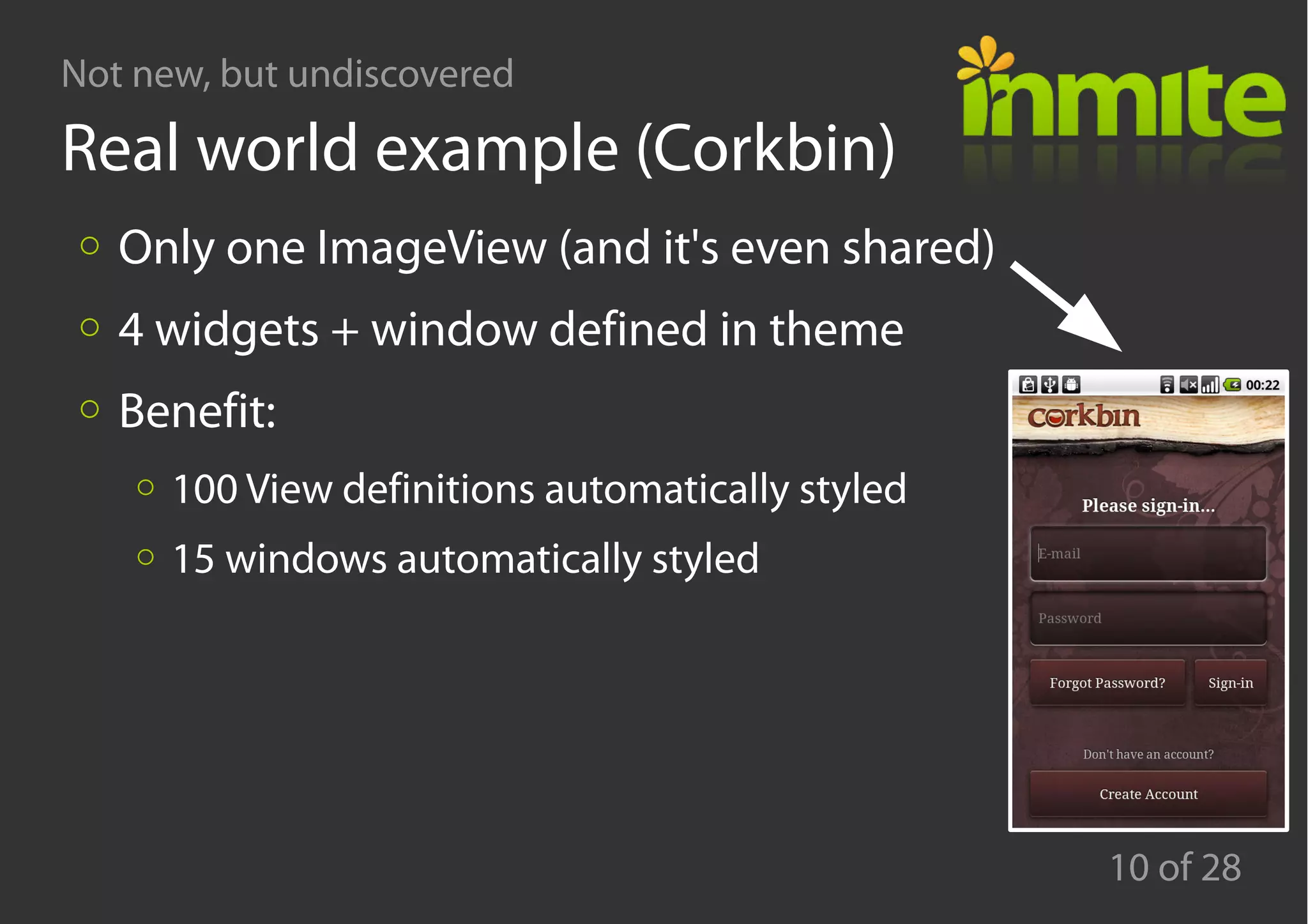
Real world example (Corkbin)
Only one ImageView (and it's even shared)
4 widgets + window defined in theme
Benefit:
100 View definitions automatically styled
15 windows automatically styled
Not new, but undiscovered
11 of 28
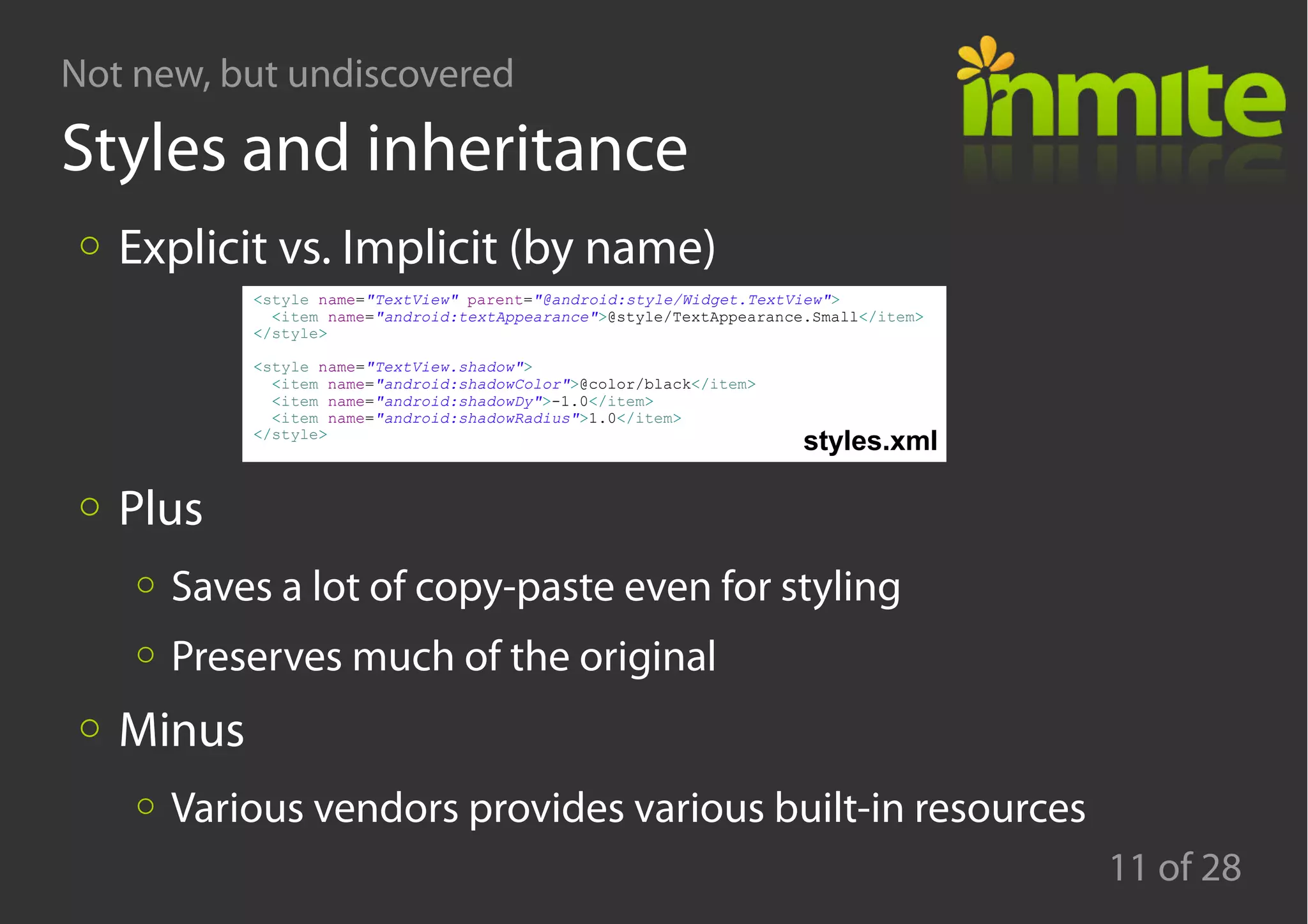
Styles and inheritance
Explicit vs. Implicit (by name)
Plus
Saves a lot of copy-paste even for styling
Preserves much of the original
Minus
Various vendors provides various built-in resources
<style name="TextView" parent="@android:style/Widget.TextView">
<item name="android:textAppearance">@style/TextAppearance.Small</item>
</style>
<style name="TextView.shadow">
<item name="android:shadowColor">@color/black</item>
<item name="android:shadowDy">-1.0</item>
<item name="android:shadowRadius">1.0</item>
</style>
styles.xml
Not new, but undiscovered
12 of 28
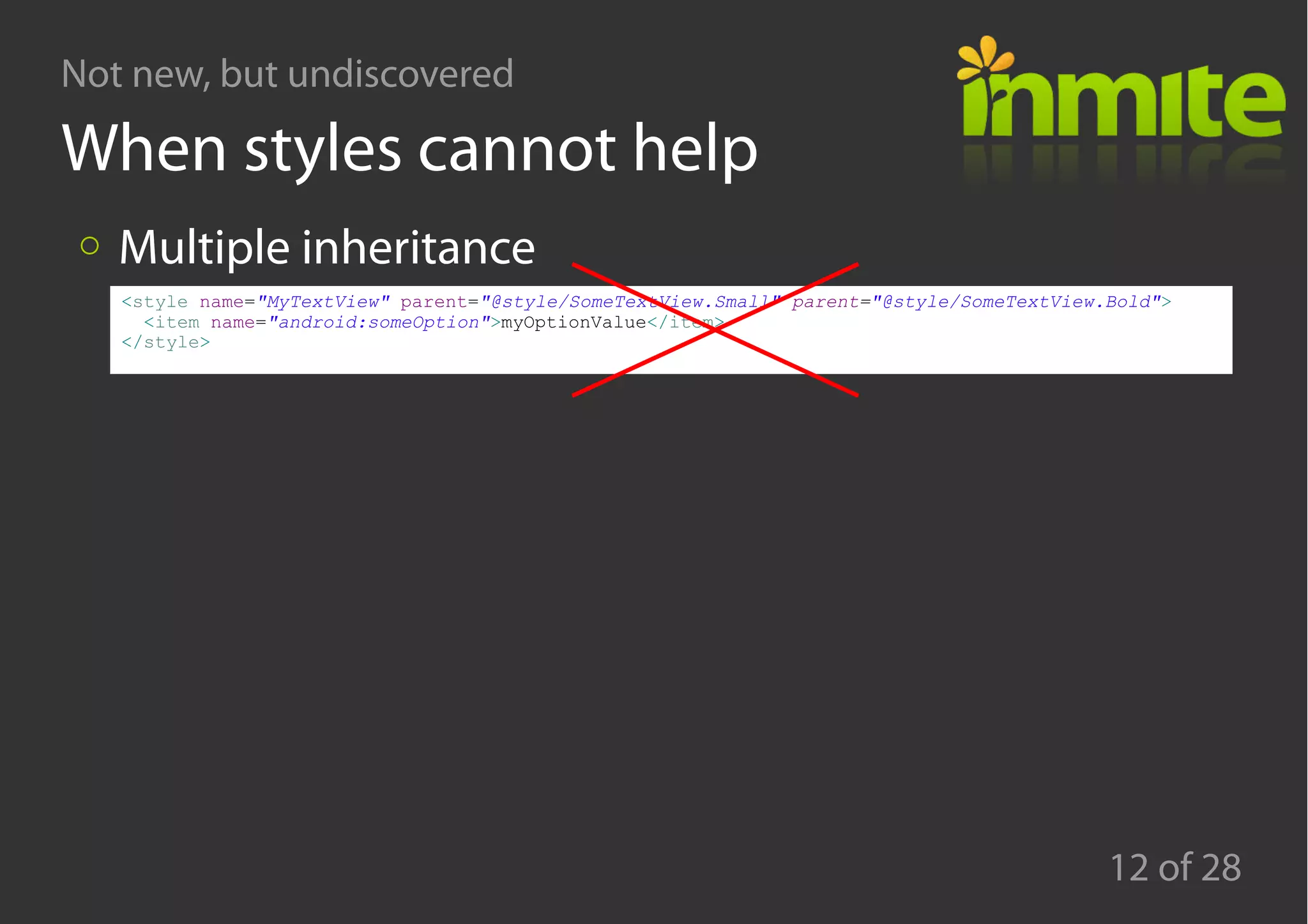
When styles cannot help
Multiple inheritance
<style name="MyTextView" parent="@style/SomeTextView.Small" parent="@style/SomeTextView.Bold">
<item name="android:someOption">myOptionValue</item>
</style>
Not new, but undiscovered
13 of 28
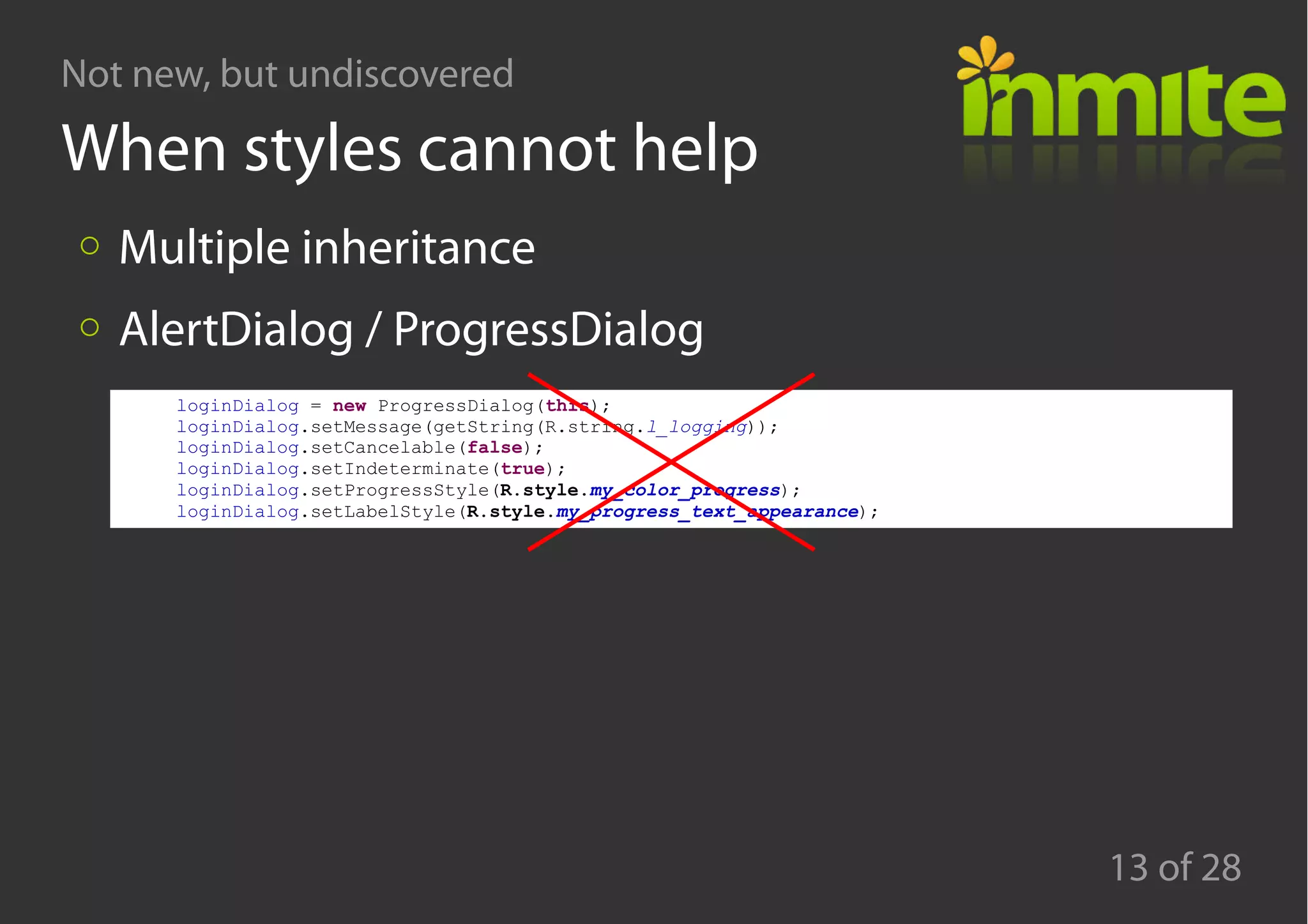
When styles cannot help
Multiple inheritance
AlertDialog / ProgressDialog
loginDialog = new ProgressDialog(this);
loginDialog.setMessage(getString(R.string.l_logging));
loginDialog.setCancelable(false);
loginDialog.setIndeterminate(true);
loginDialog.setProgressStyle(R.style.my_color_progress);
loginDialog.setLabelStyle(R.style.my_progress_text_appearance);
Not new, but undiscovered
14 of 28
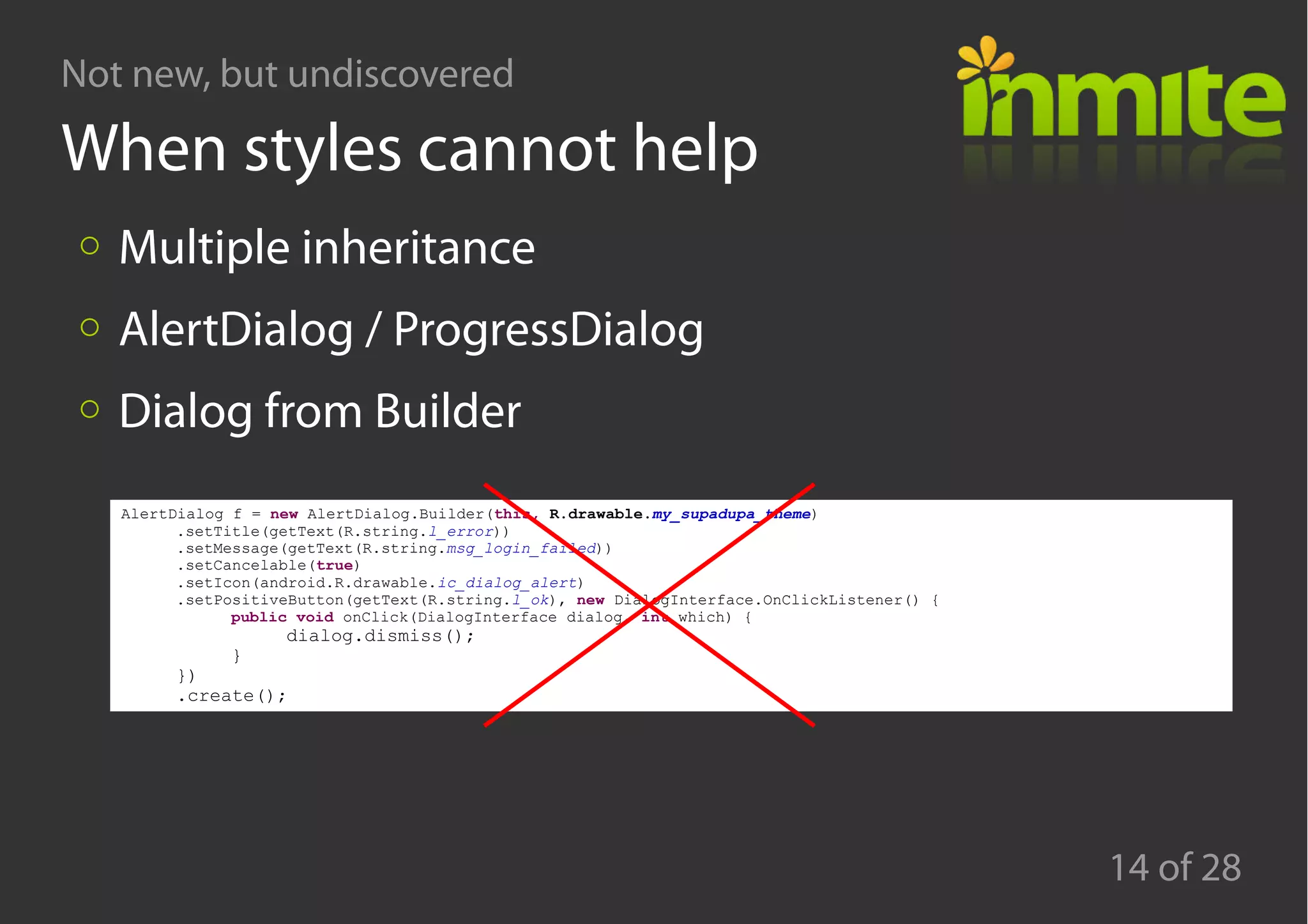
When styles cannot help
Multiple inheritance
AlertDialog / ProgressDialog
Dialog from Builder
AlertDialog f = new AlertDialog.Builder(this, R.drawable.my_supadupa_theme)
.setTitle(getText(R.string.l_error))
.setMessage(getText(R.string.msg_login_failed))
.setCancelable(true)
.setIcon(android.R.drawable.ic_dialog_alert)
.setPositiveButton(getText(R.string.l_ok), new DialogInterface.OnClickListener() {
public void onClick(DialogInterface dialog, int which) {
dialog.dismiss();
}
})
.create();
Not new, but undiscovered
15 of 28
Agenda
Styles and themes
Life without PNGs
Q&A
Not new, but undiscovered
16 of 28
Where we use PNGs in app UI
app icons
action icons
window backgrounds
View component backgrounds (Button, EditText, ...)
Not new, but undiscovered
17 of 28
Where we use PNGs in app UI
app icons
action icons
window backgrounds
View component backgrounds (Button, EditText, …)
→Typical activity: 2 layouts x 3 DPIs a lot of PNGs
Not new, but undiscovered
18 of 28
Where we use PNGs in app UI
app icons
action icons
window backgrounds
View component backgrounds (Button, EditText, …)
→Typical activity: 2 layouts x 3 DPIs a lot of PNGs
Not new, but undiscovered
19 of 28
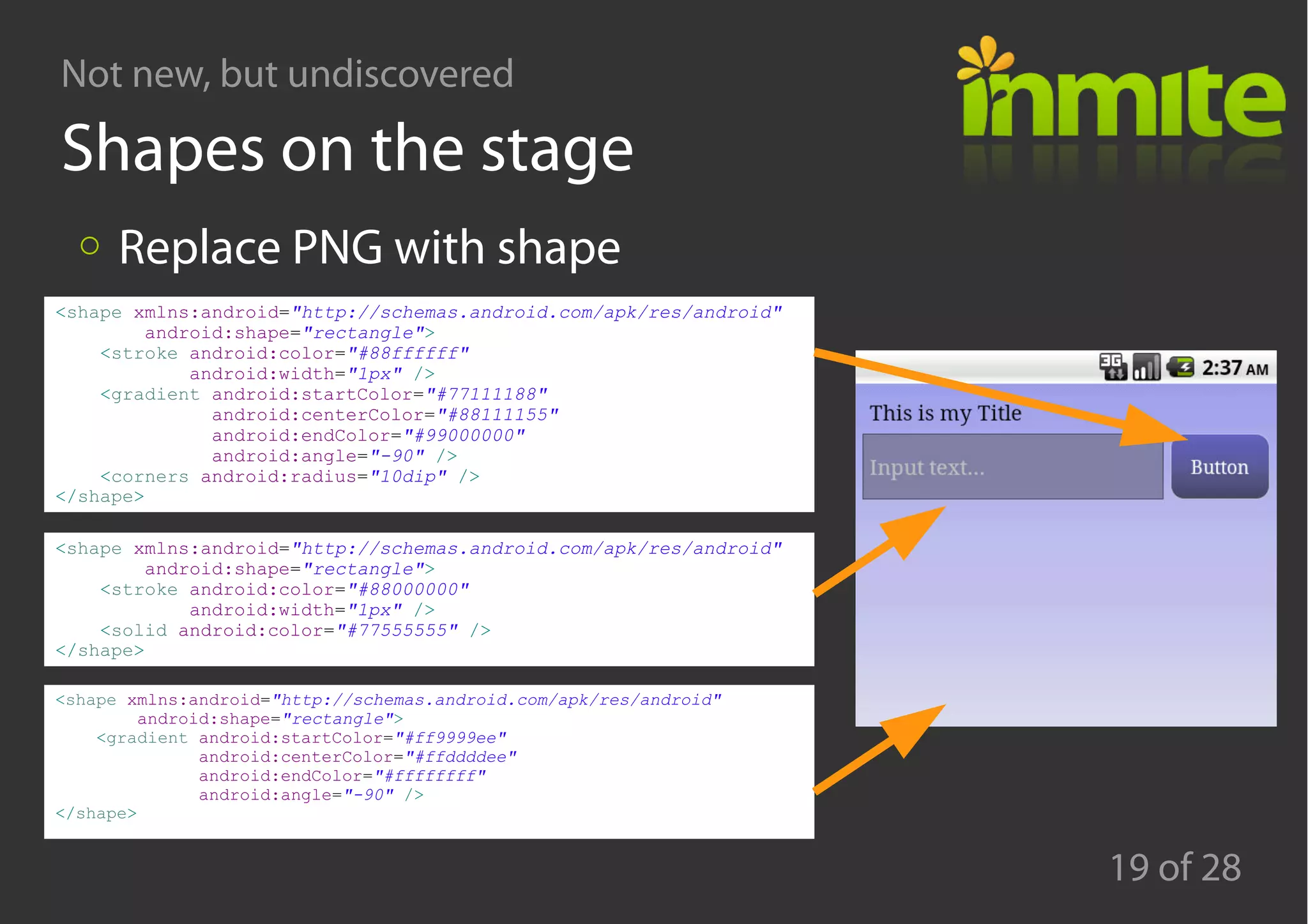
Shapes on the stage
Replace PNG with shape
<shape xmlns:android="http://schemas.android.com/apk/res/android"
android:shape="rectangle">
<stroke android:color="#88ffffff"
android:width="1px" />
<gradient android:startColor="#77111188"
android:centerColor="#88111155"
android:endColor="#99000000"
android:angle="-90" />
<corners android:radius="10dip" />
</shape>
<shape xmlns:android="http://schemas.android.com/apk/res/android"
android:shape="rectangle">
<stroke android:color="#88000000"
android:width="1px" />
<solid android:color="#77555555" />
</shape>
<shape xmlns:android="http://schemas.android.com/apk/res/android"
android:shape="rectangle">
<gradient android:startColor="#ff9999ee"
android:centerColor="#ffddddee"
android:endColor="#ffffffff"
android:angle="-90" />
</shape>
Not new, but undiscovered
20 of 28
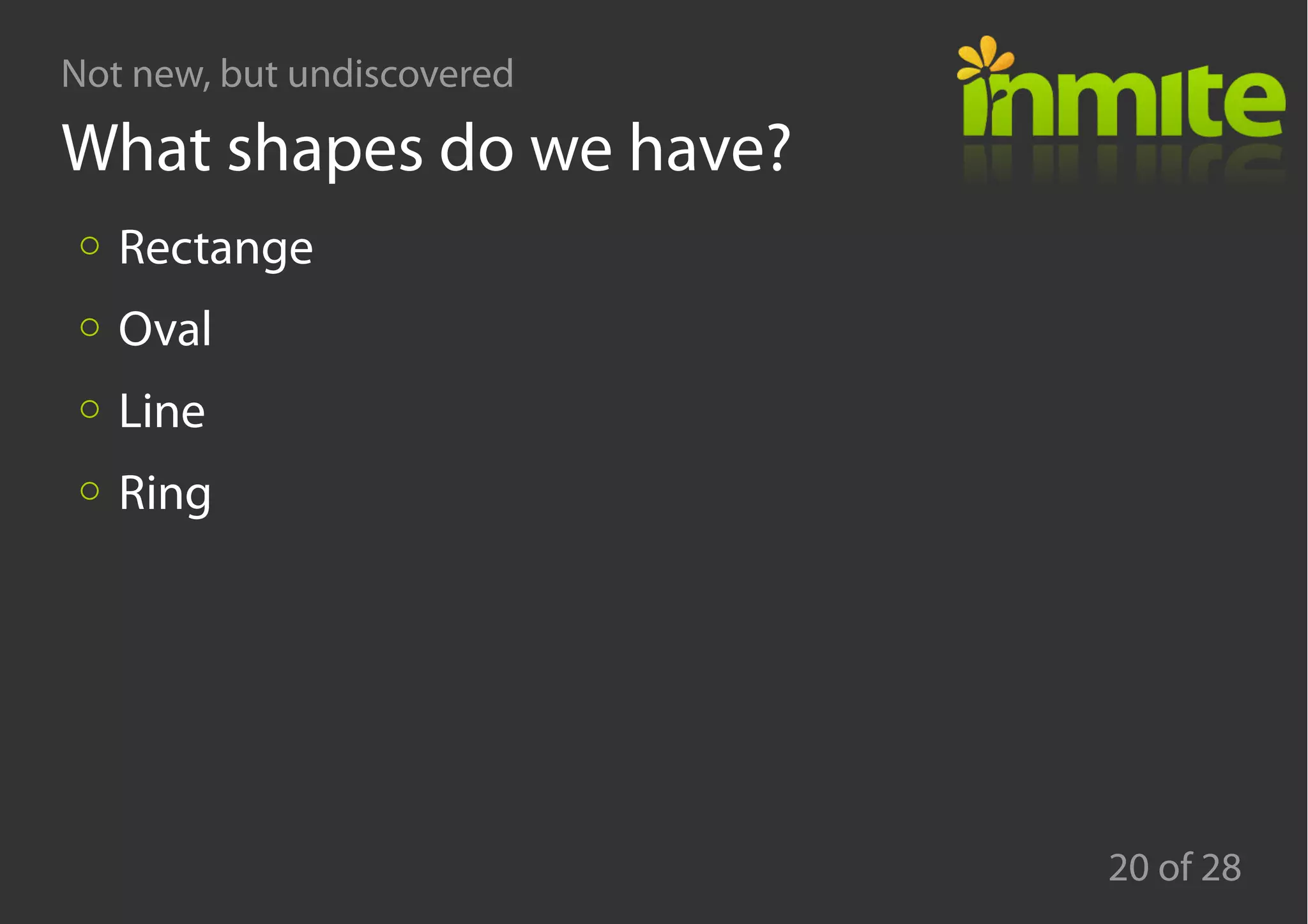
What shapes do we have?
Rectange
Oval
Line
Ring
Not new, but undiscovered
21 of 28
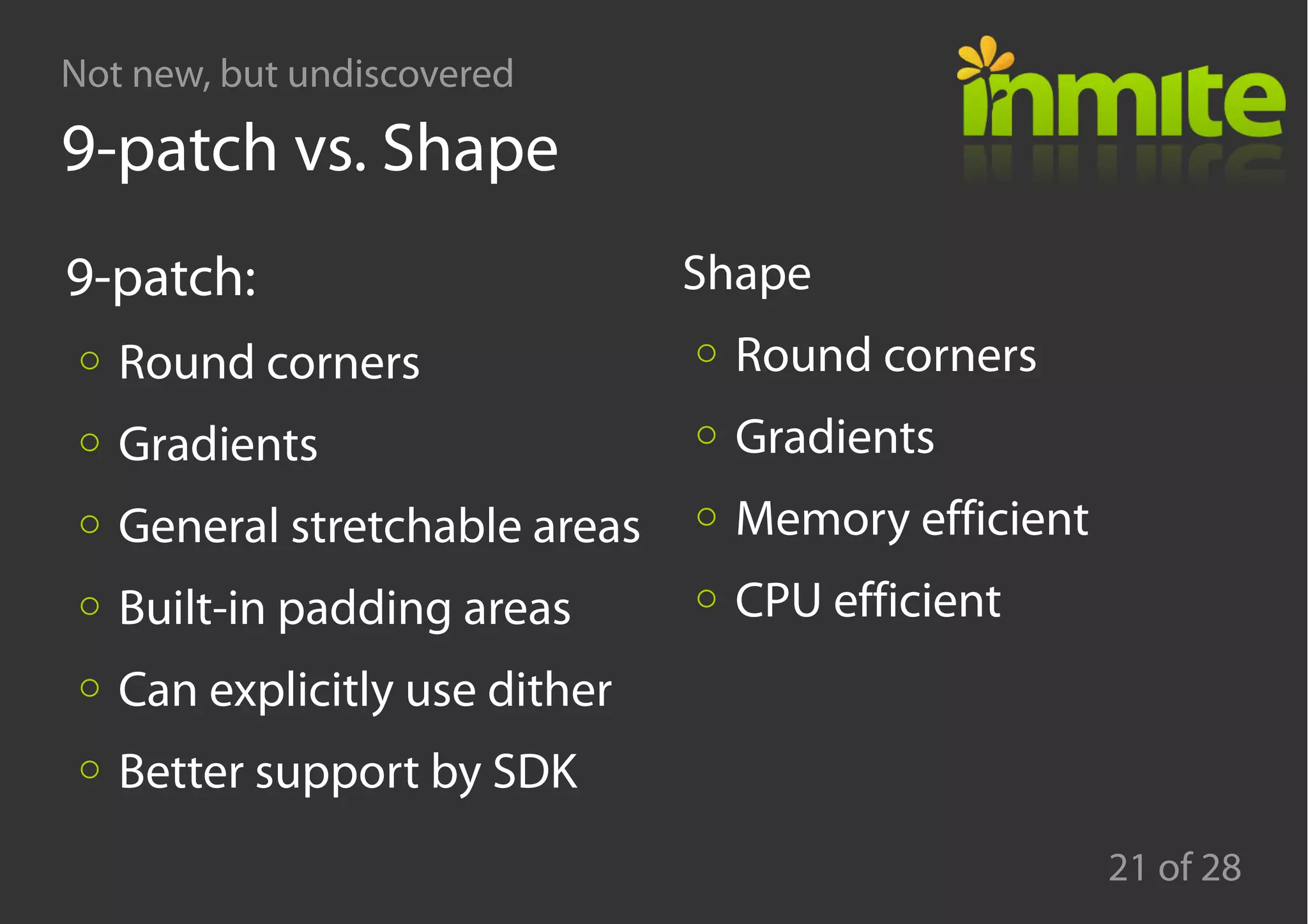
9-patch vs. Shape
9-patch:
Round corners
Gradients
General stretchable areas
Built-in padding areas
Can explicitly use dither
Better support by SDK
Shape
Round corners
Gradients
Memory efficient
CPU efficient
Not new, but undiscovered
22 of 28
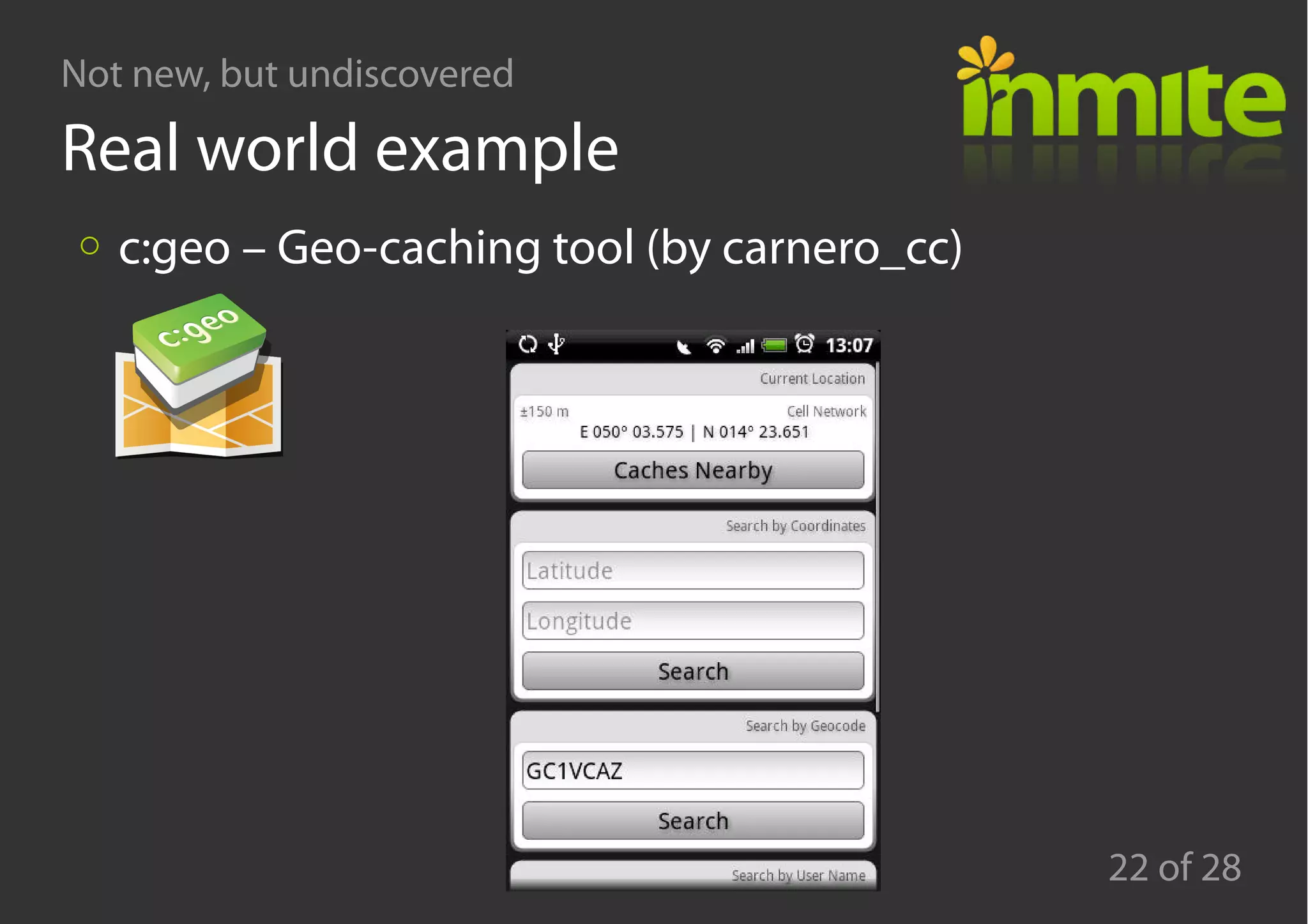
Real world example
c:geo – Geo-caching tool (by carnero_cc)
Not new, but undiscovered
23 of 28
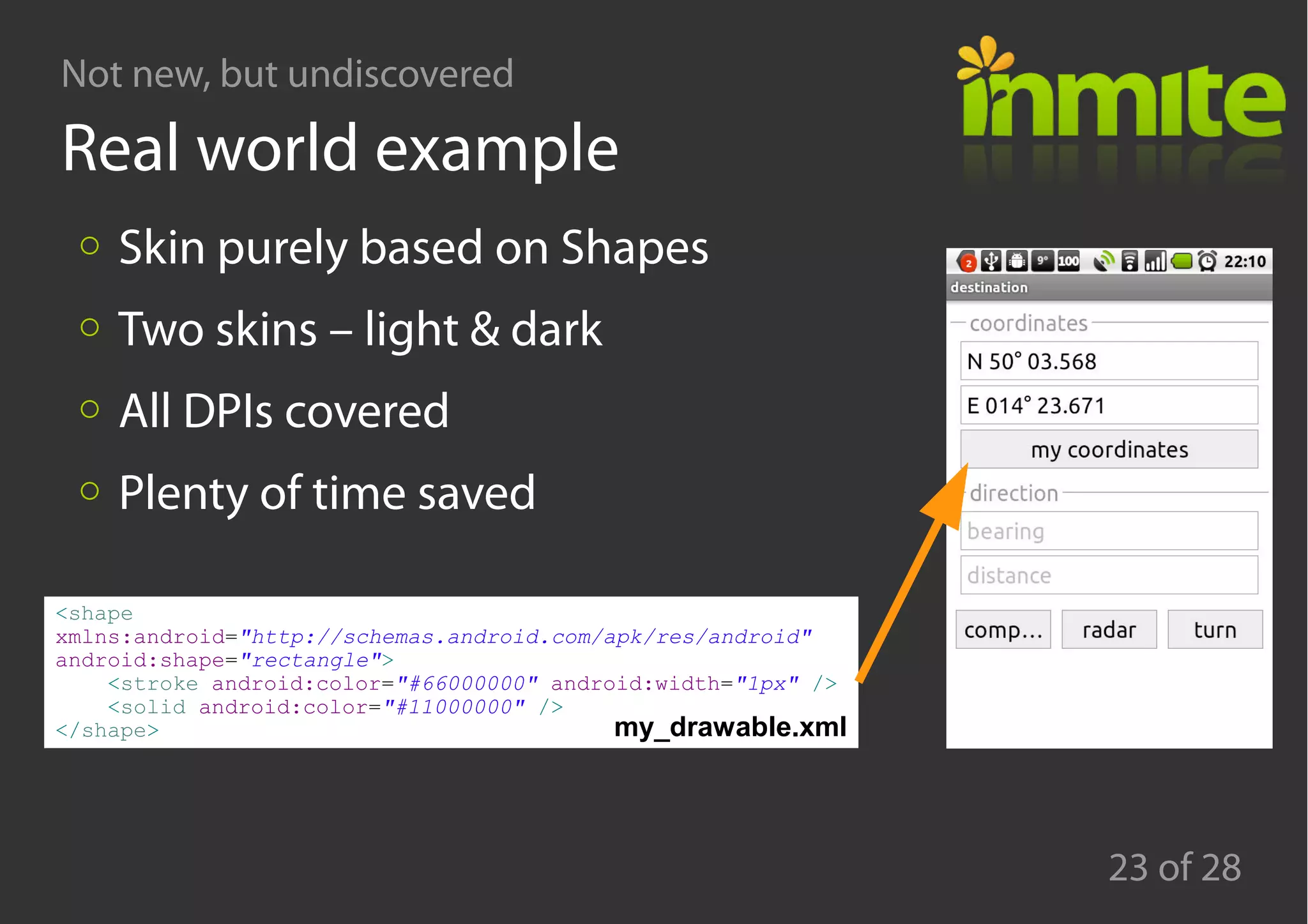
Real world example
<shape
xmlns:android="http://schemas.android.com/apk/res/android"
android:shape="rectangle">
<stroke android:color="#66000000" android:width="1px" />
<solid android:color="#11000000" />
</shape>
Skin purely based on Shapes
Two skins – light & dark
All DPIs covered
Plenty of time saved
my_drawable.xml
Not new, but undiscovered
24 of 28
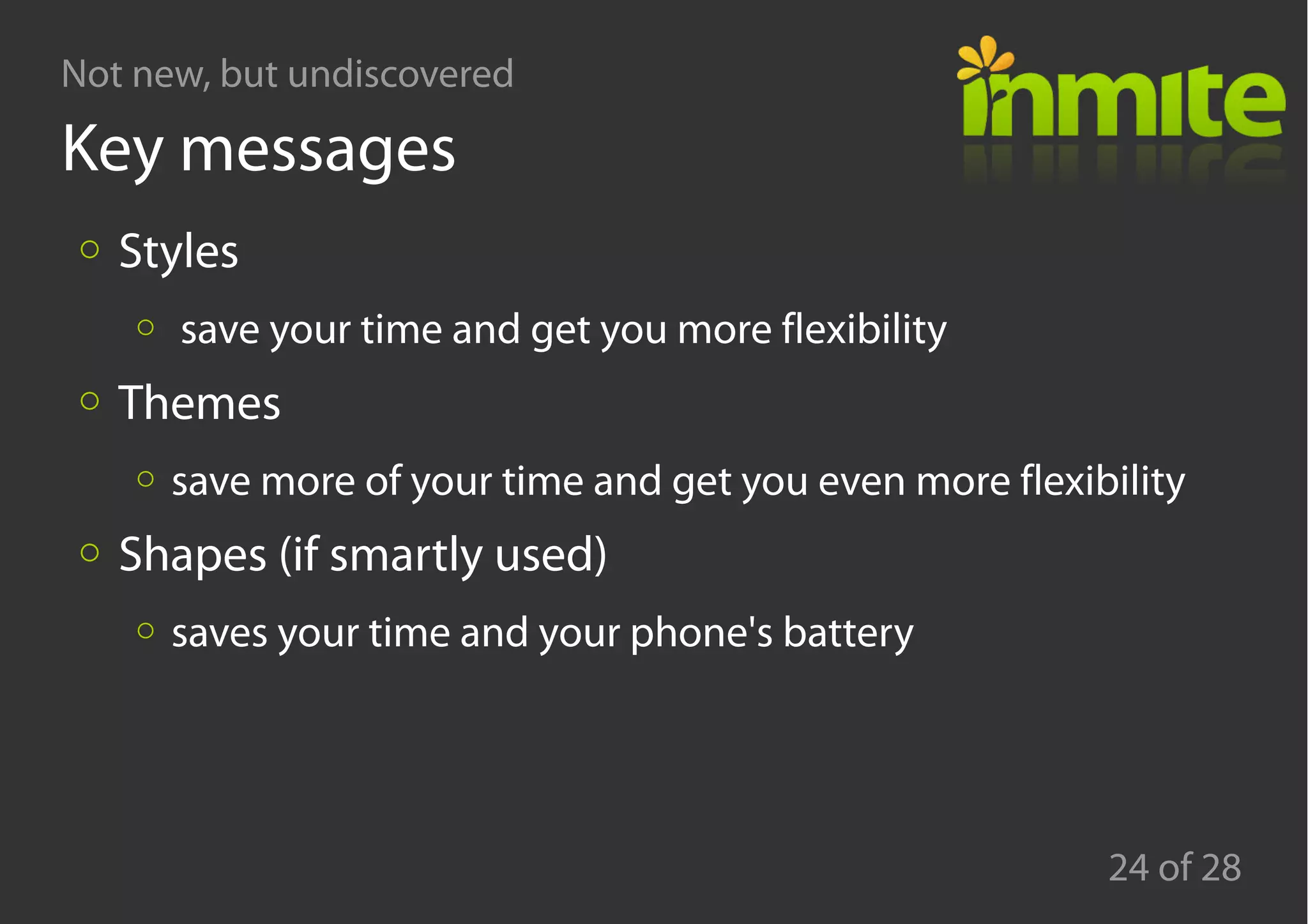
Key messages
Styles
save your time and get you more flexibility
Themes
save more of your time and get you even more flexibility
Shapes (if smartly used)
saves your time and your phone's battery
Not new, but undiscovered
25 of 28
Agenda
Styles and themes
Life without PNGs
Q&A
Not new, but undiscovered
26 of 28
Q & A
Not new, but undiscovered
27 of 28
References
http://developer.android.com/guide/topics/ui/themes.html
http://developer.android.com/guide/topics/resources/drawab
le-resource.html#Shape
https://github.com/carnero/c-geo/tree/master/res/
http://groups.google.com/
http://www.google.com/
http://www.stackoverflow.com/
Not new, but undiscovered
28 of 28
Thanks for your attention
Pavel Petřek
pavel@inmite.eu http://www.inmite.eu/ http://twitter.com/pavelpetrek

Google Developer Day 2010 - Prague - Styles in Android

  • 1.
    Android: Styles What's notNew, but is Undiscovered for many Praha, Nov 16th 2010 Pavel Petřek CTO
  • 2.
    Not new, butundiscovered 2 of 28 Who is who Pavel Petřek Developer, speaker, smartphones enthusiast Inmite co-founder Inmite Smartphone developers (Android: Corkbin, OnTheRoad, Lokola, SMS ticket, DMS and more) Smart-web-apps based on Google APIs
  • 3.
    Not new, butundiscovered 3 of 28 Agenda Styles and themes Life without PNGs Q&A
  • 4.
    Not new, butundiscovered 4 of 28
  • 5.
    Not new, butundiscovered 5 of 28 Let's start with Definitions Style A collection of properties that specify the look and format for a View or window Theme A style applied to an entire Activity or application, rather than an individual View
  • 6.
    Not new, butundiscovered 6 of 28 Inline vs. Style vs. Theme Stage 0: inline Stage 1: style Stage 2: theme <TextView android:id="@+id/row_validity_tv" android:layout_width="wrap_content" android:layout_height="?android:attr/listPreferredItemHeight" android:textAppearance="?android:attr/textAppearanceLarge" android:textStyle="bold" android:gravity="center_vertical" android:layout_marginLeft="3dip" android:text="@string/l_invalid" android:textColor="@color/orange" /> <TextView android:id="@+id/row_valid_to_hint_tv" android:layout_width="fill_parent" android:layout_height="wrap_content" android:text="@string/l_valid_to_long" android:layout_gravity="center_vertical" android:gravity="right" android:layout_weight="1" /> layout.xml
  • 7.
    Not new, butundiscovered 7 of 28 Inline vs. Style vs. Theme Stage 0: inline Stage 1: style Stage 2: theme <EditText android:id="@+id/login_email_et" android:layout_width="fill_parent" android:layout_height="wrap_content" android:layout_weight="0" android:hint="E-mail" android:inputType="textEmailAddress" android:textAppearance="@style/TextAppearance.Medium.Inverse" /> <EditText android:id="@+id/login_password_et" android:layout_width="fill_parent" android:layout_height="wrap_content" android:layout_weight="0" android:hint="Password" android:inputType="textPassword" android:textAppearance="@style/TextAppearance.Medium.Inverse" android:imeOptions="actionGo" /> <style name="TextAppearance"> <item name="android:typeface">serif</item> <item name="android:textSize">16.0sp</item> <item name="android:textStyle">normal</item> <item name="android:textColor">@color/black</item> <item name="android:textColorHighlight">#ffff9200</item> <item name="android:textColorHint">@color/gray</item> <item name="android:textColorLink">#ff5c5cff</item> </style> <style name="TextAppearance.Medium"> <item name="android:textSize">14.0sp</item> </style> <style name="TextAppearance.Medium.Inverse"> <item name="android:textColor">@color/white</item> <item name="android:textColorHint">@color/gray</item> </style> styles.xml layout.xml
  • 8.
    Not new, butundiscovered 8 of 28 Inline vs. Style vs. Theme Stage 0: inline Stage 1: style Stage 2: theme <Button android:id="@+id/login_forget_bt" android:layout_width="fill_parent" android:layout_height="wrap_content" android:layout_weight="0.5" android:text="@string/l_forget_password" /> <Button android:id="@+id/login_login_bt" android:layout_width="fill_parent" android:layout_height="wrap_content" android:layout_weight="1" android:text="@string/l_login" /> <style name="Button" parent="@android:style/Widget.Button"> <item name="android:background">@drawable/button</item> <item name="android:textAppearance">@style/TextAppearance.Small</item> <item name="android:padding">15dip</item> <item name="android:textColor">@color/button_text_color</item> </style> <style name="MyTheme" parent="@android:style/Theme.NoTitleBar"> <item name="android:buttonStyle">@style/Button</item> </style> layout.xml themes.xml
  • 9.
    Not new, butundiscovered 9 of 28 Key benefits Saves your time Makes the code DRY (Do not Repeat Yourself) →Separates the Look from UI structure is replacable
  • 10.
    Not new, butundiscovered 10 of 28 Real world example (Corkbin) Only one ImageView (and it's even shared) 4 widgets + window defined in theme Benefit: 100 View definitions automatically styled 15 windows automatically styled
  • 11.
    Not new, butundiscovered 11 of 28 Styles and inheritance Explicit vs. Implicit (by name) Plus Saves a lot of copy-paste even for styling Preserves much of the original Minus Various vendors provides various built-in resources <style name="TextView" parent="@android:style/Widget.TextView"> <item name="android:textAppearance">@style/TextAppearance.Small</item> </style> <style name="TextView.shadow"> <item name="android:shadowColor">@color/black</item> <item name="android:shadowDy">-1.0</item> <item name="android:shadowRadius">1.0</item> </style> styles.xml
  • 12.
    Not new, butundiscovered 12 of 28 When styles cannot help Multiple inheritance <style name="MyTextView" parent="@style/SomeTextView.Small" parent="@style/SomeTextView.Bold"> <item name="android:someOption">myOptionValue</item> </style>
  • 13.
    Not new, butundiscovered 13 of 28 When styles cannot help Multiple inheritance AlertDialog / ProgressDialog loginDialog = new ProgressDialog(this); loginDialog.setMessage(getString(R.string.l_logging)); loginDialog.setCancelable(false); loginDialog.setIndeterminate(true); loginDialog.setProgressStyle(R.style.my_color_progress); loginDialog.setLabelStyle(R.style.my_progress_text_appearance);
  • 14.
    Not new, butundiscovered 14 of 28 When styles cannot help Multiple inheritance AlertDialog / ProgressDialog Dialog from Builder AlertDialog f = new AlertDialog.Builder(this, R.drawable.my_supadupa_theme) .setTitle(getText(R.string.l_error)) .setMessage(getText(R.string.msg_login_failed)) .setCancelable(true) .setIcon(android.R.drawable.ic_dialog_alert) .setPositiveButton(getText(R.string.l_ok), new DialogInterface.OnClickListener() { public void onClick(DialogInterface dialog, int which) { dialog.dismiss(); } }) .create();
  • 15.
    Not new, butundiscovered 15 of 28 Agenda Styles and themes Life without PNGs Q&A
  • 16.
    Not new, butundiscovered 16 of 28 Where we use PNGs in app UI app icons action icons window backgrounds View component backgrounds (Button, EditText, ...)
  • 17.
    Not new, butundiscovered 17 of 28 Where we use PNGs in app UI app icons action icons window backgrounds View component backgrounds (Button, EditText, …) →Typical activity: 2 layouts x 3 DPIs a lot of PNGs
  • 18.
    Not new, butundiscovered 18 of 28 Where we use PNGs in app UI app icons action icons window backgrounds View component backgrounds (Button, EditText, …) →Typical activity: 2 layouts x 3 DPIs a lot of PNGs
  • 19.
    Not new, butundiscovered 19 of 28 Shapes on the stage Replace PNG with shape <shape xmlns:android="http://schemas.android.com/apk/res/android" android:shape="rectangle"> <stroke android:color="#88ffffff" android:width="1px" /> <gradient android:startColor="#77111188" android:centerColor="#88111155" android:endColor="#99000000" android:angle="-90" /> <corners android:radius="10dip" /> </shape> <shape xmlns:android="http://schemas.android.com/apk/res/android" android:shape="rectangle"> <stroke android:color="#88000000" android:width="1px" /> <solid android:color="#77555555" /> </shape> <shape xmlns:android="http://schemas.android.com/apk/res/android" android:shape="rectangle"> <gradient android:startColor="#ff9999ee" android:centerColor="#ffddddee" android:endColor="#ffffffff" android:angle="-90" /> </shape>
  • 20.
    Not new, butundiscovered 20 of 28 What shapes do we have? Rectange Oval Line Ring
  • 21.
    Not new, butundiscovered 21 of 28 9-patch vs. Shape 9-patch: Round corners Gradients General stretchable areas Built-in padding areas Can explicitly use dither Better support by SDK Shape Round corners Gradients Memory efficient CPU efficient
  • 22.
    Not new, butundiscovered 22 of 28 Real world example c:geo – Geo-caching tool (by carnero_cc)
  • 23.
    Not new, butundiscovered 23 of 28 Real world example <shape xmlns:android="http://schemas.android.com/apk/res/android" android:shape="rectangle"> <stroke android:color="#66000000" android:width="1px" /> <solid android:color="#11000000" /> </shape> Skin purely based on Shapes Two skins – light & dark All DPIs covered Plenty of time saved my_drawable.xml
  • 24.
    Not new, butundiscovered 24 of 28 Key messages Styles save your time and get you more flexibility Themes save more of your time and get you even more flexibility Shapes (if smartly used) saves your time and your phone's battery
  • 25.
    Not new, butundiscovered 25 of 28 Agenda Styles and themes Life without PNGs Q&A
  • 26.
    Not new, butundiscovered 26 of 28 Q & A
  • 27.
    Not new, butundiscovered 27 of 28 References http://developer.android.com/guide/topics/ui/themes.html http://developer.android.com/guide/topics/resources/drawab le-resource.html#Shape https://github.com/carnero/c-geo/tree/master/res/ http://groups.google.com/ http://www.google.com/ http://www.stackoverflow.com/
  • 28.
    Not new, butundiscovered 28 of 28 Thanks for your attention Pavel Petřek pavel@inmite.eu http://www.inmite.eu/ http://twitter.com/pavelpetrek