
DECISIONS FOR MOBILE
GOING NATIVE
Elan Tanzer
tanzer.com
tanzer.com
TOPICS For Discussion
Choosing Functionality
Making It Look Good
Weighing Risk vs. Reward
tanzer.com
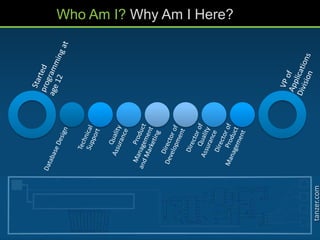
Who Am I? Why Am I Here?
tanzer.com
CHOOSING
FUNCTIONALITY
What your customers will need to achieve on a mobile device
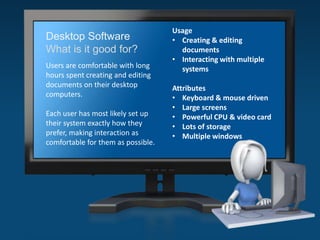
Desktop Software
What is it good for?
Users are comfortable with long
hours spent creating and editing
documents on their desktop
computers.
Each user has most likely set up
their system exactly how they
prefer, making interaction as
comfortable for them as possible.
Usage
• Creating & editing
documents
• Interacting with multiple
systems
Attributes
• Keyboard & mouse driven
• Large screens
• Powerful CPU & video card
• Lots of storage
• Multiple windows
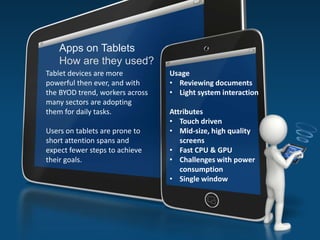
Apps on Tablets
How are they used?
Tablet devices are more
powerful then ever, and with
the BYOD trend, workers across
many sectors are adopting
them for daily tasks.
Users on tablets are prone to
short attention spans and
expect fewer steps to achieve
their goals.
Usage
• Reviewing documents
• Light system interaction
Attributes
• Touch driven
• Mid-size, high quality
screens
• Fast CPU & GPU
• Challenges with power
consumption
• Single window
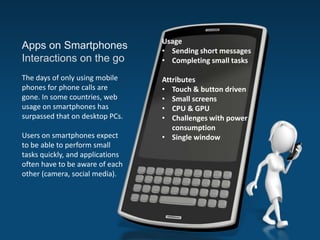
Apps on Smartphones
Interactions on the go
The days of only using mobile
phones for phone calls are
gone. In some countries, web
usage on smartphones has
surpassed that on desktop PCs.
Users on smartphones expect
to be able to perform small
tasks quickly, and applications
often have to be aware of each
other (camera, social media).
Usage
• Sending short messages
• Completing small tasks
Attributes
• Touch & button driven
• Small screens
• CPU & GPU
• Challenges with power
consumption
• Single window
tanzer.com
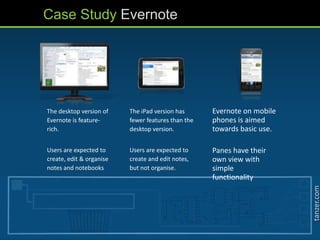
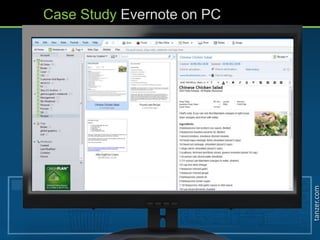
The desktop version of
Evernote is feature-
rich.
Users are expected to
create, edit & organise
notes and notebooks
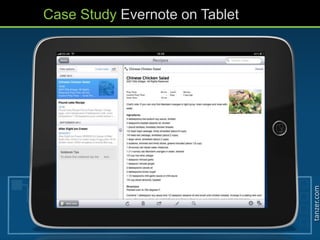
The iPad version has
fewer features than the
desktop version.
Users are expected to
create and edit notes,
but not organise.
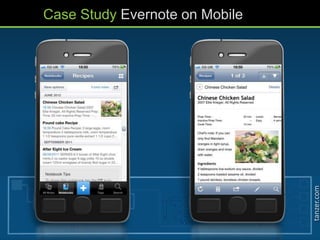
Evernote on mobile
phones is aimed
towards basic use.
Panes have their
own view with
simple
functionality
Case Study Evernote
tanzer.com
Case Study Evernote on PC
tanzer.com
Case Study Evernote on Tablet
tanzer.com
Case Study Evernote on Mobile
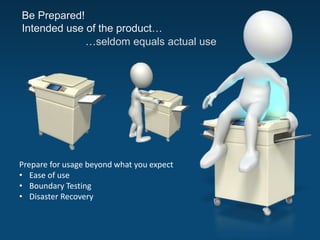
Be Prepared!
Intended use of the product…
…seldom equals actual use
Prepare for usage beyond what you expect
• Ease of use
• Boundary Testing
• Disaster Recovery
tanzer.com
MAKE IT LOOK GOOD
Exploit the hardware in devices for the best user experience
tanzer.com
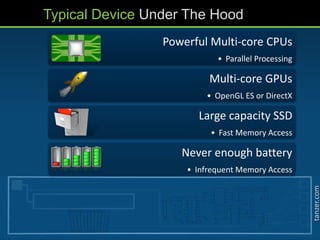
Powerful Multi-core CPUs
• Parallel Processing
Multi-core GPUs
• OpenGL ES or DirectX
Large capacity SSD
• Fast Memory Access
Never enough battery
• Infrequent Memory Access
Typical Device Under The Hood
tanzer.com
Hardware Has Changed
tanzer.com
Take Advantage of Evolution
With evolution of hardware, software also has to
evolve
Simply putting a GPU in a device doesn’t
automatically add graphics acceleration
Take advantage of the GPU by coding in a language
the GPU understands such as OpenGL ES
tanzer.com
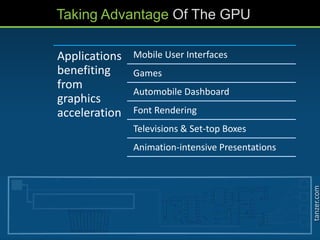
Taking Advantage Of The GPU
Applications
benefiting
from
graphics
acceleration
Mobile User Interfaces
Games
Automobile Dashboard
Font Rendering
Televisions & Set-top Boxes
Animation-intensive Presentations
tanzer.com
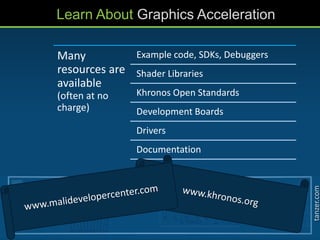
Learn About Graphics Acceleration
Many
resources are
available
(often at no
charge)
Example code, SDKs, Debuggers
Shader Libraries
Khronos Open Standards
Development Boards
Drivers
Documentation
tanzer.com
RISK VS. REWARD
Weighing investment of resources and schedule against return
tanzer.com
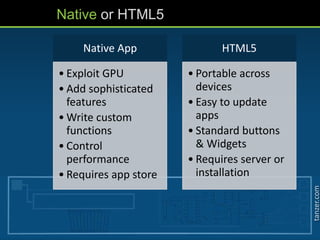
Native App
• Exploit GPU
• Add sophisticated
features
• Write custom
functions
• Control
performance
• Requires app store
HTML5
• Portable across
devices
• Easy to update
apps
• Standard buttons
& Widgets
• Requires server or
installation
Native or HTML5
tanzer.com
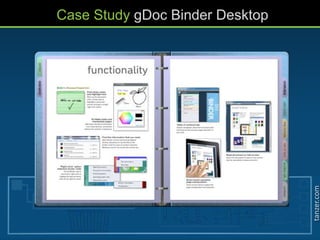
Case Study gDoc Binder Desktop
tanzer.com
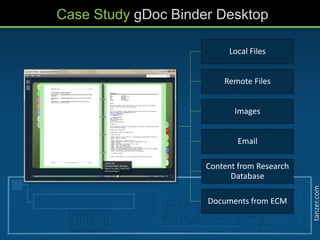
Binder
Local Files
Remote Files
Images
Email
Content from Research
Database
Documents from ECM
Case Study gDoc Binder Desktop
tanzer.com
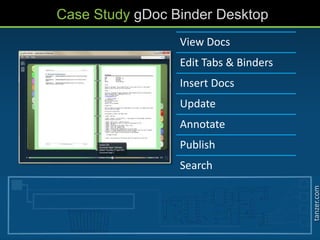
Case Study gDoc Binder Desktop
View Docs
Edit Tabs & Binders
Insert Docs
Update
Annotate
Publish
Search
tanzer.com
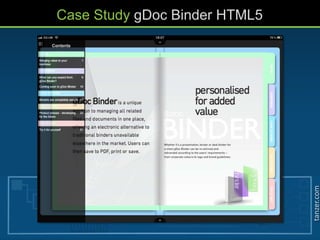
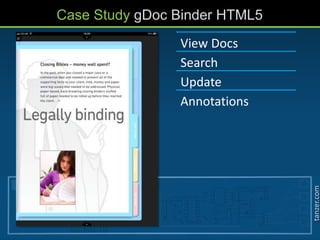
Case Study gDoc Binder HTML5
tanzer.com
Case Study gDoc Binder HTML5
View Docs
Search
Update
Annotations
tanzer.com
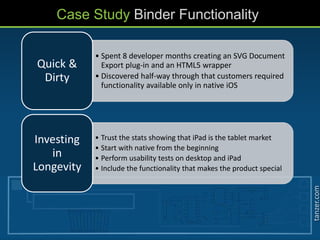
Case Study Binder Functionality
• Spent 8 developer months creating an SVG Document
Export plug-in and an HTML5 wrapper
• Discovered half-way through that customers required
functionality available only in native iOS
Quick &
Dirty
• Trust the stats showing that iPad is the tablet market
• Start with native from the beginning
• Perform usability tests on desktop and iPad
• Include the functionality that makes the product special
Investing
in
Longevity
tanzer.com
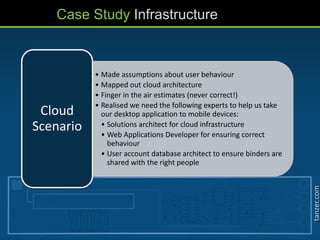
Case Study Infrastructure
• Made assumptions about user behaviour
• Mapped out cloud architecture
• Finger in the air estimates (never correct!)
• Realised we need the following experts to help us take
our desktop application to mobile devices:
• Solutions architect for cloud infrastructure
• Web Applications Developer for ensuring correct
behaviour
• User account database architect to ensure binders are
shared with the right people
Cloud
Scenario
tanzer.com
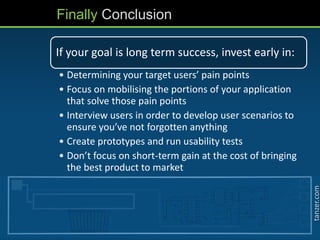
Finally Conclusion
If your goal is long term success, invest early in:
• Determining your target users’ pain points
• Focus on mobilising the portions of your application
that solve those pain points
• Interview users in order to develop user scenarios to
ensure you’ve not forgotten anything
• Create prototypes and run usability tests
• Don’t focus on short-term gain at the cost of bringing
the best product to market
Questions?
Need Consulting Help?
Elan Tanzer
elan@tanzer.com

Going native - Taking desktop applications to mobile devices

  • 1.
    DECISIONS FOR MOBILE GOINGNATIVE Elan Tanzer tanzer.com
  • 2.
    tanzer.com TOPICS For Discussion ChoosingFunctionality Making It Look Good Weighing Risk vs. Reward
  • 3.
    tanzer.com Who Am I?Why Am I Here?
  • 4.
    tanzer.com CHOOSING FUNCTIONALITY What your customerswill need to achieve on a mobile device
  • 5.
    Desktop Software What isit good for? Users are comfortable with long hours spent creating and editing documents on their desktop computers. Each user has most likely set up their system exactly how they prefer, making interaction as comfortable for them as possible. Usage • Creating & editing documents • Interacting with multiple systems Attributes • Keyboard & mouse driven • Large screens • Powerful CPU & video card • Lots of storage • Multiple windows
  • 6.
    Apps on Tablets Howare they used? Tablet devices are more powerful then ever, and with the BYOD trend, workers across many sectors are adopting them for daily tasks. Users on tablets are prone to short attention spans and expect fewer steps to achieve their goals. Usage • Reviewing documents • Light system interaction Attributes • Touch driven • Mid-size, high quality screens • Fast CPU & GPU • Challenges with power consumption • Single window
  • 7.
    Apps on Smartphones Interactionson the go The days of only using mobile phones for phone calls are gone. In some countries, web usage on smartphones has surpassed that on desktop PCs. Users on smartphones expect to be able to perform small tasks quickly, and applications often have to be aware of each other (camera, social media). Usage • Sending short messages • Completing small tasks Attributes • Touch & button driven • Small screens • CPU & GPU • Challenges with power consumption • Single window
  • 8.
    tanzer.com The desktop versionof Evernote is feature- rich. Users are expected to create, edit & organise notes and notebooks The iPad version has fewer features than the desktop version. Users are expected to create and edit notes, but not organise. Evernote on mobile phones is aimed towards basic use. Panes have their own view with simple functionality Case Study Evernote
  • 9.
  • 10.
  • 11.
  • 12.
    Be Prepared! Intended useof the product… …seldom equals actual use Prepare for usage beyond what you expect • Ease of use • Boundary Testing • Disaster Recovery
  • 13.
    tanzer.com MAKE IT LOOKGOOD Exploit the hardware in devices for the best user experience
  • 14.
    tanzer.com Powerful Multi-core CPUs •Parallel Processing Multi-core GPUs • OpenGL ES or DirectX Large capacity SSD • Fast Memory Access Never enough battery • Infrequent Memory Access Typical Device Under The Hood
  • 15.
  • 16.
    tanzer.com Take Advantage ofEvolution With evolution of hardware, software also has to evolve Simply putting a GPU in a device doesn’t automatically add graphics acceleration Take advantage of the GPU by coding in a language the GPU understands such as OpenGL ES
  • 17.
    tanzer.com Taking Advantage OfThe GPU Applications benefiting from graphics acceleration Mobile User Interfaces Games Automobile Dashboard Font Rendering Televisions & Set-top Boxes Animation-intensive Presentations
  • 18.
    tanzer.com Learn About GraphicsAcceleration Many resources are available (often at no charge) Example code, SDKs, Debuggers Shader Libraries Khronos Open Standards Development Boards Drivers Documentation
  • 19.
    tanzer.com RISK VS. REWARD Weighinginvestment of resources and schedule against return
  • 20.
    tanzer.com Native App • ExploitGPU • Add sophisticated features • Write custom functions • Control performance • Requires app store HTML5 • Portable across devices • Easy to update apps • Standard buttons & Widgets • Requires server or installation Native or HTML5
  • 21.
  • 22.
    tanzer.com Binder Local Files Remote Files Images Email Contentfrom Research Database Documents from ECM Case Study gDoc Binder Desktop
  • 23.
    tanzer.com Case Study gDocBinder Desktop View Docs Edit Tabs & Binders Insert Docs Update Annotate Publish Search
  • 24.
  • 25.
    tanzer.com Case Study gDocBinder HTML5 View Docs Search Update Annotations
  • 26.
    tanzer.com Case Study BinderFunctionality • Spent 8 developer months creating an SVG Document Export plug-in and an HTML5 wrapper • Discovered half-way through that customers required functionality available only in native iOS Quick & Dirty • Trust the stats showing that iPad is the tablet market • Start with native from the beginning • Perform usability tests on desktop and iPad • Include the functionality that makes the product special Investing in Longevity
  • 27.
    tanzer.com Case Study Infrastructure •Made assumptions about user behaviour • Mapped out cloud architecture • Finger in the air estimates (never correct!) • Realised we need the following experts to help us take our desktop application to mobile devices: • Solutions architect for cloud infrastructure • Web Applications Developer for ensuring correct behaviour • User account database architect to ensure binders are shared with the right people Cloud Scenario
  • 28.
    tanzer.com Finally Conclusion If yourgoal is long term success, invest early in: • Determining your target users’ pain points • Focus on mobilising the portions of your application that solve those pain points • Interview users in order to develop user scenarios to ensure you’ve not forgotten anything • Create prototypes and run usability tests • Don’t focus on short-term gain at the cost of bringing the best product to market
  • 29.