git
version control
Content
1. What is version controlling ?
2. What is git ?
3. Features of git
1. Branching and Merging
2. Distributed
3. Staging Area
4. Conclusion
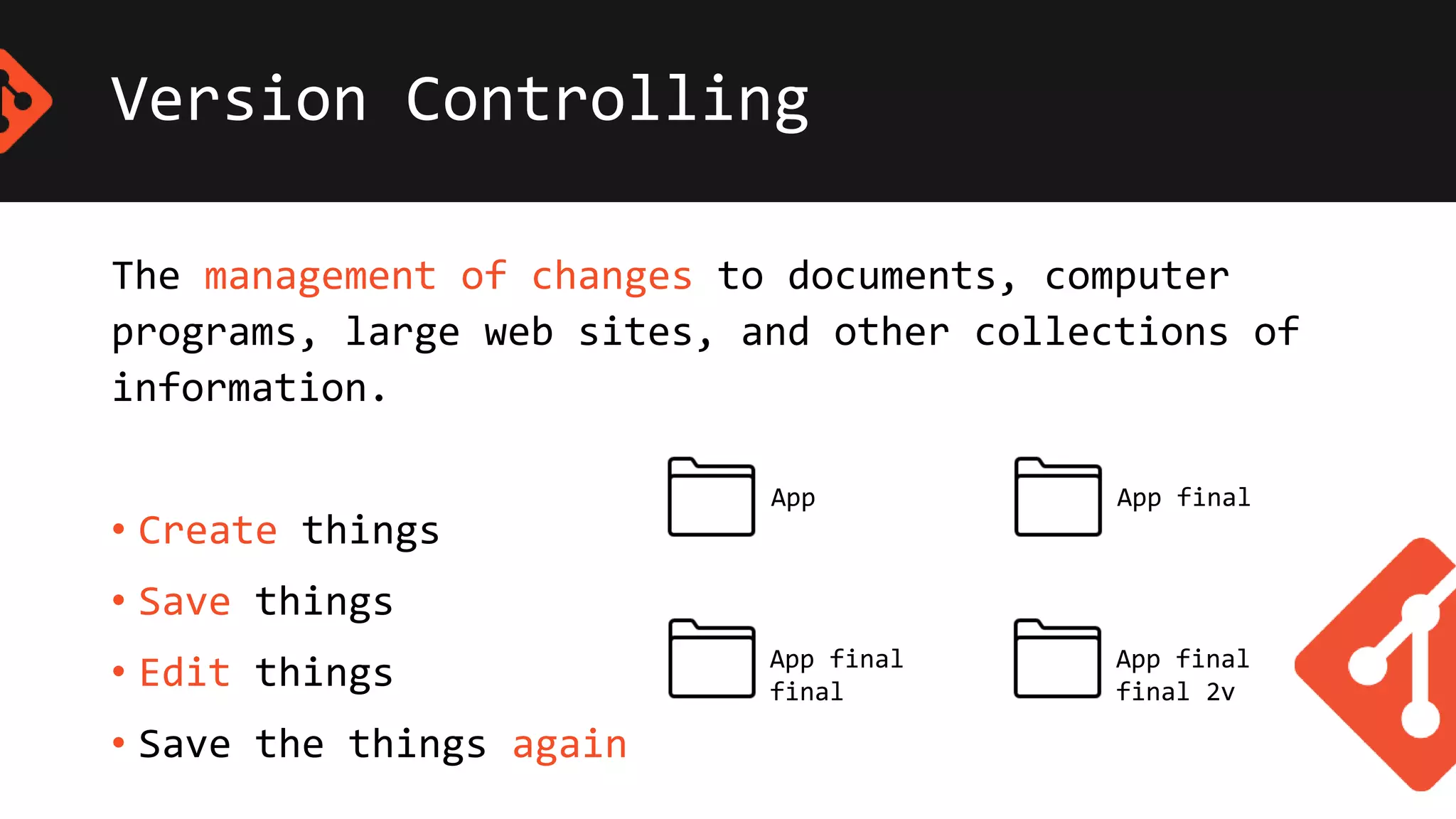
Version Controlling
The management of changes to documents, computer
programs, large web sites, and other collections of
information.
• Create things
• Save things
• Edit things
• Save the things again
App App final
App final
final
App final
final 2v
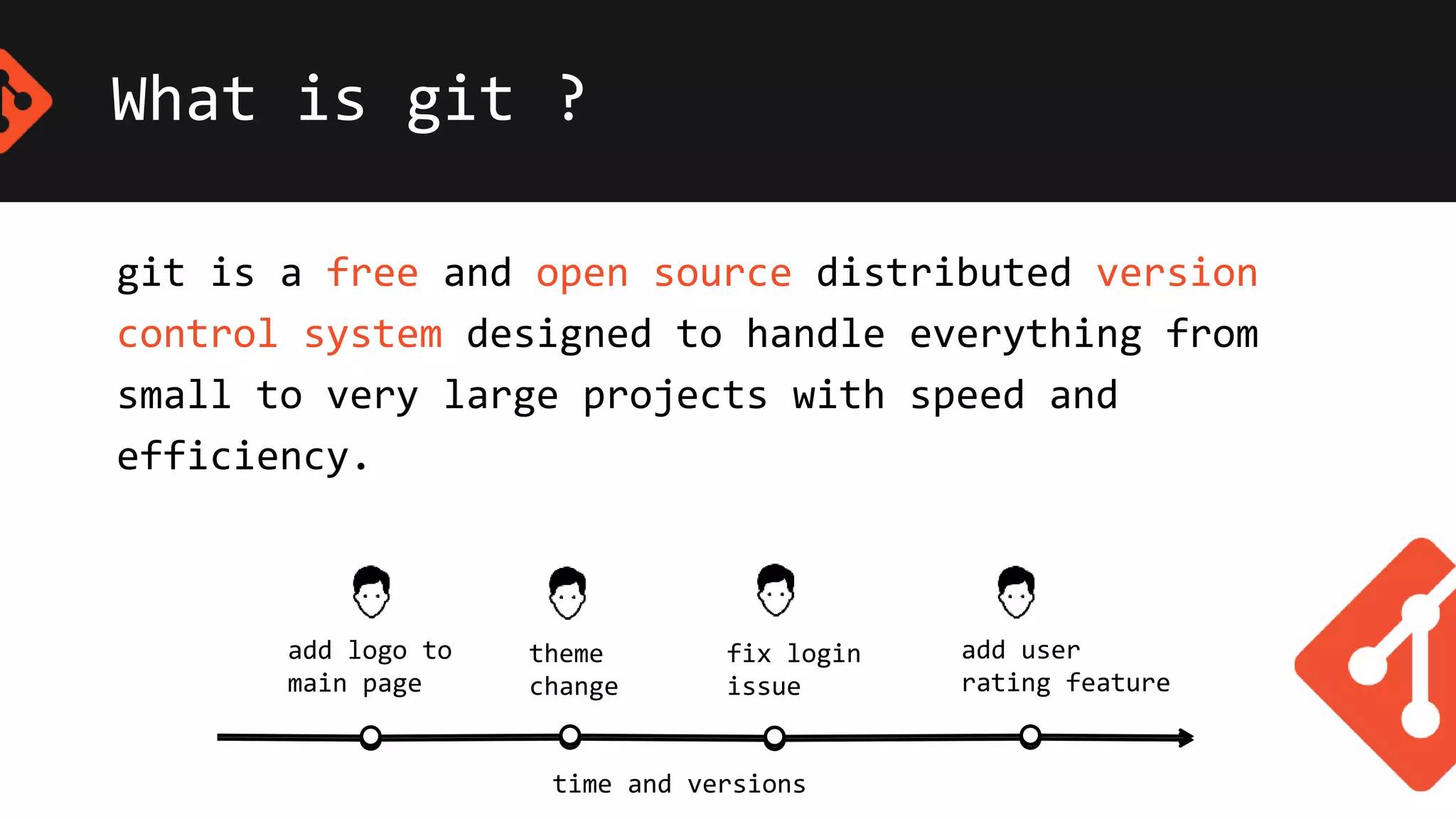
What is git ?
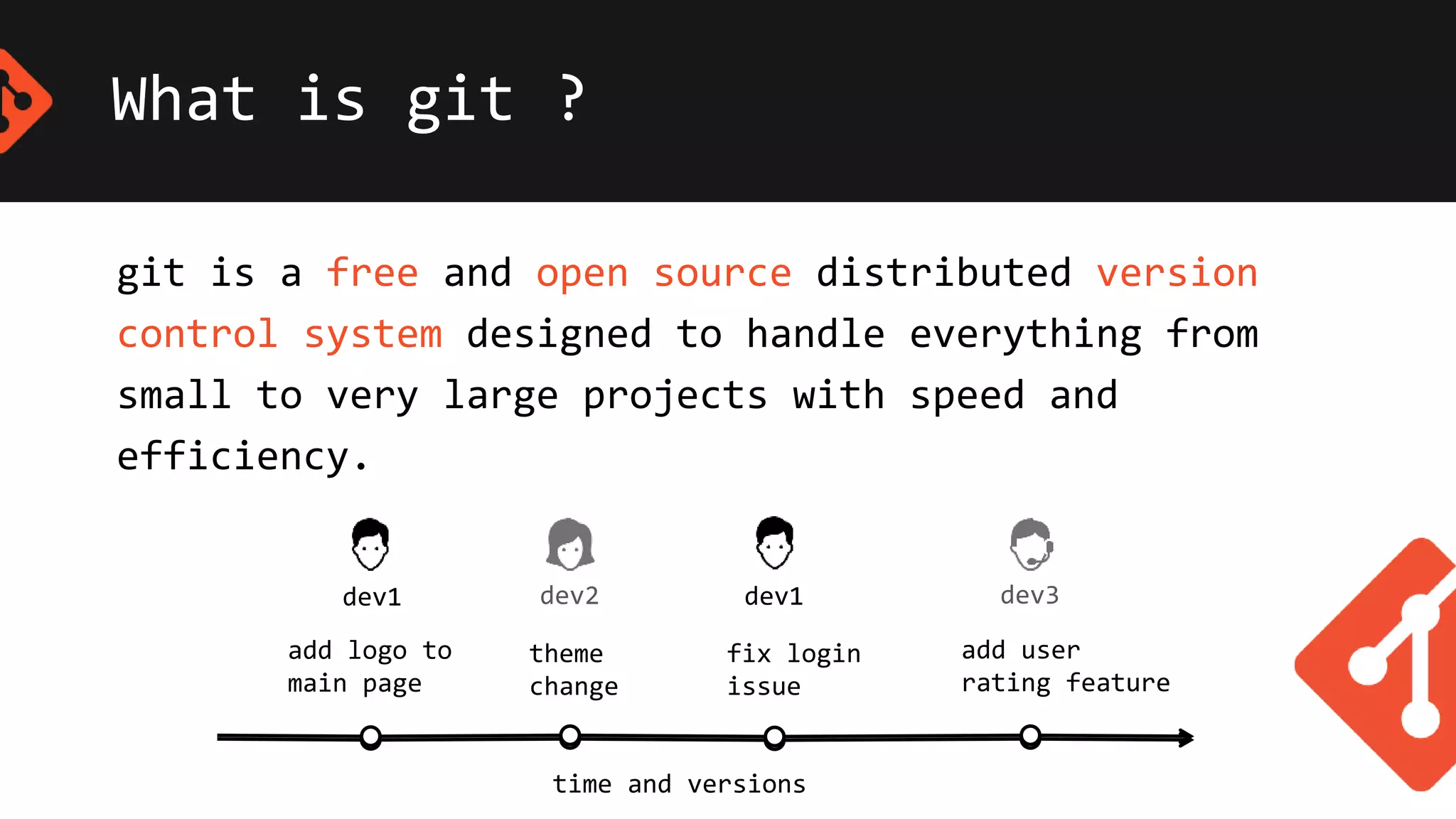
git is a free and open source distributed version
control system designed to handle everything from
small to very large projects with speed and
efficiency.
time and versions
add logo to
main page
theme
change
fix login
issue
add user
rating feature
What is git ?
git is a free and open source distributed version
control system designed to handle everything from
small to very large projects with speed and
efficiency.
time and versions
add logo to
main page
theme
change
fix login
issue
add user
rating feature
dev2 dev3dev1 dev1
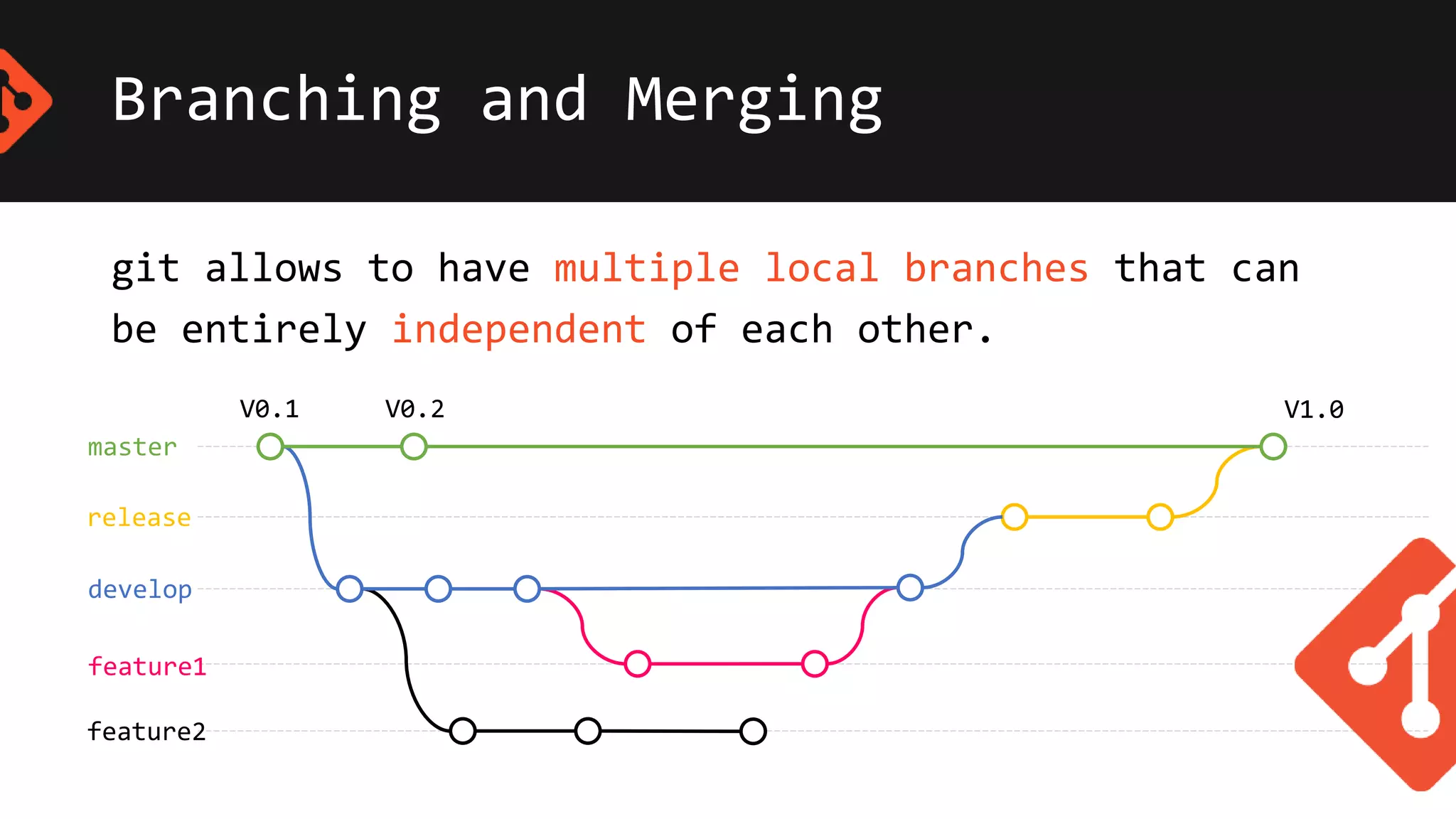
Branching and Merging
master
release
develop
feature1
feature2
V0.1 V0.2 V1.0
git allows to have multiple local branches that can
be entirely independent of each other.
Distributed
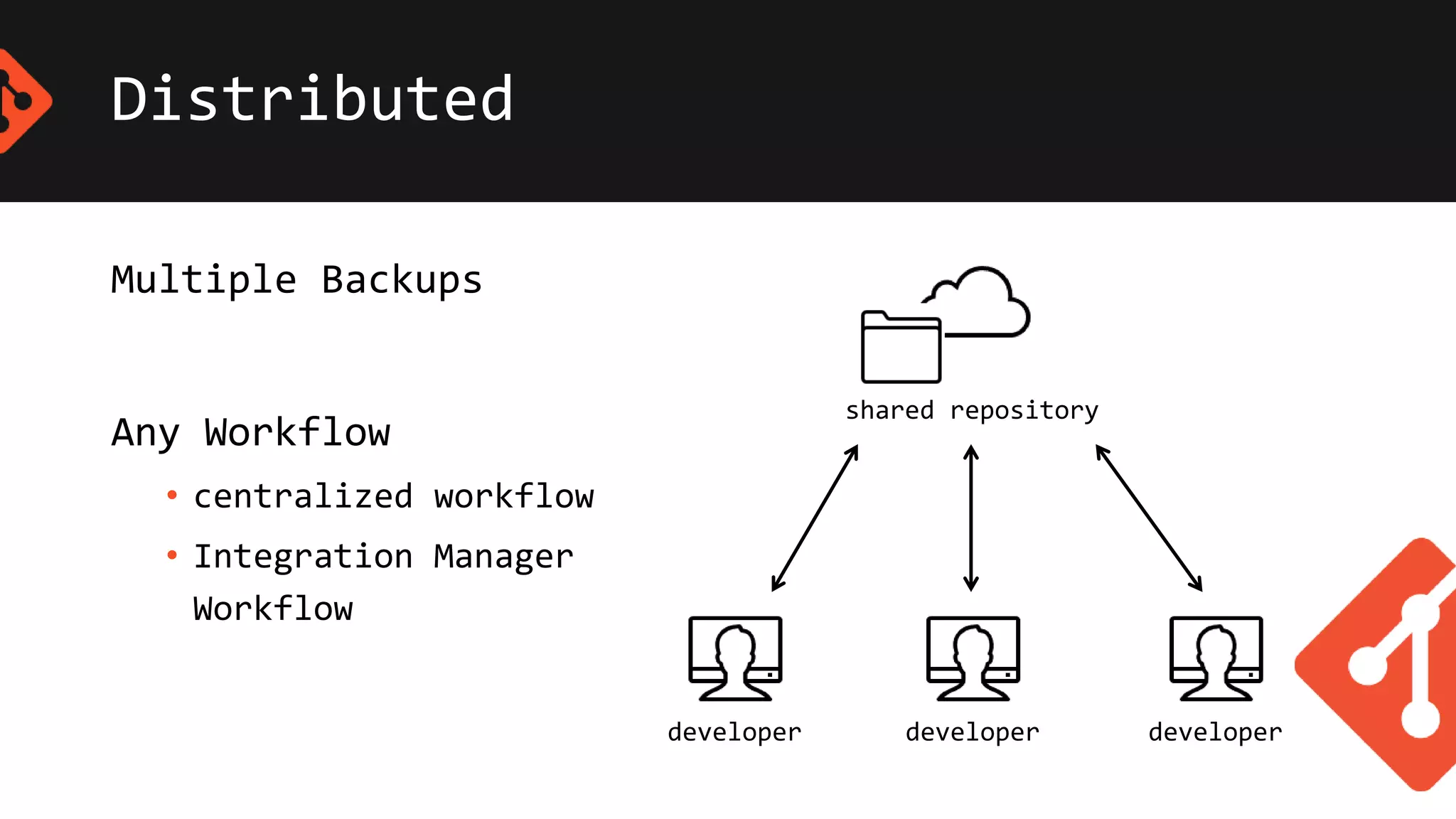
Multiple Backups
Any Workflow
• centralized workflow
• Integration Manager
Workflow
shared repository
developer developer developer
Distributed
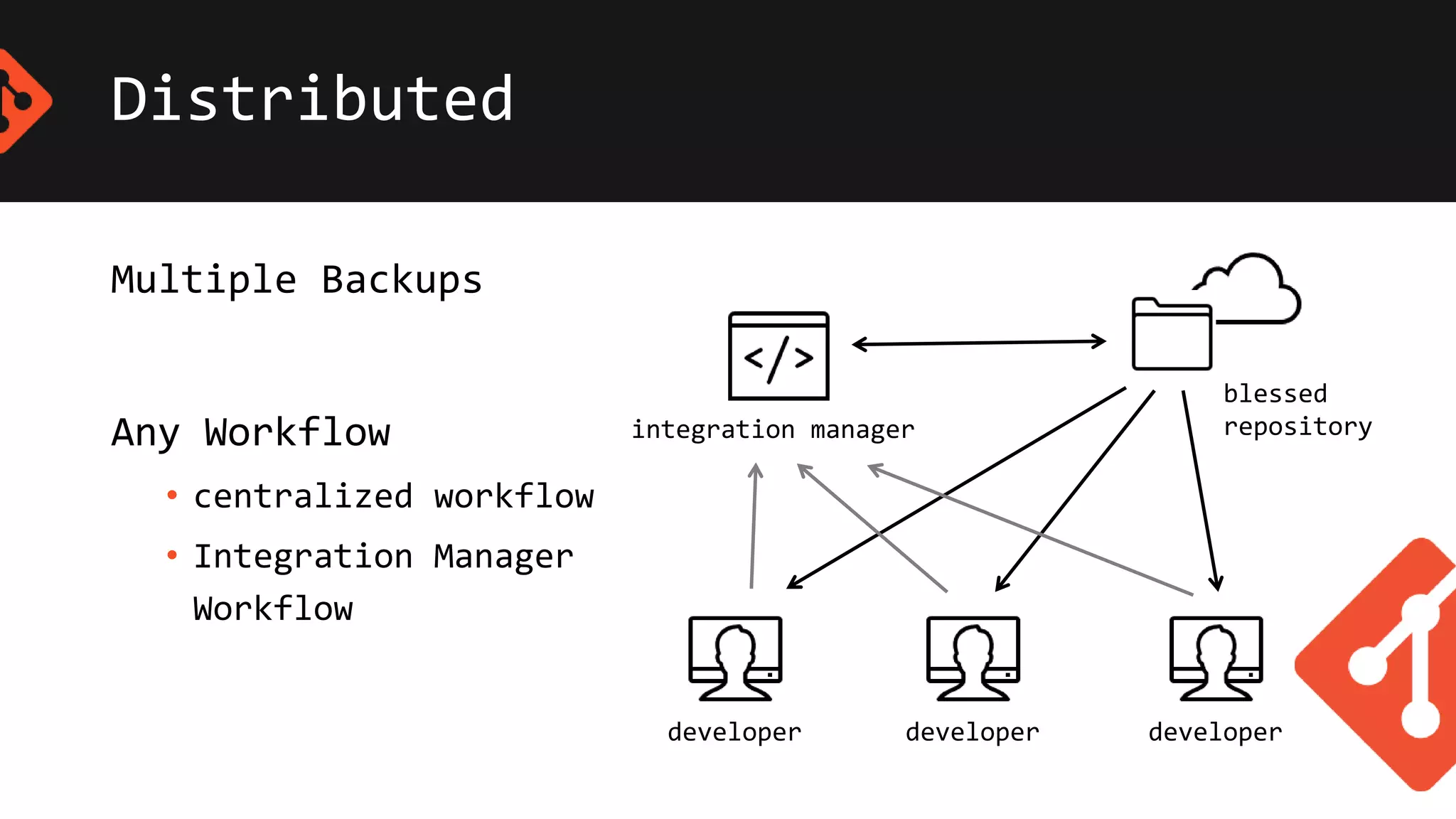
Multiple Backups
Any Workflow
• centralized workflow
• Integration Manager
Workflow
developer developer developer
integration manager
blessed
repository
Other features of git
• git is a fast modern
implementation of version control.
• git provide history of content changes.
• git facilitate collaborative changes to file.
• git is easy to use for
any type of knowledge workers.
Conclusion
git is commonly used version controlling system
• These companies & Projects using git
• These application provide git version control
Thank you!
Kanushka Gayan
SE intern @ Extrogene Software (Pvt) Ltd
kanushkanet@gmail.com

Git

  • 1.
  • 2.
    Content 1. What isversion controlling ? 2. What is git ? 3. Features of git 1. Branching and Merging 2. Distributed 3. Staging Area 4. Conclusion
  • 3.
    Version Controlling The managementof changes to documents, computer programs, large web sites, and other collections of information. • Create things • Save things • Edit things • Save the things again App App final App final final App final final 2v
  • 4.
    What is git? git is a free and open source distributed version control system designed to handle everything from small to very large projects with speed and efficiency. time and versions add logo to main page theme change fix login issue add user rating feature
  • 5.
    What is git? git is a free and open source distributed version control system designed to handle everything from small to very large projects with speed and efficiency. time and versions add logo to main page theme change fix login issue add user rating feature dev2 dev3dev1 dev1
  • 6.
    Branching and Merging master release develop feature1 feature2 V0.1V0.2 V1.0 git allows to have multiple local branches that can be entirely independent of each other.
  • 7.
    Distributed Multiple Backups Any Workflow •centralized workflow • Integration Manager Workflow shared repository developer developer developer
  • 8.
    Distributed Multiple Backups Any Workflow •centralized workflow • Integration Manager Workflow developer developer developer integration manager blessed repository
  • 9.
    Other features ofgit • git is a fast modern implementation of version control. • git provide history of content changes. • git facilitate collaborative changes to file. • git is easy to use for any type of knowledge workers.
  • 10.
    Conclusion git is commonlyused version controlling system • These companies & Projects using git • These application provide git version control
  • 11.
    Thank you! Kanushka Gayan SEintern @ Extrogene Software (Pvt) Ltd kanushkanet@gmail.com

Editor's Notes

  • #4 also known as, revision control source control
  • #5 Git is easy to learn and has a tiny footprint with lightning fast performance. It outclasses SCM tools like Subversion, CVS, Perforce, and ClearCase with features like cheap local branching, convenient staging areas, and multiple workflows.
  • #6 Git is easy to learn and has a tiny footprint with lightning fast performance. It outclasses SCM tools like Subversion, CVS, Perforce, and ClearCase with features like cheap local branching, convenient staging areas, and multiple workflows.
  • #7 Git is easy to learn and has a tiny footprint with lightning fast performance. It outclasses SCM tools like Subversion, CVS, Perforce, and ClearCase with features like cheap local branching, convenient staging areas, and multiple workflows. Git allows to have multiple local branches that can be entirely independent of each other. The creation, merging, and deletion of those lines of development takes seconds.
  • #8 Git is easy to learn and has a tiny footprint with lightning fast performance. It outclasses SCM tools like Subversion, CVS, Perforce, and ClearCase with features like cheap local branching, convenient staging areas, and multiple workflows.
  • #9 Git is easy to learn and has a tiny footprint with lightning fast performance. It outclasses SCM tools like Subversion, CVS, Perforce, and ClearCase with features like cheap local branching, convenient staging areas, and multiple workflows.
  • #10 Git is easy to learn and has a tiny footprint with lightning fast performance. It outclasses SCM tools like Subversion, CVS, Perforce, and ClearCase with features like cheap local branching, convenient staging areas, and multiple workflows.
  • #11 Git is easy to learn and has a tiny footprint with lightning fast performance. It outclasses SCM tools like Subversion, CVS, Perforce, and ClearCase with features like cheap local branching, convenient staging areas, and multiple workflows.