Google Plus
Basically, Google+ is an amalgamation of several
services we already use. The idea, according to
Google, is to do them better.
Google Plus
"Circles" groups your friends together
Google Plus
Hangouts lets you video chat with all your
buddies
Google Plus
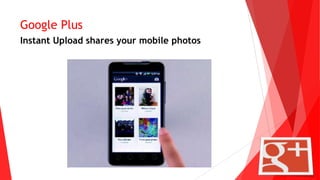
Instant Upload shares your mobile photos
Google Plus
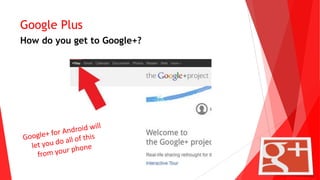
How do you get to Google+?
Google + Local
Google created Google Plus Local as a way to
combine its search engine, social networking, and
business directory features.
Google Plus Local’s primary use is to allow
customers to search out and find detailed
information on local restaurants, shops, and other
services. By taking advantage of this popular
tool, businesses can use their page as an effective
advertising platform.
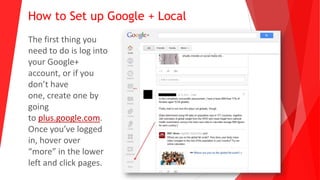
How to Set up Google + Local
The first thing you
need to do is log into
your Google+
account, or if you
don’t have
one, create one by
going
to plus.google.com.
Once you’ve logged
in, hover over
“more” in the lower
left and click pages.
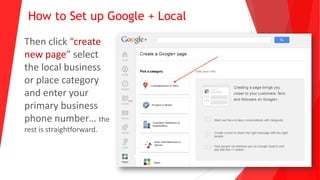
How to Set up Google + Local
Then click “create
new page” select
the local business
or place category
and enter your
primary business
phone number… the
rest is straightforward.

Ghost Partner presentation on Google +

  • 2.
    Google Plus Basically, Google+is an amalgamation of several services we already use. The idea, according to Google, is to do them better.
  • 3.
    Google Plus "Circles" groupsyour friends together
  • 4.
    Google Plus Hangouts letsyou video chat with all your buddies
  • 5.
    Google Plus Instant Uploadshares your mobile photos
  • 6.
    Google Plus How doyou get to Google+?
  • 7.
    Google + Local Googlecreated Google Plus Local as a way to combine its search engine, social networking, and business directory features. Google Plus Local’s primary use is to allow customers to search out and find detailed information on local restaurants, shops, and other services. By taking advantage of this popular tool, businesses can use their page as an effective advertising platform.
  • 8.
    How to Setup Google + Local The first thing you need to do is log into your Google+ account, or if you don’t have one, create one by going to plus.google.com. Once you’ve logged in, hover over “more” in the lower left and click pages.
  • 9.
    How to Setup Google + Local Then click “create new page” select the local business or place category and enter your primary business phone number… the rest is straightforward.