1
splunk>
Getting Started with Splunk Enterprise
Mohamad Hassan
Sales Engineer
presenter
Legal Notices
During the course of this presentation, we may make forward-looking statements regarding future
events or the expected performance of the company. We caution you that such statements reflect our
current expectations and estimates based on factors currently known to us and that actual events or
results could differ materially. For important factors that may cause actual results to differ from those
contained in our forward-looking statements, please review our filings with the SEC. The forward-
looking statements made in this presentation are being made as of the time and date of its live
presentation. If reviewed after its live presentation, this presentation may not contain current or
accurate information. We do not assume any obligation to update any forward-looking statements
we may make. In addition, any information about our roadmap outlines our general product direction
and is subject to change at any time without notice. It is for informational purposes only and shall
not be incorporated into any contract or other commitment. Splunk undertakes no obligation either
to develop the features or functionality described or to include any such feature or functionality in a
future release.
2
Our Plan of Action
3
1.Setting the stage.
2.How does Splunk fit in the landscape?
3.What differentiates Splunk?
4.Components that make up Splunk?
5.Demo
4
Making machine data accessible,
usable and valuable to everyone.
4
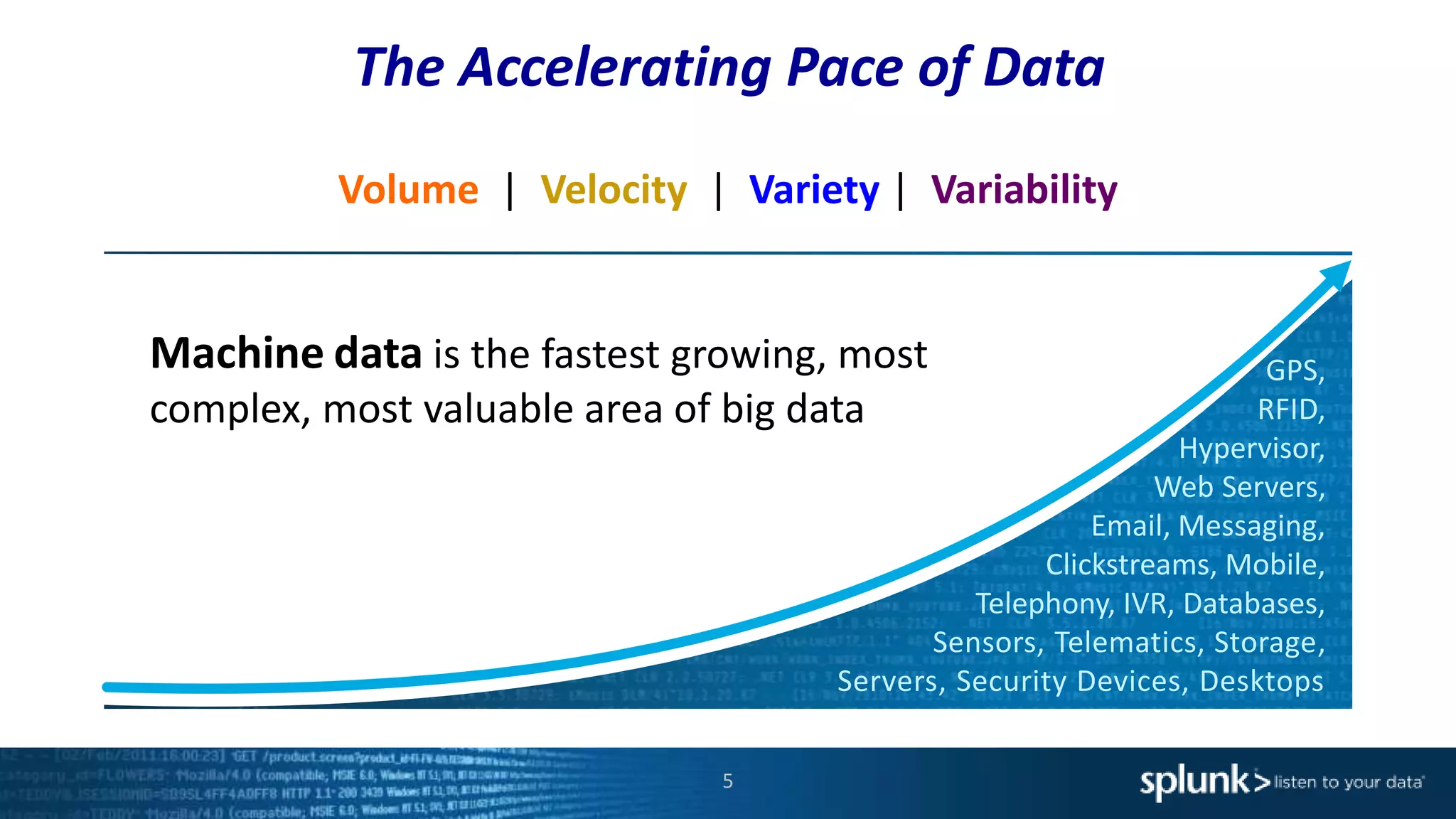
The Accelerating Pace of Data
Volume | Velocity | Variety | Variability
GPS,
RFID,
Hypervisor,
Web Servers,
Email, Messaging,
Clickstreams, Mobile,
Telephony, IVR, Databases,
Sensors, Telematics, Storage,
Servers, Security Devices, Desktops
Machine data is the fastest growing, most
complex, most valuable area of big data
5
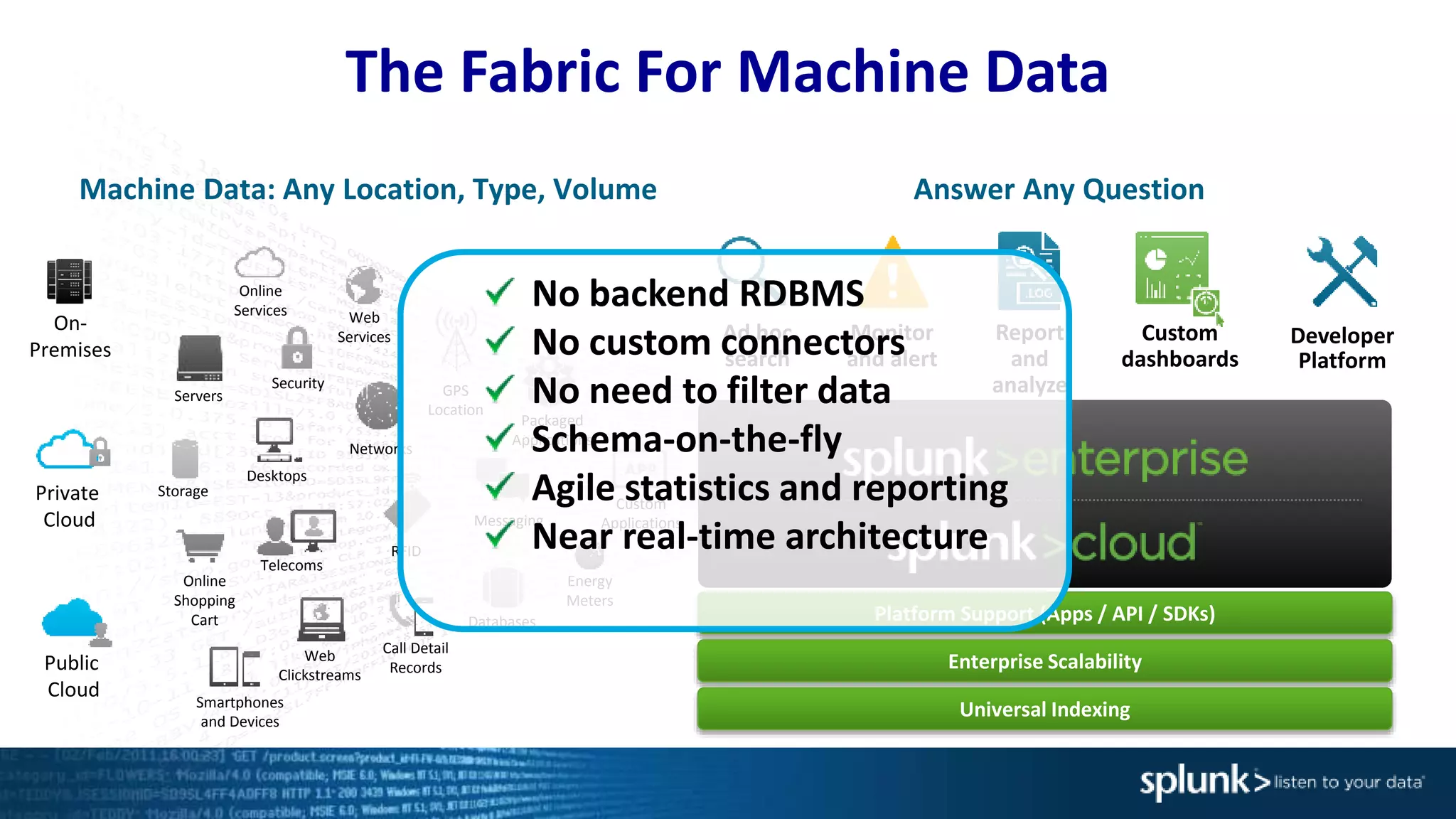
The Fabric For Machine Data
Machine Data: Any Location, Type, Volume
Online
Services Web
Services
Servers
Security GPS
Location
Storage
Desktops
Networks
Packaged
Applications
Custom
ApplicationsMessaging
Telecoms
Online
Shopping
Cart
Web
Clickstreams
Databases
Energy
Meters
Call Detail
Records
Smartphones
and Devices
RFID
On-
Premises
Private
Cloud
Public
Cloud
Platform Support (Apps / API / SDKs)
Enterprise Scalability
Universal Indexing
Answer Any Question
Developer
Platform
Report
and
analyze
Custom
dashboards
Monitor
and alert
Ad hoc
search
No backend RDBMS
No custom connectors
No need to filter data
Schema-on-the-fly
Agile statistics and reporting
Near real-time architecture
perf
shell
API
Mounted File Systems
hostnamemount
syslog
TCP/UDP
Event Logs
Performance
Active
Directory
syslog hosts
and network devices
Unix, Linux and Windows hosts
Local File Monitoring
Splunk Forwarder
virtual
host
Windows
Scripted or Modular Inputs
shell scripts
API subscriptions
Mainframes*nix
Wire Data
Splunk App for Stream
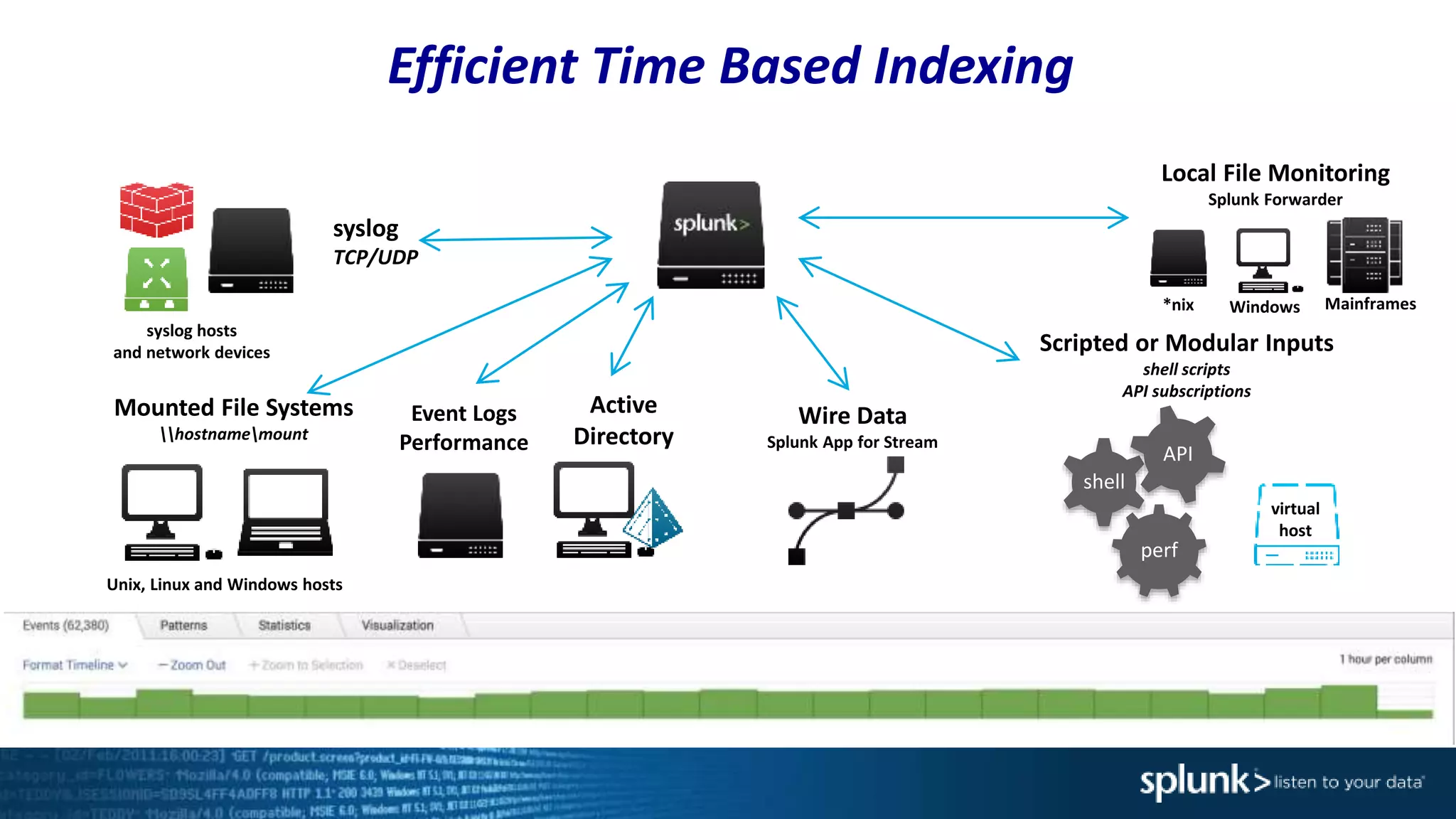
Efficient Time Based Indexing
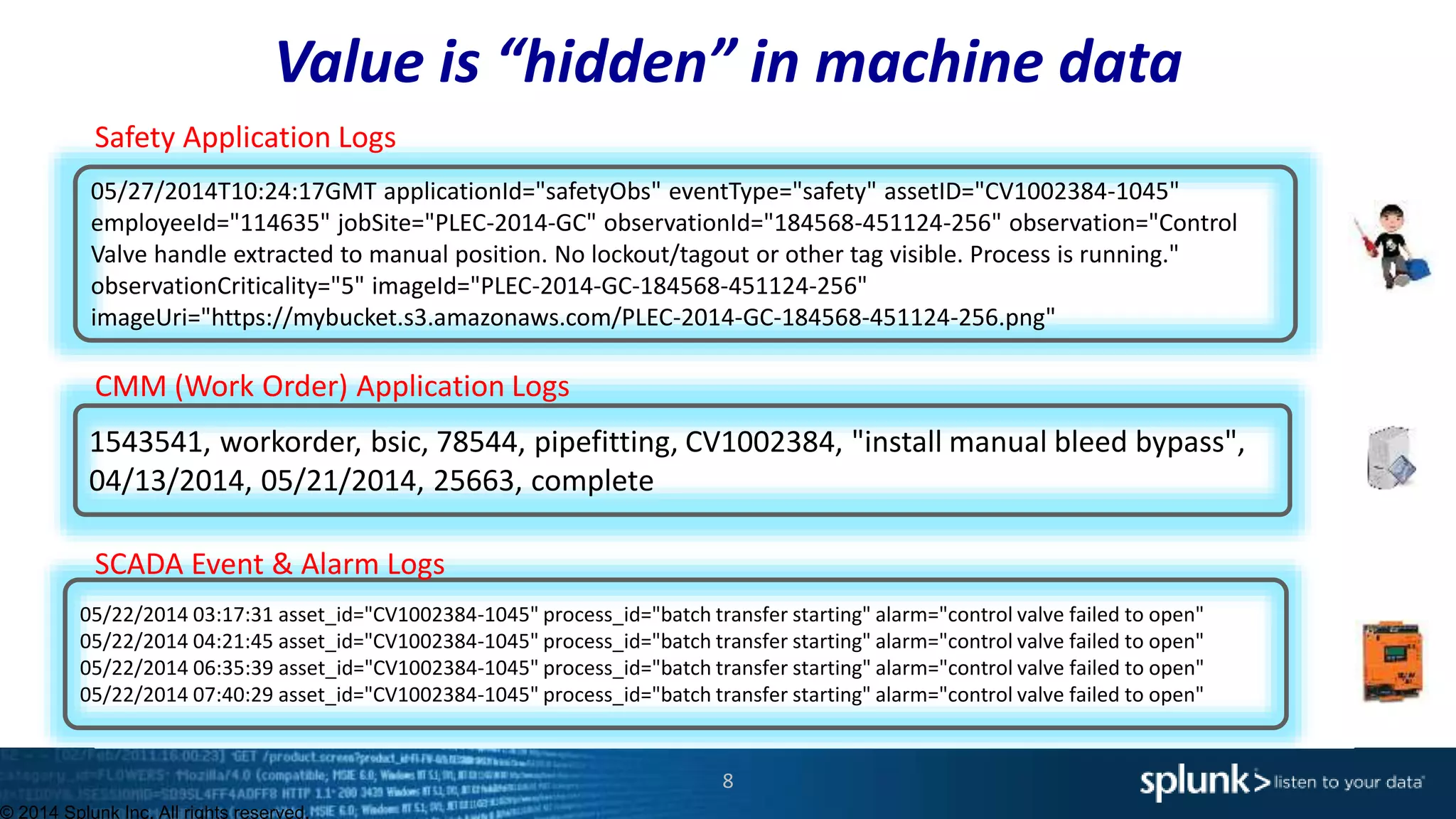
Value is “hidden” in machine data
© 2014 Splunk Inc. All rights reserved.
05/27/2014T10:24:17GMT applicationId="safetyObs" eventType="safety" assetID="CV1002384-1045"
employeeId="114635" jobSite="PLEC-2014-GC" observationId="184568-451124-256" observation="Control
Valve handle extracted to manual position. No lockout/tagout or other tag visible. Process is running."
observationCriticality="5" imageId="PLEC-2014-GC-184568-451124-256"
imageUri="https://mybucket.s3.amazonaws.com/PLEC-2014-GC-184568-451124-256.png"
1543541, workorder, bsic, 78544, pipefitting, CV1002384, "install manual bleed bypass",
04/13/2014, 05/21/2014, 25663, complete
05/22/2014 03:17:31 asset_id="CV1002384-1045" process_id="batch transfer starting" alarm="control valve failed to open"
05/22/2014 04:21:45 asset_id="CV1002384-1045" process_id="batch transfer starting" alarm="control valve failed to open"
05/22/2014 06:35:39 asset_id="CV1002384-1045" process_id="batch transfer starting" alarm="control valve failed to open"
05/22/2014 07:40:29 asset_id="CV1002384-1045" process_id="batch transfer starting" alarm="control valve failed to open"
Safety Application Logs
CMM (Work Order) Application Logs
SCADA Event & Alarm Logs
8
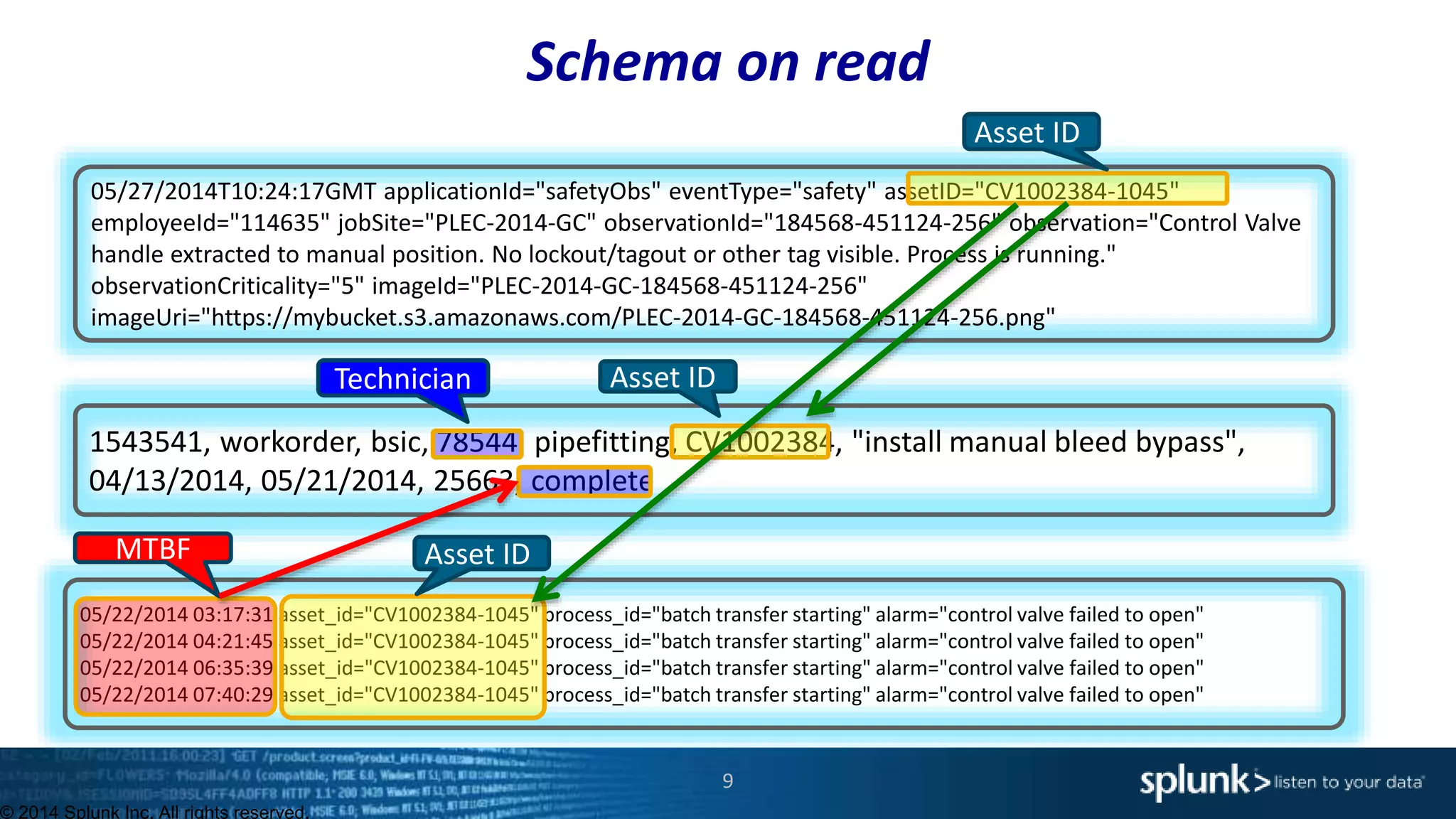
Schema on read
© 2014 Splunk Inc. All rights reserved.
05/27/2014T10:24:17GMT applicationId="safetyObs" eventType="safety" assetID="CV1002384-1045"
employeeId="114635" jobSite="PLEC-2014-GC" observationId="184568-451124-256" observation="Control Valve
handle extracted to manual position. No lockout/tagout or other tag visible. Process is running."
observationCriticality="5" imageId="PLEC-2014-GC-184568-451124-256"
imageUri="https://mybucket.s3.amazonaws.com/PLEC-2014-GC-184568-451124-256.png"
1543541, workorder, bsic, 78544, pipefitting, CV1002384, "install manual bleed bypass",
04/13/2014, 05/21/2014, 25663, complete
05/22/2014 03:17:31 asset_id="CV1002384-1045" process_id="batch transfer starting" alarm="control valve failed to open"
05/22/2014 04:21:45 asset_id="CV1002384-1045" process_id="batch transfer starting" alarm="control valve failed to open"
05/22/2014 06:35:39 asset_id="CV1002384-1045" process_id="batch transfer starting" alarm="control valve failed to open"
05/22/2014 07:40:29 asset_id="CV1002384-1045" process_id="batch transfer starting" alarm="control valve failed to open"
Asset ID
Asset ID
Asset ID
Technician
MTBF
9
10
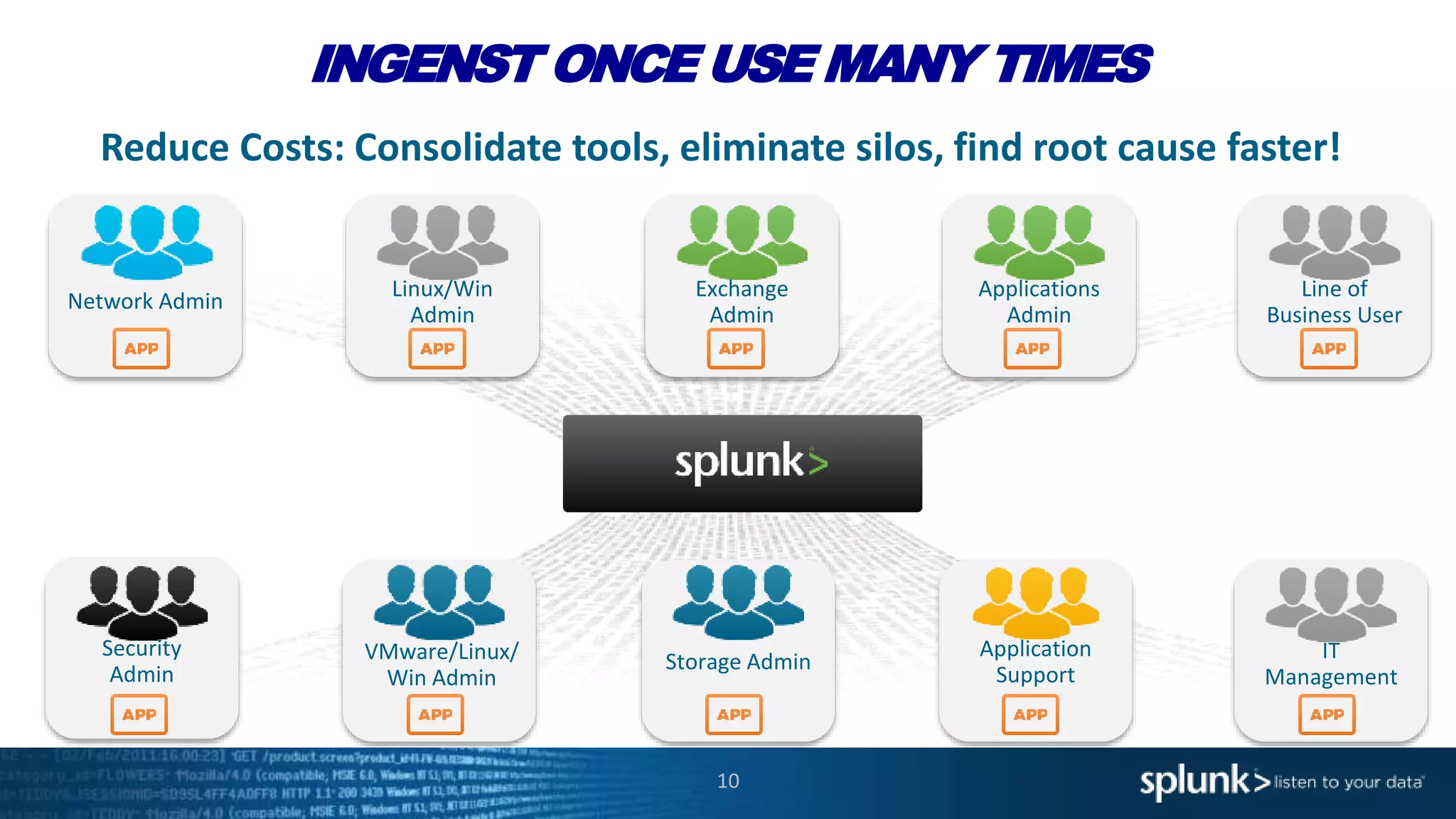
INGENST ONCE USE MANY TIMES
Reduce Costs: Consolidate tools, eliminate silos, find root cause faster!
Exchange
Admin
Linux/Win
Admin
Network Admin
Applications
Admin
Line of
Business User
Application
Support
VMware/Linux/
Win Admin
Security
Admin
Storage Admin IT
Management
11
Service Desk
Application
Support
Systems
Administrator
Application
Developer
Application
Developer
Database
Administrator
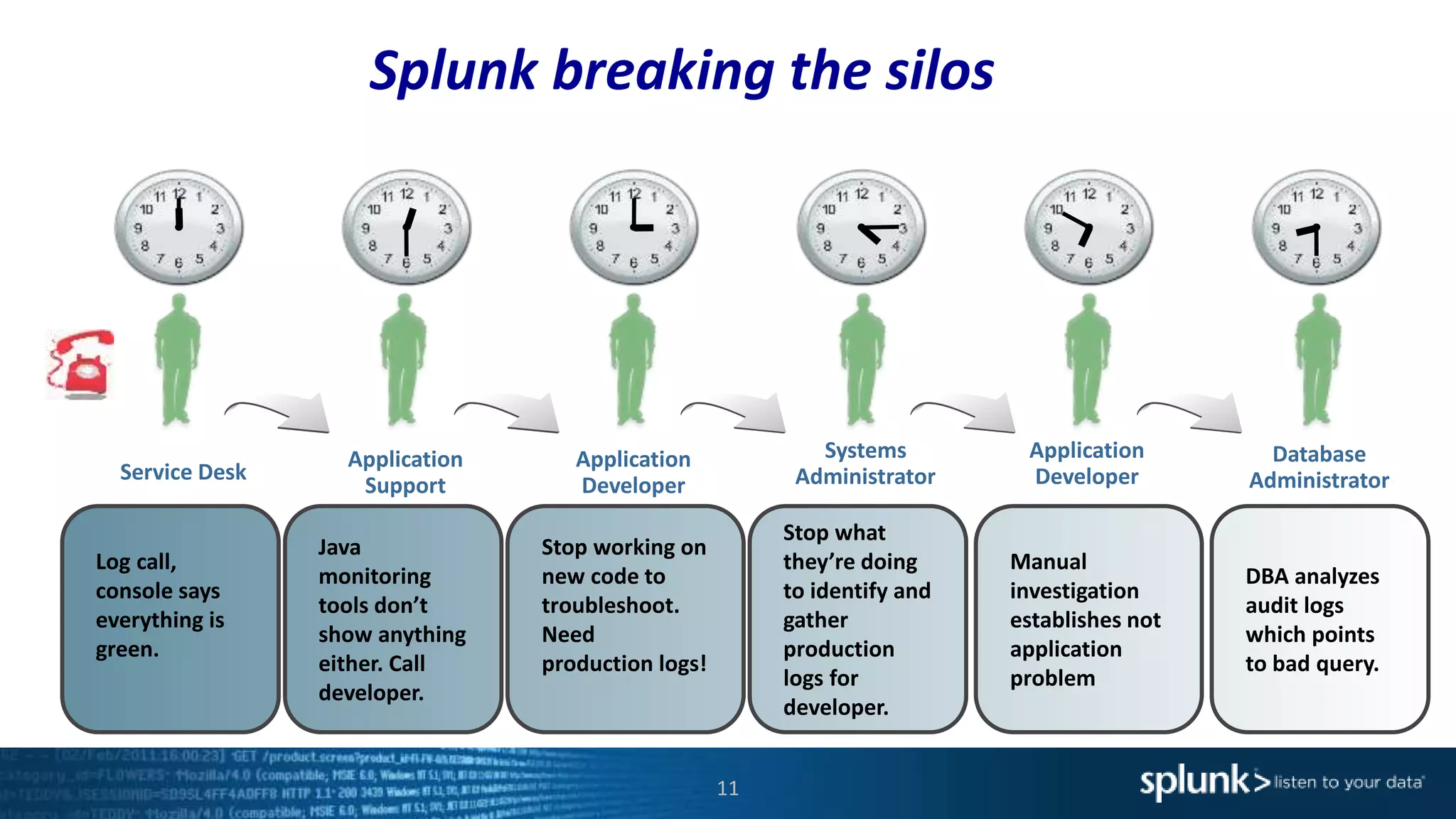
Java
monitoring
tools don’t
show anything
either. Call
developer.
Log call,
console says
everything is
green.
Stop working on
new code to
troubleshoot.
Need
production logs!
Stop what
they’re doing
to identify and
gather
production
logs for
developer.
Manual
investigation
establishes not
application
problem
DBA analyzes
audit logs
which points
to bad query.
Splunk breaking the silos
12
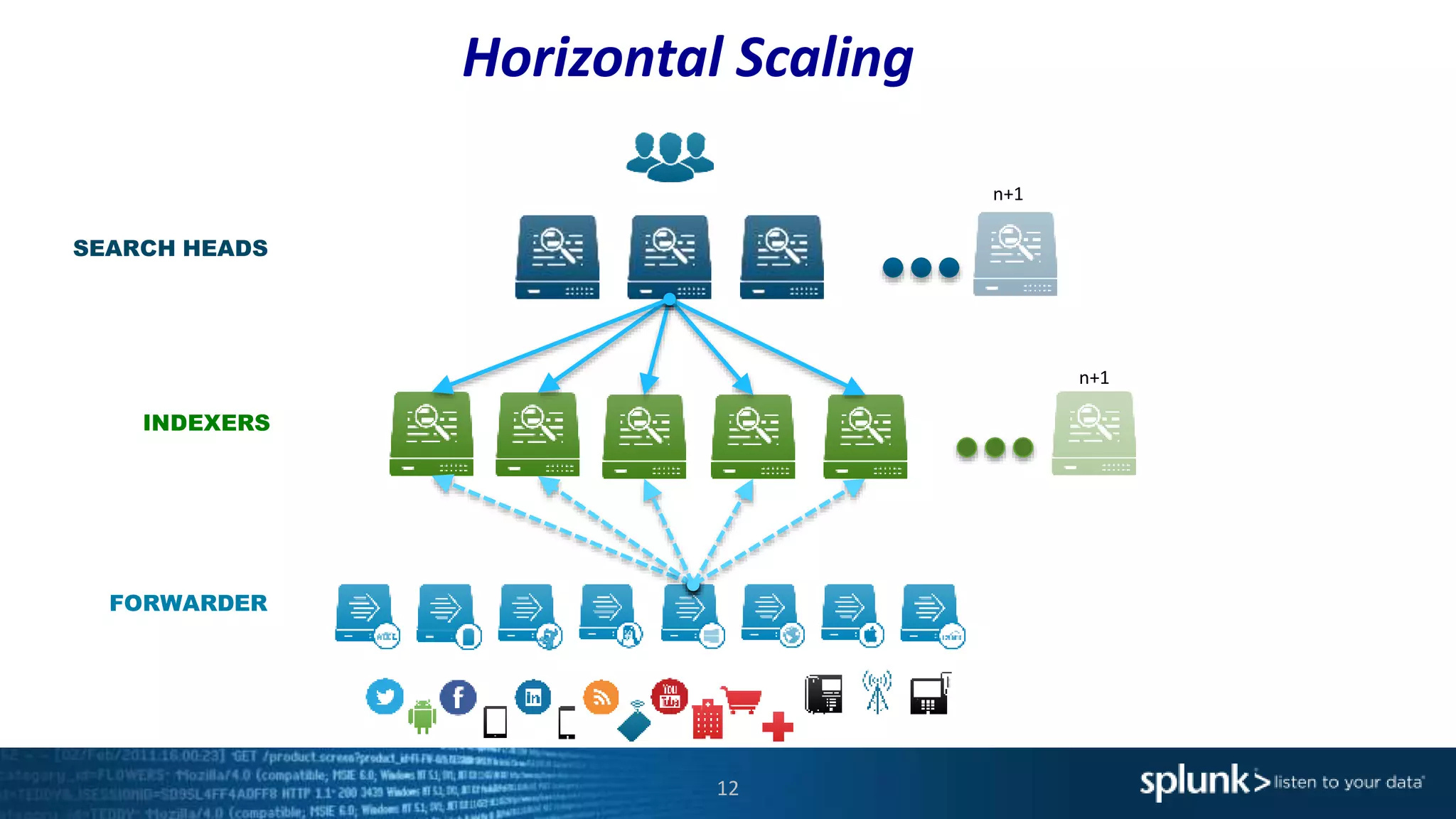
SEARCH HEADS
INDEXERS
FORWARDER
n+1
n+1
Horizontal Scaling
13
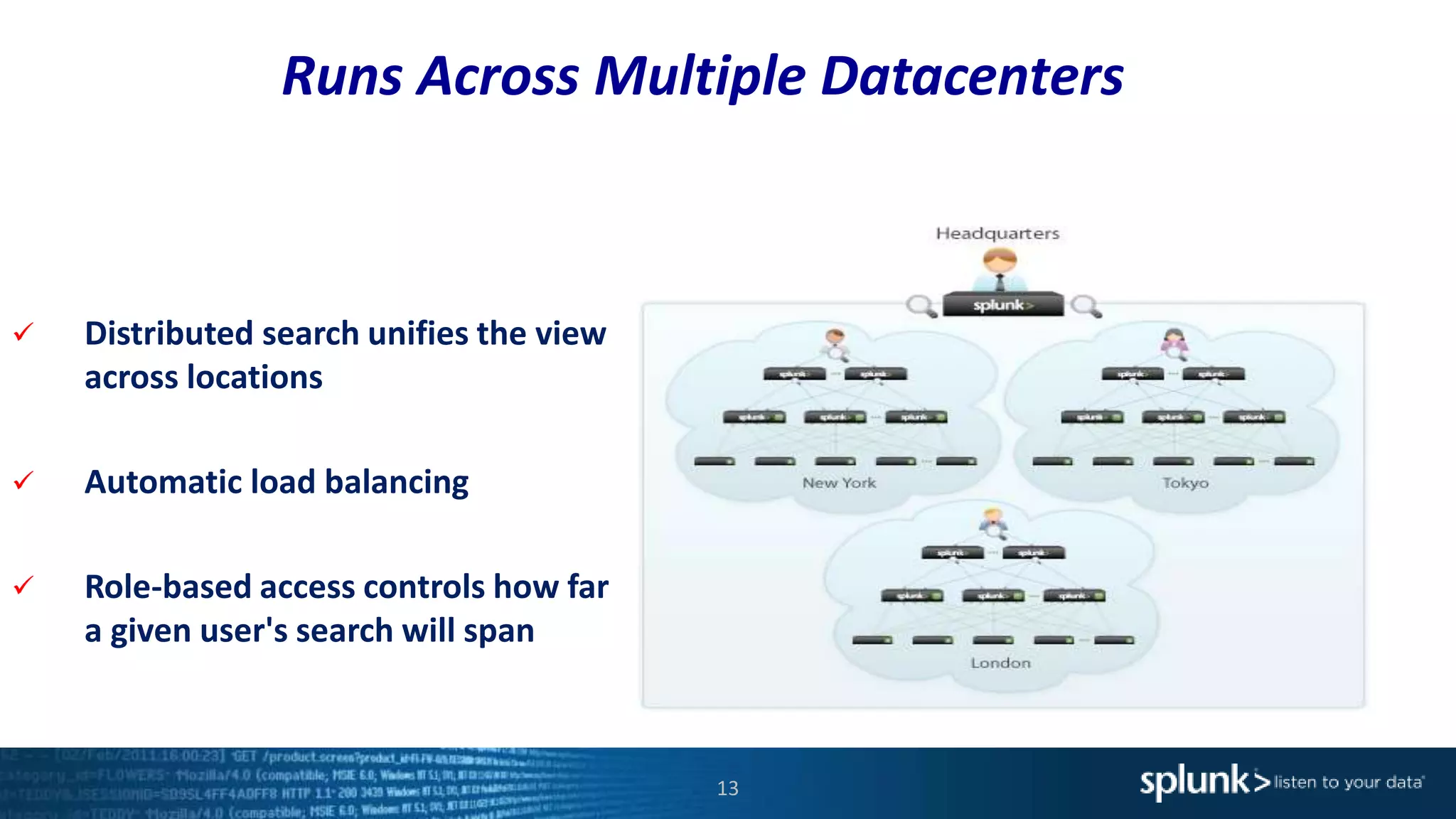
 Distributed search unifies the view
across locations
 Automatic load balancing
 Role-based access controls how far
a given user's search will span
Runs Across Multiple Datacenters
Splunk Differentiators
14
• Flexible and scalable architecture
• Schema less architecture
• Fast time to value
• Fast search engine
• Understand 100’s of file formats out of the box
• Very active community
1.
2.
3.
4.
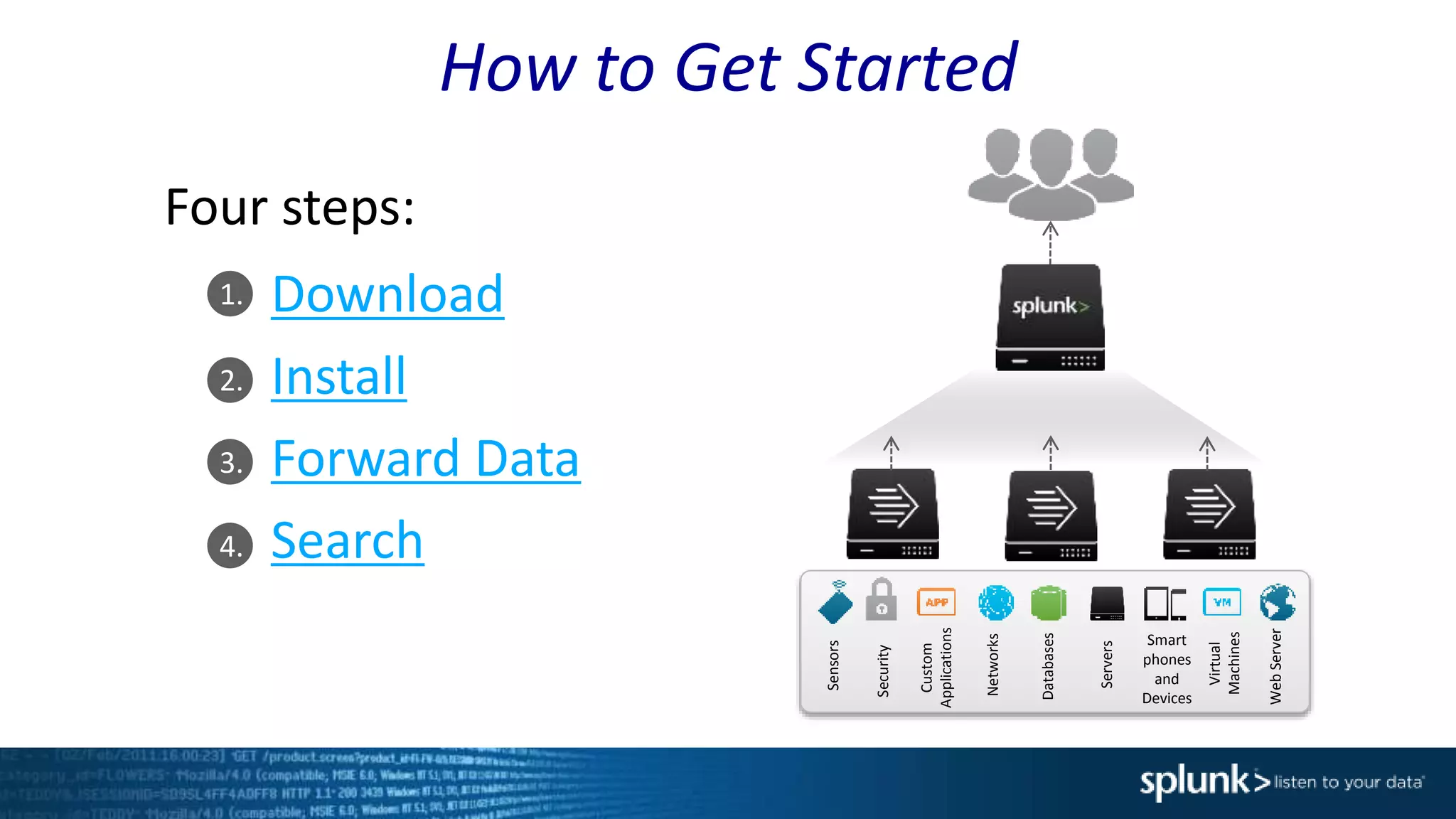
How to Get Started
Download
Install
Forward Data
Search
Databases
Networks
Servers
Virtual
Machines
Smart
phones
and
Devices
Custom
Applications
Security
WebServer
Sensors
Four steps:
Demo
16
1. Installing and Starting Splunk
2. Ingesting Data
3. Search Basics
• Search Bar
• Time Picker
• Extracted Fields
4. Dynamic Field Extraction
5. Alerting
6. Statistics and Reporting
7. Command Language (SPL)
8. Splunk Applications
Demo
17
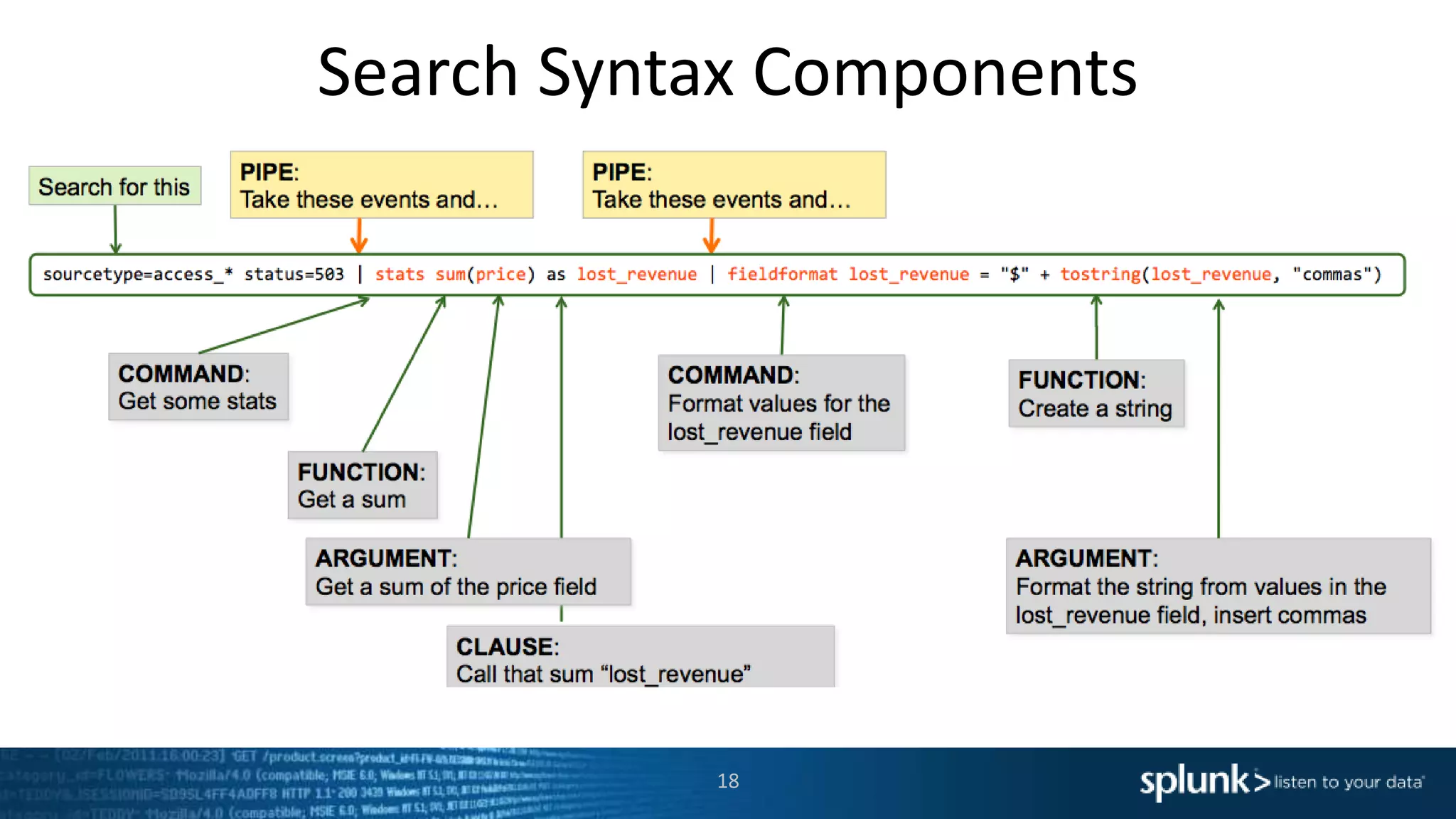
Search Syntax Components
18
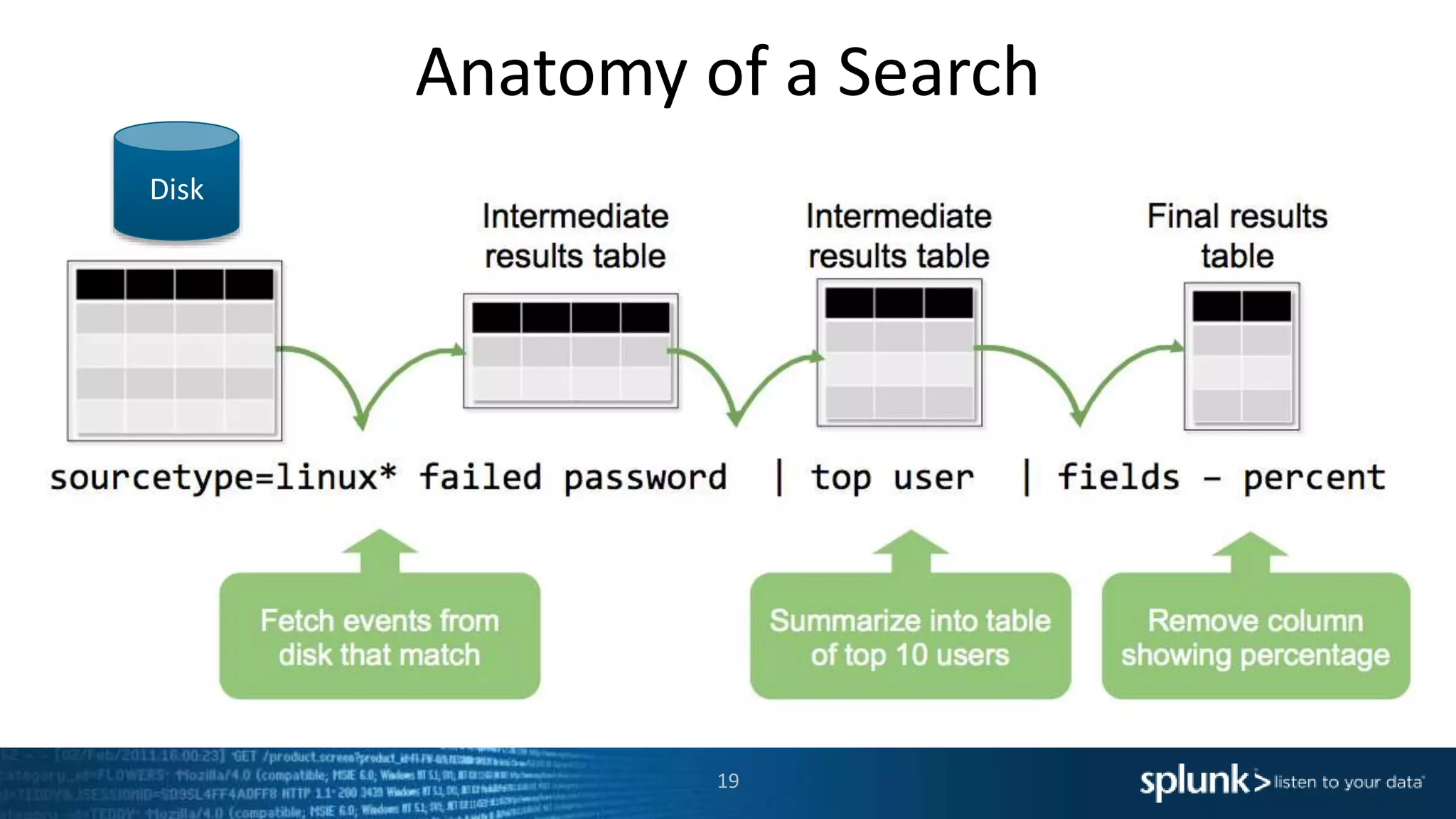
Anatomy of a Search
19
Disk
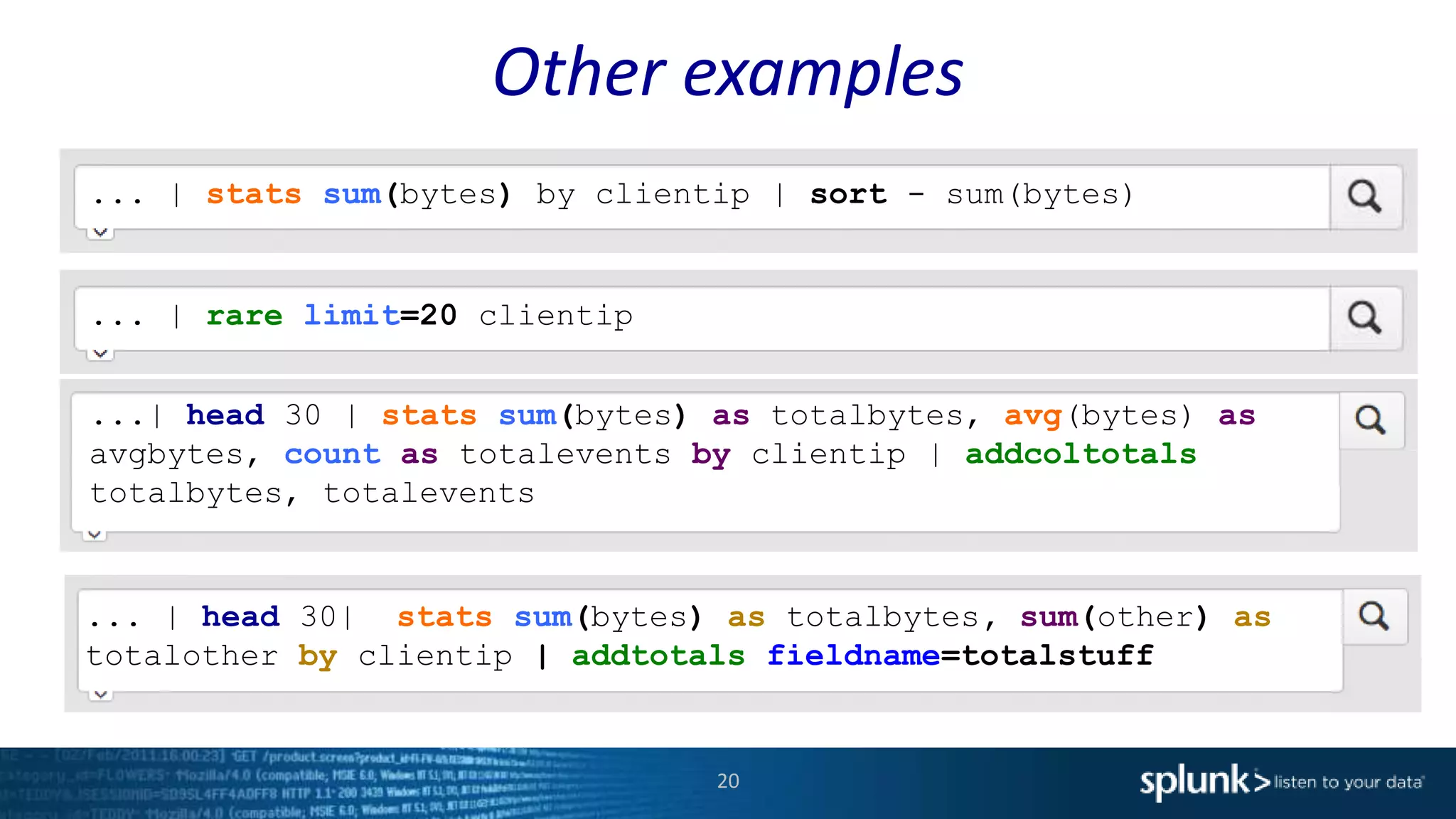
Other examples
20
... | stats sum(bytes) by clientip | sort - sum(bytes)
... | rare limit=20 clientip
... | head 30| stats sum(bytes) as totalbytes, sum(other) as
totalother by clientip | addtotals fieldname=totalstuff
...| head 30 | stats sum(bytes) as totalbytes, avg(bytes) as
avgbytes, count as totalevents by clientip | addcoltotals
totalbytes, totalevents
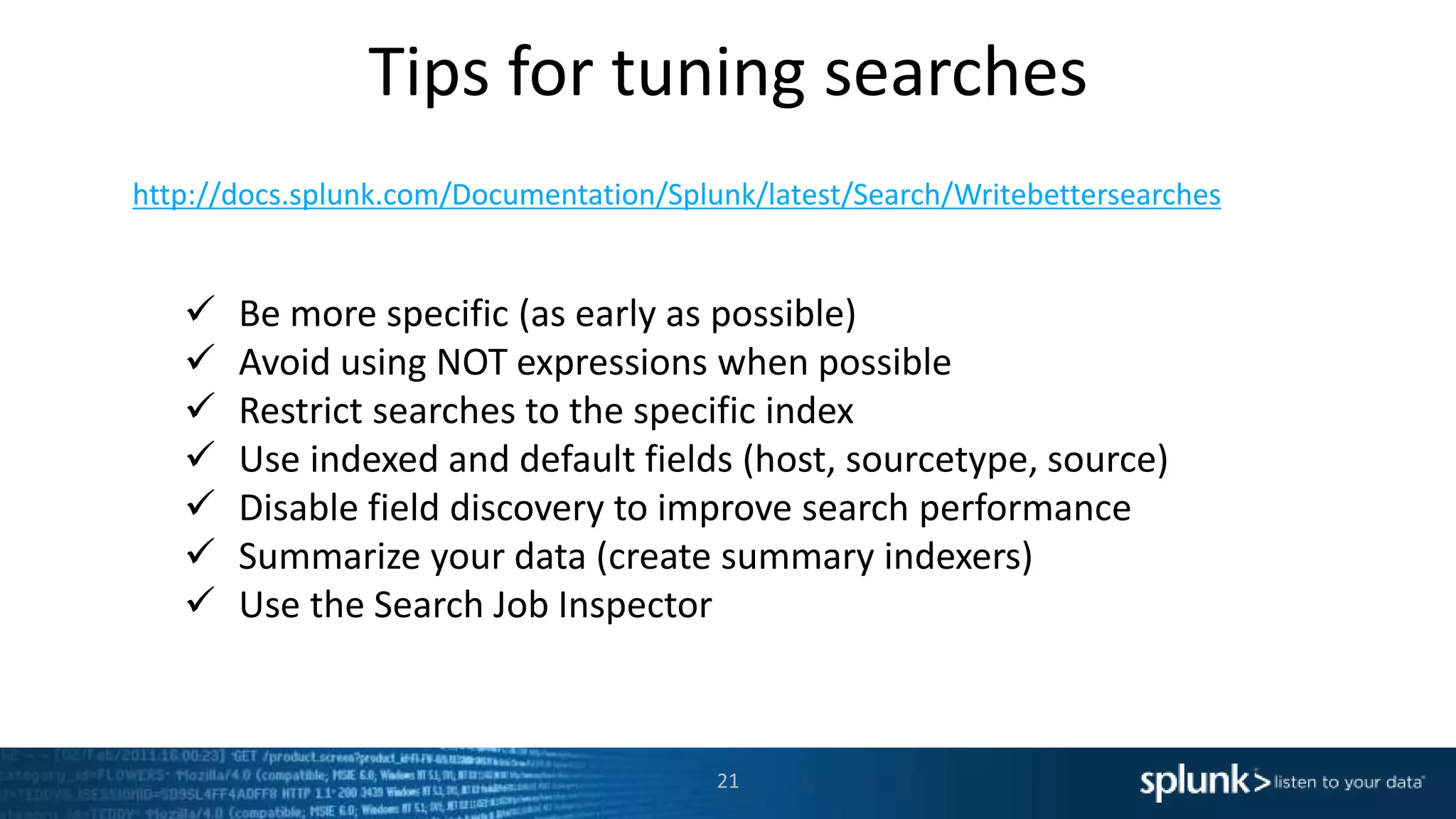
Tips for tuning searches
21
http://docs.splunk.com/Documentation/Splunk/latest/Search/Writebettersearches
 Be more specific (as early as possible)
 Avoid using NOT expressions when possible
 Restrict searches to the specific index
 Use indexed and default fields (host, sourcetype, source)
 Disable field discovery to improve search performance
 Summarize your data (create summary indexers)
 Use the Search Job Inspector
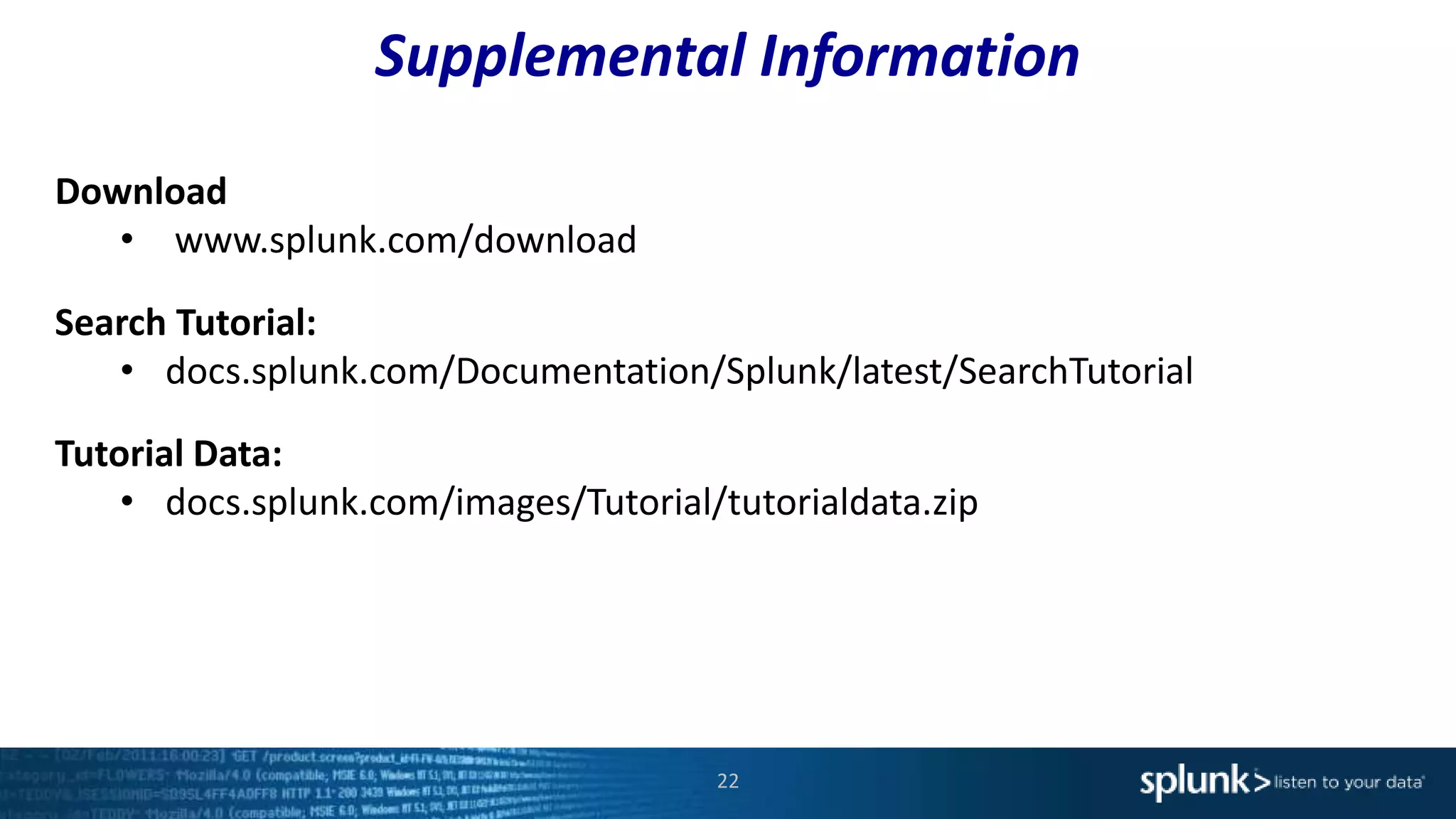
Supplemental Information
22
Download
• www.splunk.com/download
Search Tutorial:
• docs.splunk.com/Documentation/Splunk/latest/SearchTutorial
Tutorial Data:
• docs.splunk.com/images/Tutorial/tutorialdata.zip
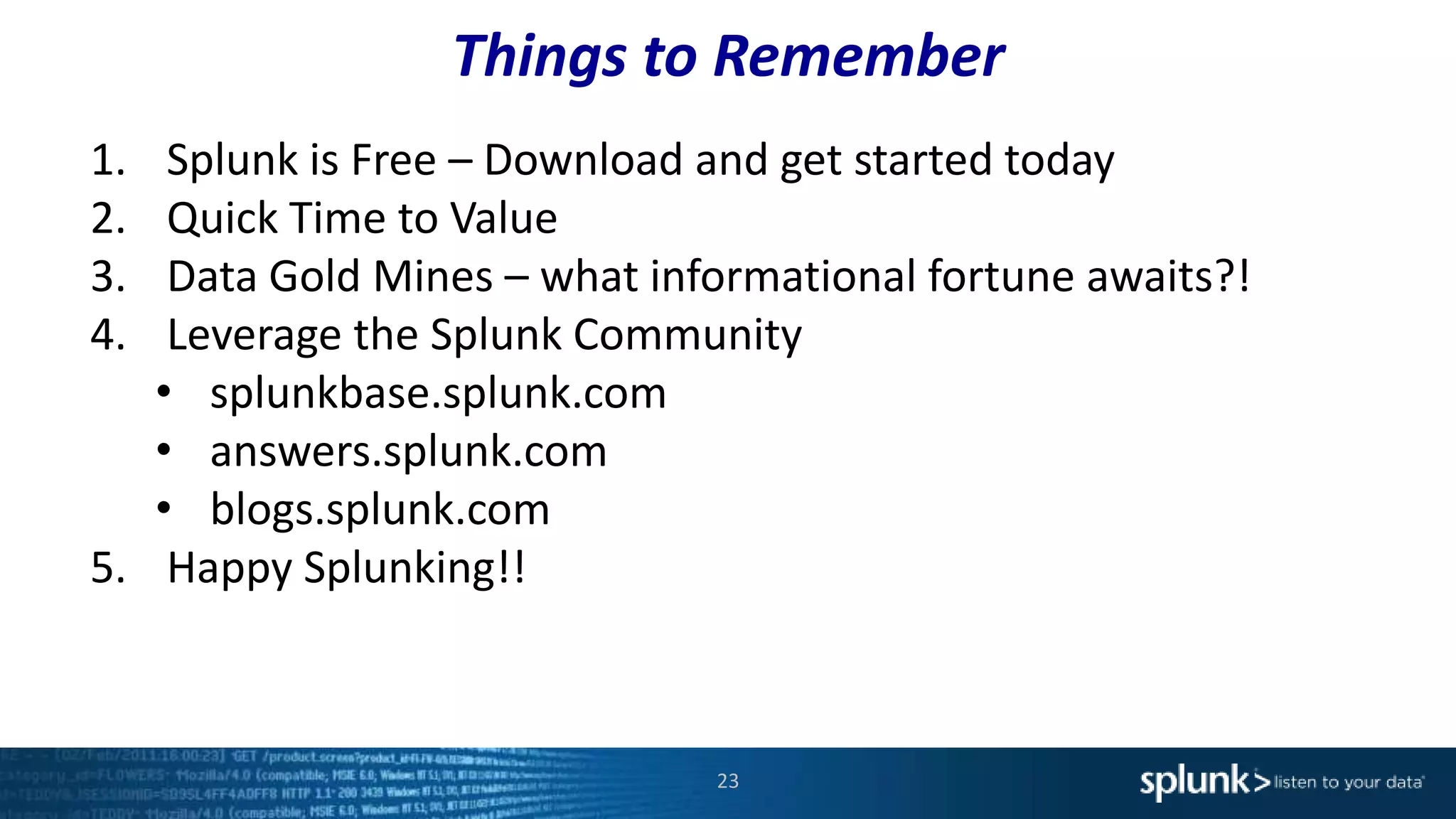
Things to Remember
23
1. Splunk is Free – Download and get started today
2. Quick Time to Value
3. Data Gold Mines – what informational fortune awaits?!
4. Leverage the Splunk Community
• splunkbase.splunk.com
• answers.splunk.com
• blogs.splunk.com
5. Happy Splunking!!
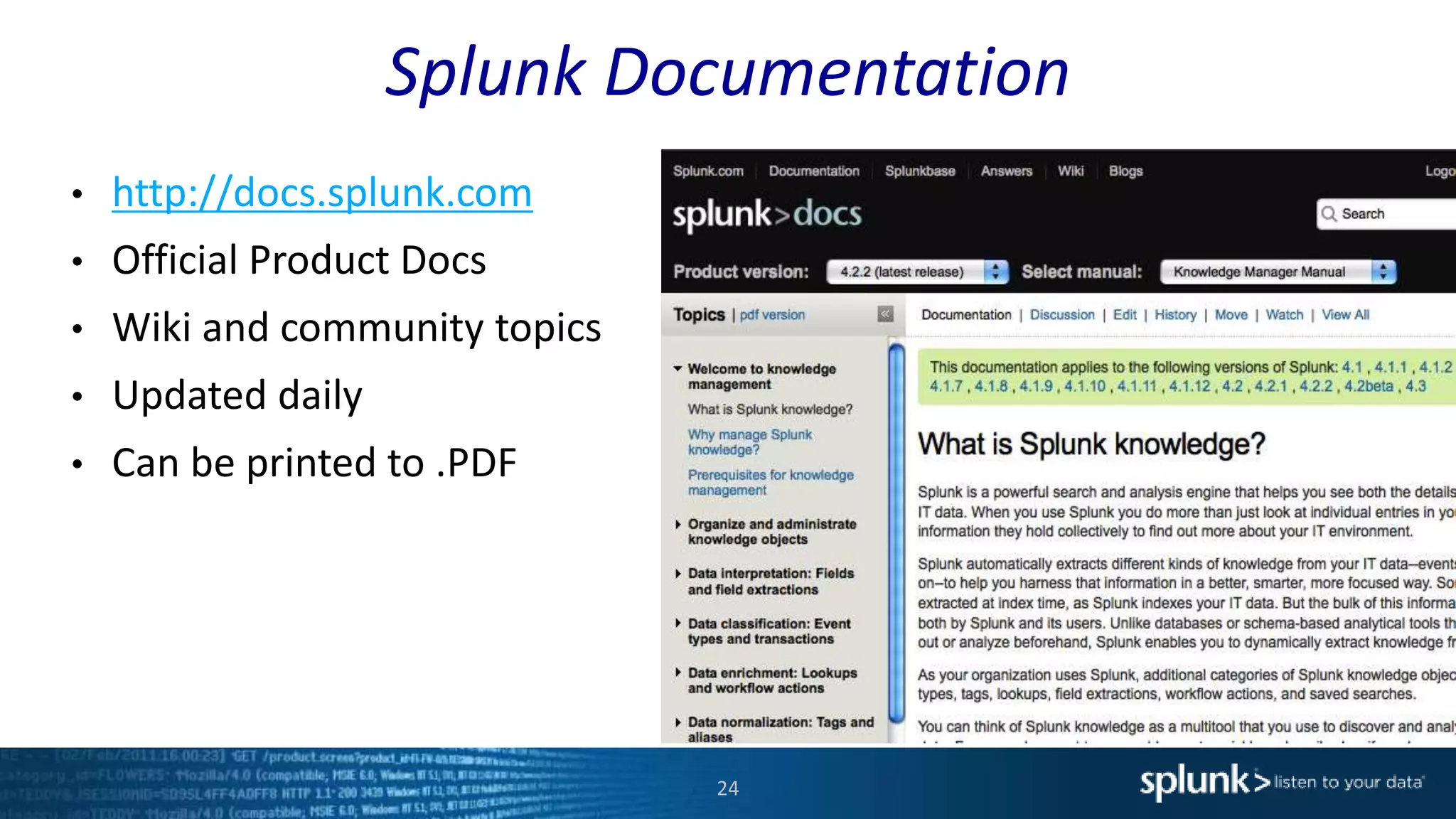
Splunk Documentation
24
• http://docs.splunk.com
• Official Product Docs
• Wiki and community topics
• Updated daily
• Can be printed to .PDF
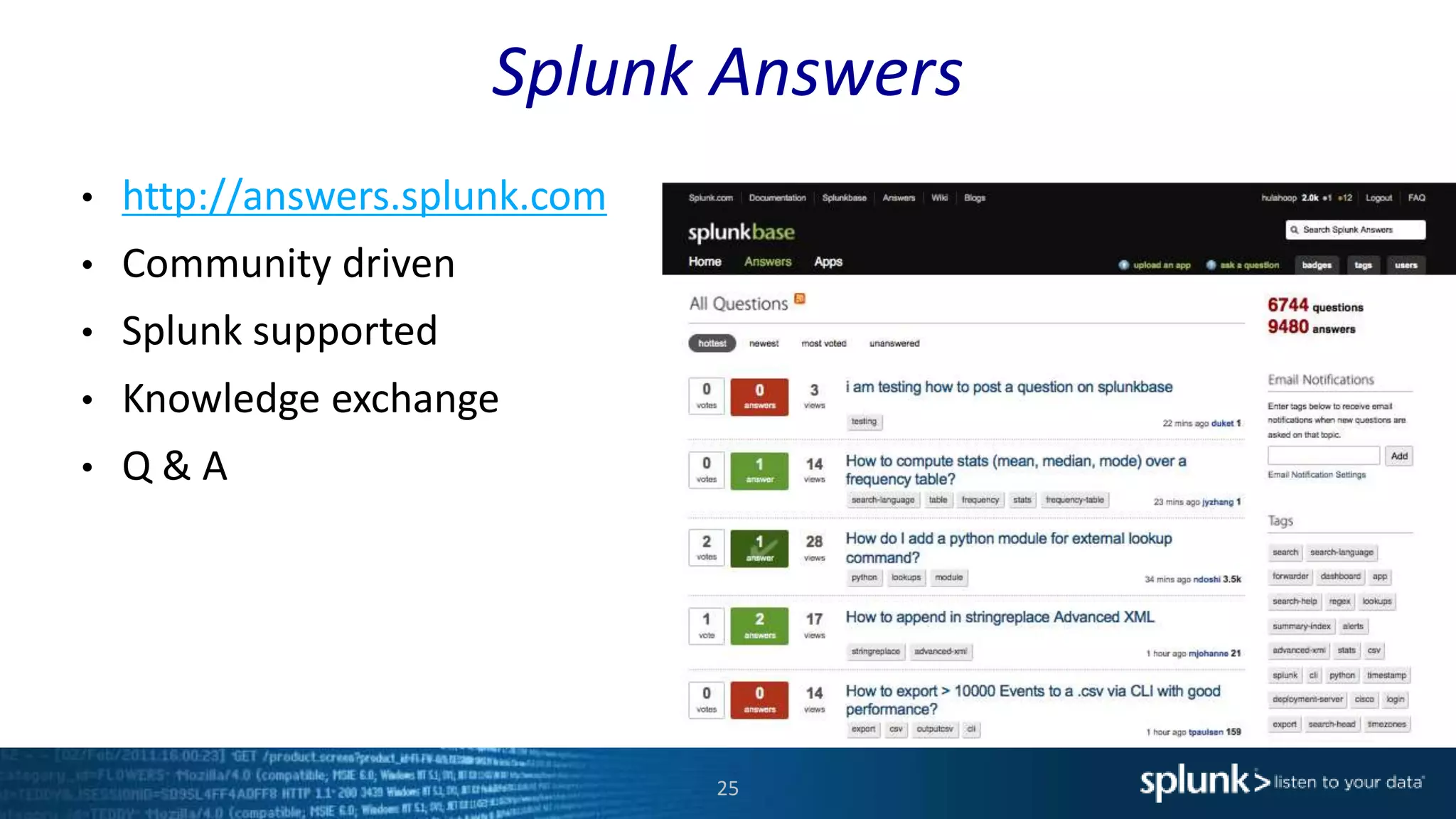
Splunk Answers
25
• http://answers.splunk.com
• Community driven
• Splunk supported
• Knowledge exchange
• Q & A
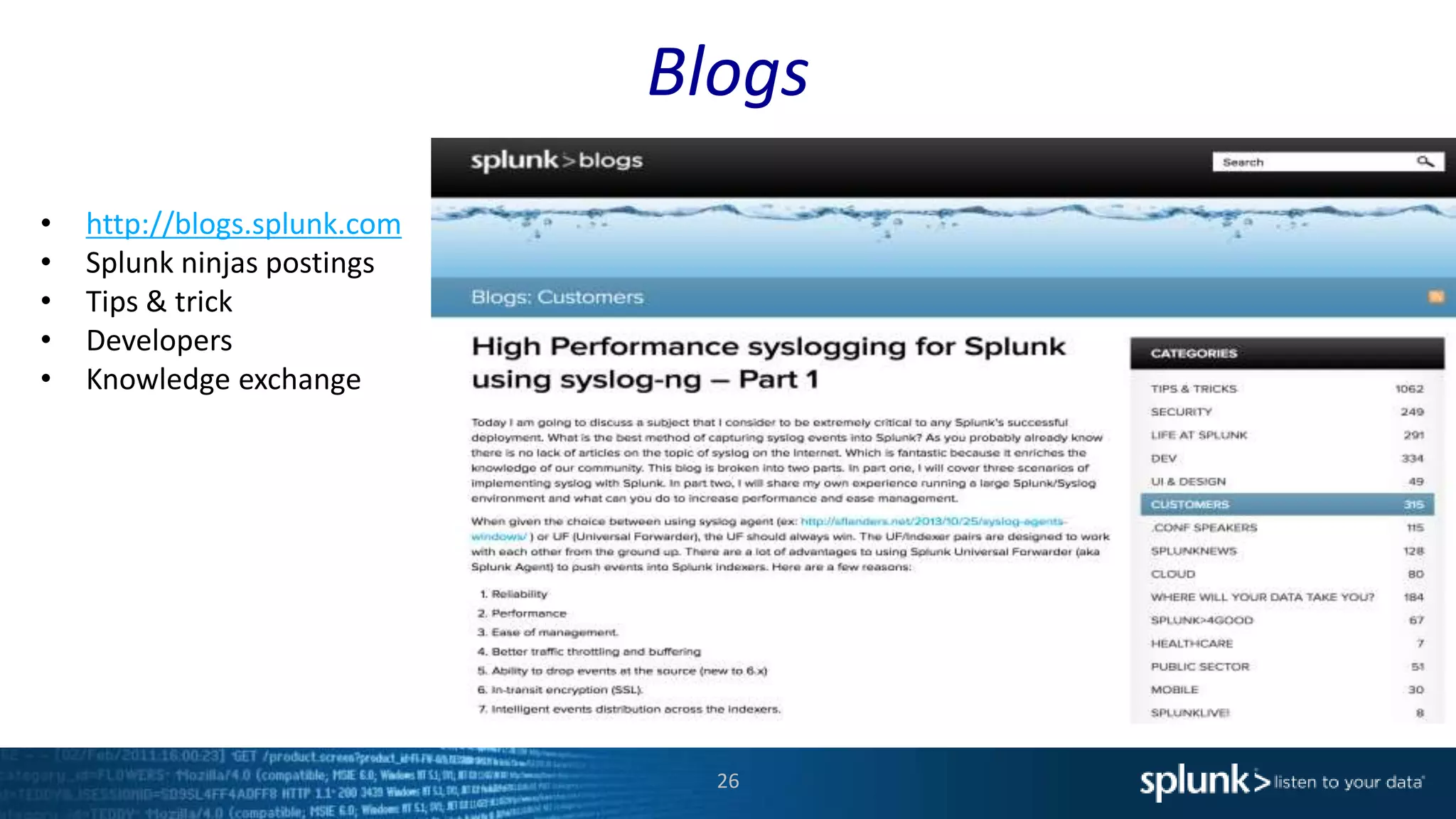
Blogs
26
• http://blogs.splunk.com
• Splunk ninjas postings
• Tips & trick
• Developers
• Knowledge exchange
Splunk Education
27
• Recommended for Users
– Using Splunk
– Searching & Reporting
• Recommended for UI/Dashboard Developers
– Developing Apps
• Instructor-Led Courses
– Web
– Onsite
Questions?
Thank You

Getting Started with Splunk Enterprise

  • 1.
    1 splunk> Getting Started withSplunk Enterprise Mohamad Hassan Sales Engineer presenter
  • 2.
    Legal Notices During thecourse of this presentation, we may make forward-looking statements regarding future events or the expected performance of the company. We caution you that such statements reflect our current expectations and estimates based on factors currently known to us and that actual events or results could differ materially. For important factors that may cause actual results to differ from those contained in our forward-looking statements, please review our filings with the SEC. The forward- looking statements made in this presentation are being made as of the time and date of its live presentation. If reviewed after its live presentation, this presentation may not contain current or accurate information. We do not assume any obligation to update any forward-looking statements we may make. In addition, any information about our roadmap outlines our general product direction and is subject to change at any time without notice. It is for informational purposes only and shall not be incorporated into any contract or other commitment. Splunk undertakes no obligation either to develop the features or functionality described or to include any such feature or functionality in a future release. 2
  • 3.
    Our Plan ofAction 3 1.Setting the stage. 2.How does Splunk fit in the landscape? 3.What differentiates Splunk? 4.Components that make up Splunk? 5.Demo
  • 4.
    4 Making machine dataaccessible, usable and valuable to everyone. 4
  • 5.
    The Accelerating Paceof Data Volume | Velocity | Variety | Variability GPS, RFID, Hypervisor, Web Servers, Email, Messaging, Clickstreams, Mobile, Telephony, IVR, Databases, Sensors, Telematics, Storage, Servers, Security Devices, Desktops Machine data is the fastest growing, most complex, most valuable area of big data 5
  • 6.
    The Fabric ForMachine Data Machine Data: Any Location, Type, Volume Online Services Web Services Servers Security GPS Location Storage Desktops Networks Packaged Applications Custom ApplicationsMessaging Telecoms Online Shopping Cart Web Clickstreams Databases Energy Meters Call Detail Records Smartphones and Devices RFID On- Premises Private Cloud Public Cloud Platform Support (Apps / API / SDKs) Enterprise Scalability Universal Indexing Answer Any Question Developer Platform Report and analyze Custom dashboards Monitor and alert Ad hoc search No backend RDBMS No custom connectors No need to filter data Schema-on-the-fly Agile statistics and reporting Near real-time architecture
  • 7.
    perf shell API Mounted File Systems hostnamemount syslog TCP/UDP EventLogs Performance Active Directory syslog hosts and network devices Unix, Linux and Windows hosts Local File Monitoring Splunk Forwarder virtual host Windows Scripted or Modular Inputs shell scripts API subscriptions Mainframes*nix Wire Data Splunk App for Stream Efficient Time Based Indexing
  • 8.
    Value is “hidden”in machine data © 2014 Splunk Inc. All rights reserved. 05/27/2014T10:24:17GMT applicationId="safetyObs" eventType="safety" assetID="CV1002384-1045" employeeId="114635" jobSite="PLEC-2014-GC" observationId="184568-451124-256" observation="Control Valve handle extracted to manual position. No lockout/tagout or other tag visible. Process is running." observationCriticality="5" imageId="PLEC-2014-GC-184568-451124-256" imageUri="https://mybucket.s3.amazonaws.com/PLEC-2014-GC-184568-451124-256.png" 1543541, workorder, bsic, 78544, pipefitting, CV1002384, "install manual bleed bypass", 04/13/2014, 05/21/2014, 25663, complete 05/22/2014 03:17:31 asset_id="CV1002384-1045" process_id="batch transfer starting" alarm="control valve failed to open" 05/22/2014 04:21:45 asset_id="CV1002384-1045" process_id="batch transfer starting" alarm="control valve failed to open" 05/22/2014 06:35:39 asset_id="CV1002384-1045" process_id="batch transfer starting" alarm="control valve failed to open" 05/22/2014 07:40:29 asset_id="CV1002384-1045" process_id="batch transfer starting" alarm="control valve failed to open" Safety Application Logs CMM (Work Order) Application Logs SCADA Event & Alarm Logs 8
  • 9.
    Schema on read ©2014 Splunk Inc. All rights reserved. 05/27/2014T10:24:17GMT applicationId="safetyObs" eventType="safety" assetID="CV1002384-1045" employeeId="114635" jobSite="PLEC-2014-GC" observationId="184568-451124-256" observation="Control Valve handle extracted to manual position. No lockout/tagout or other tag visible. Process is running." observationCriticality="5" imageId="PLEC-2014-GC-184568-451124-256" imageUri="https://mybucket.s3.amazonaws.com/PLEC-2014-GC-184568-451124-256.png" 1543541, workorder, bsic, 78544, pipefitting, CV1002384, "install manual bleed bypass", 04/13/2014, 05/21/2014, 25663, complete 05/22/2014 03:17:31 asset_id="CV1002384-1045" process_id="batch transfer starting" alarm="control valve failed to open" 05/22/2014 04:21:45 asset_id="CV1002384-1045" process_id="batch transfer starting" alarm="control valve failed to open" 05/22/2014 06:35:39 asset_id="CV1002384-1045" process_id="batch transfer starting" alarm="control valve failed to open" 05/22/2014 07:40:29 asset_id="CV1002384-1045" process_id="batch transfer starting" alarm="control valve failed to open" Asset ID Asset ID Asset ID Technician MTBF 9
  • 10.
    10 INGENST ONCE USEMANY TIMES Reduce Costs: Consolidate tools, eliminate silos, find root cause faster! Exchange Admin Linux/Win Admin Network Admin Applications Admin Line of Business User Application Support VMware/Linux/ Win Admin Security Admin Storage Admin IT Management
  • 11.
    11 Service Desk Application Support Systems Administrator Application Developer Application Developer Database Administrator Java monitoring tools don’t showanything either. Call developer. Log call, console says everything is green. Stop working on new code to troubleshoot. Need production logs! Stop what they’re doing to identify and gather production logs for developer. Manual investigation establishes not application problem DBA analyzes audit logs which points to bad query. Splunk breaking the silos
  • 12.
  • 13.
    13  Distributed searchunifies the view across locations  Automatic load balancing  Role-based access controls how far a given user's search will span Runs Across Multiple Datacenters
  • 14.
    Splunk Differentiators 14 • Flexibleand scalable architecture • Schema less architecture • Fast time to value • Fast search engine • Understand 100’s of file formats out of the box • Very active community
  • 15.
    1. 2. 3. 4. How to GetStarted Download Install Forward Data Search Databases Networks Servers Virtual Machines Smart phones and Devices Custom Applications Security WebServer Sensors Four steps:
  • 16.
    Demo 16 1. Installing andStarting Splunk 2. Ingesting Data 3. Search Basics • Search Bar • Time Picker • Extracted Fields 4. Dynamic Field Extraction 5. Alerting 6. Statistics and Reporting 7. Command Language (SPL) 8. Splunk Applications
  • 17.
  • 18.
  • 19.
    Anatomy of aSearch 19 Disk
  • 20.
    Other examples 20 ... |stats sum(bytes) by clientip | sort - sum(bytes) ... | rare limit=20 clientip ... | head 30| stats sum(bytes) as totalbytes, sum(other) as totalother by clientip | addtotals fieldname=totalstuff ...| head 30 | stats sum(bytes) as totalbytes, avg(bytes) as avgbytes, count as totalevents by clientip | addcoltotals totalbytes, totalevents
  • 21.
    Tips for tuningsearches 21 http://docs.splunk.com/Documentation/Splunk/latest/Search/Writebettersearches  Be more specific (as early as possible)  Avoid using NOT expressions when possible  Restrict searches to the specific index  Use indexed and default fields (host, sourcetype, source)  Disable field discovery to improve search performance  Summarize your data (create summary indexers)  Use the Search Job Inspector
  • 22.
    Supplemental Information 22 Download • www.splunk.com/download SearchTutorial: • docs.splunk.com/Documentation/Splunk/latest/SearchTutorial Tutorial Data: • docs.splunk.com/images/Tutorial/tutorialdata.zip
  • 23.
    Things to Remember 23 1.Splunk is Free – Download and get started today 2. Quick Time to Value 3. Data Gold Mines – what informational fortune awaits?! 4. Leverage the Splunk Community • splunkbase.splunk.com • answers.splunk.com • blogs.splunk.com 5. Happy Splunking!!
  • 24.
    Splunk Documentation 24 • http://docs.splunk.com •Official Product Docs • Wiki and community topics • Updated daily • Can be printed to .PDF
  • 25.
    Splunk Answers 25 • http://answers.splunk.com •Community driven • Splunk supported • Knowledge exchange • Q & A
  • 26.
    Blogs 26 • http://blogs.splunk.com • Splunkninjas postings • Tips & trick • Developers • Knowledge exchange
  • 27.
    Splunk Education 27 • Recommendedfor Users – Using Splunk – Searching & Reporting • Recommended for UI/Dashboard Developers – Developing Apps • Instructor-Led Courses – Web – Onsite
  • 28.
  • 29.

Editor's Notes

  • #2 Background: This is a workshop designed to introduce new and experienced users to Splunk reports and dashboards. It was a little surprising, but not uncommon, to learn from some of our favorite Splunkers they didn’t know Splunk could create interactive, smart visuals like graphs/charts/reports and arrange them quickly on custom dashboards. This 30-45 minute workshop will catapult searchers into a whole new world of visualizations.
  • #5 Splunk’s mission is to make YOUR machine data accessible, usable and valuable to everyone. It’s this overarching mission that drives our company and products that we deliver.
  • #6 Data is growing and embodies new characteristics not found in traditional structured data: Volume, Velocity, Variety, Variability. Machine data is one of the fastest, growing, most complex and most valuable segments of big data. All the webservers, applications, network devices – all of the technology infrastructure running an enterprise or organization – generates massive streams of data, in an array of unpredictable formats that are difficult to process and analyze by traditional methods or in a timely manner. Why is this “machine data” valuable? Because it contains a trace - a categorical record - of user behavior, cyber-security risks, application behavior, service levels, fraudulent activity and customer experience.
  • #7 All of this is accomplished with: No backend database No custom connectors Without filtering data Without knowing the questions before hand. While Providing a quick time to value With agile statistics and reporting All in real-time
  • #8 Getting data into Splunk is designed to be as flexible and easy as possible. In most cases you’ll find that no configuration is required; you just have to determine what data to collect and which method you want to use to get it into Splunk. Splunk is THE universal machine data platform. It goes beyond ingesting just log files, ingesting data from syslog, scripts, system events, API’s, even wire data! The result is beautifully indexed time-based series events, previously in disparate silos that can now be cross-correlated and made accessible to everyone your organization. Notice here that we are ingesting local files, data from syslogs, output from scripts and even wire data. Let’s see how the Splunk platform supports all this data collection.
  • #9 Some machine data contains human-generated content. For example this logfile from a safety app on a technicians mobile device. The application allows them to easily report either positive, negative or neutral safety observations on a regular basis. (logfile – timestamp, app_id, etc.)
  • #10 Some machine data contains human-generated content. For example this logfile from a safety app on a technicians mobile device. The application allows them to easily report either positive, negative or neutral safety observations on a regular basis. (logfile – timestamp, app_id, etc.)
  • #16 It only takes minutes to download and install Splunk on the platform of your choice, bringing you fast time to value. Once Splunk has been downloaded and installed the next step is to get data into a Splunk instance. The data then becomes searchable from a single place! Since Splunk stores only a copy of the raw data, searches won’t affect the end devices data comes from. Having a central place to search your data not only simplifies things, it also decreases risk since a user doesn’t have to log into the end devices. Splunk can be installed on a single small instance, such as a laptop, or installed on multiple servers to scale as needed. The ability to scale from a single desktop to an enterprise is another of our key differentiators. When installed on multiple servers the functions can be split up to meet any performance, security, or availability requirements.
  • #17 Lets say you are a Web Site Administrator. You recently received user complaints that that web pages are failing and not returning content when it should. Let’s use Splunk to search this data, to not only determine problems that happened but factors associated with or contributing to it.
  • #18 Start up a brand new Splunk Have a ready data set, typically use tutorial Literally drag and drop. Go back to components, what make them up Run two manual queries, paints picture of we can do. Patterns Create a data model (Use instant pivot) Create output Do something completely impressive. (create party on third party system, 3d graph, alert, something tangible outside of Splunk)   Highlight best Splunk 6 features, add data, patterns, instant pivot,
  • #25 “After this workshop, if you want more information, all the product documentation is available online. The documentation is divided into several manuals. For reporting and dashboards you will likely be most interested in the User and Developer Manuals.”
  • #26 “For a more interactive approach to getting your questions addressed there is Splunk Answers. It is a web based Splunk community of Splunkers like you. Splunk employees are also regular experts on the site.”
  • #28 “It is not possible to cover everything you need to know about building reports and dashboards in 30-45 minutes. For more structured training with labs, consider Splunk education courses. These are available as instructor-led web-based courses or onsite if there is enough participants per class.”