Getting Started
With Project
Management
Agenda
1. What is Apptivo Project Management?
2. The Four Primary Functions of Apptivo PM
3. Features & Key Configuration Settings
4. Attack Plan for a Quick-Setup
5. Walk-Through of Configuring a New Company
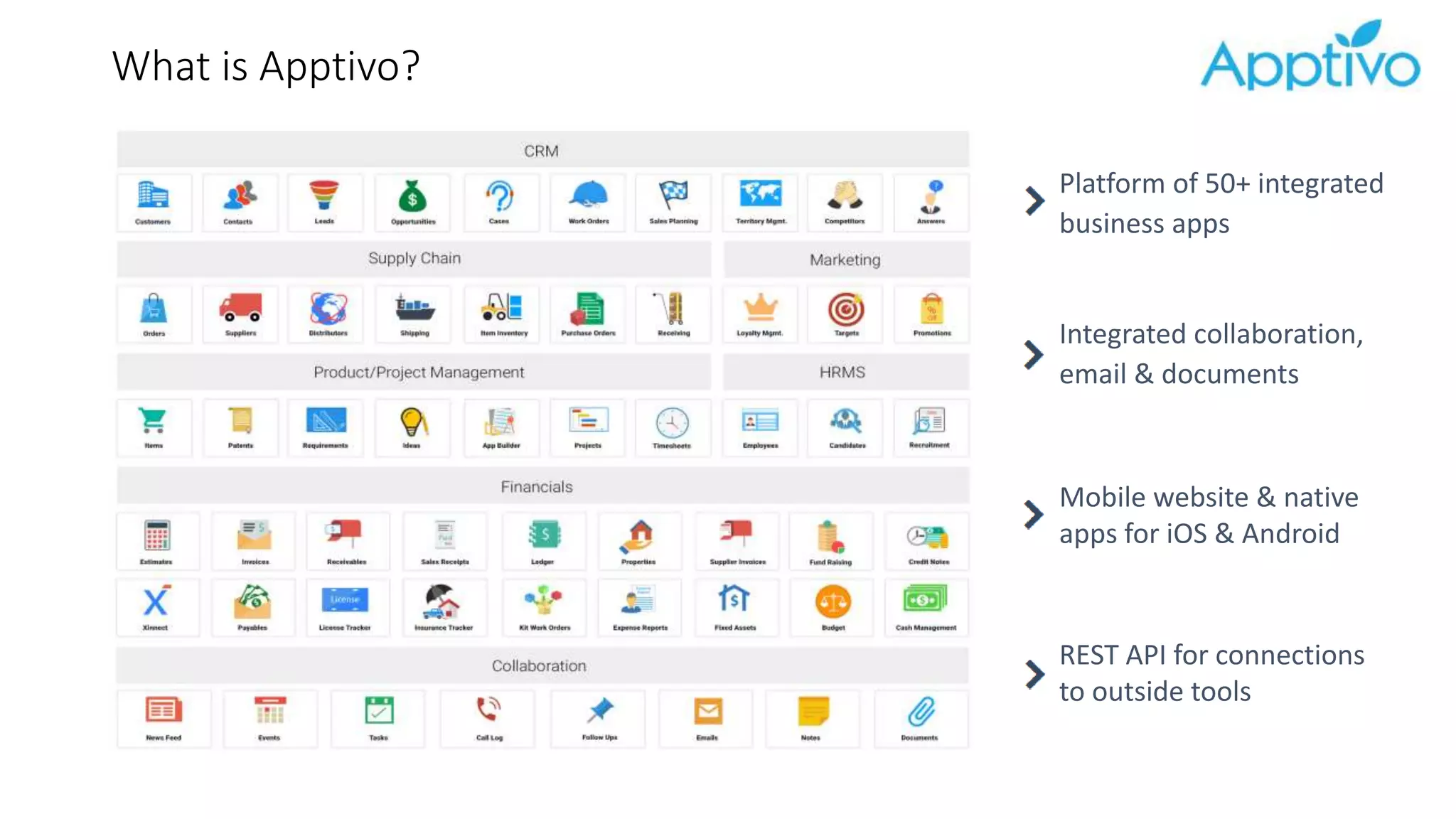
What is Apptivo?
Platform of 50+ integrated
business apps
Integrated collaboration,
email & documents
Mobile website & native
apps for iOS & Android
REST API for connections
to outside tools
Technical Details
Infrastructure
Rock-Solid 24x7
• Hosted in USA
• Real-time off-site backups
• 256-bit SSL encryption of
all communications
• Disaster recovery
environment hosted with
Amazon
Compatibility
Work From Any Device
• 100% Cloud
• Optimized for all modern
web browsers
• iOS/Android (tablet &
phone)
• Tech includes AngularJS,
Bootstrap, Java, HTML 5
Security
Access Control For:
• Access to apps
• Access to records
• Access to fields on records
• Emails & activities
• Collaboration features
• Reports & navigation
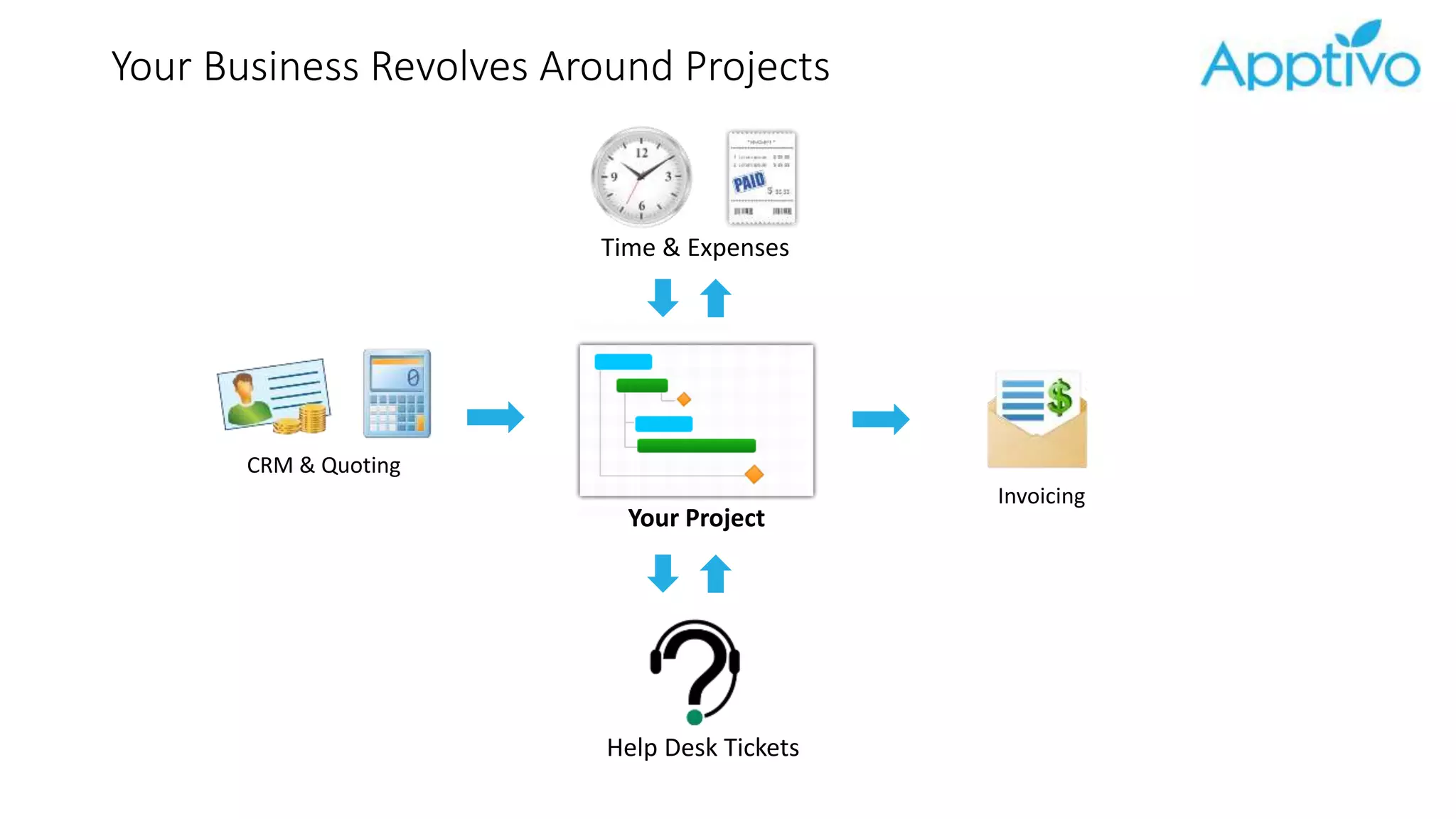
Your Business Revolves Around Projects
CRM & Quoting
Help Desk Tickets
Invoicing
Your Project
Time & Expenses
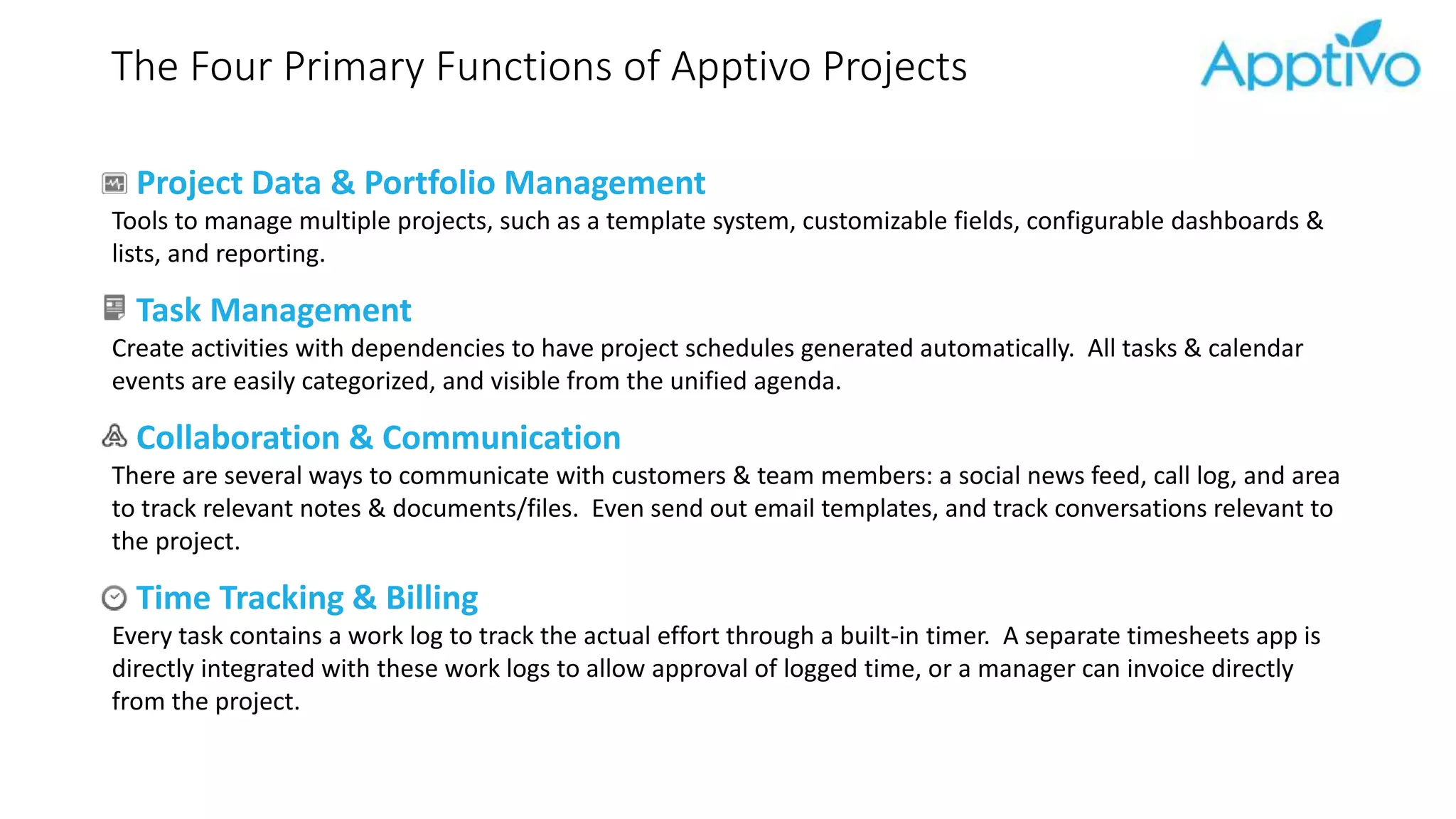
The Four Primary Functions of Apptivo Projects
Project Data & Portfolio Management
Tools to manage multiple projects, such as a template system, customizable fields, configurable dashboards &
lists, and reporting.
Task Management
Create activities with dependencies to have project schedules generated automatically. All tasks & calendar
events are easily categorized, and visible from the unified agenda.
Collaboration & Communication
There are several ways to communicate with customers & team members: a social news feed, call log, and area
to track relevant notes & documents/files. Even send out email templates, and track conversations relevant to
the project.
Time Tracking & Billing
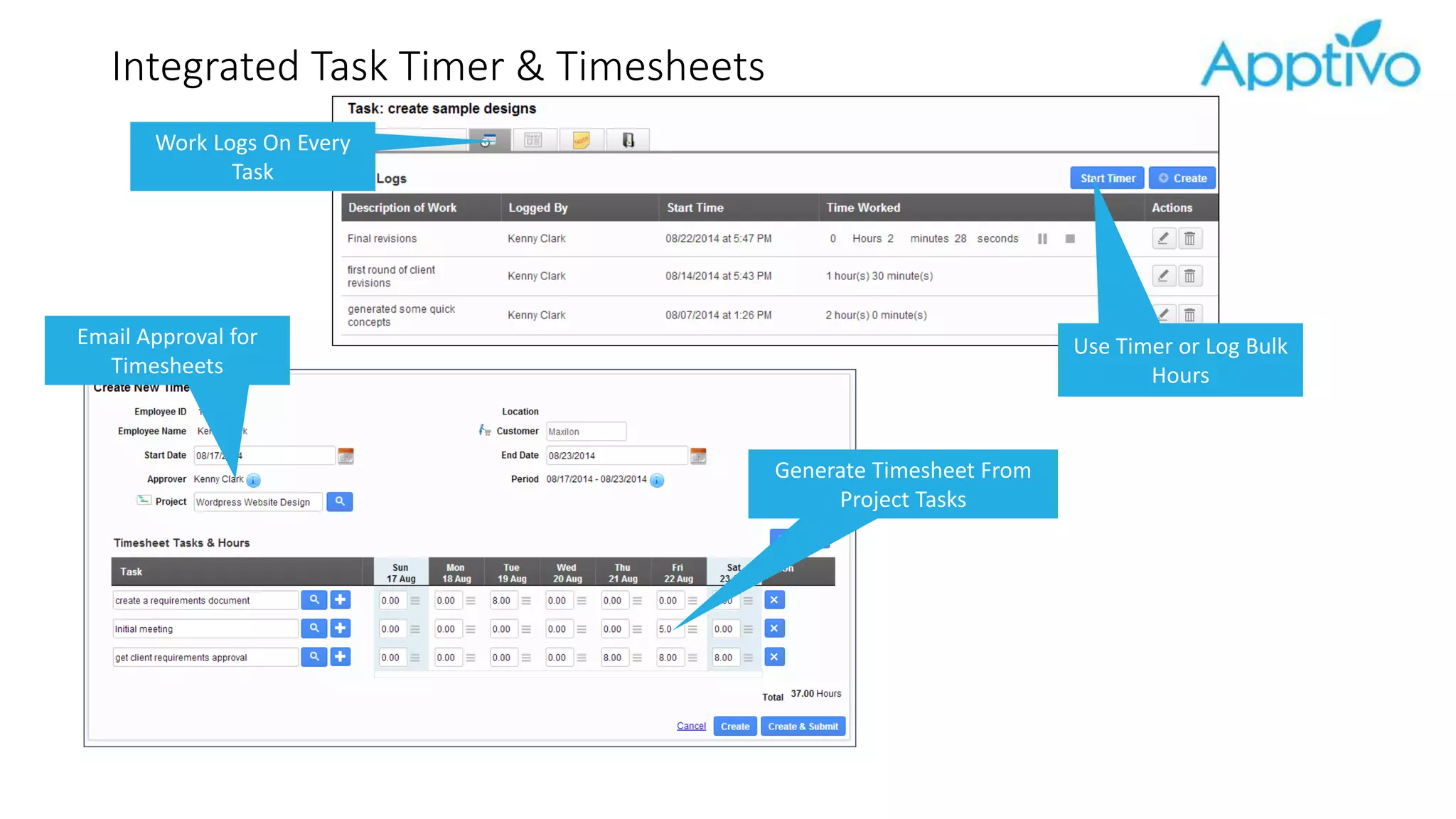
Every task contains a work log to track the actual effort through a built-in timer. A separate timesheets app is
directly integrated with these work logs to allow approval of logged time, or a manager can invoice directly
from the project.
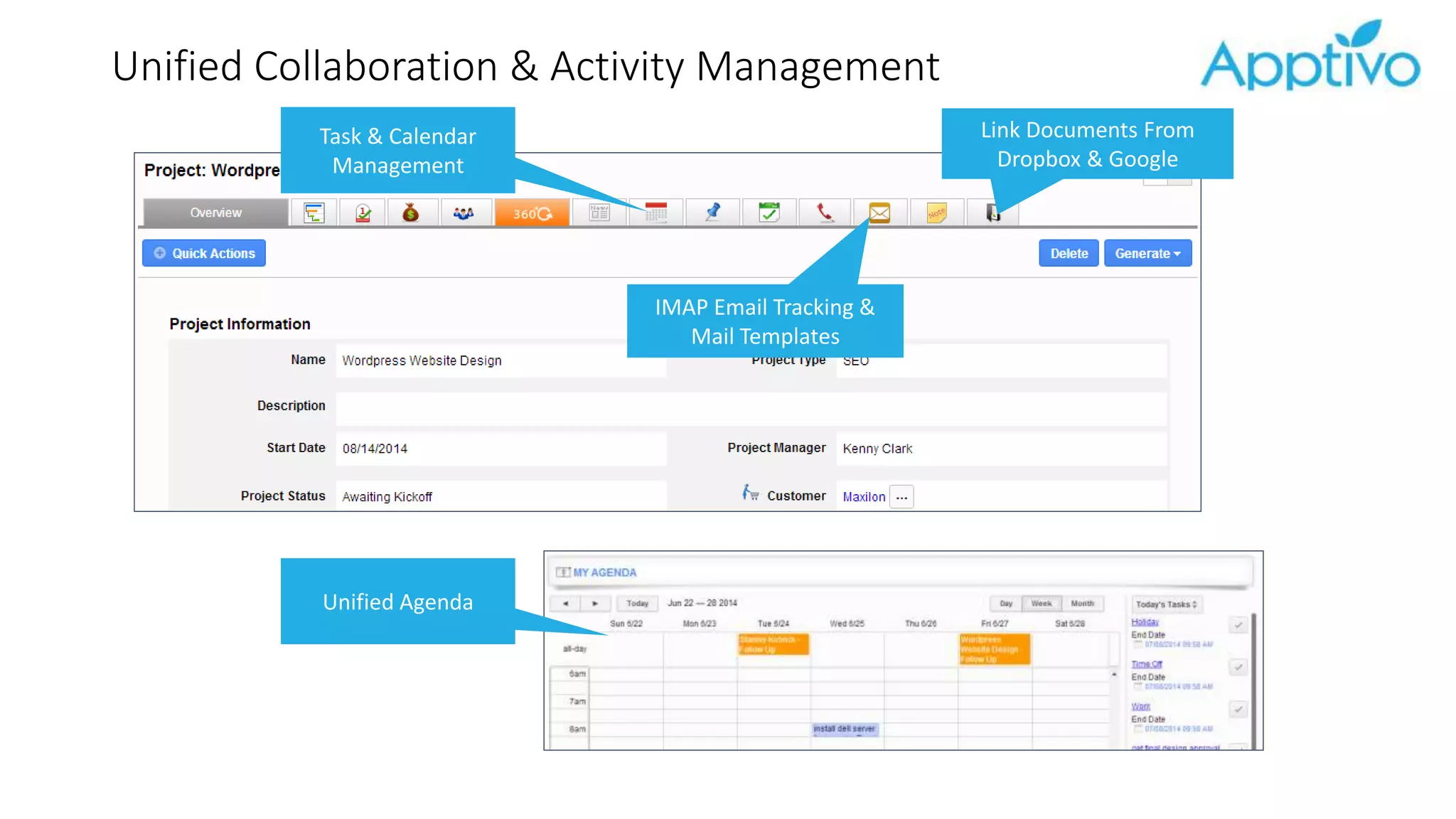
Unified Collaboration & Activity Management
Task & Calendar
Management
IMAP Email Tracking &
Mail Templates
Unified Agenda
Link Documents From
Dropbox & Google
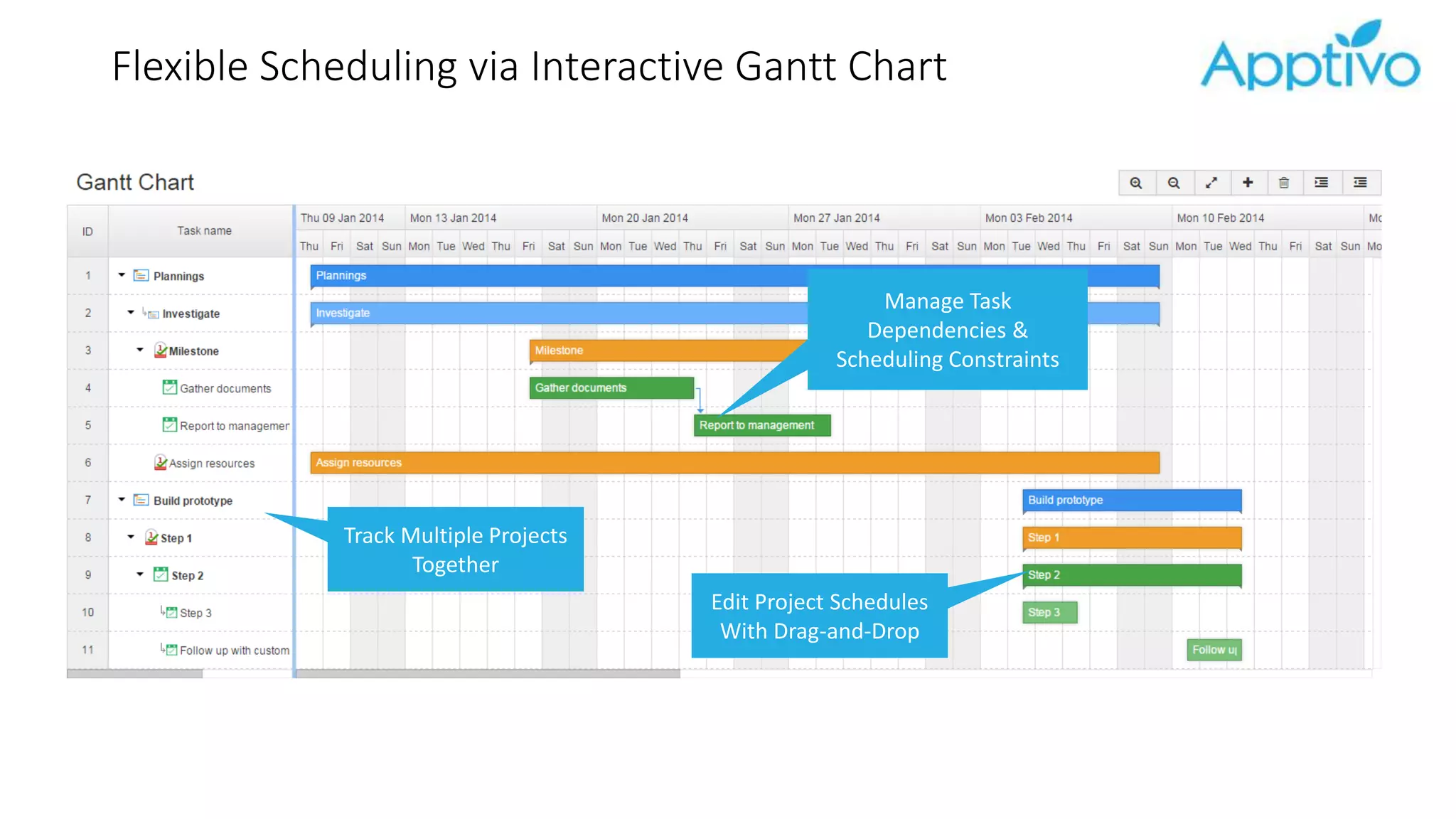
Flexible Scheduling via Interactive Gantt Chart
Manage Task
Dependencies &
Scheduling Constraints
Edit Project Schedules
With Drag-and-Drop
Track Multiple Projects
Together
Integrated Task Timer & Timesheets
Work Logs On Every
Task
Built-In Billing &
Activity Reports
Use Timer or Log Bulk
Hours
Email Approval for
Timesheets
Generate Timesheet From
Project Tasks
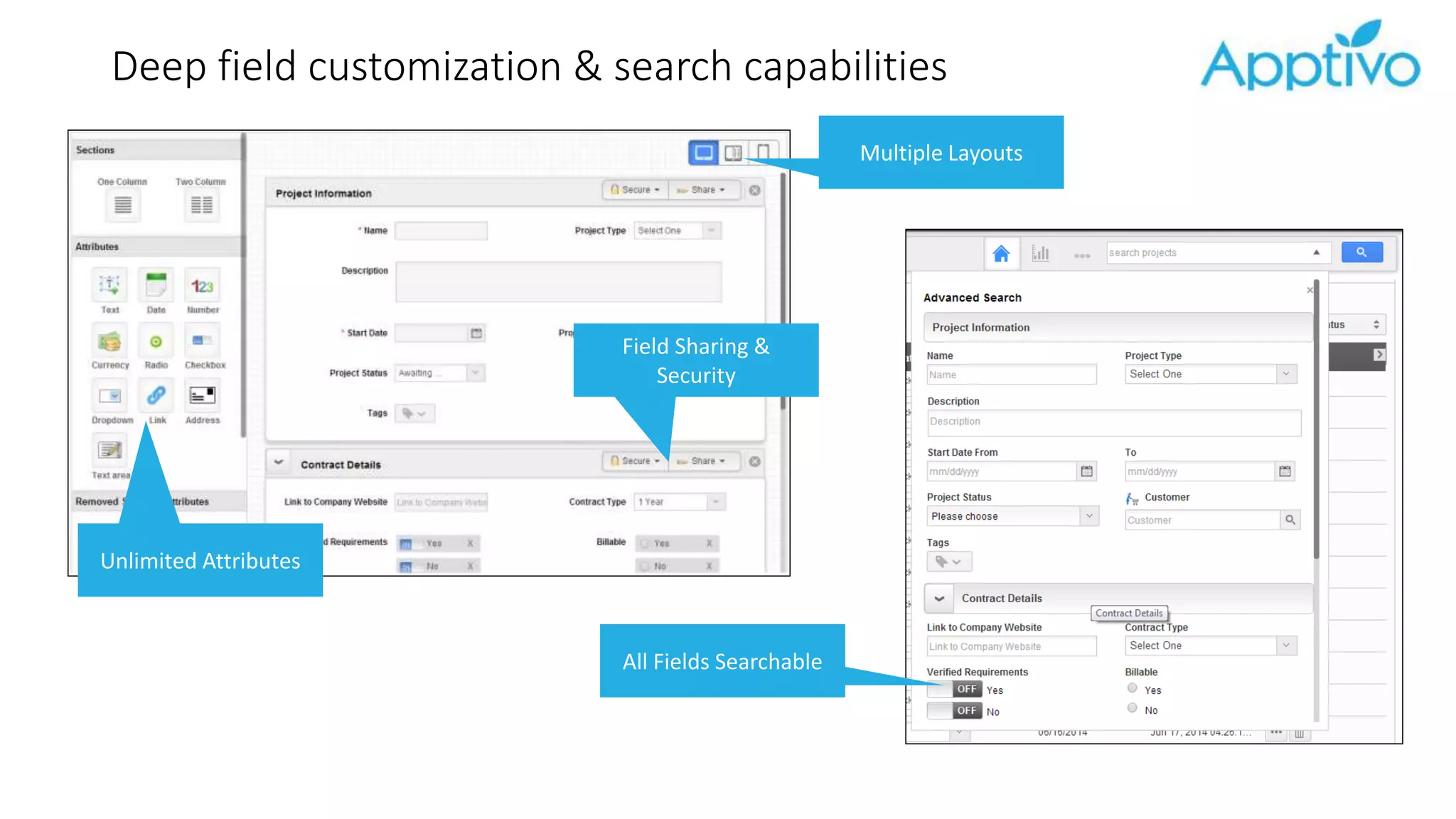
Deep field customization & search capabilities
All Fields Searchable
Multiple Layouts
Unlimited Attributes
Field Sharing &
Security
Getting Started
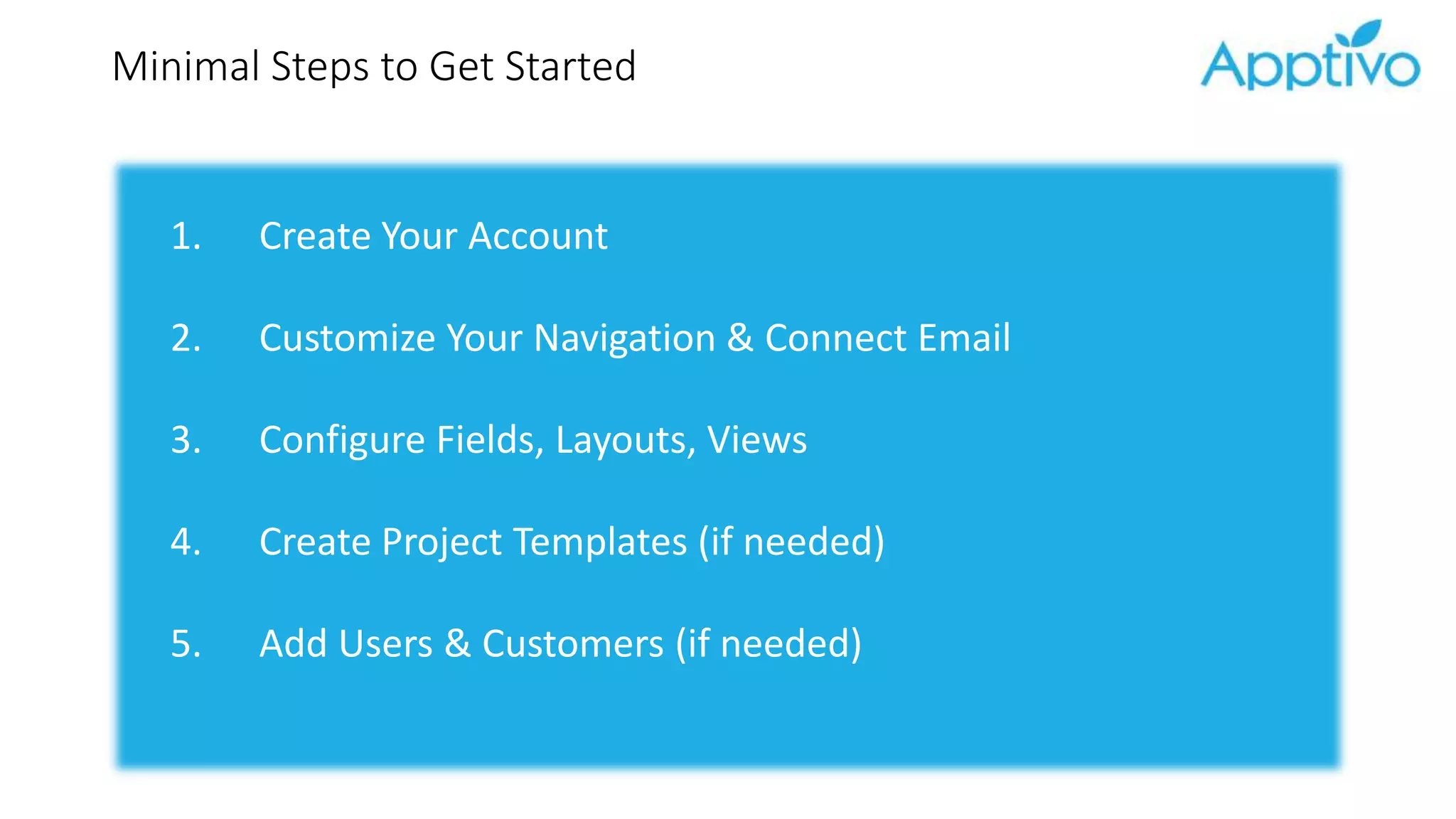
Minimal Steps to Get Started
1. Create Your Account
2. Customize Your Navigation & Connect Email
3. Configure Fields, Layouts, Views
4. Create Project Templates (if needed)
5. Add Users & Customers (if needed)
Thank You!
Contact sales@apptivo.com for a personal demo

Getting Started With Project Management - Apptivo

  • 1.
  • 2.
    Agenda 1. What isApptivo Project Management? 2. The Four Primary Functions of Apptivo PM 3. Features & Key Configuration Settings 4. Attack Plan for a Quick-Setup 5. Walk-Through of Configuring a New Company
  • 3.
    What is Apptivo? Platformof 50+ integrated business apps Integrated collaboration, email & documents Mobile website & native apps for iOS & Android REST API for connections to outside tools
  • 4.
    Technical Details Infrastructure Rock-Solid 24x7 •Hosted in USA • Real-time off-site backups • 256-bit SSL encryption of all communications • Disaster recovery environment hosted with Amazon Compatibility Work From Any Device • 100% Cloud • Optimized for all modern web browsers • iOS/Android (tablet & phone) • Tech includes AngularJS, Bootstrap, Java, HTML 5 Security Access Control For: • Access to apps • Access to records • Access to fields on records • Emails & activities • Collaboration features • Reports & navigation
  • 5.
    Your Business RevolvesAround Projects CRM & Quoting Help Desk Tickets Invoicing Your Project Time & Expenses
  • 6.
    The Four PrimaryFunctions of Apptivo Projects Project Data & Portfolio Management Tools to manage multiple projects, such as a template system, customizable fields, configurable dashboards & lists, and reporting. Task Management Create activities with dependencies to have project schedules generated automatically. All tasks & calendar events are easily categorized, and visible from the unified agenda. Collaboration & Communication There are several ways to communicate with customers & team members: a social news feed, call log, and area to track relevant notes & documents/files. Even send out email templates, and track conversations relevant to the project. Time Tracking & Billing Every task contains a work log to track the actual effort through a built-in timer. A separate timesheets app is directly integrated with these work logs to allow approval of logged time, or a manager can invoice directly from the project.
  • 7.
    Unified Collaboration &Activity Management Task & Calendar Management IMAP Email Tracking & Mail Templates Unified Agenda Link Documents From Dropbox & Google
  • 8.
    Flexible Scheduling viaInteractive Gantt Chart Manage Task Dependencies & Scheduling Constraints Edit Project Schedules With Drag-and-Drop Track Multiple Projects Together
  • 9.
    Integrated Task Timer& Timesheets Work Logs On Every Task Built-In Billing & Activity Reports Use Timer or Log Bulk Hours Email Approval for Timesheets Generate Timesheet From Project Tasks
  • 10.
    Deep field customization& search capabilities All Fields Searchable Multiple Layouts Unlimited Attributes Field Sharing & Security
  • 11.
  • 12.
    Minimal Steps toGet Started 1. Create Your Account 2. Customize Your Navigation & Connect Email 3. Configure Fields, Layouts, Views 4. Create Project Templates (if needed) 5. Add Users & Customers (if needed)
  • 13.