
Getting started with JUSP
Presenter: LauraWong
13/11/2018
Outline
»Introduction and background
»COUNTER reports and JUSP
»Using JUSP - demo
»Further resources
»Your questions
13/11/2018 Getting started with JUSP 2
Background and introduction
»JUSP gives librarians a single point of access to journal,
book, database and platform usage reports from a range
of publishers and suppliers
› JUSP stands for Journal Usage Statistics Portal
› Started 2010
› Continues to grow: institutions, publishers and reports
› Books added 2016
› Databases/platforms added 2017
› Data visualisation added 2017
13/11/2018 Getting started with JUSP 3
COUNTER
»COUNTER Code of Practice is a standard
»Consistent, credible and comparable
»Vendors and publishers use same set of rules for counting
and displaying
»COUNTER-compliant
»Makes JUSP possible
»Reports produced monthly
»To find out more about COUNTER
https://www.projectcounter.org/
13/11/2018 Getting started with JUSP 4
A note about COUNTER versions – R4 and R5
»The COUNTER code of practice has been developed over many
years and needs to be updated periodically to ensure it meets the
needs of the community
»Current version is Release 4
»Release 5 coming in January 2019
»Will be changes but still need to refer to historical reports
»More info: https://jusp.jisc.ac.uk/news/counter5.html
»Look out for JUSP webinars early next year
13/11/2018 Getting started with JUSP 5
How we work with the data
»SUSHI – Standardized Usage Statistics Harvesting Initiative
»We collect over 30,000 reports per month
»Plus backdata for new publishers or institutions, missing accounts,
and restated data
»Every report undergoes visual checks, plus automated checking
software runs 20 tests prior to loading
»JUSP doesn't modify COUNTER usage data
»Any missing data or global errors reported to publishers
13/11/2018 Getting started with JUSP 6
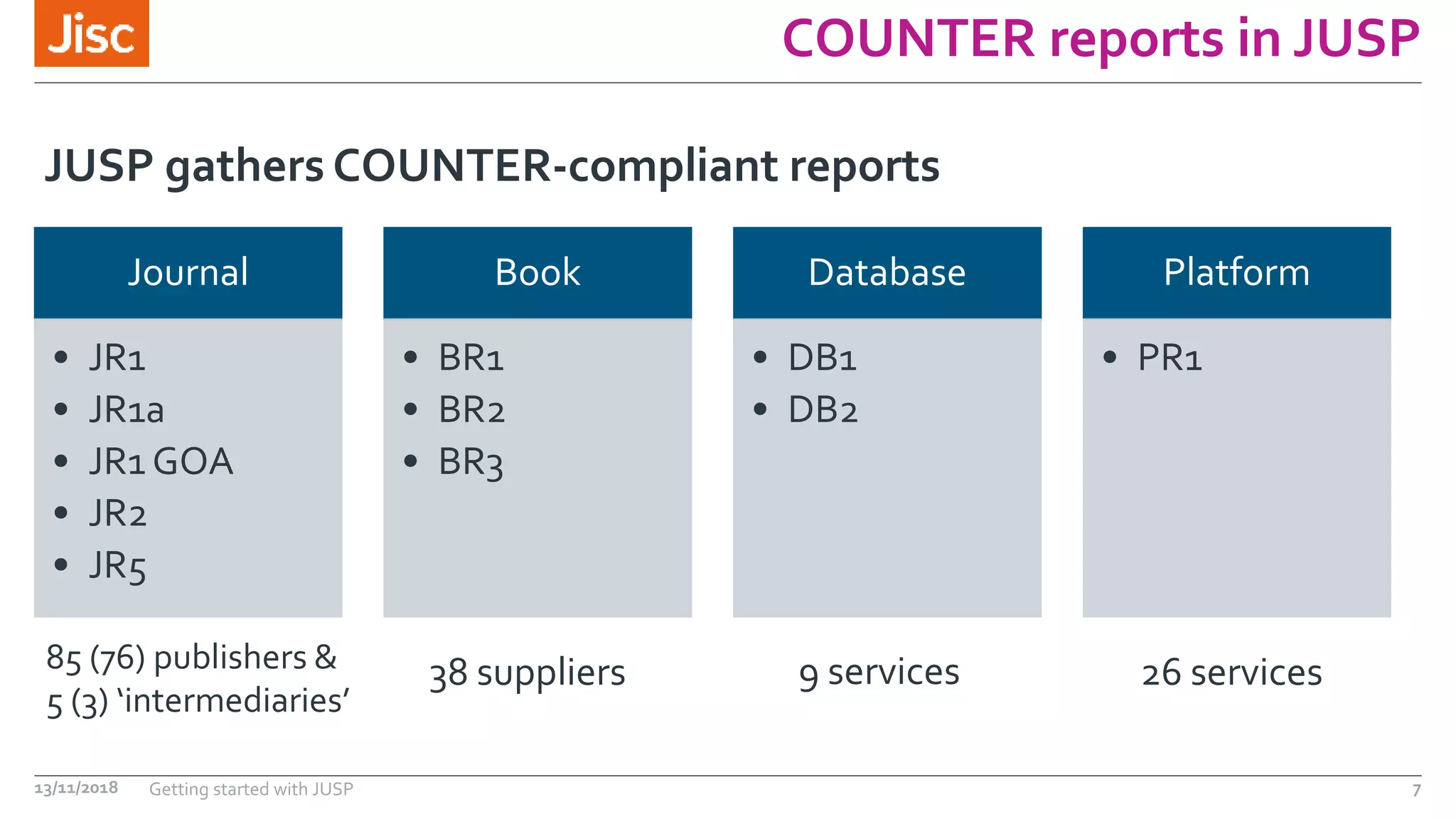
COUNTER reports in JUSP
Journal
• JR1
• JR1a
• JR1 GOA
• JR2
• JR5
Book
• BR1
• BR2
• BR3
Database
• DB1
• DB2
Platform
• PR1
JUSP gathers COUNTER-compliant reports
13/11/2018 Getting started with JUSP 7
85 (76) publishers &
5 (3) ‘intermediaries’
38 suppliers 9 services 26 services
JUSP reports
»Standard reports with added info (e.g. core titles, DOAJ)
»Summary
»Top titles
»Trends
»Usage profiling
»Data visualisations
What does JUSP do with the COUNTER reports?
13/11/2018 Getting started with JUSP 8
What JUSP does NOT contain
»Cost information
»Article level stats
»Data for non COUNTER compliant publishers
»Full journal aggregator (‘intermediaries’) reports e.g.
EBSCO, ProQuest etc.
13/11/2018 Getting started with JUSP 9
Demo
13/11/2018 Getting started with JUSP 10
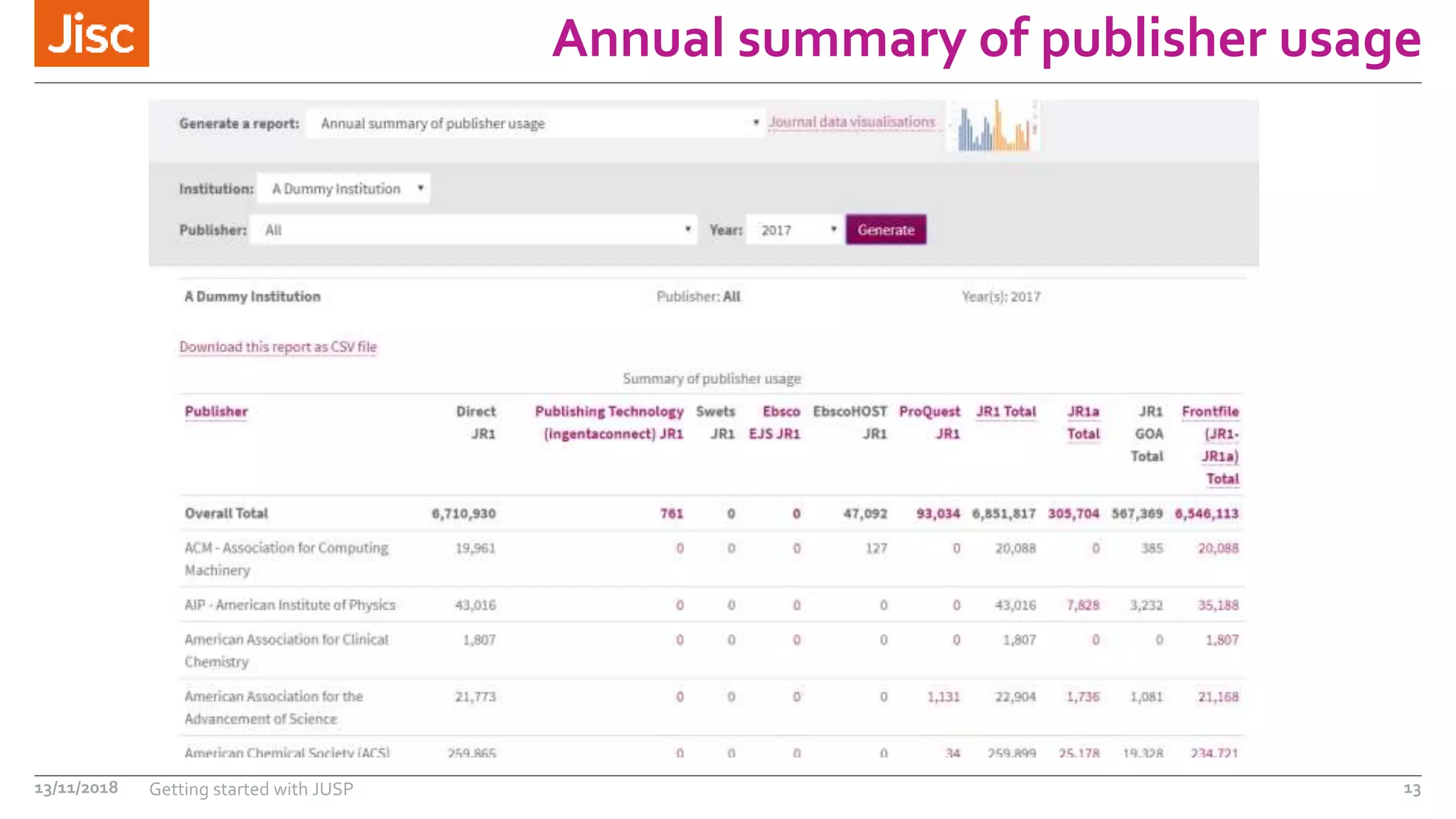
High level summary
You have been asked to pull together a high level summary
report of journal and book usage for the last calendar
(2017).
13/11/2018 Getting started with JUSP 11
https://jusp.jisc.ac.uk
Annual summary of
publisher usage
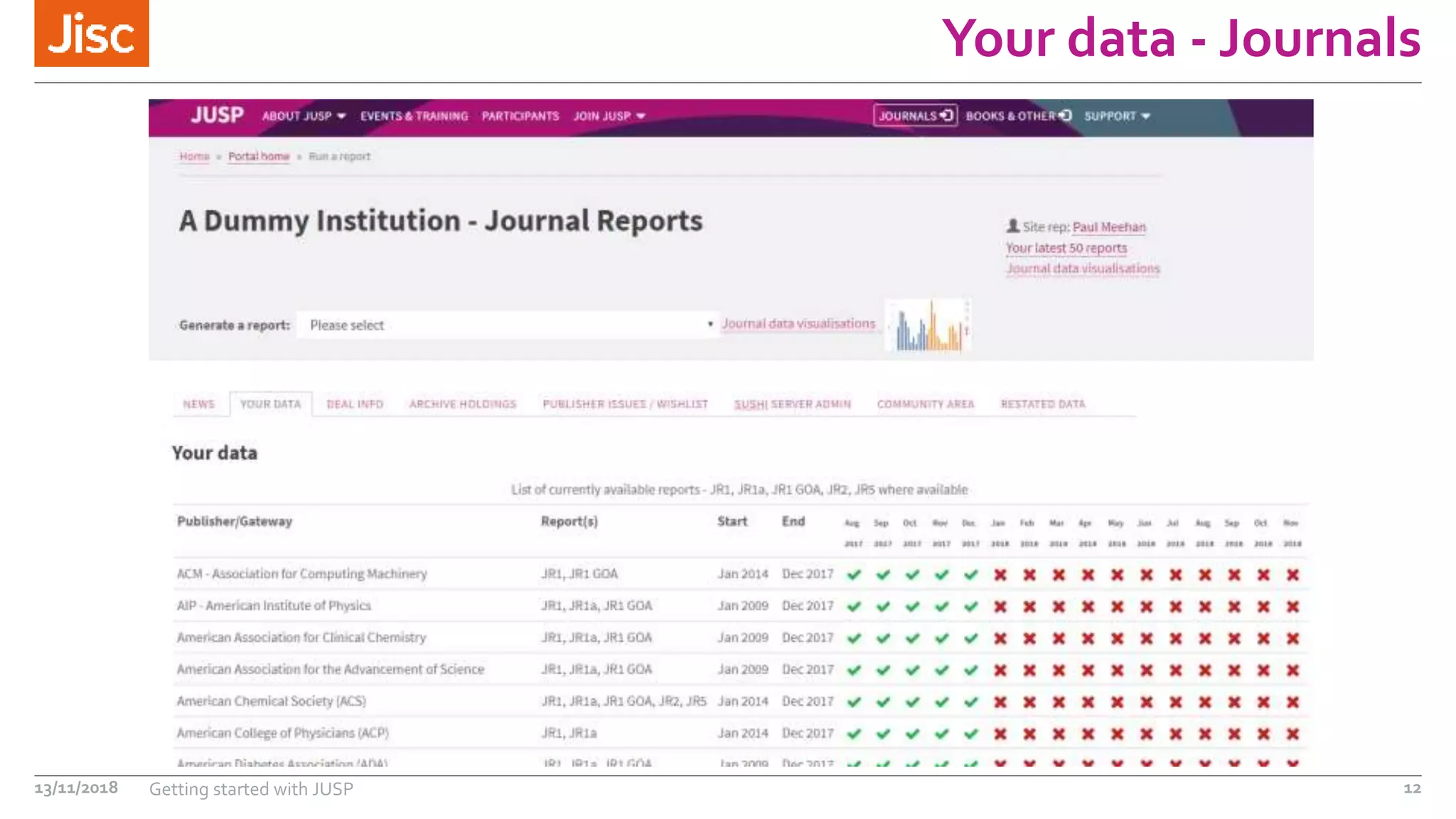
Your data - Journals
13/11/2018 Getting started with JUSP 12
Annual summary of publisher usage
13/11/2018 Getting started with JUSP 13
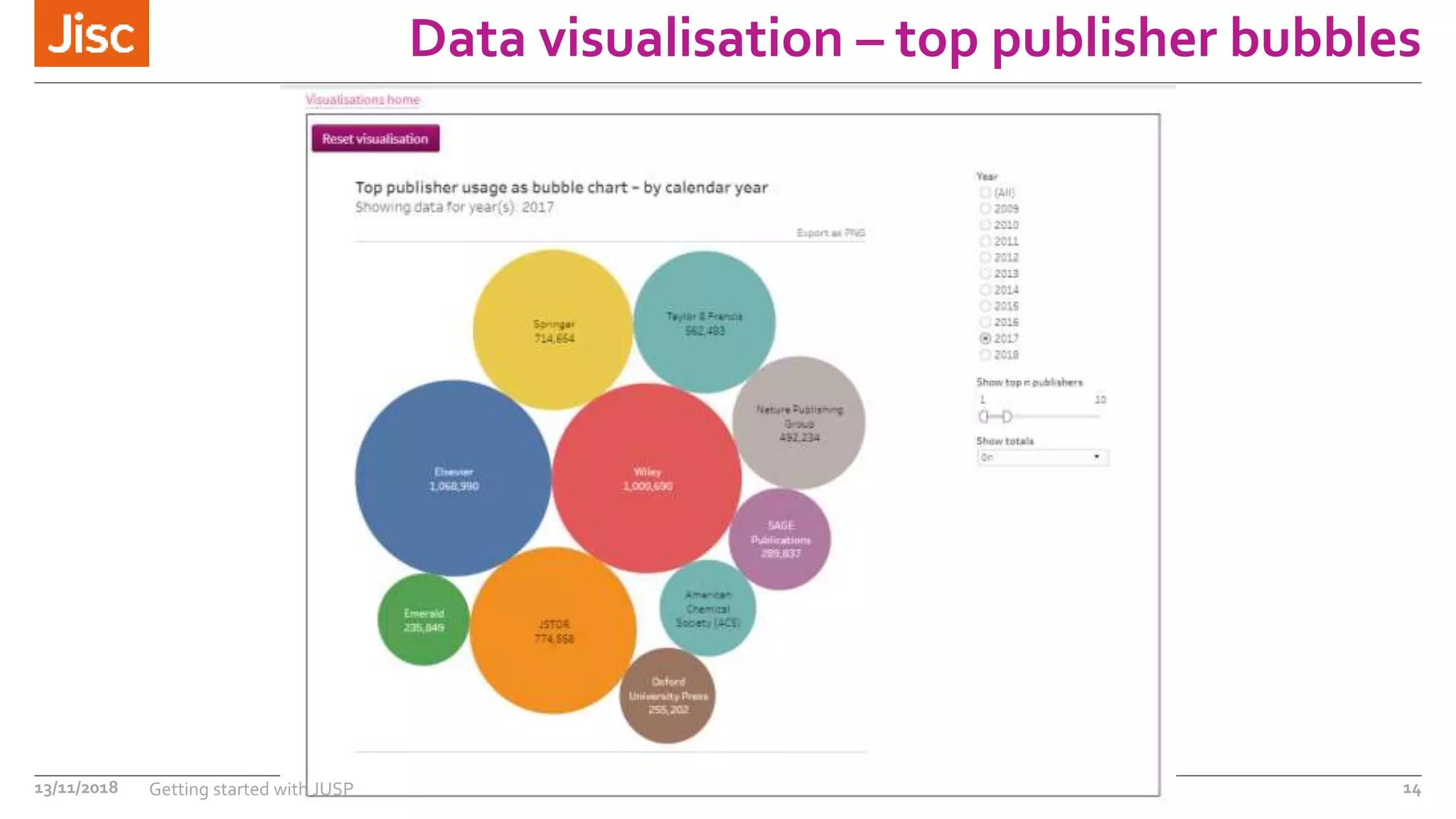
Data visualisation – top publisher bubbles
13/11/2018 Getting started with JUSP 14
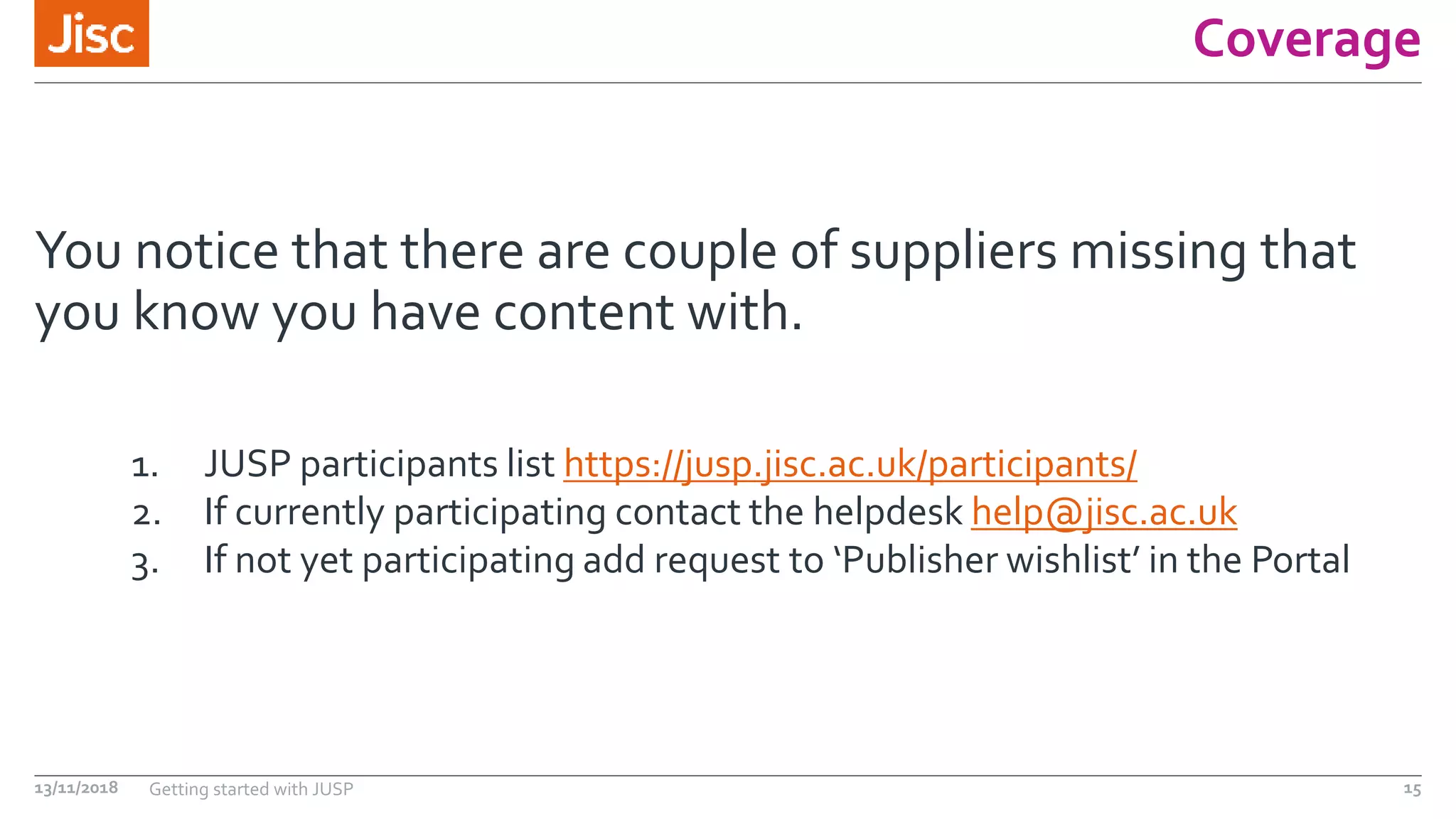
Coverage
You notice that there are couple of suppliers missing that
you know you have content with.
13/11/2018 Getting started with JUSP 15
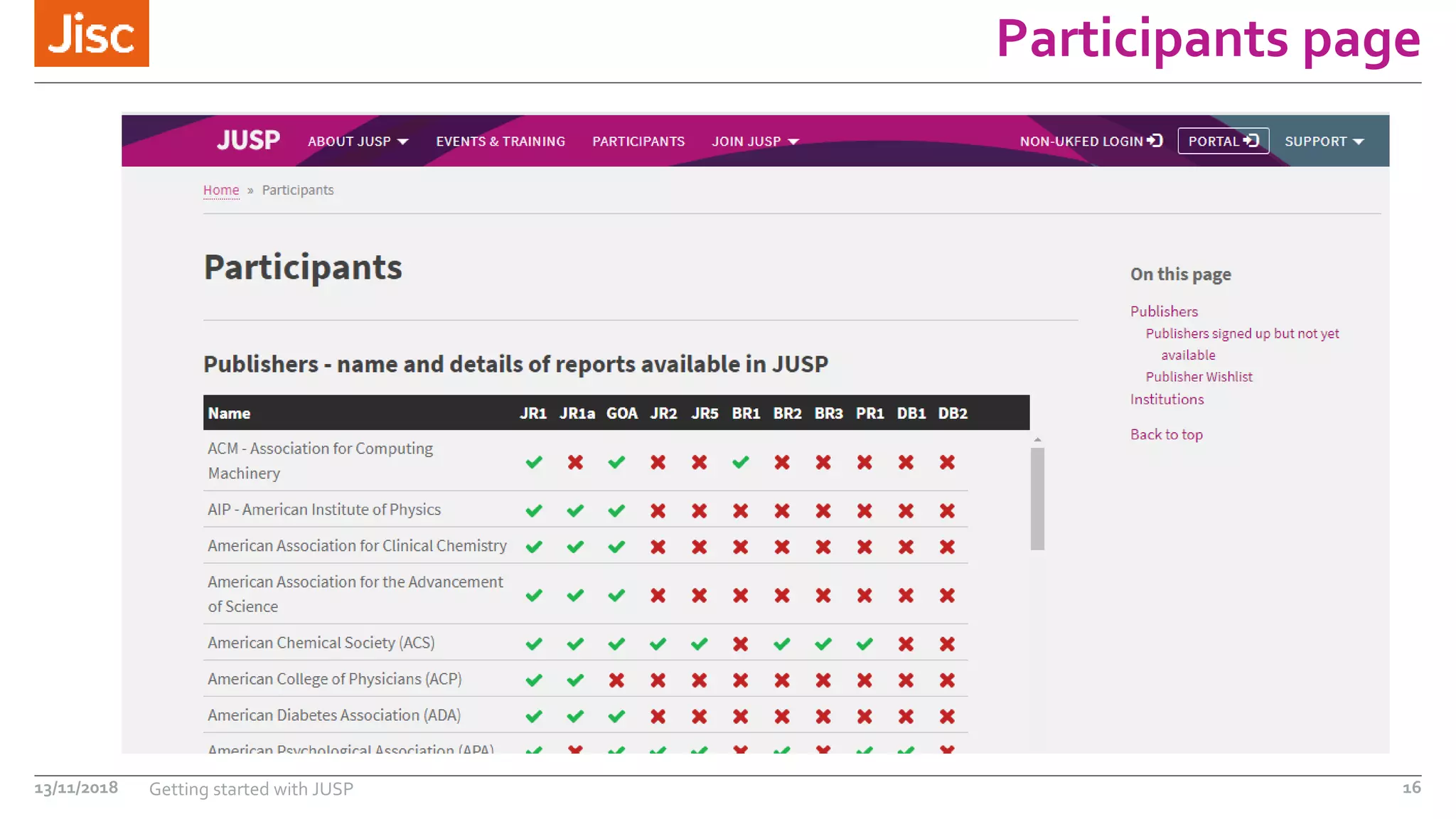
1. JUSP participants list https://jusp.jisc.ac.uk/participants/
2. If currently participating contact the helpdesk help@jisc.ac.uk
3. If not yet participating add request to ‘Publisher wishlist’ in the Portal
Participants page
13/11/2018 Getting started with JUSP 16
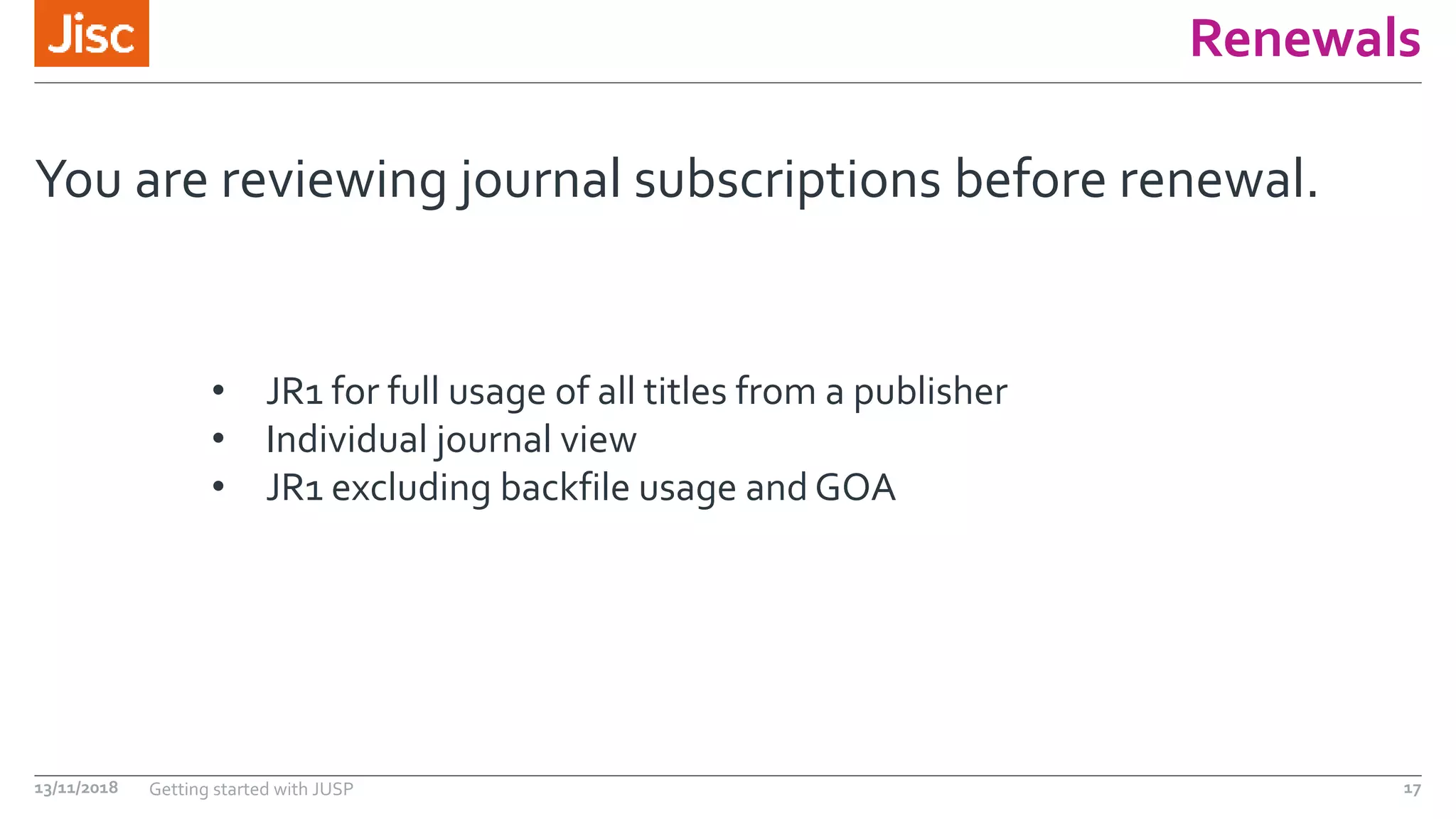
Renewals
You are reviewing journal subscriptions before renewal.
13/11/2018 Getting started with JUSP 17
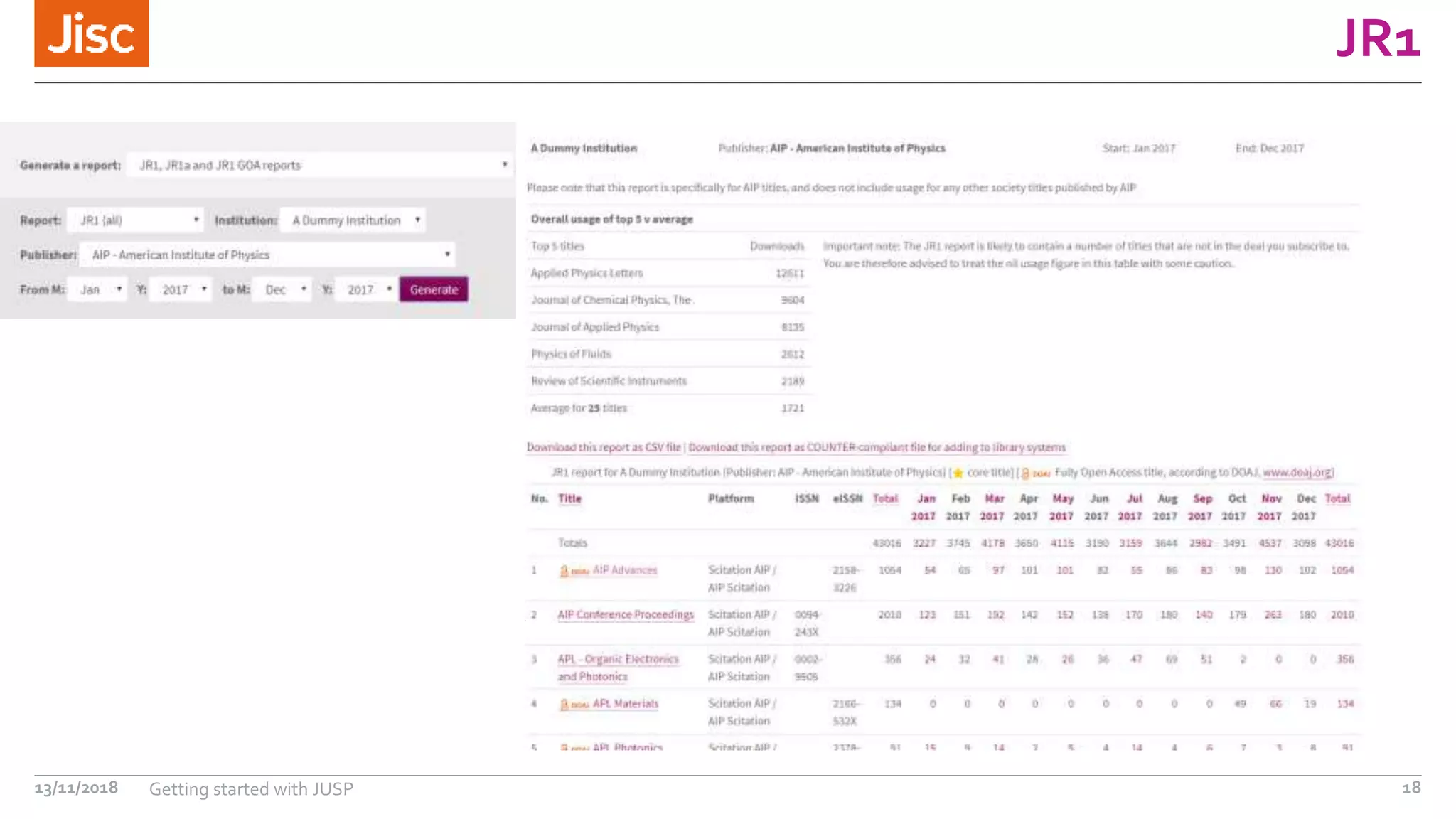
• JR1 for full usage of all titles from a publisher
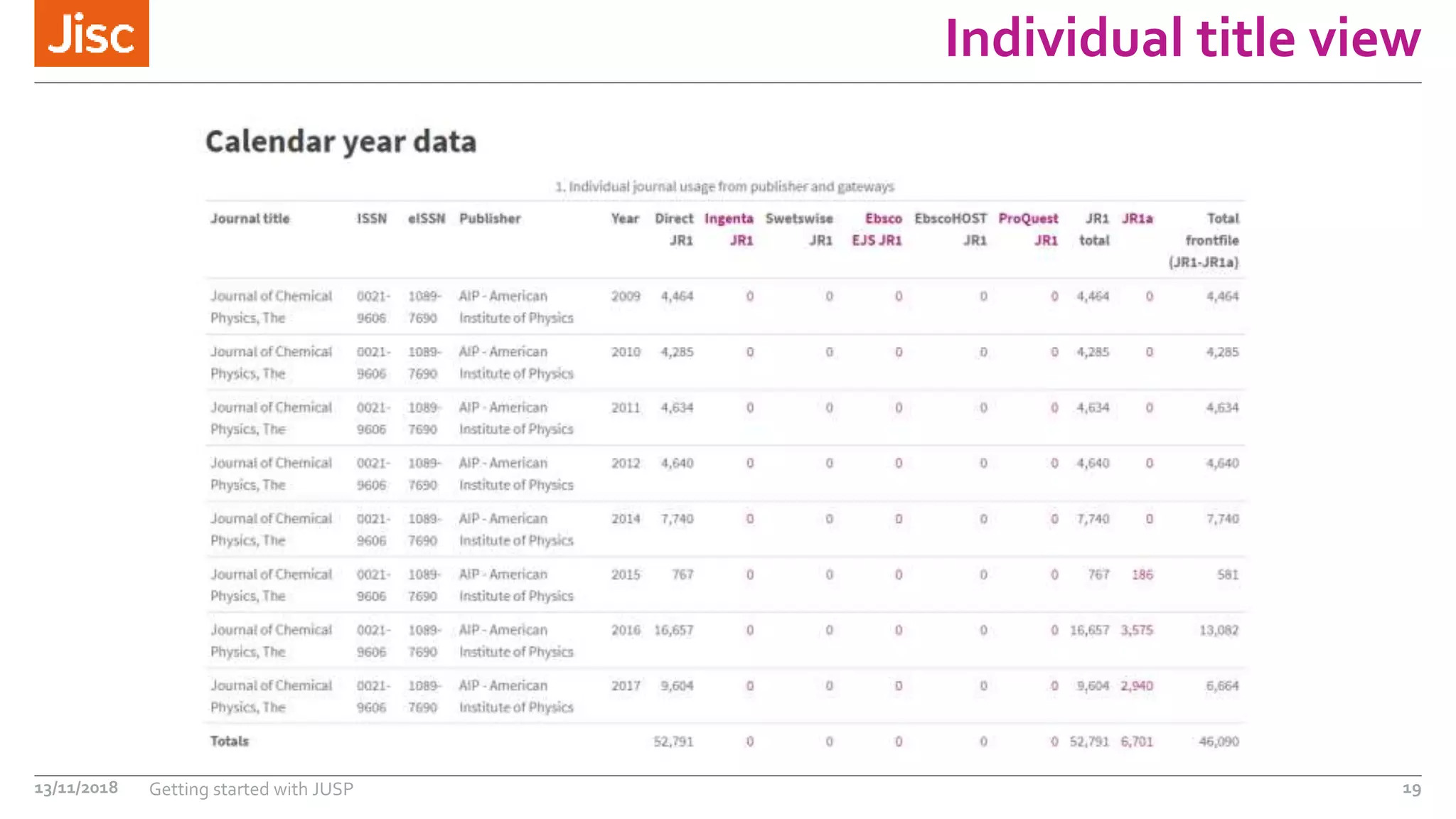
• Individual journal view
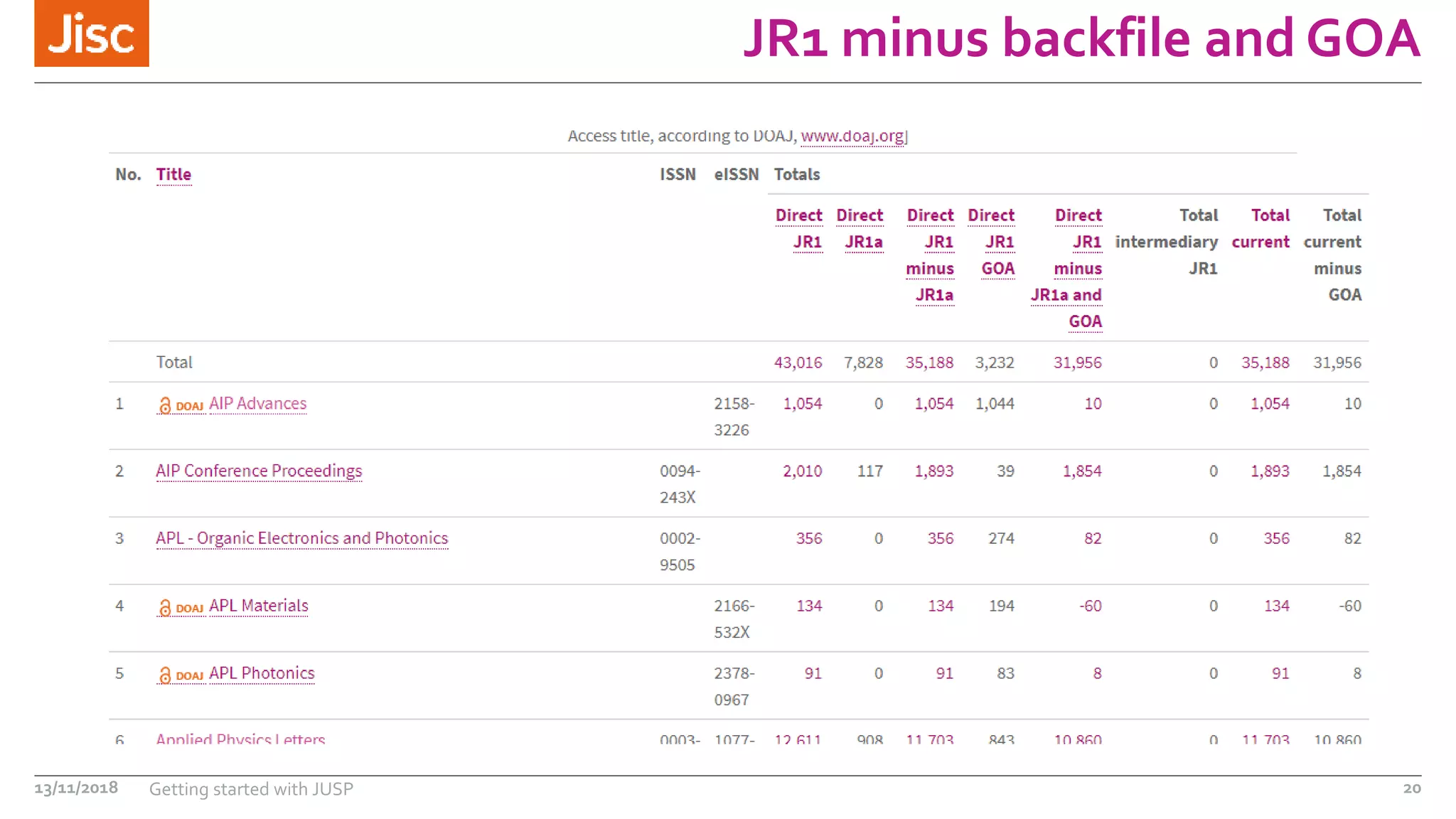
• JR1 excluding backfile usage and GOA
JR1
13/11/2018 Getting started with JUSP 18
Individual title view
13/11/2018 Getting started with JUSP 19
JR1 minus backfile and GOA
13/11/2018 Getting started with JUSP 20
Access denials
You have been asked to identify potential titles for
purchase or subscription and provide evidence.
13/11/2018 Getting started with JUSP 21
JR2 for journals
BR3 for books
DB2 for databases
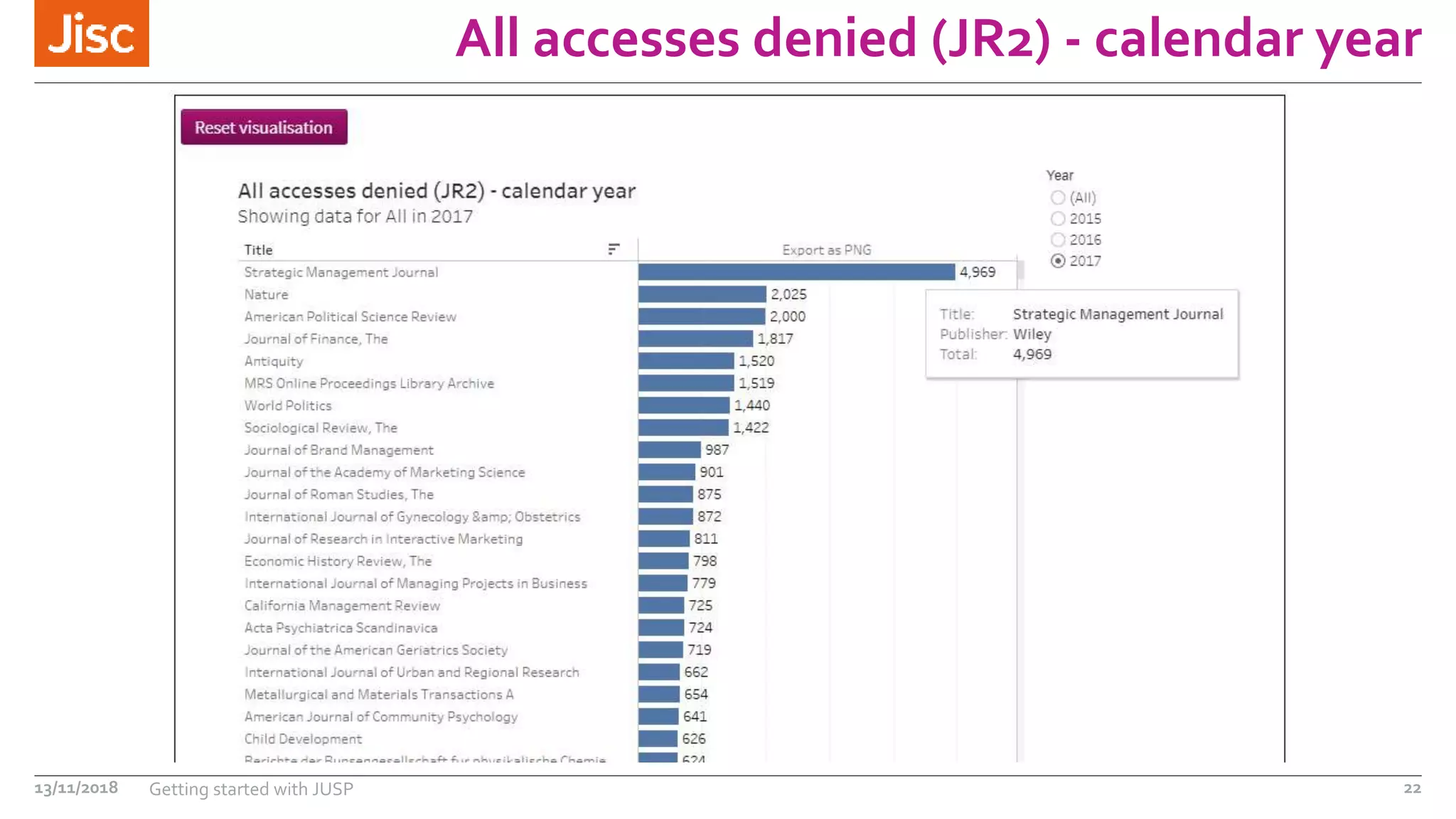
Data visualisations
All accesses denied (JR2) - calendar year
13/11/2018 Getting started with JUSP 22
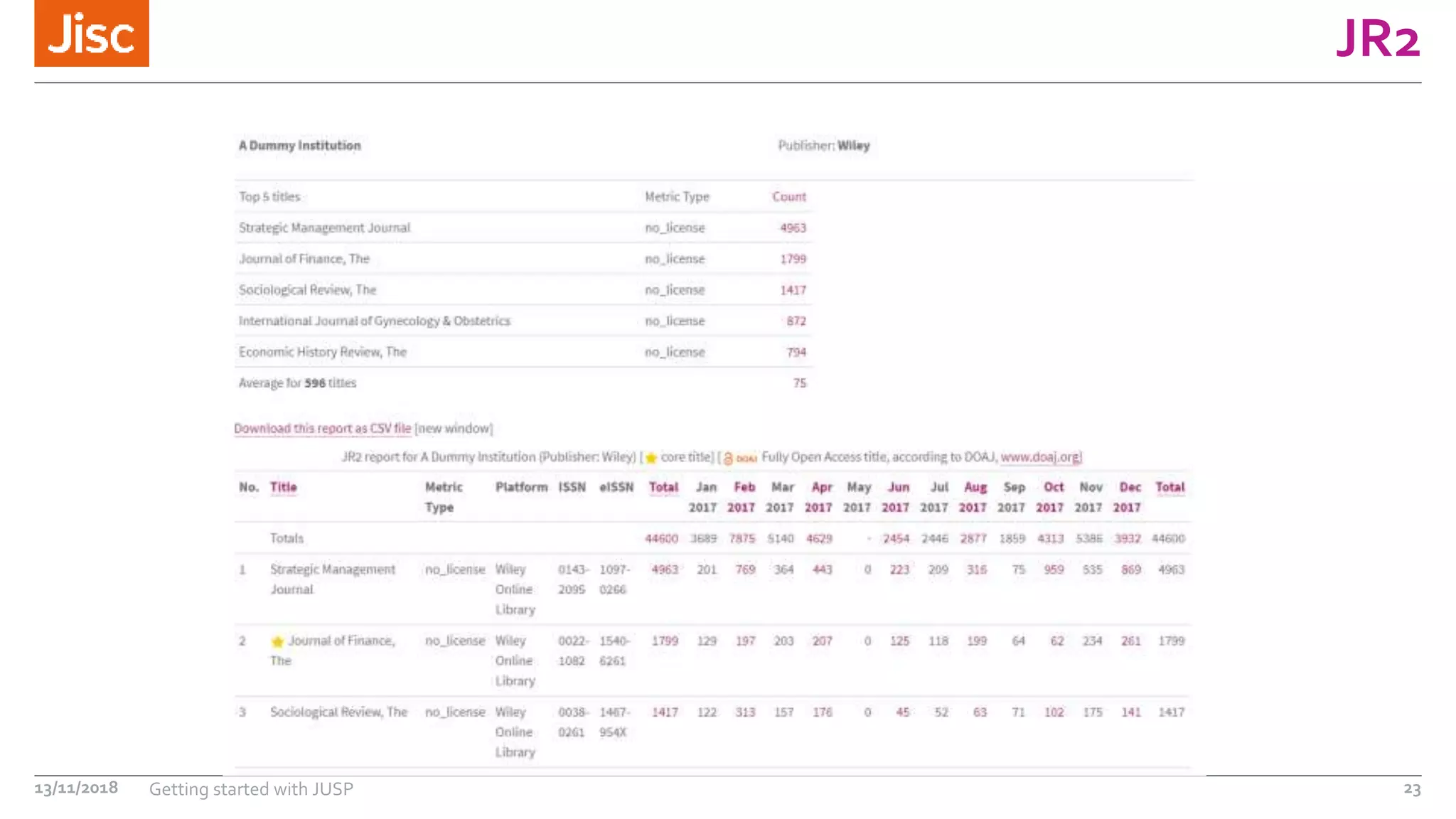
JR2
13/11/2018 Getting started with JUSP 23
Mailing list email
You receive an email on the JUSP libraries mailing list
saying new reports have been added to JUSP.
13/11/2018 Getting started with JUSP 24
No action required unless stated
Check the data is available as you expect
Further resources
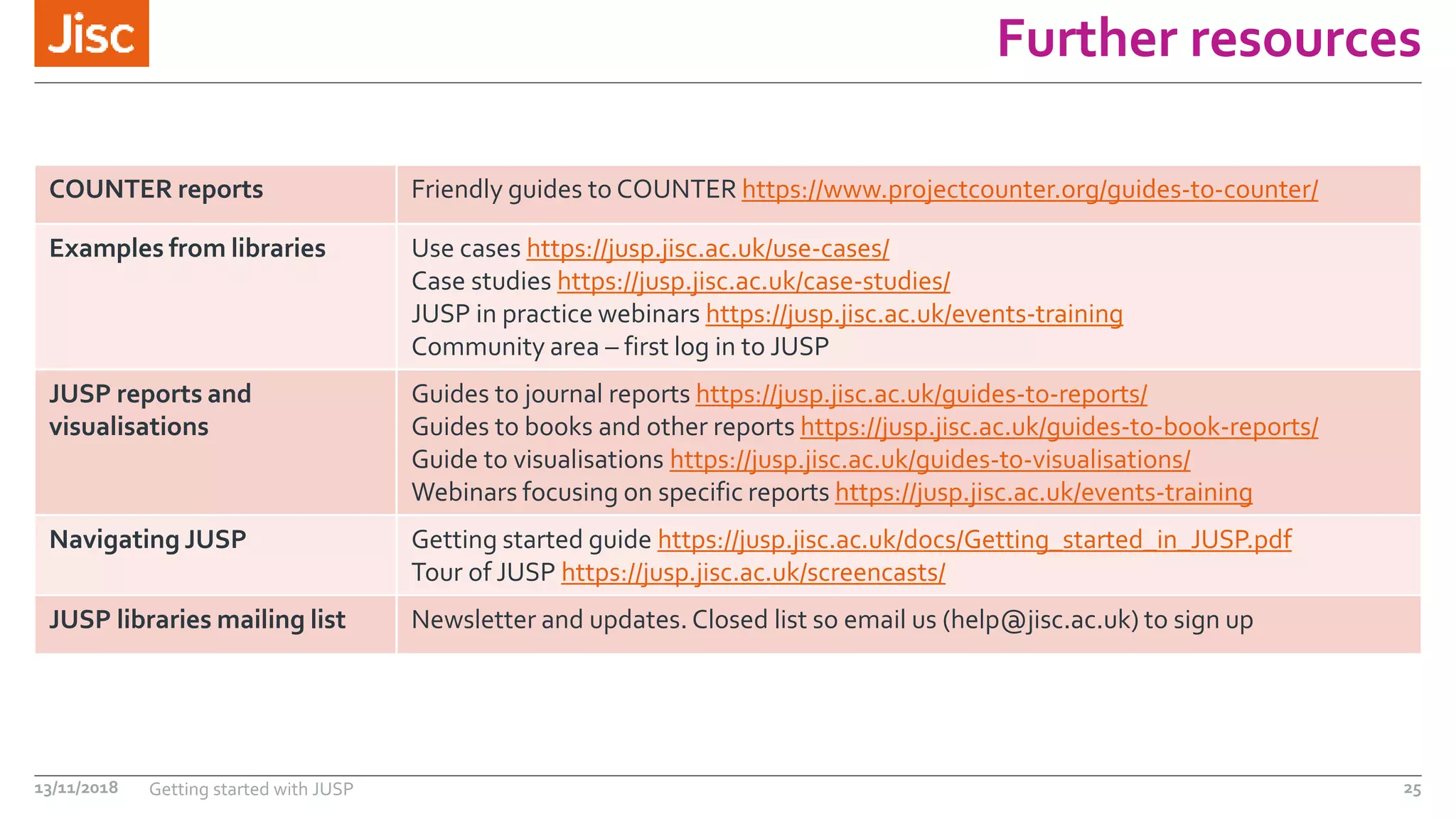
COUNTER reports Friendly guides to COUNTER https://www.projectcounter.org/guides-to-counter/
Examples from libraries Use cases https://jusp.jisc.ac.uk/use-cases/
Case studies https://jusp.jisc.ac.uk/case-studies/
JUSP in practice webinars https://jusp.jisc.ac.uk/events-training
Community area – first log in to JUSP
JUSP reports and
visualisations
Guides to journal reports https://jusp.jisc.ac.uk/guides-to-reports/
Guides to books and other reports https://jusp.jisc.ac.uk/guides-to-book-reports/
Guide to visualisations https://jusp.jisc.ac.uk/guides-to-visualisations/
Webinars focusing on specific reports https://jusp.jisc.ac.uk/events-training
Navigating JUSP Getting started guide https://jusp.jisc.ac.uk/docs/Getting_started_in_JUSP.pdf
Tour of JUSP https://jusp.jisc.ac.uk/screencasts/
JUSP libraries mailing list Newsletter and updates. Closed list so email us (help@jisc.ac.uk) to sign up
13/11/2018 Getting started with JUSP 25
Summary
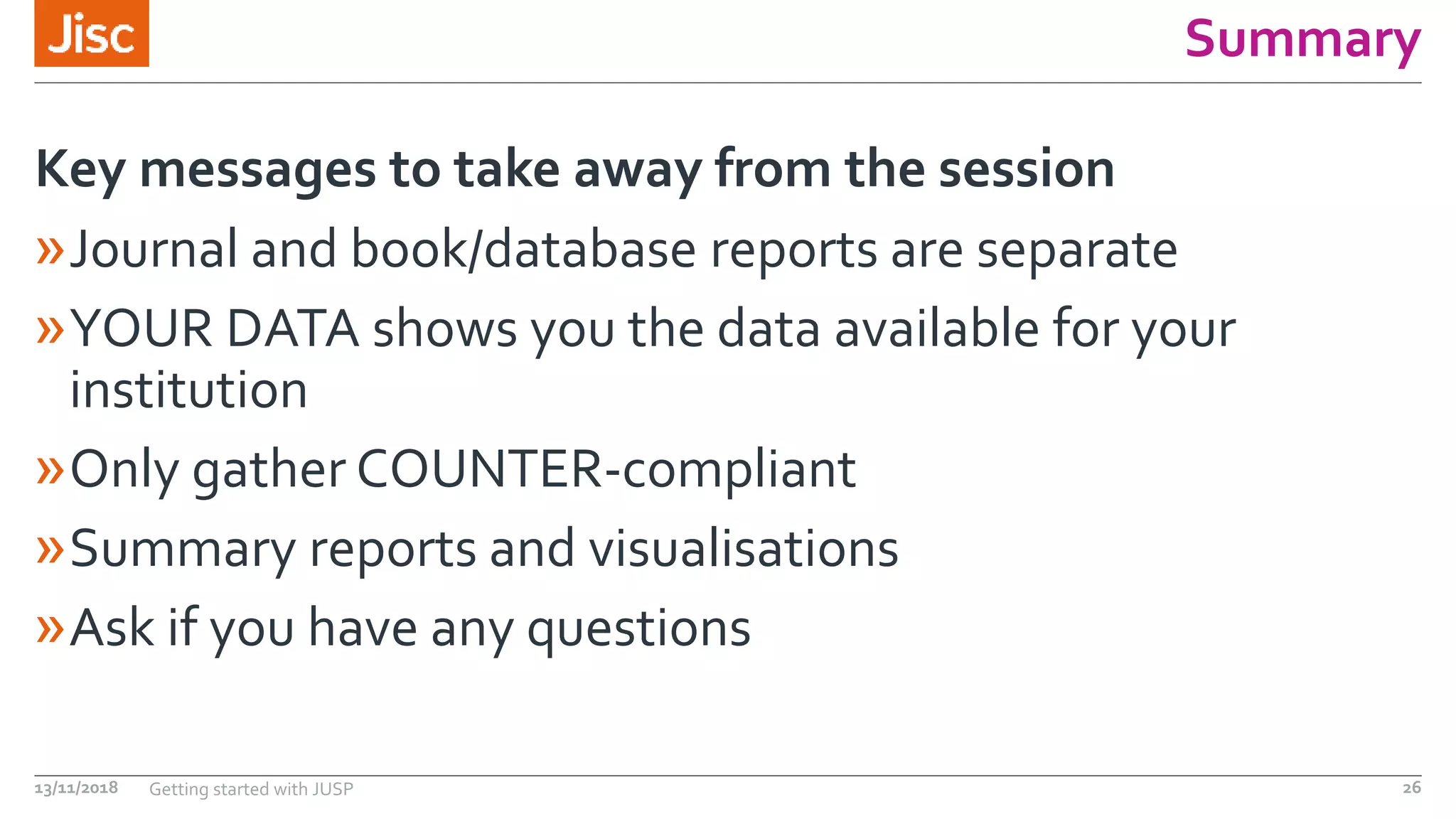
»Journal and book/database reports are separate
»YOUR DATA shows you the data available for your
institution
»Only gather COUNTER-compliant
»Summary reports and visualisations
»Ask if you have any questions
Key messages to take away from the session
13/11/2018 Getting started with JUSP 26
Questions
13/11/2018 Getting started with JUSP 27
jisc.ac.uk
Except where otherwise noted, this work
is licensed under CC-BY-NC-ND
Contact us
Jisc Helpdesk
help@jisc.ac.uk
Subject: JUSP
https://jusp.jisc.ac.uk
13/11/2018 Getting started with JUSP 28

Getting started with JUSP

  • 1.
    Getting started withJUSP Presenter: LauraWong 13/11/2018
  • 2.
    Outline »Introduction and background »COUNTERreports and JUSP »Using JUSP - demo »Further resources »Your questions 13/11/2018 Getting started with JUSP 2
  • 3.
    Background and introduction »JUSPgives librarians a single point of access to journal, book, database and platform usage reports from a range of publishers and suppliers › JUSP stands for Journal Usage Statistics Portal › Started 2010 › Continues to grow: institutions, publishers and reports › Books added 2016 › Databases/platforms added 2017 › Data visualisation added 2017 13/11/2018 Getting started with JUSP 3
  • 4.
    COUNTER »COUNTER Code ofPractice is a standard »Consistent, credible and comparable »Vendors and publishers use same set of rules for counting and displaying »COUNTER-compliant »Makes JUSP possible »Reports produced monthly »To find out more about COUNTER https://www.projectcounter.org/ 13/11/2018 Getting started with JUSP 4
  • 5.
    A note aboutCOUNTER versions – R4 and R5 »The COUNTER code of practice has been developed over many years and needs to be updated periodically to ensure it meets the needs of the community »Current version is Release 4 »Release 5 coming in January 2019 »Will be changes but still need to refer to historical reports »More info: https://jusp.jisc.ac.uk/news/counter5.html »Look out for JUSP webinars early next year 13/11/2018 Getting started with JUSP 5
  • 6.
    How we workwith the data »SUSHI – Standardized Usage Statistics Harvesting Initiative »We collect over 30,000 reports per month »Plus backdata for new publishers or institutions, missing accounts, and restated data »Every report undergoes visual checks, plus automated checking software runs 20 tests prior to loading »JUSP doesn't modify COUNTER usage data »Any missing data or global errors reported to publishers 13/11/2018 Getting started with JUSP 6
  • 7.
    COUNTER reports inJUSP Journal • JR1 • JR1a • JR1 GOA • JR2 • JR5 Book • BR1 • BR2 • BR3 Database • DB1 • DB2 Platform • PR1 JUSP gathers COUNTER-compliant reports 13/11/2018 Getting started with JUSP 7 85 (76) publishers & 5 (3) ‘intermediaries’ 38 suppliers 9 services 26 services
  • 8.
    JUSP reports »Standard reportswith added info (e.g. core titles, DOAJ) »Summary »Top titles »Trends »Usage profiling »Data visualisations What does JUSP do with the COUNTER reports? 13/11/2018 Getting started with JUSP 8
  • 9.
    What JUSP doesNOT contain »Cost information »Article level stats »Data for non COUNTER compliant publishers »Full journal aggregator (‘intermediaries’) reports e.g. EBSCO, ProQuest etc. 13/11/2018 Getting started with JUSP 9
  • 10.
  • 11.
    High level summary Youhave been asked to pull together a high level summary report of journal and book usage for the last calendar (2017). 13/11/2018 Getting started with JUSP 11 https://jusp.jisc.ac.uk Annual summary of publisher usage
  • 12.
    Your data -Journals 13/11/2018 Getting started with JUSP 12
  • 13.
    Annual summary ofpublisher usage 13/11/2018 Getting started with JUSP 13
  • 14.
    Data visualisation –top publisher bubbles 13/11/2018 Getting started with JUSP 14
  • 15.
    Coverage You notice thatthere are couple of suppliers missing that you know you have content with. 13/11/2018 Getting started with JUSP 15 1. JUSP participants list https://jusp.jisc.ac.uk/participants/ 2. If currently participating contact the helpdesk help@jisc.ac.uk 3. If not yet participating add request to ‘Publisher wishlist’ in the Portal
  • 16.
  • 17.
    Renewals You are reviewingjournal subscriptions before renewal. 13/11/2018 Getting started with JUSP 17 • JR1 for full usage of all titles from a publisher • Individual journal view • JR1 excluding backfile usage and GOA
  • 18.
  • 19.
    Individual title view 13/11/2018Getting started with JUSP 19
  • 20.
    JR1 minus backfileand GOA 13/11/2018 Getting started with JUSP 20
  • 21.
    Access denials You havebeen asked to identify potential titles for purchase or subscription and provide evidence. 13/11/2018 Getting started with JUSP 21 JR2 for journals BR3 for books DB2 for databases Data visualisations
  • 22.
    All accesses denied(JR2) - calendar year 13/11/2018 Getting started with JUSP 22
  • 23.
  • 24.
    Mailing list email Youreceive an email on the JUSP libraries mailing list saying new reports have been added to JUSP. 13/11/2018 Getting started with JUSP 24 No action required unless stated Check the data is available as you expect
  • 25.
    Further resources COUNTER reportsFriendly guides to COUNTER https://www.projectcounter.org/guides-to-counter/ Examples from libraries Use cases https://jusp.jisc.ac.uk/use-cases/ Case studies https://jusp.jisc.ac.uk/case-studies/ JUSP in practice webinars https://jusp.jisc.ac.uk/events-training Community area – first log in to JUSP JUSP reports and visualisations Guides to journal reports https://jusp.jisc.ac.uk/guides-to-reports/ Guides to books and other reports https://jusp.jisc.ac.uk/guides-to-book-reports/ Guide to visualisations https://jusp.jisc.ac.uk/guides-to-visualisations/ Webinars focusing on specific reports https://jusp.jisc.ac.uk/events-training Navigating JUSP Getting started guide https://jusp.jisc.ac.uk/docs/Getting_started_in_JUSP.pdf Tour of JUSP https://jusp.jisc.ac.uk/screencasts/ JUSP libraries mailing list Newsletter and updates. Closed list so email us (help@jisc.ac.uk) to sign up 13/11/2018 Getting started with JUSP 25
  • 26.
    Summary »Journal and book/databasereports are separate »YOUR DATA shows you the data available for your institution »Only gather COUNTER-compliant »Summary reports and visualisations »Ask if you have any questions Key messages to take away from the session 13/11/2018 Getting started with JUSP 26
  • 27.
  • 28.
    jisc.ac.uk Except where otherwisenoted, this work is licensed under CC-BY-NC-ND Contact us Jisc Helpdesk help@jisc.ac.uk Subject: JUSP https://jusp.jisc.ac.uk 13/11/2018 Getting started with JUSP 28

Editor's Notes