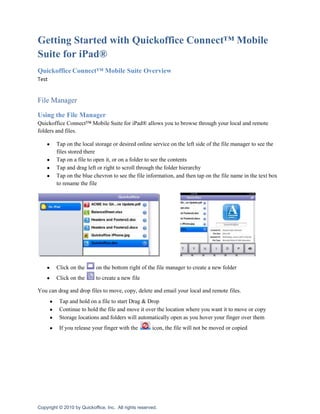
Getting Started with Quickoffice Connect™ Mobile Suite for iPad®<br />Quickoffice Connect™ Mobile Suite Overview<br />Test<br />File Manager <br />Using the File Manager<br />Quickoffice Connect™ Mobile Suite for iPad® allows you to browse through your local and remote folders and files.  <br />Tap on the local storage or desired online service on the left side of the file manager to see the files stored there
Tap on a file to open it, or on a folder to see the contents
Tap and drag left or right to scroll through the folder hierarchy
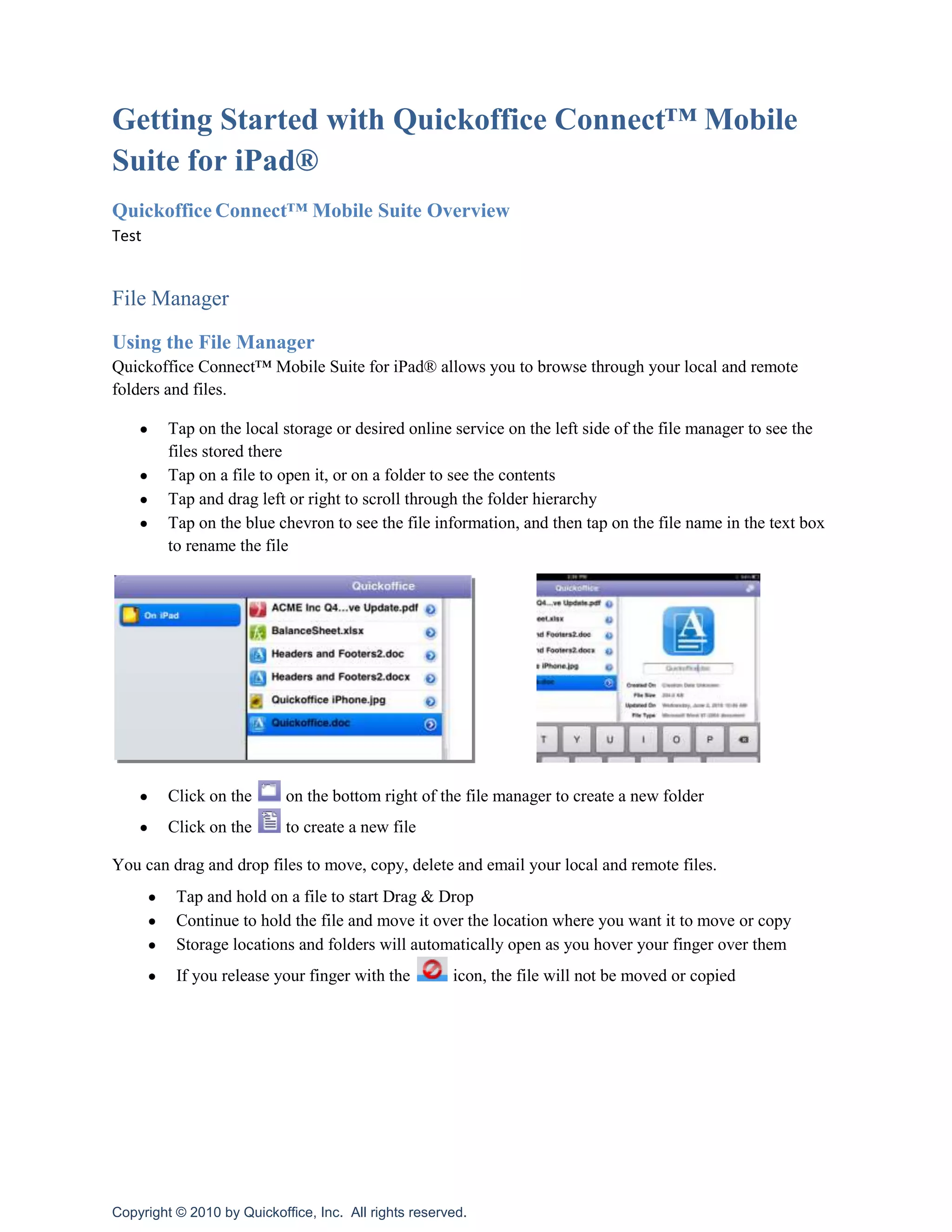
Tap on the blue chevron to see the file information, and then tap on the file name in the text box to rename the file              <br />Click on the  on the bottom right of the file manager to create a new folder
Click on the  to create a new fileYou can drag and drop files to move, copy, delete and email your local and remote files.<br />Tap and hold on a file to start Drag & Drop
Continue to hold the file and move it over the location where you want it to move or copy

Getting

  • 1.
    Getting Started withQuickoffice Connect™ Mobile Suite for iPad®<br />Quickoffice Connect™ Mobile Suite Overview<br />Test<br />File Manager <br />Using the File Manager<br />Quickoffice Connect™ Mobile Suite for iPad® allows you to browse through your local and remote folders and files. <br />Tap on the local storage or desired online service on the left side of the file manager to see the files stored there
  • 2.
    Tap on afile to open it, or on a folder to see the contents
  • 3.
    Tap and dragleft or right to scroll through the folder hierarchy
  • 4.
    Tap on theblue chevron to see the file information, and then tap on the file name in the text box to rename the file <br />Click on the on the bottom right of the file manager to create a new folder
  • 5.
    Click on the to create a new fileYou can drag and drop files to move, copy, delete and email your local and remote files.<br />Tap and hold on a file to start Drag & Drop
  • 6.
    Continue to holdthe file and move it over the location where you want it to move or copy