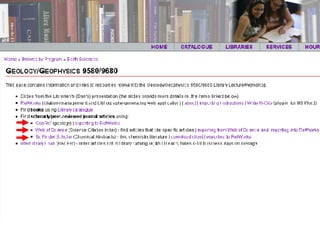
Geology/Geophysics 9580/9680: The Library Workshop Dan Sich Earth Sciences Librarian October 8 th , 2008
Skills find articles using databases search by cited reference build a list of references, bibliography get article full text
Schedule RefWorks & RACER account set-up finding  books finding  journal articles & fulltext: GeoRef Web of Science SciFinder Scholar RefWorks  (export, bib liography)
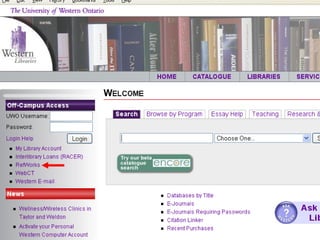
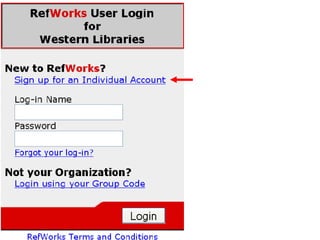
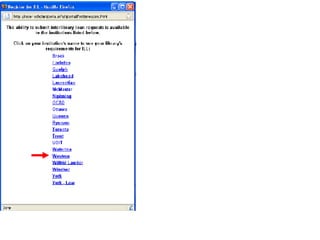
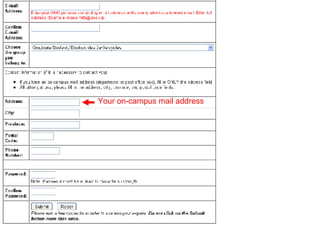
Register for RefWorks You’ll use your RefWorks account later in the session
 
 
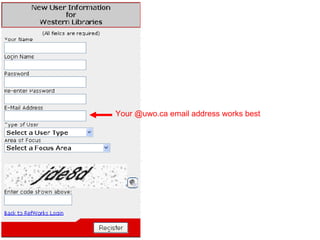
Your @uwo.ca email address works best
 
 
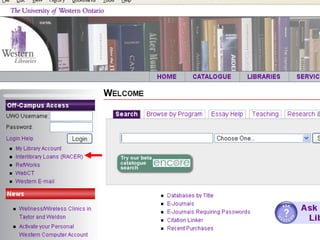
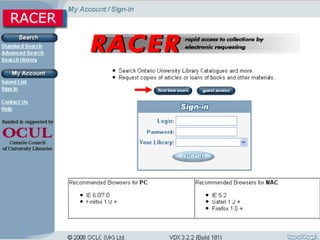
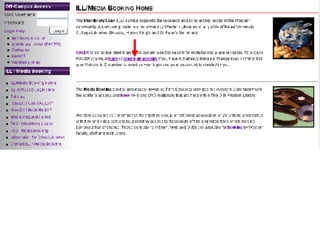
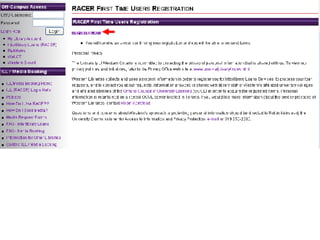
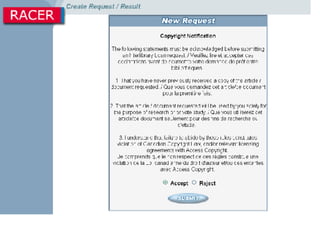
Register for RACER You’ll use your RACER account later in the session


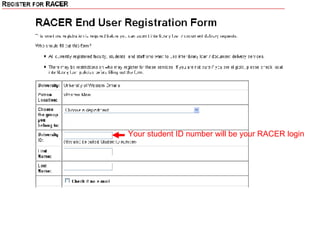
Your student ID number will be your RACER login
Your on-campus mail address
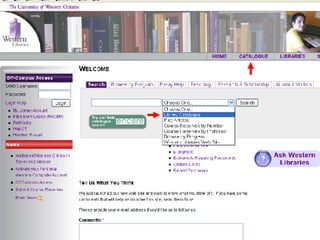
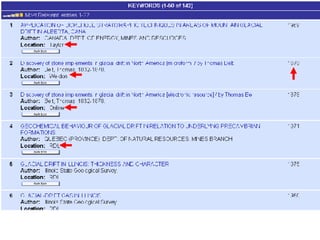
Library Catalogue Everything that the library owns Books, journals (not articles), etc. Books:  introductions, basic info, data, etc. Search by keyword, title, author, etc.


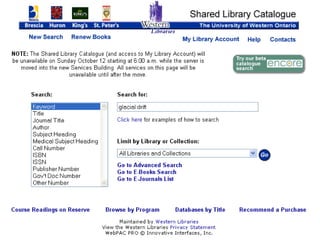
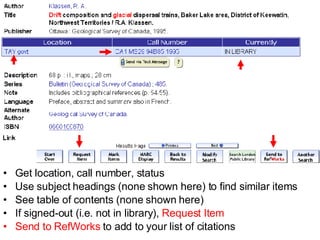
Get location, call number, status Use subject headings (none shown here) to find similar items See table of contents (none shown here) If signed-out (i.e. not in library),  Request Item Send to RefWorks  to add to your list of citations
Your turn 3 minutes Search the library catalogue
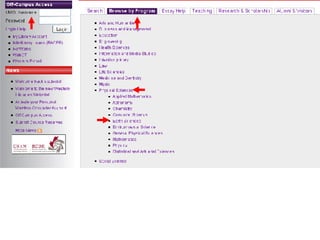
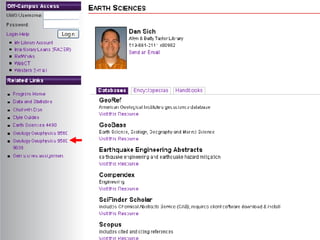
Journal Articles & Databases Find peer-reviewed (scholarly) journal articles, conference articles, and review articles using journal article databases GeoRef  (geology) Web of Science  (citation searching) SciFinder Scholar  (chemistry)
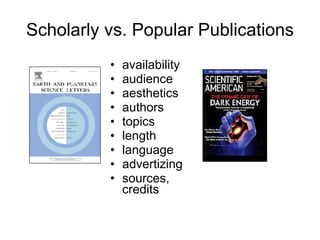
Scholarly vs. Popular Publications availability audience aesthetics authors topics length language advertizing sources, credits
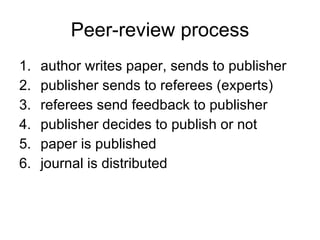
Peer-review process author writes paper, sends to publisher publisher sends to referees (experts) referees send feedback to publisher publisher decides to publish or not paper is published journal is distributed


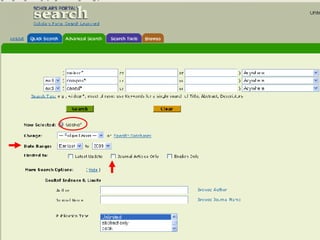
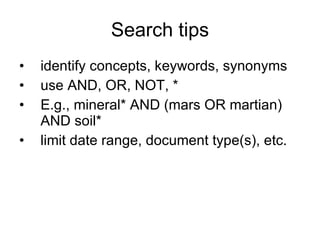
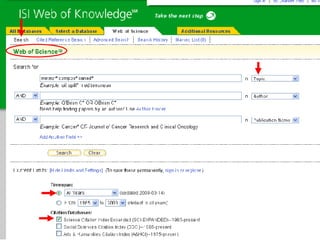
Search tips identify concepts, keywords, synonyms use AND,  OR, NOT, * E.g., mineral* AND (mars OR martian) AND soil* limit date range, document type(s), etc.
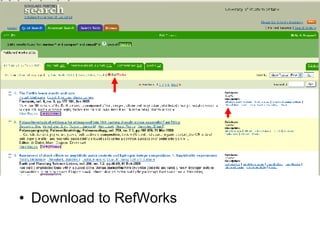
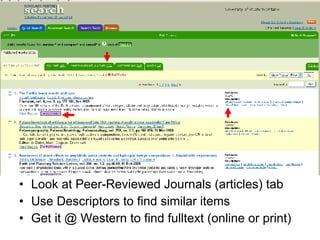
Look at Peer-Reviewed Journals (articles) tab Use Descriptors to find similar items Get it @ Western to find fulltext (online or print)
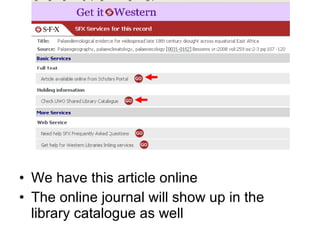
We have this article online The online journal will show up in the library catalogue as well
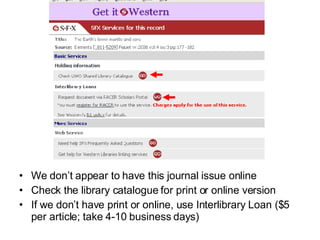
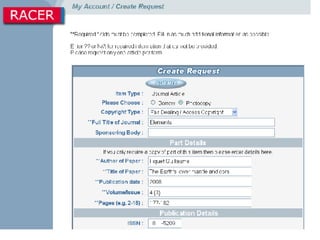
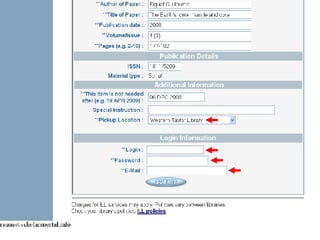
We don’t appear to have this journal issue online Check the library catalogue for print or online version If we don’t have print or online, use Interlibrary Loan ($5 per article; take 4-10 business days)


Download to RefWorks
 
Your turn 10 minutes Search GeoRef Get article fulltext Export citations to RefWorks Ask questions
 
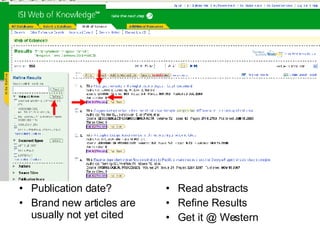
Publication date? Brand new articles are usually not yet cited Read abstracts Refine Results Get it @ Western
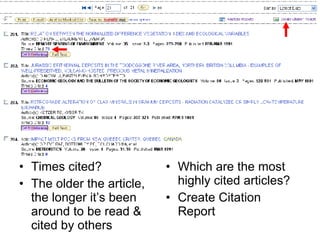
Times cited? The older the article, the longer it’s been around to be read & cited by others Which are the most highly cited articles? Create Citation Report
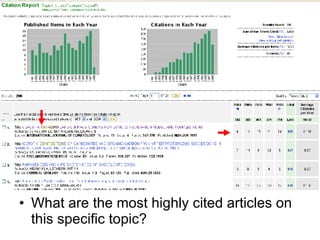
What are the most highly cited articles on this specific topic?
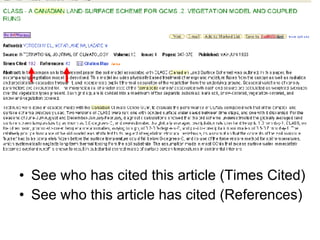
See who has cited this article (Times Cited) See who this article has cited (References)
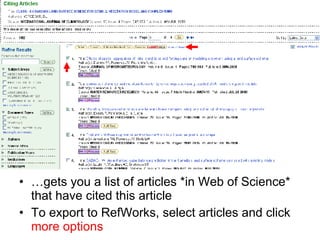
… gets you a list of articles *in Web of Science* that have cited this article To export to RefWorks, select articles and click  more options
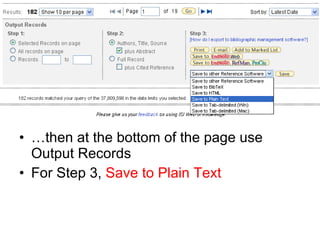
… then at the bottom of the page use Output Records For Step 3,  Save to Plain Text
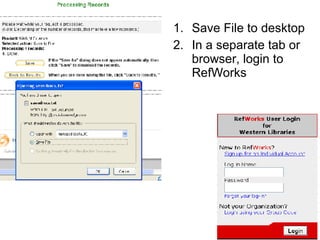
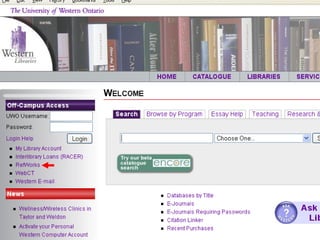
Save File to desktop In a separate tab or browser, login to RefWorks
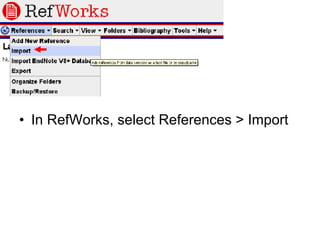
In RefWorks, select References > Import
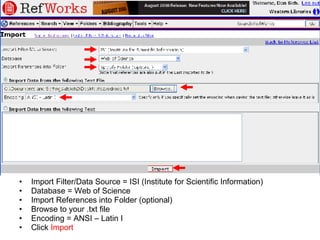
Import Filter/Data Source = ISI (Institute for Scientific Information) Database = Web of Science Import References into Folder (optional) Browse to your .txt file Encoding = ANSI – Latin I Click  Import
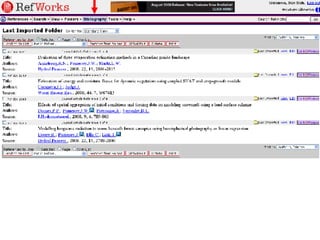
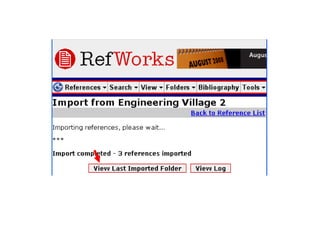
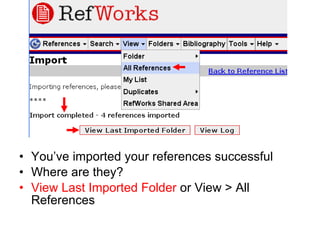
You’ve imported your references successful Where are they? View Last Imported Folder  or View > All References
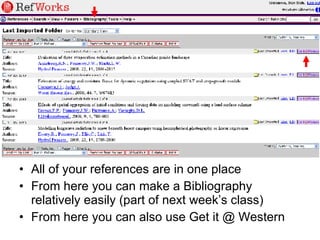
All of your references are in one place From here you can make a Bibliography relatively easily (part of next week’s class) From here you can also use Get it @ Western
Your turn 10 minutes Search Web of Science View Cited References Get article full text Export citations to RefWorks
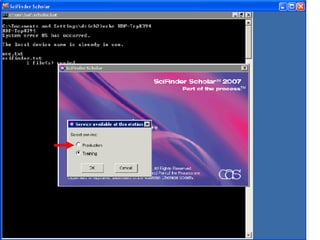
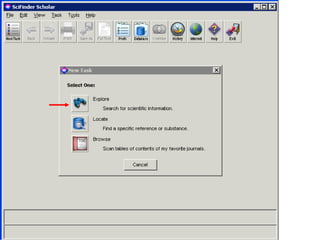
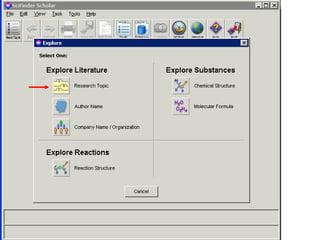
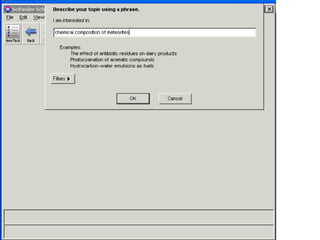
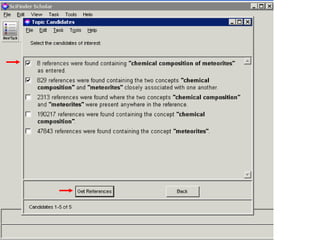
SciFinder Scholar
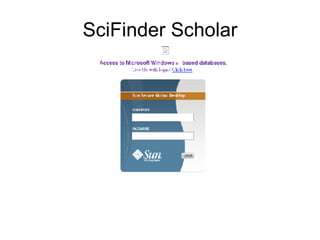
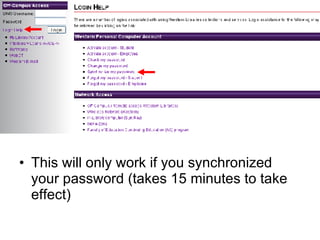
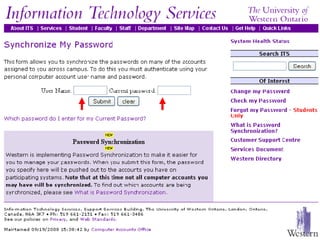
This will only work if you synchronized your password (takes 15 minutes to take effect)
 
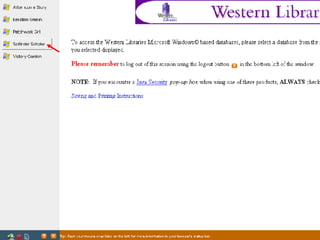
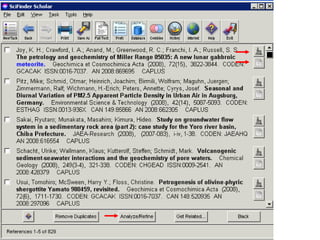
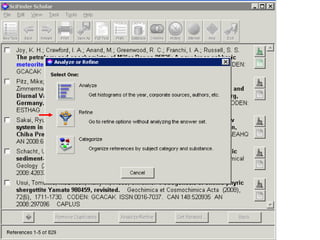
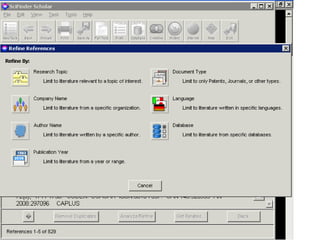
Notes on SciFinder Scholar This demo looks complicated It’s easier to use the client (download instructions are linked) A web version is coming Always click Exit when you are finished using SciFinder Scholar. We have only 8 ‘seats.’


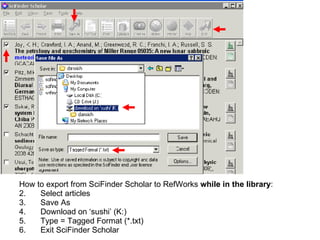
How to export from SciFinder Scholar to RefWorks  while in the library : Select articles Save As Download on ‘sushi’ (K:) Type = Tagged Format (*.txt) Exit SciFinder Scholar
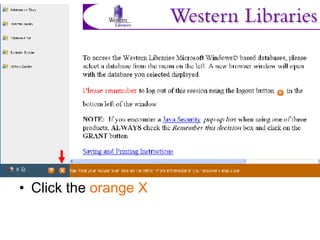
Click the  orange X
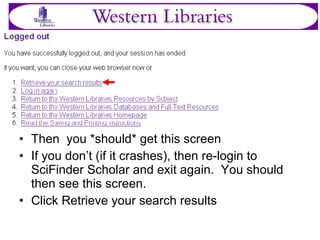
Then  you *should* get this screen If you don’t (if it crashes), then re-login to SciFinder Scholar and exit again.  You should then see this screen. Click Retrieve your search results
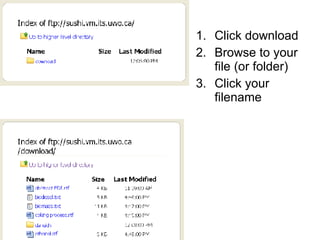
Click download Browse to your file (or folder) Click your filename
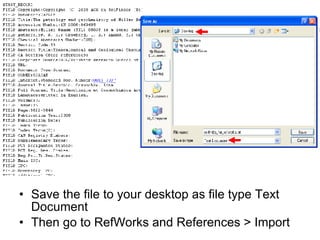
Save the file to your desktop as file type Text Document Then go to RefWorks and References > Import
Notes on SciFinder Scholar Remember to click Exit when you are finished
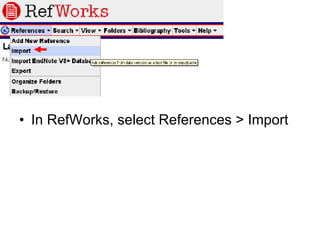
In RefWorks, select References > Import
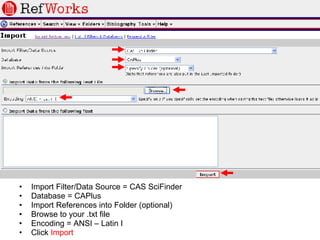
Import Filter/Data Source = CAS SciFinder Database = CAPlus Import References into Folder (optional) Browse to your .txt file Encoding = ANSI – Latin I Click  Import
RefWorks web app for citation management automatically formats notes, bibliographies Export citations directly from database, or import citations from .txt file use the Write-N-Cite plugin for Word
 
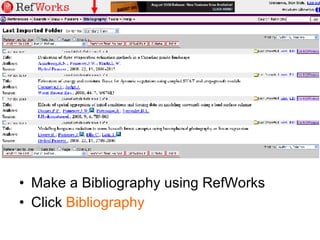
Make a Bibliography using RefWorks Click  Bibliography
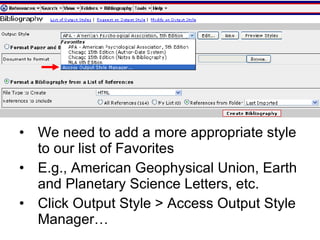
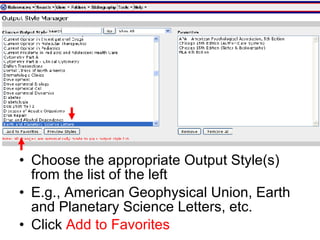
We need to add a more appropriate style to our list of Favorites E.g., American Geophysical Union, Earth and Planetary Science Letters, etc. Click Output Style > Access Output Style Manager…
Choose the appropriate Output Style(s) from the list of the left E.g., American Geophysical Union, Earth and Planetary Science Letters, etc. Click  Add to Favorites
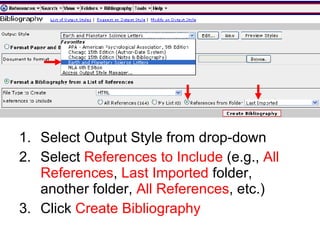
Select Output Style from drop-down Select  References to Include  (e.g.,  All References ,  Last Imported  folder, another folder,  All References , etc.) Click  Create Bibliography
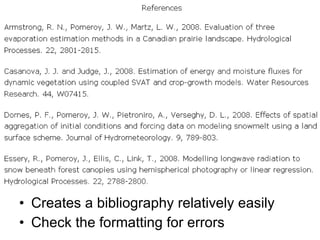
Creates a bibliography relatively easily Check the formatting for errors
Your turn 10 minutes Create a bibliography using RefWorks and an appropriate style
Questions & feedback On a piece of paper, briefly describe the one thing that you’re still confused about It doesn’t have to be something I covered in the session
contact info Dan Sich, Earth Sciences Librarian phone: 519.661.2111 ext. 80962 eMail/MSN:  [email_address] Subject: Earth Sciences 4490 question Skype: dansich

Geology Geophysics 9580 9680 Library Workshop

  • 1.
    Geology/Geophysics 9580/9680: TheLibrary Workshop Dan Sich Earth Sciences Librarian October 8 th , 2008
  • 2.
    Skills find articlesusing databases search by cited reference build a list of references, bibliography get article full text
  • 3.
    Schedule RefWorks &RACER account set-up finding books finding journal articles & fulltext: GeoRef Web of Science SciFinder Scholar RefWorks (export, bib liography)
  • 4.
    Register for RefWorksYou’ll use your RefWorks account later in the session
  • 5.
  • 6.
  • 7.
    Your @uwo.ca emailaddress works best
  • 8.
  • 9.
  • 10.
    Register for RACERYou’ll use your RACER account later in the session
  • 11.
  • 12.
  • 13.
  • 14.
  • 15.
  • 16.
    Your student IDnumber will be your RACER login
  • 17.
  • 18.
    Library Catalogue Everythingthat the library owns Books, journals (not articles), etc. Books: introductions, basic info, data, etc. Search by keyword, title, author, etc.
  • 19.
  • 20.
  • 21.
  • 22.
    Get location, callnumber, status Use subject headings (none shown here) to find similar items See table of contents (none shown here) If signed-out (i.e. not in library), Request Item Send to RefWorks to add to your list of citations
  • 23.
    Your turn 3minutes Search the library catalogue
  • 24.
    Journal Articles &Databases Find peer-reviewed (scholarly) journal articles, conference articles, and review articles using journal article databases GeoRef (geology) Web of Science (citation searching) SciFinder Scholar (chemistry)
  • 25.
    Scholarly vs. PopularPublications availability audience aesthetics authors topics length language advertizing sources, credits
  • 26.
    Peer-review process authorwrites paper, sends to publisher publisher sends to referees (experts) referees send feedback to publisher publisher decides to publish or not paper is published journal is distributed
  • 27.
  • 28.
  • 29.
  • 30.
  • 31.
    Search tips identifyconcepts, keywords, synonyms use AND, OR, NOT, * E.g., mineral* AND (mars OR martian) AND soil* limit date range, document type(s), etc.
  • 32.
    Look at Peer-ReviewedJournals (articles) tab Use Descriptors to find similar items Get it @ Western to find fulltext (online or print)
  • 33.
    We have thisarticle online The online journal will show up in the library catalogue as well
  • 34.
    We don’t appearto have this journal issue online Check the library catalogue for print or online version If we don’t have print or online, use Interlibrary Loan ($5 per article; take 4-10 business days)
  • 35.
  • 36.
  • 37.
  • 38.
  • 39.
  • 40.
    Your turn 10minutes Search GeoRef Get article fulltext Export citations to RefWorks Ask questions
  • 41.
  • 42.
    Publication date? Brandnew articles are usually not yet cited Read abstracts Refine Results Get it @ Western
  • 43.
    Times cited? Theolder the article, the longer it’s been around to be read & cited by others Which are the most highly cited articles? Create Citation Report
  • 44.
    What are themost highly cited articles on this specific topic?
  • 45.
    See who hascited this article (Times Cited) See who this article has cited (References)
  • 46.
    … gets youa list of articles *in Web of Science* that have cited this article To export to RefWorks, select articles and click more options
  • 47.
    … then atthe bottom of the page use Output Records For Step 3, Save to Plain Text
  • 48.
    Save File todesktop In a separate tab or browser, login to RefWorks
  • 49.
    In RefWorks, selectReferences > Import
  • 50.
    Import Filter/Data Source= ISI (Institute for Scientific Information) Database = Web of Science Import References into Folder (optional) Browse to your .txt file Encoding = ANSI – Latin I Click Import
  • 51.
    You’ve imported yourreferences successful Where are they? View Last Imported Folder or View > All References
  • 52.
    All of yourreferences are in one place From here you can make a Bibliography relatively easily (part of next week’s class) From here you can also use Get it @ Western
  • 53.
    Your turn 10minutes Search Web of Science View Cited References Get article full text Export citations to RefWorks
  • 54.
  • 55.
    This will onlywork if you synchronized your password (takes 15 minutes to take effect)
  • 56.
  • 57.
    Notes on SciFinderScholar This demo looks complicated It’s easier to use the client (download instructions are linked) A web version is coming Always click Exit when you are finished using SciFinder Scholar. We have only 8 ‘seats.’
  • 58.
  • 59.
  • 60.
  • 61.
  • 62.
  • 63.
  • 64.
  • 65.
  • 66.
  • 67.
    How to exportfrom SciFinder Scholar to RefWorks while in the library : Select articles Save As Download on ‘sushi’ (K:) Type = Tagged Format (*.txt) Exit SciFinder Scholar
  • 68.
    Click the orange X
  • 69.
    Then you*should* get this screen If you don’t (if it crashes), then re-login to SciFinder Scholar and exit again. You should then see this screen. Click Retrieve your search results
  • 70.
    Click download Browseto your file (or folder) Click your filename
  • 71.
    Save the fileto your desktop as file type Text Document Then go to RefWorks and References > Import
  • 72.
    Notes on SciFinderScholar Remember to click Exit when you are finished
  • 73.
    In RefWorks, selectReferences > Import
  • 74.
    Import Filter/Data Source= CAS SciFinder Database = CAPlus Import References into Folder (optional) Browse to your .txt file Encoding = ANSI – Latin I Click Import
  • 75.
    RefWorks web appfor citation management automatically formats notes, bibliographies Export citations directly from database, or import citations from .txt file use the Write-N-Cite plugin for Word
  • 76.
  • 77.
    Make a Bibliographyusing RefWorks Click Bibliography
  • 78.
    We need toadd a more appropriate style to our list of Favorites E.g., American Geophysical Union, Earth and Planetary Science Letters, etc. Click Output Style > Access Output Style Manager…
  • 79.
    Choose the appropriateOutput Style(s) from the list of the left E.g., American Geophysical Union, Earth and Planetary Science Letters, etc. Click Add to Favorites
  • 80.
    Select Output Stylefrom drop-down Select References to Include (e.g., All References , Last Imported folder, another folder, All References , etc.) Click Create Bibliography
  • 81.
    Creates a bibliographyrelatively easily Check the formatting for errors
  • 82.
    Your turn 10minutes Create a bibliography using RefWorks and an appropriate style
  • 83.
    Questions & feedbackOn a piece of paper, briefly describe the one thing that you’re still confused about It doesn’t have to be something I covered in the session
  • 84.
    contact info DanSich, Earth Sciences Librarian phone: 519.661.2111 ext. 80962 eMail/MSN: [email_address] Subject: Earth Sciences 4490 question Skype: dansich