

Smarty 101
What? Why? How?


Ted Kulp - Shift Refresh, Inc.
What?
What?
Arguably the most widely used PHP templating
system
What?
Arguably the most widely used PHP templating
system

Created by Andrei Zmievski
What?
Arguably the most widely used PHP templating
system

Created by Andrei Zmievski

Tightly integrated into the CMSMS core
What?
Arguably the most widely used PHP templating
system

Created by Andrei Zmievski

Tightly integrated into the CMSMS core

Seamlessly used on all page, module and other
templates throughout the system
What?
Arguably the most widely used PHP templating
system

Created by Andrei Zmievski

Tightly integrated into the CMSMS core

Seamlessly used on all page, module and other
templates throughout the system

Released under the LGPL -- basically means it’s
pretty liberally licensed
Why?
Why?
Separates the display logic cleanly from the
controller logic
Why?
Separates the display logic cleanly from the
controller logic

Much safer by not allowing full range of PHP
functionality in a template
Why?
Separates the display logic cleanly from the
controller logic

Much safer by not allowing full range of PHP
functionality in a template

Allows for many tricks to make complicated
display easier
Why?
Separates the display logic cleanly from the
controller logic

Much safer by not allowing full range of PHP
functionality in a template

Allows for many tricks to make complicated
display easier

Get a lot of web-friendly functionality for free
Why?
Separates the display logic cleanly from the
controller logic

Much safer by not allowing full range of PHP
functionality in a template

Allows for many tricks to make complicated
display easier

Get a lot of web-friendly functionality for free

And mainly...
Why?
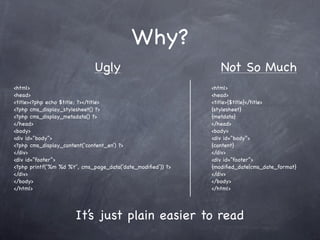
                             Ugly                               Not So Much
<html>                                                       <html>
<head>                                                       <head>
<title><?php echo $title; ?></title>                         <title>{$title}</title>
<?php cms_display_stylesheet() ?>                            {stylesheet}
<?php cms_display_metadata() ?>                              {metdata}
</head>                                                      </head>
<body>                                                       <body>
<div id=”body”>                                              <div id=”body”>
<?php cms_display_content(‘content_en’) ?>                   {content}
</div>                                                       </div>
<div id=”footer”>                                            <div id=”footer”>
<?php printf(‘%m %d %Y’, cms_page_data(‘date_modified’)) ?>   {modified_date|cms_date_format}
</div>                                                       </div>
</body>                                                      </body>
</html>                                                      </html>


                      It’s just plain easier to read
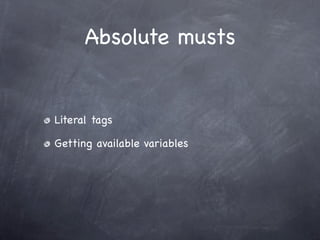
Absolute musts
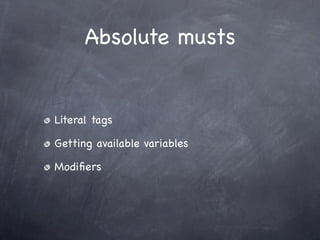
Absolute musts


Literal tags
Absolute musts


Literal tags

Getting available variables
Absolute musts


Literal tags

Getting available variables

Modifiers
Literal Tags
Literal Tags

Escapes javascript
Literal Tags

Escapes javascript

Escapes CSS
Literal Tags

Escapes javascript

Escapes CSS

Really... escapes anything with { or } in it.
Smarty gets confused
Literal Tags

Escapes javascript

Escapes CSS

Really... escapes anything with { or } in it.
Smarty gets confused

So literal tags basically have Smarty ignore
everything between
Literal Tags
<script type="text/javascript">
/ Get all of the tabs and add an onmouseover
 /
/ event listener to each tab
 /
var tabs = getElementsByClass('tab',
    document.getElementById('featuresarea-tabs'),'li') ;
for(i=0; i<tabs.length; i++)
{
! var this_tab = ! document.getElementById(tabs[i].id);
! this_tab.onmouseover = function(){
! ! showtab(this.id);
! ! document.getElementById(this.id).className += " selected";
! };
}!
//]]>
</script>
Literal Tags
{literal}
<script type="text/javascript">
/ Get all of the tabs and add an onmouseover
 /
/ event listener to each tab
 /
var tabs = getElementsByClass('tab',
     document.getElementById('featuresarea-tabs'),'li') ;
for(i=0; i<tabs.length; i++)
{
! var this_tab = ! document.getElementById(tabs[i].id);
! this_tab.onmouseover = function(){
! ! showtab(this.id);
! ! document.getElementById(this.id).className += " selected";
! };
}!
//]]>
</script>
{/literal}
The Immortal Question


 How do I know what variables are available
 to me in my template?
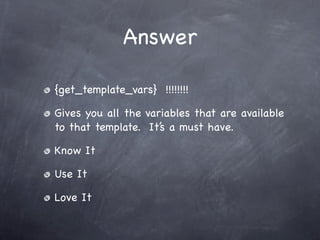
Answer

{get_template_vars} !!!!!!!!

Gives you all the variables that are available
to that template. It’s a must have.

Know It

Use It

Love It
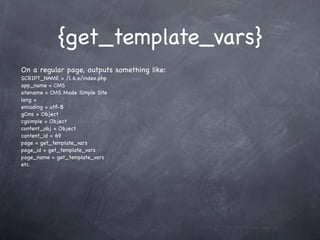
{get_template_vars}
On a regular page, outputs something like:
SCRIPT_NAME = /1.6.x/index.php
app_name = CMS
sitename = CMS Made Simple Site
lang =
encoding = utf-8
gCms = Object
cgsimple = Object
content_obj = Object
content_id = 69
page = get_template_vars
page_id = get_template_vars
page_name = get_template_vars
etc.
{get_template_vars}
On a regular page, outputs something like:
SCRIPT_NAME = /1.6.x/index.php
app_name = CMS
sitename = CMS Made Simple Site
lang =
encoding = utf-8
gCms = Object
cgsimple = Object
content_obj = Object
content_id = 69
page = get_template_vars
page_id = get_template_vars
page_name = get_template_vars
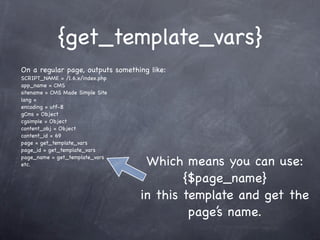
etc.                               Which means you can use:
                                          {$page_name}
                                  in this template and get the
                                           page’s name.
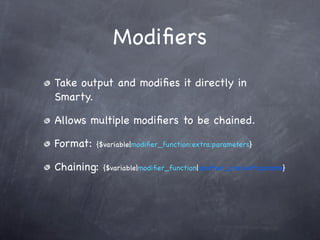
Modifiers
Modifiers
Take output and modifies it directly in
Smarty.
Modifiers
Take output and modifies it directly in
Smarty.

Allows multiple modifiers to be chained.
Modifiers
Take output and modifies it directly in
Smarty.

Allows multiple modifiers to be chained.

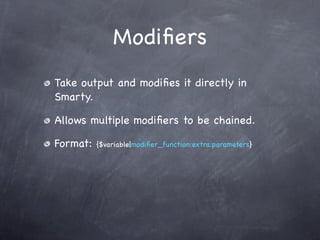
Format:   {$variable|modifier_function:extra:parameters}
Modifiers
Take output and modifies it directly in
Smarty.

Allows multiple modifiers to be chained.

Format:   {$variable|modifier_function:extra:parameters}


Chaining:   {$variable|modifier_function|another_one:with:params}
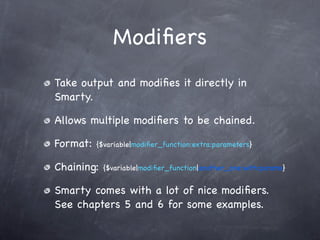
Modifiers
Take output and modifies it directly in
Smarty.

Allows multiple modifiers to be chained.

Format:   {$variable|modifier_function:extra:parameters}


Chaining:   {$variable|modifier_function|another_one:with:params}


Smarty comes with a lot of nice modifiers.
See chapters 5 and 6 for some examples.
Examples
Examples
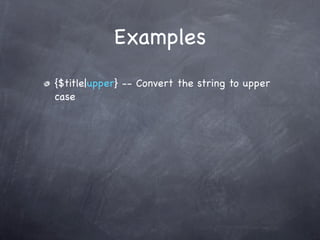
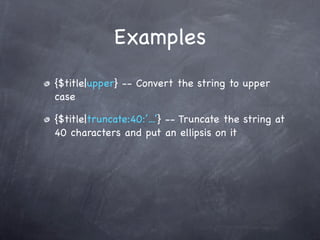
{$title|upper} -- Convert the string to upper
case
Examples
{$title|upper} -- Convert the string to upper
case

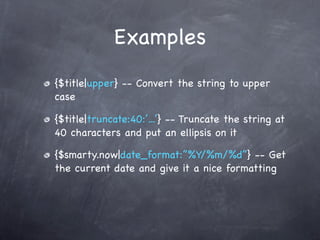
{$title|truncate:40:’...’} -- Truncate the string at
40 characters and put an ellipsis on it
Examples
{$title|upper} -- Convert the string to upper
case

{$title|truncate:40:’...’} -- Truncate the string at
40 characters and put an ellipsis on it

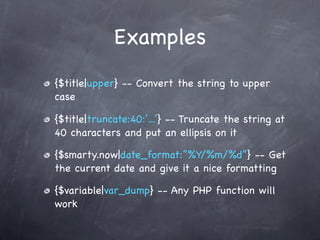
{$smarty.now|date_format:”%Y/%m/%d”} -- Get
the current date and give it a nice formatting
Examples
{$title|upper} -- Convert the string to upper
case

{$title|truncate:40:’...’} -- Truncate the string at
40 characters and put an ellipsis on it

{$smarty.now|date_format:”%Y/%m/%d”} -- Get
the current date and give it a nice formatting

{$variable|var_dump} -- Any PHP function will
work
Tricks and Examples


{capture}

{cycle}

{mailto}
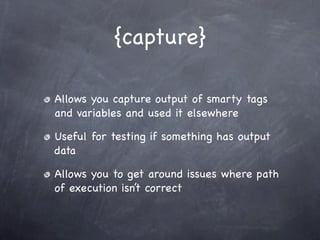
{capture}

Allows you capture output of smarty tags
and variables and used it elsewhere

Useful for testing if something has output
data

Allows you to get around issues where path
of execution isn’t correct
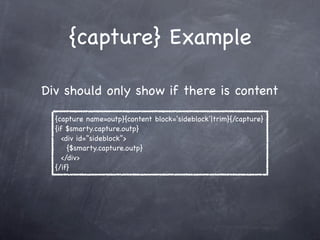
{capture} Example

Div should only show if there is content

  {capture name=outp}{content block=‘sideblock’|trim}{/capture}
  {if $smarty.capture.outp}
     <div id=”sideblock”>
       {$smarty.capture.outp}
     </div>
  {/if}
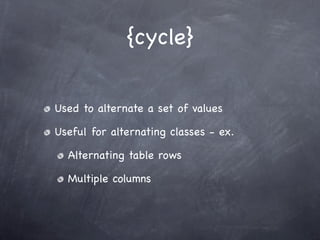
{cycle}


Used to alternate a set of values

Useful for alternating classes - ex.

  Alternating table rows

  Multiple columns
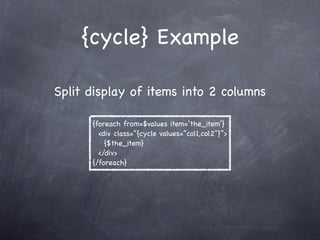
{cycle} Example

Split display of items into 2 columns

      {foreach from=$values item=‘the_item’}
        <div class=”{cycle values=”col1,col2”}”>
          {$the_item}
        </div>
      {/foreach}
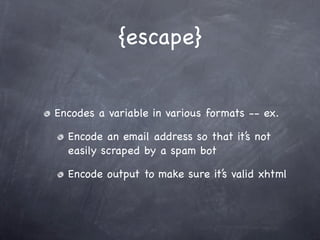
{escape}


Encodes a variable in various formats -- ex.

  Encode an email address so that it’s not
  easily scraped by a spam bot

  Encode output to make sure it’s valid xhtml
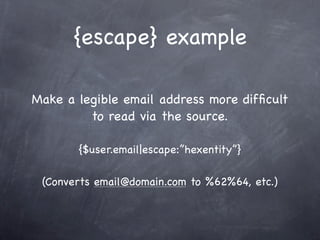
{escape} example

Make a legible email address more difficult
         to read via the source.

       {$user.email|escape:”hexentity”}

 (Converts email@domain.com to %62%64, etc.)
Resources


http://smarty.net/manual/en (Please read
chapters 3 and 4 at a minimum!!!)

http://wiki.cmsmadesimple.org
Thank you!

Geek Moot '09 -- Smarty 101

  • 1.
    Smarty 101 What? Why?How? Ted Kulp - Shift Refresh, Inc.
  • 2.
  • 3.
    What? Arguably the mostwidely used PHP templating system
  • 4.
    What? Arguably the mostwidely used PHP templating system Created by Andrei Zmievski
  • 5.
    What? Arguably the mostwidely used PHP templating system Created by Andrei Zmievski Tightly integrated into the CMSMS core
  • 6.
    What? Arguably the mostwidely used PHP templating system Created by Andrei Zmievski Tightly integrated into the CMSMS core Seamlessly used on all page, module and other templates throughout the system
  • 7.
    What? Arguably the mostwidely used PHP templating system Created by Andrei Zmievski Tightly integrated into the CMSMS core Seamlessly used on all page, module and other templates throughout the system Released under the LGPL -- basically means it’s pretty liberally licensed
  • 8.
  • 9.
    Why? Separates the displaylogic cleanly from the controller logic
  • 10.
    Why? Separates the displaylogic cleanly from the controller logic Much safer by not allowing full range of PHP functionality in a template
  • 11.
    Why? Separates the displaylogic cleanly from the controller logic Much safer by not allowing full range of PHP functionality in a template Allows for many tricks to make complicated display easier
  • 12.
    Why? Separates the displaylogic cleanly from the controller logic Much safer by not allowing full range of PHP functionality in a template Allows for many tricks to make complicated display easier Get a lot of web-friendly functionality for free
  • 13.
    Why? Separates the displaylogic cleanly from the controller logic Much safer by not allowing full range of PHP functionality in a template Allows for many tricks to make complicated display easier Get a lot of web-friendly functionality for free And mainly...
  • 14.
    Why? Ugly Not So Much <html> <html> <head> <head> <title><?php echo $title; ?></title> <title>{$title}</title> <?php cms_display_stylesheet() ?> {stylesheet} <?php cms_display_metadata() ?> {metdata} </head> </head> <body> <body> <div id=”body”> <div id=”body”> <?php cms_display_content(‘content_en’) ?> {content} </div> </div> <div id=”footer”> <div id=”footer”> <?php printf(‘%m %d %Y’, cms_page_data(‘date_modified’)) ?> {modified_date|cms_date_format} </div> </div> </body> </body> </html> </html> It’s just plain easier to read
  • 15.
  • 16.
  • 17.
  • 18.
    Absolute musts Literal tags Gettingavailable variables Modifiers
  • 19.
  • 20.
  • 21.
  • 22.
    Literal Tags Escapes javascript EscapesCSS Really... escapes anything with { or } in it. Smarty gets confused
  • 23.
    Literal Tags Escapes javascript EscapesCSS Really... escapes anything with { or } in it. Smarty gets confused So literal tags basically have Smarty ignore everything between
  • 24.
    Literal Tags <script type="text/javascript"> /Get all of the tabs and add an onmouseover / / event listener to each tab / var tabs = getElementsByClass('tab', document.getElementById('featuresarea-tabs'),'li') ; for(i=0; i<tabs.length; i++) { ! var this_tab = ! document.getElementById(tabs[i].id); ! this_tab.onmouseover = function(){ ! ! showtab(this.id); ! ! document.getElementById(this.id).className += " selected"; ! }; }! //]]> </script>
  • 25.
    Literal Tags {literal} <script type="text/javascript"> /Get all of the tabs and add an onmouseover / / event listener to each tab / var tabs = getElementsByClass('tab', document.getElementById('featuresarea-tabs'),'li') ; for(i=0; i<tabs.length; i++) { ! var this_tab = ! document.getElementById(tabs[i].id); ! this_tab.onmouseover = function(){ ! ! showtab(this.id); ! ! document.getElementById(this.id).className += " selected"; ! }; }! //]]> </script> {/literal}
  • 26.
    The Immortal Question How do I know what variables are available to me in my template?
  • 27.
    Answer {get_template_vars} !!!!!!!! Gives youall the variables that are available to that template. It’s a must have. Know It Use It Love It
  • 28.
    {get_template_vars} On a regularpage, outputs something like: SCRIPT_NAME = /1.6.x/index.php app_name = CMS sitename = CMS Made Simple Site lang = encoding = utf-8 gCms = Object cgsimple = Object content_obj = Object content_id = 69 page = get_template_vars page_id = get_template_vars page_name = get_template_vars etc.
  • 29.
    {get_template_vars} On a regularpage, outputs something like: SCRIPT_NAME = /1.6.x/index.php app_name = CMS sitename = CMS Made Simple Site lang = encoding = utf-8 gCms = Object cgsimple = Object content_obj = Object content_id = 69 page = get_template_vars page_id = get_template_vars page_name = get_template_vars etc. Which means you can use: {$page_name} in this template and get the page’s name.
  • 30.
  • 31.
    Modifiers Take output andmodifies it directly in Smarty.
  • 32.
    Modifiers Take output andmodifies it directly in Smarty. Allows multiple modifiers to be chained.
  • 33.
    Modifiers Take output andmodifies it directly in Smarty. Allows multiple modifiers to be chained. Format: {$variable|modifier_function:extra:parameters}
  • 34.
    Modifiers Take output andmodifies it directly in Smarty. Allows multiple modifiers to be chained. Format: {$variable|modifier_function:extra:parameters} Chaining: {$variable|modifier_function|another_one:with:params}
  • 35.
    Modifiers Take output andmodifies it directly in Smarty. Allows multiple modifiers to be chained. Format: {$variable|modifier_function:extra:parameters} Chaining: {$variable|modifier_function|another_one:with:params} Smarty comes with a lot of nice modifiers. See chapters 5 and 6 for some examples.
  • 36.
  • 37.
    Examples {$title|upper} -- Convertthe string to upper case
  • 38.
    Examples {$title|upper} -- Convertthe string to upper case {$title|truncate:40:’...’} -- Truncate the string at 40 characters and put an ellipsis on it
  • 39.
    Examples {$title|upper} -- Convertthe string to upper case {$title|truncate:40:’...’} -- Truncate the string at 40 characters and put an ellipsis on it {$smarty.now|date_format:”%Y/%m/%d”} -- Get the current date and give it a nice formatting
  • 40.
    Examples {$title|upper} -- Convertthe string to upper case {$title|truncate:40:’...’} -- Truncate the string at 40 characters and put an ellipsis on it {$smarty.now|date_format:”%Y/%m/%d”} -- Get the current date and give it a nice formatting {$variable|var_dump} -- Any PHP function will work
  • 41.
  • 42.
    {capture} Allows you captureoutput of smarty tags and variables and used it elsewhere Useful for testing if something has output data Allows you to get around issues where path of execution isn’t correct
  • 43.
    {capture} Example Div shouldonly show if there is content {capture name=outp}{content block=‘sideblock’|trim}{/capture} {if $smarty.capture.outp} <div id=”sideblock”> {$smarty.capture.outp} </div> {/if}
  • 44.
    {cycle} Used to alternatea set of values Useful for alternating classes - ex. Alternating table rows Multiple columns
  • 45.
    {cycle} Example Split displayof items into 2 columns {foreach from=$values item=‘the_item’} <div class=”{cycle values=”col1,col2”}”> {$the_item} </div> {/foreach}
  • 46.
    {escape} Encodes a variablein various formats -- ex. Encode an email address so that it’s not easily scraped by a spam bot Encode output to make sure it’s valid xhtml
  • 47.
    {escape} example Make alegible email address more difficult to read via the source. {$user.email|escape:”hexentity”} (Converts email@domain.com to %62%64, etc.)
  • 48.
    Resources http://smarty.net/manual/en (Please read chapters3 and 4 at a minimum!!!) http://wiki.cmsmadesimple.org
  • 49.