
GameSalad	

Physics
Young-min Kang	

Tongmyong University
goal
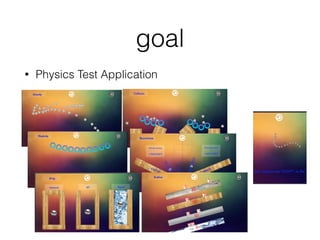
• Physics Test Application
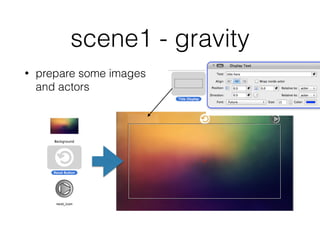
scene1 - gravity
• prepare some images
and actors
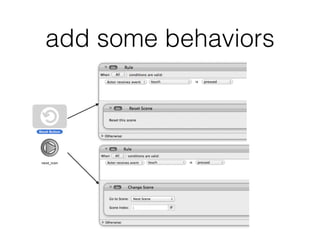
add some behaviors
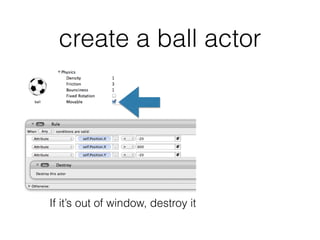
create a ball actor
If it’s out of window, destroy it
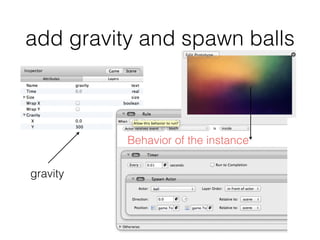
add gravity and spawn balls
gravity
Behavior of the instance
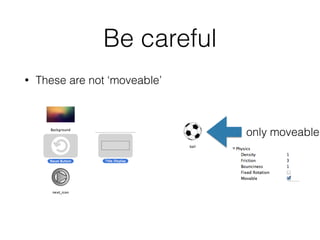
Be careful
• These are not ‘moveable’
only moveable
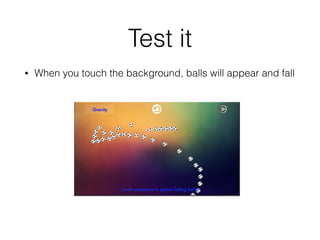
Test it
• When you touch the background, balls will appear and fall
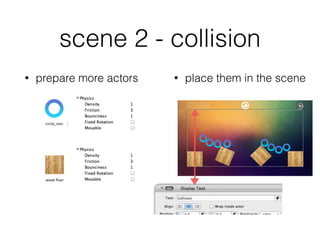
scene 2 - collision
• prepare more actors • place them in the scene
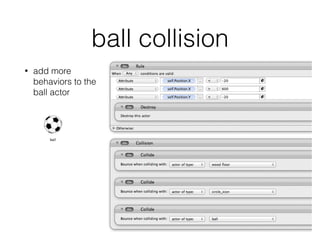
ball collision
• add more
behaviors to the
ball actor
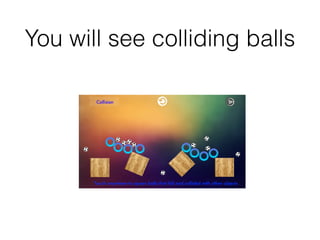
You will see colliding balls
scene 3 - bounciness
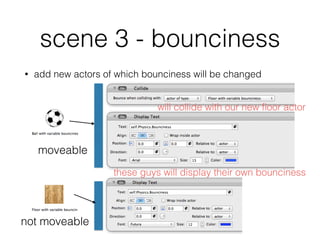
• add new actors of which bounciness will be changed
moveable
not moveable
will collide with our new floor actor
these guys will display their own bounciness
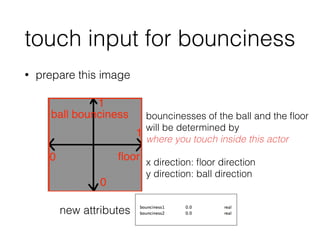
touch input for bounciness
• prepare this image
bouncinesses of the ball and the floor
will be determined by
where you touch inside this actor
!
x direction: floor direction
y direction: ball direction
new attributes
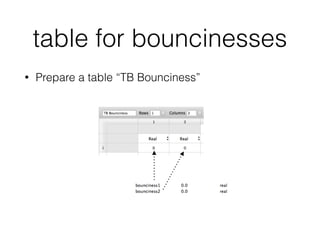
table for bouncinesses
• Prepare a table “TB Bounciness”
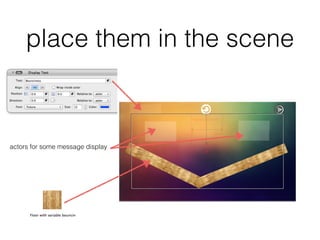
place them in the scene
actors for some message display
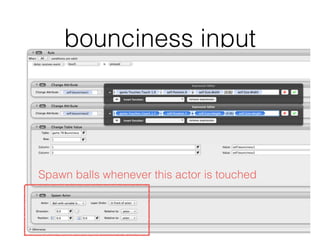
bounciness input
Spawn balls whenever this actor is touched
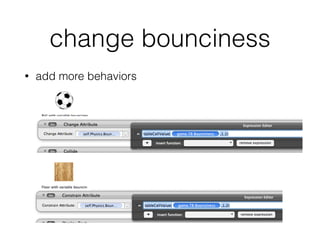
change bounciness
• add more behaviors
Test
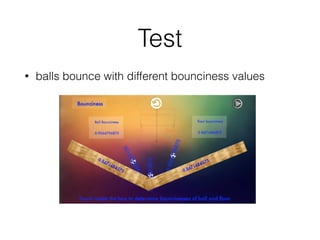
• balls bounce with different bounciness values
scene 4 - elasticity
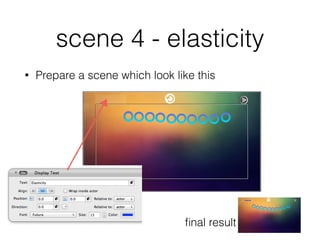
• Prepare a scene which look like this
final result
add properties
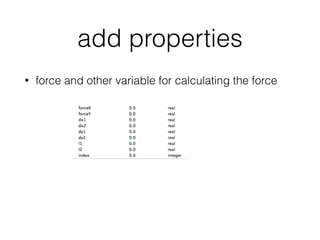
• force and other variable for calculating the force
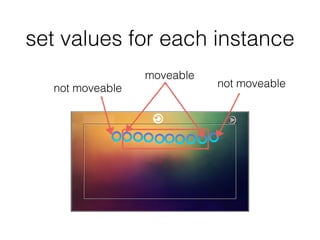
set values for each instance
moveable
not moveable not moveable
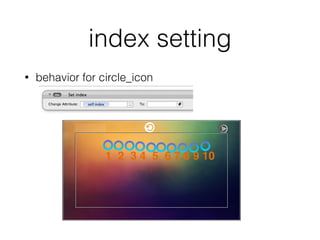
index setting
• behavior for circle_icon
1 2 3 4 5 6 7 8 9 10
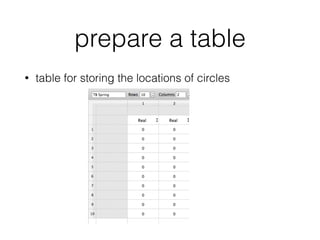
prepare a table
• table for storing the locations of circles
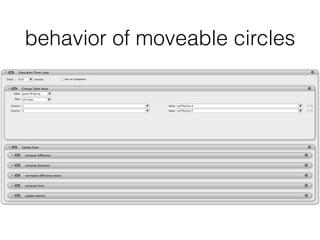
behavior of moveable circles
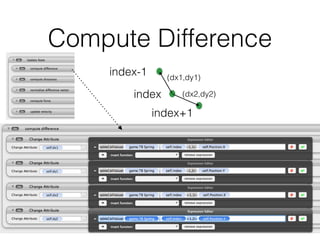
Compute Difference
index-1
index+1
index
(dx1,dy1)
(dx2,dy2)
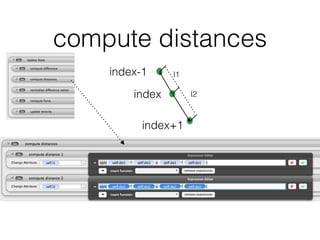
compute distances
index-1
index+1
index
l1
l2
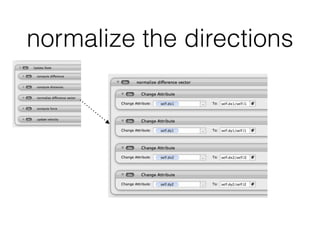
normalize the directions
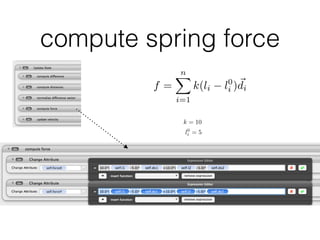
compute spring force
f =
nX
i=1
k(li l0
i )~di
k = 10
l0
i = 5
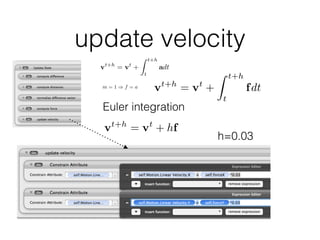
update velocity
vt+h
= vt
+
Z t+h
t
adt
m = 1 ) f = a vt+h
= vt
+
Z t+h
t
fdt
Euler integration
vt+h
= vt
+ hf
h=0.03
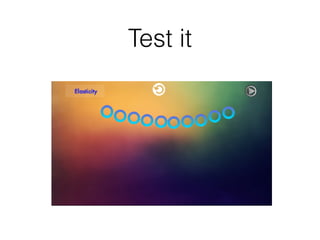
Test it
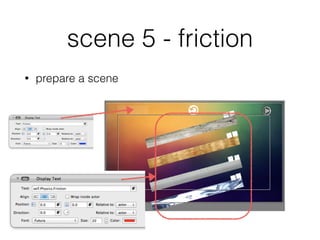
scene 5 - friction
• prepare a scene
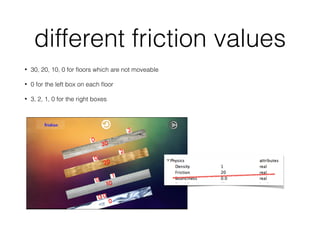
different friction values
• 30, 20, 10, 0 for floors which are not moveable
• 0 for the left box on each floor
• 3, 2, 1, 0 for the right boxes
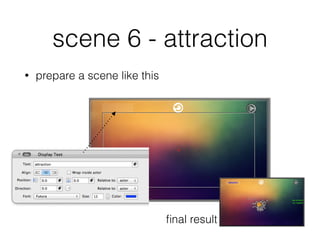
scene 6 - attraction
• prepare a scene like this
final result
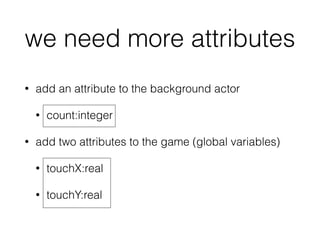
we need more attributes
• add an attribute to the background actor
• count:integer
• add two attributes to the game (global variables)
• touchX:real
• touchY:real
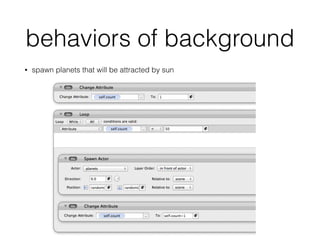
behaviors of background
• spawn planets that will be attracted by sun
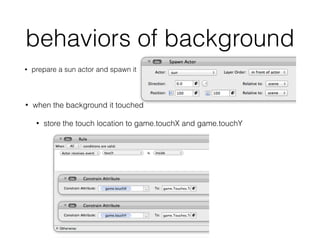
behaviors of background
• prepare a sun actor and spawn it
• when the background it touched
• store the touch location to game.touchX and game.touchY
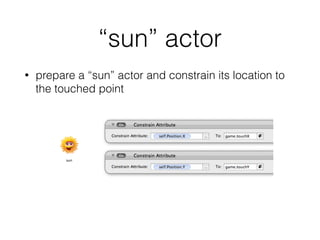
“sun” actor
• prepare a “sun” actor and constrain its location to
the touched point
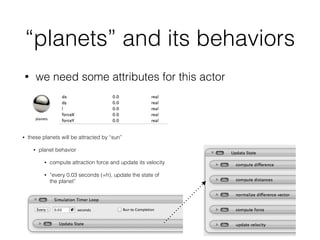
“planets” and its behaviors
• we need some attributes for this actor
• these planets will be attracted by “sun”
• planet behavior
• compute attraction force and update its velocity
• “every 0.03 seconds (=h), update the state of
the planet”
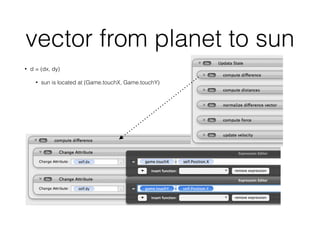
vector from planet to sun
• d = (dx, dy)
• sun is located at (Game.touchX, Game.touchY)
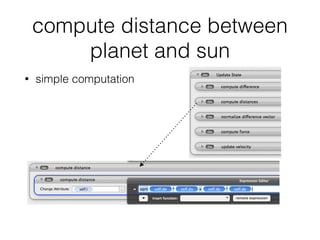
compute distance between
planet and sun
• simple computation
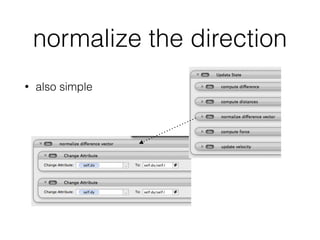
normalize the direction
• also simple
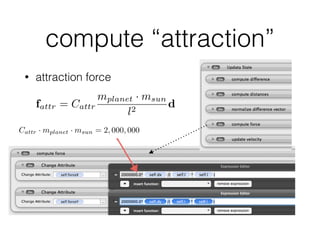
compute “attraction”
• attraction force
fattr = Cattr
mplanet · msun
l2
d
Cattr · mplanet · msun = 2, 000, 000
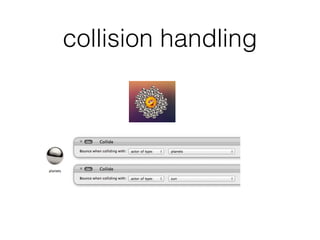
collision handling
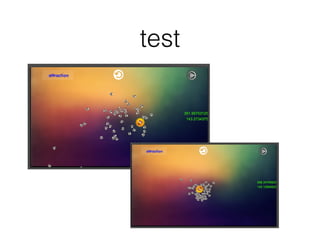
test
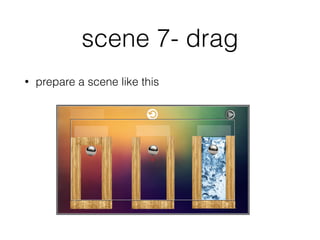
scene 7- drag
• prepare a scene like this
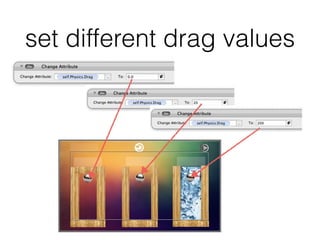
set different drag values
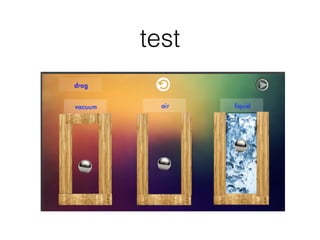
test
scene 8 - rope physics
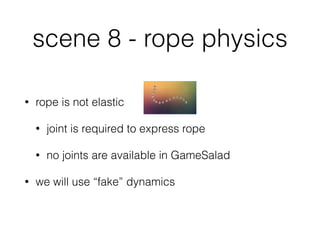
• rope is not elastic
• joint is required to express rope
• no joints are available in GameSalad
• we will use “fake” dynamics
model
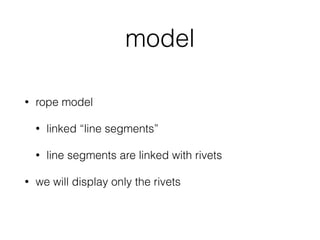
• rope model
• linked “line segments”
• line segments are linked with rivets
• we will display only the rivets
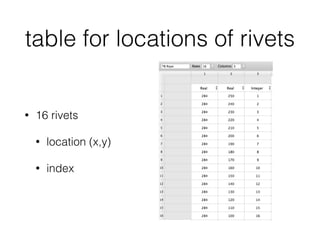
table for locations of rivets
• 16 rivets
• location (x,y)
• index
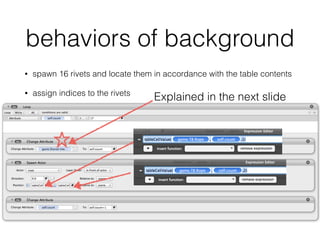
behaviors of background
• spawn 16 rivets and locate them in accordance with the table contents
• assign indices to the rivets
Explained in the next slide
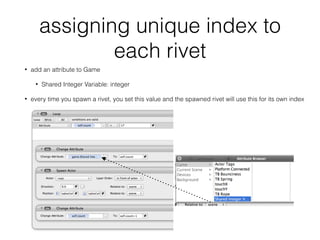
assigning unique index to
each rivet
• add an attribute to Game
• Shared Integer Variable: integer
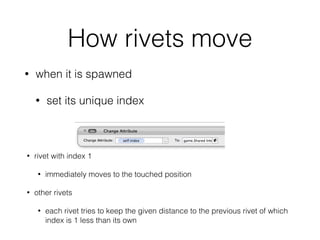
• every time you spawn a rivet, you set this value and the spawned rivet will use this for its own index
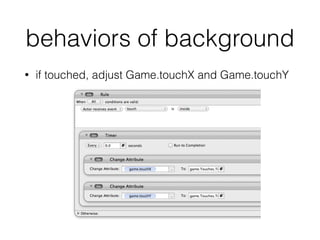
behaviors of background
• if touched, adjust Game.touchX and Game.touchY
How rivets move
• when it is spawned
• set its unique index
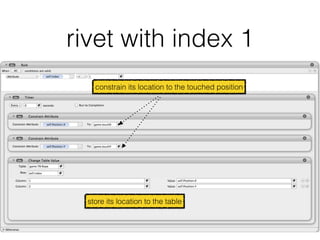
• rivet with index 1
• immediately moves to the touched position
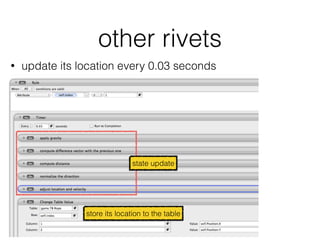
• other rivets
• each rivet tries to keep the given distance to the previous rivet of which
index is 1 less than its own
rivet with index 1
constrain its location to the touched position
store its location to the table
other rivets
• update its location every 0.03 seconds
store its location to the table
state update
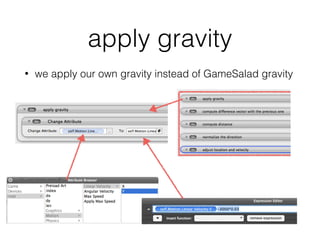
apply gravity
• we apply our own gravity instead of GameSalad gravity
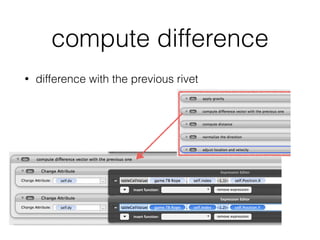
compute difference
• difference with the previous rivet
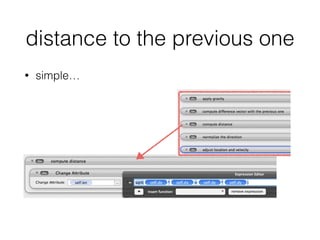
distance to the previous one
• simple…
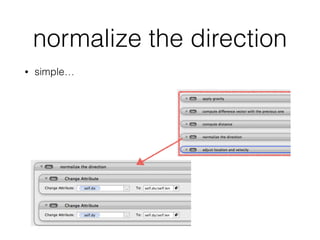
normalize the direction
• simple…
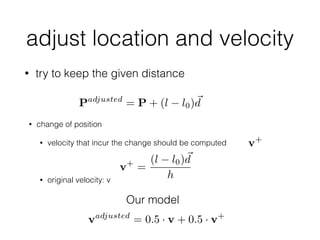
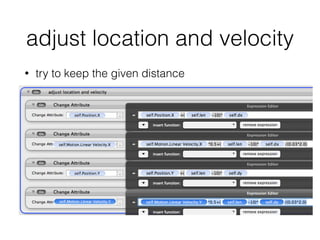
adjust location and velocity
• try to keep the given distance
Padjusted
= P + (l l0)~d
• change of position
• velocity that incur the change should be computed
!
• original velocity: v
vadjusted
= 0.5 · v + 0.5 · v+
Our model
v+
v+
=
(l l0)~d
h
adjust location and velocity
• try to keep the given distance
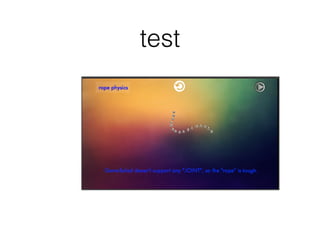
test

Game Physics Test