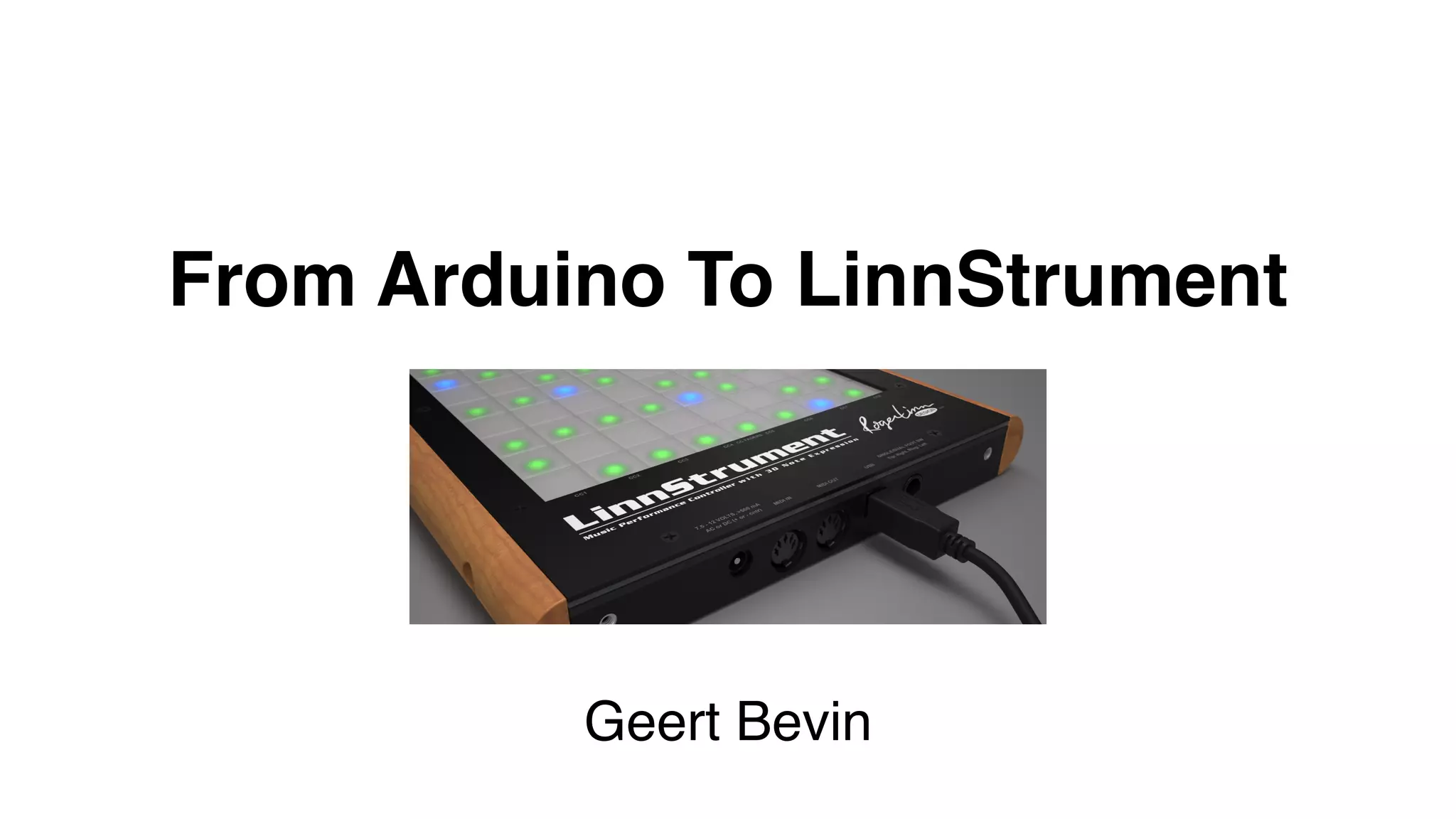
From Arduino To LinnStrument
Geert Bevin
Who am I?
• Geert Bevin, Twitter @gbevin
• Software Engineer (Greenpeace, Proximus, Walmart.com,
Terracotta, Eigenlabs, ZeroTurnaround, Roger Linn Design, Moog
Music, …)
• Musician, Composer, Arranger, Singer, Guitar, Chapman Stick,
Harpejji, LinnStrument, Synths, Gamer, Kung-Fu
• Many open-source projects including Gentoo Linux, OpenLaszlo,
RIFE, JUCE, SendMidi, ReceiveMidi, …
Electronic Musical Instrument
Creator
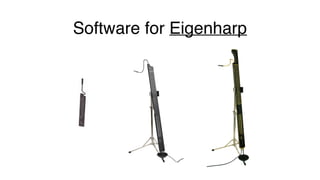
Software for Eigenharp
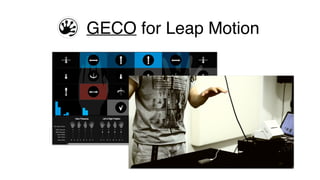
GECO for Leap Motion
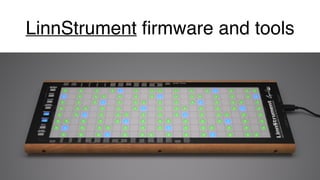
LinnStrument firmware and tools
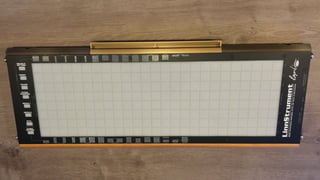
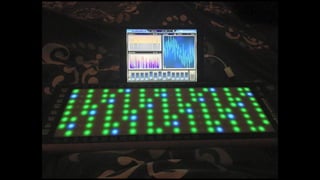
What is the LinnStrument?
Revolutionary Music Performance
Controller with 5D Note Expression
Open-source firmware and tools
DEMO
What’s inside LinnStrument?
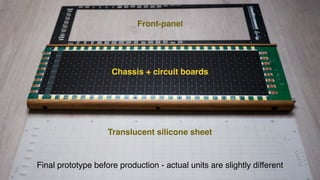
Final prototype before production - actual units are slightly different
Translucent silicone sheet
Chassis + circuit boards
Front-panel
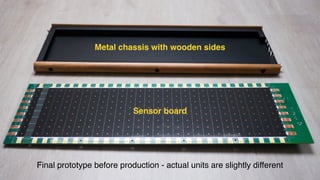
Final prototype before production - actual units are slightly different
Metal chassis with wooden sides
Sensor board
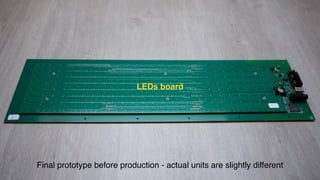
Final prototype before production - actual units are slightly different
LEDs board
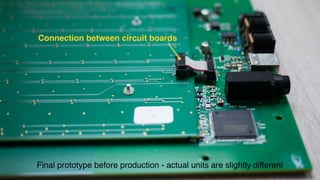
Final prototype before production - actual units are slightly different
Connection between circuit boards
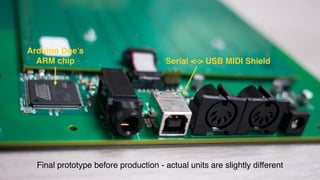
Final prototype before production - actual units are slightly different
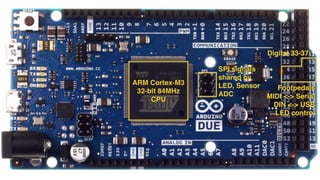
Arduino Due’s
ARM chip Serial <-> USB MIDI Shield
The Arduino Due
ARM Cortex-M3
32-bit 84MHz
CPU
SPI signals

shared by
LED, Sensor
ADC
Digital 33-37
Footpedals

MIDI <-> Serial
DIN <-> USB
LED control
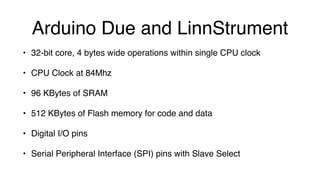
Arduino Due and LinnStrument
• 32-bit core, 4 bytes wide operations within single CPU clock
• CPU Clock at 84Mhz
• 96 KBytes of SRAM
• 512 KBytes of Flash memory for code and data
• Digital I/O pins
• Serial Peripheral Interface (SPI) pins with Slave Select
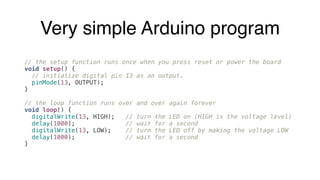
Very simple Arduino program
// the setup function runs once when you press reset or power the board
void setup() {
// initialize digital pin 13 as an output.
pinMode(13, OUTPUT);
}
 
// the loop function runs over and over again forever
void loop() {
digitalWrite(13, HIGH); // turn the LED on (HIGH is the voltage level)
delay(1000); // wait for a second
digitalWrite(13, LOW); // turn the LED off by making the voltage LOW
delay(1000); // wait for a second
}
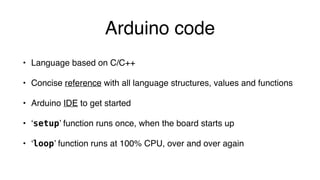
Arduino code
• Language based on C/C++
• Concise reference with all language structures, values and functions
• Arduino IDE to get started
• ‘setup’ function runs once, when the board starts up
• ‘loop’ function runs at 100% CPU, over and over again
Only one execution thread
• What happens in the ‘loop’ function is all that’s happening
• If something takes too long, something else isn’t happening
• Guerrilla coding tactics: powerful, short strikes and get out of there
• Design your algorithms to be sub-dividable
• Avoid dynamic memory allocation, it’s very slow
LinnStrument hardware access
through software
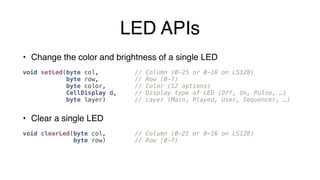
LED APIs
• Change the color and brightness of a single LED


void setLed(byte col, // Column (0-25 or 0-16 on LS128)
byte row, // Row (0-7)
byte color, // Color (12 options)
CellDisplay d, // Display type of LED (Off, On, Pulse, …)
byte layer) // Layer (Main, Played, User, Sequencer, …)
• Clear a single LED


void clearLed(byte col, // Column (0-25 or 0-16 on LS128)
byte row) // Row (0-7)
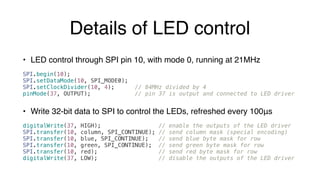
Details of LED control
• LED control through SPI pin 10, with mode 0, running at 21MHz


SPI.begin(10);
SPI.setDataMode(10, SPI_MODE0);
SPI.setClockDivider(10, 4); // 84MHz divided by 4

pinMode(37, OUTPUT); // pin 37 is output and connected to LED driver
• Write 32-bit data to SPI to control the LEDs, refreshed every 100μs


digitalWrite(37, HIGH); // enable the outputs of the LED driver
SPI.transfer(10, column, SPI_CONTINUE); // send column mask (special encoding)
SPI.transfer(10, blue, SPI_CONTINUE); // send blue byte mask for row
SPI.transfer(10, green, SPI_CONTINUE); // send green byte mask for row
SPI.transfer(10, red); // send red byte mask for row
digitalWrite(37, LOW); // disable the outputs of the LED driver
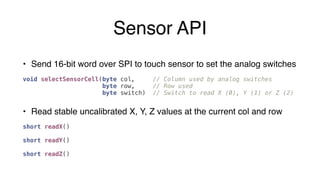
Sensor API
• Send 16-bit word over SPI to touch sensor to set the analog switches


void selectSensorCell(byte col, // Column used by analog switches
byte row, // Row used
byte switch) // Switch to read X (0), Y (1) or Z (2)
• Read stable uncalibrated X, Y, Z values at the current col and row


short readX()


short readY()


short readZ()
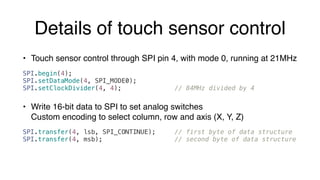
Details of touch sensor control
• Touch sensor control through SPI pin 4, with mode 0, running at 21MHz


SPI.begin(4);
SPI.setDataMode(4, SPI_MODE0);
SPI.setClockDivider(4, 4); // 84MHz divided by 4
• Write 16-bit data to SPI to set analog switches

Custom encoding to select column, row and axis (X, Y, Z)


SPI.transfer(4, lsb, SPI_CONTINUE); // first byte of data structure
SPI.transfer(4, msb); // second byte of data structure
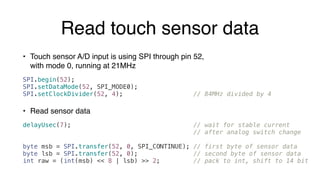
Read touch sensor data
• Touch sensor A/D input is using SPI through pin 52,

with mode 0, running at 21MHz


SPI.begin(52);
SPI.setDataMode(52, SPI_MODE0);
SPI.setClockDivider(52, 4); // 84MHz divided by 4
• Read sensor data


delayUsec(7); // wait for stable current
// after analog switch change
byte msb = SPI.transfer(52, 0, SPI_CONTINUE); // first byte of sensor data
byte lsb = SPI.transfer(52, 0); // second byte of sensor data

int raw = (int(msb) << 8 | lsb) >> 2; // pack to int, shift to 14 bit
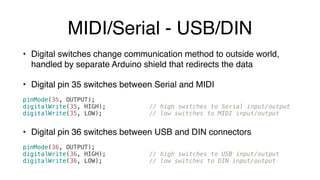
MIDI/Serial - USB/DIN
• Digital switches change communication method to outside world,
handled by separate Arduino shield that redirects the data
• Digital pin 35 switches between Serial and MIDI


pinMode(35, OUTPUT);
digitalWrite(35, HIGH); // high switches to Serial input/output
digitalWrite(35, LOW); // low switches to MIDI input/output
• Digital pin 36 switches between USB and DIN connectors


pinMode(36, OUTPUT);
digitalWrite(36, HIGH); // high switches to USB input/output
digitalWrite(36, LOW); // low switches to DIN input/output
That’s all the important
hardware stuff!
Concrete Firmware Examples
That might surprise Java programmers
Global Variables
Global Variables
• Master of the whole machine, global is good!
• Some examples of variables:


byte sensorCol; // column number of the current sensor

byte sensorRow; // row number of the current sensor

byte sensorSplit; // split of the current sensor

TouchInfo* sensorCell; // all touch data of current sensor

TouchInfo touchInfo[MAXCOLS][MAXROWS]; // grid with all touch data


struct Configuration config; // entry-point towards all the settings


DisplayMode displayMode; // the active display mode
No Threads, No Locks,

No Coordination
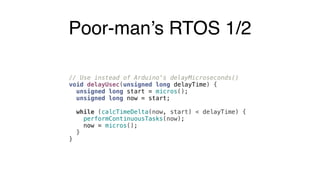
Poor-man’s RTOS 1/2
// Use instead of Arduino's delayMicroseconds()
void delayUsec(unsigned long delayTime) {
unsigned long start = micros();
unsigned long now = start;
while (calcTimeDelta(now, start) < delayTime) {
performContinuousTasks(now);
now = micros();
}
}
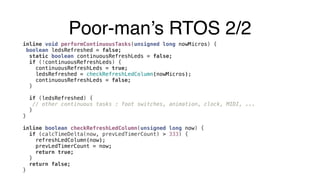
Poor-man’s RTOS 2/2
inline void performContinuousTasks(unsigned long nowMicros) {
boolean ledsRefreshed = false;
static boolean continuousRefreshLeds = false;
if (!continuousRefreshLeds) {
continuousRefreshLeds = true;
ledsRefreshed = checkRefreshLedColumn(nowMicros);
continuousRefreshLeds = false;
}
if (ledsRefreshed) {
// other continuous tasks : foot switches, animation, clock, MIDI, ...
}
}


inline boolean checkRefreshLedColumn(unsigned long now) {
if (calcTimeDelta(now, prevLedTimerCount) > 333) {
refreshLedColumn(now);
prevLedTimerCount = now;
return true;
}
return false;
}
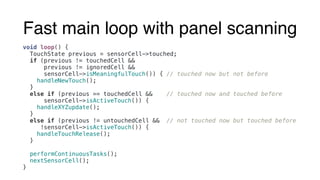
Fast main loop with panel scanning
void loop() {
TouchState previous = sensorCell->touched;
if (previous != touchedCell &&
previous != ignoredCell &&
sensorCell->isMeaningfulTouch()) { // touched now but not before
handleNewTouch();
}
else if (previous == touchedCell && // touched now and touched before
sensorCell->isActiveTouch()) {
handleXYZupdate();
}
else if (previous != untouchedCell && // not touched now but touched before
!sensorCell->isActiveTouch()) {
handleTouchRelease();
}
performContinuousTasks();
nextSensorCell();
}
Per-finger touch-tracking
• With a general purpose CPU, you’d model this as touch ‘sessions’
that are dynamically created and have a life of their own
• Too much memory churn and bookkeeping
• Instead, have a touch state for each cell
• Transfer data between cells since we don’t support two fingers
touching the same cell
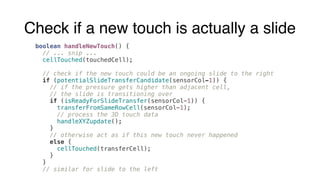
Check if a new touch is actually a slide
boolean handleNewTouch() {
// ... snip ...
  cellTouched(touchedCell);
// check if the new touch could be an ongoing slide to the right
if (potentialSlideTransferCandidate(sensorCol-1)) {
// if the pressure gets higher than adjacent cell,
// the slide is transitioning over
if (isReadyForSlideTransfer(sensorCol-1)) {
transferFromSameRowCell(sensorCol-1);
// process the 3D touch data
handleXYZupdate();
}
// otherwise act as if this new touch never happened
else {
cellTouched(transferCell);
}
}
// similar for slide to the left
Check potential slide transfer
boolean potentialSlideTransferCandidate(int col) {
// ... snip ...
if (col < 1) return false;
if (sensorSplit != getSplitOf(col)) return false;
if (!isLowRow() && (!Split[sensorSplit].sendX ||
!isFocusedCell(col, sensorRow))) return false;
if (isLowRow() && !lowRowRequiresSlideTracking()) return false;
// ... snip ...
 
// the sibling cell has an active touch
return cell(col, sensorRow).touched != untouchedCell &&
// either a release is pending to be performed, or
(cell(col, sensorRow).pendingReleaseCount ||
// both cells are touched simultaneously on the edges
abs(cell().calibratedX() - cell(col, sensorRow).calibratedX())
< TRANSFER_SLIDE_PROXIMITY);
}
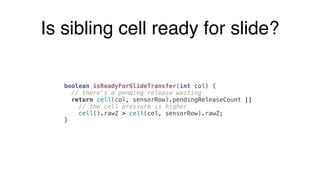
Is sibling cell ready for slide?
boolean isReadyForSlideTransfer(int col) {
// there's a pending release waiting
return cell(col, sensorRow).pendingReleaseCount ||
// the cell pressure is higher
cell().rawZ > cell(col, sensorRow).rawZ;
}
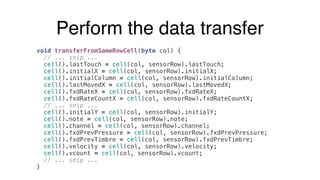
Perform the data transfer
void transferFromSameRowCell(byte col) {
// ... snip ...
cell().lastTouch = cell(col, sensorRow).lastTouch;
cell().initialX = cell(col, sensorRow).initialX;
cell().initialColumn = cell(col, sensorRow).initialColumn;
cell().lastMovedX = cell(col, sensorRow).lastMovedX;
cell().fxdRateX = cell(col, sensorRow).fxdRateX;
cell().fxdRateCountX = cell(col, sensorRow).fxdRateCountX;
// ... snip ...
cell().initialY = cell(col, sensorRow).initialY;
cell().note = cell(col, sensorRow).note;
cell().channel = cell(col, sensorRow).channel;
cell().fxdPrevPressure = cell(col, sensorRow).fxdPrevPressure;
cell().fxdPrevTimbre = cell(col, sensorRow).fxdPrevTimbre;
cell().velocity = cell(col, sensorRow).velocity;
cell().vcount = cell(col, sensorRow).vcount;
// ... snip ...
} 
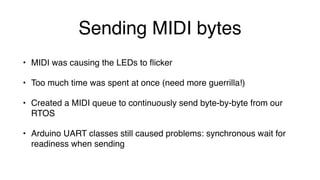
Sending MIDI bytes
• MIDI was causing the LEDs to flicker
• Too much time was spent at once (need more guerrilla!)
• Created a MIDI queue to continuously send byte-by-byte from our
RTOS
• Arduino UART classes still caused problems: synchronous wait for
readiness when sending
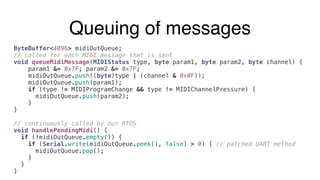
Queuing of messages
ByteBuffer<4096> midiOutQueue;
// called for each MIDI message that is sent
void queueMidiMessage(MIDIStatus type, byte param1, byte param2, byte channel) {
param1 &= 0x7F; param2 &= 0x7F;
midiOutQueue.push((byte)type | (channel & 0x0F));
midiOutQueue.push(param1);
if (type != MIDIProgramChange && type != MIDIChannelPressure) {
midiOutQueue.push(param2);
}
}
// continuously called by our RTOS
void handlePendingMidi() {
if (!midiOutQueue.empty()) {
if (Serial.write(midiOutQueue.peek(), false) > 0) { // patched UART method
midiOutQueue.pop();
}
}
}
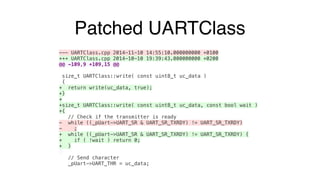
Patched UARTClass
--- UARTClass.cpp 2014-11-10 14:55:10.000000000 +0100
+++ UARTClass.cpp 2014-10-10 19:39:43.000000000 +0200
@@ -109,9 +109,15 @@
 
size_t UARTClass::write( const uint8_t uc_data )
{
+ return write(uc_data, true);
+}
+
+size_t UARTClass::write( const uint8_t uc_data, const bool wait )
+{
// Check if the transmitter is ready
- while ((_pUart->UART_SR & UART_SR_TXRDY) != UART_SR_TXRDY)
- ;
+ while ((_pUart->UART_SR & UART_SR_TXRDY) != UART_SR_TXRDY) {
+ if ( !wait ) return 0;
+ }
 
// Send character
_pUart->UART_THR = uc_data;
Low-row functionalities
• Intuitively you’d detect a touch on low-row cells when it’s active
• Then evaluate state of every other cell and trigger behavior
• This is again too much overhead
• Instead keep track of low-row start/stop in a state machine
• Piggy-back when processing each cell in the main loop to evaluate
appropriate low-row behavior
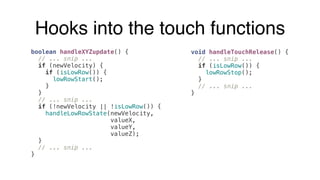
Hooks into the touch functions
boolean handleXYZupdate() {
// ... snip ...
  if (newVelocity) {
if (isLowRow()) {
lowRowStart();
}
}
// ... snip ...
if (!newVelocity || !isLowRow()) {
handleLowRowState(newVelocity,
valueX,
valueY,
valueZ);
}
// ... snip ...
}
void handleTouchRelease() {
// ... snip ...
if (isLowRow()) {
lowRowStop();
}
// ... snip ...
}
Low-row functions 1/2
void lowRowStart() {
switch (Split[sensorSplit].lowRowMode) {
case lowRowStrum:
lowRowState[sensorCol] = pressed;
break;
// ... snip, different for each low-row mode
}
}
 
void lowRowStop() {
switch (Split[sensorSplit].lowRowMode) {
case lowRowStrum:
lowRowState[sensorCol] = inactive;
break;
// ... snip, different for each low-row mode
}
}
Low-row functions 2/2
void handleLowRowState(boolean newVelocity, short pitchBend,
short timbre, byte pressure) {
// this is a low-row cell
if (isLowRow()) {
// ... snip, send out the continuous data for low-row cells
}
// this is a non low-row cell
else {
switch (Split[sensorSplit].lowRowMode) {
case lowRowStrum:
// uses lowRowState to correlate with column
handleLowRowStrum();
break;
// ... snip, other cases
}
}
}
Precise velocity detection
• Complete panel scan takes 4ms
• Strike velocity calculation needs much more detailed samples
• Full control over execution allows for temporary rapid successive
pressure measurements at initial touch
• Short-circuit in main-loop to re-process the cell at initial touch
• Velocity state machine in touch handling functions
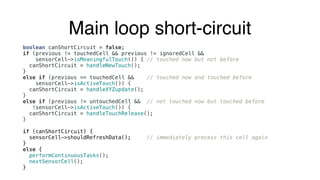
Main loop short-circuit
boolean canShortCircuit = false;
if (previous != touchedCell && previous != ignoredCell &&
sensorCell->isMeaningfulTouch()) { // touched now but not before
canShortCircuit = handleNewTouch();
}
else if (previous == touchedCell && // touched now and touched before
sensorCell->isActiveTouch()) {
canShortCircuit = handleXYZupdate();
}
else if (previous != untouchedCell && // not touched now but touched before
!sensorCell->isActiveTouch()) {
canShortCircuit = handleTouchRelease();
}
if (canShortCircuit) {
sensorCell->shouldRefreshData(); // immediately process this cell again
}
else {
performContinuousTasks();
nextSensorCell();
}
Reduce power consumption
• LinnStrument is usually bus-powered over USB
• Would be awesome if it could be bus-powered from iPhone or iPad
• Power consumption too high, iOS shuts it off:

“The attached accessory uses too much power”
• Code changes can make the CPU relax, update LEDs less
frequently, and hence reduce the power consumption
• Yes, code actually controls electricity!!! :-)
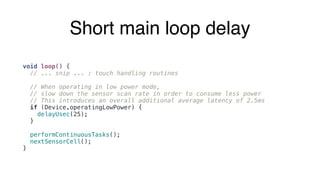
Short main loop delay
void loop() {
// ... snip ... : touch handling routines
// When operating in low power mode,
// slow down the sensor scan rate in order to consume less power
// This introduces an overall additional average latency of 2.5ms
if (Device.operatingLowPower) {
delayUsec(25);
}
performContinuousTasks();
nextSensorCell();
}
Only light LEDs half of the time
void refreshLedColumn(unsigned long now) {
static byte displayInterval[MAXCOLS][MAXROWS];
// ... snip ...
for (byte rowCount = 0; rowCount < NUMROWS; ++rowCount) {
if (++displayInterval[actualCol][rowCount] >= 12) {
displayInterval[actualCol][rowCount] = 0;
}
// ... snip ...
if (Device.operatingLowPower) {
if (displayInterval[actualCol][rowCount] % 2 != 0) {
cellDisplay = cellOff;
}
}
// ... snip ...
}
}
More information at
http://www.rogerlinndesign.com
@gbevin

From Arduino to LinnStrument

  • 1.
    From Arduino ToLinnStrument Geert Bevin
  • 2.
    Who am I? •Geert Bevin, Twitter @gbevin • Software Engineer (Greenpeace, Proximus, Walmart.com, Terracotta, Eigenlabs, ZeroTurnaround, Roger Linn Design, Moog Music, …) • Musician, Composer, Arranger, Singer, Guitar, Chapman Stick, Harpejji, LinnStrument, Synths, Gamer, Kung-Fu • Many open-source projects including Gentoo Linux, OpenLaszlo, RIFE, JUCE, SendMidi, ReceiveMidi, …
  • 3.
  • 4.
  • 5.
  • 6.
  • 7.
    What is theLinnStrument?
  • 8.
  • 9.
  • 10.
  • 11.
  • 12.
    Final prototype beforeproduction - actual units are slightly different Translucent silicone sheet Chassis + circuit boards Front-panel
  • 13.
    Final prototype beforeproduction - actual units are slightly different Metal chassis with wooden sides Sensor board
  • 14.
    Final prototype beforeproduction - actual units are slightly different LEDs board
  • 15.
    Final prototype beforeproduction - actual units are slightly different Connection between circuit boards
  • 16.
    Final prototype beforeproduction - actual units are slightly different Arduino Due’s ARM chip Serial <-> USB MIDI Shield
  • 17.
  • 18.
    ARM Cortex-M3 32-bit 84MHz CPU SPIsignals
 shared by LED, Sensor ADC Digital 33-37 Footpedals
 MIDI <-> Serial DIN <-> USB LED control
  • 19.
    Arduino Due andLinnStrument • 32-bit core, 4 bytes wide operations within single CPU clock • CPU Clock at 84Mhz • 96 KBytes of SRAM • 512 KBytes of Flash memory for code and data • Digital I/O pins • Serial Peripheral Interface (SPI) pins with Slave Select
  • 20.
    Very simple Arduinoprogram // the setup function runs once when you press reset or power the board void setup() { // initialize digital pin 13 as an output. pinMode(13, OUTPUT); }   // the loop function runs over and over again forever void loop() { digitalWrite(13, HIGH); // turn the LED on (HIGH is the voltage level) delay(1000); // wait for a second digitalWrite(13, LOW); // turn the LED off by making the voltage LOW delay(1000); // wait for a second }
  • 21.
    Arduino code • Languagebased on C/C++ • Concise reference with all language structures, values and functions • Arduino IDE to get started • ‘setup’ function runs once, when the board starts up • ‘loop’ function runs at 100% CPU, over and over again
  • 22.
    Only one executionthread • What happens in the ‘loop’ function is all that’s happening • If something takes too long, something else isn’t happening • Guerrilla coding tactics: powerful, short strikes and get out of there • Design your algorithms to be sub-dividable • Avoid dynamic memory allocation, it’s very slow
  • 23.
  • 24.
    LED APIs • Changethe color and brightness of a single LED 
 void setLed(byte col, // Column (0-25 or 0-16 on LS128) byte row, // Row (0-7) byte color, // Color (12 options) CellDisplay d, // Display type of LED (Off, On, Pulse, …) byte layer) // Layer (Main, Played, User, Sequencer, …) • Clear a single LED 
 void clearLed(byte col, // Column (0-25 or 0-16 on LS128) byte row) // Row (0-7)
  • 25.
    Details of LEDcontrol • LED control through SPI pin 10, with mode 0, running at 21MHz 
 SPI.begin(10); SPI.setDataMode(10, SPI_MODE0); SPI.setClockDivider(10, 4); // 84MHz divided by 4
 pinMode(37, OUTPUT); // pin 37 is output and connected to LED driver • Write 32-bit data to SPI to control the LEDs, refreshed every 100μs 
 digitalWrite(37, HIGH); // enable the outputs of the LED driver SPI.transfer(10, column, SPI_CONTINUE); // send column mask (special encoding) SPI.transfer(10, blue, SPI_CONTINUE); // send blue byte mask for row SPI.transfer(10, green, SPI_CONTINUE); // send green byte mask for row SPI.transfer(10, red); // send red byte mask for row digitalWrite(37, LOW); // disable the outputs of the LED driver
  • 26.
    Sensor API • Send16-bit word over SPI to touch sensor to set the analog switches 
 void selectSensorCell(byte col, // Column used by analog switches byte row, // Row used byte switch) // Switch to read X (0), Y (1) or Z (2) • Read stable uncalibrated X, Y, Z values at the current col and row 
 short readX() 
 short readY() 
 short readZ()
  • 27.
    Details of touchsensor control • Touch sensor control through SPI pin 4, with mode 0, running at 21MHz 
 SPI.begin(4); SPI.setDataMode(4, SPI_MODE0); SPI.setClockDivider(4, 4); // 84MHz divided by 4 • Write 16-bit data to SPI to set analog switches
 Custom encoding to select column, row and axis (X, Y, Z) 
 SPI.transfer(4, lsb, SPI_CONTINUE); // first byte of data structure SPI.transfer(4, msb); // second byte of data structure
  • 28.
    Read touch sensordata • Touch sensor A/D input is using SPI through pin 52,
 with mode 0, running at 21MHz 
 SPI.begin(52); SPI.setDataMode(52, SPI_MODE0); SPI.setClockDivider(52, 4); // 84MHz divided by 4 • Read sensor data 
 delayUsec(7); // wait for stable current // after analog switch change byte msb = SPI.transfer(52, 0, SPI_CONTINUE); // first byte of sensor data byte lsb = SPI.transfer(52, 0); // second byte of sensor data
 int raw = (int(msb) << 8 | lsb) >> 2; // pack to int, shift to 14 bit
  • 29.
    MIDI/Serial - USB/DIN •Digital switches change communication method to outside world, handled by separate Arduino shield that redirects the data • Digital pin 35 switches between Serial and MIDI 
 pinMode(35, OUTPUT); digitalWrite(35, HIGH); // high switches to Serial input/output digitalWrite(35, LOW); // low switches to MIDI input/output • Digital pin 36 switches between USB and DIN connectors 
 pinMode(36, OUTPUT); digitalWrite(36, HIGH); // high switches to USB input/output digitalWrite(36, LOW); // low switches to DIN input/output
  • 30.
    That’s all theimportant hardware stuff!
  • 31.
    Concrete Firmware Examples Thatmight surprise Java programmers
  • 32.
  • 33.
    Global Variables • Masterof the whole machine, global is good! • Some examples of variables:
 
 byte sensorCol; // column number of the current sensor
 byte sensorRow; // row number of the current sensor
 byte sensorSplit; // split of the current sensor
 TouchInfo* sensorCell; // all touch data of current sensor
 TouchInfo touchInfo[MAXCOLS][MAXROWS]; // grid with all touch data
 
 struct Configuration config; // entry-point towards all the settings
 
 DisplayMode displayMode; // the active display mode
  • 34.
    No Threads, NoLocks,
 No Coordination
  • 35.
    Poor-man’s RTOS 1/2 //Use instead of Arduino's delayMicroseconds() void delayUsec(unsigned long delayTime) { unsigned long start = micros(); unsigned long now = start; while (calcTimeDelta(now, start) < delayTime) { performContinuousTasks(now); now = micros(); } }
  • 36.
    Poor-man’s RTOS 2/2 inlinevoid performContinuousTasks(unsigned long nowMicros) { boolean ledsRefreshed = false; static boolean continuousRefreshLeds = false; if (!continuousRefreshLeds) { continuousRefreshLeds = true; ledsRefreshed = checkRefreshLedColumn(nowMicros); continuousRefreshLeds = false; } if (ledsRefreshed) { // other continuous tasks : foot switches, animation, clock, MIDI, ... } }
 
 inline boolean checkRefreshLedColumn(unsigned long now) { if (calcTimeDelta(now, prevLedTimerCount) > 333) { refreshLedColumn(now); prevLedTimerCount = now; return true; } return false; }
  • 37.
    Fast main loopwith panel scanning void loop() { TouchState previous = sensorCell->touched; if (previous != touchedCell && previous != ignoredCell && sensorCell->isMeaningfulTouch()) { // touched now but not before handleNewTouch(); } else if (previous == touchedCell && // touched now and touched before sensorCell->isActiveTouch()) { handleXYZupdate(); } else if (previous != untouchedCell && // not touched now but touched before !sensorCell->isActiveTouch()) { handleTouchRelease(); } performContinuousTasks(); nextSensorCell(); }
  • 38.
    Per-finger touch-tracking • Witha general purpose CPU, you’d model this as touch ‘sessions’ that are dynamically created and have a life of their own • Too much memory churn and bookkeeping • Instead, have a touch state for each cell • Transfer data between cells since we don’t support two fingers touching the same cell
  • 39.
    Check if anew touch is actually a slide boolean handleNewTouch() { // ... snip ...   cellTouched(touchedCell); // check if the new touch could be an ongoing slide to the right if (potentialSlideTransferCandidate(sensorCol-1)) { // if the pressure gets higher than adjacent cell, // the slide is transitioning over if (isReadyForSlideTransfer(sensorCol-1)) { transferFromSameRowCell(sensorCol-1); // process the 3D touch data handleXYZupdate(); } // otherwise act as if this new touch never happened else { cellTouched(transferCell); } } // similar for slide to the left
  • 40.
    Check potential slidetransfer boolean potentialSlideTransferCandidate(int col) { // ... snip ... if (col < 1) return false; if (sensorSplit != getSplitOf(col)) return false; if (!isLowRow() && (!Split[sensorSplit].sendX || !isFocusedCell(col, sensorRow))) return false; if (isLowRow() && !lowRowRequiresSlideTracking()) return false; // ... snip ...   // the sibling cell has an active touch return cell(col, sensorRow).touched != untouchedCell && // either a release is pending to be performed, or (cell(col, sensorRow).pendingReleaseCount || // both cells are touched simultaneously on the edges abs(cell().calibratedX() - cell(col, sensorRow).calibratedX()) < TRANSFER_SLIDE_PROXIMITY); }
  • 41.
    Is sibling cellready for slide? boolean isReadyForSlideTransfer(int col) { // there's a pending release waiting return cell(col, sensorRow).pendingReleaseCount || // the cell pressure is higher cell().rawZ > cell(col, sensorRow).rawZ; }
  • 42.
    Perform the datatransfer void transferFromSameRowCell(byte col) { // ... snip ... cell().lastTouch = cell(col, sensorRow).lastTouch; cell().initialX = cell(col, sensorRow).initialX; cell().initialColumn = cell(col, sensorRow).initialColumn; cell().lastMovedX = cell(col, sensorRow).lastMovedX; cell().fxdRateX = cell(col, sensorRow).fxdRateX; cell().fxdRateCountX = cell(col, sensorRow).fxdRateCountX; // ... snip ... cell().initialY = cell(col, sensorRow).initialY; cell().note = cell(col, sensorRow).note; cell().channel = cell(col, sensorRow).channel; cell().fxdPrevPressure = cell(col, sensorRow).fxdPrevPressure; cell().fxdPrevTimbre = cell(col, sensorRow).fxdPrevTimbre; cell().velocity = cell(col, sensorRow).velocity; cell().vcount = cell(col, sensorRow).vcount; // ... snip ... } 
  • 43.
    Sending MIDI bytes •MIDI was causing the LEDs to flicker • Too much time was spent at once (need more guerrilla!) • Created a MIDI queue to continuously send byte-by-byte from our RTOS • Arduino UART classes still caused problems: synchronous wait for readiness when sending
  • 44.
    Queuing of messages ByteBuffer<4096>midiOutQueue; // called for each MIDI message that is sent void queueMidiMessage(MIDIStatus type, byte param1, byte param2, byte channel) { param1 &= 0x7F; param2 &= 0x7F; midiOutQueue.push((byte)type | (channel & 0x0F)); midiOutQueue.push(param1); if (type != MIDIProgramChange && type != MIDIChannelPressure) { midiOutQueue.push(param2); } } // continuously called by our RTOS void handlePendingMidi() { if (!midiOutQueue.empty()) { if (Serial.write(midiOutQueue.peek(), false) > 0) { // patched UART method midiOutQueue.pop(); } } }
  • 45.
    Patched UARTClass --- UARTClass.cpp2014-11-10 14:55:10.000000000 +0100 +++ UARTClass.cpp 2014-10-10 19:39:43.000000000 +0200 @@ -109,9 +109,15 @@   size_t UARTClass::write( const uint8_t uc_data ) { + return write(uc_data, true); +} + +size_t UARTClass::write( const uint8_t uc_data, const bool wait ) +{ // Check if the transmitter is ready - while ((_pUart->UART_SR & UART_SR_TXRDY) != UART_SR_TXRDY) - ; + while ((_pUart->UART_SR & UART_SR_TXRDY) != UART_SR_TXRDY) { + if ( !wait ) return 0; + }   // Send character _pUart->UART_THR = uc_data;
  • 46.
    Low-row functionalities • Intuitivelyyou’d detect a touch on low-row cells when it’s active • Then evaluate state of every other cell and trigger behavior • This is again too much overhead • Instead keep track of low-row start/stop in a state machine • Piggy-back when processing each cell in the main loop to evaluate appropriate low-row behavior
  • 47.
    Hooks into thetouch functions boolean handleXYZupdate() { // ... snip ...   if (newVelocity) { if (isLowRow()) { lowRowStart(); } } // ... snip ... if (!newVelocity || !isLowRow()) { handleLowRowState(newVelocity, valueX, valueY, valueZ); } // ... snip ... } void handleTouchRelease() { // ... snip ... if (isLowRow()) { lowRowStop(); } // ... snip ... }
  • 48.
    Low-row functions 1/2 voidlowRowStart() { switch (Split[sensorSplit].lowRowMode) { case lowRowStrum: lowRowState[sensorCol] = pressed; break; // ... snip, different for each low-row mode } }   void lowRowStop() { switch (Split[sensorSplit].lowRowMode) { case lowRowStrum: lowRowState[sensorCol] = inactive; break; // ... snip, different for each low-row mode } }
  • 49.
    Low-row functions 2/2 voidhandleLowRowState(boolean newVelocity, short pitchBend, short timbre, byte pressure) { // this is a low-row cell if (isLowRow()) { // ... snip, send out the continuous data for low-row cells } // this is a non low-row cell else { switch (Split[sensorSplit].lowRowMode) { case lowRowStrum: // uses lowRowState to correlate with column handleLowRowStrum(); break; // ... snip, other cases } } }
  • 50.
    Precise velocity detection •Complete panel scan takes 4ms • Strike velocity calculation needs much more detailed samples • Full control over execution allows for temporary rapid successive pressure measurements at initial touch • Short-circuit in main-loop to re-process the cell at initial touch • Velocity state machine in touch handling functions
  • 51.
    Main loop short-circuit booleancanShortCircuit = false; if (previous != touchedCell && previous != ignoredCell && sensorCell->isMeaningfulTouch()) { // touched now but not before canShortCircuit = handleNewTouch(); } else if (previous == touchedCell && // touched now and touched before sensorCell->isActiveTouch()) { canShortCircuit = handleXYZupdate(); } else if (previous != untouchedCell && // not touched now but touched before !sensorCell->isActiveTouch()) { canShortCircuit = handleTouchRelease(); } if (canShortCircuit) { sensorCell->shouldRefreshData(); // immediately process this cell again } else { performContinuousTasks(); nextSensorCell(); }
  • 52.
    Reduce power consumption •LinnStrument is usually bus-powered over USB • Would be awesome if it could be bus-powered from iPhone or iPad • Power consumption too high, iOS shuts it off:
 “The attached accessory uses too much power” • Code changes can make the CPU relax, update LEDs less frequently, and hence reduce the power consumption • Yes, code actually controls electricity!!! :-)
  • 53.
    Short main loopdelay void loop() { // ... snip ... : touch handling routines // When operating in low power mode, // slow down the sensor scan rate in order to consume less power // This introduces an overall additional average latency of 2.5ms if (Device.operatingLowPower) { delayUsec(25); } performContinuousTasks(); nextSensorCell(); }
  • 54.
    Only light LEDshalf of the time void refreshLedColumn(unsigned long now) { static byte displayInterval[MAXCOLS][MAXROWS]; // ... snip ... for (byte rowCount = 0; rowCount < NUMROWS; ++rowCount) { if (++displayInterval[actualCol][rowCount] >= 12) { displayInterval[actualCol][rowCount] = 0; } // ... snip ... if (Device.operatingLowPower) { if (displayInterval[actualCol][rowCount] % 2 != 0) { cellDisplay = cellOff; } } // ... snip ... } }
  • 58.