Frog VLE Overview
YTL Corps
Training
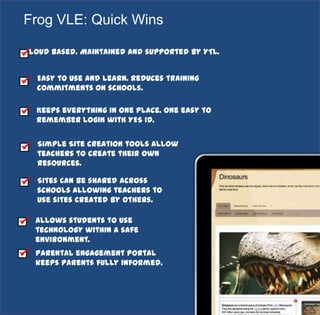
Cloud based. Maintained and supported by YTL.
Easy to use and learn. Reduces training
commitments on schools.
Keeps everything in one place. One easy to
remember login with YES ID.
Simple Site creation tools allow
teachers to create their own
resources.
Sites can be shared across
schools allowing teachers to
use sites created by others.
Allows students to use
technology within a safe
environment.
Parental engagement portal
keeps parents fully informed.
Frog VLE: Quick Wins
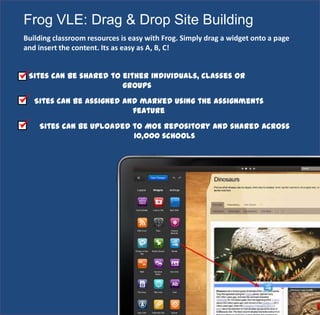
Frog VLE: Drag & Drop Site Building
Building classroom resources is easy with Frog. Simply drag a widget onto a page
and insert the content. Its as easy as A, B, C!
Sites can be shared to either individuals, classes or
groups
Sites can be assigned and marked using the Assignments
feature
Sites can be uploaded to MOE Repository and shared across
10,000 schools
3
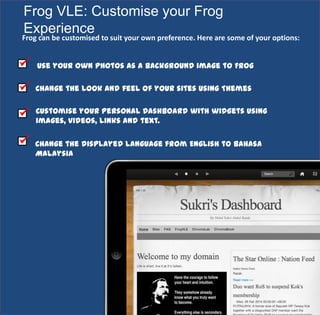
Frog VLE: Customise your Frog
Experience
Use your own photos as a background image to Frog
Change the look and feel of your sites using Themes
Frog can be customised to suit your own preference. Here are some of your options:
Customise your Personal Dashboard with widgets using
images, videos, links and text.
Change the displayed language from English to Bahasa
Malaysia
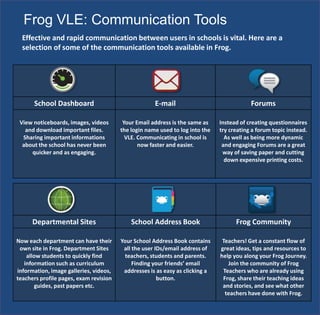
Frog VLE: Communication Tools
School Dashboard E-mail Forums
View noticeboards, images, videos
and download important files.
Sharing important informations
about the school has never been
quicker and as engaging.
Your Email address is the same as
the login name used to log into the
VLE. Communicating in school is
now faster and easier.
Instead of creating questionnaires
try creating a forum topic instead.
As well as being more dynamic
and engaging Forums are a great
way of saving paper and cutting
down expensive printing costs.
Departmental Sites School Address Book Frog Community
Now each department can have their
own site in Frog. Department Sites
allow students to quickly find
information such as curriculum
information, image galleries, videos,
teachers profile pages, exam revision
guides, past papers etc.
Your School Address Book contains
all the user IDs/email address of
teachers, students and parents.
Finding your friends’ email
addresses is as easy as clicking a
button.
Teachers! Get a constant flow of
great ideas, tips and resources to
help you along your Frog Journey.
Join the community of Frog
Teachers who are already using
Frog, share their teaching ideas
and stories, and see what other
teachers have done with Frog.
Effective and rapid communication between users in schools is vital. Here are a
selection of some of the communication tools available in Frog.
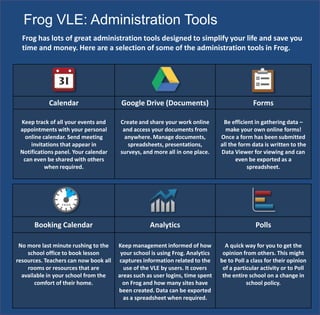
Frog VLE: Administration Tools
Calendar Google Drive (Documents) Forms
Keep track of all your events and
appointments with your personal
online calendar. Send meeting
invitations that appear in
Notifications panel. Your calendar
can even be shared with others
when required.
Create and share your work online
and access your documents from
anywhere. Manage documents,
spreadsheets, presentations,
surveys, and more all in one place.
Be efficient in gathering data –
make your own online forms!
Once a form has been submitted
all the form data is written to the
Data Viewer for viewing and can
even be exported as a
spreadsheet.
Frog has lots of great administration tools designed to simplify your life and save you
time and money. Here are a selection of some of the administration tools in Frog.
Booking Calendar Analytics Polls
No more last minute rushing to the
school office to book lesson
resources. Teachers can now book all
rooms or resources that are
available in your school from the
comfort of their home.
Keep management informed of how
your school is using Frog. Analytics
captures information related to the
use of the VLE by users. It covers
areas such as user logins, time spent
on Frog and how many sites have
been created. Data can be exported
as a spreadsheet when required.
A quick way for you to get the
opinion from others. This might
be to Poll a class for their opinion
of a particular activity or to Poll
the entire school on a change in
school policy.
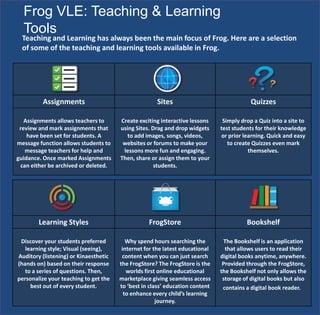
Frog VLE: Teaching & Learning
Tools
Assignments Sites Quizzes
Assignments allows teachers to
review and mark assignments that
have been set for students. A
message function allows students to
message teachers for help and
guidance. Once marked Assignments
can either be archived or deleted.
Create exciting interactive lessons
using Sites. Drag and drop widgets
to add images, songs, videos,
websites or forums to make your
lessons more fun and engaging.
Then, share or assign them to your
students.
Simply drop a Quiz into a site to
test students for their knowledge
or prior learning. Quick and easy
to create Quizzes even mark
themselves.
Teaching and Learning has always been the main focus of Frog. Here are a selection
of some of the teaching and learning tools available in Frog.
Learning Styles FrogStore Bookshelf
Discover your students preferred
learning style; Visual (seeing),
Auditory (listening) or Kinaesthetic
(hands on) based on their response
to a series of questions. Then,
personalize your teaching to get the
best out of every student.
Why spend hours searching the
internet for the latest educational
content when you can just search
the FrogStore? The FrogStore is the
worlds first online educational
marketplace giving seamless access
to ‘best in class’ education content
to enhance every child’s learning
journey.
The Bookshelf is an application
that allows users to read their
digital books anytime, anywhere.
Provided through the FrogStore,
the Bookshelf not only allows the
storage of digital books but also
contains a digital book reader.
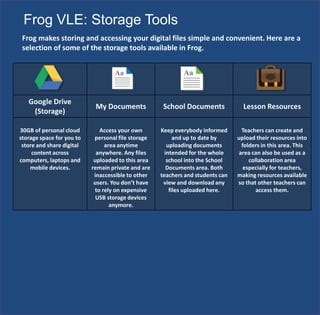
Google Drive
(Storage)
My Documents School Documents Lesson Resources
30GB of personal cloud
storage space for you to
store and share digital
content across
computers, laptops and
mobile devices.
Access your own
personal file storage
area anytime
anywhere. Any files
uploaded to this area
remain private and are
inaccessible to other
users. You don’t have
to rely on expensive
USB storage devices
anymore.
Keep everybody informed
and up to date by
uploading documents
intended for the whole
school into the School
Documents area. Both
teachers and students can
view and download any
files uploaded here.
Teachers can create and
upload their resources into
folders in this area. This
area can also be used as a
collaboration area
especially for teachers,
making resources available
so that other teachers can
access them.
Frog makes storing and accessing your digital files simple and convenient. Here are a
selection of some of the storage tools available in Frog.
Frog VLE: Storage Tools
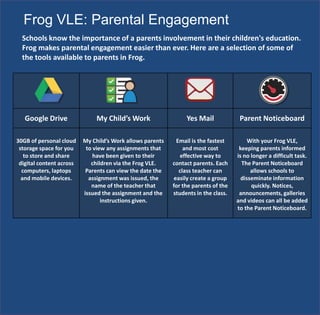
Frog VLE: Parental Engagement
Schools know the importance of a parents involvement in their children's education.
Frog makes parental engagement easier than ever. Here are a selection of some of
the tools available to parents in Frog.
Google Drive My Child’s Work Yes Mail Parent Noticeboard
30GB of personal cloud
storage space for you
to store and share
digital content across
computers, laptops
and mobile devices.
My Child’s Work allows parents
to view any assignments that
have been given to their
children via the Frog VLE.
Parents can view the date the
assignment was issued, the
name of the teacher that
issued the assignment and the
instructions given.
Email is the fastest
and most cost
effective way to
contact parents. Each
class teacher can
easily create a group
for the parents of the
students in the class.
With your Frog VLE,
keeping parents informed
is no longer a difficult task.
The Parent Noticeboard
allows schools to
disseminate information
quickly. Notices,
announcements, galleries
and videos can all be added
to the Parent Noticeboard.
www.frogasia.com

Frog presentation

  • 1.
  • 2.
    YTL Corps Training Cloud based.Maintained and supported by YTL. Easy to use and learn. Reduces training commitments on schools. Keeps everything in one place. One easy to remember login with YES ID. Simple Site creation tools allow teachers to create their own resources. Sites can be shared across schools allowing teachers to use sites created by others. Allows students to use technology within a safe environment. Parental engagement portal keeps parents fully informed. Frog VLE: Quick Wins
  • 3.
    Frog VLE: Drag& Drop Site Building Building classroom resources is easy with Frog. Simply drag a widget onto a page and insert the content. Its as easy as A, B, C! Sites can be shared to either individuals, classes or groups Sites can be assigned and marked using the Assignments feature Sites can be uploaded to MOE Repository and shared across 10,000 schools
  • 4.
    3 Frog VLE: Customiseyour Frog Experience Use your own photos as a background image to Frog Change the look and feel of your sites using Themes Frog can be customised to suit your own preference. Here are some of your options: Customise your Personal Dashboard with widgets using images, videos, links and text. Change the displayed language from English to Bahasa Malaysia
  • 5.
    Frog VLE: CommunicationTools School Dashboard E-mail Forums View noticeboards, images, videos and download important files. Sharing important informations about the school has never been quicker and as engaging. Your Email address is the same as the login name used to log into the VLE. Communicating in school is now faster and easier. Instead of creating questionnaires try creating a forum topic instead. As well as being more dynamic and engaging Forums are a great way of saving paper and cutting down expensive printing costs. Departmental Sites School Address Book Frog Community Now each department can have their own site in Frog. Department Sites allow students to quickly find information such as curriculum information, image galleries, videos, teachers profile pages, exam revision guides, past papers etc. Your School Address Book contains all the user IDs/email address of teachers, students and parents. Finding your friends’ email addresses is as easy as clicking a button. Teachers! Get a constant flow of great ideas, tips and resources to help you along your Frog Journey. Join the community of Frog Teachers who are already using Frog, share their teaching ideas and stories, and see what other teachers have done with Frog. Effective and rapid communication between users in schools is vital. Here are a selection of some of the communication tools available in Frog.
  • 6.
    Frog VLE: AdministrationTools Calendar Google Drive (Documents) Forms Keep track of all your events and appointments with your personal online calendar. Send meeting invitations that appear in Notifications panel. Your calendar can even be shared with others when required. Create and share your work online and access your documents from anywhere. Manage documents, spreadsheets, presentations, surveys, and more all in one place. Be efficient in gathering data – make your own online forms! Once a form has been submitted all the form data is written to the Data Viewer for viewing and can even be exported as a spreadsheet. Frog has lots of great administration tools designed to simplify your life and save you time and money. Here are a selection of some of the administration tools in Frog. Booking Calendar Analytics Polls No more last minute rushing to the school office to book lesson resources. Teachers can now book all rooms or resources that are available in your school from the comfort of their home. Keep management informed of how your school is using Frog. Analytics captures information related to the use of the VLE by users. It covers areas such as user logins, time spent on Frog and how many sites have been created. Data can be exported as a spreadsheet when required. A quick way for you to get the opinion from others. This might be to Poll a class for their opinion of a particular activity or to Poll the entire school on a change in school policy.
  • 7.
    Frog VLE: Teaching& Learning Tools Assignments Sites Quizzes Assignments allows teachers to review and mark assignments that have been set for students. A message function allows students to message teachers for help and guidance. Once marked Assignments can either be archived or deleted. Create exciting interactive lessons using Sites. Drag and drop widgets to add images, songs, videos, websites or forums to make your lessons more fun and engaging. Then, share or assign them to your students. Simply drop a Quiz into a site to test students for their knowledge or prior learning. Quick and easy to create Quizzes even mark themselves. Teaching and Learning has always been the main focus of Frog. Here are a selection of some of the teaching and learning tools available in Frog. Learning Styles FrogStore Bookshelf Discover your students preferred learning style; Visual (seeing), Auditory (listening) or Kinaesthetic (hands on) based on their response to a series of questions. Then, personalize your teaching to get the best out of every student. Why spend hours searching the internet for the latest educational content when you can just search the FrogStore? The FrogStore is the worlds first online educational marketplace giving seamless access to ‘best in class’ education content to enhance every child’s learning journey. The Bookshelf is an application that allows users to read their digital books anytime, anywhere. Provided through the FrogStore, the Bookshelf not only allows the storage of digital books but also contains a digital book reader.
  • 8.
    Google Drive (Storage) My DocumentsSchool Documents Lesson Resources 30GB of personal cloud storage space for you to store and share digital content across computers, laptops and mobile devices. Access your own personal file storage area anytime anywhere. Any files uploaded to this area remain private and are inaccessible to other users. You don’t have to rely on expensive USB storage devices anymore. Keep everybody informed and up to date by uploading documents intended for the whole school into the School Documents area. Both teachers and students can view and download any files uploaded here. Teachers can create and upload their resources into folders in this area. This area can also be used as a collaboration area especially for teachers, making resources available so that other teachers can access them. Frog makes storing and accessing your digital files simple and convenient. Here are a selection of some of the storage tools available in Frog. Frog VLE: Storage Tools
  • 9.
    Frog VLE: ParentalEngagement Schools know the importance of a parents involvement in their children's education. Frog makes parental engagement easier than ever. Here are a selection of some of the tools available to parents in Frog. Google Drive My Child’s Work Yes Mail Parent Noticeboard 30GB of personal cloud storage space for you to store and share digital content across computers, laptops and mobile devices. My Child’s Work allows parents to view any assignments that have been given to their children via the Frog VLE. Parents can view the date the assignment was issued, the name of the teacher that issued the assignment and the instructions given. Email is the fastest and most cost effective way to contact parents. Each class teacher can easily create a group for the parents of the students in the class. With your Frog VLE, keeping parents informed is no longer a difficult task. The Parent Noticeboard allows schools to disseminate information quickly. Notices, announcements, galleries and videos can all be added to the Parent Noticeboard.
  • 10.