F# Server side programming
Dave Thomas
MoiraeSoftware.com
twitter.com/7sharp9
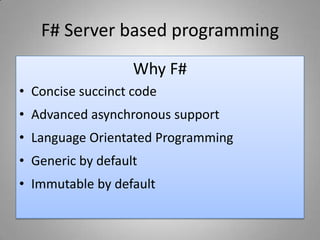
F# Server based programming
Why F#
• Concise succinct code
• Advanced asynchronous support
• Language Orientated Programming
• Generic by default
• Immutable by default
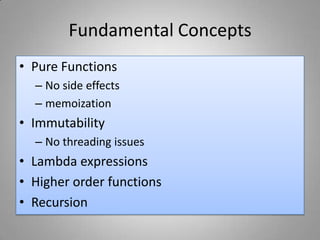
Fundamental Concepts
• Pure Functions
– No side effects
– memoization
• Immutability
– No threading issues
• Lambda expressions
• Higher order functions
• Recursion
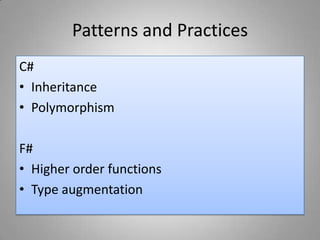
Patterns and Practices
C#
• Inheritance
• Polymorphism
F#
• Higher order functions
• Type augmentation
Patterns / similarities
• Discriminated unions -> Small class hierarchies
• Higher Order Functions -> Command Pattern
• Fold -> Visitor pattern
A comparison of styles
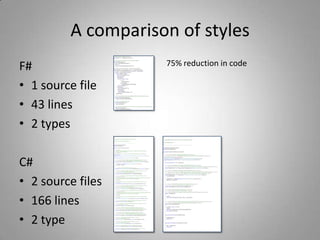
F#
• 1 source file
• 43 lines
• 2 types
C#
• 2 source files
• 166 lines
• 2 type
75% reduction in code
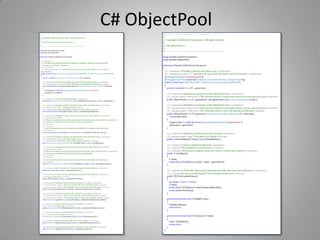
C# ObjectPool
F# ObjectPool
//Agent alias for MailboxProcessor
type Agent<'T> = MailboxProcessor<'T>
///One of three messages for our Object Pool agent
typePoolMessage<'a> =
| Get ofAsyncReplyChannel<'a>
| Put of 'a
| Clear ofAsyncReplyChannel<List<'a>>
/// Object pool representing a reusable pool of objects
typeObjectPool<'a>(generate: unit -> 'a, initialPoolCount) =
let initial = List.initinitialPoolCount (fun (x) -> generate())
let agent = Agent.Start(fun inbox ->
letrecloop(x) = async {
let!msg = inbox.Receive()
matchmsgwith
| Get(reply) ->
let res = matchxwith
| a :: b->
reply.Reply(a);b
| [] as empty->
reply.Reply(generate());empty
return!loop(res)
| Put(value)->
return!loop(value :: x)
| Clear(reply) ->
reply.Reply(x)
return!loop(List.empty<'a>) }
loop(initial))
/// Clears the object pool, returning all of the data that was in the
pool.
memberthis.ToListAndClear() =
agent.PostAndAsyncReply(Clear)
/// Puts an item into the pool
memberthis.Put(item ) =
agent.Post(item)
/// Gets an item from the pool or if there are none present use the
generator
memberthis.Get(item) =
agent.PostAndAsyncReply(Get)
F# - Fracture IO
Open source high performance
Socket, Pipeline, and agent library
Sockets
2 Models of Operation
• AsyncResult Model
• SocketAsyncEventArgs Model
IAsyncResults Model
Pros
• Well documented API
• Can be simplified with helpers in
Asynchronous workflows in F#
• Fast to get an initial result
Cons
• Allocation of IAsyncResult on every Operation
• Consumes more CPU for each send and
receive operation
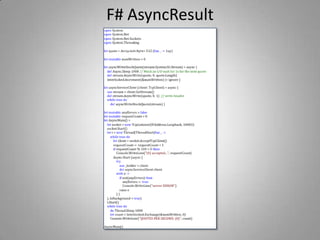
F# AsyncResult
SocketAsyncEventArgs Model
Pros
• Less memory allocations
• Better performance
• Closer to the metal
Cons
• Not a well understood or documented API
• Can be complex to get right
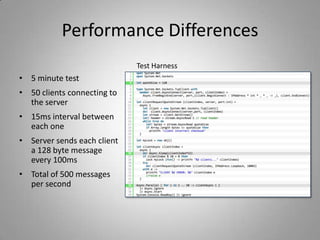
Performance Differences
• 5 minute test
• 50 clients connecting to
the server
• 15ms interval between
each one
• Server sends each client
a 128 byte message
every 100ms
• Total of 500 messages
per second
Test Harness
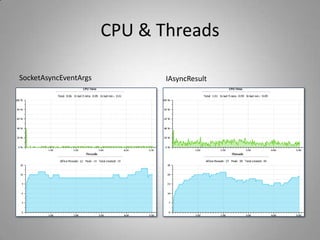
CPU & Threads
SocketAsyncEventArgs IAsyncResult
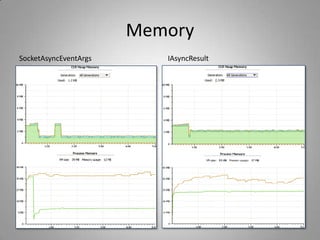
Memory
SocketAsyncEventArgs IAsyncResult
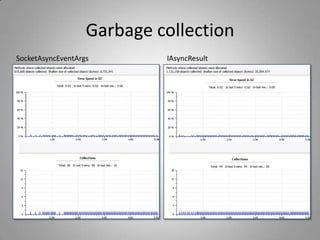
Garbage collection
SocketAsyncEventArgs IAsyncResult
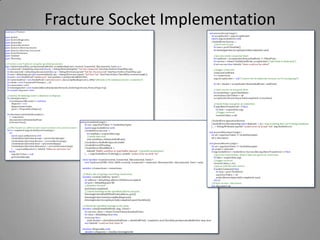
Fracture Socket Implementation
Agents
• Provide a message passing mechanism
• Agents read and respond to a queue of
messages
• Typically a discriminated union is used to
describe messages
Introducing Fracture-IO
• High performance Socket library
• Highly compositional pipeline library
Pipelines
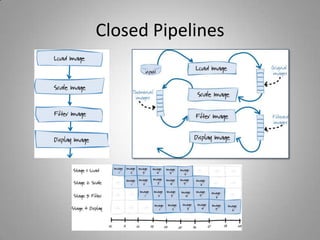
• Closed Pipelines
– Tomas Petricek
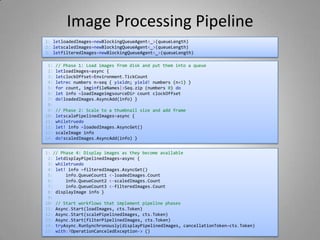
• Image Processing Pipeline
• Open Pipelines
– Pipelets
Closed Pipelines
Image Processing Pipeline
1: // Phase 1: Load images from disk and put them into a queue
2: letloadImages=async {
3: letclockOffset=Environment.TickCount
4: letrec numbers n=seq { yieldn; yield! numbers (n+1) }
5: for count, imginfileNames|>Seq.zip (numbers 0) do
6: let info =loadImageimgsourceDir count clockOffset
7: do!loadedImages.AsyncAdd(info) }
8:
9: // Phase 2: Scale to a thumbnail size and add frame
10: letscalePipelinedImages=async {
11: whiletruedo
12: let! info =loadedImages.AsyncGet()
13: scaleImage info
14: do!scaledImages.AsyncAdd(info) }
1: letloadedImages=newBlockingQueueAgent<_>(queueLength)
2: letscaledImages=newBlockingQueueAgent<_>(queueLength)
3: letfilteredImages=newBlockingQueueAgent<_>(queueLength)
1: // Phase 4: Display images as they become available
2: letdisplayPipelinedImages=async {
3: whiletruedo
4: let! info =filteredImages.AsyncGet()
5: info.QueueCount1 <-loadedImages.Count
6: info.QueueCount2 <-scaledImages.Count
7: info.QueueCount3 <-filteredImages.Count
8: displayImage info }
9:
10: // Start workflows that implement pipeline phases
11: Async.Start(loadImages, cts.Token)
12: Async.Start(scalePipelinedImages, cts.Token)
13: Async.Start(filterPipelinedImages, cts.Token)
14: tryAsync.RunSynchronously(displayPipelinedImages, cancellationToken=cts.Token)
15: with:?OperationCanceledException-> ()
Open Pipelines
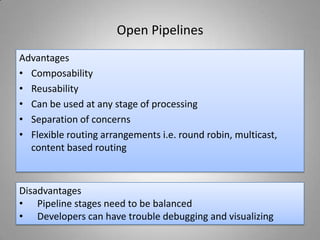
Advantages
• Composability
• Reusability
• Can be used at any stage of processing
• Separation of concerns
• Flexible routing arrangements i.e. round robin, multicast,
content based routing
Disadvantages
• Pipeline stages need to be balanced
• Developers can have trouble debugging and visualizing
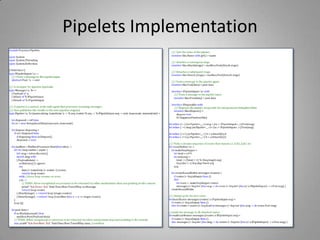
Pipelets Implementation
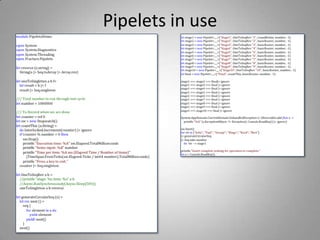
Pipelets in use
Future Directions
• Distributed Pipelets
– Wave Pipelines
– Synchronous buffered Pipeline
• Advanced agent based programming
- Supervision
- Pooling
- Control Messages

F# Server-side programming

  • 1.
    F# Server sideprogramming Dave Thomas MoiraeSoftware.com twitter.com/7sharp9
  • 2.
    F# Server basedprogramming Why F# • Concise succinct code • Advanced asynchronous support • Language Orientated Programming • Generic by default • Immutable by default
  • 3.
    Fundamental Concepts • PureFunctions – No side effects – memoization • Immutability – No threading issues • Lambda expressions • Higher order functions • Recursion
  • 4.
    Patterns and Practices C# •Inheritance • Polymorphism F# • Higher order functions • Type augmentation
  • 5.
    Patterns / similarities •Discriminated unions -> Small class hierarchies • Higher Order Functions -> Command Pattern • Fold -> Visitor pattern
  • 6.
    A comparison ofstyles F# • 1 source file • 43 lines • 2 types C# • 2 source files • 166 lines • 2 type 75% reduction in code
  • 7.
  • 8.
    F# ObjectPool //Agent aliasfor MailboxProcessor type Agent<'T> = MailboxProcessor<'T> ///One of three messages for our Object Pool agent typePoolMessage<'a> = | Get ofAsyncReplyChannel<'a> | Put of 'a | Clear ofAsyncReplyChannel<List<'a>> /// Object pool representing a reusable pool of objects typeObjectPool<'a>(generate: unit -> 'a, initialPoolCount) = let initial = List.initinitialPoolCount (fun (x) -> generate()) let agent = Agent.Start(fun inbox -> letrecloop(x) = async { let!msg = inbox.Receive() matchmsgwith | Get(reply) -> let res = matchxwith | a :: b-> reply.Reply(a);b | [] as empty-> reply.Reply(generate());empty return!loop(res) | Put(value)-> return!loop(value :: x) | Clear(reply) -> reply.Reply(x) return!loop(List.empty<'a>) } loop(initial)) /// Clears the object pool, returning all of the data that was in the pool. memberthis.ToListAndClear() = agent.PostAndAsyncReply(Clear) /// Puts an item into the pool memberthis.Put(item ) = agent.Post(item) /// Gets an item from the pool or if there are none present use the generator memberthis.Get(item) = agent.PostAndAsyncReply(Get)
  • 9.
    F# - FractureIO Open source high performance Socket, Pipeline, and agent library
  • 10.
    Sockets 2 Models ofOperation • AsyncResult Model • SocketAsyncEventArgs Model
  • 11.
    IAsyncResults Model Pros • Welldocumented API • Can be simplified with helpers in Asynchronous workflows in F# • Fast to get an initial result Cons • Allocation of IAsyncResult on every Operation • Consumes more CPU for each send and receive operation
  • 12.
  • 13.
    SocketAsyncEventArgs Model Pros • Lessmemory allocations • Better performance • Closer to the metal Cons • Not a well understood or documented API • Can be complex to get right
  • 14.
    Performance Differences • 5minute test • 50 clients connecting to the server • 15ms interval between each one • Server sends each client a 128 byte message every 100ms • Total of 500 messages per second Test Harness
  • 15.
  • 16.
  • 17.
  • 18.
  • 19.
    Agents • Provide amessage passing mechanism • Agents read and respond to a queue of messages • Typically a discriminated union is used to describe messages
  • 20.
    Introducing Fracture-IO • Highperformance Socket library • Highly compositional pipeline library
  • 21.
    Pipelines • Closed Pipelines –Tomas Petricek • Image Processing Pipeline • Open Pipelines – Pipelets
  • 22.
  • 23.
    Image Processing Pipeline 1:// Phase 1: Load images from disk and put them into a queue 2: letloadImages=async { 3: letclockOffset=Environment.TickCount 4: letrec numbers n=seq { yieldn; yield! numbers (n+1) } 5: for count, imginfileNames|>Seq.zip (numbers 0) do 6: let info =loadImageimgsourceDir count clockOffset 7: do!loadedImages.AsyncAdd(info) } 8: 9: // Phase 2: Scale to a thumbnail size and add frame 10: letscalePipelinedImages=async { 11: whiletruedo 12: let! info =loadedImages.AsyncGet() 13: scaleImage info 14: do!scaledImages.AsyncAdd(info) } 1: letloadedImages=newBlockingQueueAgent<_>(queueLength) 2: letscaledImages=newBlockingQueueAgent<_>(queueLength) 3: letfilteredImages=newBlockingQueueAgent<_>(queueLength) 1: // Phase 4: Display images as they become available 2: letdisplayPipelinedImages=async { 3: whiletruedo 4: let! info =filteredImages.AsyncGet() 5: info.QueueCount1 <-loadedImages.Count 6: info.QueueCount2 <-scaledImages.Count 7: info.QueueCount3 <-filteredImages.Count 8: displayImage info } 9: 10: // Start workflows that implement pipeline phases 11: Async.Start(loadImages, cts.Token) 12: Async.Start(scalePipelinedImages, cts.Token) 13: Async.Start(filterPipelinedImages, cts.Token) 14: tryAsync.RunSynchronously(displayPipelinedImages, cancellationToken=cts.Token) 15: with:?OperationCanceledException-> ()
  • 24.
    Open Pipelines Advantages • Composability •Reusability • Can be used at any stage of processing • Separation of concerns • Flexible routing arrangements i.e. round robin, multicast, content based routing Disadvantages • Pipeline stages need to be balanced • Developers can have trouble debugging and visualizing
  • 25.
  • 26.
  • 27.
    Future Directions • DistributedPipelets – Wave Pipelines – Synchronous buffered Pipeline • Advanced agent based programming - Supervision - Pooling - Control Messages