Frac Data Acquisition System Test
How to test Data Acquisition using frac
software like IFS and ACE to record
simulation of pressure and rate using
loop calibrator and function generator.
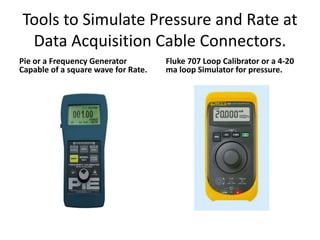
Tools to Simulate Pressure and Rate at
Data Acquisition Cable Connectors.
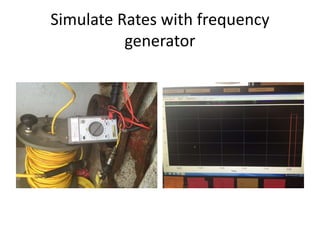
Pie or a Frequency Generator
Capable of a square wave for Rate.
Fluke 707 Loop Calibrator or a 4-20
ma loop Simulator for pressure.
Make a Job In IFS on Server/ Fracpro
software can be used an well.
• Start IFS on Server ONE.
• Create Job, I called it PM test David Aakre.
• Don’t forget to put a generic Sales Order
number in like 12121212.
• Choose OK.
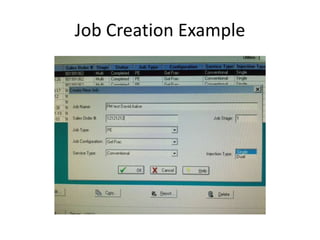
Job Creation Example
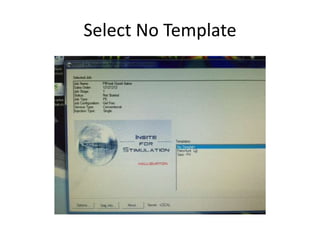
Select No Template
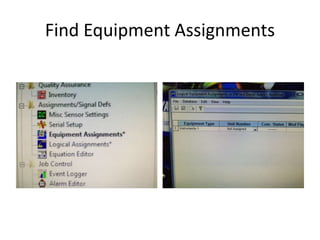
Find Equipment Assignments
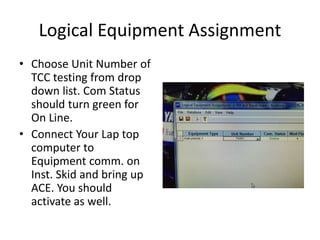
Logical Equipment Assignment
• Choose Unit Number of
TCC testing from drop
down list. Com Status
should turn green for
On Line.
• Connect Your Lap top
computer to
Equipment comm. on
Inst. Skid and bring up
ACE. You should
activate as well.
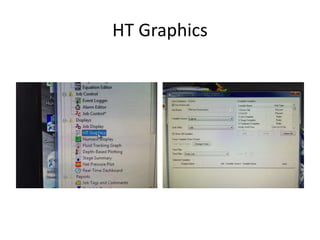
HT Graphics
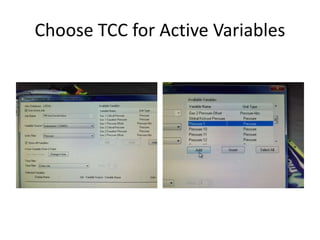
Choose TCC for Active Variables
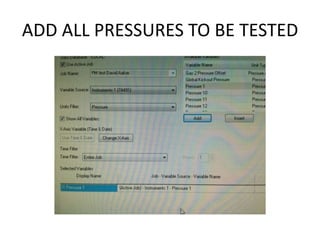
ADD ALL PRESSURES TO BE TESTED
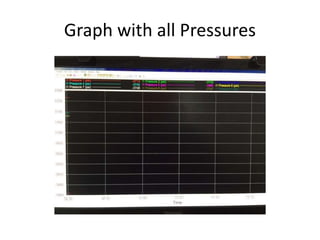
Graph with all Pressures
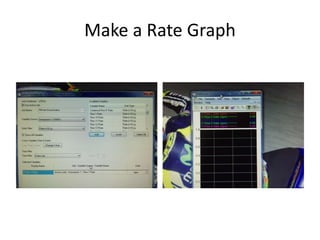
Make a Rate Graph
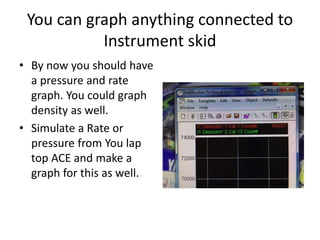
You can graph anything connected to
Instrument skid
• By now you should have
a pressure and rate
graph. You could graph
density as well.
• Simulate a Rate or
pressure from You lap
top ACE and make a
graph for this as well.
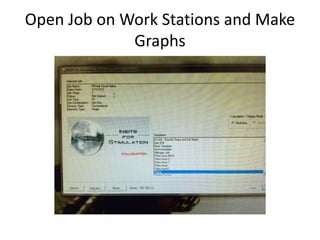
Open Job on Work Stations and Make
Graphs
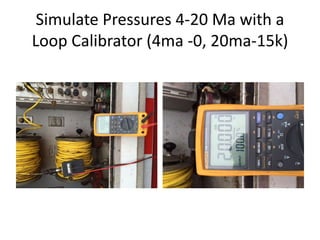
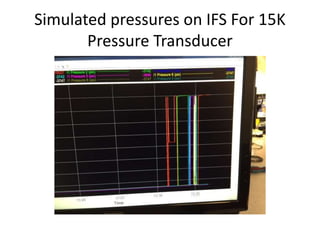
Simulate Pressures 4-20 Ma with a
Loop Calibrator (4ma -0, 20ma-15k)
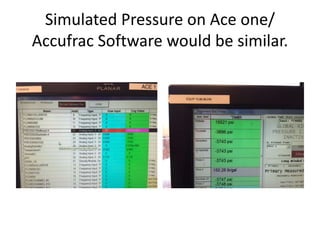
Simulated Pressure on Ace one/
Accufrac Software would be similar.
Simulated pressures on IFS For 15K
Pressure Transducer
Simulate Rates with frequency
generator
Now you know how to test a
Instrument skid.
• With laptop computer connected to
Instrument skid you should see blender or
Pump whatever you choose your Ace to be on
Ace one in TCC. By doing this you have tested
equipment communication from Instrument
Skid. You have also tested communication
from Ace one to Server by making a graph on
Server for Rate or pressure from Ace chosen
on Lap top. I usually simulate a fixed rate from
entered clean on a Blender Ace.
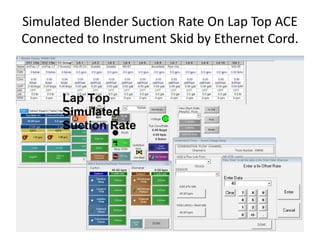
Simulated Blender Suction Rate On Lap Top ACE
Connected to Instrument Skid by Ethernet Cord.
Can you test a new version of IFS this
way?
• You bet you can cause you can simulate
anything coming into TCC on Instrument Skid.
• You could set up a dummy job and run all by
simulation.
• Now you’re a Pro. Great Job Buddy!!!
• Frac-Pro and Accufrac can be tested this way.
So can Frac-link and Essex by Rolligon. IFS and
Ace are Examples on testing Data Van.
David Aakre
Technologist
Any Data Acquisition System Can Be
Tested This Way

Frac data van acquisition system test

  • 1.
    Frac Data AcquisitionSystem Test How to test Data Acquisition using frac software like IFS and ACE to record simulation of pressure and rate using loop calibrator and function generator.
  • 2.
    Tools to SimulatePressure and Rate at Data Acquisition Cable Connectors. Pie or a Frequency Generator Capable of a square wave for Rate. Fluke 707 Loop Calibrator or a 4-20 ma loop Simulator for pressure.
  • 3.
    Make a JobIn IFS on Server/ Fracpro software can be used an well. • Start IFS on Server ONE. • Create Job, I called it PM test David Aakre. • Don’t forget to put a generic Sales Order number in like 12121212. • Choose OK.
  • 4.
  • 5.
  • 6.
  • 7.
    Logical Equipment Assignment •Choose Unit Number of TCC testing from drop down list. Com Status should turn green for On Line. • Connect Your Lap top computer to Equipment comm. on Inst. Skid and bring up ACE. You should activate as well.
  • 8.
  • 9.
    Choose TCC forActive Variables
  • 10.
    ADD ALL PRESSURESTO BE TESTED
  • 11.
    Graph with allPressures
  • 12.
  • 13.
    You can graphanything connected to Instrument skid • By now you should have a pressure and rate graph. You could graph density as well. • Simulate a Rate or pressure from You lap top ACE and make a graph for this as well.
  • 14.
    Open Job onWork Stations and Make Graphs
  • 15.
    Simulate Pressures 4-20Ma with a Loop Calibrator (4ma -0, 20ma-15k)
  • 16.
    Simulated Pressure onAce one/ Accufrac Software would be similar.
  • 17.
    Simulated pressures onIFS For 15K Pressure Transducer
  • 18.
    Simulate Rates withfrequency generator
  • 19.
    Now you knowhow to test a Instrument skid. • With laptop computer connected to Instrument skid you should see blender or Pump whatever you choose your Ace to be on Ace one in TCC. By doing this you have tested equipment communication from Instrument Skid. You have also tested communication from Ace one to Server by making a graph on Server for Rate or pressure from Ace chosen on Lap top. I usually simulate a fixed rate from entered clean on a Blender Ace.
  • 20.
    Simulated Blender SuctionRate On Lap Top ACE Connected to Instrument Skid by Ethernet Cord.
  • 21.
    Can you testa new version of IFS this way? • You bet you can cause you can simulate anything coming into TCC on Instrument Skid. • You could set up a dummy job and run all by simulation. • Now you’re a Pro. Great Job Buddy!!! • Frac-Pro and Accufrac can be tested this way. So can Frac-link and Essex by Rolligon. IFS and Ace are Examples on testing Data Van.
  • 22.
    David Aakre Technologist Any DataAcquisition System Can Be Tested This Way