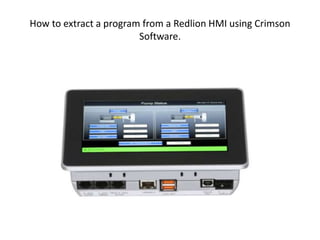
How to extract a program from a Redlion HMI using Crimson
Software.
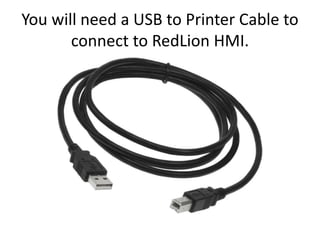
You will need a USB to Printer Cable to
connect to RedLion HMI.
On the Redlion Crimson Software site down load the version
your company is using. Its important to use the version that is
currently used on the Redlion HMI. Load the software on a
computer.
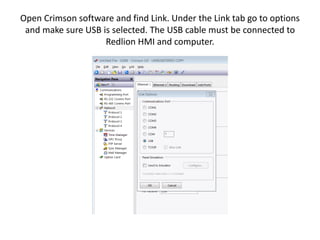
Open Crimson software and find Link. Under the Link tab go to options
and make sure USB is selected. The USB cable must be connected to
Redlion HMI and computer.
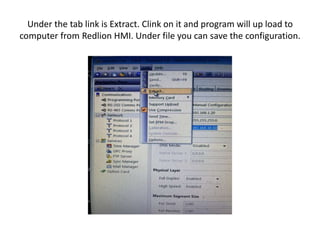
Under the tab link is Extract. Clink on it and program will up load to
computer from Redlion HMI. Under file you can save the configuration.
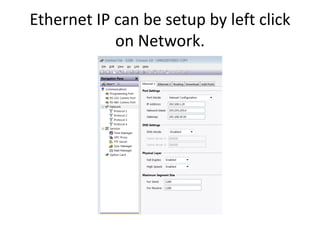
Ethernet IP can be setup by left click
on Network.
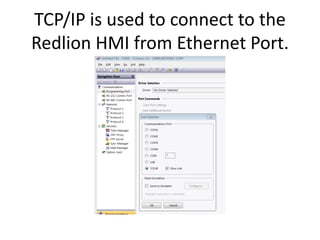
TCP/IP is used to connect to the
Redlion HMI from Ethernet Port.
Now you can extract a file from a
Redlion HMI and set up Ethernet IP
David Aakre
Mechanical Engineer Technologist.

How to extract a program from a Redlion.pptx

  • 1.
    How to extracta program from a Redlion HMI using Crimson Software.
  • 2.
    You will needa USB to Printer Cable to connect to RedLion HMI.
  • 3.
    On the RedlionCrimson Software site down load the version your company is using. Its important to use the version that is currently used on the Redlion HMI. Load the software on a computer.
  • 4.
    Open Crimson softwareand find Link. Under the Link tab go to options and make sure USB is selected. The USB cable must be connected to Redlion HMI and computer.
  • 5.
    Under the tablink is Extract. Clink on it and program will up load to computer from Redlion HMI. Under file you can save the configuration.
  • 6.
    Ethernet IP canbe setup by left click on Network.
  • 7.
    TCP/IP is usedto connect to the Redlion HMI from Ethernet Port.
  • 8.
    Now you canextract a file from a Redlion HMI and set up Ethernet IP David Aakre Mechanical Engineer Technologist.